Epson LQ-2190 Wide-Carriage 24-Pin Dot Matrix Printer in Kenya | City Gadgets Kenya
Same-day delivery in Nairobi by 10 Oct – 11 Oct
Description
Buy the genuine Epson LQ-2190 24-pin 136-column dot matrix impact printer with 576 cps speed and multi-part form printing in Kenya from City Gadgets Kenya. Epson LQ-2190 price in Kenya, dot matrix printer Nairobi, invoice and carbon copy printer.
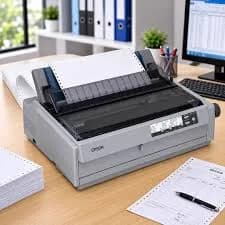
Epson LQ-2190 Wide-Carriage 24-Pin Dot Matrix Printer in Kenya
Genuine Epson | Brand New | 24-Pin Impact Dot Matrix | 136 Columns, A3 Width | 576 cps | Multi-Part Forms (1 Original + 5 Copies) | USB and Parallel
Searching for the Epson LQ-2190 price in Kenya, a dot matrix printer in Nairobi, or a printer that prints invoices and delivery notes with carbon copies? The Epson LQ-2190 is a brand-new, genuine 24-pin wide-carriage impact printer. Instead of spraying ink or fusing toner, it strikes an ink ribbon with tiny pins, which lets it print through multi-part carbonless or carbon forms and make several copies in one pass. It prints at up to 576 characters per second, handles paper up to A3 width, and connects by USB and parallel. It's available from City Gadgets Kenya with delivery across Kenya. Buyers also search for it as an Epson LQ-2190, a 136-column dot matrix printer, a wide carriage printer, an invoice printer, a carbon copy printer, a continuous stationery printer, a printer for multi-part forms, a bank or hospital form printer, or a delivery note printer.
This guide explains the printer in plain language: how impact printing works, why some businesses still depend on it, what the LQ-2190 does well, and where it's limited, so you can tell whether it's right for you or whether an ordinary inkjet or laser would serve you better. If you'd like to talk it through, message us on WhatsApp.
The short verdict
The Epson LQ-2190 is a specialist tool, and it's a very good one. It exists for one job that inkjet and laser printers can't do: printing through several layers of paper at once, so every copy of an invoice, waybill, receipt or form is made in a single pass. Epson built it for high-volume data processing, with a 24-pin print head rated for 400 million characters, a ribbon rated for about 15 million characters and a mean time between failures of 20,000 power-on hours. It prints up to 6-part forms, which means one original plus five copies, on paper up to A3 width, with paper loaded from the front, top, bottom or rear. It's loud, black-and-white only, and has coarse print quality compared with a laser, so it's not for general office printing. If your business uses multi-part forms or continuous stationery, it's the right machine. If it doesn't, an ordinary printer will serve you better.
How impact printing works
Understanding the technology explains both its strengths and its limits.
- A print head with 24 tiny pins. The pins fire against an inked ribbon, pressing dots onto the paper.
- Impact is the point. Because the pins strike with force, the impact passes through several layers of paper, and carbon or carbonless forms record the same text on every copy.
- Characters are made of dots. At 360 by 180 dpi, text is clearly legible, though less smooth than a laser's.
- Wide carriage. The LQ-2190 prints 136 columns, which suits wide forms, ledgers, spreadsheets on continuous paper and A3-width stationery.
- A ribbon, not ink or toner. You replace a ribbon cartridge, which lasts for millions of characters.
For forms that need carbon copies, impact printing is still the only practical option.
Who this printer is for
It suits you if:
- You print invoices, delivery notes, receipts, waybills or purchase orders on multi-part forms.
- You print on continuous (fan-fold) stationery.
- You're a bank, hospital, supermarket, logistics firm, school, government office or factory that needs carbon copies for records.
- You need an original and several copies printed in one pass.
- You want a very low running cost and a printer built for heavy, continuous use.
- You print wide documents, up to 136 columns.
Look elsewhere if:
- You print ordinary documents on single sheets. See the HP, Epson, Brother or Canon printers in our range.
- You need colour, photos or sharp graphics.
- You need a quiet printer. The LQ-2190 is loud, at about 54 dB in Epson's rating, and impact printing sounds louder than that in practice.
- You print only a handful of forms each month.
Specifications in plain English
| Feature | Detail | What it means for you |
|---|---|---|
| Model | Epson LQ-2190 | Epson's wide-carriage 24-pin dot matrix printer |
| Printing method | Impact dot matrix, 24 pins, bidirectional | Prints through multi-part forms |
| Print width | 136 columns (wide carriage, up to A3 paper width) | Fits wide forms and continuous stationery |
| Print speed | Up to 576 cps (high-speed draft at 12 cpi), 432 cps draft and 144 cps letter quality | Fast for high volumes |
| Resolution | 360 x 180 dpi | Clear, legible text |
| Copies | Up to 6 parts: 1 original and 5 copies | Several copies in one pass |
| Paper paths | Front, top, bottom and rear | Flexible placement and feeding |
| Paper feed | Tractor feed (continuous), cut sheet and manual | Handles fan-fold paper and single sheets |
| Interfaces | Parallel and USB 2.0. An optional Ethernet network card exists | Wired connection |
| Print head life | 400 million characters (strokes per wire) | Built for years of use |
| Ribbon life | About 15 million characters (black draft) | Low running cost |
| Reliability | Mean time between failures of 20,000 power-on hours | A durable, heavy-duty design |
| Emulations | Epson ESC/P2 and PPDS | Works with a wide range of software |
| Memory | 128 KB buffer | Smooth job handling |
| Noise | About 54 dB(A) | Loud, as with all impact printers |
| Power use | About 46 W in normal operation | Modest |
| Software | Epson Status Monitor | Check status from the computer |
These figures come from Epson data sheets and retailer listings of the LQ-2190. Ask us to confirm what's in the box, whether the ribbon is included, and the warranty for the unit you order.
What the LQ-2190 does well
- Prints several copies at once, through multi-part forms, in a single pass.
- Handles continuous stationery with a tractor feed, for long, uninterrupted jobs.
- A fast, wide, heavy-duty design, at up to 576 cps and 136 columns.
- A very low running cost, because ribbons are cheap and last millions of characters.
- Flexible paper paths, so you can place the printer to suit your desk or counter.
- A durable build, with a long-life print head and a high mean time between failures.
- Simple, reliable operation, with no ink to dry out, no toner and no warm-up.
- A strong fit for legacy software, with Epson ESC/P2 and PPDS support.
What it leaves out
- No colour and no real graphics quality. Dot matrix text is legible but coarse.
- Noise. Impact printing is loud.
- Slow letter-quality mode, at about 144 cps, which is much slower than draft.
- No wireless connection. It connects by USB and parallel, with an optional Ethernet card.
- A large, heavy body. It needs a solid table or stand.
- Not suited to photos or general office documents.
Which forms work with it
The LQ-2190 prints through layers, so the choice of form matters.
- Carbonless multi-part forms (NCR). The most common choice. The pressure of the pins makes a mark on each sheet through a chemical coating.
- Carbon-interleaved forms. Sheets with carbon paper between them.
- Continuous fan-fold forms. With tractor-feed holes, for long runs.
- Single-part continuous paper, such as listing paper.
- Cut sheets, loaded by hand or from the top.
- Labels and envelopes, within the printer's limits. Check the manual first.
Up to six parts means one original and five copies. Print quality on the last copy depends on the paper and the ribbon, so test a sample before you commit to a large order of forms.
Where dot matrix printers are still used in Kenya
Many Kenyan organisations still rely on multi-part forms, for good reasons.
- Banks and SACCOs. Deposit and withdrawal slips, receipts and statements with carbon copies.
- Hospitals and clinics. Prescriptions, invoices and patient records in duplicate or triplicate.
- Supermarkets and wholesalers. Delivery notes, goods received notes and invoices.
- Transport and logistics firms. Waybills, consignment notes and manifests.
- Hotels and restaurants. Guest folios and order slips.
- Schools and colleges. Fee receipts with copies for parents and the office.
- Government and county offices. Forms that require signed copies.
- Factories and warehouses. Stock and dispatch documents, often on continuous paper.
For these users, the copies are the point, and a laser or inkjet can't make them.
Setting up the printer
- Place it on a strong, level table or stand, with room for paper to feed and stack behind or beneath it.
- Unbox and remove all packing material, including the transit locks.
- Install the ribbon cartridge, following the guide.
- Load paper. Choose cut sheets or continuous paper, and set the paper path.
- Connect by USB to your computer, or by parallel if your computer has the port.
- Install the Epson driver and the Status Monitor, and print a test page.
- Set the paper thickness lever for the number of parts, so the head distance suits the stack.
- Print a test form and check the copies.
The paper thickness setting
The LQ-2190 has a lever or setting that adjusts the distance between the print head and the paper.
- Thin paper or one part: use a low setting, so the print is crisp.
- Multi-part forms: use a higher setting, so the head doesn't scrape the paper and the pins reach the bottom copy.
- Too low a setting with thick forms causes smudging, jams or ribbon damage.
- Too high a setting makes light, faint prints on the original.
- Test and adjust. Print a sample, check all copies and adjust until the last copy is legible.
Ribbon and print head care
A dot matrix printer is simple to maintain, and a few habits keep it reliable.
- Replace the ribbon when prints turn faint. Use genuine ribbons, since poor ribbons shed fibres and wear the head.
- Don't run it without paper, which prints on the platen and damages the head.
- Let the head cool after long runs before touching it.
- Keep dust and paper fibres out with an occasional wipe, with the printer off.
- Don't force the head by hand, unless the manual says to.
- Use good-quality forms, since cheap paper sheds dust that clogs the mechanism.
- Keep the printer covered when idle.
Choosing the right forms: a practical buying guide
Forms are the running cost of a dot matrix printer, so it pays to choose them well.
- Decide how many copies you need. One original and one or two copies are common. Six parts is the printer's limit, and quality on the last copy falls as the stack grows.
- Choose carbonless (NCR) paper for cleaner hands and simpler handling, or carbon-interleaved forms for the sharpest copies.
- Check the paper weight. The total thickness of the stack must suit the printer's paper thickness setting.
- Use continuous paper for long runs, and cut sheets for occasional jobs.
- Choose a good supplier. Cheap forms shed dust, jam and give faint copies.
- Print a test on a sample before you order thousands of forms.
- Check the perforations and tractor holes, which should be clean and even.
- Store forms flat, dry and away from heat, because carbonless coatings react to heat and pressure.
Printing continuous stationery
Continuous (fan-fold) paper is the classic dot matrix medium, and a few habits make it reliable.
- Place the paper stack behind or below the printer, aligned with the tractor feed, so it feeds straight.
- Open the tractor covers, place the holes over the pins, and close the covers.
- Set the top-of-form position so printing starts at the right line.
- Tear off at the perforation, using the tear-off feature, to avoid wasting sheets.
- Keep the paper path clear, with nothing blocking the stack.
- Don't run the stack to its end, because the last sheet can jam.
- Use the Epson Status Monitor to see paper-out and error messages.
Printing invoices and delivery notes: a typical workflow
A common setup in a Kenyan business works like this.
- The accounting or point-of-sale software prints the invoice to the LQ-2190, using a form layout set up for your pre-printed stationery.
- The first sheet is the customer's original, the second the accounts copy, and the third the delivery or storekeeper copy.
- Staff tear off the set, sign it, and distribute the copies.
- The accounts copy is filed as the record.
- The cost per set is a few shillings of forms plus a fraction of a shilling of ribbon.
If your software prints to a pre-printed form, test alignment on plain paper first, then adjust margins until text lands in the boxes.
Common problems and simple fixes
Prints are faint. The ribbon may be worn. Replace it, and check the paper thickness setting.
Bottom copies are unreadable. Use a thinner stack or a better form, set the thickness lever to a higher setting and fit a fresh ribbon.
The head scrapes the paper. The thickness setting is too low for the stack. Raise it.
Text is misaligned on forms. Adjust margins and the top-of-form position in the software.
Paper jams. Switch off, clear the paper path gently, and check for torn pieces. Use good-quality forms.
Gaps or missing dots. The head may be dirty or worn. Clean gently with the printer off, and ask us about service if it continues.
The computer can't find the printer. Check the USB cable, restart both devices and reinstall the driver.
If a problem continues, message us on WhatsApp.
Questions to ask before you buy a dot matrix printer
- How many parts do my forms have? Up to 6 on the LQ-2190.
- How wide are my forms? The LQ-2190 prints 136 columns.
- Do I print on continuous paper or cut sheets?
- How will I connect it? USB, parallel or network.
- What does a replacement ribbon cost, and how many pages does it print?
- Is the noise acceptable where it will sit?
- What's in the box, and does it include a ribbon?
- What warranty is included, and who honours it? Get it in writing.
- Can I see it before I pay? A trustworthy seller says yes.
We're glad to answer all of these on WhatsApp or in the shop before you pay.
Looking after the printer for years
- Replace the ribbon on time, with a genuine one.
- Never run it without paper.
- Clean dust and paper fibres with the printer off.
- Use good-quality forms.
- Keep it level, covered and on a strong table.
- Protect the power with a surge protector.
- Keep the driver and Status Monitor updated.
- Service it if you hear grinding or see missing dots.
Warranty and after-sales: what to ask
A printer is a long-term purchase, so ask us what warranty covers the unit you order, how long it lasts and what it covers. Printers normally exclude consumables such as ribbons, and damage from misuse or poor ribbons and forms. Keep your receipt, the serial number and the box. If a fault appears, message us on WhatsApp first, and we'll tell you the quickest way to get it sorted.
Using a printer in Kenya
Power protection. Printers can be damaged by surges. Use a surge protector. The LQ-2190's modest power use makes it suitable for a small UPS, so ask us what suits your setup.
Dust and heat. Dot matrix printers shed paper dust. Clean around them, and keep them in a ventilated spot.
Noise. Place it away from people who need quiet, or use a noise cover if needed.
Paper storage. Keep forms flat and dry, because humidity makes continuous paper jam.
Weight. Plan where it will sit, and lift it with two people.
Warranty. Ask us for the warranty that applies to the unit you order, and keep the receipt and box.
Software and drivers
Dot matrix printers work with a wide range of software.
- Windows. Install the Epson driver for the LQ-2190. Windows 10 and 11 support USB dot matrix printers.
- Older software. Many older accounting and point-of-sale programs print directly using ESC/P2 or PPDS. The LQ-2190 supports both, so it often works with legacy software without changes.
- Parallel port. Modern computers rarely have one. Use USB, or ask us about a USB-to-parallel adapter if you need it.
- Network use. Epson sells an optional Ethernet card, and the N version of this printer includes one. Ask us if you need to share it across a network.
- Status Monitor. Epson's free tool shows ribbon status and errors.
How it compares with other options in our range
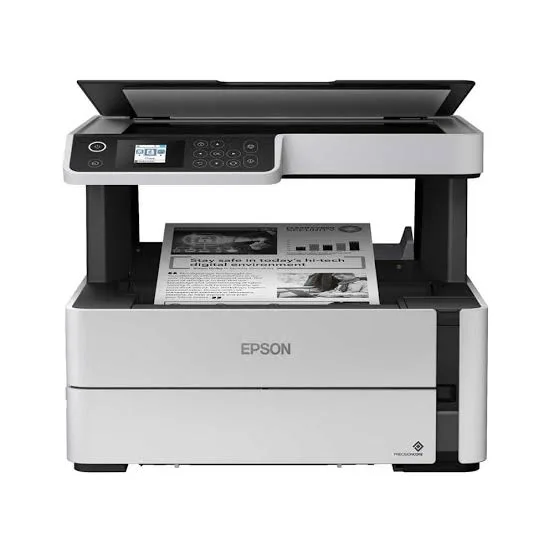
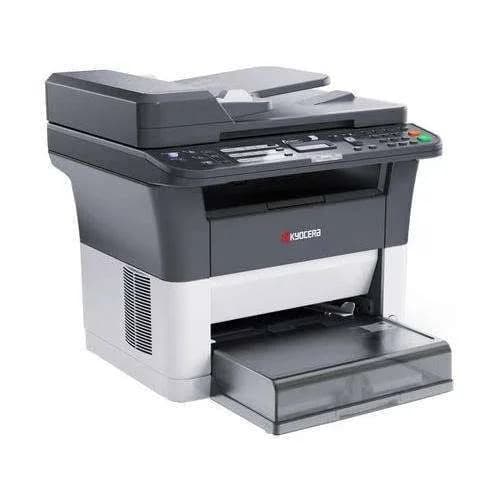
| Epson LQ-2190 | Epson EcoTank M3170 | HP LaserJet Tank 2602sdn | Kyocera FS-1025MFP | |
|---|---|---|---|---|
| Technology | Impact dot matrix | Ink tank | Laser, refillable toner | Laser |
| Multi-part forms | Yes, up to 6 parts | No | No | No |
| Continuous paper | Yes | No | No | No |
| Print quality | Dot matrix | Sharp text | Sharp text | Sharp text |
| Noise | Loud | Quiet | Quiet | Quiet |
| Copies in one pass | Yes | No | No | No |
| Best for | Forms and carbon copies | Documents | Documents | Documents |
Against ordinary printers: these print sharper pages, in near silence, but they can't make carbon copies. If you print multi-part forms, the LQ-2190 is the only practical choice.
Against a smaller dot matrix printer: a narrow-carriage printer, such as an Epson LQ-350 or LQ-590, costs less and prints narrower forms. The LQ-2190's 136 columns handle wide stationery and heavy use. Ask us if you'd like to compare.
Honest pros and cons
Pros
- Prints up to 6-part forms, with 1 original and 5 copies.
- 136-column wide carriage, up to A3 width.
- Up to 576 cps.
- A durable print head and ribbon, with very low running costs.
- Tractor feed and four paper paths.
- Parallel and USB, with ESC/P2 and PPDS support.
- Built for heavy, continuous use.
Cons
- Loud.
- Black-and-white only, with coarse print quality.
- Slow in letter-quality mode.
- No wireless, and Ethernet is optional.
- Large and heavy.
- Not suited to photos or general documents.
What to check when it arrives
- The box model matches Epson LQ-2190.
- The printer, power cable, ribbon cartridge and paperwork are in the box.
- All packing material and transit locks are removed.
- A test page prints, and the ribbon feeds correctly.
- A multi-part form prints with legible copies.
- The USB connection works.
- You get a receipt with the serial number and warranty details in writing.
Frequently asked questions
What is the Epson LQ-2190 price in Kenya? We confirm the current price when you message us on WhatsApp, because supplier prices change. We tell you the price and what's in the box before you pay.
Where can I buy the Epson LQ-2190 in Nairobi? At City Gadgets Kenya, New Alnoor Exhibition, Second Floor, Shop C7, Accra Road, Nairobi CBD, or by delivery.
Can it print carbon copies? Yes, up to 6-part forms: one original and five copies.
Does it print continuous paper? Yes, with a tractor feed. It also prints cut sheets.
How wide can it print? 136 columns, up to A3 paper width.
How fast is it? Up to 576 characters per second in high-speed draft, and about 144 cps in letter quality.
Does it have Wi-Fi? No. It has USB and parallel, with an optional Ethernet card.
Is it noisy? Yes, as all impact printers are. Epson rates it at about 54 dB.
How long does the ribbon last? About 15 million characters, per Epson.
Does it come with a ribbon? Dot matrix printers usually include a starter ribbon. Ask us to confirm.
What warranty does it have? Ask us for the warranty that applies to the unit you order.
Can you deliver it? Yes, same day in Nairobi and next day outside Nairobi.
Can I pay via M-Pesa? Yes.
Why buy from City Gadgets Kenya
Genuine, brand-new Epson printer. We're at New Alnoor Exhibition, Second Floor, Shop C7, Accra Road, Nairobi CBD, and you're welcome to look at the printer before you buy. Message us on WhatsApp with the forms you print and how many parts they have, and we'll tell you honestly whether the LQ-2190 is right or a smaller dot matrix printer or an ordinary printer would suit you better. We confirm what's in the box before you pay.
Order your Epson LQ-2190 today
Available now at City Gadgets Kenya. Message us on WhatsApp.
Specifications
- Brand
- Epson
- Condition
- New
Frequently Asked Questions
How much does the Epson LQ-2190 Wide-Carriage 24-Pin Dot Matrix Printer in Kenya | City Gadgets Kenya cost in Kenya?
The Epson LQ-2190 Wide-Carriage 24-Pin Dot Matrix Printer in Kenya | City Gadgets Kenya is priced at Ksh 98,000 at City Gadgets. You can pay via M-Pesa, card or cash on delivery.
Is the Epson LQ-2190 Wide-Carriage 24-Pin Dot Matrix Printer in Kenya | City Gadgets Kenya available in Kenya?
Yes — the Epson LQ-2190 Wide-Carriage 24-Pin Dot Matrix Printer in Kenya | City Gadgets Kenya is in stock at City Gadgets, ready for same-day delivery in Nairobi and countrywide shipping across Kenya.
Is the Epson LQ-2190 Wide-Carriage 24-Pin Dot Matrix Printer in Kenya | City Gadgets Kenya genuine and does it have a warranty?
Every Epson LQ-2190 Wide-Carriage 24-Pin Dot Matrix Printer in Kenya | City Gadgets Kenya we sell is 100% genuine brand-new stock and comes with a 12-month official brand warranty.
Do you deliver the Epson LQ-2190 Wide-Carriage 24-Pin Dot Matrix Printer in Kenya | City Gadgets Kenya in Nairobi?
Yes. We offer fast same-day delivery within Nairobi and fast, affordable delivery to the rest of Kenya — order online or on WhatsApp.
Customer Reviews
No reviews yet
Be the first to review this product.
Rate us on Google
Your review helps other shoppers find us
Reviews from verified buyers will appear here.