Mi Wi-Fi Range Extender N300 in Kenya | Buy at City Gadgets Kenya, Nairobi
Same-day delivery in Nairobi by 21 Nov – 22 Nov
Comes with
Description
Buy the Mi Wi-Fi Range Extender N300 in Kenya from City Gadgets Kenya, Nairobi. Single-band (2.4 ghz only) Wi-Fi extender, up to 300 Mbps, WPA2 security, to fix dead spots at home or in the office. M-Pesa accepted. Call 0745 575 931.
Mi Wi-Fi Range Extender N300 in Kenya
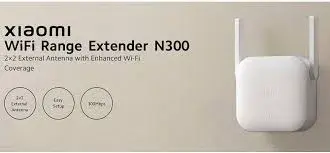
A compact single-band Wi-Fi extender with speeds up to 300 Mbps on 2.4 GHz, two external antennas and WPA2 security, made to fix weak Wi-Fi in rooms far from your router.
The Mi N300 extender plugs into a wall socket, picks up your router's Wi-Fi signal, and repeats it further into your home or office, so that rooms with a weak or missing signal get a usable connection. Available in Kenya from City Gadgets Kenya, this page is for shoppers searching for "Mi Wi-Fi Range Extender N300 Kenya", "Xiaomi Wi-Fi extender Kenya", "Wi-Fi booster Nairobi", "Wi-Fi repeater Kenya", "how to fix weak Wi-Fi at home in Kenya", "Wi-Fi dead spots Kenya" or "buy Mi N300 extender in Kenya".
Below you will find what the extender does and does not do, what its published speeds really mean, where to place it, how to set it up, how it compares with the other Xiaomi extenders we stock, when a different solution such as a cable or a mesh system is a better answer, and what to check before you pay. We write only what the published specifications support, and where something must be confirmed for the exact unit in front of you, we say so.
Key specs at a glance
| Feature | Detail |
|---|---|
| Model | Mi Wi-Fi Range Extender N300 (model RD10) |
| Wi-Fi bands | Single-band (2.4 ghz only) |
| Wi-Fi standards | 802.11b/g/n |
| Maximum published speed | Up to 300 Mbps on 2.4 GHz |
| Antennas | Two external antennas |
| Ethernet port | Not listed in the specification we read |
| Buttons | Not listed in the specification we read |
| Modes | Not listed in the specification we read (we confirm per unit) |
| Security | WPA-PSK and WPA2-PSK |
| Processor and memory | Not stated |
| Power input | 100 to 240 V, 0.35 A input; 3.57 W consumption |
| Size | 80 x 54 x 70 mm |
| Operating temperature | 0 to 40 °C operating, 10% to 90% humidity non-condensing |
| In the box | The extender, a warranty notice and a user manual |
| Weight, colour and coverage area | Not listed in the specification we read. We confirm per unit |
| Condition | Brand new |
| Market version, plug type and warranty | Confirmed per unit |
| Available from | City Gadgets Kenya, Nairobi CBD |
These figures come from the manufacturer's published specification page. The speeds are the maximum link speeds of the radio, measured under ideal conditions, and they are not the speeds you will see in a Kenyan home. We explain the difference below. Please ask our team to confirm the exact model, the plug type and the warranty for the unit you want.
What's in the box
The published box contents are: The extender, a warranty notice and a user manual. The exact contents depend on the market version, so we confirm what is in the box you are buying, and we never describe anything as included unless we have seen it. The extender plugs directly into a wall socket, so the plug shape matters. Kenyan sockets use the British three-pin style, and the manufacturer notes that the size varies by region because of the plug shape. We check the plug with you before you pay and can supply an adapter if you need one, but an adapter makes the unit stick out further, so a unit with the correct plug is better.
What a Wi-Fi extender is
Wi-Fi signals get weaker with distance and with every wall they pass through. In many Kenyan homes, especially in apartments built with thick concrete, the router sits in one room, and the bedroom at the far end gets a weak, slow or unstable connection. A Wi-Fi extender, also called a repeater or booster, is placed about halfway between the router and the weak area. It receives the router's signal, and sends it out again, so devices in the weak area connect to the extender instead of the distant router.
What it can and cannot do
| It can | It cannot |
|---|---|
| Extend coverage into rooms with a weak signal | Make your internet plan faster than it is |
| Help phones, laptops and TVs stay connected in far rooms | Fix a poor connection at the router itself |
| Remove many small dead spots | Match the performance of a cable |
| Work with most standard routers | Create signal where there is no signal to repeat |
An extender repeats what it receives. If the signal it receives is poor, it will repeat a poor signal. This is the single most important idea in this whole page, and we explain how to use it in the placement section.
Published speeds and real speeds
The Mi N300 extender is single-band (2.4 GHz only), and the manufacturer publishes: up to 300 mbps on 2.4 ghz. These are the theoretical maximum rates between the extender and a device under ideal conditions.
Why real speeds are lower
- Link speed is not internet speed. The figure describes the Wi-Fi link, and your internet speed is set by your provider and your plan. An extender cannot make an internet connection faster than the plan you pay for.
- Distance and walls reduce speed. Every wall and every metre cuts the signal.
- Interference matters. Many neighbouring networks, microwaves, cordless phones and Bluetooth devices compete on the 2.4 GHz band.
- Extenders share their capacity. A typical extender must receive data from the router and send it to your device, which can reduce the usable speed compared with a direct connection. How much depends on the design and conditions.
- Devices matter. An older phone or laptop may not support the fastest speeds.
As a practical guide, think of an extender as a way to move from "no usable signal" to "good enough for browsing, messaging, video calls and streaming at sensible quality." It is not a way to turn a slow room into a fibre-fast room.
Single-band: what 2.4 GHz only means
The Mi N300 extender works on the 2.4 GHz band only, with a maximum published speed of 300 Mbps. That has advantages and limits.
| Strength | Limit |
|---|---|
| 2.4 GHz travels further and passes through walls better than 5 GHz | The band is crowded with neighbours' networks, microwaves and Bluetooth devices |
| Compatible with almost every Wi-Fi device made in the last fifteen years | Slower than a 5 GHz connection at short range |
| Simple and compact | It cannot extend a 5 GHz network |
If your router offers a 5 GHz network, this extender will not repeat it. It repeats the 2.4 GHz network only. Devices that connect only to 5 GHz will not see the extender's network. Most phones, laptops, smart TVs and cameras can use 2.4 GHz, and many smart home devices use only 2.4 GHz, so a 2.4 GHz extender fits them well.
What about ports and buttons?
The specification we read does not list an Ethernet port, a WPS button or an access point mode for this model. We therefore do not claim them, and we confirm the details on the unit you are buying. The extender has two external antennas, which can be turned to improve the signal.
Where to put your extender
Placement decides whether an extender works well or badly. Follow these rules.
- Put it halfway, between the router and the weak area, not in the weak area itself. The extender needs a good signal from the router to give a good signal to you.
- Check the signal at the spot first. Use your phone's Wi-Fi bars in the place you plan to plug it in. If your phone shows one weak bar there, the extender will receive a weak signal and repeat a weak signal.
- Keep it in the open. Avoid putting it behind furniture, inside cupboards or next to large metal objects, mirrors and fish tanks.
- Stay away from interference. Keep it away from microwaves, cordless phones and baby monitors.
- Mind the height. A socket at mid-height is usually fine. A socket near the floor can be shadowed by furniture.
- Avoid damp places. Electronics dislike damp, so keep it out of bathrooms, kitchens with steam and outdoor spaces.
- Use a surge-protected extension if the socket is unreliable.
Typical Kenyan layouts
- Flat with the router near the entrance and a bedroom at the back. Place the extender in the corridor roughly in the middle.
- Maisonette with two floors. Place the extender on the stairs landing or in the middle of the upper floor, directly above the router if possible.
- House with an outdoor kitchen, servants' quarters or a garage. An extender may reach the nearest part, but long distances and outdoor walls often need a different solution, such as a cable run or an outdoor access point.
- Small shop or office with a back room. Place the extender between the counter and the back room.
- Open-plan office. One extender in the middle can reduce dead spots, although a busy office may need a proper network.
Setting up your Mi N300 extender
- Plug the extender into a socket halfway between the router and the weak area, or close to the router for the first setup.
- Wait for it to start. Give it a minute.
- Connect to it, following the instructions in the user manual or the manufacturer's app, on a phone or computer.
- Select your router's Wi-Fi network and enter its password.
- Name the extended network. You can keep the same name as your router or give it a new one, which makes it easy to see which one you are connected to.
- Move the extender to its final position if you set it up near the router.
- Check the signal in the weak area, and adjust the position if needed.
- Test the speed in the weak area with a speed test, and compare it with the speed near the router.
If you buy from us, we can set it up with you at the shop, or by phone and video if you order for delivery. Setup details vary by model and by software version, so we confirm the method for your unit.
Roaming and the same name
When an extender uses a different network name from the router, your phone stays connected to whichever network it joined first, even when a better one is nearby, and you may have to switch by hand when you move around the house. Using one name for both can make devices switch automatically, but not every device switches well, and the result varies. If you notice that your phone clings to a weak signal, turn Wi-Fi off and on, or select the stronger network by hand. Extenders generally do not provide the seamless roaming of a mesh system.
Security
The extender supports WPA-PSK and WPA2-PSK encryption. In plain terms, your wireless traffic is encrypted, and you need the password to join.
- Use a strong Wi-Fi password on your router and keep it private.
- Change any default passwords.
- Update the extender's software when an update is available.
- Do not share your Wi-Fi password widely. Anyone connected to the extender uses your internet.
- Reset the extender if you sell it or give it away.
Using the Mi N300 extender in Kenya
- Flats and apartments. Concrete walls and crowded neighbouring networks make extenders useful here.
- Home offices. Keep video calls stable in a back room.
- Smart TVs and streaming boxes. Put the extender close to the TV, then check that the picture streams without buffering.
- Security cameras and smart home devices. Many use 2.4 GHz and benefit from a stronger signal.
- Small shops and salons. Cover the till, the back room and the customer area.
- Students. Get a better signal in a hostel room, subject to the building's rules.
- Power cuts. The extender has no battery and switches off during a power cut, so use a small UPS for the router and the extender together if you need the network to stay up.
- Power surges. Use a surge-protected socket where possible.
When an extender is not the best answer
We want to be honest. An extender is a good, low-effort fix for a dead spot, but it is not the best fix for every problem.
| Problem | Better solution |
|---|---|
| The router itself is old, slow or overloaded | Replace the router |
| You need fast, stable speeds in several rooms | A mesh Wi-Fi system |
| A TV or desktop sits next to a socket and far from the router | An Ethernet cable or powerline adapters |
| Your internet plan is slow | Upgrade the plan or the provider |
| A large compound or several buildings | Cabled access points or an outdoor access point |
| Competitive gaming or heavy work in one room | A wired connection |
If you are not sure what your home needs, bring a description or a floor plan to our shop on Taveta Road, and we will tell you honestly whether an extender will do the job.
Common problems and simple fixes
The extender will not connect to the router. Check the Wi-Fi password, move the extender closer to the router for setup, and make sure the router is broadcasting on 2.4 GHz, which is the only band this model uses.
The signal is still weak. The extender is probably too far from the router. Move it closer to the middle.
The speed is slow. Check the speed at the router, then at the extender. An extender cannot be faster than the connection it receives.
Devices will not switch to the extender. Turn Wi-Fi off and on, or select the extender's network by hand.
The extender disconnects now and then. Move it away from interference, check for software updates and restart it.
It stopped working after a power cut. Restart the router first, then the extender, then your devices.
It gets warm. A little warmth is normal. Keep it ventilated, and do not cover it.
How the Xiaomi extenders we stock compare
| Model | Bands | Max published speed | Ethernet | Notable points |
|---|---|---|---|---|
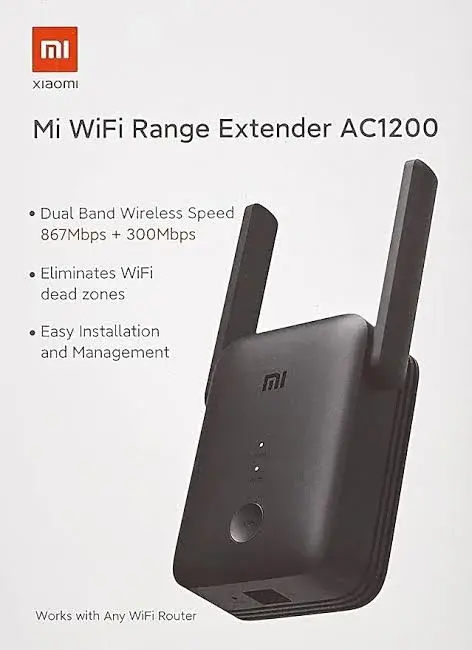
| Mi AC1200 | Dual-band | 867 Mbps (5 GHz) and 300 Mbps (2.4 GHz) | One 10/100 port | Range extender and access point modes, WPS button |
| Mi N300 | 2.4 GHz | 300 Mbps | Not listed | Two external antennas |
| Mi Pro | 2.4 GHz | 300 Mbps | Not listed | Two external antennas, MediaTek MT7628K processor |
The N300 and the Pro have very similar published specifications, and both are compact single-band extenders. Ask our team to show you the options so that you can choose the one that suits your home.
About the N300 in particular
The N300 is a compact, simple extender for the 2.4 GHz band. It has two external antennas that you can adjust, supports 802.11b/g/n, and has a published maximum speed of 300 Mbps. Its published size is 80 x 54 x 70 mm, and it uses about 3.57 W. It supports WPA-PSK and WPA2-PSK encryption.
The specification we read does not list an Ethernet port, WPS button or access point mode, so we confirm what the unit has before you buy. The box contains the extender, a warranty notice and a user manual.
Choose the N300 if your router uses 2.4 GHz, your devices are phones, laptops, TVs and smart home gadgets that work well on that band, and you want a small, simple fix for a weak room.
Who should buy the Mi N300 extender
- People with one or two weak rooms in an otherwise good Wi-Fi home.
- Renters and apartment dwellers who cannot run cables through walls.
- Home workers who want a steadier connection in the room where they work.
- Families with smart TVs, phones and tablets spread across a home.
- Small shop and office owners who need to cover a back room or a second area.
- Anyone who wants a simple plug-in fix without replacing their router.
Who should look elsewhere
- People whose problem is a slow internet plan. An extender cannot speed up your plan.
- People who need fast, seamless coverage across a large home. A mesh system suits them better.
- Competitive gamers and heavy uploaders. A cable is the best answer.
- People who need to cover several buildings or an outdoor area.
- People whose router is very weak. Replacing the router may solve the problem.
Accessories worth buying
- An Ethernet cable, for wired devices or for access point mode where supported.
- A plug adapter, if your unit's plug does not match your sockets.
- A surge-protected extension or a small UPS for the router and extender.
- A better router, if yours is old.
- Powerline adapters, where a cable run is not possible.
Ask our team for options that fit your home.
Buying a Wi-Fi extender safely in Kenya
Networking gear is copied, and some units are sold used or opened. Before you pay, we recommend the following checks, which we do with you at the counter, or on video for delivery.
- Check the box and seals. A new unit should arrive in clean, original packaging.
- Check the model name and number on the box and the label.
- Check the contents against the published list.
- Check the plug and the fit in a Kenyan socket.
- Power it on and confirm that it starts normally.
- Check that it has not been set up on another person's network. A reset returns it to its default state.
- Get a receipt and a written warranty. Warranty terms depend on the market version, so we confirm them in writing.
Be careful with offers that look too good to be true, with sellers who will not let you power the unit on, and with listings that use stock photos only. If a seller will not let you check, walk away.
Warranty and stock
Warranty terms depend on the market version and on who stocks the unit, so we confirm the exact terms in writing for the specific extender before you pay. A warranty covers manufacturing faults. Damage from liquids, humidity, power surges, drops and misuse is generally not covered. Customer Relations on 0794 488 806 helps with warranty questions after purchase, so keep your receipt and the box. Call Sales on 0745 575 931 to confirm availability before you visit.
Strengths and limits
What we like:
- A simple plug-in fix for weak Wi-Fi.
- WPA and WPA2 encryption.
- A compact body that fits a wall socket.
- Two adjustable external antennas.
- Works with most standard routers.
What to keep in mind:
- It cannot make your internet plan faster.
- Real speeds are lower than the published maximum.
- Placement matters a great deal.
- It runs on 2.4 GHz only and cannot extend a 5 GHz network.
- It has no battery and stops during a power cut.
- It does not give seamless roaming like a mesh system.
Frequently asked questions
What does the Mi N300 extender do? It repeats your router's Wi-Fi signal further into your home or office.
Will it make my internet faster? No. It extends coverage, and it cannot exceed your plan's speed.
Where should I put it? Halfway between the router and the weak area, where the signal is still good.
Does it work with any router? It works with most standard Wi-Fi routers. We confirm for your router if you tell us the model.
Does it support 5 GHz? No. This model works on 2.4 GHz only.
Does it have an Ethernet port? Not listed in the specification we read.
Is it secure? It supports WPA-PSK and WPA2-PSK encryption. Use a strong password.
Does it work during a power cut? No. It has no battery, so use a small UPS for the router and the extender if needed.
Can I use it for a TV or console? Yes, over Wi-Fi. We confirm the wired options on the unit you buy.
What is in the box? The extender, a warranty notice and a user manual.
Can I pay by M-Pesa? Yes. We accept M-Pesa, and shop collection is free.
Do you deliver outside Nairobi? Yes, by courier within one to three business days. In Nairobi, orders placed before 3pm are delivered the same day.
Can I get help setting it up? Yes. We set it up with you at the shop, or by phone and video.
How to order
Call Sales on 0745 575 931 or write to sales@citygadgetskenya.co.ke to confirm availability, the market version, the plug type and the warranty for the exact unit. Visit us at New Alnoor Exhibition, Shop 7, Second Floor, Taveta Road (at the Taveta and Accra Road junction), Nairobi CBD, open Monday to Friday 9am to 7pm and Sunday 11am to 4pm, closed Saturday. We accept M-Pesa. Shop collection is free, delivery in Nairobi is same day for orders placed before 3pm, and courier delivery elsewhere in Kenya takes one to three business days. For help after purchase, Customer Relations is on 0794 488 806.
Related pages
- Xiaomi Mi 360° home security cameras: https://www.citygadgetskenya.co.ke
- Google TV Streamer (4K): https://www.citygadgetskenya.co.ke
- Shop networking and smart home devices at City Gadgets Kenya: https://www.citygadgetskenya.co.ke
Final word
The Mi N300 extender is a simple, honest fix for a common problem: a room that your router's signal does not reach well. Place it halfway, check the signal first, and expect better coverage rather than a faster plan. If your home needs more than an extender can give, we will tell you so, and show you the better option. Call us on 0745 575 931 or visit the shop on Taveta Road, and we will set it up with you before you leave.
Specifications
- Brand
- XIAOMI
- Condition
- New
Frequently Asked Questions
How much does the Mi Wi-Fi Range Extender N300 in Kenya | Buy at City Gadgets Kenya, Nairobi cost in Kenya?
The Mi Wi-Fi Range Extender N300 in Kenya | Buy at City Gadgets Kenya, Nairobi is priced at Ksh 3,500 at City Gadgets. You can pay via M-Pesa, card or cash on delivery.
Is the Mi Wi-Fi Range Extender N300 in Kenya | Buy at City Gadgets Kenya, Nairobi available in Kenya?
Yes — the Mi Wi-Fi Range Extender N300 in Kenya | Buy at City Gadgets Kenya, Nairobi is in stock at City Gadgets, ready for same-day delivery in Nairobi and countrywide shipping across Kenya.
Is the Mi Wi-Fi Range Extender N300 in Kenya | Buy at City Gadgets Kenya, Nairobi genuine and does it have a warranty?
Every Mi Wi-Fi Range Extender N300 in Kenya | Buy at City Gadgets Kenya, Nairobi we sell is 100% genuine brand-new stock and comes with a 12-month official brand warranty.
Do you deliver the Mi Wi-Fi Range Extender N300 in Kenya | Buy at City Gadgets Kenya, Nairobi in Nairobi?
Yes. We offer fast same-day delivery within Nairobi and fast, affordable delivery to the rest of Kenya — order online or on WhatsApp.
Customer Reviews
No reviews yet
Be the first to review this product.
Rate us on Google
Your review helps other shoppers find us
Reviews from verified buyers will appear here.
Buying guides
Straight advice for shoppers picking between the models above.
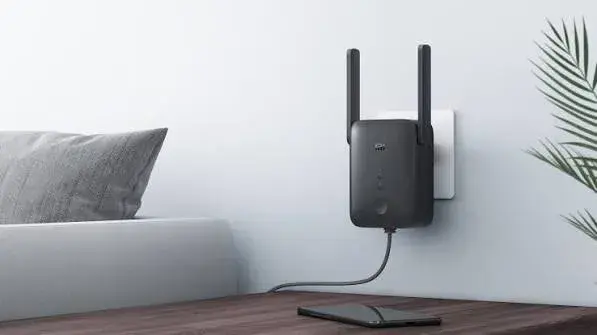
How to Fix Weak Wi-Fi at Home in Kenya: Why a Mi Wi-Fi Extender Is the Simplest Fix
How to Fix Weak Wi-Fi at Home in Kenya: Why a Mi Wi-Fi Extender Is the Simplest Fix
Read the guide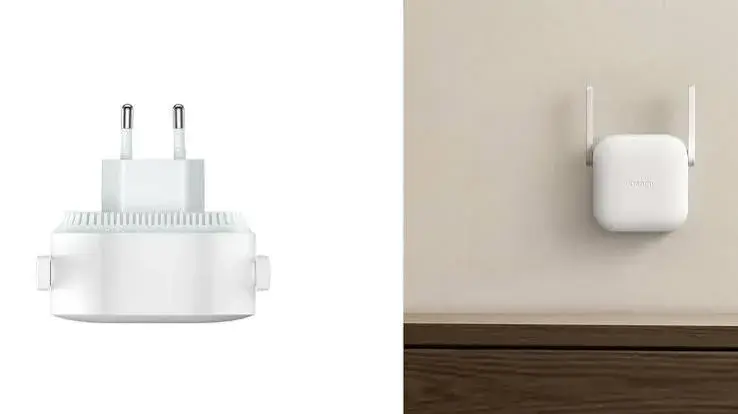
Mi Wi-Fi Extender AC1200 vs N300 vs Pro: Which One Should You Buy in Kenya?
Mi Wi-Fi Extender AC1200 vs N300 vs Pro: Which One Should You Buy in Kenya?
Read the guide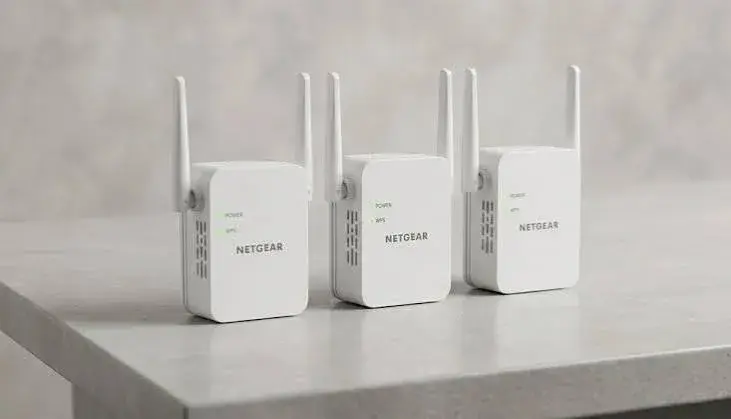
Wi-Fi Extender vs Mesh vs New Router vs Powerline: What Should Kenyan Homes Choose?
Wi-Fi Extender vs Mesh vs New Router vs Powerline: What Should Kenyan Homes Choose?
Read the guide