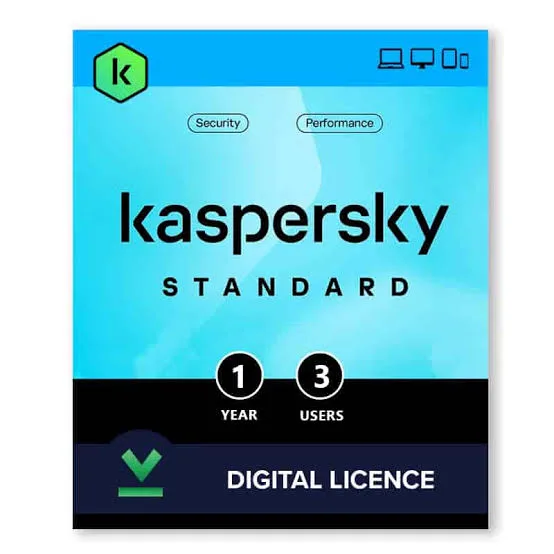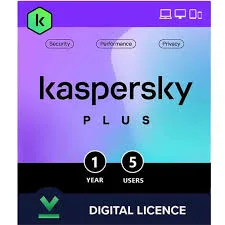

Kaspersky Standard 5 Devices Antivirus and Anti-Ransomware in Kenya | City Gadgets Kenya
Same-day delivery in Nairobi by 10 Oct – 11 Oct
Comes with
Description
Buy genuine Kaspersky Standard for up to 5 devices with antivirus, anti-ransomware, anti-phishing, online payment protection and performance tools for Windows, Mac, Android and iOS in Kenya from City Gadgets Kenya. Kaspersky Standard 5 user price in Kenya, antivirus for home offices in Nairobi.
Kaspersky Standard 5 Devices Antivirus and Anti-Ransomware in Kenya
Genuine Kaspersky | Digital Licence | Up to 5 Devices | Antivirus and Anti-Ransomware | Anti-Phishing and Web Protection | Online Payment Protection | Device Cleanup and Performance Tools
Looking for Kaspersky Standard 5 user price in Kenya, a low-cost antivirus for five computers and phones in Nairobi, or one licence for a busy household or a very small home office? Kaspersky Standard for up to five devices gives you real-time antivirus and anti-ransomware protection, anti-phishing and web protection, protection for online payments, and tools that clean up and speed up your devices, across Windows, macOS, Android and iOS. It's available from City Gadgets Kenya as a licence with delivery across Kenya. Buyers also search for it as Kaspersky Standard 5 devices, Kaspersky Standard 5 user, Kaspersky Anti-Virus 5 PC, a cheap antivirus for 5 devices, an antivirus for a family, an antivirus for a home office or an antivirus for several computers.
This guide is written to help you protect a bigger household or a very small office sensibly, and to be honest about what a consumer licence is for. If you'd like to talk it through, message us on WhatsApp.
The short verdict
Kaspersky Standard for five devices is the low-cost way to cover a whole household or a very small home setup. It gives you the essentials, including real-time antivirus and anti-ransomware, anti-phishing and web protection, online-payment protection and performance tools, across Windows, macOS, Android and iOS. Spread over five devices, the cost per device is low. It doesn't include the unlimited VPN, the password manager or the data leak checker that Kaspersky Plus adds. It's a consumer product, so if you're protecting the computers of a business, check the licence terms, and ask us about business editions. We also include an honest note on where Kaspersky is restricted.
Consumer licence or business licence? An honest note
This matters if you're buying for work.
- Consumer licences like Standard are generally designed for personal and household use.
- Businesses with employees, customer data and servers often need a business security product, with central management, reporting and a licence that allows commercial use.
- Check the licence terms in your My Kaspersky account and the licence agreement.
- A one-person home office commonly uses a consumer licence, though the terms matter.
- A shop, clinic, school or office with staff computers should ask us about business security options.
- We'll tell you honestly which fits, and we won't sell you the wrong thing.
What's in Kaspersky Standard
Retail and distributor listings describe these features.
- Real-time antivirus and anti-malware, to block viruses, trojans, spyware and ransomware.
- Anti-ransomware, to protect your files from locking attacks.
- Anti-phishing and web protection, to warn about fake sites, such as fake bank and mobile money pages.
- Online-payment protection, for banking and shopping on supported systems.
- Device cleanup and app management.
- Performance tools, to speed up and tidy your devices.
- Support for Windows, macOS, Android and iOS, though features vary by system.
- A My Kaspersky account, to manage your licence and devices.
It doesn't include the unlimited VPN, the password manager or the data leak checker. Those are in Plus.
Standard 5 devices or Standard 3 devices
Device count is the main choice.
- Three devices: two laptops and a phone, or a small flat. See Kaspersky Standard for 3 devices.
- Five devices (this licence): a family with several phones, plus laptops and a tablet.
- The price difference is small, so if you have four devices, the five-device licence is usually the better buy.
- If you have more than five, combine licences, or ask us about a business edition.
Standard 5 devices or Plus 5 devices
A plain comparison helps.
Standard (this licence) gives antivirus, anti-ransomware, anti-phishing, payment protection and performance tools, at a lower price.
Plus adds the unlimited VPN, a password manager and vault, a data leak checker, webcam and microphone protection and an ad blocker.
Choose Standard if:
- Your devices are mostly at home.
- You already have good password habits or a password manager.
- You rarely use public Wi-Fi.
- You want the lowest price.
Choose Plus if:
- Several family members travel, work remotely or use cafes.
- People reuse passwords.
- You want a VPN and a password manager in one subscription.
Who this is for
It suits you if:
- You have a household with several phones and a couple of computers.
- You want one licence to cover most of your devices.
- You do online banking, mobile money and shopping on your devices.
- You want solid protection and performance tools at a modest price.
Look elsewhere if:
- You want a VPN and a password manager. See Kaspersky Plus.
- You run a business with staff computers. Ask us about business security.
- You only have one or two devices. See the smaller licences.
- Your workplace doesn't allow Kaspersky.
An honest note about Kaspersky
It's worth being open about a point that affects some buyers.
- Kaspersky is a global security company with Russian origins, and it sells in many countries, including Kenya.
- Some governments have restricted its use or sale. For example, the United States restricted sales of Kaspersky products in 2024, and some organisations keep it off government systems.
- We're not aware of any such restriction in Kenya.
- If anyone in your household uses a work or school device with a strict security policy, check before installing Kaspersky on it.
- If you'd rather use a different product, we'll help you compare.
How licence sharing works
Sharing a licence among family members is simple, with a few rules.
- One licence, up to five devices, each activated through the same account or code.
- Create a My Kaspersky account with an email that you control.
- Install the app on each device, and sign in.
- Keep track of which devices use the slots.
- Remove a device from the account when it's sold or lost, to free a slot.
- Don't share the code publicly, and don't resell it.
- Renew for everyone at once, before it expires.
How you receive the licence
Software licences are digital, and it helps to know what to expect.
- A digital activation code is usually delivered by email or WhatsApp, or as a code on a card. We confirm the format for the licence you order.
- You activate it through the Kaspersky app or your My Kaspersky account.
- Check the subscription dates and the device count after activation.
- Standard subscriptions are normally for one year from activation. We confirm the term.
- Genuine licences come from authorised sources, and we tell you what's included.
- Keep your receipt and code safe.
Installing Kaspersky Standard on five devices
- List the devices, and choose the five that matter most.
- Create a My Kaspersky account with a family email.
- Redeem the activation code in the account.
- On each Windows or Mac computer, uninstall any old antivirus, restart, and install the Kaspersky app. Sign in.
- On each phone or tablet, install the app from Google Play or the App Store, and sign in.
- Run a first scan on computers, and check the results.
- Check the settings, such as scheduled scans and automatic updates.
- Show every family member what the alerts mean.
- Record the setup in a note, with the renewal date.
A mix of devices: what you get on each
Protection differs by system, and it's honest to say so.
- Windows computers get the fullest set of protection and tools.
- Macs get antivirus, anti-phishing and privacy protection.
- Android phones and tablets get malware protection, app checks and anti-theft tools.
- iPhones and iPads get a more limited set, because Apple restricts what security apps can do. Expect phishing protection and some privacy tools, not a full antivirus scanner.
- Features change with updates, so we'll tell you what applies to your devices.
Protecting older relatives and children
Different family members need different care.
- Older relatives are often scam targets. Install the app, turn on automatic updates and teach simple rules: never share a PIN or a code, and call a family member before sending money.
- Children and teenagers need parental controls too. Standard isn't a parental-control product, so use Google Family Link or Apple Screen Time, and ask about Safe Kids.
- Talk openly about scams, strangers online and sharing photos.
- Keep devices updated.
- Be a good example.
Staying safe from scams in Kenya
- Be wary of messages claiming to be from M-Pesa, your bank, KRA or a delivery company.
- Never share your M-Pesa PIN or one-time codes.
- Check the sender and the link before you click.
- Be careful with job offers, prizes and loans that ask for fees.
- Don't install pirated software, which often carries malware.
- Keep every device updated.
- Use strong, unique passwords, and two-step verification.
- Back up your files to the cloud and an external drive, such as a SanDisk or WD drive from our range.
A worked example: a small home-based business and family
A concrete example shows where five slots go, and where the limits are.
- The household: a couple who run a small online shop from home, with two children and a grandparent.
- The devices: the business laptop, a second family laptop, and three phones.
- The choice: all five slots go to devices that hold money or business records. The children's tablet runs a restricted profile and isn't covered.
- The licence question: the business laptop holds customer orders and payment records, so the couple ask us about a business edition for it, and use Standard for the family devices.
- The habits: updates on, a weekly scan, two-step verification on email, banking and the shop's accounts, and a monthly backup of the shop's records to an external drive and the cloud.
- The scam rule: nobody sends money or a code after a message without a phone call to check.
- The result: protection matched to the risk, and no surprise about licence terms.
Making a device inventory
A short inventory makes a five-device licence easy to manage.
- List every device in the household: model, owner, operating system, and whether it holds banking or business data.
- Mark the five most important, and give them the slots.
- Note the others and the protection they have, such as a kids profile.
- Record the renewal date in a calendar.
- Update the list when someone gets a new phone or a laptop is sold.
- Remove old devices from the My Kaspersky account to free slots.
- Keep the list somewhere safe, away from the devices themselves.
Passwords for the household
Standard doesn't include a password manager, so habits matter.
- Use a long, unique password for email, since email resets everything else.
- Never reuse passwords between important accounts.
- Turn on two-step verification for email, banking and social media.
- Consider a free or paid password manager if you manage many accounts. Kaspersky Plus includes one.
- Don't store passwords in a notes app or a plain file on the computer.
- If you write passwords down, keep the paper safe at home, and not in the same bag as the laptop.
- Check whether your email appears in breaches, using a reputable breach-check service.
- Change a password straight away if you suspect it's leaked.
Backing up: the other half of security
Antivirus reduces risk, and backups remove the damage.
- Follow the 3-2-1 idea: three copies of your data, on two kinds of storage, with one copy kept elsewhere.
- Use the cloud for photos and documents.
- Use an external drive, such as a SanDisk or WD drive from our range, for a full copy.
- Disconnect the drive after backing up, so ransomware can't reach it.
- Back up phones to the cloud, including WhatsApp chats.
- Test restoring a file once in a while.
Safe browsing habits for the whole household
- Check links before clicking, and don't trust urgent messages.
- Install apps only from official stores.
- Update browsers and extensions.
- Remove browser extensions you don't recognise.
- Log out of shared computers.
- Be wary of free Wi-Fi that asks for personal details, and avoid banking on it.
- Check app permissions, and remove ones you don't need.
- Use ad and tracker blockers where you can.
Keeping your security up to date
- Renew before expiry, since an expired licence stops updates.
- Renewal prices can differ from first-year prices, so ask us.
- Keep the app, the system and your browsers updated.
- Review your devices and passwords twice a year.
- Keep backups current.
- Keep the activation code and receipt safe.
Common problems and simple fixes
The installer won't run. Uninstall any old antivirus completely, restart and try again.
The activation code is rejected. Check you typed it correctly, and that you're using it in the right region. Message us with a photo of the code.
The device limit is reached. Remove a device you no longer use from the account.
A phone feels slow after installing. Check which features are on, and reduce background scans, if the app allows.
The iPhone app has fewer features. That's normal, because of Apple's restrictions.
A false alarm blocks a program you trust. Check the file first, then add an exception only if you're sure.
Windows says another antivirus is installed. That's normal when Kaspersky is active.
If a problem continues, message us on WhatsApp.
Understanding the terms: a quick glossary
- Antivirus. Software that finds and removes malicious programs.
- Anti-ransomware. Protection against programs that lock your files for payment.
- Phishing. Fake messages and sites that trick you into giving up information.
- Real-time protection. Scanning files and sites as you use them.
- Two-step verification. A second proof of identity, such as a code, on top of your password.
- Licence or subscription. Your right to use the software for a set time on set devices.
- My Kaspersky account. The online account where you manage your licence and devices.
Questions to ask before you buy security software
- How many devices do I need to protect?
- Which operating systems do they run?
- Is this for personal use or for a business?
- Do I need a VPN and a password manager? If yes, choose Plus.
- How long does the licence last, and when does it renew?
- How will I receive the licence, and who supports it?
- Is the vendor allowed by my workplace or school?
- Can I get help before I pay?
We're glad to answer all of these on WhatsApp or in the shop before you pay.
Support and after-sales: what to ask
A software licence has no box to return, so ask us what support applies, how long the subscription lasts and how to move devices. Keep your receipt and activation code. If you have a problem installing or activating, message us on WhatsApp first, and we'll tell you the quickest way to get it sorted.
What to do if you think a device is infected
Don't panic, and follow a few steps.
- Disconnect from the internet by switching off Wi-Fi or unplugging the cable.
- Don't enter passwords or banking details on the device.
- Run a full scan with Kaspersky, and follow the prompts to remove threats.
- Change your important passwords from a different, clean device.
- Check your bank and mobile money for odd activity, and call your provider if needed.
- Restore from a backup if files are damaged or locked.
- Tell us if the problem continues, and we can advise on cleaning or a fresh installation.
Phones: the devices most families forget
Phones hold the most valuable data, and a few habits help.
- Install apps only from Google Play or the App Store, and check reviews and permissions.
- Turn on automatic updates for the system and apps.
- Use a screen lock with a PIN, fingerprint or face unlock.
- Turn on Find My Device, and know how to wipe a lost phone remotely.
- Be careful with SIM swap scams. If your phone suddenly loses signal, contact your provider at once.
- Don't tap links in unexpected messages, including WhatsApp forwards.
- Back up photos and chats to the cloud.
- Keep the phone's storage tidy, so updates install smoothly.
Using security software in Kenya
Pirated software is a top source of malware. Use genuine software.
Shared and cafe computers. Log out, and don't save passwords.
Phones. Install apps only from Google Play or the App Store.
Power cuts. A UPS protects your computer from sudden shutdowns that corrupt files. See the UPS range.
Old computers. Security software uses resources. If a computer is very old or slow, ask us whether an upgrade would help.
Support. Ask us what support applies to the licence you order, and keep your receipt and code.
How it compares with other options in our range
| Kaspersky Standard 5 devices | Kaspersky Standard 3 devices | Kaspersky Plus 5 devices | Kaspersky Plus 1 device | |
|---|---|---|---|---|
| Devices | Up to 5 | Up to 3 | Up to 5 | 1 |
| Antivirus and anti-ransomware | Yes | Yes | Yes | Yes |
| Payment protection | Yes | Yes | Yes | Yes |
| Unlimited VPN | No | No | Yes | Yes |
| Password manager | No | No | Yes | Yes |
| Best for | Households on a budget | Small households | Families who want a VPN | One person |
Honest pros and cons
Pros
- Five devices on one licence, at a low cost per device.
- Antivirus, anti-ransomware and phishing protection.
- Online-payment protection for banking and shopping.
- Cleanup and performance tools.
- Windows, macOS, Android and iOS support.
- A lower price than Plus.
Cons
- No unlimited VPN, password manager or data leak checker.
- A consumer licence, not designed for business use.
- Features vary by system, and iPhones get a more limited set.
- It's a subscription, and needs renewing.
- Windows' built-in Defender already gives free basic protection.
- Kaspersky is restricted in some countries and organisations.
What to check after you buy
- The edition and device count match what you ordered.
- You receive the activation code, with instructions.
- The licence activates, and shows the right expiry date and device count.
- The app installs on each device and updates.
- You keep your receipt and code safe.
Frequently asked questions
What is the Kaspersky Standard 5 user price in Kenya? We confirm the current price when you message us on WhatsApp, because supplier prices change. We tell you the price and what's included before you pay.
Where can I buy Kaspersky Standard 5 devices in Nairobi? At City Gadgets Kenya, New Alnoor Exhibition, Second Floor, Shop C7, Accra Road, Nairobi CBD, or by delivery.
How many devices does it cover? Up to five.
Does it include a VPN or a password manager? No. Those are in Kaspersky Plus.
Can I use it for my business? Consumer licences are generally for personal use. Check the terms, and ask us about business editions.
Does it work on iPhones? Yes, with a more limited feature set because of Apple's rules.
How long does it last? Normally one year. We confirm the term for the licence you order.
Is Kaspersky allowed in Kenya? We're not aware of any restriction in Kenya. Some governments and organisations restrict it, so check any workplace policy.
Can you deliver it? Yes, the licence can be delivered the same day in Nairobi and the next day elsewhere, digitally or on a card.
Can I pay via M-Pesa? Yes.
Why buy from City Gadgets Kenya
Genuine Kaspersky licences. We're at New Alnoor Exhibition, Second Floor, Shop C7, Accra Road, Nairobi CBD, and you're welcome to ask us about the right edition before you buy. Message us on WhatsApp with your devices and how you use them, and we'll tell you honestly whether Standard 5, Plus or a business edition suits you better. We confirm what's included before you pay.
Order your Kaspersky Standard 5 devices licence today
Available now at City Gadgets Kenya. Message us on WhatsApp.
Specifications
- Brand
- Kaspersky
- Condition
- New
Frequently Asked Questions
How much does the Kaspersky Standard 5 Devices Antivirus and Anti-Ransomware in Kenya | City Gadgets Kenya cost in Kenya?
The Kaspersky Standard 5 Devices Antivirus and Anti-Ransomware in Kenya | City Gadgets Kenya is priced at Ksh 5,000 at City Gadgets. You can pay via M-Pesa, card or cash on delivery.
Is the Kaspersky Standard 5 Devices Antivirus and Anti-Ransomware in Kenya | City Gadgets Kenya available in Kenya?
Yes — the Kaspersky Standard 5 Devices Antivirus and Anti-Ransomware in Kenya | City Gadgets Kenya is in stock at City Gadgets, ready for same-day delivery in Nairobi and countrywide shipping across Kenya.
Is the Kaspersky Standard 5 Devices Antivirus and Anti-Ransomware in Kenya | City Gadgets Kenya genuine and does it have a warranty?
Every Kaspersky Standard 5 Devices Antivirus and Anti-Ransomware in Kenya | City Gadgets Kenya we sell is 100% genuine brand-new stock and comes with a 12-month official brand warranty.
Do you deliver the Kaspersky Standard 5 Devices Antivirus and Anti-Ransomware in Kenya | City Gadgets Kenya in Nairobi?
Yes. We offer fast same-day delivery within Nairobi and fast, affordable delivery to the rest of Kenya — order online or on WhatsApp.
Customer Reviews
No reviews yet
Be the first to review this product.
Rate us on Google
Your review helps other shoppers find us
Reviews from verified buyers will appear here.
Buying guides
Straight advice for shoppers picking between the models above.