Wi-Fi Extender vs Mesh vs New Router vs Powerline: What Should Kenyan Homes Choose?
Your Wi-Fi is weak in half the house, and the internet is full of advice. Buy a mesh system. Replace your router. Use powerline adapters. Run cables. Call your provider. Everyone seems to have a different answer, and each answer comes with a different amount of money, effort and risk. It is easy to overspend on the wrong solution, or to buy something that does not fix your actual problem.
This guide, from the team at City Gadgets Kenya in Nairobi, compares the main ways to fix weak Wi-Fi at home in Kenya: a Wi-Fi extender (we stock the Xiaomi Mi range), a mesh system, a new router, powerline adapters and a simple cable. We explain how each works, where it shines, where it fails and how to choose. We sell Mi Wi-Fi extenders, so we are open about our interest: we think an extender is the smartest first step for most homes. We say why, and we also say when it is not the answer.
We leave figures out of this guide, since they change with the model and the day you ask. Call Sales on 0745 575 931 for current availability.
Start by finding your actual problem
Before you buy anything, work out what is wrong. These five checks take ten minutes.
- Test speed next to the router. Use a speed test on your phone, standing beside the router. If the speed is poor here, the problem is your plan, your provider or the router, and no extender will fix it.
- Test speed in the weak room. If it is much lower than next to the router, you have a coverage problem.
- Check the signal bars in the weak room. One or two bars means there is something to extend. No bars means the signal does not reach.
- Look at the router's position. Is it in a corner, a cupboard or on the floor? Moving it may help for free.
- Check how old the router is. Very old routers struggle with many devices.
The answer to these checks tells you which of the options below makes sense.
| What you find | Likely cause | Likely fix |
|---|---|---|
| Slow even next to the router | Plan, provider or router | Talk to your provider, consider a new router |
| Fast next to the router, weak in some rooms | Coverage | Extender, mesh, powerline or cable |
| Weak everywhere in a large home | Coverage and router limits | Mesh or a better router |
| Slow only in the evening | Congestion | Provider issue or interference |
| Many devices struggle at once | Overloaded router | Better router or mesh |
Option 1: The Wi-Fi extender
How it works
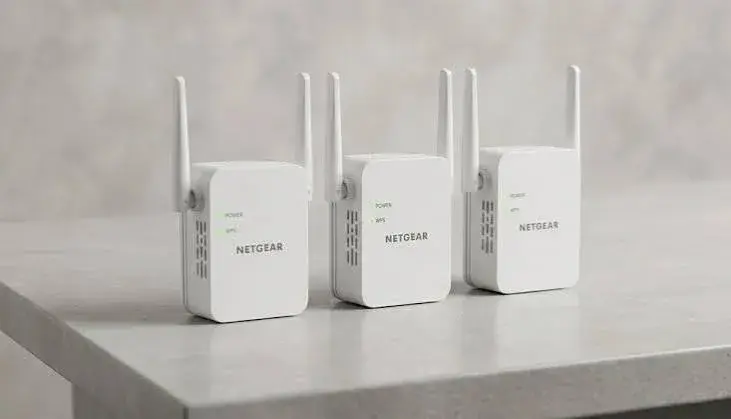
A Wi-Fi extender plugs into a wall socket and repeats your router's signal. You place it halfway between the router and the weak area. Devices in the weak area connect to the extender, which in turn connects to the router.
Strengths
- Simple. You plug it in, connect it and move it to the right spot.
- Quick. Setup takes minutes.
- Works with your existing router.
- No cables through walls.
- Compact. The Mi N300 and Pro measure about 80 x 54 x 70 mm, as published.
- A small commitment compared with replacing the whole network.
- Good for renters, since nothing is permanent.
Weaknesses
- Does not make your plan faster.
- Needs a decent signal to repeat.
- A wireless extender can lose some speed, because it must receive and send data.
- Does not give seamless roaming the way a mesh system does. Your phone may cling to the weaker network until you reconnect.
- Not ideal for large homes that need several units.
- No battery. It stops in a power cut.
Best for
Small to medium homes, flats and maisonettes with one or two weak areas, renters, shops with a back room, and anyone who wants a quick, low-effort fix.
The Mi range
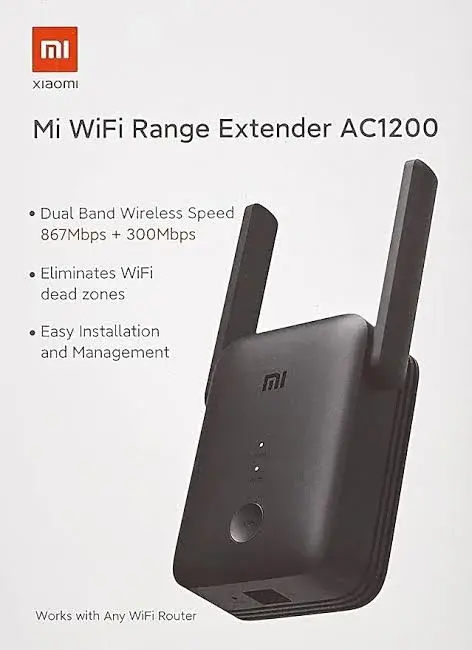
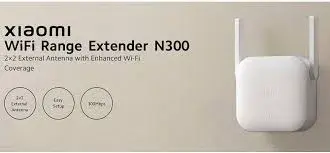
We stock three models, the AC1200 (dual-band, with an Ethernet port, a WPS button and extender and access point modes), the N300 and the Pro (both 2.4 GHz only, with two external antennas). Our comparison guide helps you pick.
Option 2: A mesh Wi-Fi system
How it works
A mesh system is a set of two or more units that work together as a single network. They share one network name and hand your devices from one unit to the next as you move around the house. One unit connects to your modem, and the others spread out through the home.
Strengths
- Seamless coverage across a large home.
- One network name, with devices switching automatically.
- Designed to cover large or awkward spaces.
- Often easy to manage through a phone app.
- Can use wired connections between units in some systems, which improves performance.
Weaknesses
- Bigger commitment, often a much bigger commitment than an extender.
- More than you need for a small home.
- Some systems replace your router, which means reconfiguring your network.
- Still needs power at each unit, and stops in a power cut.
- Wireless links between units can still lose speed, in the same way an extender can.
Best for
Large homes, multi-storey houses, homes with many devices and people who want the smoothest roaming and are willing to spend more.
Option 3: A new router
How it works
You replace your current router with a newer, more powerful one. A better router may have stronger antennas, newer Wi-Fi standards, better handling of many devices and more flexible placement.
Strengths
- Fixes problems at the source if your router is old or weak.
- Handles many devices better.
- Can improve speed everywhere.
- May offer better features and security.
Weaknesses
- May not fix coverage in a large or concrete-heavy home. One router can only reach so far.
- Bigger commitment than an extender.
- May need configuration, and your provider may supply or restrict the router.
- Does not fix a slow plan.
Best for
Homes where the router is old, overloaded or very basic, and where the weak areas are not far from the router.
Important note
Some internet providers supply their own router and want you to use it. Ask your provider before you replace it, and ask whether you can put your own router behind theirs.
Option 4: Powerline adapters
How it works
Powerline adapters send the network signal through your home's electrical wiring. You plug one into a socket near the router and connect it to the router with a cable. You plug a second into a socket in the weak room, and connect it to a device by cable, or use one with its own Wi-Fi.
Strengths
- No new cables through walls.
- Often more stable than wireless repeating, for wired devices.
- Good for reaching a far room where Wi-Fi cannot.
Weaknesses
- Depends on your home's wiring. Old or poorly wired homes, or sockets on different circuits, can reduce performance.
- Performance varies. Some homes get excellent results, and others do not.
- Interference from some appliances.
- Extension strips can degrade the signal, so plug directly into the wall.
- More commitment than a basic extender.
Best for
A smart TV, a console or a desktop in a room far from the router, where a cable is not possible but the wiring cooperates.
Option 5: A cable
How it works
You run an Ethernet cable from the router to the weak room, either to a device directly, or to an access point that creates a strong Wi-Fi signal where you need it.
Strengths
- The most stable and fastest option.
- Excellent for gaming, work and streaming.
- Can be combined with an extender in access point mode, such as on the Mi AC1200.
Weaknesses
- Needs routing. Cables must run along walls, ceilings or through conduits.
- Not always possible in rented homes.
- Looks untidy if not done well.
Best for
Fixed devices, home offices and anyone who values stability above all.
Option 6: Fix the basics for free
Before you spend anything, try these.
- Move the router to a central, raised, open position.
- Keep it away from metal, mirrors, microwaves and cordless phones.
- Change the Wi-Fi channel if your building is crowded.
- Use 5 GHz for devices close to the router.
- Restart the router now and then.
- Update the router's software.
- Remove unknown devices from your network.
Free fixes sometimes solve the problem entirely. If they do not, you will at least know what you are dealing with.
Side-by-side comparison
| Option | Effort | Commitment | Fixes coverage? | Fixes plan speed? | Best for |
|---|---|---|---|---|---|
| Move the router | Very low | None | Sometimes | No | Everyone, first |
| Wi-Fi extender | Low | Low | Yes, for one or two areas | No | Small to medium homes, renters |
| Mesh system | Medium | High | Yes, for large homes | No | Large homes, many devices |
| New router | Medium | Medium to high | Sometimes | No | Old or overloaded routers |
| Powerline | Low to medium | Medium | Yes, for wired devices | No | Far rooms with cooperative wiring |
| Cable or wired access point | High | Low to medium | Yes | No | Home offices, fixed devices |
| Better plan or provider | Low | Ongoing | No | Yes | Slow even next to the router |
Notice the last column. Only a better plan or provider fixes a slow plan. Everything else fixes how the signal you have is spread around your home.
Why we recommend an extender as the first step
For most Kenyan homes, an extender is the sensible first step, and here is the reasoning.
- It matches the usual problem. Most weak-Wi-Fi complaints are about one or two rooms that the router cannot reach.
- It is the smallest commitment. If it does not work, you have risked little.
- It needs no skills. You do not have to run cables, change your router or learn new settings.
- It suits rented homes. Nothing is drilled and nothing is permanent.
- It is fast. You can have it working the same day.
- It can grow with you. If you later move to a mesh system or add cables, the extender can find a new job in another room.
- It is supported locally. We can set it up with you, check the plug and confirm the warranty.
We are not saying an extender is the best technology. We are saying it is the best first move for most homes, because it is easy to try, quick to set up and often enough. If it is not enough, you will know exactly what you need next.
When we would not recommend an extender
We would rather lose a sale than leave you with something that does not work.
- Your internet is slow next to the router. An extender will not help.
- You have no signal at all in the weak area. Move the extender closer, or use a cable.
- Your home is large, with many floors or buildings. A mesh system or cabled access points will serve you better.
- You need the steadiest possible connection for competitive gaming or heavy work. Use a cable.
- Your router is very old. Replace it first.
If you are not sure, describe your home to us, or bring a rough floor plan, and we will tell you straight.
A decision path
- Is the speed poor next to the router? If yes, talk to your provider, or consider a new router.
- Is the router badly placed? If yes, move it and test again.
- Are one or two rooms weak, and do they still get some signal? If yes, try an extender.
- Can you run a cable to the weak room? If yes, consider a cable or a wired access point, or use the Mi AC1200 in access point mode.
- Is your home large, with many weak areas? If yes, consider a mesh system.
- Do you need a wired connection in a room you cannot reach with a cable? Consider powerline adapters.
Real situations
A two-bedroom flat in Nairobi
The router is in the living room, and the bedroom is behind two walls. One extender in the corridor solves it. Verdict: extender.
A four-bedroom house with two floors
The router is downstairs, and the upper floor is weak, as are the outside rooms. One extender may help the upstairs, but the whole house may need a mesh system. Verdict: try an extender for the upstairs, and consider mesh if you need whole-house coverage.
A home office at the back of a compound
The office is in a separate building. Wi-Fi will struggle through the walls and distance. Verdict: a cable to an access point, or a mesh node with a wired link.
A smart TV in a far lounge
The TV buffers. Verdict: a Mi AC1200 near the TV, with an Ethernet cable to the TV, or powerline adapters if the wiring cooperates.
A shop with a back room
The till has good Wi-Fi, and the stockroom has none. Verdict: an extender between them.
An old router in a home with many devices
Everything slows when the family is online. Verdict: a new router, then add an extender if needed.
Practical advice for any option
- Protect your equipment from surges, using a surge-protected extension.
- Consider a small UPS for the router and the extender, so that the network stays up during short power cuts.
- Use strong Wi-Fi security, WPA2, and a long password.
- Keep software up to date.
- Test after every change, with a speed test in the weak room.
- Change one thing at a time, so you know what helped.
Buying from City Gadgets Kenya
We stock the Mi Wi-Fi extenders, and can advise on other options. When you buy from us, we check the plug for Kenyan sockets, show you the unit, confirm the warranty in writing and help you set it up. We accept M-Pesa, shop collection is free, and delivery is available: same day in Nairobi for orders before 3pm, and by courier within one to three business days elsewhere.
Visit us at New Alnoor Exhibition, Shop 7, Second Floor, Taveta Road, at the Taveta and Accra Road junction in Nairobi CBD. We are open Monday to Friday 9am to 7pm and Sunday 11am to 4pm, and closed on Saturday. Call Sales on 0745 575 931 or write to sales@citygadgetskenya.co.ke. For help after purchase, Customer Relations is on 0794 488 806.
A closer look at how each option behaves in a typical Kenyan home
General advice is useful, but the details of a home decide everything. Here are the factors we see most often, and how they push you toward one option or another.
Wall material
Concrete, stone and reinforced walls are common, and they absorb Wi-Fi strongly. In such homes, the placement of a device matters more than its brand. An extender placed in a corridor that connects two rooms, where the signal has a clear path, can outperform a stronger device placed behind a thick wall.
Number of floors
A signal travels more easily across a floor than through one. For two-storey homes, a unit on the stairs landing is often ideal. For three or more floors, or large footprints, you may need more than one point, and a mesh system or cabled access points start to make sense.
Number of devices
Phones, laptops, TVs, consoles, smart plugs and cameras all use the network. A basic router can struggle when twenty devices connect at once. In that case, a better router is part of the answer, and an extender alone will not fix it.
Type of use
Browsing and social media are light. Streaming is moderate. Video calls need steady upload. Online gaming needs low delay. The heavier and more time-sensitive your use, the more a cable is worth.
Whether you own or rent
Owners can drill and run cables. Renters often cannot. This alone decides many cases: a renter's best first move is almost always a plug-in extender.
Who manages your internet
If a landlord, an estate or a provider supplies and controls the router, you may have limited options for replacing it. A plug-in extender works with whatever router you are given, as long as you have the Wi-Fi password.
Why the fix that is easiest to undo often wins
When you are not sure what will work, the sensible move is the one you can undo. A plug-in extender can be unplugged and moved or returned to the shelf. A new router changes your whole network. A cable run changes your walls. Powerline adapters depend on wiring you cannot see. Mesh systems usually mean replacing your router.
There is a quiet advantage to starting with the option that is easy to reverse: you learn about your home as you go. After a week with an extender in place, you know whether the problem was coverage, congestion or something else. That knowledge helps you decide whether to stop, or to move to a more involved fix. It is the same logic doctors use when they try the simple treatment first.
Mesh systems: a fair look
Because we promote extenders, we want to be fair to mesh. Mesh systems are good products, and for some homes they are the right answer.
Where mesh clearly wins:
- Large homes with many rooms across several floors.
- Homes where you walk around with a phone on a video call and want no drop as you move.
- Households with many devices that benefit from a more capable system.
- People who want one app to manage the whole network.
Where an extender is enough:
- One or two weak rooms.
- Smaller homes and flats.
- People who want a quick, simple fix.
- Renters who do not want to change their router.
Where mesh is more than you need:
- A home where the router already covers most rooms.
- A bedsitter or one-bedroom home.
- A situation where the real problem is a slow plan.
We would rather you buy exactly what you need. If you walk into the shop describing a large house that clearly needs more than an extender, we will say so.
New routers: when the old one really is the problem
Routers are not forever. Signs that yours may be the problem include:
- It is many years old.
- It supports only older Wi-Fi standards.
- It slows or restarts when many devices connect.
- It gets very hot.
- The speed is poor even beside it.
- Your provider says it is faulty.
If these fit, replace the router first, then judge whether you still need an extender. A better router can cover more of the home by itself, and an extender can then cover the remainder.
Powerline adapters: a fair look
Powerline is clever, because your home already has wiring in every room. But results vary. Newer, simpler wiring on one circuit tends to work well. Older homes, or homes with several circuits, can give disappointing results.
A few tips if you try powerline:
- Plug the adapters directly into wall sockets, not into extension strips.
- Avoid sockets that share a circuit with heavy appliances such as fridges, heaters or washing machines.
- Test in the target room before you commit.
- Keep the receipt and warranty, in case it does not suit your wiring.
Cables: the unfashionable winner
For a fixed device such as a desktop, a smart TV or a games console, a cable is hard to beat. It is faster, steadier and immune to interference. The trade-off is the effort of routing it. Neat cable channels, skirting trunking and short runs through a wall can make the result tidy.
You can combine cables and wireless. The Mi AC1200's access point mode lets you run a cable to a spot, and spread wireless signal from there, which is often the best of both worlds.
Combining the options sensibly
You do not have to pick only one.
- Move the router, then add an extender. Free first, simple second.
- New router, then an extender. A stronger base and a small top-up.
- Cable to a Mi AC1200 in access point mode. Strong, wired and wireless together.
- Mesh for the main house, cable for the home office. Large homes with fixed work needs.
- Powerline for a TV room, an extender for the bedrooms. Different tools for different rooms.
The key is to change one thing at a time, and to test after each change.
A simple testing routine you can repeat
Good decisions come from good measurements. Use this routine before and after each change.
- Pick three places in the home: near the router, at a middle point, and in the weak room.
- Use the same speed-test app each time.
- Test at a similar time of day, because evening congestion can change results.
- Run each test twice and note the better result.
- Write the results in a small table.
- After a change, repeat the same tests and compare.
This takes ten minutes, and it removes guesswork. It also gives you facts to show us at the shop if you want help.
What we promise at City Gadgets Kenya
- We tell you honestly if an extender will not solve your problem.
- We confirm the model and the plug before you pay.
- We confirm the warranty in writing for the exact unit.
- We help you set up.
- We stay reachable after the sale.
We cannot promise that an extender will transform every home. We can promise honest advice, a real shop to come back to, and help if something is not right.
Frequently asked questions we hear at the counter, answered honestly
"Can't I just buy a stronger router?"
Sometimes, yes. A stronger router can cover more of the home, but it still faces the same walls and distances. In a concrete-heavy home, a single router, however powerful, often leaves some rooms weak. An extender targets those rooms directly.
"Is a mesh system always better than an extender?"
No. Mesh systems are better at seamless roaming across large homes. For one or two weak rooms, an extender solves the problem with much less fuss.
"Will two extenders work better than one?"
Not always. Each wireless hop adds delay. One well-placed unit usually beats two poorly placed ones. If you need more coverage than one unit gives, ask us about alternatives.
"Should I use powerline in a rented flat?"
Only if you can test it. In rented buildings with unknown wiring, results are unpredictable. A plug-in extender is a safer first try.
"Do I need to call my internet provider?"
If your speed is poor beside the router, yes. If it is fine there and weak elsewhere, the problem is coverage, and your provider cannot fix it.
"What if the extender does not help?"
Then you have learned something useful. It may mean the signal at your chosen spot was too weak, or that your home needs a different approach. Come back to us, and we will help you work out what to try next.
"Is the extra Wi-Fi equipment bad for my health?"
Home Wi-Fi equipment operates at low power. If you have concerns, place devices away from where you sleep, as you would with any electronic equipment, and follow the guidance of the manufacturer and your health authorities.
A closing word on choosing sensibly
Fixing weak Wi-Fi is not about buying the biggest or newest device. It is about understanding your home, testing before and after, and choosing the simplest fix that works. That is the same advice we give in the shop every week. An extender is the simplest fix for the most common problem, and that is why we recommend the Mi range as a first step. If your home needs more, we will say so, and help you plan it.
Frequently asked questions
Is an extender better than a mesh system?
Not better, just different. An extender is simpler and a smaller commitment, and suits small to medium homes. A mesh system gives smoother coverage across large homes.
Will an extender fix slow internet?
No. It spreads the speed you already have. If your plan is slow, talk to your provider.
Can I use an extender with a mesh system?
Generally, it is better to use the mesh system's own units. Mixing them can cause problems.
Can I use powerline and an extender together?
Yes, in some setups. Ask us for advice on your home.
Do I need a new router?
Only if yours is old, overloaded or very limited. Test it first.
How many extenders can I use?
One or two in a small or medium home. More than that, and a mesh system or cabled access points may be better.
Do they work during power cuts?
None of these options works without power. A small UPS helps.
Can I try before I buy?
Yes. Visit the shop, and we will show you.
The bottom line
There is no single best way to fix weak Wi-Fi, because homes differ. But there is a sensible order: check the basics, try a simple fix, and escalate only if you need to. For most Kenyan homes, the simple fix is a Mi Wi-Fi extender, placed halfway between the router and the weak area. It is quick, it is a small commitment and it solves the most common problem. And if it does not, you will be better informed about what to try next, and we will be glad to help you with that too.
Come to the shop on Taveta Road, or call us on 0745 575 931, and tell us about your home.