HP Laser MFP 137fnw Black-and-White Laser All-in-One Printer with Fax and Wi-Fi in Kenya | City Gadgets Kenya
Same-day delivery in Nairobi by 8 Oct – 9 Oct
Description
Buy the genuine HP Laser MFP 137fnw A4 monochrome laser all-in-one printer with fax, Ethernet and Wi-Fi in Kenya from City Gadgets Kenya. HP 137fnw price in Kenya, mono laser printer Nairobi, compact office laser printer scanner copier fax. A complete buyer's guide.
HP Laser MFP 137fnw Black-and-White Laser All-in-One Printer with Fax and Wi-Fi in Kenya
Genuine HP | Brand New | A4 Monochrome Laser Print, Copy, Scan and Fax | Ethernet and Wi-Fi | Compact Office Printer
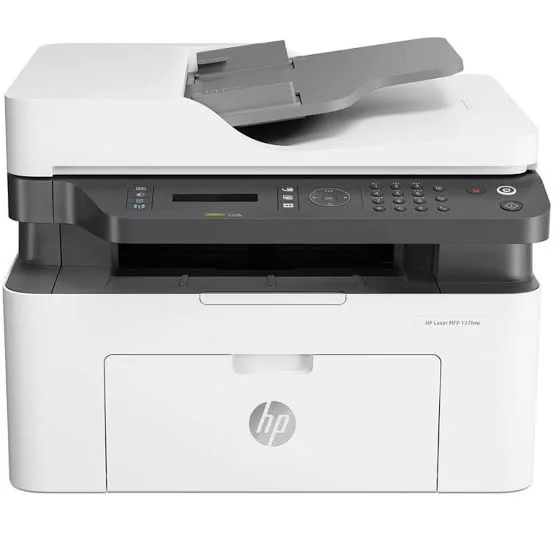
Looking for the HP 137fnw price in Kenya, a black-and-white laser printer in Nairobi, or a compact laser all-in-one with fax for a small office? The HP Laser MFP 137fnw is a brand-new, genuine A4 monochrome laser multifunction printer that prints, copies, scans and faxes, and connects by Ethernet and Wi-Fi. It's a compact, no-fuss machine for small offices and home businesses that print mostly black-and-white documents and want the speed, sharpness and reliability of a laser. It's available from City Gadgets Kenya with delivery across Kenya. Buyers also search for it as an HP Laser MFP 137fnw, an HP 137 laser printer, a mono laser printer scanner copier fax, a small office laser printer, a cheap laser multifunction printer with Wi-Fi, or a printer that won't dry out.
This guide explains the printer in plain language: what laser printing offers over inkjet, who the 137fnw suits, how it compares with the ink tank and refillable laser printers in our range, and where it's limited. If you'd like to talk it through, message us on WhatsApp.
The short verdict
The HP Laser MFP 137fnw is a sensible, compact laser all-in-one for light to moderate use. It prints at up to 20 pages per minute, gets the first page out in about 8 seconds, and handles a recommended 100 to 2,000 pages a month, which covers most small offices, clinics, shops and home businesses. Its features cover the basics well: copying, scanning, fax, Ethernet, Wi-Fi, Wi-Fi Direct and mobile printing through AirPrint and Mopria. The honest trade-off is running cost. It uses standard toner cartridges, which cost more per page than the refillable ink tanks of an Epson EcoTank or the reloadable tank of an HP LaserJet Tank. If you print a lot, those are cheaper to run. If you print moderately, want a laser's sharp text and don't want to worry about ink drying out, the 137fnw is a convenient, dependable choice.
What the letters mean
HP's model names carry meaning, so it helps to decode them.
- 137 is the model number in HP's compact Laser MFP range.
- f means the printer includes a fax.
- n means it has a built-in network (Ethernet) connection.
- w means it has wireless (Wi-Fi) connectivity.
So the 137fnw is the version with fax, Ethernet and Wi-Fi. Simpler models in the same family drop some of these, and cost less.
Who this printer is for
It suits you if:
- You print mostly black-and-white documents: letters, forms, invoices, reports and notes.
- You print a few hundred to a couple of thousand pages a month.
- You want a laser's sharp, smudge-resistant text.
- You print in bursts, with gaps of days or weeks, and don't want ink to dry out.
- You want fax, Ethernet and Wi-Fi in a compact machine.
Look elsewhere if:
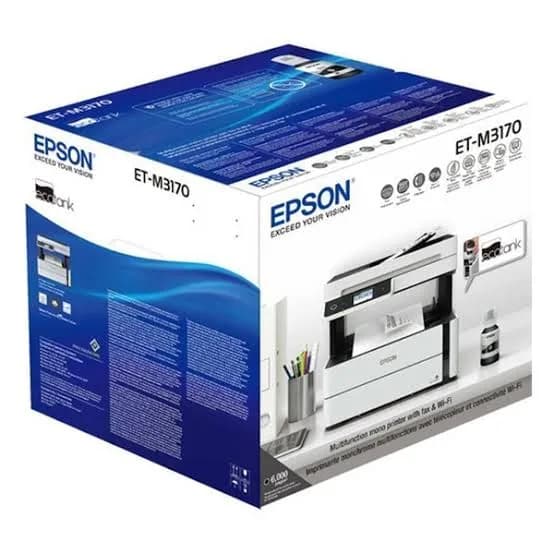
- You print heavily, in the thousands of pages a month. See the Epson Monochrome M3170 or the HP LaserJet Tank 2602sdn in our range, which cost less per page.
- You need colour. See the Epson EcoTanks or the HP Color LaserJet Pro models.
- You need automatic double-sided printing. The 137fnw prints duplex manually.
- You print photos.
Specifications in plain English
| Feature | Detail | What it means for you |
|---|---|---|
| Model | HP Laser MFP 137fnw (4ZB84A) | HP's compact mono laser MFP with fax |
| Functions | Print, copy, scan and fax | Four jobs in one machine |
| Colour | Black-and-white printing and copying. The scanner can scan in colour | Text and forms |
| Print speed | Up to 20 ppm (A4) | Steady office speed |
| First page out | As fast as about 8.3 seconds | Quick for single pages |
| Print quality | Up to 1200 x 1200 dpi (black) | Sharp text |
| Duplex | Manual, with driver support | You turn pages yourself |
| Monthly duty cycle | Up to 10,000 pages | The maximum the printer can handle |
| Recommended monthly volume | 100 to 2,000 pages | The comfortable range |
| Connectivity | Hi-Speed USB 2.0, Fast Ethernet, Wi-Fi 802.11 b/g/n and Wi-Fi Direct | Wired and wireless |
| Mobile printing | Apple AirPrint, Mopria and HP mobile apps | Print from phones |
| Scanning | Up to 20 ipm black-and-white and 7 ipm colour, with scan to PC and WSD | Fast enough for everyday use |
| Fax | Walk-up black-and-white and colour sending | Useful where fax is still needed |
These figures come from HP's specifications for the 137fnw. Ask us to confirm the document feeder, toner starter capacity and warranty for the unit you order.
Why laser, and not inkjet?
Many buyers wonder which technology suits them. Here are the real differences.
Laser strengths
- Sharp, dark text that doesn't smear with moisture or highlighters.
- Speed and consistency for black-and-white documents.
- No drying out. Toner is a dry powder, so a laser works even after a long break, unlike an inkjet whose head can clog.
- Reliability for steady office use.
Laser limits
- Higher cost per page than an ink tank printer.
- No good photo printing.
- A higher up-front cost for toner, although cartridges last long.
- Power use is higher while printing and warming up.
For a small office that prints in bursts and values dependable text, a laser is a safe choice.
Toner and running costs: what to know
A laser's running cost depends on its toner.
- Standard cartridges. The 137fnw uses a single black toner cartridge. Ask us for the cartridge code and its page yield for your unit.
- Cost per page. Divide the cartridge price by its page yield. Compare this with a tank printer's cost per page, which is far lower.
- Starter toner. Printers usually ship with a smaller starter cartridge, which prints fewer pages than a standard one, so keep a spare.
- Genuine toner. Use genuine HP toner. Some HP printers also reject non-genuine cartridges, and cheap refills can damage the machine.
- Storage. Keep spare toner sealed, flat and away from heat and sunlight.
If your monthly volume climbs toward the thousands of pages, the Epson M3170 and the HP LaserJet Tank 2602sdn in our range will save you money.
Setting up the printer
- Choose a location with good ventilation and a flat, sturdy surface.
- Unbox and remove all packing tape and shipping protection, including inside the cartridge area.
- Install the toner cartridge following the instructions.
- Load plain A4 paper in the tray.
- Connect to your network by Ethernet, or join Wi-Fi.
- Install the HP driver on your computer, or use the HP Smart app.
- Print a test page, and run a copy and a scan.
- Connect a telephone line if you plan to use fax.
Copying, scanning and fax
Copying. Place a page on the glass, or use the feeder if your unit has one, and press copy. Copies are black-and-white, and the printer can reduce or enlarge.
Scanning. Scan to your computer or to a network destination, at up to 20 images per minute in black and white. For records and forms, 200 to 300 dpi is usually enough.
Fax. The printer can send black-and-white and colour faxes, and you need a landline. Set up your fax header and receiving mode before you rely on it. Many offices today use email or WhatsApp instead, so fax is a bonus for those who need it.
A worked example: toner cost versus a tank printer
Running costs decide whether a laser is the right choice, and the arithmetic is simple.
- Find the toner cartridge price and its page yield. Ask us for both for the 137fnw.
- Divide the price by the pages to get the cost per page.
- Do the same for an ink or toner tank printer. A bottle or reload kit costs a similar amount per refill, but prints many more pages.
- Multiply the difference by your monthly pages. If you print 300 pages a month, the gap is small. If you print 3,000, it's large.
- Consider your pattern. If you print in bursts with long gaps, a laser's no-dry-out reliability is worth some extra cost.
The honest conclusion for most small offices: if you print under about 1,000 pages a month, the 137fnw's running cost is manageable. Above that, a tank printer pays for itself quickly.
Working with a small office laser day to day
A few habits keep a compact laser reliable.
- Use good-quality paper. Dusty or damp paper causes jams and leaves toner marks.
- Keep the paper tray level and don't overfill it.
- Don't open the printer while it's printing, and let it cool before reaching inside.
- Clean the glass and the paper path gently with a dry, lint-free cloth.
- Replace toner when prompted, not after prints go faint for days.
- Print a test page occasionally if the printer sits idle.
- Keep the firmware updated, using HP's software.
Printing from a phone and tablet
Mobile printing is one of the 137fnw's conveniences.
- Apple devices. AirPrint lets iPhones and iPads print without extra software when they're on the same network.
- Android devices. The Mopria print service, built into most phones, finds the printer on the network.
- HP Smart app. Print, scan and check supplies from your phone.
- Wi-Fi Direct. Connect a phone straight to the printer without a router, which suits shops and sites without Wi-Fi.
- Scan to phone. Use the app to scan documents straight into your phone as PDFs.
If printing from your phone fails, check that the phone and printer are on the same network, and restart the printer.
Common problems and simple fixes
Paper jams. Switch off, open the cover, and remove paper in the direction of travel. Use dry, good-quality paper.
Faint or streaky prints. Remove the toner cartridge, shake it gently from side to side, and refit it. If problems continue, replace the cartridge.
Black marks or smudges. Toner may be loose or the paper path dirty. Clean gently, and print a few blank pages to clear it.
Won't connect to Wi-Fi. Restart the printer and router, move the printer closer and set it up again. Use Wi-Fi Direct to test.
Fax won't send. Check the telephone cable and line, and the number and settings.
Scans look dull or have lines. Clean the glass with a soft cloth.
Error messages about the cartridge. Check the cartridge is genuine and seated properly.
If a problem continues, message us on WhatsApp.
Equipping a clinic, shop or home office
A clinic or pharmacy. Print prescriptions, receipts and forms, copy IDs and scan referral letters. Fax is handy for occasional supplier orders.
A shop or small business. Print invoices and price lists, scan and email documents, and keep a spare toner for busy weeks.
A home office or student. Print assignments and forms without worrying about dried-out ink, and scan documents to your phone.
A small school office. Print notices and forms, and copy documents for parents, within the 100 to 2,000 monthly page range.
In each case, a surge protector, a spare toner and good paper keep the printer reliable.
Questions to ask before you buy a laser printer
- How many pages will I print each month? Under about 1,000, a laser is fine. Above that, consider a tank printer.
- Do I need colour, fax or duplex?
- What does a replacement toner cost, and what is the real cost per page?
- What's in the box, and does it include a full-size toner?
- Does it have a document feeder? Ask us to confirm.
- Do I need Wi-Fi and Ethernet?
- What warranty is included, and who honours it? Get it in writing.
- Can I see it before I pay? A trustworthy seller says yes.
We're glad to answer all of these on WhatsApp or in the shop before you pay.
Looking after the printer for years
- Keep it in a ventilated, dust-free spot.
- Use genuine HP toner and good paper.
- Clean the glass and body with a soft cloth.
- Keep firmware updated.
- Protect the power with a surge protector.
- Don't block the vents, and leave space around the printer.
- Keep a spare toner so a busy week never stops you.
Warranty and after-sales: what to ask
A printer is a long-term purchase, so ask us what warranty covers the unit you order, how long it lasts and what it covers. Printers normally exclude consumables such as toner, and damage from non-genuine supplies or misuse. Keep your receipt, the serial number and the box. If a fault appears, message us on WhatsApp first, and we'll tell you the quickest way to get it sorted.
Laser, tank laser or ink tank: a simple decision guide
Because we sell all three types, here is an honest summary to help you choose.
- Choose a cartridge laser like the 137fnw when you print moderately, in bursts, want sharp text and want a printer that works the moment you need it.
- Choose a tank laser like the HP LaserJet Tank 2602sdn when you print more, want a low cost per page with a laser's reliability, and want automatic duplex.
- Choose a mono ink tank like the Epson M3170 when you print the most black text, want the lowest cost per page, and need fax and a feeder.
- Choose a colour ink tank like the Epson L3260 or L6370 when colour matters.
If you tell us your monthly pages, we'll recommend the right type, even when that means a cheaper printer than the one you came for.
Getting good results from plain paper
Plain paper makes up most of an office's printing, and a few habits improve quality.
- Choose 80 gsm paper for everyday work, and keep a heavier stock for covers.
- Use paper from a sealed ream, since open reams absorb moisture.
- Fan the stack before loading, so sheets don't stick together.
- Align the guides to the paper's edges.
- Match the paper type setting in the print dialog.
- Avoid torn, creased or curled sheets.
Good paper saves more in jams and reprints than it costs.
Setting up fax step by step
If you plan to use the 137fnw's fax, a few steps save frustration.
- Confirm you have a landline. Fax needs a telephone line, not mobile data.
- Connect the telephone cable to the printer's line port, and a telephone, if you have one, to the extension port.
- Set the fax header with your name or company and number, so recipients know who sent the fax.
- Choose the receiving mode. Automatic suits a dedicated fax line, and manual suits a shared line.
- Set the date and time, which print on every fax.
- Store frequent numbers in the address book.
- Send a test fax to a fax machine you can check.
- Keep paper loaded, because incoming faxes print on paper.
Protect the telephone line with a surge protector, because phone lines carry surges too.
Why a printer's duty cycle matters
You'll see "duty cycle" and "recommended monthly volume" on specification sheets, and they're worth understanding.
- Duty cycle (10,000 pages for this printer) is the maximum number of pages the printer can handle in a month without undue wear. It isn't a target.
- Recommended monthly volume (100 to 2,000 pages) is the range in which the printer is expected to last well.
- Staying within the recommended range extends the life of rollers, the fuser and other parts.
- If you regularly exceed it, choose a heavier-duty printer, such as the HP LaserJet Tank 2602sdn or a Pro model.
A printer used within its range can serve an office for many years.
Using a printer in Kenya
Power protection. Laser printers draw a lot of power when they warm up. Use a surge protector, and don't plug a laser printer into a UPS meant for computers.
Telephone line protection. If you use fax, put a surge protector on the line too.
Heat, dust and humidity. Keep the printer in a ventilated, clean spot. Humid paper curls and jams.
Toner storage. Keep toner sealed, flat and away from heat and sunlight.
Network safety. Change the printer's default admin password, and keep it off public networks.
Warranty. Ask us for the warranty that applies to the unit you order, and keep the receipt and box.
How it compares with other options in our range
| HP Laser MFP 137fnw | HP LaserJet Tank 2602sdn | Epson M3170 (mono ink tank) | Epson L3260 (colour ink tank) | |
|---|---|---|---|---|
| Technology | Laser, toner cartridge | Laser, refillable toner tank | Ink tank, pigment | Ink tank, dye |
| Colour | No | No | No | Yes |
| Fax | Yes | No | Yes | No |
| Automatic duplex | No | Yes | Confirm | No |
| Cost per page | Medium | Low | Very low | Very low |
| Best for | Light to moderate mono use with fax | Moderate to heavy mono use | Heavy mono use with fax | Mixed colour use |
Against the HP LaserJet Tank 2602sdn: the Tank costs less per page and prints duplex automatically, but has no fax. The 137fnw has fax and Wi-Fi.
Against the Epson M3170: the M3170 is cheaper to run per page and has a feeder and fax too. The 137fnw suits those who prefer a laser's no-dry-out reliability.
Against colour ink tank printers: they print colour at a low cost. The 137fnw is for black-and-white text.
Honest pros and cons
Pros
- Sharp, smudge-resistant laser text.
- Print, copy, scan and fax in a compact machine.
- Ethernet, Wi-Fi and Wi-Fi Direct.
- AirPrint and Mopria mobile printing.
- A fast first page out.
- No ink to dry out.
- A comfortable monthly volume of 100 to 2,000 pages.
Cons
- Black and white only.
- Duplex is manual.
- A higher cost per page than ink tank or tank-laser printers.
- Not for high volumes.
- No photo printing.
What to check when it arrives
- The box model matches HP Laser MFP 137fnw.
- The printer, power cable, telephone cable and starter toner are in the box.
- All packing tape and shipping protection are removed.
- A test page prints, and a copy and a scan work.
- The network and Wi-Fi connections work.
- Fax sends and receives, if you use it.
- You get a receipt with the serial number and warranty details in writing.
Frequently asked questions
What is the HP 137fnw price in Kenya? We confirm the current price when you message us on WhatsApp, because supplier prices change. We tell you the price and what's in the box before you pay.
Where can I buy the HP 137fnw in Nairobi? At City Gadgets Kenya, New Alnoor Exhibition, Second Floor, Shop C7, Accra Road, Nairobi CBD, or by delivery.
Does it print in colour? No. It prints and copies in black and white.
Does it have Wi-Fi and Ethernet? Yes, both, plus Wi-Fi Direct.
Does it fax? Yes, with a landline connection.
Does it print double-sided automatically? No. Duplex is manual.
How many pages can it print a month? The recommended range is 100 to 2,000 pages, with a maximum duty cycle of 10,000.
Can I print from my phone? Yes, with AirPrint, Mopria and HP's mobile apps.
What warranty does it have? Ask us for the warranty that applies to the unit you order.
Can you deliver it? Yes, same day in Nairobi and next day outside Nairobi.
Can I pay via M-Pesa? Yes.
Why buy from City Gadgets Kenya
Genuine, brand-new HP printer. We're at New Alnoor Exhibition, Second Floor, Shop C7, Accra Road, Nairobi CBD, and you're welcome to look at the printer before you buy. Message us on WhatsApp with how much you print, and we'll tell you honestly whether the 137fnw is right or a tank-based printer would save you money. We confirm what's in the box before you pay.
Order your HP Laser MFP 137fnw today
Available now at City Gadgets Kenya. Message us on WhatsApp.
Specifications
- Brand
- HP
- Condition
- New
Frequently Asked Questions
How much does the HP Laser MFP 137fnw Black-and-White Laser All-in-One Printer with Fax and Wi-Fi in Kenya | City Gadgets Kenya cost in Kenya?
The HP Laser MFP 137fnw Black-and-White Laser All-in-One Printer with Fax and Wi-Fi in Kenya | City Gadgets Kenya is priced at Ksh 49,500 at City Gadgets. You can pay via M-Pesa, card or cash on delivery.
Is the HP Laser MFP 137fnw Black-and-White Laser All-in-One Printer with Fax and Wi-Fi in Kenya | City Gadgets Kenya available in Kenya?
Yes — the HP Laser MFP 137fnw Black-and-White Laser All-in-One Printer with Fax and Wi-Fi in Kenya | City Gadgets Kenya is in stock at City Gadgets, ready for same-day delivery in Nairobi and countrywide shipping across Kenya.
Is the HP Laser MFP 137fnw Black-and-White Laser All-in-One Printer with Fax and Wi-Fi in Kenya | City Gadgets Kenya genuine and does it have a warranty?
Every HP Laser MFP 137fnw Black-and-White Laser All-in-One Printer with Fax and Wi-Fi in Kenya | City Gadgets Kenya we sell is 100% genuine brand-new stock and comes with a 12-month official brand warranty.
Do you deliver the HP Laser MFP 137fnw Black-and-White Laser All-in-One Printer with Fax and Wi-Fi in Kenya | City Gadgets Kenya in Nairobi?
Yes. We offer fast same-day delivery within Nairobi and fast, affordable delivery to the rest of Kenya — order online or on WhatsApp.
Customer Reviews
No reviews yet
Be the first to review this product.
Rate us on Google
Your review helps other shoppers find us
Reviews from verified buyers will appear here.