Epson EcoTank L15150 A3 Wi-Fi Duplex Ink Tank All-in-One Printer in Kenya | City Gadgets Kenya
Same-day delivery in Nairobi by 8 Oct – 9 Oct
Description
Buy the genuine Epson EcoTank L15150 A3+ colour all-in-one ink tank printer with automatic A3 duplex, 50-sheet ADF, fax, Ethernet and Wi-Fi in Kenya from City Gadgets Kenya. Epson L15150 price in Kenya, A3 printer Nairobi, office A3 ink tank printer. A complete buyer's guide.
Epson EcoTank L15150 A3 Wi-Fi Duplex Ink Tank All-in-One Printer in Kenya
Genuine Epson | Brand New | A3+ Colour Print, Scan, Copy and Fax | Automatic A3 Duplex | 50-Sheet Document Feeder | Ethernet, Wi-Fi and Wi-Fi Direct | Water-Resistant Pigment Ink
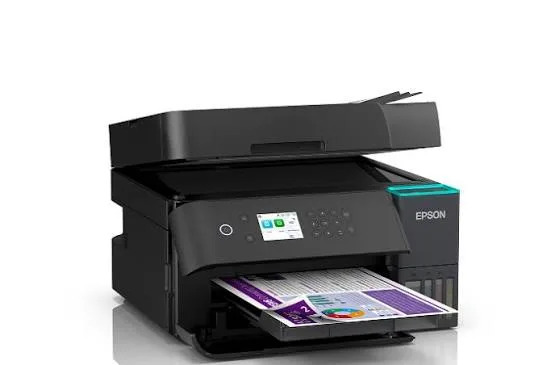
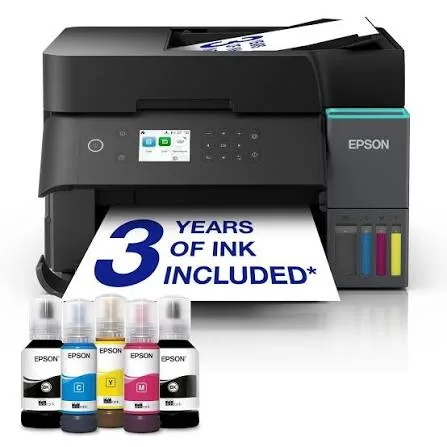
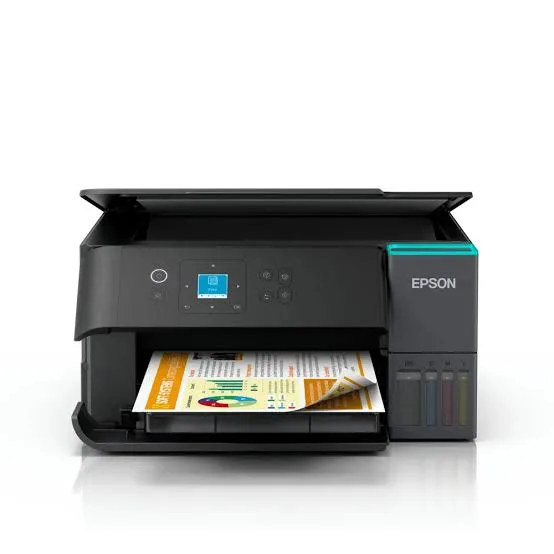
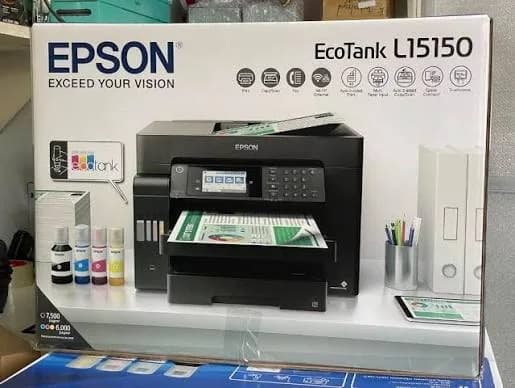
Searching for the Epson L15150 price in Kenya, an A3 printer in Nairobi, or a large-format office printer with low running costs? The Epson EcoTank L15150 is a brand-new, genuine A3+ colour all-in-one ink tank printer that prints, scans, copies and faxes, and prints on A3 paper automatically on both sides. It uses refillable ink tanks with durable pigment ink, a 50-sheet automatic document feeder, a 4.3-inch colour touchscreen, and Ethernet as well as Wi-Fi. It's available from City Gadgets Kenya with delivery across Kenya. Buyers also search for it as an Epson L15150 printer, an A3 ink tank printer, an A3 printer scanner copier, a printer for architects and engineers, a printer for drawings and posters, an A3 duplex printer, or a large-format office printer.
This guide explains the printer in plain language: why A3 matters, what its pigment ink gives you, how it suits offices, schools and design work, and where it's limited. If you'd like to talk it through, message us on WhatsApp.
The short verdict
The Epson EcoTank L15150 is the big, capable office printer of this group. Most printers stop at A4, and an A3 printer opens up drawings, posters, spreadsheets, charts, notices and plans at their full size, with the option to print A3 double-sided automatically. Its pigment ink, which Epson calls DURABrite ET, makes prints sharp, water-resistant and suitable for barcodes. The ink tanks keep the cost per page very low, with Epson quoting up to 7,500 black and 6,000 colour pages from a set of bottles. A 50-sheet feeder, fax, Ethernet and a large touchscreen make it a full office machine. The compromises are size and price: it's big, it costs more than A4 models, and the scanner itself is A4 size, so you can't scan an A3 sheet in one pass. If you regularly need A3, it's an excellent choice.
Why A3 matters
A3 paper is twice the size of A4: 297 by 420 millimetres. That sounds like a small thing, and it changes what you can do.
- Drawings and plans. Architects, engineers, surveyors and builders print drawings and plans at readable size.
- Posters, notices and menus. A3 is big enough to be seen from a distance.
- Spreadsheets and charts. A wide spreadsheet printed on A3 stays readable, instead of shrinking to a tiny font.
- Presentations and boards. Teachers, trainers and project teams print visuals for walls and displays.
- Design proofs. Graphic designers print layouts at close to final size.
- Calendars, timetables and schedules. A3 sheets work as wall planners.
If you never need anything larger than A4, a cheaper A4 EcoTank is the better buy. If A3 is part of your work, a dedicated A3 printer saves you trips to a print shop.
What the pigment ink gives you
The L15150 uses a pigment ink series, rather than the dye inks found in photo printers.
- Water resistance. Pigment prints resist smudging when wet, which matters for notices, labels and documents that get handled.
- Sharp text. Pigment ink sits on the paper surface and produces crisp black text on plain paper.
- Barcode-friendly. Epson says the ink prints barcodes that scan reliably.
- Better fade resistance than dye ink for documents.
- Same ink for colour and black. All inks are used for both black and colour printing, so the printer uses ink efficiently.
For documents, drawings and everyday office work, pigment ink is the right choice. For glossy photo prints, a dye-ink printer such as the Epson L8050 or L18050 in our range gives more vivid colour.
Who this printer is for
It suits you if:
- You regularly print A3 drawings, posters, charts or spreadsheets.
- You run an architecture, engineering, design, printing or planning office.
- You work in a school, college or training centre that makes large visuals.
- You want automatic double-sided printing up to A3.
- You want a low cost per page with a fast, high-volume machine.
Look elsewhere if:
- You only print A4. See the Epson L6370, L6390 or L5290.
- You mainly print glossy photos. See the Epson L8050 or L18050.
- You need to scan A3 originals in one go. This printer's scanner handles A4, so ask us about A3 scanners.
- You have very little desk space. This is a large machine.
Specifications in plain English
| Feature | Detail | What it means for you |
|---|---|---|
| Model | Epson EcoTank L15150 | Epson's A3+ office ink tank all-in-one |
| Functions | Print, scan, copy and fax, with ADF | Four jobs in one machine |
| Paper size | Up to A3+ (simplex), and automatic duplex up to A3 | Large documents, double-sided |
| Ink | Pigment ink (DURABrite ET), water-resistant | Sharp, durable documents |
| Ink yield | Up to about 7,500 pages black and 6,000 pages colour per set, per Epson | A very low cost per page |
| Print speed (draft, A4) | Up to 32 ppm black and 22 ppm colour | Fast for office documents |
| Print speed (ISO, A4 simplex) | Up to 25 ipm black and 12 ipm colour | A more realistic guide |
| Print speed (ISO, A3 simplex) | Up to 13.5 ipm black and 6 ipm colour | A3 is slower, as expected |
| Print speed (ISO, A3 duplex) | Up to 10 ipm black and 5 ipm colour | Double-sided A3 |
| Document feeder | 50 sheets, with duplex scanning | Scan and copy stacks |
| Display | 4.3-inch colour touchscreen | Easy to control |
| Connectivity | Ethernet, Wi-Fi, Wi-Fi Direct (up to 8 devices) and USB 2.0 | Wired and wireless options |
| Output tray | Up to 125 sheets of A4 plain paper | A generous tray |
| Technology | Epson Heat-Free | Lower power use |
| Warranty (an India listing) | 12 months | Ask us what applies in Kenya |
These figures come from Epson's product pages and retailer listings of the L15150. Speeds are manufacturer figures measured under ideal conditions, and real jobs are slower, so ask us what to expect for your documents.
How an ink tank printer works, and why it's cheaper
Cartridge printers use small plastic cartridges that run out quickly and cost a lot to replace. An ink tank printer like the L15150 has large built-in tanks that you fill from bottles.
- Each colour has its own tank and matching bottle, and the bottle nozzle fits only its tank.
- Bottles are cheap for the amount of ink they hold, so each page costs a small fraction of a cartridge page.
- Yields are measured in thousands of pages per set of bottles, and Epson quotes especially high yields for this model.
- You refill occasionally, and it's tidy once you've done it a couple of times.
For A3 printing, where a single page uses a lot of ink, the saving over a cartridge A3 printer or a print shop is large.
A3 duplex and everyday workflows
Automatic duplex up to A3 saves paper and time, and a few habits help you use it well.
- Choose two-sided printing in the print dialog, and select A3 as the paper size.
- Load A3 paper in the cassette with the guides set correctly.
- Check the preview, especially for drawings with title blocks and margins.
- Print a test page before a long job.
- Use good-quality paper, since thin A3 sheets crease and jam more easily.
- Scan A4 pages through the feeder, which handles 50 sheets, with duplex scanning.
- Fax if you need to, with a landline connection.
What to know about scanning
It's worth being clear about the scanner, because it surprises buyers.
- The scanner is A4-size. It scans A4 originals on the glass and through the feeder. It can't scan an A3 sheet in one pass.
- Workarounds. Scan an A3 original in two halves and join them in software, or use an A3 scanner.
- The feeder is fast. Epson lists ADF scanning up to 26 images per minute simplex and 11.5 duplex, at 200 dpi in black and white.
- Copying A3. Because the scanner is A4, A3 copying uses reduction or enlargement from A4 originals. Ask us about the exact copy capabilities of the unit you order.
If you need to scan large drawings regularly, tell us, and we'll recommend an A3 or large-format scanner.
Setting up a shared office printer
- Place it on a strong, level table or stand with room around it, because it's wide and heavy.
- Connect it by Ethernet for the most reliable network connection.
- Reserve an IP address for the printer on your router.
- Install the driver on each computer.
- Set defaults that save money: double-sided and black-and-white.
- Set up scan-to-folder or scan-to-email.
- Use the Epson Smart Panel app on phones.
- Assign someone to check ink and paper weekly.
- Keep a spare ink set, so a busy week never stops you.
Getting set up: a first-day guide
- Unbox with two people, because the printer is large and heavy, and remove all packing tape and protective material.
- Fill the ink tanks with the matching bottles, slowly.
- Let the printer initialise.
- Load A4 or A3 paper in the cassette.
- Connect the network cable, or join Wi-Fi from the touchscreen.
- Install the driver and print a test page.
- Test A3 duplex and the document feeder.
- Run a nozzle check after the first week.
Paper, ink and keeping costs down
- Use good-quality paper, especially for A3 and duplex. Plain paper of 80 gsm works for most jobs, and heavier paper suits posters and plans.
- Remove staples and clips before loading the feeder.
- Use genuine Epson ink bottles. Ask us for the correct bottle codes.
- Set double-sided and black-and-white as defaults.
- Print something weekly, so the print head stays healthy.
- Keep the printer level, covered and out of direct sun.
Printing drawings, plans and large spreadsheets
A3 printing is most valuable for technical and planning work, so here are tips for getting good results.
- Export to PDF first. A PDF keeps layout, fonts and scale consistent, whichever computer you print from.
- Check the page size in your software. Make sure the document is set to A3, not A4 scaled up, and that margins fit the printer.
- Print at 100% scale for drawings that must be measured, and avoid "fit to page" unless you intend it.
- Choose line-drawing quality for CAD and architectural plans where available, so thin lines stay crisp.
- Use heavier paper for presentation drawings, and plain 80 gsm for working copies.
- Print a small test first on A4 to check the layout.
- Let large prints dry before stacking, especially with heavy ink coverage.
- Roll or store plans flat, so they don't crease.
For wide spreadsheets, set the print area and landscape orientation in your spreadsheet software, then print on A3 so columns stay readable.
Using an A3 printer in a school or training centre
Schools, colleges and training centres are among the best users of A3 printers.
- Wall charts and posters for classrooms and notice boards.
- Timetables and calendars printed large enough to read from across a room.
- Exam papers and drawings for technical subjects.
- Science and design projects at poster size.
- Newsletters and notices folded from A3 into A4 booklets.
- Double-sided A3 sheets folded in half to make A4 booklets, which saves paper.
For a school, a surge protector, a spare ink set and a staff member responsible for loading paper keep the machine reliable through busy terms.
Booklets and folded documents
A3 duplex lets you make neat booklets without a print shop.
- Prepare the document in booklet layout, with pages in the correct order. Many word processors and PDF tools include a booklet option.
- Print double-sided on A3.
- Fold the stack in half to make an A4 booklet.
- Staple along the fold with a long-arm stapler, or bind it.
- Check the first copy before you run a batch.
This is a quick, low-cost way to make programmes, manuals, price lists and newsletters.
Common problems and simple fixes
A3 paper jams or creases. Use good-quality, dry paper, load it straight with the guides set, and don't overfill the cassette.
Streaks or faded lines. Run a nozzle check, then a head cleaning from the touchscreen.
Document feeder jams. Remove staples and clips, use good paper and don't overload the feeder.
Can't be found on the network. Check the Ethernet cable and router, restart the printer and confirm its IP address hasn't changed.
Slow A3 printing. A3 is slower than A4, and duplex is slower again. Use draft mode for working copies.
Fax won't send. Check the telephone cable and line, and the number and settings.
Error message about the maintenance box. The box that collects waste ink is nearly full. Ask us, since it needs an authorised service.
If a problem continues, message us on WhatsApp.
Questions to ask before you buy an A3 printer
- Do I really need A3? If you only need it occasionally, a print shop may be cheaper.
- Do I need to scan A3? If yes, you need an A3 scanner too.
- How many pages will we print each month, and in what colours?
- Do we need duplex, fax and a document feeder?
- Do we have space and a strong table or stand?
- What does a replacement ink set cost, and what is the real cost per page?
- What's in the box, and does it include ink?
- What warranty is included, and who honours it? Get it in writing.
We're glad to answer all of these on WhatsApp or in the shop before you pay.
Looking after the printer for years
- Print or scan something weekly, so the print head stays healthy.
- Use the printer's power button, not the wall switch.
- Keep the tanks above the minimum mark.
- Use genuine ink.
- Clean the scanner glass, the feeder strip and the body with a soft cloth.
- Keep it level, covered and out of direct sun.
- Service it when you see a maintenance message.
- Keep firmware and drivers updated.
Warranty and after-sales: what to ask
A printer is a long-term purchase, so ask us what warranty covers the unit you order, how long it lasts and what it covers. An India listing shows a 12-month manufacturer warranty, and Kenyan terms may differ. Printers normally exclude consumables such as ink, and damage from non-genuine ink or misuse. Keep your receipt, the serial number and the box. If a fault appears, message us on WhatsApp first, and we'll tell you the quickest way to get it sorted.
Using a printer in Kenya
Power protection. Printers can be damaged by surges. Use a surge protector, and don't plug a printer into a UPS meant for computers, because printers draw a lot of power when they start.
Space and handling. Plan where the printer will sit before it arrives, and measure doors and stairs. Lift it with two people, and keep it level.
Dust and heat. Keep the printer covered when idle, in a clean, shaded spot.
Paper storage. Keep A3 paper flat and dry, because humidity makes large sheets curl and jam.
Network safety. Change the printer's default admin password, and keep it off public networks.
Warranty. Ask us for the warranty that applies to the unit you order, and keep the receipt and box.
Accessories worth buying with it
| Accessory | Why it helps |
|---|---|
| Spare Epson ink bottle set | Keeps you printing when tanks run low |
| Surge protector | Protects against power spikes |
| Ethernet cable | For a reliable network connection |
| A3 paper in various weights | For drawings, posters and plans |
| Sturdy table or printer stand | Supports a heavy, wide printer |
| Telephone cable | For fax, if you use it |
| Dust cover | Protects the printer when idle |
How it compares with other options in our range
| Epson L15150 | Epson L18050 | Epson L6390 | Epson L6370 | |
|---|---|---|---|---|
| Paper size | A3+ | A3+ | A4 | A4 |
| Functions | Print, scan, copy, fax | Print only | Print, scan, copy, fax | Print, scan, copy |
| Ink | Pigment | Dye, 6-colour | Dye or pigment mix, 4-colour | 4-colour |
| Best for | A3 office documents | A3 photos | A4 offices needing fax | A4 offices |
Against the Epson L18050: that printer is for photos and art prints. The L15150 is for documents and drawings, with scanning, copying and fax.
Against the A4 office EcoTanks (L6370 and L6390): they cost less and are A4 only. The L15150 adds A3.
Against A3 laser printers: A3 lasers are fast for black text but cost much more to buy and to run in colour. Ask us for a comparison based on your volume.
Honest pros and cons
Pros
- A3+ printing with automatic A3 duplex.
- Water-resistant pigment ink with sharp text.
- A very low cost per page, with high yields.
- A 50-sheet document feeder with duplex scanning.
- Fax, Ethernet, Wi-Fi and Wi-Fi Direct.
- A large 4.3-inch colour touchscreen.
- Built for high volumes.
Cons
- A big, heavy machine that needs space.
- The scanner is A4, not A3.
- A higher price than A4 EcoTanks.
- A3 printing is slower than A4.
- Pigment ink gives less vivid glossy photos than dye ink.
- A little messy to refill the first time.
What to check when it arrives
- The box model matches Epson EcoTank L15150.
- The printer, power cable, telephone cable and ink bottles are in the box.
- All packing tape and protective material are removed.
- The ink tanks fill properly, and a test page prints.
- A3 duplex printing and the document feeder work.
- The network connection and the touchscreen work.
- You get a receipt with the serial number and warranty details in writing.
Frequently asked questions
What is the Epson L15150 price in Kenya? We confirm the current price when you message us on WhatsApp, because supplier prices change. We tell you the price and what's in the box before you pay.
Where can I buy the Epson L15150 in Nairobi? At City Gadgets Kenya, New Alnoor Exhibition, Second Floor, Shop C7, Accra Road, Nairobi CBD, or by delivery.
Does it print A3? Yes, up to A3+, and automatic duplex up to A3.
Can it scan A3? No, the scanner is A4-size. You can scan A3 in two halves.
Does it fax? Yes, with a landline connection.
Does it have Ethernet and Wi-Fi? Yes, Ethernet, Wi-Fi and Wi-Fi Direct.
Is the ink waterproof? Epson describes the pigment ink as water-resistant.
How many pages does a set of ink print? Epson quotes up to about 7,500 black and 6,000 colour pages. Your results depend on your pages.
Does it come with ink? Epson EcoTank printers normally ship with a starter set of ink bottles. Ask us to confirm.
What warranty does it have? Ask us for the warranty that applies to the unit you order.
Can you deliver it? Yes, same day in Nairobi and next day outside Nairobi.
Can I pay via M-Pesa? Yes.
Why buy from City Gadgets Kenya
Genuine, brand-new Epson printer. We're at New Alnoor Exhibition, Second Floor, Shop C7, Accra Road, Nairobi CBD, and you're welcome to look at the printer before you buy. Message us on WhatsApp with what you print and how much, and we'll tell you honestly whether you need A3 or an A4 model would do. We confirm what's in the box before you pay.
Order your Epson EcoTank L15150 today
Available now at City Gadgets Kenya. Message us on WhatsApp.
Specifications
- Brand
- Epson
- Condition
- New
Frequently Asked Questions
How much does the Epson EcoTank L15150 A3 Wi-Fi Duplex Ink Tank All-in-One Printer in Kenya | City Gadgets Kenya cost in Kenya?
The Epson EcoTank L15150 A3 Wi-Fi Duplex Ink Tank All-in-One Printer in Kenya | City Gadgets Kenya is priced at Ksh 160,000 at City Gadgets. You can pay via M-Pesa, card or cash on delivery.
Is the Epson EcoTank L15150 A3 Wi-Fi Duplex Ink Tank All-in-One Printer in Kenya | City Gadgets Kenya available in Kenya?
Yes — the Epson EcoTank L15150 A3 Wi-Fi Duplex Ink Tank All-in-One Printer in Kenya | City Gadgets Kenya is in stock at City Gadgets, ready for same-day delivery in Nairobi and countrywide shipping across Kenya.
Is the Epson EcoTank L15150 A3 Wi-Fi Duplex Ink Tank All-in-One Printer in Kenya | City Gadgets Kenya genuine and does it have a warranty?
Every Epson EcoTank L15150 A3 Wi-Fi Duplex Ink Tank All-in-One Printer in Kenya | City Gadgets Kenya we sell is 100% genuine brand-new stock and comes with a 12-month official brand warranty.
Do you deliver the Epson EcoTank L15150 A3 Wi-Fi Duplex Ink Tank All-in-One Printer in Kenya | City Gadgets Kenya in Nairobi?
Yes. We offer fast same-day delivery within Nairobi and fast, affordable delivery to the rest of Kenya — order online or on WhatsApp.
Customer Reviews
No reviews yet
Be the first to review this product.
Rate us on Google
Your review helps other shoppers find us
Reviews from verified buyers will appear here.