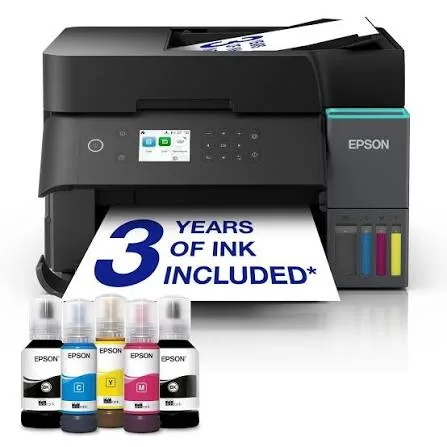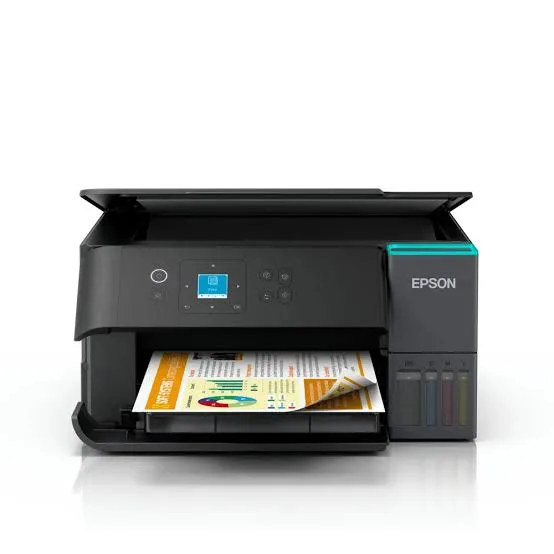
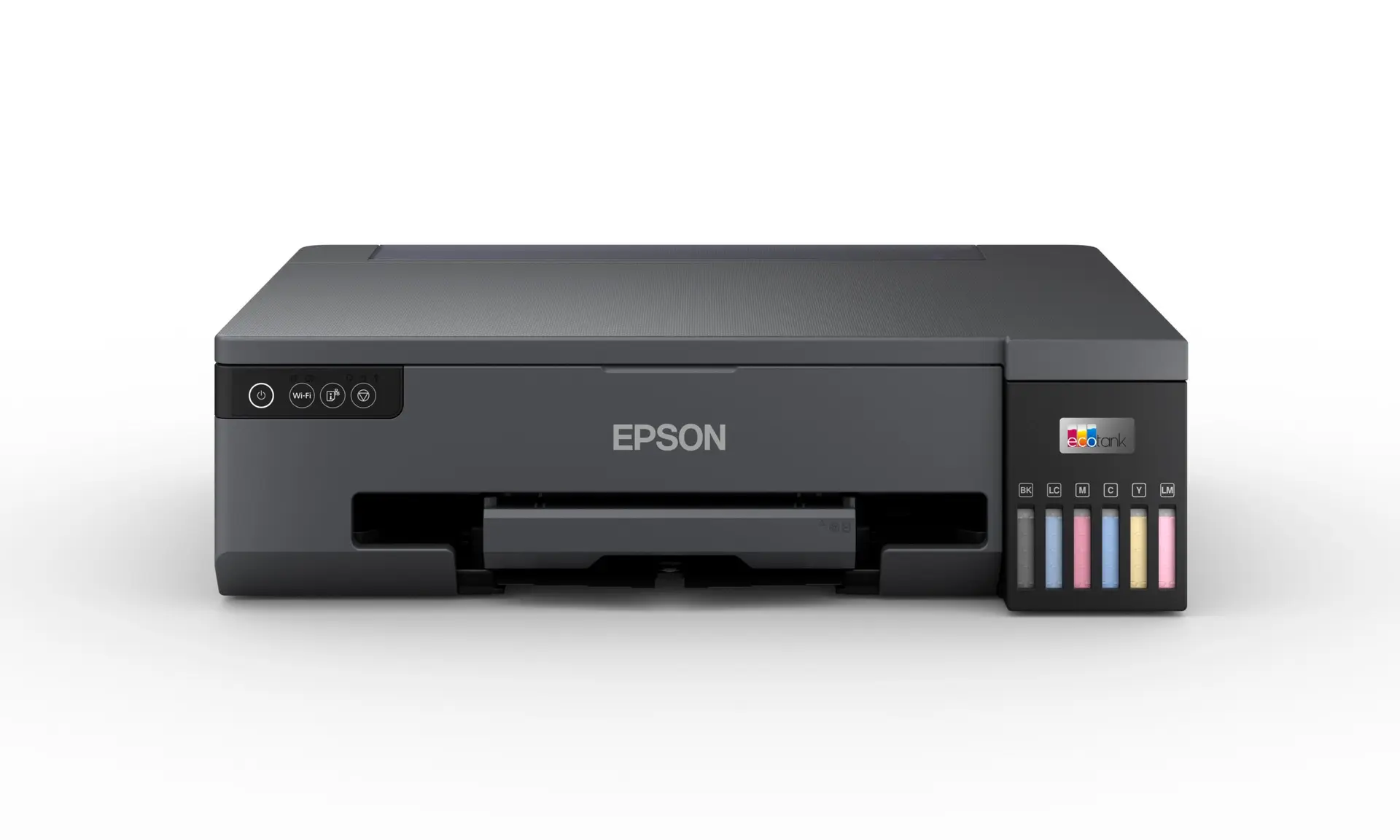
Epson EcoTank L18050 A3+ Wi-Fi 6-Colour Photo Ink Tank Printer in Kenya | City Gadgets Kenya
Same-day delivery in Nairobi by 8 Oct – 9 Oct
Description
Buy the genuine Epson EcoTank L18050 A3+ six-colour photo ink tank printer with Wi-Fi, borderless A3+ printing, banner printing, CD/DVD and ID card printing in Kenya from City Gadgets Kenya. Epson L18050 price in Kenya, A3 photo printer Nairobi, studio and wedding photo printer. A complete buyer's guide.
Epson EcoTank L18050 A3+ Wi-Fi 6-Colour Photo Ink Tank Printer in Kenya
Genuine Epson | Brand New | A3+ Six-Colour Photo Printer | Borderless A3+ and Banner Printing | CD/DVD and ID Card Printing | Wi-Fi and Wi-Fi Direct | Refillable Ink Tanks
Looking for the Epson L18050 price in Kenya, an A3 photo printer in Nairobi, or a large-format photo printer with a low cost per print? The Epson EcoTank L18050 is a brand-new, genuine A3+ photo printer that uses six colours of dye ink to produce vivid, detailed, borderless prints up to A3+, and banner prints up to 1.2 metres long. It uses refillable ink tanks that keep the cost per print low, and it connects by Wi-Fi, Wi-Fi Direct and USB. It's available from City Gadgets Kenya with delivery across Kenya. Buyers also search for it as an Epson L18050 printer, an A3+ photo printer, a wedding photo album printer, a printer for photographers and photo studios, a large-format ink tank printer, a poster and art print printer, or a printer for exhibition prints.
This guide explains the printer in plain language: what A3+ and six-colour printing give you, how to use it for studio and art work, what its dye inks mean for print life, and where it's limited. It's a print-only machine, so we're upfront about that. If you'd like to talk it through, message us on WhatsApp.
The short verdict
The Epson EcoTank L18050 is for people who sell or display large prints. It's the same family of printer as the L8050 in our range, scaled up: six-colour dye ink for smooth tones and natural skin colour, now on paper up to A3+ (329 by 423 millimetres) borderless, and long banner sheets up to 1.2 metres. Epson says the ink supplied in the box can print up to about 1,500 10x15 cm photos, or thousands of text pages, and the cost per print is far lower than a cartridge A3 printer or a print shop. It's slower than a laser at documents, it can't scan or copy, and dye inks fade faster than pigment inks. For photographers, studios, designers and artists who want affordable large prints, it's a strong choice. For everyday office documents, an A4 or A3 office EcoTank suits you better.
What A3+ and six colours give you
A3+ size. A3+ paper is slightly larger than A3, which leaves room for borderless A3 prints with a small allowance. It's a standard size for photographic and art prints.
Large prints sell. Wedding albums, wall prints, portraits and exhibition pieces look far more impressive at A3 than at A4, and clients pay more for them.
Six-colour ink. The printer adds light cyan and light magenta to the usual four colours. This gives smoother skies, softer shadows and more natural skin tones, which matter most in portraits and landscapes.
Banner printing. The L18050 supports sheets up to 1.2 metres long, which suits panoramic photos, certificates and long banners.
Special media. It prints directly on CDs and DVDs and on PVC ID cards.
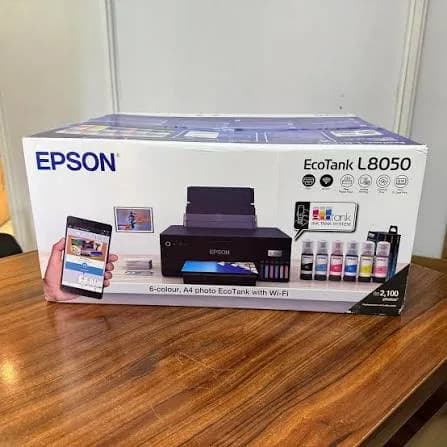
If you don't need prints bigger than A4, the Epson L8050 gives you the same colour quality at a lower price.
Who this printer is for
It suits you if:
- You're a photographer or studio selling A3 prints, wedding albums or framed portraits.
- You're a graphic designer or artist printing proofs, posters and limited-run art prints.
- You run a signage, certificate or small print business that needs large sheets.
- You teach art, photography or design and need large prints.
- You want a low cost per large print.
Look elsewhere if:
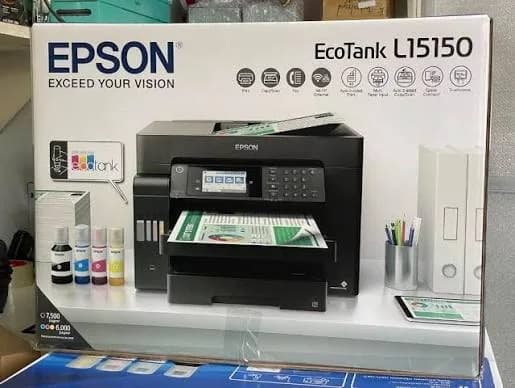
- You want to scan or copy as well. See the Epson L15150 for an A3 all-in-one.
- You print mostly text documents. A standard EcoTank or laser is cheaper to run for text.
- You need prints that must last for decades in sunlight. Dye inks fade faster than pigment inks.
- You need a network cable connection. This model uses Wi-Fi and USB.
Specifications in plain English
| Feature | Detail | What it means for you |
|---|---|---|
| Model | Epson EcoTank L18050 | Epson's A3+ photo ink tank printer |
| Function | Print only | No scanner or copier |
| Ink | Six-colour dye ink | Vivid, smooth photo colour |
| Maximum paper | A3+ (329 x 423 mm), and banners up to 1.2 m | Large prints and panoramas |
| Resolution | Up to 5760 x 1440 dpi, with ink droplets as small as 1.5 picolitres | Fine detail |
| Speed | Draft up to 22 ppm on A4. ISO A4 about 8 ipm and A3 about 3 ipm. A 10x15 cm photo in about 27 seconds | Quick snapshots, slower large prints |
| Ink bottles | 70 ml bottles | High capacity for photos |
| Ink yield | Up to about 1,500 10x15 cm photos with the supplied ink, per a retailer listing | A low cost per photo |
| Duplex | Manual | You turn pages yourself |
| Special media | CD/DVD and ID card printing | Useful for studios |
| Connectivity | Wi-Fi, Wi-Fi Direct and USB 2.0 | Print from phones and laptops |
| Software | Epson Smart Panel app | Easy printing from your phone |
These figures come from Epson and retailer listings of the L18050. Speeds are manufacturer figures measured under ideal conditions, and A3 photo prints in high quality take longer, so ask us what to expect for your work.
How an ink tank photo printer works, and why it's cheaper
Cartridge photo printers use small, expensive cartridges, and large photo printing uses a lot of ink, so costs add up fast. The L18050 has large built-in tanks that you fill from bottles.
- Each colour has its own tank and matching bottle, and the key-lock design means you can't pour the wrong colour into a tank.
- 70 ml bottles hold plenty of ink, so a set prints thousands of photos or pages.
- The cost per print is a small fraction of a cartridge photo print, and far below most print shops.
- The front-facing tanks let you see ink levels at a glance.
For an A3 photo studio, this is where an ink tank printer repays its price fastest.
Getting the best A3 photo prints
A few habits make a big difference to large prints.
- Start with a high-resolution image. An A3 print needs more pixels than an A4 one. As a guide, aim for around 300 pixels per inch at the print size, which means roughly 3,500 by 5,000 pixels for an A3 print, though smaller sizes still look acceptable from a distance.
- Use proper photo paper. Epson's glossy, lustre and matte papers are designed for these inks, and A3+ sheets are widely available.
- Choose the right paper type in the print settings.
- Use the highest quality setting for finals. Large high-quality prints take several minutes each.
- Use borderless printing where you want the image to fill the sheet, and leave a margin where you plan to frame or mat the print.
- Let prints dry flat for several minutes before stacking or framing.
- Check colour on a calibrated screen, and view prints in good light.
- Keep prints out of direct sunlight.
Running a photo studio or print business
Many of our customers earn money with an A3+ photo printer, so here is a practical outline.
- Choose your products. A3 and A4 prints, wedding and event albums, framed portraits, passport photos, ID cards, certificates and discs.
- Price with your costs in mind. Work out ink and paper cost per print, add your time and margin, and compare with local competitors.
- Keep stock. Spare ink bottles, several paper types and sizes, mounts, frames, sleeves and a trimmer.
- Invest in colour accuracy. A calibrated screen and a standard lighting setup stop disputes about colour.
- Offer proofs. Print small test prints before large jobs.
- Protect your equipment. A surge protector, a dust cover and a UPS for your computer.
- Print weekly, even when business is slow, so the print head stays healthy.
- Present well. Clean edges, mounts and protective sleeves make prints look professional.
Because the cost per print is low, a modest volume of A3 jobs pays back the printer quickly.
Wedding and event photography with the L18050
Large prints are central to wedding and event work.
- Album pages. Print A3 spreads and trim or mount them.
- Wall prints and canvases. Print A3 images for framing and, with the right media, for mounting.
- Same-day prints. Print guest and family photos at events, if you have a laptop and a quick workflow.
- Thank-you cards and invitations. Print on card stock, within the printer's media limits.
- Backups. Keep every original on a SanDisk portable SSD or a portable hard drive from our range, plus a cloud copy.
Printing banners, certificates and posters
The L18050 handles more than photos.
- Panoramas and long photos on banner paper up to 1.2 metres.
- Certificates and awards on heavy card.
- Posters and menus at A3 or A3+.
- Signs and displays for short runs.
For long banners, use paper designed for it, feed it straight, and let the print dry fully before handling. Ask us about the correct banner media for your jobs.
Getting set up: a first-day guide
- Unbox with two people, because the printer is large and heavy, and remove all packing tape and protective material.
- Fill the six ink tanks with the matching bottles, slowly, and wipe any drips.
- Let the printer initialise, which can take several minutes the first time.
- Load photo or plain paper in the rear tray.
- Connect to Wi-Fi using the Epson Smart Panel app, or connect by USB.
- Install the driver and print a test photo.
- Run a nozzle check after the first week.
Photo paper guide for A3+ work
Paper is the biggest variable in large prints, so here is a practical guide.
- Glossy. A shiny surface with deep colour and strong contrast. It suits bold, colourful images, and shows fingerprints and glare when framed without glass.
- Lustre or semi-gloss. A subtle sheen that resists fingerprints and glare. It's the favourite for weddings and portraits, and for framed prints.
- Matte. Soft, low reflection, and good for black and white, art and fine detail.
- Fine art papers. Textured, cotton-style papers give a gallery feel. Check that the paper is designed for dye ink and is within the printer's thickness limit.
- Weight. 200 to 300 gsm feels premium and resists curling. Very thick papers may not feed reliably.
- Sizes. A3+ (329 x 423 mm) gives borderless A3 prints. A3, A4, 5x7 and 4x6 are also common.
- Store paper flat, in its packet, away from humidity and sunlight.
Whatever you choose, set the matching paper type in the printer's settings, so the ink amount suits the surface.
Colour management for large prints
Colour surprises hurt most on a large print, so a little care pays off.
- Calibrate your screen. A hardware calibrator is the most reliable way to make prints match what you see.
- Use soft proofing in your editing software, if you have it, to preview how paper will change colour.
- Check prints in daylight or under a neutral white lamp.
- Make small test prints of a crop before a full A3 print, to check colour and sharpness.
- Keep a consistent workflow, using the same paper, settings and screen brightness for every job.
- Be wary of very bright screens, which make prints look dark.
Making large prints last
Dye-ink prints are beautiful, and they need care to last.
- Frame behind glass or acrylic, ideally with UV protection.
- Keep prints out of direct sunlight and away from heat and humidity.
- Store unframed prints flat in archival sleeves or boxes.
- Handle them by the edges, with clean, dry hands.
- Let prints dry fully before stacking or framing.
- Keep the original files and back them up to a SanDisk drive or portable hard drive from our range, so you can reprint later.
If you sell prints to be hung in bright rooms for many years, tell clients about display care, or ask us about pigment-ink printers for archival work.
Common problems and simple fixes
Banding or horizontal lines. Run a nozzle check and head cleaning, and print at higher quality.
Prints look too dark. Lower your screen brightness or raise the image brightness, and check the paper type setting.
Colour casts. Run a head cleaning, make sure each tank has the right ink, and check your colour settings.
Paper jams or multiple feeds. Fan the paper, load fewer sheets, keep paper dry and check the paper guides.
Smudged prints. Let prints dry, and use the correct paper type.
Won't connect to Wi-Fi. Restart the printer and router, move closer and set it up again from the Smart Panel app. Use Wi-Fi Direct to test.
Blank pages. Check that tanks aren't empty, clean the head and make sure packing tape is gone.
Error message about the maintenance box. The box that collects waste ink is nearly full. Ask us, since it needs an authorised service.
If a problem continues, message us on WhatsApp.
Questions to ask before you buy a large-format photo printer
- What will I print most? Photos, art, documents or all three?
- Do I need A3+, or would A4 do?
- Do I need to scan or copy? If yes, consider an A3 all-in-one.
- How many large prints a month? This decides ink tank or print shop.
- Do I need ID card or disc printing?
- What does a replacement ink set cost, and what is the real cost per print?
- What's in the box, and does it include ink?
- What warranty is included, and who honours it? Get it in writing.
We're glad to answer all of these on WhatsApp or in the shop before you pay.
Looking after the printer for years
- Print something every week, even a small colour test, so the print head stays healthy.
- Use the printer's power button, not the wall switch.
- Keep the tanks above the minimum mark.
- Use genuine ink.
- Wipe the body and the rollers gently with a soft cloth.
- Keep it level, covered and out of direct sun.
- Service it when you see a maintenance message.
Warranty and after-sales: what to ask
A printer is a long-term purchase, so ask us what warranty covers the unit you order, how long it lasts and what it covers. Printers normally exclude consumables such as ink, and damage from non-genuine ink or misuse. Keep your receipt, the serial number and the box. If a fault appears, message us on WhatsApp first, and we'll tell you the quickest way to get it sorted.
A note on print speed for large photos
Large high-quality photo prints are slow on any inkjet, and it's better to know that than to be surprised. Epson's ISO tests give about 3 images per minute on A3, against about 8 on A4, and a high-quality borderless A3+ photo can take several minutes. For a studio, that means planning your workflow: queue jobs, print overnight for big batches, and keep a second printer for fast documents if you need one.
Using a printer in Kenya
Power protection. Printers can be damaged by surges. Use a surge protector, and don't plug a printer into a UPS meant for computers, because printers draw a lot of power when they start.
Space and handling. Plan where the printer will sit before it arrives, and measure doors and stairs. Lift it with two people, and keep it level.
Heat, dust and humidity. Keep the printer covered when idle, in a clean, shaded spot. Humid air affects photo paper, so keep it sealed and dry.
Warranty. Ask us for the warranty that applies to the unit you order, and keep the receipt and box.
Accessories worth buying with it
| Accessory | Why it helps |
|---|---|
| Spare Epson ink bottle set (six colours) | Keeps you printing when tanks run low |
| A3+ photo paper | Gives the best results |
| Banner paper | For panoramas and long prints |
| Surge protector | Protects against power spikes |
| A3 paper trimmer or cutter | For clean edges |
| Frames, mounts and sleeves | For finished presentation |
| Dust cover | Protects the printer when idle |
How it compares with other options in our range
| Epson L18050 | Epson L8050 | Epson L15150 | Epson L3260 | |
|---|---|---|---|---|
| Paper size | A3+ | A4 | A3+ | A4 |
| Functions | Print only | Print only | Print, scan, copy, fax | Print, scan, copy |
| Ink | Six-colour dye | Six-colour dye | Pigment | Four-colour |
| Best for | Large photo prints | A4 photo prints | A3 office documents | Home and shop use |
Against the Epson L8050: the same photo quality in A4 at a lower price. Choose the L18050 only if you need A3+ and banners.
Against the Epson L15150: that printer is for A3 documents, drawings and posters, with scanning, copying and fax. The L18050 prints photos better.
Against print shops: a print shop charges per print and needs no upkeep. Your own printer costs more upfront but gives control, speed and a much lower cost per print if you print regularly.
Honest pros and cons
Pros
- A3+ borderless printing and banners up to 1.2 metres.
- Six-colour ink for vivid, smooth photos.
- CD/DVD and ID card printing.
- A very low cost per print.
- Wi-Fi and Wi-Fi Direct.
- High-capacity 70 ml ink bottles.
Cons
- Print only: no scanner or copier.
- No Ethernet port.
- Dye inks fade faster than pigment inks.
- Large and heavy.
- Slow for large high-quality prints.
- Manual duplex only.
- A higher price than A4 photo printers.
What to check when it arrives
- The box model matches Epson EcoTank L18050.
- The printer, power cable and six ink bottles are in the box.
- All packing tape and protective material are removed.
- The ink tanks fill properly, and a test photo prints.
- Wi-Fi connects through the Smart Panel app.
- A3+ borderless printing works.
- You get a receipt with the serial number and warranty details in writing.
Frequently asked questions
What is the Epson L18050 price in Kenya? We confirm the current price when you message us on WhatsApp, because supplier prices change. We tell you the price and what's in the box before you pay.
Where can I buy the Epson L18050 in Nairobi? At City Gadgets Kenya, New Alnoor Exhibition, Second Floor, Shop C7, Accra Road, Nairobi CBD, or by delivery.
Does it print A3? Yes, up to A3+, borderless, and banners up to 1.2 metres.
Does it scan or copy? No. It prints only. See the Epson L15150 for an A3 all-in-one.
Can it print ID cards and CDs? Yes, with the right trays and media.
Does it have Wi-Fi? Yes, Wi-Fi and Wi-Fi Direct.
Does it have Ethernet? No, it uses Wi-Fi and USB.
How many photos does the ink print? A retailer listing quotes up to about 1,500 10x15 cm photos with the supplied inks. Your results depend on your images.
Do the prints fade? Dye inks fade faster than pigment inks in sunlight. Keep prints out of direct sun, and use glass or protective sleeves.
What warranty does it have? Ask us for the warranty that applies to the unit you order.
Can you deliver it? Yes, same day in Nairobi and next day outside Nairobi.
Can I pay via M-Pesa? Yes.
Why buy from City Gadgets Kenya
Genuine, brand-new Epson printer. We're at New Alnoor Exhibition, Second Floor, Shop C7, Accra Road, Nairobi CBD, and you're welcome to look at the printer, and see sample prints, before you buy. Message us on WhatsApp with what you want to print, and we'll tell you honestly whether you need A3+ or the A4 L8050 would do. We confirm what's in the box before you pay.
Order your Epson EcoTank L18050 today
Available now at City Gadgets Kenya. Message us on WhatsApp.
Specifications
- Brand
- Epson
- Condition
- New
Frequently Asked Questions
How much does the Epson EcoTank L18050 A3+ Wi-Fi 6-Colour Photo Ink Tank Printer in Kenya | City Gadgets Kenya cost in Kenya?
The Epson EcoTank L18050 A3+ Wi-Fi 6-Colour Photo Ink Tank Printer in Kenya | City Gadgets Kenya is priced at Ksh 107,000 at City Gadgets. You can pay via M-Pesa, card or cash on delivery.
Is the Epson EcoTank L18050 A3+ Wi-Fi 6-Colour Photo Ink Tank Printer in Kenya | City Gadgets Kenya available in Kenya?
Yes — the Epson EcoTank L18050 A3+ Wi-Fi 6-Colour Photo Ink Tank Printer in Kenya | City Gadgets Kenya is in stock at City Gadgets, ready for same-day delivery in Nairobi and countrywide shipping across Kenya.
Is the Epson EcoTank L18050 A3+ Wi-Fi 6-Colour Photo Ink Tank Printer in Kenya | City Gadgets Kenya genuine and does it have a warranty?
Every Epson EcoTank L18050 A3+ Wi-Fi 6-Colour Photo Ink Tank Printer in Kenya | City Gadgets Kenya we sell is 100% genuine brand-new stock and comes with a 12-month official brand warranty.
Do you deliver the Epson EcoTank L18050 A3+ Wi-Fi 6-Colour Photo Ink Tank Printer in Kenya | City Gadgets Kenya in Nairobi?
Yes. We offer fast same-day delivery within Nairobi and fast, affordable delivery to the rest of Kenya — order online or on WhatsApp.
Customer Reviews
No reviews yet
Be the first to review this product.
Rate us on Google
Your review helps other shoppers find us
Reviews from verified buyers will appear here.