HP Color LaserJet Pro MFP 3303fdw Wireless Duplex Colour Laser Printer with Fax in Kenya | City Gadgets Kenya
Same-day delivery in Nairobi by 8 Oct – 9 Oct
Description
Buy the genuine HP Color LaserJet Pro MFP 3303fdw A4 colour laser all-in-one with automatic duplex, 50-sheet duplex ADF, fax, Ethernet and dual-band Wi-Fi in Kenya from City Gadgets Kenya. HP 3303fdw price in Kenya, colour laser printer Nairobi, office MFP. A complete buyer's guide.
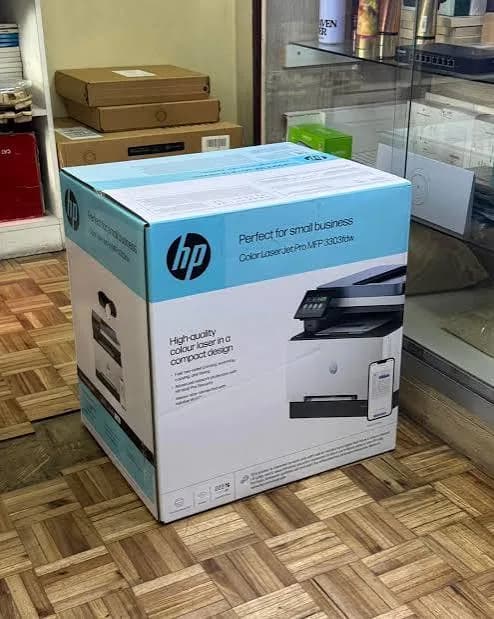
HP Color LaserJet Pro MFP 3303fdw Wireless Duplex Colour Laser Printer with Fax in Kenya
Genuine HP | Brand New | Model 499M8A | A4 Colour Laser Print, Copy, Scan and Fax | Automatic Duplex | 50-Sheet Duplex Document Feeder | Ethernet and Dual-Band Wi-Fi
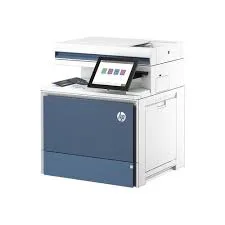
Searching for the HP Color LaserJet Pro MFP 3303fdw price in Kenya, a colour laser printer in Nairobi, or a reliable office all-in-one with fax and duplex scanning? The HP Color LaserJet Pro MFP 3303fdw is a brand-new, genuine A4 colour laser multifunction printer for small and medium offices. It prints, copies, scans and faxes, with automatic two-sided printing, a 50-sheet document feeder that scans both sides in one pass, a 4.3-inch colour touchscreen, Gigabit Ethernet and dual-band Wi-Fi. It's available from City Gadgets Kenya with delivery across Kenya. Buyers also search for it as an HP 3303fdw, an HP colour laser MFP, a laser printer scanner copier fax, an office colour laser printer, a duplex colour laser printer, an HP LaserJet Pro with Wi-Fi, or a network laser printer for small business.
This guide explains the printer in plain language: how a colour laser differs from an ink tank printer, what its office features give you, who it suits, and where it's limited. If you'd like to talk it through, message us on WhatsApp.
The short verdict
The HP Color LaserJet Pro MFP 3303fdw is a dependable, well-equipped office workhorse. Laser printing is quick to start, sharp on plain paper, doesn't dry out if you leave it idle, and prints at about 25 pages per minute in both black and colour. The duplex printing, the 50-sheet automatic feeder with single-pass two-sided scanning, fax and a rich set of connections cover everything a small office needs, and HP rates the printer for up to 40,000 pages a month. The trade-offs are cost and colour economics: a laser costs more to buy than an ink tank printer, and colour toner costs more per page than ink-tank ink. If you want a fast, tidy, set-and-forget office printer that suits a mix of text and colour documents, this is a strong choice. If you print high volumes in colour and want the lowest running cost, an Epson EcoTank in our range is cheaper to run.
Who this printer is for
It suits you if:
- You run a small or medium office, practice, clinic or school office that prints, scans, copies and faxes.
- You want fast, sharp documents, and a printer that's ready the moment you need it, even after weeks idle.
- You scan or copy double-sided stacks and want a feeder that handles both sides in one pass.
- You want a wired network connection with dual-band Wi-Fi too.
- You value built-in security features for office use.
Look elsewhere if:
- You print large volumes in colour and want the lowest cost per page. See the Epson L6370 or L6390 in our range.
- You don't need fax. The HP 3303sdw in our range costs less.
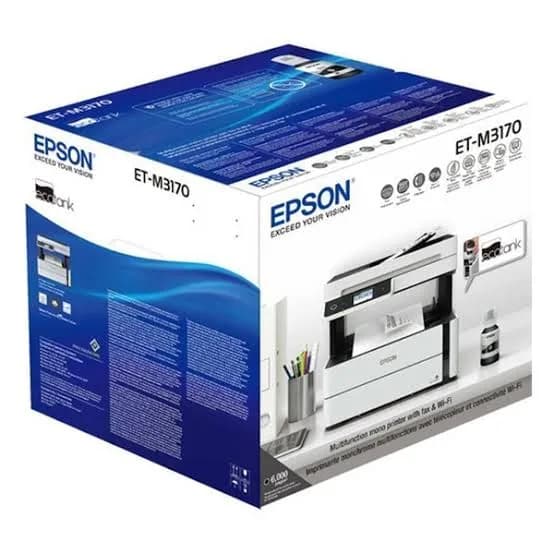
- You print mostly black text and want the cheapest running cost. See the Epson M3170.
- You print photos. Laser photos aren't as good as inkjet photos.
Colour laser or ink tank: an honest comparison
This is the most important choice for most buyers, so here is a plain comparison.
Where a laser wins
- Instant readiness. Toner doesn't dry out, so a laser that sat idle for a month prints perfectly.
- Sharp, smudge-free text. Laser prints don't smear when wet.
- Speed at a steady pace. 25 pages per minute in black and colour, with a quick first page.
- Durability for office use. High duty cycles and sturdy mechanics.
- Tidiness. Toner cartridges are clean to change.
Where an ink tank printer wins
- Running cost. Ink tank bottles cost far less per page, especially in colour.
- Photo and graphics quality. Inkjet is better for photos.
- Purchase price. Ink tank printers often cost less to buy for similar features.
For an office that prints a steady mix of text and some colour, and wants reliability above all, the 3303fdw is an excellent choice. For a school or business that prints thousands of colour pages a month, ask us for a cost comparison, because the running-cost difference can be large.
Specifications in plain English
| Feature | Detail | What it means for you |
|---|---|---|
| Model | HP Color LaserJet Pro MFP 3303fdw (499M8A) | HP's office colour laser MFP with fax |
| Functions | Print, copy, scan and fax | Four jobs in one machine |
| Print speed | Up to 25 ppm black and 25 ppm colour (A4, ISO) | Fast for office documents |
| First page out | As fast as about 10.9 seconds black and 11 seconds colour | Quick to start |
| Print quality | Up to 600 x 600 dpi | Sharp text and clear colour |
| Duplex printing | Automatic | Saves paper and time |
| Document feeder | 50 sheets, single-pass 2-sided scanning | Scan and copy double-sided stacks fast |
| Scan resolution | Up to 1200 dpi (flatbed) and 300 dpi (ADF) | Good for documents |
| Connectivity | Gigabit Ethernet, dual-band Wi-Fi, USB 2.0 (device and host) and two fax ports | Wired, wireless and fax |
| Display | 4.3-inch colour touchscreen | Easy to control |
| Mobile printing | Apple AirPrint, Mopria, HP app and Wi-Fi Direct | Print from phones and tablets |
| Duty cycle | Up to 40,000 pages a month. Recommended 150 to 2,500 pages a month | Built for a busy office |
| Processor | 1.2 GHz | Handles complex documents |
| Security | HP Wolf Pro Security | Business-grade protection |
| Warranty | One year, per retailer listings | Ask us what applies in Kenya |
These figures come from HP's product specifications and retailer listings of the 3303fdw. Ask us to confirm the details of the unit you order.
The office features that matter
Automatic duplex printing. The printer prints on both sides of a sheet, which halves paper use for reports, contracts and manuals.
Single-pass duplex scanning. The document feeder scans both sides of a page in one pass, instead of flipping each sheet. For double-sided originals, that's roughly twice as fast as a feeder that scans one side at a time.
A 50-sheet feeder. A decent stack for contracts, forms and bundles.
Fax. A walk-up fax with memory and speed dials, if your office still uses it, with a telephone line connected.
Gigabit Ethernet and Wi-Fi. A wired connection for stability, and dual-band Wi-Fi for flexible placement.
A colour touchscreen. Simpler than button panels, and easy for any staff member.
Security. HP's Wolf Pro Security and firmware protection help defend a networked printer from attack, which matters because printers are a real entry point for hackers.
Setting up a shared office printer
- Place it centrally, within reach of everyone, with room to load paper and open the scanner.
- Connect it by Ethernet for the most reliable network connection.
- Reserve an IP address for the printer on your router, so it never changes.
- Install the HP driver or app on each computer, or let Windows find it.
- Set defaults that save money: double-sided and black-and-white for everyday printing.
- Set up scan-to-email or scan-to-folder using HP's tools.
- Connect the telephone line for fax, if you use it.
- Change the default admin password and keep the firmware updated.
- Assign someone to check toner and paper weekly, and keep spare toner.
Getting set up: a first-day guide
- Unbox and remove all packing tape and protective material inside and outside the printer, including the toner area.
- Install the toner cartridges as shown, and close the covers.
- Load plain A4 paper in the tray.
- Connect the network cable, or join Wi-Fi from the touchscreen.
- Install the driver or app and print a test page.
- Test duplex printing and the document feeder.
- Connect and test fax if you'll use it.
- Print a configuration page, and keep it for reference.
Toner and keeping costs down
- Use genuine HP toner. Cheap compatible cartridges can cause quality and reliability problems, and may affect warranty. Ask us for the correct cartridge codes and their rated yields.
- Check toner yields and prices before you buy, so you know your cost per page.
- Set double-sided and black-and-white as defaults. Colour toner costs more.
- Print in economy or draft mode for internal documents.
- Keep spare toner, especially black, so a busy day never stops you.
- Store toner flat, in its packaging, away from heat and humidity.
- Replace cartridges promptly when prompted, and keep the old ones for recycling.
Why printer security matters, and what HP builds in
Many offices forget that a networked printer is a computer, and attackers target printers because they're often left unprotected.
- Printers store and handle sensitive data. Contracts, payroll, ID scans and client records pass through them.
- Printers sit inside your network. A compromised printer can be a doorway to other devices.
- HP's Wolf Pro Security adds protection for the printer and its firmware, including checks that the software hasn't been tampered with.
- Good habits matter more than any feature. Change the default admin password, keep firmware updated, turn off services you don't use, and keep the printer off public networks.
- Collect printouts promptly, especially confidential ones, and don't leave them in the tray.
- Secure scanning. Send scans to protected folders or email accounts, and avoid scanning sensitive documents to personal phones.
For offices that handle client data, financial records or health information, these steps are worth taking.
A worked example: what colour laser printing costs
Numbers help you decide between a laser and an ink tank printer, using placeholders you can replace with real prices.
- Find the price and rated yield of a toner cartridge. Ask us for the codes, prices and the pages each cartridge prints.
- Divide the price by the yield. That gives the cost per page for that colour at a standard coverage.
- Add the four colours for a colour page. A colour page uses all of them, so it costs several times a black page.
- Compare with an ink tank printer. Divide a bottle set's price by its yield for the cost per page there.
- Multiply the difference by your monthly pages, and add the purchase prices to work out the break-even.
A mostly black-and-white office that prints modest colour won't see a big gap. An office printing thousands of colour pages a month will see ink tank printers save a lot. We're happy to run your numbers.
Scanning and fax workflows
The 3303fdw's feeder scans both sides of each page in one pass, which changes how quickly a busy office can digitise.
- Load a stack of up to 50 sheets, face up, with staples and clips removed.
- Choose a destination on the touchscreen: email, a network folder or a computer.
- Pick settings. 300 dpi in black and white or greyscale suits most documents. Use colour only for stamps, signatures and graphics.
- Scan to PDF, and name files by date, client and document type.
- Check a sample of pages before shredding or filing originals.
- Back up scans to the cloud and to an external drive from our range.
- Fax when you must. Place the document in the feeder, enter the number and send, and keep the confirmation report.
HP specifies fax at about 3 seconds per page, with memory for hundreds of pages in some retailer listings, so ask us to confirm the details of the unit you order.
Common laser printer problems and simple fixes
Paper jams. Switch off, open the covers and pull paper out gently along its path. Use dry, good-quality paper, and don't overload the tray.
Faded or streaked prints. The toner may be low or uneven. Remove the cartridge, rock it gently and refit it. Replace the cartridge if streaks persist.
Toner smears or rubs off. The fuser may not be heating well, or the paper may be damp or the wrong type. Use dry, standard paper and let the printer warm up.
Double-sided jams. Use good, dry paper and keep it straight in the tray.
Document feeder jams. Remove staples and clips, use good paper and clean the feeder pad occasionally.
Can't be found on the network. Check the Ethernet cable and router, restart the printer and confirm its IP address hasn't changed.
Fax won't send. Check the telephone cable and line, and the number and settings.
If a problem continues, message us on WhatsApp.
Equipping a clinic, school or small company
A clinic. Print forms and prescriptions, scan referral letters and records into protected folders, and receive occasional faxes from labs. The security features and Wolf protection suit sensitive data.
A school office. Print notices, report forms and exam papers, scan student records and copy documents. Duplex scanning speeds up the start-of-term paperwork.
A small company. Share one printer over the network, scan contracts to folders and print double-sided reports in colour when needed.
A law or accounting practice. Print drafts, scan bundles in one pass and fax when required.
In each case, a surge protector, a spare toner set and a weekly check keep the printer reliable, and a quick monthly clean of the scanner glass keeps scans sharp.
A short note on speed
HP's 25 pages per minute is measured on A4 in normal mode, and real jobs with graphics, duplex or large files take a little longer. For a typical office job of a few dozen pages, the difference is a few seconds. For large runs, print in sections, and keep an eye on toner.
Questions to ask before you buy an office laser printer
- How many pages will we print each month, and how much in colour?
- Do we need fax, duplex scanning and a document feeder?
- What are the toner prices and rated yields, and what is the real cost per page?
- How will we connect it? Ethernet, Wi-Fi or both.
- What's in the box, and does it include full toner or starter toner?
- What warranty is included, and who honours it? Get it in writing.
- Can I see it before I pay? A trustworthy seller says yes.
We're glad to answer all of these on WhatsApp or in the shop before you pay.
Looking after the printer for years
- Keep it clean. Wipe the exterior and the scanner glass with a soft cloth, and avoid blowing dust into the mechanism.
- Use good paper, and store it dry and flat.
- Use genuine toner.
- Keep firmware updated.
- Don't block the vents, and keep the printer ventilated.
- Protect it from surges with a surge protector.
- Have it serviced if print quality or reliability drops.
Warranty and after-sales: what to ask
A printer is a long-term purchase, so ask us what warranty covers the unit you order, how long it lasts and what it covers. Retailer listings for this model show one year of manufacturer warranty, and Kenyan terms may differ. Printers normally exclude consumables such as toner, and damage from non-genuine supplies or misuse. Keep your receipt, the serial number and the box. If a fault appears, message us on WhatsApp first, and we'll tell you the quickest way to get it sorted.
Using a printer in Kenya
Power protection. Printers can be damaged by surges. Use a surge protector, and don't plug a laser printer into a UPS meant for computers, because lasers draw a lot of power when the fuser heats up.
Telephone line protection. If you use fax, put a surge protector on the line too.
Dust and heat. Keep the printer in a clean, ventilated spot, away from direct sun.
Paper storage. Keep paper flat and dry, because humidity causes jams and poor print quality.
Network safety. Change the printer's default admin password, keep firmware updated, and keep it off public networks.
Warranty. Ask us for the warranty that applies to the unit you order, and keep the receipt and box.
Accessories worth buying with it
| Accessory | Why it helps |
|---|---|
| Spare genuine HP toner set | Keeps you printing when cartridges run low |
| Surge protector | Protects against power spikes |
| Ethernet cable | For a reliable network connection |
| Quality A4 paper (80 gsm or more) | Fewer jams, better duplex results |
| Telephone cable and line protector | For fax, if you use it |
| USB cable | For a direct connection if needed |
How it compares with other options in our range
| HP 3303fdw | HP 3303sdw | HP 4303dw | Epson L6390 | |
|---|---|---|---|---|
| Technology | Colour laser | Colour laser | Colour laser | Colour ink tank |
| Functions | Print, copy, scan, fax | Print, copy, scan | Print, copy, scan | Print, scan, copy, fax |
| Speed | 25 ppm | 25 ppm | Up to 35 ppm black, 33 colour | Draft 35 ppm, ISO 18 ipm |
| Duplex scanning | Single-pass | Single-pass | Yes | Yes |
| Cost per page | Medium | Medium | Medium | Very low |
| Best for | Offices needing fax | Offices without fax | Busier offices | Low running cost |
Against the HP 3303sdw: it adds fax.
Against the HP 4303dw: it's faster and larger, for busier offices.
Against the Epson L6390: the Epson costs far less to run, especially in colour. The HP is faster to start, doesn't dry out and prints sharper text.
Honest pros and cons
Pros
- Fast printing at 25 ppm in black and colour.
- Automatic duplex printing and single-pass duplex scanning.
- A 50-sheet document feeder.
- Fax, Gigabit Ethernet and dual-band Wi-Fi.
- A 4.3-inch colour touchscreen.
- Built for busy offices, with a 40,000-page duty cycle.
- Strong security features.
- Toner doesn't dry out.
Cons
- Colour toner costs more per page than ink tank ink.
- A higher purchase price than ink tank printers.
- Not for photos.
- Genuine toner can be expensive.
- Larger than a home printer.
What to check when it arrives
- The box model matches HP Color LaserJet Pro MFP 3303fdw.
- The printer, power cord, toner cartridges and USB cable are in the box.
- All packing tape and protective material are removed.
- A test page prints in black and colour.
- Duplex printing and the document feeder work.
- The network connection and the touchscreen work.
- Fax sends and receives, if you use it.
- You get a receipt with the serial number and warranty details in writing.
Frequently asked questions
What is the HP Color LaserJet Pro MFP 3303fdw price in Kenya? We confirm the current price when you message us on WhatsApp, because supplier prices change. We tell you the price and what's in the box before you pay.
Where can I buy the HP 3303fdw in Nairobi? At City Gadgets Kenya, New Alnoor Exhibition, Second Floor, Shop C7, Accra Road, Nairobi CBD, or by delivery.
Does it print in colour? Yes, colour laser at up to 25 ppm.
Does it fax? Yes, with a landline connection.
Does it print double-sided automatically? Yes, and it scans both sides in one pass.
Does it have Wi-Fi and Ethernet? Yes, dual-band Wi-Fi, Gigabit Ethernet and Wi-Fi Direct.
How many pages a month can it handle? HP rates it up to 40,000 pages, and recommends 150 to 2,500 for typical use.
Does it come with toner? New HP laser printers normally ship with starter toner, which prints fewer pages than a full cartridge. Ask us to confirm.
What warranty does it have? Ask us for the warranty that applies to the unit you order.
Can you deliver it? Yes, same day in Nairobi and next day outside Nairobi.
Can I pay via M-Pesa? Yes.
Why buy from City Gadgets Kenya
Genuine, brand-new HP printer. We're at New Alnoor Exhibition, Second Floor, Shop C7, Accra Road, Nairobi CBD, and you're welcome to look at the printer before you buy. Message us on WhatsApp with how much you print, and we'll tell you honestly whether a colour laser or an ink tank printer is better for you. We confirm what's in the box before you pay.
Order your HP Color LaserJet Pro MFP 3303fdw today
Available now at City Gadgets Kenya. Message us on WhatsApp.
Specifications
- Brand
- HP
- Condition
- New
Frequently Asked Questions
How much does the HP Color LaserJet Pro MFP 3303fdw Wireless Duplex Colour Laser Printer with Fax in Kenya | City Gadgets Kenya cost in Kenya?
The HP Color LaserJet Pro MFP 3303fdw Wireless Duplex Colour Laser Printer with Fax in Kenya | City Gadgets Kenya is priced at Ksh 425,000 at City Gadgets. You can pay via M-Pesa, card or cash on delivery.
Is the HP Color LaserJet Pro MFP 3303fdw Wireless Duplex Colour Laser Printer with Fax in Kenya | City Gadgets Kenya available in Kenya?
Yes — the HP Color LaserJet Pro MFP 3303fdw Wireless Duplex Colour Laser Printer with Fax in Kenya | City Gadgets Kenya is in stock at City Gadgets, ready for same-day delivery in Nairobi and countrywide shipping across Kenya.
Is the HP Color LaserJet Pro MFP 3303fdw Wireless Duplex Colour Laser Printer with Fax in Kenya | City Gadgets Kenya genuine and does it have a warranty?
Every HP Color LaserJet Pro MFP 3303fdw Wireless Duplex Colour Laser Printer with Fax in Kenya | City Gadgets Kenya we sell is 100% genuine brand-new stock and comes with a 12-month official brand warranty.
Do you deliver the HP Color LaserJet Pro MFP 3303fdw Wireless Duplex Colour Laser Printer with Fax in Kenya | City Gadgets Kenya in Nairobi?
Yes. We offer fast same-day delivery within Nairobi and fast, affordable delivery to the rest of Kenya — order online or on WhatsApp.
Customer Reviews
No reviews yet
Be the first to review this product.
Rate us on Google
Your review helps other shoppers find us
Reviews from verified buyers will appear here.