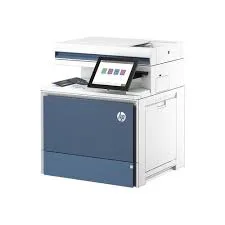
HP Color LaserJet Enterprise MFP 5800dn in Kenya | City Gadgets Kenya
Same-day delivery in Nairobi by 8 Oct – 9 Oct
Description
Buy the genuine HP Color LaserJet Enterprise MFP 5800dn A4 colour laser multifunction printer with automatic duplex, 45 ppm speed and high-yield toner in Kenya from City Gadgets Kenya. HP 5800dn price in Kenya, enterprise colour laser printer Nairobi. A complete buyer's guide.
HP Color LaserJet Enterprise MFP 5800dn in Kenya
Genuine HP | Brand New | A4 Colour Laser Multifunction Printer | 45 Pages per Minute | Automatic Duplex | Enterprise-Grade | High-Yield Toner
Searching for the HP Color LaserJet Enterprise MFP 5800dn price in Kenya, a fast colour laser printer in Nairobi, or an enterprise-grade multifunction printer for a busy office? The HP Color LaserJet Enterprise MFP 5800dn is a brand-new, genuine A4 colour laser multifunction printer built for large offices, print rooms and organisations that print thousands of pages a month. It prints at up to 45 pages per minute in both black and colour, prints automatically on both sides, scans and copies, and uses high-capacity toner cartridges designed for heavy use. It's available from City Gadgets Kenya with delivery across Kenya. Buyers also search for it as an HP 5800dn, an HP Enterprise colour laser MFP, a high-volume office printer, a fast duplex colour laser printer, an HP Color LaserJet Enterprise 5800, a printer for banks and large offices, or a managed print fleet printer.
This guide explains the printer in plain language: what "Enterprise" means, what 45 pages per minute and high-yield toner give you, how it differs from smaller HP and Epson printers in our range, and whether you really need a machine this big. If you'd like to talk it through, message us on WhatsApp.
The short verdict
The HP Color LaserJet Enterprise MFP 5800dn is a heavy-duty office workhorse. It's fast, at 45 pages per minute in colour as well as black, it's built to run all day, every day, and its toner cartridges are available in high and extra-high capacities, so a busy office goes a long time between changes. Enterprise printers are designed for fleets: they work with managed print services, strong security features and remote management, which suits large organisations. They also cost far more than small-office printers. If your office prints a few hundred pages a month, this machine is overkill, and an Epson EcoTank or a smaller HP laser will serve you better. If your organisation prints thousands of pages a month in colour and values speed, durability and central management, the 5800dn is the right class of machine.
What "Enterprise" means
HP uses "Enterprise" for the printers it builds for large organisations, as opposed to "Pro" models for small offices and home users. In practice, that means:
- Higher speed. Faster print engines, built to stay fast under load.
- Higher duty cycle. Designed for far more pages per month than a small-office printer.
- Sturdier build. Larger paper trays, stronger mechanisms and parts rated for long life.
- High-yield and extra-high-yield toner. Fewer interruptions for changing cartridges.
- Stronger security. Features for protecting data on the device, secure printing and administrator controls.
- Central management. Tools that let an IT team monitor and manage many printers from one place.
- Higher cost. The printer and its supplies cost more than small-office models.
For a large organisation, these features often justify the price. For a small office, they're expensive extras.
Who this printer is for
It suits you if:
- You run a large office, bank branch, hospital, university, government office or print room.
- Your team prints thousands of pages a month, with a significant share in colour.
- You need fast, automatic double-sided printing and copying.
- You want a printer that IT can manage and secure centrally.
- You prefer the reliability and speed of laser over inkjet.
Look elsewhere if:
- You print only a few hundred pages a month. See the Epson EcoTank printers in our range, or the HP Pro models.
- You print mainly black-and-white text. A mono laser or the Epson Monochrome M3170 is far cheaper.
- You mostly print photos. See the Epson L8050 or L18050.
- You need A3. See the Epson L15150 or an A3 laser.
Specifications in plain English
| Feature | Detail | What it means for you |
|---|---|---|
| Model | HP Color LaserJet Enterprise MFP 5800dn | HP's enterprise A4 colour laser MFP |
| Type | Colour laser multifunction (print, copy, scan) | Three jobs in one machine |
| Print speed | Up to 45 ppm in black and in colour | Fast, and colour is as fast as black |
| First page out | About 6.7 seconds in black and 7.4 seconds in colour | Quick for single pages |
| Duplex printing | Automatic | Saves paper and time |
| Toner yield (high capacity) | About 9,000 pages black and 6,000 pages colour per cartridge | Fewer changes |
| Toner yield (extra-high capacity) | About 18,000 pages black and 12,000 pages colour per cartridge | The lowest cost per page |
| Connectivity | Ethernet and USB, per retailer listings | A wired office network |
| Paper size | A4 | The standard office size |
| Class | Enterprise | Built for high volume |
These figures come from HP and retailer listings of the 5800dn. Toner yields are based on 5% page coverage, and your own documents may use more or less. Ask us to confirm the exact configuration, including trays, display and any accessories, for the unit you order.
How laser printing works, and why it suits offices
A laser printer uses toner, a fine powder, and heat to fuse text and images to paper.
- Speed. Laser engines print fast and consistently, which suits large jobs.
- Sharp text. Toner produces crisp, dark text on ordinary paper.
- Durability. Toner doesn't dry out, so a laser works even after a long break.
- Water resistance. Laser prints don't smear when wet.
- Reliability. Laser printers are built to run for years in busy offices.
- Higher cost per colour page. Colour toner costs more per page than ink tank ink, which is why high-volume buyers choose high-yield cartridges.
For a busy office, speed and reliability usually matter more than the lowest cost per page.
Laser or ink tank: which is right for you?
This is the most common question we're asked.
Choose the HP 5800dn (laser) if:
- You print thousands of pages a month.
- Speed, uptime and central management matter most.
- You want very consistent colour for business documents.
- Your IT team wants to manage a fleet.
Choose an Epson EcoTank (ink tank) if:
- You print hundreds or a few thousand pages a month.
- You want the lowest cost per page, especially in colour.
- You print photos and graphics.
- Your budget is tight.
The right answer depends on your volume and priorities. Tell us how many pages you print each month, and we'll advise honestly.
Paper handling and speed in practice
A fast printer is only fast if the paper keeps up.
- Use good-quality 80 gsm paper for everyday jobs, and heavier paper for covers and brochures within the printer's limits.
- Store paper flat and dry, because humidity makes paper curl and jam.
- Don't overload the trays. Fill to the marked line.
- Choose the right tray and paper type in the print dialog.
- Print large jobs in batches if you're using mixed paper.
- Use duplex by default to halve paper use.
- Keep the paper path clean. Dust and torn scraps cause jams.
Security and management
Enterprise printers handle sensitive documents, and security matters.
- Secure printing. Jobs can be held until the user enters a PIN at the printer, so confidential documents don't sit in the output tray.
- Administrator controls. IT staff can restrict who can print, scan and copy.
- Firmware updates. HP releases updates that fix problems and close security gaps.
- Network safety. Change default administrator passwords, and keep the printer behind your office firewall.
- Scan security. Send scans only to approved destinations, and protect scanned records with passwords.
Ask us what security and management features are included with the unit you order.
Total cost of ownership: what to budget for
A printer's price is only part of its cost.
- Toner. Plan for high-yield cartridges, and keep a spare set.
- Paper. A busy office uses a lot, so buy in bulk from a reliable supplier.
- Electricity. A large laser draws more power than an inkjet, especially at start-up, so protect it with a surge protector.
- Service and maintenance. Rollers and fusers wear out over time, and a service contract or an arrangement with us can cover them.
- IT time. Setup, drivers and fleet management take time.
For a high-volume office, a high-yield toner cartridge usually lowers the cost per page substantially. We'll help you work out the cost per page for your use.
Setting up for an office or fleet
- Choose a location with good ventilation, a strong table or stand, and space around the printer.
- Connect it to the network by Ethernet, and reserve an IP address for it.
- Install drivers on each computer, or deploy them through IT.
- Set defaults that save money: double-sided and, where suitable, black-and-white.
- Set up scan-to-email or scan-to-folder with the right destinations.
- Restrict colour printing to the people who need it, if cost control matters.
- Plan supplies. Keep spare toner, and set a reorder level.
- Assign responsibility for paper, toner and basic troubleshooting.
- Record the serial number and warranty details.
Choosing between high-capacity and extra-high-capacity toner
Toner choice affects both cost per page and how often someone has to change a cartridge.
High-capacity cartridges are rated at about 9,000 pages for black and 6,000 for each colour, at 5% coverage. They suit offices that print a moderate volume and want a lower upfront toner cost.
Extra-high-capacity cartridges are rated at about 18,000 pages for black and 12,000 for each colour. They cost more each, and they usually give the lowest cost per page. They suit high-volume offices where a cartridge change is an interruption.
How to decide:
- Estimate your monthly pages in black and in colour.
- Divide a cartridge's rated pages by your monthly use to see how long it lasts.
- Compare the price per page of each option. Ask us for current cartridge prices.
- Think about interruptions. In a busy print room, fewer changes mean fewer delays.
- Keep a spare set of whichever you choose, so a run-out never stops work.
Always use genuine HP toner. Cheap or refilled cartridges can cause faults, poor colour and warranty problems.
Printing for business: colour that looks professional
Offices use colour for proposals, reports, presentations, brochures and branded documents. A few habits keep it consistent.
- Use your brand colours consistently, and print a test page whenever you change paper or toner.
- Choose the right paper. Smooth, bright paper gives richer colour. Heavier paper suits covers and brochures within the printer's limits.
- Calibrate when needed. Enterprise printers include calibration routines that correct colour drift.
- Print in the right mode. Use standard quality for everyday documents, and a higher-quality or glossy-paper mode for presentation pieces.
- Control colour use. Set black-and-white as the default, and allow colour for those who need it, to keep toner costs under control.
- View prints in good light before approving a large run.
Running a print room or shared office printer
A fast, shared printer needs a few simple rules to run smoothly.
- Name a printer owner who orders supplies, logs faults and calls for service.
- Keep a visible supplies shelf with spare toner and paper.
- Set clear defaults: duplex on, colour off unless needed.
- Use secure print for confidential documents.
- Train staff on how to clear a jam safely and how to load paper correctly.
- Track usage monthly, and discuss any unusual jumps.
- Schedule maintenance, such as cleaning and checks for wear parts, rather than waiting for a breakdown.
- Keep records of service, supplies and warranty dates.
Maintenance and wear parts
Laser printers are reliable, and they have parts that wear.
- Toner cartridges deplete and are replaced.
- The fuser heats toner onto the paper, and wears over many pages.
- Rollers that pick and feed paper wear and can cause jams or double feeds.
- The imaging drums in some models age with use.
- Filters and dust. Keep vents clear, and clean dust from around the machine.
HP specifies service life for parts in terms of pages. For a busy office, plan for periodic service, either through us or an authorised provider, and keep a record of page counts.
Common problems and simple fixes
Paper jams. Open the indicated door, remove paper gently in the direction of travel, and check for torn scraps. Use dry, good-quality paper and don't overload trays.
Streaks or faded areas. The toner may be low or the cartridge may need replacing. Print a diagnostic page to see which colour is affected.
Colour looks off. Run the printer's calibration, and check the paper type setting.
Slow first page. The printer may be waking from sleep. Adjust the sleep settings if needed.
Can't be found on the network. Check the Ethernet cable and router, restart the printer and confirm the IP address hasn't changed.
Scans have lines. Clean the scanner glass and the document feeder strip with a soft, lint-free cloth.
Error messages about supplies. Replace the named toner or part, and use genuine HP supplies.
If a problem continues, message us on WhatsApp.
Questions to ask before you buy an enterprise printer
- How many pages will we print each month, and how many in colour?
- Do we need enterprise features, or would a Pro model or an ink tank printer do?
- What does a set of toner cost, and what is the real cost per page?
- What's in the box, and does it include full-size toner?
- What are the dimensions and weight, and do we have a strong enough table or stand?
- Does it include a document feeder, Wi-Fi and fax, or is it Ethernet and USB only?
- What warranty is included, who honours it and can we get a service contract?
- Can I see it before I pay? A trustworthy seller says yes.
We're glad to answer all of these on WhatsApp or in the shop before you pay.
Looking after the printer for years
- Keep it in a ventilated, dust-free room.
- Use genuine HP toner and good paper.
- Clean the glass, feeder and body with a soft cloth.
- Keep firmware updated.
- Don't block the vents, and leave space around the printer.
- Protect the power with a surge protector.
- Keep service and supply records.
Warranty and after-sales: what to ask
An enterprise printer is a long-term investment, so ask us what warranty covers the unit you order, how long it lasts and what it covers. Printers normally exclude consumables such as toner, and damage from non-genuine supplies or misuse. Keep your receipt, the serial number and the box. Ask us also about service contracts, which can keep a heavily used printer running. If a fault appears, message us on WhatsApp first, and we'll tell you the quickest way to get it sorted.
Deploying a printer like this in a bank, hospital or university
Large organisations use an enterprise colour printer in specific ways.
A bank branch or head office. Print statements, letters, forms and marketing material, with secure print for confidential items. Speed and uptime matter, because queues of customers shouldn't wait on a printer.
A hospital. Print patient letters, discharge summaries and reports, copy and scan records, with strong security around sensitive documents. A service arrangement keeps the printer running through busy periods.
A university. Print course material, reports and posters at volume, with colour for diagrams and charts. Duplex printing saves a large amount of paper across a campus.
A government or large company office. Print reports, forms and notices at volume, with central management to control cost and access.
In each case, the right toner capacity, a spare set, clear defaults and a named owner for the printer make the difference between a smooth service and constant interruptions.
Using a printer in Kenya
Power protection. Laser printers draw a lot of power when they warm up. Use a surge protector, and don't plug a laser printer into a UPS meant for computers unless the UPS is rated for it.
Heat, dust and humidity. Keep the printer in a ventilated, clean room. Dust and humidity shorten the life of toner and paper.
Space and handling. An enterprise printer is heavy. Plan where it will sit before it arrives, and measure doors and stairs.
Toner storage. Keep toner cartridges sealed, flat and away from heat and sunlight.
Warranty. Ask us for the warranty that applies to the unit you order, and keep the receipt and box.
How it compares with other options in our range
| HP 5800dn (Enterprise colour laser) | HP Color LaserJet Pro MFPs | Epson L6370 and L6390 (ink tank) | Epson M3170 (mono ink tank) | |
|---|---|---|---|---|
| Class | Enterprise | Small to medium office | Small to medium office | Small to medium office |
| Speed | Up to 45 ppm colour and black | About 16 to 35 ppm | Up to 35 ppm draft | Up to 39 ppm draft |
| Colour | Yes | Yes | Yes | No |
| Cost per colour page | Medium | Medium to high | Very low | Not applicable |
| Best for | Large, high-volume offices | Small and medium offices | Cost-conscious offices | Black text at low cost |
Against the HP Color LaserJet Pro MFPs in our range: they cost less and suit smaller teams. The 5800dn is faster, sturdier and built for far more pages.
Against the Epson EcoTanks: the Epson models cost much less per page. The 5800dn is faster and tougher, and suits fleets.
Honest pros and cons
Pros
- 45 pages per minute in colour and black.
- Automatic duplex.
- High and extra-high toner capacities.
- Enterprise-grade durability and security.
- Fast first page out.
- Suited to fleets and managed print services.
- Laser quality that doesn't dry out.
Cons
- A high price, for both the printer and the toner.
- A higher cost per colour page than an ink tank printer.
- Large and heavy.
- Overkill for small offices.
- Needs good power protection and space.
What to check when it arrives
- The box model matches HP Color LaserJet Enterprise MFP 5800dn.
- The printer, power cable, toner cartridges and paperwork are in the box.
- All packing tape and shipping protection are removed.
- A test page, duplex printing, copying and scanning work.
- The network connection works.
- You get a receipt with the serial number and warranty details in writing.
Frequently asked questions
What is the HP Color LaserJet Enterprise MFP 5800dn price in Kenya? We confirm the current price when you message us on WhatsApp, because supplier prices change. We tell you the price and what's in the box before you pay.
Where can I buy the HP 5800dn in Nairobi? At City Gadgets Kenya, New Alnoor Exhibition, Second Floor, Shop C7, Accra Road, Nairobi CBD, or by delivery.
How fast is it? Up to 45 pages per minute in black and in colour.
Does it print double-sided? Yes, automatic duplex.
How many pages does a toner cartridge print? High-capacity cartridges are rated at about 9,000 black and 6,000 colour pages, and extra-high-capacity at about 18,000 and 12,000, at 5% coverage.
Does it have Wi-Fi? Retail listings show Ethernet and USB. Ask us to confirm for the unit you order.
Is it too big for a small office? For a small office, yes. Ask us about smaller options.
Does it fax? Retail listings show a print, copy and scan machine. Ask us to confirm.
What warranty does it have? Ask us for the warranty that applies to the unit you order.
Can you deliver it? Yes, same day in Nairobi and next day outside Nairobi.
Can I pay via M-Pesa? Yes.
Why buy from City Gadgets Kenya
Genuine, brand-new HP printer. We're at New Alnoor Exhibition, Second Floor, Shop C7, Accra Road, Nairobi CBD, and you're welcome to look at the printer before you buy. Message us on WhatsApp with how many pages your organisation prints, and we'll tell you honestly whether you need an enterprise machine or something smaller. We confirm what's in the box before you pay.
Order your HP Color LaserJet Enterprise MFP 5800dn today
Available now at City Gadgets Kenya. Message us on WhatsApp.
Specifications
- Brand
- HP
- Condition
- New
Frequently Asked Questions
How much does the HP Color LaserJet Enterprise MFP 5800dn in Kenya | City Gadgets Kenya cost in Kenya?
The HP Color LaserJet Enterprise MFP 5800dn in Kenya | City Gadgets Kenya is priced at Ksh 415,000 at City Gadgets. You can pay via M-Pesa, card or cash on delivery.
Is the HP Color LaserJet Enterprise MFP 5800dn in Kenya | City Gadgets Kenya available in Kenya?
Yes — the HP Color LaserJet Enterprise MFP 5800dn in Kenya | City Gadgets Kenya is in stock at City Gadgets, ready for same-day delivery in Nairobi and countrywide shipping across Kenya.
Is the HP Color LaserJet Enterprise MFP 5800dn in Kenya | City Gadgets Kenya genuine and does it have a warranty?
Every HP Color LaserJet Enterprise MFP 5800dn in Kenya | City Gadgets Kenya we sell is 100% genuine brand-new stock and comes with a 12-month official brand warranty.
Do you deliver the HP Color LaserJet Enterprise MFP 5800dn in Kenya | City Gadgets Kenya in Nairobi?
Yes. We offer fast same-day delivery within Nairobi and fast, affordable delivery to the rest of Kenya — order online or on WhatsApp.
Customer Reviews
No reviews yet
Be the first to review this product.
Rate us on Google
Your review helps other shoppers find us
Reviews from verified buyers will appear here.