Epson EcoTank L4360 Wi-Fi Duplex Ink Tank All-in-One Printer in Kenya | City Gadgets Kenya
Same-day delivery in Nairobi by 8 Oct – 9 Oct
Description
Buy the genuine Epson EcoTank L4360 A4 colour all-in-one ink tank printer with automatic double-sided printing and Wi-Fi in Kenya from City Gadgets Kenya. Epson L4360 price in Kenya, duplex printer Nairobi, low-cost printing for students and small offices. A complete buyer's guide.
Epson EcoTank L4360 Wi-Fi Duplex Ink Tank All-in-One Printer in Kenya
Genuine Epson | Brand New | A4 Colour Print, Scan and Copy | Automatic Double-Sided Printing | Wi-Fi | Refillable Ink Tanks
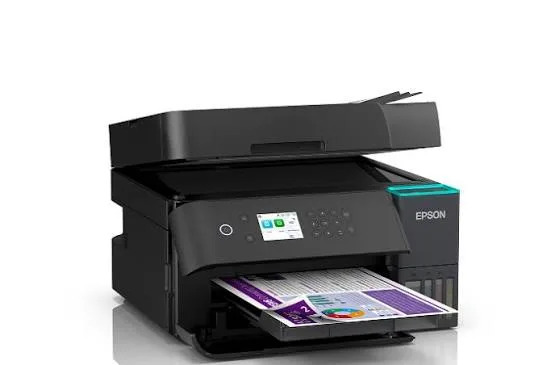
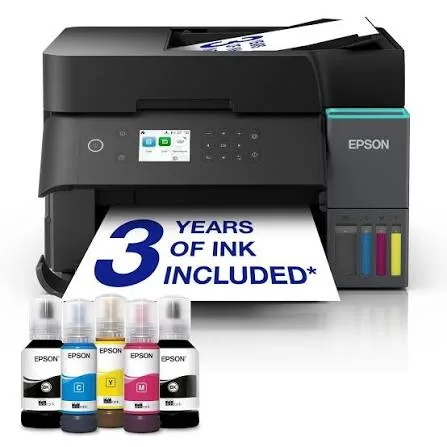
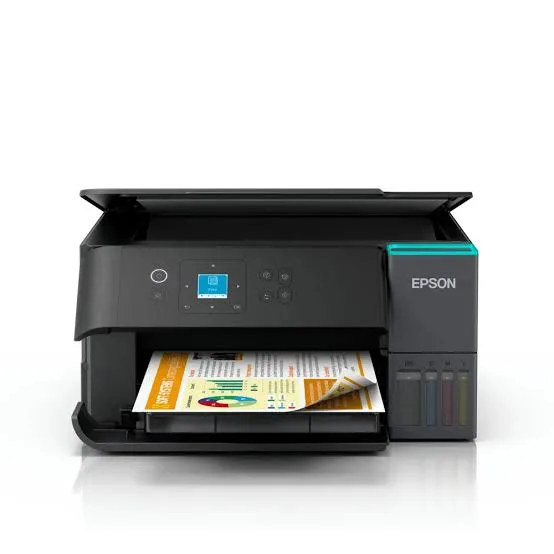
Searching for the Epson L4360 price in Kenya, a duplex ink tank printer in Nairobi, or a printer that prints on both sides of the page automatically? The Epson EcoTank L4360 is a brand-new, genuine A4 colour all-in-one printer that prints, scans and copies, and adds automatic double-sided printing, called duplex, to the EcoTank formula. It uses refillable ink tanks for a very low cost per page, and it connects by Wi-Fi, Wi-Fi Direct and USB. It's available from City Gadgets Kenya with delivery across Kenya. Buyers also search for it as an Epson L4360 printer, an EcoTank duplex printer, a printer that saves paper, a printer for students and thesis printing, a double-sided ink tank printer, or a small office Wi-Fi printer.
This guide explains the printer in plain language, with a focus on what automatic duplex saves you, who benefits most, and where the printer is limited. If you'd like to talk it through, message us on WhatsApp.
The short verdict
The Epson EcoTank L4360 is the EcoTank for people who print a lot of multi-page documents. Automatic duplex means the printer prints on both sides of each sheet without you touching the paper, which halves your paper use, makes thick documents slimmer and saves time. Combined with the very low running cost of the ink tanks, a colour screen and Wi-Fi, it's an excellent choice for students printing assignments and theses, for small offices printing reports, and for families who print a lot. It has no document feeder and no fax, so for scanning stacks look at the L5290 in our range. If double-sided printing is something you do weekly, this is the model to buy.
What automatic duplex really saves
It's worth being specific, because this is the whole reason to choose the L4360.
Paper. Printing on both sides uses half the paper. A 100-page document takes 50 sheets. Over a year, that adds up to a real saving for students and offices.
Bulk and weight. A double-sided report is half as thick, easier to carry and cheaper to bind.
Time and effort. Manual duplex means flipping and reloading. Automatic duplex does it for you while you do something else.
Fewer mistakes. Manual duplex often ends with pages upside down or in the wrong order. Automatic duplex gets it right.
A greener habit. Using less paper is better for the environment and for your budget.
If you only print single pages occasionally, duplex won't matter much to you, and the cheaper L3250 or L3260 is enough.
Who this printer is for
It suits you if:
- You print assignments, theses, reports, manuals or booklets, where pages add up.
- You run a small office or business that prints documents regularly.
- You want to save paper and money.
- You want a very low cost per page in black and colour.
- You want to print from phones and laptops over Wi-Fi.
Look elsewhere if:
- You scan or copy stacks of pages. See the Epson L5290, which has a document feeder.
- You print only a few pages a month. See the Epson L3250.
- You print very high volumes of black text. A laser printer, such as the HP LaserJet or Brother models in our range, is faster.
- You want a fax. See the Epson L5290.
Specifications in plain English
| Feature | Detail | What it means for you |
|---|---|---|
| Model | Epson EcoTank L4360 | Epson's duplex ink tank all-in-one |
| Functions | Print, scan and copy | Three jobs in one machine |
| Paper size | A4 | The standard office size |
| Print technology | Ink tank, colour inkjet | Low cost per page |
| Print speed | About 33 pages per minute black and about 15 colour (draft speeds) | Real-world speeds are slower |
| Duplex (double-sided) printing | Automatic | Saves paper and effort |
| Connectivity | Wi-Fi, Wi-Fi Direct and USB | Print from phones and laptops |
| Document feeder (ADF) | None | You scan and copy one page at a time |
| Display | Colour screen | Easy setup and control |
These figures come from Epson and retailer listings of the L4360. Manufacturer speeds are draft-mode figures, so ask us what to expect for your documents.
How an ink tank printer works, and why it's cheaper
Cartridge printers use small plastic cartridges that run out quickly and cost a lot to replace. An ink tank printer like the L4360 has large built-in tanks that you fill from bottles.
- Each colour has its own tank and matching bottle, and the bottle nozzle fits only its tank.
- Bottles are cheap for the amount of ink they hold, so each page costs a small fraction of a cartridge page.
- Yields are measured in thousands of pages per set of bottles.
- You refill occasionally, and it's tidy once you've done it a couple of times.
For people who print dozens of pages a week, the saving over a cartridge printer is large, and duplex saves paper on top of it.
How to print double-sided (and get it right)
Automatic duplex is simple, and a few tips make it reliable.
- Open the document and choose Print.
- Select the L4360 as the printer.
- Turn on two-sided printing in the printer properties. The wording varies, such as "Duplex" or "Print on both sides".
- Choose the binding edge. "Long edge" suits portrait documents bound on the left, like a book. "Short edge" suits landscape pages flipped like a calendar.
- Check the preview, especially for pages with a header or page numbers.
- Print one test copy before a long job.
- Use good, dry paper. Thin or damp paper can show through or jam.
For the best results on double-sided pages, use paper that's thick enough to keep the print on one side from showing through, and avoid heavy solid colour on both sides of the same sheet.
Printing a thesis or a long report
If you're printing a long document, a few habits save trouble.
- Check formatting first on screen, because page breaks, margins and images can shift.
- Print a few pages as a test, and check both sides.
- Use standard mode, not draft, for a final copy.
- Print in batches so a jam doesn't ruin hundreds of pages.
- Keep spare ink and paper. Running out halfway through a deadline is the common problem.
- Allow time for drying, since ink-heavy pages need a few minutes before binding.
- Bind or staple properly, and keep a digital copy.
Setting up: a first-day guide
- Unbox and remove all packing tape inside and outside the printer.
- Fill the ink tanks with the matching bottles, slowly, and wipe any drips.
- Let the printer initialise.
- Load plain A4 paper in the rear tray.
- Connect to Wi-Fi using the printer's screen or the Epson Smart Panel app.
- Install the driver on your laptop if needed.
- Print a double-sided test page.
- Run a nozzle check after the first week.
Using the printer from your phone
The Epson Smart Panel app lets you print, scan and copy from your phone, check ink levels and run maintenance. Wi-Fi Direct connects a phone straight to the printer when there's no network. AirPrint support is common in this class of printer for Apple devices. Ask us to confirm AirPrint and Android printing for the unit you order.
Paper, ink and keeping costs down
- Use good-quality A4 paper, especially for duplex, since thin paper shows through and jams more.
- Use genuine Epson ink bottles. Ask us for the correct bottle code.
- Print in standard or draft mode for everyday documents.
- Print something weekly, so the print head stays healthy.
- Keep the printer level and in a cool, shaded spot.
- Store bottles upright, away from heat and sunlight.
The paper-saving maths for students and offices
A quick example shows why duplex matters. Suppose you print 40 pages of lecture notes and readings each week. Printed single-sided, that's 40 sheets a week. Printed double-sided, it's 20. Over a 30-week academic year, that's 600 fewer sheets for one student. For an office printing 500 pages a week, double-sided printing saves 250 sheets every week, which adds up to thousands of sheets a year.
The saving isn't only paper. Fewer sheets mean less storage space, less weight to carry, less to staple or bind, and fewer trips to buy a ream. Combined with an ink tank's low cost per page, duplex makes the L4360 one of the cheapest ways to print documents in volume.
Choosing paper for double-sided printing
Paper matters more for duplex than for single-sided printing.
- Weight. 80 gsm is the standard office paper and works for most documents. 90 gsm or more shows through less, which helps with colour or photos on both sides.
- Brightness. Brighter paper makes text and colour stand out.
- Dryness. Humid paper curls and jams. Store paper flat, sealed and off the floor.
- Quality. Cheap, dusty paper creates jams and leaves fibres in the printer.
- Avoid very thin paper, such as exercise-book or newsprint paper, for duplex.
- Photo paper is usually single-sided. Print photos single-sided, on the correct paper type.
If you print double-sided regularly, buying a decent ream is cheaper than clearing jams and reprinting pages.
Layouts that save even more
Duplex is one of several ways to save paper, and you can combine them.
- Two or four pages per sheet. Most print dialogs let you shrink several pages onto one side. It's useful for handouts and drafts, but small text can be hard to read.
- Booklet printing. Some programs print pages in booklet order, so you can fold the stack into a booklet.
- Draft mode. For internal copies, draft mode uses less ink and prints faster.
- Greyscale printing. Choose black and white for text-only documents.
- Remove unneeded pages. Check the page range before you print, and avoid printing blank pages or long email trails.
- Print preview. A quick look prevents wasted pages.
Together, duplex plus two pages per sheet turns a 100-page document into 25 sheets, though the text shrinks, so use it only for drafts and notes.
Is it worth owning a printer, or should you use a print shop?
Students often ask this, so here is an honest answer.
A print shop charges per page, and the cost adds up if you print a lot. It's convenient, with no ink or paper to manage, and sometimes better for binding or large jobs.
Your own L4360 costs more upfront, but each page costs a small fraction of a print-shop price. If you print dozens of pages a week, it can repay its cost within a year, and you can print at midnight before a deadline, with no queue.
A fair rule is that if you print more than a few dozen pages a week, your own ink tank printer wins. If you print only a few pages a month, a print shop is cheaper. We can run the numbers for you.
Troubleshooting duplex and everyday problems
Pages come out upside down on the back. Check the binding edge setting, "long edge" or "short edge", and your page orientation.
Ink shows through the paper. Use thicker paper, reduce the print quality or avoid heavy solid colour on both sides.
Paper jams during duplex. Use dry, good-quality paper, don't overfill the tray, and make sure the paper is straight. Clear jams gently in the direction of travel.
Streaks or faded lines. Run a nozzle check, then a head cleaning from the printer's menu.
Won't connect to Wi-Fi. Restart the printer and router, move the printer closer, and set it up again from the screen. Test with Wi-Fi Direct.
Prints blank pages. Check that the ink tanks aren't empty, clean the head and make sure all packing tape is gone.
Error message about the maintenance box. The box that collects waste ink is nearly full. Ask us, since it needs an authorised service.
If a problem continues, message us on WhatsApp.
Questions to ask before you buy any printer
- How many pages will I print each month?
- Do I need double-sided printing? If you print multi-page documents, yes.
- Do I need a document feeder or fax? If so, see the L5290.
- How will I connect it? Wi-Fi, USB or a network cable.
- What does a replacement ink set cost, and what is the real cost per page?
- What's in the box, and does it include ink?
- What warranty is included, and who honours it? Get it in writing.
- Can I see it before I pay? A trustworthy seller says yes.
We're glad to answer all of these on WhatsApp or in the shop before you pay.
Keeping the printer running for years
An EcoTank printer can serve a student, a household or an office for years.
- Print something every week, so the print head stays healthy.
- Use the printer's power button, not the wall switch.
- Keep the tanks above the minimum mark.
- Use genuine ink.
- Wipe the scanner glass and body with a soft cloth.
- Keep it level, covered and out of direct sun.
- Service it when you see a maintenance message.
Running a small business or study group with the L4360
A printer that does duplex and costs little to run fits several everyday setups.
A home business. Print double-sided price lists, brochures and manuals, and keep a spare ink set so a rush order never stalls you. Scan documents to PDF with the glass, and use the screen to run copies without a computer.
A study group or hostel. Share the printer over Wi-Fi, agree who buys paper and ink, and print revision notes double-sided to save paper. Keep the printer covered and on a surge protector, because shared rooms see more dust and power cuts.
A small office. Print reports and contracts double-sided, and scan single pages when needed. If you also scan stacks, add an L5290 or a laser with a feeder from our range.
A church or community group. Print programmes, newsletters and notices cheaply, with duplex halving the paper bill.
In each case, a modest surge protector and regular weekly use keep the printer healthy for years.
What to do if you rarely print
Ink tank printers prefer regular use, and some buyers print only in bursts. If that's you, a few habits help.
- Print a test page every week or two, even a small colour one.
- Don't leave the printer switched off for months without a head clean when you return.
- Keep it covered and out of heat and dust.
- If it sits for a long time, run a nozzle check and cleaning before an important job.
- Consider a laser printer if you print only black text and only now and then, because toner doesn't dry out.
We'll tell you honestly if a different printer would suit your pattern better.
Warranty and after-sales: what to ask
A printer is a long-term purchase, so ask us what warranty covers the unit you order, how long it lasts and what it covers. Printers normally exclude consumables such as ink, and damage from non-genuine ink or misuse. Keep your receipt, the serial number and the box. If a fault appears, message us on WhatsApp first, and we'll tell you the quickest way to get it sorted. Prevention helps too: genuine ink, weekly use, good paper and a surge protector prevent most faults, and a duplex unit especially benefits from dry, clean paper.
Understanding printer specifications quickly
Printer spec sheets can overwhelm, so here is a short guide to the numbers you'll see.
- Resolution (dpi) shows the finest detail the printer can lay down. Higher is sharper, but standard settings look good for documents.
- Speed (ppm) is the manufacturer's draft speed. Real speeds are slower, especially in colour and in duplex.
- Yield (pages) is how many pages a set of ink bottles prints on a standard test. Your pages may use more or less ink.
- Duplex means double-sided printing, automatic or manual.
- ADF means automatic document feeder, for scanning and copying stacks.
- Wi-Fi Direct connects a phone straight to the printer without a router.
- AirPrint lets Apple devices print without extra software.
Use these to compare models, then confirm with us what each will mean for your own printing.
Using a printer in Kenya
Power protection. Printers can be damaged by surges. Use a surge protector, and don't plug a printer into a UPS meant for computers, because printers draw a lot of power when they start.
Dust and heat. Keep the printer covered when idle, in a clean, shaded spot.
Paper storage. Keep paper flat and dry, because humidity makes paper curl and jam, and duplex is especially sensitive.
Warranty. Ask us for the warranty that applies to the unit you order, and keep the receipt and box.
Accessories worth buying with it
| Accessory | Why it helps |
|---|---|
| Spare Epson ink bottle set | Keeps you printing when tanks run low |
| Surge protector | Protects against power spikes |
| USB cable (type A to B) | For a wired connection if needed |
| Quality A4 paper (80 gsm or more) | Better for double-sided printing |
| Stapler and binding supplies | For reports and theses |
| Dust cover | Protects the printer when idle |
How it compares with other options in our range
| Epson L4360 | Epson L3260 | Epson L3250 | Epson L5290 | |
|---|---|---|---|---|
| Functions | Print, scan, copy | Print, scan, copy | Print, scan, copy | Print, scan, copy, fax |
| Automatic duplex | Yes | No | No | Manual |
| Document feeder | No | No | No | Yes |
| Display | Yes | Yes | No | Yes |
| Best for | Double-sided printing | Home and shop use | Basic home use | Scanning stacks |
Against the Epson L3260: it adds automatic double-sided printing.
Against the Epson L5290: that model has a document feeder and fax, and manual duplex. The L4360 has automatic duplex and no feeder.
Against laser printers: lasers are faster for black text and don't dry out. Ink tank printers cost less to run in colour and make better photos.
Honest pros and cons
Pros
- Automatic double-sided printing.
- A very low cost per page.
- A colour screen, Wi-Fi and Wi-Fi Direct.
- Print, scan and copy in one machine.
- Sharp text and good photos.
- Saves paper and money.
Cons
- No automatic document feeder.
- No fax.
- Manufacturer speeds are draft speeds.
- A higher price than the L3250 and L3260.
- A little messy to refill the first time.
What to check when it arrives
- The box model matches Epson EcoTank L4360.
- The printer, power cable and ink bottles are in the box.
- All packing tape is removed.
- The ink tanks fill properly, and a test page prints.
- Double-sided printing works on a test page.
- Wi-Fi connects, and the screen works.
- You get a receipt with the serial number and warranty details in writing.
Frequently asked questions
What is the Epson L4360 price in Kenya? We confirm the current price when you message us on WhatsApp, because supplier prices change. We tell you the price and what's in the box before you pay.
Where can I buy the Epson L4360 in Nairobi? At City Gadgets Kenya, New Alnoor Exhibition, Second Floor, Shop C7, Accra Road, Nairobi CBD, or by delivery.
Does it print double-sided automatically? Yes, automatic duplex.
Does it have a document feeder? No. See the Epson L5290.
Does it have Wi-Fi? Yes, Wi-Fi and Wi-Fi Direct.
Does it come with ink? Epson EcoTank printers normally ship with a starter set of ink bottles. Ask us to confirm.
Is it good for students? Yes, especially for assignments and theses.
Can it print photos? Yes, good-quality photos for home use.
What warranty does it have? Ask us for the warranty that applies to the unit you order.
Can you deliver it? Yes, same day in Nairobi and next day outside Nairobi.
Can I pay via M-Pesa? Yes.
Why buy from City Gadgets Kenya
Genuine, brand-new Epson printer. We're at New Alnoor Exhibition, Second Floor, Shop C7, Accra Road, Nairobi CBD, and you're welcome to look at the printer before you buy. Message us on WhatsApp with how much you print, and we'll tell you honestly whether duplex is worth paying for. We confirm what's in the box before you pay.
Order your Epson EcoTank L4360 today
Available now at City Gadgets Kenya. Message us on WhatsApp.
Specifications
- Brand
- Epson
- Condition
- New
Frequently Asked Questions
How much does the Epson EcoTank L4360 Wi-Fi Duplex Ink Tank All-in-One Printer in Kenya | City Gadgets Kenya cost in Kenya?
The Epson EcoTank L4360 Wi-Fi Duplex Ink Tank All-in-One Printer in Kenya | City Gadgets Kenya is priced at Ksh 52,000 at City Gadgets. You can pay via M-Pesa, card or cash on delivery.
Is the Epson EcoTank L4360 Wi-Fi Duplex Ink Tank All-in-One Printer in Kenya | City Gadgets Kenya available in Kenya?
Yes — the Epson EcoTank L4360 Wi-Fi Duplex Ink Tank All-in-One Printer in Kenya | City Gadgets Kenya is in stock at City Gadgets, ready for same-day delivery in Nairobi and countrywide shipping across Kenya.
Is the Epson EcoTank L4360 Wi-Fi Duplex Ink Tank All-in-One Printer in Kenya | City Gadgets Kenya genuine and does it have a warranty?
Every Epson EcoTank L4360 Wi-Fi Duplex Ink Tank All-in-One Printer in Kenya | City Gadgets Kenya we sell is 100% genuine brand-new stock and comes with a 12-month official brand warranty.
Do you deliver the Epson EcoTank L4360 Wi-Fi Duplex Ink Tank All-in-One Printer in Kenya | City Gadgets Kenya in Nairobi?
Yes. We offer fast same-day delivery within Nairobi and fast, affordable delivery to the rest of Kenya — order online or on WhatsApp.
Customer Reviews
No reviews yet
Be the first to review this product.
Rate us on Google
Your review helps other shoppers find us
Reviews from verified buyers will appear here.