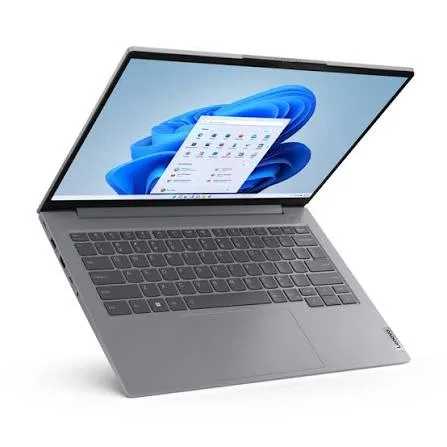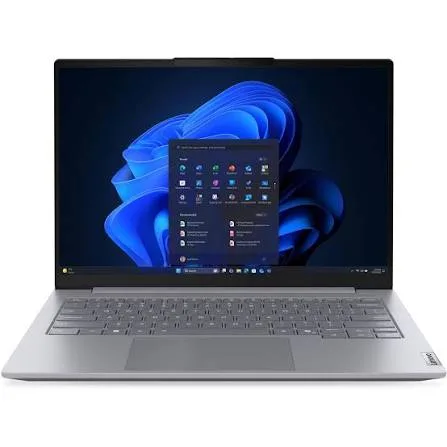
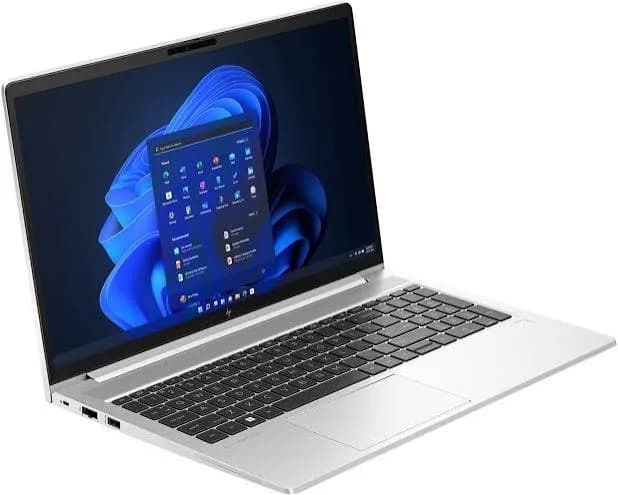
HP ProBook 440 G11 Laptop (Core Ultra 7 155U, 16GB RAM, 512GB SSD, 14") in Kenya | City Gadgets Kenya
Same-day delivery in Nairobi by 8 Oct – 9 Oct
Comes with
Description
Buy the HP ProBook 440 G11 with Intel Core Ultra 7 155U, 16GB DDR5 RAM, 512GB SSD and a 14-inch WUXGA screen in Kenya from City Gadgets Kenya. HP ProBook 440 G11 price in Kenya, Core Ultra 7 business laptop Nairobi. A complete buyer's guide.
HP ProBook 440 G11 Laptop (Core Ultra 7 155U, 16GB RAM, 512GB SSD, 14") in Kenya
Genuine HP | Brand New | Model DJ9P3PT | 14-Inch WUXGA Business Laptop with Intel Core Ultra 7
Searching for the HP ProBook 440 G11 price in Kenya, a Core Ultra 7 laptop in Nairobi, or a 14-inch business laptop for professionals? The HP ProBook 440 G11 is a brand-new, genuine HP business laptop with an Intel Core Ultra 7 155U processor, 16 GB of DDR5 memory, a fast SSD and a taller 16:10 Windows 11 Pro screen, available from City Gadgets Kenya with delivery across Kenya. It's a strong choice as a laptop for lawyers, consultants, accountants, managers and sales professionals, as a lightweight laptop for travel, and as a reliable HP laptop for hybrid work. Buyers also search for it as an HP ProBook 14-inch, a Core Ultra business laptop, or a laptop for Microsoft Teams and Zoom calls.
This guide explains what the ProBook 440 G11 offers in plain language: what the Core Ultra 7 155U does, why the 16:10 screen matters for work, what its security and durability features are, and where it's limited. If you'd like to talk it through, message us on WhatsApp.
The short verdict
The ProBook 440 G11 is a polished, professional all-rounder. HP describes the ProBook 440 as giving growing businesses commercial-grade performance, multi-layered endpoint security and durability in an easily upgradeable design. In practice, you get a modern 12-core processor, 16 GB of DDR5 memory, a sharp 14-inch screen with extra vertical space, Wi-Fi 6E and Windows 11 Pro, in a body built for daily carrying. It's more refined than a budget laptop and cheaper than a premium EliteBook, which is exactly where many professionals and small businesses want to be. Its honest limits are that the integrated graphics aren't for gaming or heavy video work, and that it isn't a "Copilot+ PC" for the newest AI features.
Who this laptop is for
It suits you if:
- You're a professional who works on documents, spreadsheets, presentations, email and video meetings all day.
- You travel between the office, clients and home, and want a laptop that's easy to carry.
- You run or equip a small or growing business and want laptops with proper security and Windows 11 Pro.
- You work hybrid and spend a lot of time in Teams, Zoom and Google Meet.
- You want a laptop that will stay current for several years.
Look elsewhere if:
- You game or do heavy 3D, AI or video work. See the HP Victus and OMEN MAX in our range.
- You want the biggest possible screen. The 16-inch ProBook 460 G11, also in our range, has more room.
- You need a 2-in-1 or a premium aluminium body. Look at the HP EliteBook and OmniBook models in our range.
- You're on a tight budget. The HP 255R G10 in our range costs less and still handles office work well.
Specifications in plain English
| Feature | Detail | What it means for you |
|---|---|---|
| Model | DJ9P3PT, HP ProBook 440 G11 | HP's 14-inch business laptop |
| Processor | Intel Core Ultra 7 155U | 12 cores and 14 threads, up to about 4.8 GHz |
| Graphics | Intel Graphics (built in) | Smooth for office, video and light creative work |
| Memory | 16 GB DDR5 | Plenty for multitasking |
| Storage | 512 GB SSD | Fast, with room for work files |
| Display | 14-inch WUXGA (1920 x 1200), 16:10 | A taller screen with more working space |
| Wireless | Wi-Fi 6E | Faster, less congested wireless connections |
| Operating system | Windows 11 Pro | Business-grade Windows |
These figures come from HP and retailer listings of the ProBook 440 G11. Ports, weight, battery size and webcam details can differ between units, so ask us to confirm the exact configuration you order.
The processor: Intel Core Ultra 7 155U explained
The Core Ultra 7 155U is part of Intel's Core Ultra Series 1 family. "U" means it's designed for thin, efficient laptops that care about battery life. It has 12 cores, made up of three types, and 14 threads.
Three kinds of core, one smart system. The chip has 2 performance cores for demanding tasks, 8 efficiency cores for everyday work, and 2 low-power efficiency cores for very light tasks. Windows and the processor decide which core handles which job. That means heavy tasks get speed, background work stays efficient, and light tasks barely sip power.
Speed. The processor boosts up to about 4.8 GHz for demanding moments, such as opening a large file or exporting a presentation.
Efficiency. The design aims to give good performance while keeping heat and fan noise low. For a laptop you carry and use in meetings, a quiet laptop is a real advantage.
Built-in graphics. The Intel graphics inside the processor are far better than older integrated graphics. They handle high-resolution video, multiple monitors, photo editing and light creative work comfortably. They're not made for modern games.
An AI engine (NPU). Core Ultra processors include a neural processing unit for some AI features, such as background blur on video calls. An honest note: Microsoft's "Copilot+ PC" features need a much stronger NPU than this one, so this isn't a Copilot+ PC. For the way most professionals use a laptop today, that makes no day-to-day difference.
Memory and storage
16 GB of DDR5. This is a comfortable amount for office and professional work. You can keep many browser tabs, a spreadsheet, a presentation, email and a video call open without slowdowns. DDR5 is faster and more efficient than older DDR4. HP positions the ProBook as easily upgradeable, so ask us about memory and storage upgrades before you buy.
512 GB SSD. An SSD makes Windows start in seconds and opens large files quickly. 512 GB is plenty for work documents, email archives and presentations. If you handle large media files or datasets, use an external SSD from our range, such as the SanDisk Extreme or Extreme PRO.
The display: why 16:10 matters
The ProBook 440 G11's screen is a 14-inch WUXGA panel: 1920 x 1200 pixels in a 16:10 shape. Most cheaper laptops use the wider 16:9 shape at 1920 x 1080. The extra 120 pixels of height make a real difference in work:
- More rows in a spreadsheet before you scroll.
- More of a document or web page on screen at once.
- More space for email and chat panels next to a document.
- A more comfortable shape for reading and writing.
At 14 inches, the screen is also sharp and compact, so the laptop stays light. Ask us to confirm the brightness and finish (matte or touch) of the unit you order, as HP sells ProBook 440 G11 models in different screen options.
Security: built for business
Security is a major reason professionals choose a ProBook over a consumer laptop. HP describes the ProBook 440 G11 as having multi-layered endpoint security. In practical terms, business laptops of this class generally offer:
- Windows 11 Pro features. BitLocker drive encryption protects your data if the laptop is lost or stolen, and Windows Hello supports secure sign-in.
- Hardware-based protection. A security chip (TPM) works with Windows to protect passwords and encryption keys.
- HP security software options. HP offers a security suite called HP Wolf Security on its business laptops. Ask us what's included with the unit you order.
- Privacy features. Business laptops often include a camera shutter and other privacy options. Ask us to confirm which the unit has.
If your work involves client files, legal documents, financial records or personal data, these features are worth having. Add a good antivirus, and keep Windows updated.
Durability and design
The ProBook line is built for daily commuting. HP highlights durability as a core feature of the ProBook 440, and the laptop is designed for everyday knocks, a spill-resistant keyboard approach in some models, and a lid and hinge meant for frequent opening. Treat any laptop with care, use a padded sleeve, and avoid carrying it with the lid under pressure. Ask us for the exact durability certification of the unit you order.
Connectivity and ports
The ProBook 440 G11 supports Wi-Fi 6E, which can use the less crowded 6 GHz band if your router supports it. In a busy office or apartment block, that can mean faster and more stable wireless connections for video calls and large file transfers.
A business laptop of this kind normally has USB-C and USB-A ports, HDMI for projectors and monitors, and a headphone and microphone jack. Because port details vary between units, ask us to confirm the exact ports, and whether the unit has features such as Thunderbolt, Ethernet and an SD card slot. If you need extra ports, an Anker USB-C hub from our range adds them.
Battery life and portability
The ProBook 440 G11 is designed as a daily-carry laptop, and the efficient processor helps it stretch its battery. Real battery life depends on screen brightness, how many programs run and how you use it. For the best battery life:
- Use Windows' battery saver mode when you're unplugged.
- Lower the screen brightness.
- Close background apps and extra browser tabs.
- Carry the charger on longer days, or an Anker power bank with USB-C output from our range.
Ask us for the exact battery size and weight of the unit you order, so you can plan how you carry it.
Video calls and hybrid work
Many ProBook buyers spend hours a day in video meetings, so it's worth knowing how the laptop copes.
- Processor and memory. A 12-core processor and 16 GB of memory handle a video call plus a presentation or shared document easily.
- Webcam and microphones. Business laptops include a webcam with noise-reducing microphones. For important meetings, a headset from our range, such as a Soundcore, JBL or Sony model, gives clearer audio.
- Wi-Fi 6E. Better wireless helps keep calls steady.
- Docking. Connect the laptop to an external monitor, keyboard and mouse at your desk, and take it with you when you leave.
Everyday performance: what to expect
Office work: documents, spreadsheets, presentations and email run smoothly with many windows open.
Browsing and web apps: many tabs, cloud tools and online systems run well.
Video calls: Teams, Zoom and Meet work comfortably, with the processor staying cool.
Light creative work: photo editing, simple video edits and design in apps such as Canva or Photoshop run well.
Heavier tasks: large video exports and 3D work are slower than on a laptop with a dedicated graphics card, so choose a Victus or OMEN MAX for those.
Gaming: not designed for modern games.
Understanding Intel's Core Ultra names
Intel's naming confuses a lot of buyers, so here is a quick decoder.
- Core Ultra is Intel's newer family, which replaced the old Core i3, i5 and i7 names for recent laptops. It adds an AI engine (NPU) and improved built-in graphics.
- The number (5, 7, 9) is the performance tier. 7 sits above 5 and below 9.
- The letter at the end tells you the type of chip. U is for thin and efficient business laptops like this one. H is for more powerful laptops, such as performance and creator models. HX is for the top gaming laptops, like the OMEN MAX 16.
- Series 1 and Series 2 are generations. The 155U is Series 1.
So a Core Ultra 7 155U is a mid-to-upper-tier, efficiency-focused chip. It's well matched to a business laptop, and it's not meant to compete with the H and HX chips in gaming laptops.
How to choose the right screen size for work
Screen size affects comfort, weight and price, so it's worth choosing deliberately.
- 13 to 14 inches: best for people who carry a laptop every day, work on trains, planes or in cafes, or have a small desk. This is the ProBook 440's size.
- 15.6 inches: a good middle ground with a number pad, such as the HP 255R G10.
- 16 inches: best if the laptop mostly stays on a desk, or if you work in large spreadsheets and want more room, like the ProBook 460 G11 in our range.
A useful rule is to think about where you spend your day. If it's mostly in one place, bigger is better. If you're always on the move, smaller is kinder to your back. An external monitor at your desk gives you the best of both: a light laptop for travel and a large screen when you're settled.
Setting up a desk for hybrid work
A good desk setup turns the ProBook into a full workstation with one cable.
- An external monitor. Connect a 24-inch or 27-inch monitor by HDMI or USB-C. We stock Dell, HP and Lenovo monitors that suit business use.
- A keyboard and mouse. A Logitech wireless keyboard and mouse from our range keeps your desk tidy and comfortable.
- A laptop stand. Raising the laptop to eye level helps your neck and back.
- A USB-C hub or dock. An Anker hub adds ports and lets you plug in once when you sit down.
- A headset. A good headset makes calls clearer.
- Power protection. A surge protector or UPS keeps the whole setup safe.
Spend the money on the monitor and chair first, because these affect comfort the most.
Accessories worth buying with it
| Accessory | Why it helps |
|---|---|
| Padded laptop sleeve or bag | Protects against knocks and spills |
| Surge protector or UPS | Protects against Kenya's power surges and outages |
| Logitech wireless mouse | More comfortable than the touchpad for long sessions |
| Anker USB-C hub | Adds HDMI, USB-A and card readers |
| SanDisk portable SSD | Fast backups and extra storage |
| Headset (Soundcore, JBL, Sony) | Clearer video calls |
| Kaspersky antivirus | Extra protection for business data |
Message us on WhatsApp and we'll put together a bundle that fits your budget.
Keeping a business laptop secure and reliable over the years
A laptop that works well on day one should still work well in year three. A few habits make that likely.
- Update on a schedule. Install Windows updates and HP driver and BIOS updates monthly, not in the middle of a deadline.
- Back up before big updates. Keep documents in cloud storage and a copy on an external drive.
- Use a standard account for daily work. Keeping administrator rights for installs only reduces the damage a virus or bad download can do.
- Treat unknown links and attachments with suspicion. Most business laptop problems start with a phishing email, not a hardware fault.
- Keep a record. Note the serial number, purchase date and warranty details somewhere safe, apart from the laptop.
- Clean it now and then. Dust and crumbs in the keyboard and vents shorten a laptop's life.
These habits cost nothing, and they're the difference between a laptop that lasts five years and one that needs replacing in two.
Using a laptop in Kenya
Power protection. Surges and outages can damage a charger and motherboard. A surge protector or voltage guard blocks spikes, and a UPS gives you time to save work and shut down safely. We stock APC, Mecer and Unomat UPS units.
Security in public. Don't leave a laptop visible in a car. Use a padded bag, set a strong sign-in PIN or fingerprint, and turn on Windows' Find My Device.
Warranty. Ask us for the warranty that applies to the unit you order, and keep the receipt and box.
Region. Ask us to confirm the keyboard layout and Windows language.
First-day setup checklist
- Check the box contents: laptop, charger and paperwork.
- Inspect the body, screen and ports.
- Complete Windows 11 setup with your own account.
- Run Windows Update until it's finished.
- Update the BIOS and drivers through HP Support Assistant.
- Turn on BitLocker and set a sign-in PIN.
- Install your software and a good antivirus.
- Turn on Find My Device.
- Set up cloud or external backups.
Looking after it
- Carry it in a padded sleeve or bag.
- Keep the vents clear and clean them now and then.
- Keep Windows, drivers and the BIOS updated.
- Keep liquids away from the keyboard.
- Use the original charger or an official replacement.
- Don't leave it in a hot car.
How it compares with other options in our range
| HP ProBook 440 G11 (14") | HP ProBook 460 G11 (16") | HP 255R G10 (15.6") | Lenovo ThinkPad E14 | |
|---|---|---|---|---|
| Class | Business laptop | Large-screen business laptop | Value business laptop | Business laptop |
| Processor | Core Ultra 7 155U | Core Ultra 7 155U | Ryzen 7 7735U | Intel (varies by model) |
| Screen | 14-inch WUXGA 16:10 | 16-inch WUXGA 16:10 | 15.6-inch Full HD | 14-inch |
| Best for | Travelling professionals | Spreadsheets and big-screen work | Value office use | Business use |
Against the ProBook 460 G11: the same processor and memory in a bigger, 16-inch body. Choose the 440 for portability, and the 460 for screen space.
Against the HP 255R G10: the 255R costs less and has a Ryzen 7, but a standard screen. The 440 has a newer processor, a taller screen and fuller business features.
Against the Lenovo ThinkPad E14: a comparable business laptop. Many professionals pick on keyboard feel and brand preference, so if you can, try both in our shop.
Honest pros and cons
Pros
- A modern 12-core Core Ultra 7 processor.
- 16 GB of DDR5 memory.
- A taller 16:10 WUXGA screen.
- Windows 11 Pro with business security features.
- Wi-Fi 6E.
- A compact 14-inch body.
- A good balance of price and features for a business laptop.
Cons
- Integrated graphics only, so no gaming or heavy 3D work.
- Not a Copilot+ PC.
- A plain, business-style design.
- Ports and battery details vary, so confirm them before you buy.
What to check when it arrives
- The box model matches DJ9P3PT or HP ProBook 440 G11.
- The processor is the Core Ultra 7 155U, with 16 GB of RAM and 512 GB of storage (Settings, System, About).
- Windows 11 is the Pro edition.
- The screen has no dead pixels, scratches or backlight bleed.
- The keyboard, touchpad, webcam, speakers and ports work.
- The charger is correct.
- You get a receipt with the serial number and warranty details in writing.
Frequently asked questions
What is the HP ProBook 440 G11 price in Kenya? We confirm the current price when you message us on WhatsApp, because supplier prices change. We tell you the price and the exact configuration before you pay.
Where can I buy the HP ProBook 440 G11 in Nairobi? At City Gadgets Kenya, New Alnoor Exhibition, Second Floor, Shop C7, Accra Road, Nairobi CBD, or by delivery.
Is the Core Ultra 7 155U a good processor? Yes. It has 12 cores and is designed for efficient, fast office and professional work.
Does it have a 16:10 screen? Yes, a 14-inch WUXGA (1920 x 1200) screen.
Does it come with Windows 11 Pro? Listings show Windows 11 Pro. Ask us to confirm the unit you order.
Can I upgrade the memory and storage? HP positions the ProBook as upgradeable. Ask us before you buy.
Is it good for video calls? Yes. The processor, memory and Wi-Fi 6E handle video meetings well.
Can it play games? No, it has integrated graphics. For gaming, see the HP Victus or OMEN MAX.
How long does the battery last? It depends on use. Ask us for the battery size of the unit you order.
Is it a Copilot+ PC? No. Copilot+ features need a stronger AI engine than this processor has.
What warranty does it have? Ask us for the warranty that applies to the unit you order.
Can you deliver it? Yes, same day in Nairobi and next day outside Nairobi.
Can I pay via M-Pesa? Yes.
Why buy from City Gadgets Kenya
Genuine, brand-new HP laptop. We're at New Alnoor Exhibition, Second Floor, Shop C7, Accra Road, Nairobi CBD, and you're welcome to look at the laptop before you buy. Message us on WhatsApp with what you'll use it for, and we'll tell you honestly whether the ProBook 440 G11 is right for you or the 255R G10, the 460 G11 or a ThinkPad would suit you better. We confirm the exact configuration with you before you pay.
Order your HP ProBook 440 G11 today
Available now at City Gadgets Kenya. Message us on WhatsApp.
Specifications
- Brand
- HP
- Condition
- New
Frequently Asked Questions
How much does the HP ProBook 440 G11 Laptop (Core Ultra 7 155U, 16GB RAM, 512GB SSD, 14") in Kenya | City Gadgets Kenya cost in Kenya?
The HP ProBook 440 G11 Laptop (Core Ultra 7 155U, 16GB RAM, 512GB SSD, 14") in Kenya | City Gadgets Kenya is priced at Ksh 143,000 at City Gadgets. You can pay via M-Pesa, card or cash on delivery.
Is the HP ProBook 440 G11 Laptop (Core Ultra 7 155U, 16GB RAM, 512GB SSD, 14") in Kenya | City Gadgets Kenya available in Kenya?
Yes — the HP ProBook 440 G11 Laptop (Core Ultra 7 155U, 16GB RAM, 512GB SSD, 14") in Kenya | City Gadgets Kenya is in stock at City Gadgets, ready for same-day delivery in Nairobi and countrywide shipping across Kenya.
Is the HP ProBook 440 G11 Laptop (Core Ultra 7 155U, 16GB RAM, 512GB SSD, 14") in Kenya | City Gadgets Kenya genuine and does it have a warranty?
Every HP ProBook 440 G11 Laptop (Core Ultra 7 155U, 16GB RAM, 512GB SSD, 14") in Kenya | City Gadgets Kenya we sell is 100% genuine brand-new stock and comes with a 12-month official brand warranty.
Do you deliver the HP ProBook 440 G11 Laptop (Core Ultra 7 155U, 16GB RAM, 512GB SSD, 14") in Kenya | City Gadgets Kenya in Nairobi?
Yes. We offer fast same-day delivery within Nairobi and fast, affordable delivery to the rest of Kenya — order online or on WhatsApp.
Customer Reviews
No reviews yet
Be the first to review this product.
Rate us on Google
Your review helps other shoppers find us
Reviews from verified buyers will appear here.
Buying guides
Straight advice for shoppers picking between the models above.

Best Laptops for Programmers and Developers in Kenya 2026 (Complete Guide) | City Gadgets Kenya
Best Laptops for Programmers and Developers in Kenya 2026: A Complete Guide
Read the guide
Best Lightweight and Ultraportable Laptops in Kenya 2026 (Complete Guide) | City Gadgets Kenya
Best Lightweight and Ultraportable Laptops in Kenya 2026: A Complete Guide
Read the guide
Best Laptops for University Freshers in Kenya 2026 (KUCCPS Season Guide) | City Gadgets Kenya
Best Laptops for University Freshers in Kenya 2026: The Complete KUCCPS Season Guide
Read the guide