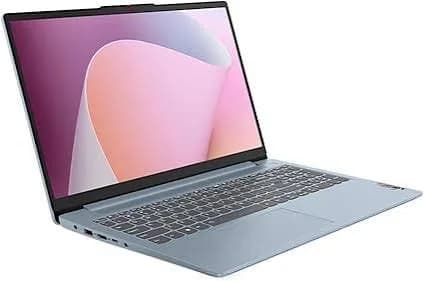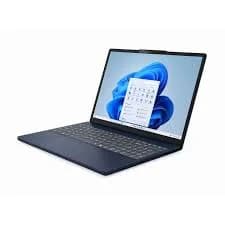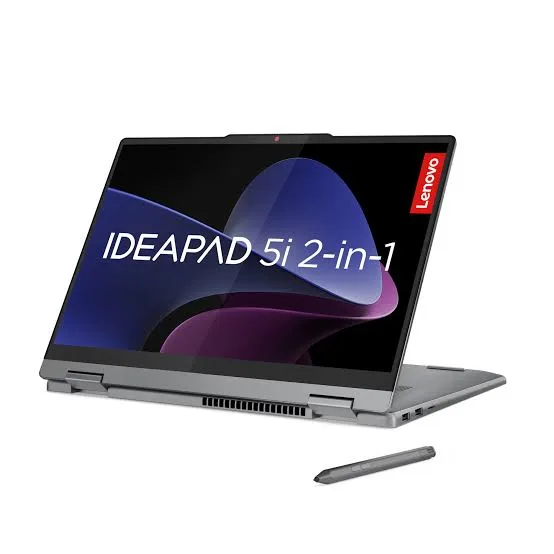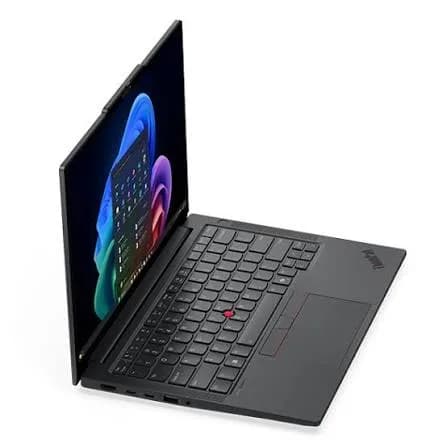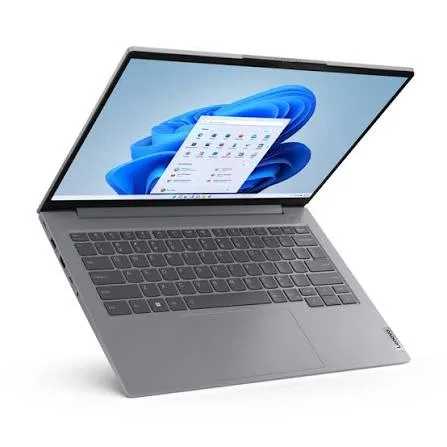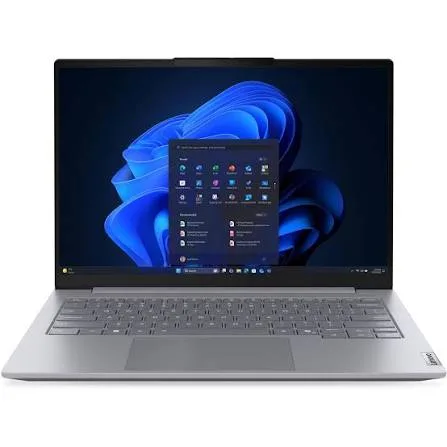
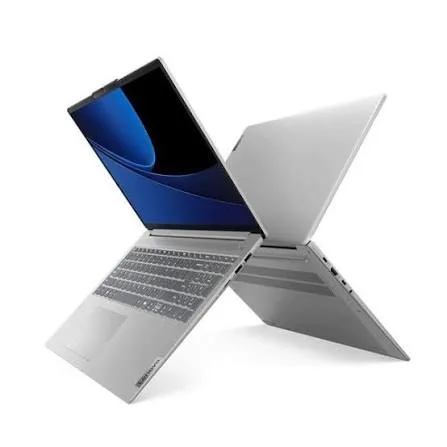
Lenovo IdeaPad Slim 5 Laptop (Core Ultra 5, 16GB RAM, 512GB SSD, 16") in Kenya | City Gadgets Kenya
Same-day delivery in Nairobi by 8 Oct – 9 Oct
Comes with
Description
Buy the Lenovo IdeaPad Slim 5 with Intel Core Ultra 5, 16GB RAM, 512GB SSD and a 16-inch screen in Kenya from City Gadgets Kenya. Lenovo IdeaPad Slim 5 price in Kenya, Core Ultra 5 laptop Nairobi, 16-inch laptop for students and creators. A complete buyer's guide.
Lenovo IdeaPad Slim 5 Laptop (Core Ultra 5, 16GB RAM, 512GB SSD, 16") in Kenya
Genuine Lenovo | Brand New | Model 83V7003XAD | 16-Inch Slim Laptop with Intel Core Ultra 5
Searching for the Lenovo IdeaPad Slim 5 price in Kenya, a Core Ultra 5 laptop in Nairobi, or a 16-inch laptop with 16GB RAM and a 512GB SSD? The Lenovo IdeaPad Slim 5 is a brand-new, genuine slim laptop with a large 16-inch screen, an Intel Core Ultra 5 processor, 16 GB of memory and a fast NVMe SSD, available from City Gadgets Kenya with delivery across Kenya. It's built for students, creators, professionals and families who want a big, modern screen in a laptop that's still thin enough to carry. Buyers also search for it as an IdeaPad Slim 5 16 inch, a Lenovo Core Ultra 5 laptop, a Lenovo laptop with a big screen for design and spreadsheets, an AI-ready laptop, or a laptop for university.
This guide explains the laptop in plain language: what the Core Ultra 5 processor offers, why a 16-inch screen suits work and creative tasks, how the Slim 5 line differs from the cheaper Slim 3, and where the laptop is limited. If you'd like to talk it through, message us on WhatsApp.
The short verdict
The IdeaPad Slim 5 is Lenovo's step-up everyday laptop, sitting above the Slim 3 in build, screen options and performance. The 16-inch version gives you a large, roomy screen for spreadsheets, documents, photo editing and streaming, with a modern Core Ultra 5 processor, 16 GB of memory and fast storage in a slim body. It's a strong all-rounder for people who want more than a basic laptop without paying for a premium business or creator model. Its honest limits are that integrated graphics rule out demanding gaming and heavy 3D work, the laptop is larger than a 14-inch model, and details such as the exact processor and screen vary between versions, so confirm them before you buy.
Who this laptop is for
It suits you if:
- You want a large, modern 16-inch screen for study, work and entertainment.
- You're a student, creator or professional who works with spreadsheets, documents, photos and presentations.
- You want a laptop that feels more premium than a budget model, with a slim body and better materials.
- You want a processor with a built-in AI engine and good efficiency.
- You want 16 GB of memory so the laptop stays fast for years.
Look elsewhere if:
- You carry your laptop every day and want a light machine. A 14-inch laptop, such as the HP ProBook 440 G11, is easier to carry.
- You need a dedicated graphics card for gaming, 3D or heavy video editing. See the HP Victus and OMEN MAX.
- You want business security and Windows 11 Pro. See the ThinkBook and ProBook models.
- You're on a tight budget. The IdeaPad Slim 3 models in our range cost less.
Specifications in plain English
| Feature | Detail | What it means for you |
|---|---|---|
| Model | 83V7003XAD, Lenovo IdeaPad Slim 5 (16-inch) | Lenovo's step-up everyday laptop |
| Processor | Intel Core Ultra 5. Retail listings for the 2025 IdeaPad Slim 5 show Core Ultra 5 chips such as the 225U and 225H | Modern, efficient performance with a built-in AI engine |
| Graphics | Intel integrated graphics | Smooth video and light creative work |
| Memory | 16 GB | Plenty for multitasking |
| Storage | 512 GB NVMe SSD | Fast boots and loading |
| Display | 16-inch, in a taller 16:10 shape on this family. Resolution and panel type vary by version | A large, roomy screen |
| Operating system | Windows 11 (Home in most listings) | Ready to use |
These figures come from Lenovo and retailer listings of the IdeaPad Slim 5 family. Exact processor, screen, battery and ports can vary between units, so ask us to confirm the unit you order.
The processor: Intel Core Ultra 5 explained
Core Ultra is Intel's newer family of processors, which replaced the old Core i5 and i7 names for recent laptops. The Core Ultra 5 sits in the middle of the range.
What the name tells you.
- Core Ultra means the chip belongs to the newer family with an AI engine and improved graphics.
- 5 is the performance tier, between the entry level and the top.
- The letter at the end tells you the type. "U" chips are efficient and designed for thin laptops with good battery life. "H" chips use more power and give more performance. Ask us which the unit has.
Performance. A Core Ultra 5 handles everyday work with speed to spare: documents, spreadsheets, browsing with many tabs, video calls, photo editing and streaming all run smoothly.
Built-in AI engine. Core Ultra chips include a neural processing unit for AI features such as background blur and noise cancellation on video calls, performed efficiently. An honest note: Microsoft's Copilot+ PC features need a stronger AI engine than this class of chip offers, so this isn't a Copilot+ PC.
Built-in graphics. The Intel graphics are stronger than older integrated graphics. They handle high-resolution video, multiple monitors and light creative work. They don't replace a dedicated graphics card for gaming or heavy 3D.
Why a 16-inch screen?
Screen size changes the way a laptop feels in daily use. A 16-inch screen is noticeably bigger than the more common 14-inch and 15.6-inch sizes.
- More room for spreadsheets and documents. You see more rows, columns and text without scrolling.
- Side-by-side windows. Two windows fit next to each other comfortably.
- A better canvas for photos, design and video. More space for tools and previews.
- More comfortable entertainment. A bigger screen suits films and shows.
- Taller 16:10 shape. On this family, the screen is taller than a standard widescreen, giving even more working space.
The trade-off is size and weight. A 16-inch laptop is bulkier to carry than a 14-inch one, so it suits students and professionals who move between a few places, more than people who carry a laptop all day. Ask us for the exact weight of the unit you order.
The Slim 5 line compared with the Slim 3
Lenovo's IdeaPad Slim range comes in tiers. Knowing the difference helps you see what the Slim 5 adds.
- Slim 3 is the budget tier: plain plastic build, standard screens, and mainstream processors. It's good value.
- Slim 5 is the step-up tier: slimmer, with better materials such as aluminium in many versions, more refined screens (some with sharper or OLED panels), more powerful processors and better build quality.
If you want the best value for basic needs, the Slim 3 is enough. If you use your laptop heavily and want it to feel better and last longer, the Slim 5 is worth the extra.
Memory and storage
16 GB of memory. This is the comfortable level today. It handles heavy browsing, office apps, video calls and creative apps together. Memory design varies by version in the Slim 5 family, with some versions using soldered memory, so ask us to confirm whether the unit you order is upgradeable.
512 GB NVMe SSD. Fast boots and quick file access. 512 GB is plenty for Windows, apps, documents and a good library of photos. For more, add a SanDisk portable SSD or a portable hard drive from our range.
The display
Screen details vary by version, so ask us what the unit you order has. In the IdeaPad Slim 5 family, options include standard Full HD and sharper WUXGA or higher-resolution panels, and some versions have OLED. Look for these points when you check the screen.
- Resolution. More pixels mean sharper text and images.
- Brightness. Higher is better in bright rooms.
- Colour coverage. Better coverage suits photo and design work.
- Anti-glare finish. Reduces reflections.
For colour-critical work, use an external monitor for final decisions.
Battery and portability
A bigger screen uses more power, but Core Ultra processors are efficient, and the Slim 5 is designed to be slim and reasonably light for its size. Real battery life depends on brightness, workload and the processor version. To get more from the battery:
- Use Windows' battery saver mode when unplugged.
- Lower the screen brightness.
- Close background apps and extra browser tabs.
- Carry the USB-C charger, or an Anker power bank with USB-C output from our range.
Ask us for the exact battery size and weight of the unit you order.
Ports and connectivity
The Slim 5 offers the essentials: USB-A and USB-C ports, HDMI, an audio jack, and often a card reader, with Wi-Fi and Bluetooth. Ports vary between units, so ask us to confirm which the unit has. An Anker USB-C hub from our range adds any that are missing.
Everyday performance: what to expect
Browsing and streaming: many tabs and Full HD or higher video play smoothly on the big screen.
Office and study: documents, spreadsheets and presentations run quickly.
Video calls: Zoom, Teams and Meet run comfortably, with AI-assisted background effects.
Photo editing and design: light to moderate editing in Lightroom, Photoshop and Canva runs well, and the large screen is a real help.
Video editing: simple edits run well. Heavy editing is faster on a laptop with a dedicated graphics card.
Gaming: light games at low settings only.
A creator's workflow on a 16-inch laptop
A big screen helps most when you edit images, design layouts or cut simple videos. Here is how a typical workflow runs on this laptop.
- Import. Copy photos from a camera card or phone to the SSD. A SanDisk card from our range, such as the Extreme PRO SD, speeds up the import.
- Cull and edit. Use Lightroom or a similar app. The large screen shows more of each photo and more of the editing panels.
- Design. Canva, Photoshop or Figma benefit from the extra canvas.
- Simple video. CapCut, DaVinci Resolve or Premiere run well for short, light projects, and the 16 GB of memory helps.
- Back up immediately. Copy originals to a SanDisk portable SSD or a portable hard drive, so you never keep only one copy.
- Deliver. Export for web or print, and share through cloud storage.
- Know the limits. For long 4K projects or heavy effects, a laptop with a dedicated graphics card exports far faster.
For colour-critical delivery, such as print work, use an external monitor or a calibrated display for final decisions.
Choosing between a 14-inch, 15-inch and 16-inch laptop
Screen size is the first decision for many buyers, so here is a simple guide.
- 14 inches: the best for carrying daily. Light, compact and easy to use on a train or in a café.
- 15 to 15.6 inches: the mainstream size. A good balance of screen space and portability, often with a number pad.
- 16 inches: the best for working at a desk or on a sofa. More screen, more comfort, and a bigger bag.
Think about where you spend your time. If the laptop lives mostly on a desk or in a room, 16 inches is a pleasure to use. If it travels with you every day, 14 inches will serve your back better.
Setting up a comfortable study or work area
A large laptop encourages long sessions, so a good setup protects your posture and your eyes.
- Raise the screen to eye level with a laptop stand, and use a separate keyboard and mouse.
- Light the room well, and avoid glare on the screen.
- Use the 20-20-20 rule. Every 20 minutes, look at something 20 feet away for 20 seconds.
- Take breaks to stand and stretch.
- Set text scaling and Night Light in Windows to ease eye strain.
- Protect your power with a surge protector or UPS, and back up your files.
Questions to ask before you buy
A laptop family with several versions deserves a few extra questions.
- Which exact processor does this unit have? Ask for the model, such as 225U or 225H, not only "Core Ultra 5".
- Is the screen OLED or standard, and what's its resolution?
- Is the memory soldered or upgradeable?
- Which Windows edition is installed?
- What's the battery size and the weight?
- What warranty is included, and who honours it? Get it in writing.
- Which keyboard layout and region is it for?
- Can I inspect it before I pay? A trustworthy seller says yes.
We're glad to answer all of these on WhatsApp or in the shop before you pay.
Tips for keeping a slim laptop fast for years
Slim laptops stay quick when you look after the basics.
- Keep at least 15% of the SSD free, so Windows has room to work.
- Uninstall software you don't use, and disable startup apps you don't need.
- Restart weekly, so updates finish and memory clears.
- Update drivers and the BIOS through Lenovo Vantage a few times a year.
- Clean the vents gently, and don't use the laptop on soft surfaces.
- Use a good antivirus, and avoid pirated software, which is a common source of infections.
- Replace the battery only through an authorised service when it wears out.
These small habits matter far more than most people expect, and they cost nothing.
Do the AI features matter for you?
Laptop marketing talks a lot about AI, so here is a calm guide. The Core Ultra processor's AI engine runs a few tasks efficiently: blurring your background on a call, reducing noise from your microphone and some effects in creative apps. Those are real, small conveniences, and they save battery because the AI engine uses less power than the main processor. What it doesn't give you is the full set of Copilot+ PC features, which need a more powerful AI engine. For most buyers, the right way to choose is by memory, storage, screen and battery, and to treat AI as a bonus. If AI features are central to your work, ask us about our Core Ultra laptops with stronger AI engines.
Using a laptop in Kenya
Power protection. Surges and outages can damage a charger and motherboard. A surge protector or voltage guard blocks spikes, and a UPS gives you time to save work and shut down safely. We stock APC, Mecer and Unomat UPS units.
Security in public. Don't leave a laptop visible in a car. Use a padded bag, set a strong sign-in PIN or fingerprint, and turn on Find My Device.
Heat and dust. Keep the vents clear and use the laptop on a hard surface.
Warranty. Ask us for the warranty that applies to the unit you order, and keep the receipt and box.
Keyboard and region. Ask us to confirm the keyboard layout and Windows language.
First-day setup checklist
- Check the box contents: laptop, charger and paperwork.
- Inspect the body, screen and ports.
- Complete Windows 11 setup with your own account.
- Run Windows Update until it's finished.
- Update the BIOS and drivers using Lenovo Vantage.
- Install your software and an antivirus.
- Set a sign-in PIN, and turn on Find My Device.
- Check the processor and memory in Settings, System, About.
- Set up cloud or external backups.
Looking after it
- Carry it in a padded sleeve or bag.
- Keep the vents clear and clean them now and then.
- Keep Windows and drivers updated.
- Keep liquids away from the keyboard.
- Use the original charger or an official replacement.
- Don't leave it in a hot car.
Accessories worth buying with it
| Accessory | Why it helps |
|---|---|
| Padded 16-inch laptop sleeve or bag | Protects against knocks and spills |
| Surge protector or UPS | Protects against power surges and outages |
| Logitech wireless mouse | More comfortable than the touchpad |
| Anker USB-C hub | Adds HDMI, Ethernet and card readers |
| SanDisk portable SSD or flash drive | Fast backups and extra storage |
| Soundcore, JBL or Sony headset | Clearer calls and music |
| External monitor | A bigger workspace at your desk |
| Kaspersky antivirus | Extra protection |
How it compares with other options in our range
| IdeaPad Slim 5 (Core Ultra 5, 16") | IdeaPad Slim 3 (Ryzen 7, 15" touch) | HP ProBook 460 G11 (16") | HP OmniBook 5 AI 16" | |
|---|---|---|---|---|
| Class | Step-up everyday laptop | Large-screen everyday laptop | Large-screen business laptop | Everyday AI laptop |
| Processor | Core Ultra 5 | Ryzen 7 | Core Ultra 7 | Core Ultra 5 |
| Screen | 16-inch | About 15-inch touch | 16-inch WUXGA | 16-inch |
| Best for | Students, creators | Family, students | Business | Everyday use |
Against the IdeaPad Slim 3 with the Ryzen 7: that laptop has a touchscreen and stronger graphics at a lower price. The Slim 5 has a more modern processor and a more refined build.
Against the HP ProBook 460 G11: the ProBook is a business laptop with Windows 11 Pro and stronger security. The Slim 5 is more of a consumer and creator laptop.
Against the HP OmniBook 5 AI 16-inch: a comparable large-screen laptop in our range. Try both in our shop if you can.
Honest pros and cons
Pros
- A large 16-inch screen, often in a taller 16:10 shape.
- A modern Core Ultra 5 processor with an AI engine.
- 16 GB of memory and a fast NVMe SSD.
- A slim, refined build compared with the Slim 3.
- A good balance of price and features.
Cons
- Bulkier to carry than a 14-inch laptop.
- Integrated graphics only.
- Not a Copilot+ PC.
- Windows 11 Home in most versions.
- Details such as the processor type and memory design vary by version.
What to check when it arrives
- The box model matches 83V7003XAD or IdeaPad Slim 5.
- The processor is a Core Ultra 5, with 16 GB of RAM and 512 GB of storage (Settings, System, About).
- The screen is 16 inches, with no dead pixels, scratches or backlight bleed.
- The keyboard, touchpad, webcam, speakers and ports work.
- The charger is correct.
- You get a receipt with the serial number and warranty details in writing.
Frequently asked questions
What is the Lenovo IdeaPad Slim 5 price in Kenya? We confirm the current price when you message us on WhatsApp, because supplier prices change. We tell you the price and the exact configuration before you pay.
Where can I buy the IdeaPad Slim 5 in Nairobi? At City Gadgets Kenya, New Alnoor Exhibition, Second Floor, Shop C7, Accra Road, Nairobi CBD, or by delivery.
Which Core Ultra 5 does it have? Listings show chips such as the 225U and 225H. Ask us to confirm the unit you order.
Is it a Copilot+ PC? No. Copilot+ features need a stronger AI engine.
Can I upgrade the memory? It depends on the version. Ask us before you buy.
Is the screen OLED? Some Slim 5 versions have OLED. Ask us which the unit has.
Can it play games? Only light games at low settings. See the HP Victus or OMEN MAX.
Does it come with Windows 11 Pro? Most IdeaPad Slim 5 laptops come with Windows 11 Home. Ask us about the unit you order.
What warranty does it have? Ask us for the warranty that applies to the unit you order.
Can you deliver it? Yes, same day in Nairobi and next day outside Nairobi.
Can I pay via M-Pesa? Yes.
Why buy from City Gadgets Kenya
Genuine, brand-new Lenovo laptop. We're at New Alnoor Exhibition, Second Floor, Shop C7, Accra Road, Nairobi CBD, and you're welcome to look at the laptop before you buy. Message us on WhatsApp with what you'll use it for, and we'll tell you honestly whether a 16-inch Slim 5 suits you or a lighter or cheaper laptop would be better. We confirm the exact configuration with you before you pay.
Order your Lenovo IdeaPad Slim 5 today
Available now at City Gadgets Kenya. Message us on WhatsApp.
Specifications
- Brand
- LENOVO
- Condition
- New
Frequently Asked Questions
How much does the Lenovo IdeaPad Slim 5 Laptop (Core Ultra 5, 16GB RAM, 512GB SSD, 16") in Kenya | City Gadgets Kenya cost in Kenya?
The Lenovo IdeaPad Slim 5 Laptop (Core Ultra 5, 16GB RAM, 512GB SSD, 16") in Kenya | City Gadgets Kenya is priced at Ksh 99,000 at City Gadgets. You can pay via M-Pesa, card or cash on delivery.
Is the Lenovo IdeaPad Slim 5 Laptop (Core Ultra 5, 16GB RAM, 512GB SSD, 16") in Kenya | City Gadgets Kenya available in Kenya?
Yes — the Lenovo IdeaPad Slim 5 Laptop (Core Ultra 5, 16GB RAM, 512GB SSD, 16") in Kenya | City Gadgets Kenya is in stock at City Gadgets, ready for same-day delivery in Nairobi and countrywide shipping across Kenya.
Is the Lenovo IdeaPad Slim 5 Laptop (Core Ultra 5, 16GB RAM, 512GB SSD, 16") in Kenya | City Gadgets Kenya genuine and does it have a warranty?
Every Lenovo IdeaPad Slim 5 Laptop (Core Ultra 5, 16GB RAM, 512GB SSD, 16") in Kenya | City Gadgets Kenya we sell is 100% genuine brand-new stock and comes with a 12-month official brand warranty.
Do you deliver the Lenovo IdeaPad Slim 5 Laptop (Core Ultra 5, 16GB RAM, 512GB SSD, 16") in Kenya | City Gadgets Kenya in Nairobi?
Yes. We offer fast same-day delivery within Nairobi and fast, affordable delivery to the rest of Kenya — order online or on WhatsApp.
Customer Reviews
No reviews yet
Be the first to review this product.
Rate us on Google
Your review helps other shoppers find us
Reviews from verified buyers will appear here.
Buying guides
Straight advice for shoppers picking between the models above.

Best Laptops for Programmers and Developers in Kenya 2026 (Complete Guide) | City Gadgets Kenya
Best Laptops for Programmers and Developers in Kenya 2026: A Complete Guide
Read the guide
Best Lightweight and Ultraportable Laptops in Kenya 2026 (Complete Guide) | City Gadgets Kenya
Best Lightweight and Ultraportable Laptops in Kenya 2026: A Complete Guide
Read the guide
Best Laptops for University Freshers in Kenya 2026 (KUCCPS Season Guide) | City Gadgets Kenya
Best Laptops for University Freshers in Kenya 2026: The Complete KUCCPS Season Guide
Read the guide