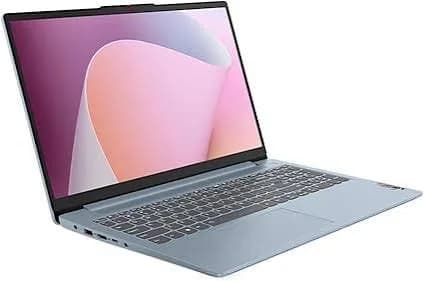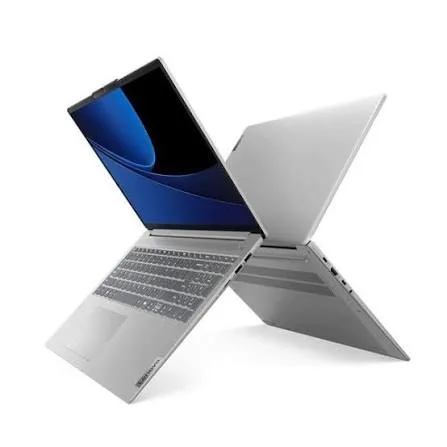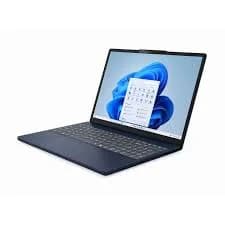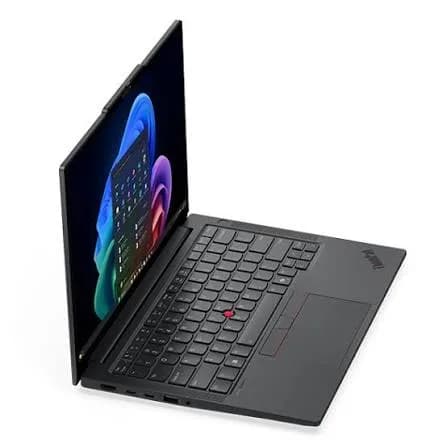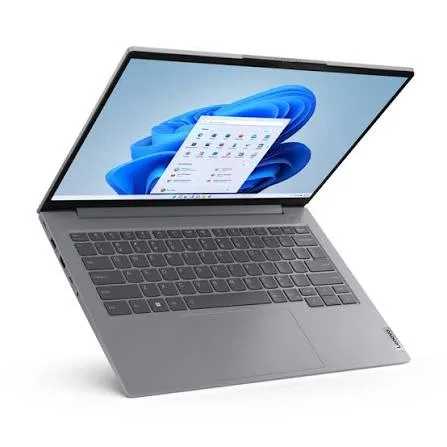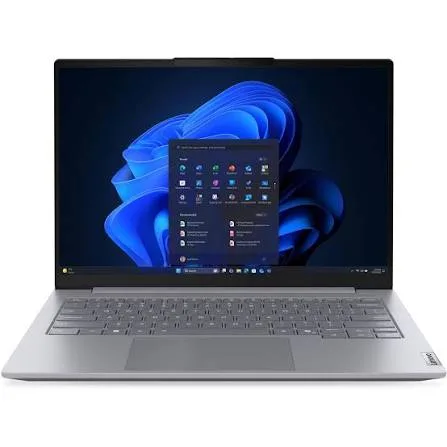
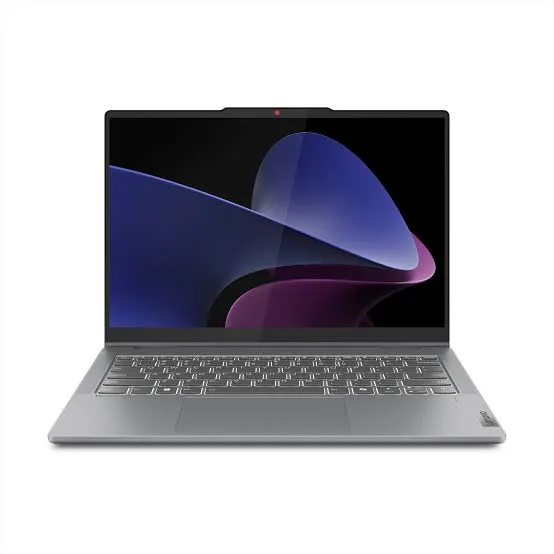
Lenovo IdeaPad 5 2-in-1 Laptop (Core i7, 16GB RAM, 1TB SSD, 14" Touch) in Kenya | City Gadgets Kenya
Same-day delivery in Nairobi by 8 Oct – 9 Oct
Comes with
Description
Buy the Lenovo IdeaPad 5 2-in-1 with 13th Gen Intel Core i7, 16GB RAM, 1TB SSD and a 14-inch WUXGA touchscreen in Kenya from City Gadgets Kenya. Lenovo IdeaPad 5 2-in-1 price in Kenya, convertible laptop Nairobi, x360 touchscreen laptop. A complete buyer's guide.
Lenovo IdeaPad 5 2-in-1 Laptop (Core i7, 16GB RAM, 1TB SSD, 14" Touch) in Kenya
Genuine Lenovo | Brand New | Model 83KX003YAX | 14-Inch WUXGA Touchscreen Convertible Laptop
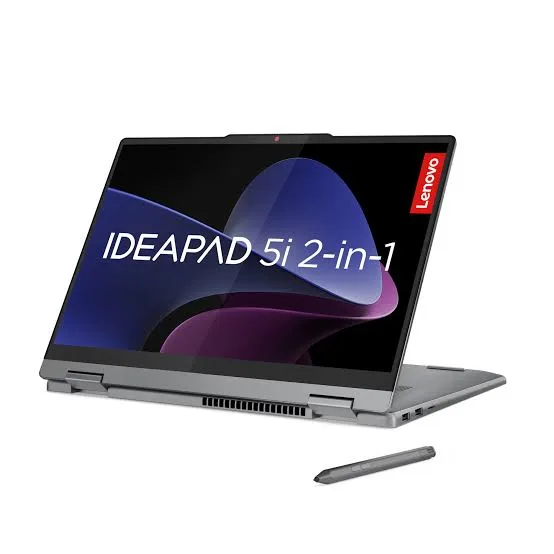
Looking for the Lenovo IdeaPad 5 2-in-1 price in Kenya, a convertible touchscreen laptop in Nairobi, or an x360 laptop with a Core i7 and 1TB SSD? The Lenovo IdeaPad 5 2-in-1 is a brand-new, genuine laptop with a 360-degree hinge that folds the screen back into tablet, tent and stand modes. This version has a 13th Gen Intel Core i7 H-series processor, 16 GB of memory and a roomy 1 TB SSD behind a 14-inch WUXGA touchscreen. It's available from City Gadgets Kenya with delivery across Kenya. Buyers also search for it as a Lenovo flip laptop, an IdeaPad 5 x360, a 2-in-1 laptop for students, a laptop with a touchscreen and a pen, a convertible laptop for presentations, or a Core i7 laptop with 1TB storage.
This guide explains the laptop in plain language: what a 2-in-1 is good for, what the processor and 16 GB of memory give you, why the memory design matters, how the screen and battery perform, and where it's limited. If you'd like to talk it through, message us on WhatsApp.
The short verdict
The IdeaPad 5 2-in-1 is a versatile, well-equipped everyday laptop that also works as a tablet. The Core i7 H-series processor is strong for its class, 16 GB of memory is comfortable, and 1 TB of storage is generous at this level. The 14-inch 16:10 touchscreen and the flexible hinge suit note-taking, presentations, sketching, reading and sharing a screen across a table. The trade-offs are honest ones: the memory is soldered and can't be upgraded, the screen is a standard one, and flexible hinges and touchscreens add a little weight. If you want one device that does laptop and tablet jobs, it's a strong choice.
Who this laptop is for
It suits you if:
- You're a student who wants to type notes in laptop mode and sketch or annotate in tablet mode.
- You give presentations and like using tent or stand mode to show a screen to a small group.
- You read documents, PDFs and e-books, and prefer holding a tablet-style screen.
- You want a touchscreen for natural scrolling, drawing and tapping.
- You want 1 TB of storage for photos, videos and files without paying for a premium laptop.
- You want one device for work and play.
Look elsewhere if:
- You want to upgrade memory later. The memory in this laptop is soldered.
- You mostly type on a desk and never touch the screen. A standard laptop gives you more for the money.
- You need a dedicated graphics card for gaming or 3D work. See the HP Victus and OMEN MAX.
- You want a very light tablet. A 14-inch laptop in tablet mode is bigger and heavier than a dedicated tablet.
Specifications in plain English
| Feature | Detail | What it means for you |
|---|---|---|
| Model | 83KX003YAX, Lenovo IdeaPad 5 2-in-1 (14IRH9 family) | Lenovo's 14-inch convertible laptop |
| Processor | 13th Gen Intel Core i7 H-series (the 83KX family uses the Core i5-13420H and i7-13620H) | Strong, H-series performance |
| Graphics | Intel integrated graphics | Smooth video and light creative work |
| Memory | 16 GB LPDDR5, soldered | Fast, but not upgradeable |
| Storage | 1 TB NVMe SSD | Generous, fast storage |
| Display | 14-inch WUXGA (1920 x 1200), 16:10, touchscreen | A taller screen with touch input |
| Hinge | 360 degrees | Laptop, tablet, tent and stand modes |
| Operating system | Windows 11 (Home or Pro, depending on the unit) | Ready to use |
These figures come from Lenovo and retailer listings of the IdeaPad 5 2-in-1 14IRH9 (the 83KX family). Exact processor, ports, battery and Windows edition can vary between units, so ask us to confirm the unit you order.
What a 2-in-1 laptop is good for
A 2-in-1 isn't just a laptop with a touchscreen. The hinge opens a full 360 degrees, so the keyboard folds behind the screen. That gives four modes.
- Laptop mode. The normal way to type, browse and work.
- Tent mode. The keyboard folds down and the screen stands like a tent. It's good for watching video on a small table or showing a presentation.
- Stand mode. The screen faces you with the keyboard flat underneath. It's good for touch-based use on a desk, such as drawing or playing games with touch.
- Tablet mode. The screen folds fully back, and you hold it like a tablet. It's good for reading, note-taking and sketching.
The honest limit is size. A 14-inch laptop in tablet mode is bigger and heavier than a real tablet, so it's best used on a table or lap, not held in one hand for long.
The processor: 13th Gen Core i7 H-series explained
The IdeaPad 5 2-in-1 14IRH9 is built around Intel's 13th Gen H-series processors. The "H" means more performance than the thin-and-light "U" chips found in many convertibles.
Performance. H-series chips have more cores and run at higher power, so they open large files, export documents and switch between heavy apps faster. The Core i7-13620H, which belongs to this family, has 10 cores and boosts above 4.5 GHz. Lenovo also sells the 83KX family with the Core i5-13420H.
What it means in daily use. Windows feels quick, apps open without waiting, and the laptop handles many tabs, a video call and a document together. Photo editing, light video editing and design apps run well.
The trade-off. H-series chips use more power than U-series ones, so battery life is shorter than on a thin convertible with a U-series processor, and the fan runs more under load.
Not a Copilot+ PC. This 13th Gen processor has no AI engine (NPU), so it doesn't offer Copilot+ features. For everyday use, that makes no practical difference.
Memory: 16 GB, and why it's soldered
The configuration listed here has 16 GB of LPDDR5 memory. LPDDR5 is a fast, low-power type used in thin laptops. In the IdeaPad 5 2-in-1 14IRH9 family, retailer listings show the memory as LPDDR5 at 5200 MT/s, which is soldered to the board.
What that means.
- It's fast and efficient, which helps battery life and responsiveness.
- It can't be upgraded later. You can't add or replace memory modules, so the 16 GB you buy is the 16 GB you'll always have.
Why 16 GB is the right choice. Because you can't upgrade, buying 16 GB now is far safer than buying 8 GB and hoping. 16 GB handles heavy browsing, office apps, video calls and light creative work comfortably, and it should stay comfortable for years. If you see an 8 GB version of this laptop at a lower price, remember that you'll be stuck with 8 GB.
Storage: 1 TB NVMe SSD
1 TB is generous for a laptop at this level. An NVMe SSD is far faster than a hard drive, so Windows starts in seconds and large files copy quickly. 1 TB gives you room for:
- Windows, Office and all your apps.
- A big library of photos and videos.
- Years of documents.
- A few large games or creative projects.
You can still add a SanDisk portable SSD or a portable hard drive from our range for backups and archives, which is wise for any laptop.
The display: touch, WUXGA and 16:10
The screen is a 14-inch touchscreen with a resolution of 1920 x 1200 (WUXGA) in a taller 16:10 shape. That shows more of a document, spreadsheet or web page than a standard widescreen. Touch makes scrolling, tapping, pinch-to-zoom and drawing natural.
Pen support. Many Lenovo 2-in-1 laptops work with an active pen for notes and sketching. Ask us whether this unit supports one and which pen to buy.
Screen quality. A touchscreen is a little more reflective than a matte panel, and fingerprints show, so keep a microfibre cloth handy. Brightness and colour are those of a standard everyday screen, good for study, office work and streaming, but not for colour-critical design work. Some versions of this laptop use a sharper or brighter panel, so ask us which the unit has.
Battery and portability
A convertible laptop has a heavier hinge and a touchscreen, so it weighs a little more than a plain laptop of the same size. An H-series processor also uses more power than a U-series one. Real battery life depends on brightness, workload and settings. For longer days:
- Use Windows' battery saver mode when unplugged.
- Lower the screen brightness.
- Close background apps and extra browser tabs.
- Carry the USB-C charger, or an Anker power bank with USB-C output from our range.
Ask us for the exact battery size and weight of the unit you order.
Ports and connectivity
The IdeaPad 5 2-in-1 offers the essentials: USB-A and USB-C ports, HDMI for projectors and monitors, and a headphone and microphone jack, with Wi-Fi and Bluetooth. Port details vary between units, so ask us to confirm which the unit has. An Anker USB-C hub from our range adds any that are missing.
Everyday performance: what to expect
Study and office work: documents, spreadsheets, presentations and research run smoothly.
Browsing and streaming: many tabs and Full HD video play well, and tent mode is great for watching.
Video calls: Teams, Zoom and Meet run comfortably.
Note-taking and sketching: touch and tablet mode suit annotating PDFs and drawing, especially with a compatible pen.
Creative work: photo editing and simple video edits run well. Heavy 3D and gaming need a dedicated graphics card.
Getting the most from tablet mode
Tablet mode is the feature people buy a 2-in-1 for, so it's worth using well.
- Use a table or your lap. A 14-inch screen is too big to hold in one hand for long. Rest it on something.
- Turn on Windows' tablet-friendly settings. Windows 11 adjusts the taskbar and gestures for touch, and the on-screen keyboard appears when you need it.
- Learn the touch gestures. Swipe from the edge for widgets, use three fingers to switch apps, and pinch to zoom.
- Increase text size in Display settings if you're reading at arm's length.
- Lock the rotation if the screen flips when you don't want it to.
- Remember the keyboard is behind the screen. The keys are disabled in tablet mode, but avoid pressing hard on the back when you hold it.
- Charge before long reading sessions, because the screen uses more power in tablet use.
A student's note-taking setup
A 2-in-1 shines for students who like handwriting.
- Choose a note app such as OneNote, which handles handwriting, typed notes, audio and images together.
- Use laptop mode in lectures for fast typing, and flip to tablet mode to sketch diagrams, label figures or solve equations by hand.
- Annotate PDFs. Lecturers' slides and past papers can be marked up directly with a compatible pen or your finger.
- Record and link audio in OneNote so you can play back a lecture alongside your notes.
- Organise by course and week, with one notebook per subject.
- Back up your notes to the cloud and to a SanDisk flash drive or portable SSD from our range. Losing a semester's notes is a problem you can avoid.
- Protect the laptop with a padded sleeve and a surge protector in your room.
Presenting with a 2-in-1
For teachers, trainers and business presenters, the hinge gives you options a normal laptop doesn't.
- Tent mode is good for small group presentations on a table, because the screen faces the audience and the keyboard stays out of the way.
- Stand mode works well for showing documents or photos to one or two people across a desk.
- Tablet mode lets you walk around, annotating slides or a whiteboard-style canvas.
- HDMI output connects to a projector or TV for larger rooms. We stock Epson and other projectors.
- Keep a backup. Copy your slides to a flash drive in case the network or projector causes trouble.
- Charge fully and carry the charger, because touchscreens and projectors both use power.
Accessories worth buying with it
| Accessory | Why it helps |
|---|---|
| Active pen (ask us for a compatible one) | Handwriting and sketching |
| Padded laptop sleeve | Protects the screen and hinge |
| Surge protector or UPS | Protects against power surges and outages |
| Logitech wireless mouse | More comfortable than the touchpad at a desk |
| Anker USB-C hub | Adds HDMI, Ethernet and card readers |
| SanDisk portable SSD or flash drive | Fast backups and extra storage |
| Soundcore, JBL or Sony headset | Clearer calls and lectures |
| Microfibre cloth | Keeps the touchscreen clean |
Message us on WhatsApp and we'll put together a bundle that fits your budget.
Questions to ask before buying any convertible laptop
- Is the memory soldered or upgradeable? This decides how much you should buy now.
- Does the screen support a pen, and which one?
- How many degrees does the hinge open, and does it feel solid? Try it.
- What is the exact processor? H-series and U-series chips behave very differently on battery.
- Which Windows edition is installed?
- What warranty is included, and does it cover the hinge and screen? Get it in writing.
- Can I inspect it and test every mode before I pay?
We're glad to answer all of these on WhatsApp or in the shop.
Using 1 TB of storage well
A 1 TB drive is generous, but it fills up faster than people expect, and a few habits keep it organised.
- Keep the SSD below about 85% full. A nearly full drive slows down.
- Use folders by year and project, so files are easy to find and to archive.
- Move finished projects and old videos to a portable hard drive from our range, such as a WD, Seagate or Toshiba model.
- Turn on Storage Sense in Windows to clear temporary files automatically.
- Use cloud storage for documents and the SSD for large local files.
- Back up what matters to a second place. An SSD is fast, and any drive can fail.
The goal isn't to fill the 1 TB. It's to give your laptop room to run smoothly for years, and to make sure a single drive failure never costs you your work.
Using a laptop in Kenya
Power protection. Surges and outages can damage a charger and motherboard. A surge protector or voltage guard blocks spikes, and a UPS gives you time to save work and shut down safely. We stock APC, Mecer and Unomat UPS units.
Security in public. Don't leave a laptop visible in a car. Use a padded bag, set a strong sign-in PIN or fingerprint, and turn on Windows' Find My Device.
Handling a convertible. The hinge is designed for repeated flipping, but don't force it, and don't carry the laptop by the screen. Use a protective sleeve.
Warranty. Ask us for the warranty that applies to the unit you order, and keep the receipt and box.
Region. Ask us to confirm the keyboard layout and Windows language.
First-day setup checklist
- Check the box contents: laptop, charger and paperwork.
- Inspect the body, screen, hinge and ports.
- Complete Windows 11 setup with your own account.
- Run Windows Update until it's finished.
- Update the BIOS and drivers using Lenovo Vantage.
- Install your software and a good antivirus.
- Set a sign-in PIN, and turn on Find My Device.
- Test every mode: laptop, tent, stand and tablet.
- Set up cloud or external backups.
Looking after it
- Carry it in a padded sleeve or bag.
- Clean the touchscreen with a soft microfibre cloth, slightly damp if needed, never with harsh chemicals.
- Open and fold the hinge smoothly, using both hands.
- Keep the vents clear and clean them now and then.
- Keep Windows and drivers updated.
- Keep liquids away from the keyboard.
- Use the original charger or an official replacement.
How it compares with other options in our range
| IdeaPad 5 2-in-1 (Core i7, 16GB, 1TB) | HP OmniBook X Flip 14 | Dell Inspiron 14 2-in-1 | HP 15 touch (FD0127DX) | |
|---|---|---|---|---|
| Class | Mid-range convertible | Premium convertible | Mid-range convertible | Everyday touchscreen |
| Screen | 14-inch WUXGA touch, 360° | 14-inch touch, 360° | 14-inch touch, 360° | 15.6-inch Full HD touch |
| Memory | 16 GB, soldered | 16 GB | 16 GB | 16 GB |
| Best for | Students, presenters | Premium everyday use | Everyday convertible use | Large-screen family use |
Against the HP OmniBook X Flip and Dell Inspiron 2-in-1: these are comparable convertibles in our range. The IdeaPad stands out for its H-series processor and 1 TB of storage. Try the keyboard and hinge in our shop if you can.
Against the HP 15 touch (FD0127DX): that laptop has a larger 15.6-inch screen and doesn't fold. This one is more flexible and more compact.
Honest pros and cons
Pros
- A flexible 360-degree hinge with four modes.
- A strong 13th Gen Core i7 H-series processor.
- 16 GB of fast LPDDR5 memory.
- 1 TB of fast NVMe storage.
- A 14-inch 16:10 touchscreen.
- A good price for a convertible with these specifications.
Cons
- The memory is soldered and can't be upgraded.
- Shorter battery life than a U-series convertible.
- Heavier than a plain 14-inch laptop.
- A standard screen in brightness and colour.
- Not a Copilot+ PC.
- Integrated graphics only.
What to check when it arrives
- The box model matches 83KX003YAX or IdeaPad 5 2-in-1.
- The processor is a Core i7, with 16 GB of RAM and 1 TB of storage (Settings, System, About).
- The touchscreen responds across the whole screen.
- The hinge opens smoothly through 360 degrees, with no creaks or looseness.
- The keyboard, touchpad, webcam, speakers and ports work.
- The charger is correct.
- You get a receipt with the serial number and warranty details in writing.
Frequently asked questions
What is the Lenovo IdeaPad 5 2-in-1 price in Kenya? We confirm the current price when you message us on WhatsApp, because supplier prices change. We tell you the price and the exact configuration before you pay.
Where can I buy the IdeaPad 5 2-in-1 in Nairobi? At City Gadgets Kenya, New Alnoor Exhibition, Second Floor, Shop C7, Accra Road, Nairobi CBD, or by delivery.
Can I upgrade the RAM? No. The memory in this laptop family is soldered LPDDR5. That's why we recommend the 16 GB version.
Does it work with a pen? Many Lenovo 2-in-1 laptops support an active pen. Ask us whether this unit does and which pen to buy.
Is it a good laptop for students? Yes, especially for note-taking, annotating PDFs and presentations.
Can it play games? Only light games at low settings. See the HP Victus or OMEN MAX.
Does it come with Windows 11? Yes. Ask us whether it's Home or Pro.
How long does the battery last? It depends on use. Ask us for the battery size of the unit you order.
Is it a Copilot+ PC? No. Copilot+ features need a stronger AI engine.
What warranty does it have? Ask us for the warranty that applies to the unit you order.
Can you deliver it? Yes, same day in Nairobi and next day outside Nairobi.
Can I pay via M-Pesa? Yes.
Why buy from City Gadgets Kenya
Genuine, brand-new Lenovo laptop. We're at New Alnoor Exhibition, Second Floor, Shop C7, Accra Road, Nairobi CBD, and you're welcome to look at the laptop and try the hinge and touchscreen before you buy. Message us on WhatsApp with what you'll use it for, and we'll tell you honestly whether a 2-in-1 suits you or a standard laptop would give you more for your money. We confirm the exact configuration with you before you pay.
Order your Lenovo IdeaPad 5 2-in-1 today
Available now at City Gadgets Kenya. Message us on WhatsApp.
Specifications
- Brand
- LENOVO
- Condition
- New
Frequently Asked Questions
How much does the Lenovo IdeaPad 5 2-in-1 Laptop (Core i7, 16GB RAM, 1TB SSD, 14" Touch) in Kenya | City Gadgets Kenya cost in Kenya?
The Lenovo IdeaPad 5 2-in-1 Laptop (Core i7, 16GB RAM, 1TB SSD, 14" Touch) in Kenya | City Gadgets Kenya is priced at Ksh 150,000 at City Gadgets. You can pay via M-Pesa, card or cash on delivery.
Is the Lenovo IdeaPad 5 2-in-1 Laptop (Core i7, 16GB RAM, 1TB SSD, 14" Touch) in Kenya | City Gadgets Kenya available in Kenya?
Yes — the Lenovo IdeaPad 5 2-in-1 Laptop (Core i7, 16GB RAM, 1TB SSD, 14" Touch) in Kenya | City Gadgets Kenya is in stock at City Gadgets, ready for same-day delivery in Nairobi and countrywide shipping across Kenya.
Is the Lenovo IdeaPad 5 2-in-1 Laptop (Core i7, 16GB RAM, 1TB SSD, 14" Touch) in Kenya | City Gadgets Kenya genuine and does it have a warranty?
Every Lenovo IdeaPad 5 2-in-1 Laptop (Core i7, 16GB RAM, 1TB SSD, 14" Touch) in Kenya | City Gadgets Kenya we sell is 100% genuine brand-new stock and comes with a 12-month official brand warranty.
Do you deliver the Lenovo IdeaPad 5 2-in-1 Laptop (Core i7, 16GB RAM, 1TB SSD, 14" Touch) in Kenya | City Gadgets Kenya in Nairobi?
Yes. We offer fast same-day delivery within Nairobi and fast, affordable delivery to the rest of Kenya — order online or on WhatsApp.
Customer Reviews
No reviews yet
Be the first to review this product.
Rate us on Google
Your review helps other shoppers find us
Reviews from verified buyers will appear here.
Buying guides
Straight advice for shoppers picking between the models above.

Best Laptops for Programmers and Developers in Kenya 2026 (Complete Guide) | City Gadgets Kenya
Best Laptops for Programmers and Developers in Kenya 2026: A Complete Guide
Read the guide
Best Lightweight and Ultraportable Laptops in Kenya 2026 (Complete Guide) | City Gadgets Kenya
Best Lightweight and Ultraportable Laptops in Kenya 2026: A Complete Guide
Read the guide
Best Laptops for University Freshers in Kenya 2026 (KUCCPS Season Guide) | City Gadgets Kenya
Best Laptops for University Freshers in Kenya 2026: The Complete KUCCPS Season Guide
Read the guide