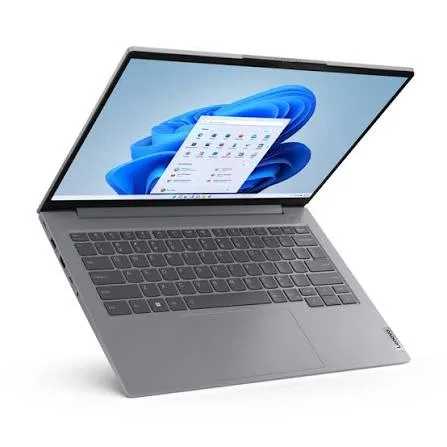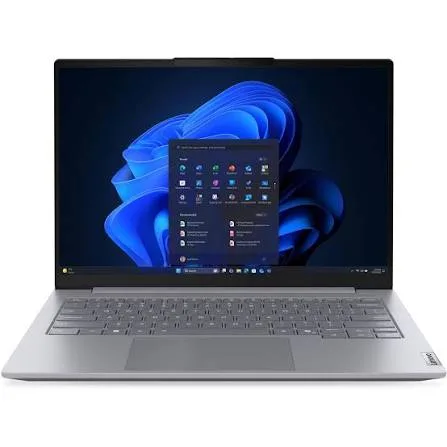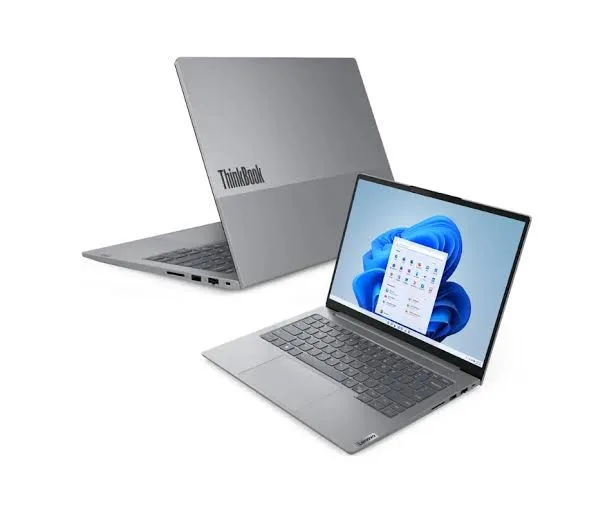
Lenovo ThinkPad E14 Gen 7 Laptop (Core Ultra 7, 32GB RAM, 512GB SSD, 14") in Kenya | City Gadgets Kenya
Same-day delivery in Nairobi by 8 Oct – 9 Oct
Comes with
Description
Buy the Lenovo ThinkPad E14 Gen 7 with Intel Core Ultra 7, 32GB RAM, 512GB SSD and a 14-inch 16:10 screen in Kenya from City Gadgets Kenya. Lenovo ThinkPad E14 Gen 7 price in Kenya, ThinkPad laptop Nairobi, 32GB RAM business laptop. A complete buyer's guide.
Lenovo ThinkPad E14 Gen 7 Laptop (Core Ultra 7, 32GB RAM, 512GB SSD, 14") in Kenya
Genuine Lenovo | Brand New | Model 21U2002WUE | 14-Inch 16:10 ThinkPad with Intel Core Ultra 7 and 32GB RAM
Searching for the Lenovo ThinkPad E14 Gen 7 price in Kenya, a ThinkPad with 32GB RAM in Nairobi, or a Core Ultra 7 business laptop with a great keyboard? The Lenovo ThinkPad E14 Gen 7 is a brand-new, genuine business laptop with an Intel Core Ultra 7 processor, a generous 32 GB of memory and a fast 512 GB SSD, available from City Gadgets Kenya with delivery across Kenya. It's built for professionals who type a lot and run demanding work: developers, analysts, accountants, engineers, consultants and managers. Buyers also search for it as a ThinkPad E14 Core Ultra 7, a Lenovo ThinkPad with 32GB RAM and 512GB SSD, a ThinkPad for programmers, a Windows 11 Pro business laptop, or a laptop with a TrackPoint and a good keyboard.
This guide explains the laptop in plain language: what makes a ThinkPad different, what the Core Ultra 7 and 32 GB of memory give you, an important detail about the two processor versions sold under this name, and where the laptop is limited. If you'd like to talk it through, message us on WhatsApp.
The short verdict
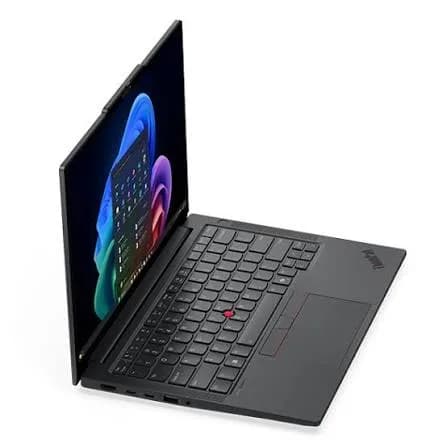
The ThinkPad E14 Gen 7 is Lenovo's entry into the ThinkPad family, and with 32 GB of memory and a Core Ultra 7, this configuration is anything but entry-level in performance. You get the ThinkPad keyboard that professionals prefer, the red TrackPoint nub, a 14-inch 16:10 screen, Wi-Fi and Windows 11 Pro, in a business-grade body. It's a laptop that suits people who work hard and don't want to think about their computer. The caveats are honest ones: the standard screen is basic, the E-series is plainer and less premium than the T and X ThinkPads, and the memory arrangement depends on the exact processor version, which you should confirm before you buy.
Who this laptop is for
It suits you if:
- You type for hours, and keyboard feel is a priority. ThinkPads are known for good keyboards.
- You run demanding software: development tools, virtual machines, data analysis, large spreadsheets or design applications.
- You want 32 GB of memory so the laptop doesn't slow down for years.
- You want a business laptop with Windows 11 Pro and strong security.
- You like the TrackPoint, the red nub in the middle of the keyboard that lets you move the cursor without lifting your hands.
Look elsewhere if:
- You mostly browse and write documents. A cheaper laptop, such as the HP 255R G10, does that well for much less.
- You need gaming or heavy 3D performance. See the HP Victus or OMEN MAX.
- You want a premium, ultra-light ThinkPad. The ThinkPad X1 Carbon in our range is that laptop.
- You want a 2-in-1 with a touchscreen as standard.
Specifications in plain English
| Feature | Detail | What it means for you |
|---|---|---|
| Model | 21U2002WUE, Lenovo ThinkPad E14 Gen 7 | Lenovo's 14-inch ThinkPad E-series |
| Processor | Intel Core Ultra 7. The 21U2 family is sold with the Core Ultra 7 258V (a Lunar Lake chip). The related 21SX family uses the Core Ultra 7 255H | A top-tier Core Ultra 7 |
| Graphics | Intel Arc graphics (built in) | Smooth video and light creative work |
| Memory | 32 GB | A very comfortable amount |
| Storage | 512 GB SSD | Fast, with room for work files |
| Display | 14-inch, 16:10. Options include 1920 x 1200 and a 2880 x 1800 (2.8K) 120 Hz panel | A taller screen with more working space |
| Keyboard | ThinkPad keyboard with TrackPoint | A typist's keyboard |
| Operating system | Windows 11 Pro | Business-grade Windows |
These figures come from Lenovo and retailer listings of the ThinkPad E14 Gen 7. Because several processor and screen versions share the name, ask us to confirm the exact configuration of the unit you order.
An important detail: two Core Ultra 7 versions
The ThinkPad E14 Gen 7 is sold with different Core Ultra 7 chips, and they behave differently. Knowing the difference helps you choose well.
Core Ultra 7 258V (Lunar Lake). This chip comes in the 21U2 part-number family, the same family as this model. According to Intel's published figures for this generation, it has 8 cores and a much stronger AI engine than earlier chips, strong enough for Microsoft's Copilot+ PC features. The memory sits on the processor package, so it's soldered and can't be upgraded later, which is why it's sold in fixed sizes such as 32 GB. It's very efficient, which helps battery life.
Core Ultra 7 255H (Arrow Lake H). This chip comes in the 21SX family. It has 16 cores and more raw power under heavy load, uses more energy, and generally uses standard memory modules. It doesn't have the Copilot+ AI engine.
What this means for you.
- If your unit is the 258V version, the 32 GB you get is what you'll always have, which is fine, because 32 GB is plenty. Battery life is a strength, and Copilot+ features are available.
- If your unit is the 255H version, you get more raw performance and a more conventional memory design.
Ask us which processor the unit you order has, and we'll confirm it before you pay.
Memory: why 32 GB is a big deal
32 GB of memory is double the level most people consider comfortable, and it changes how a laptop feels over time.
- Heavy multitasking. You can run a browser with many tabs, a large spreadsheet, a development environment, a video call and chat apps together without slowdowns.
- Virtual machines and containers. Developers and IT staff can run several at once.
- Data work. Larger datasets fit in memory, so analysis is faster.
- Creative work. Photo and video editing apps use memory heavily.
- Longevity. Software gets hungrier every year, and 32 GB should stay comfortable for many years.
For most office users, 16 GB is enough. 32 GB is for people who run heavy workloads or who want to keep the laptop for a long time without worrying.
The ThinkPad keyboard and TrackPoint
Many professionals choose a ThinkPad for the keyboard.
- Key feel. ThinkPad keyboards are known for comfortable key travel and a firm, consistent response, which reduces fatigue over a long day.
- The TrackPoint. The red nub in the middle of the keyboard moves the pointer, with buttons just below the spacebar. Once you're used to it, you can control the cursor without taking your hands off the home row. Some people love it, and others never touch it. The laptop also has a normal touchpad.
- Backlighting. Many models offer a backlit keyboard, which is useful in dim rooms. Ask us to confirm it on your unit.
Keyboard feel is personal. If you can, visit our shop and type on it before you buy.
The display: 14 inches, 16:10
The ThinkPad E14 Gen 7 has a 14-inch screen in the taller 16:10 shape. Common versions are a 1920 x 1200 panel and a sharper 2880 x 1800 (2.8K) panel at 120 Hz with good sRGB coverage, which a Notebookcheck article mentioned for a well-equipped version. The taller shape shows more rows of a spreadsheet and more of a document. A 120 Hz screen makes scrolling and cursor movement look smoother.
Screens vary a lot between configurations, so ask us to confirm the resolution, refresh rate and brightness of the unit you order. For colour-critical design or photo work, use an external monitor for final decisions. We stock Dell, HP and Lenovo monitors.
Performance and battery
Both Core Ultra 7 versions are fast for office and professional work. The 258V is built for efficiency, so battery life is a highlight. The 255H uses more power for more performance. Real-world battery life depends on screen brightness, workload and settings. To stretch the battery:
- Use Windows' battery saver mode when unplugged.
- Lower the screen brightness, and use the lower refresh rate if the screen offers it.
- Close background apps and extra browser tabs.
- Carry the USB-C charger, or an Anker power bank with USB-C output from our range.
Ask us for the exact battery size and weight of the unit you order.
Ports and connectivity
ThinkPad E14 laptops offer USB-A, USB-C (some with Thunderbolt 4), HDMI and an audio jack, and some versions add an Ethernet port or card reader. Wi-Fi 6E or Wi-Fi 7 support depends on the version. Ports vary between units, so ask us to confirm which the unit has. An Anker USB-C hub from our range adds any that are missing.
Security and durability
ThinkPads are built for business, and the E-series inherits much of that approach.
- Windows 11 Pro adds BitLocker encryption, which protects your data if the laptop is lost or stolen.
- A fingerprint reader on many ThinkPad E14 models, for fast, secure sign-in. Ask us to confirm it.
- A webcam privacy shutter, ThinkShutter, on many ThinkPads. Ask us to confirm.
- A security chip (TPM) to protect passwords and encryption keys.
- Durability testing. ThinkPads are tested against military-grade standards for knocks, vibration and temperature. Ask us for the exact certification of the unit you order.
Turn on BitLocker and a sign-in PIN, add a trusted antivirus such as one of our Kaspersky licences, and keep Windows updated.
Everyday performance: what to expect
Office work: documents, spreadsheets, presentations and email run instantly.
Development and IT work: compiling, virtual machines and containers run well, helped by 32 GB.
Data and analysis: large spreadsheets, databases and BI tools run smoothly.
Video calls: Teams, Zoom and Meet run comfortably.
Creative work: photo editing and light video editing run well on the Arc graphics.
Heavy 3D, gaming and large video projects: these need a dedicated graphics card.
A short history: why people trust ThinkPads
ThinkPad isn't just a model name. It's one of the longest-running laptop brands in business, and its reputation shapes why many offices standardise on it.
- Built for work. ThinkPads are designed first for people who use a laptop all day, so comfort and reliability come before flashy design.
- A consistent look. The plain black body and red TrackPoint have barely changed for decades, which means a ThinkPad looks professional in any meeting.
- Repair-friendly design. ThinkPads are usually easier to service than many consumer laptops, which lowers running costs for businesses.
- A big support ecosystem. Parts, docks and accessories are widely available.
The E-series is the more affordable end of the family. It keeps the keyboard and the business features, with a plainer body and fewer premium touches than the T, X and P ranges. For most users, that's the right trade.
Setting up a developer or analyst workstation
This configuration, with 32 GB of memory, suits technical work, and a few additions turn it into a complete workstation.
- An external monitor. A 24-inch or 27-inch Dell, HP or Lenovo monitor gives you room for code, data and documentation side by side.
- A USB-C dock or hub. An Anker hub gives you extra ports and connects everything with one cable.
- A full-size keyboard and a good mouse. The ThinkPad keyboard is already good, and a Logitech mouse is more comfortable than a touchpad for long sessions.
- Fast external storage. A SanDisk Extreme or Extreme PRO portable SSD for project files and backups.
- Power protection. A UPS so a power cut doesn't cost you unsaved work.
- A headset. A Soundcore, JBL or Sony headset for calls.
- Backups. Version control and cloud storage for code, plus an external drive for full copies.
Choosing between 16 GB and 32 GB
Because this configuration has 32 GB, it helps to know when that's worth having.
16 GB is enough if: you work in Office, a browser, email and video calls, with moderate multitasking.
32 GB is worth it if:
- You run virtual machines, containers or several development tools at once.
- You work with large datasets or heavy spreadsheets.
- You edit photos or video, or use design software.
- You keep dozens of tabs open for research.
- You want to keep the laptop for five or more years.
If you're unsure, ask yourself whether you've ever seen your current laptop slow down because it ran out of memory. If yes, 32 GB solves that problem for good.
Accessories worth buying with it
| Accessory | Why it helps |
|---|---|
| Padded laptop sleeve or bag | Protects against knocks and spills |
| Surge protector or UPS | Protects against Kenya's power surges and outages |
| Logitech wireless mouse | More comfortable than the touchpad for long sessions |
| Anker USB-C hub or dock | Adds HDMI, Ethernet and card readers |
| SanDisk portable SSD | Fast backups and project storage |
| Soundcore, JBL or Sony headset | Clearer calls |
| External monitor | A bigger workspace at your desk |
| Kaspersky antivirus | Extra protection for business data |
Message us on WhatsApp and we'll put together a bundle that fits your budget.
Getting the most from Windows 11 Pro
A few settings are worth switching on in the first week.
- BitLocker. Encrypt the drive so a lost laptop doesn't expose your files.
- Windows Hello. Use a PIN or fingerprint instead of a password.
- Snap layouts. Arrange windows side by side on the taller screen.
- Lenovo Vantage. Check for BIOS and driver updates, and choose a battery mode.
- Storage Sense. Clear temporary files automatically.
- Regular restarts. Restart weekly so updates finish and memory is cleared.
Questions to ask before you pay
A laptop with several versions under one name deserves a few extra questions.
- Which exact processor does this unit have? Ask for the model, not only "Core Ultra 7".
- Is the memory soldered or upgradeable? This decides your future options.
- Which screen does it have? Resolution, refresh rate and brightness vary.
- Which Windows edition is installed? Pro adds BitLocker and business features.
- What warranty is included, and who honours it? Get it in writing.
- Which keyboard layout and region is it for?
- Can I inspect it and try the keyboard first? A trustworthy seller says yes.
We're glad to answer all of these on WhatsApp or in the shop before you pay.
Using a laptop in Kenya
Power protection. Surges and outages can damage a charger and motherboard. A surge protector or voltage guard blocks spikes, and a UPS gives you time to save work and shut down safely. We stock APC, Mecer and Unomat UPS units.
Security in public. Don't leave a laptop visible in a car. Use a padded bag, set a strong sign-in PIN or fingerprint, and turn on Windows' Find My Device.
Heat and dust. Keep the vents clear and use the laptop on a hard surface.
Warranty. Ask us for the warranty that applies to the unit you order, and keep the receipt and box.
Region. Ask us to confirm the keyboard layout and Windows language.
First-day setup checklist
- Check the box contents: laptop, charger and paperwork.
- Inspect the body, screen and ports.
- Complete Windows 11 setup with your own account.
- Run Windows Update until it's finished.
- Update the BIOS and drivers using Lenovo Vantage.
- Turn on BitLocker and set a sign-in PIN.
- Install your software and a good antivirus.
- Check the processor and memory in Settings, System, About, so you know which version you have.
- Turn on Find My Device.
- Set up cloud or external backups.
Looking after it
- Carry it in a padded sleeve or bag.
- Keep the vents clear and clean them now and then.
- Keep Windows, drivers and the BIOS updated.
- Keep liquids away from the keyboard.
- Use the original charger or an official replacement.
- Don't leave it in a hot car.
ThinkPad E14 or something else? How it compares
| ThinkPad E14 Gen 7 (Ultra 7, 32GB) | ThinkBook 14 G8 (Ultra 9, 16GB) | HP ProBook 440 G11 (Ultra 7, 16GB) | ThinkPad X1 Carbon | |
|---|---|---|---|---|
| Class | ThinkPad business laptop | Performance business laptop | Business laptop | Premium ultralight |
| Memory | 32 GB | 16 GB, upgradeable | 16 GB | 16 GB or more |
| Keyboard and TrackPoint | Yes | No TrackPoint | No | Yes |
| Best for | Typists and heavy multitaskers | Performance and upgradeability | Everyday professional use | Executives and travellers |
Against the ThinkBook 14 G8 with the Core Ultra 9: the ThinkBook has a faster H-series chip and upgradeable memory. The ThinkPad has the keyboard, TrackPoint and 32 GB.
Against the HP ProBook 440 G11: the ProBook has 16 GB. The ThinkPad has double the memory and a typist's keyboard.
Against the ThinkPad X1 Carbon: the X1 Carbon is lighter, more premium and costs much more. The E14 gives you much of the ThinkPad experience for far less.
Honest pros and cons
Pros
- A top-tier Core Ultra 7 processor.
- 32 GB of memory.
- The ThinkPad keyboard and TrackPoint.
- A taller 16:10 screen, with sharper high-refresh options on some versions.
- Windows 11 Pro with business security.
- A business-grade, durable design.
Cons
- Plainer and less premium than higher ThinkPad ranges.
- The memory arrangement depends on the processor version, and may not be upgradeable.
- The standard screen is basic in brightness and colour.
- Integrated graphics only.
- Ports and options vary by version.
What to check when it arrives
- The box model matches 21U2002WUE or ThinkPad E14 Gen 7.
- The processor is a Core Ultra 7, with 32 GB of RAM and 512 GB of storage (Settings, System, About).
- Windows 11 is the Pro edition.
- The screen has no dead pixels, scratches or backlight bleed.
- The keyboard, TrackPoint, touchpad, webcam, speakers and ports work.
- The charger is correct.
- You get a receipt with the serial number and warranty details in writing.
Frequently asked questions
What is the Lenovo ThinkPad E14 Gen 7 price in Kenya? We confirm the current price when you message us on WhatsApp, because supplier prices change. We tell you the price and the exact configuration before you pay.
Where can I buy the ThinkPad E14 Gen 7 in Nairobi? At City Gadgets Kenya, New Alnoor Exhibition, Second Floor, Shop C7, Accra Road, Nairobi CBD, or by delivery.
Is 32GB of RAM too much? For basic office work, yes. For development, data work, virtual machines and long-term use, it's a comfortable investment.
Can I upgrade the memory? It depends on the processor version. Lunar Lake versions have soldered memory. Ask us about the unit you order.
Which Core Ultra 7 does it have? The 21U2 family is sold with the Core Ultra 7 258V. Ask us to confirm the unit you order.
Is it a Copilot+ PC? The Core Ultra 7 258V version has an AI engine strong enough for Copilot+ features. The 255H version does not. Ask us to confirm.
What is the TrackPoint? The red nub in the middle of the keyboard that moves the cursor. The laptop also has a normal touchpad.
Does it come with Windows 11 Pro? Listings show Windows 11 Pro. Ask us to confirm the unit you order.
Can it play games? No, it has integrated graphics. See the HP Victus or OMEN MAX.
What warranty does it have? Ask us for the warranty that applies to the unit you order.
Can you deliver it? Yes, same day in Nairobi and next day outside Nairobi.
Can I pay via M-Pesa? Yes.
Why buy from City Gadgets Kenya
Genuine, brand-new Lenovo laptop. We're at New Alnoor Exhibition, Second Floor, Shop C7, Accra Road, Nairobi CBD, and you're welcome to look at the laptop and try the keyboard before you buy. Message us on WhatsApp with what you'll use it for, and we'll tell you honestly whether 32 GB is worth it for you or a 16 GB model would do. We confirm the exact configuration with you before you pay.
Order your Lenovo ThinkPad E14 Gen 7 today
Available now at City Gadgets Kenya. Message us on WhatsApp.
Specifications
- Brand
- LENOVO
- Condition
- New
Frequently Asked Questions
How much does the Lenovo ThinkPad E14 Gen 7 Laptop (Core Ultra 7, 32GB RAM, 512GB SSD, 14") in Kenya | City Gadgets Kenya cost in Kenya?
The Lenovo ThinkPad E14 Gen 7 Laptop (Core Ultra 7, 32GB RAM, 512GB SSD, 14") in Kenya | City Gadgets Kenya is priced at Ksh 183,000 at City Gadgets. You can pay via M-Pesa, card or cash on delivery.
Is the Lenovo ThinkPad E14 Gen 7 Laptop (Core Ultra 7, 32GB RAM, 512GB SSD, 14") in Kenya | City Gadgets Kenya available in Kenya?
Yes — the Lenovo ThinkPad E14 Gen 7 Laptop (Core Ultra 7, 32GB RAM, 512GB SSD, 14") in Kenya | City Gadgets Kenya is in stock at City Gadgets, ready for same-day delivery in Nairobi and countrywide shipping across Kenya.
Is the Lenovo ThinkPad E14 Gen 7 Laptop (Core Ultra 7, 32GB RAM, 512GB SSD, 14") in Kenya | City Gadgets Kenya genuine and does it have a warranty?
Every Lenovo ThinkPad E14 Gen 7 Laptop (Core Ultra 7, 32GB RAM, 512GB SSD, 14") in Kenya | City Gadgets Kenya we sell is 100% genuine brand-new stock and comes with a 12-month official brand warranty.
Do you deliver the Lenovo ThinkPad E14 Gen 7 Laptop (Core Ultra 7, 32GB RAM, 512GB SSD, 14") in Kenya | City Gadgets Kenya in Nairobi?
Yes. We offer fast same-day delivery within Nairobi and fast, affordable delivery to the rest of Kenya — order online or on WhatsApp.
Customer Reviews
No reviews yet
Be the first to review this product.
Rate us on Google
Your review helps other shoppers find us
Reviews from verified buyers will appear here.
Buying guides
Straight advice for shoppers picking between the models above.

Best Laptops for Programmers and Developers in Kenya 2026 (Complete Guide) | City Gadgets Kenya
Best Laptops for Programmers and Developers in Kenya 2026: A Complete Guide
Read the guide
Best Lightweight and Ultraportable Laptops in Kenya 2026 (Complete Guide) | City Gadgets Kenya
Best Lightweight and Ultraportable Laptops in Kenya 2026: A Complete Guide
Read the guide
Best Laptops for University Freshers in Kenya 2026 (KUCCPS Season Guide) | City Gadgets Kenya
Best Laptops for University Freshers in Kenya 2026: The Complete KUCCPS Season Guide
Read the guide