Dell SE2425HM 24-Inch Full HD 100Hz Monitor with HDMI and VGA in Kenya | City Gadgets Kenya
Same-day delivery in Nairobi by 9 Oct – 10 Oct
Comes with
Description
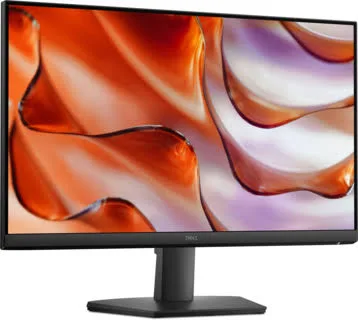
Buy the genuine Dell SE2425HM 23.8-inch Full HD 100Hz monitor with HDMI, VGA, ComfortView Plus and thin bezels in Kenya from City Gadgets Kenya. Dell SE2425HM price in Kenya, cheap 24 inch monitor Nairobi, monitor for students and offices.
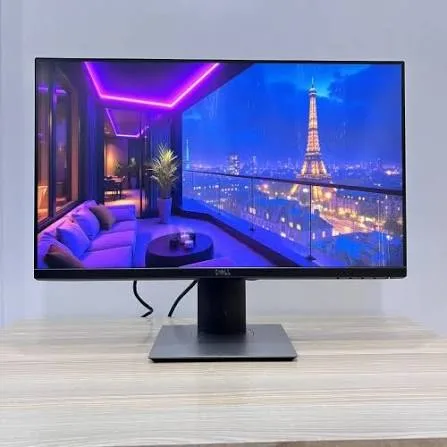
Dell SE2425HM 24-Inch Full HD 100Hz Monitor with HDMI and VGA in Kenya
Genuine Dell | Brand New | 23.8-Inch Full HD (1920 x 1080) | 100 Hz | HDMI and VGA | ComfortView Plus | Slim Bezels
Searching for the Dell SE2425HM price in Kenya, a cheap 24-inch monitor in Nairobi, or a reliable Dell monitor for study, home and office use? The Dell SE2425HM is a brand-new, genuine 23.8-inch Full HD monitor from Dell's value SE range. It runs at 100 Hz, has thin bezels on three sides, includes Dell's hardware-based ComfortView Plus eye-comfort feature, and connects by HDMI and VGA. It's available from City Gadgets Kenya with delivery across Kenya. Buyers also search for it as a Dell SE2425HM monitor, a Dell 24 inch monitor, a Dell 100Hz monitor, a budget monitor for students, a cheap office monitor, a monitor with VGA and HDMI, or a second monitor for a laptop.
This guide explains the monitor in plain language: what it does well, where it's limited, how it compares with the Dell P2425H and the HP and Lenovo monitors in our range, and an honest note about conflicting panel details in seller listings. If you'd like to talk it through, message us on WhatsApp.
The short verdict
The Dell SE2425HM is a simple, sensible monitor at a friendly price. It gives you a 23.8-inch Full HD screen, a 100 Hz refresh rate that makes scrolling and motion smoother than a standard 60 Hz screen, slim bezels, a TÜV-certified eye-comfort feature, a VESA 100 by 100 mount, and the two connections most people need, HDMI and VGA. It's built for study, home use and general office work, and it's a good second screen for a laptop. What it doesn't have is the P2425H's height-adjustable stand, USB hub and DisplayPort, and it's a basic monitor for colour-critical work. Seller listings also disagree on its panel type, which we explain below. For students, home offices and small businesses that want a dependable Dell screen at a low price, it's a strong choice.
An honest note about the panel type
You'll see different descriptions of the SE2425HM's panel in listings, and we want to be straightforward.
- Most listings, including a Kenyan retailer's, describe an IPS panel with 178-degree viewing angles.
- At least one listing labels the panel VA.
- Specifications also vary on response time (5 ms or 8 ms) and brightness (about 250 nits).
IPS panels give consistent colour from wide angles, and VA panels give deeper blacks and higher contrast, with narrower viewing angles. For everyday office and study use, either is fine. If panel type matters to you, ask us, and we'll check the unit we supply before you pay. We'd rather say "check" than guess.
Who this monitor is for
It suits you if:
- You're a student who needs a good-sized screen for study, research and streaming.
- You want a second monitor for a laptop at home or in the office.
- You want a low-cost monitor for a shop counter, reception or a small office.
- You connect by HDMI, or you still have a VGA computer or projector.
- You want a modern, slim-bezel design at a low price.
Look elsewhere if:
- You want a height-adjustable, pivoting stand and a USB hub. See the Dell P2425H in our range.
- You want DisplayPort. The SE2425HM has HDMI and VGA only.
- You want a bigger screen. See the Dell SE2725HM or the HP 27-inch models.
- You do colour-critical work or serious gaming.
Specifications in plain English
| Feature | Detail | What it means for you |
|---|---|---|
| Model | Dell SE2425HM | Dell's value 24-inch monitor |
| Screen size | 23.8 inches viewable | The standard 24-inch size |
| Resolution | Full HD (1920 x 1080), 16:9 | Sharp for documents and video |
| Panel type | IPS per most listings, VA per one. Please ask us to confirm | See the note above |
| Refresh rate | 100 Hz (over HDMI) | Smoother scrolling and motion than 60 Hz |
| Response time | About 5 ms in most listings (8 ms in one) | Fine for office use |
| Brightness | About 250 nits | Fine for normal rooms |
| Contrast | About 1,000:1 in IPS listings | Standard |
| Eye comfort | ComfortView Plus, TÜV Rheinland certified | Easier on the eyes |
| Video inputs | 1 HDMI and 1 VGA | Works with new and old computers |
| Design | Three-sided slim bezels | A modern look, good for dual screens |
| Stand | Tilt adjustment only | Fixed height |
| Mounting | VESA 100 x 100 mm | Wall or arm mounting |
| Energy | ENERGY STAR certified, per a retailer | Low power use |
| Warranty | Some listings show up to three years. Please ask us what applies | Confirm in writing |
These figures come from Dell and retailer listings of the SE2425HM. Ask us to confirm the panel, what's in the box and the warranty for the unit you order.
What 100 Hz gives you
The refresh rate tells you how many times the picture updates each second.
- 60 Hz is standard on older office monitors.
- 100 Hz updates 100 times a second, so scrolling through documents, web pages and spreadsheets feels smoother, and the mouse pointer tracks more naturally.
- It helps casual gaming and video, though it isn't a gaming monitor's 144 Hz or more.
- It works over HDMI, which is how listings describe this monitor's 100 Hz mode.
- You may need to enable it. Windows sets the refresh rate in Display settings, and your computer's graphics and cable must support it.
Eye comfort on a budget
Long days at a screen strain the eyes, and the SE2425HM includes real help.
- ComfortView Plus is a hardware-based low blue light feature in the panel itself, so it works all the time without tinting the screen yellow.
- TÜV Rheinland certification supports its eye-comfort claims.
- Flicker-free backlight reduces eye fatigue.
- Anti-glare finish reduces reflections.
- Good habits still matter. Follow the 20-20-20 rule, keep the room lit and take breaks.
HDMI and VGA: which to use
The SE2425HM's two inputs suit different situations.
- HDMI is the better choice. It's digital, sharp and carries the 100 Hz refresh rate. Use it with any modern laptop or desktop.
- VGA is analogue and older. It's useful for old computers, some projectors and legacy equipment, and the picture is softer and limited to a lower refresh rate.
- No DisplayPort. If your computer has only DisplayPort, you need an adapter, or the P2425H.
- No USB-C video. Many modern laptops need a USB-C to HDMI adapter or cable.
If you're unsure which cable you need, message us the make and model of your computer, and we'll tell you.
Setting up the monitor
- Unbox with care, holding the panel by its edges, and attach the stand.
- Place it on a stable desk at a comfortable distance, about an arm's length.
- Connect the power cord, then the HDMI cable to your computer.
- Switch on, and select the HDMI input if the monitor doesn't find it itself.
- Set the resolution to 1920 x 1080, and the refresh rate to 100 Hz in Windows Display settings.
- Tilt the screen so the top is at or just below eye level.
- Adjust brightness to suit the room.
- Check the screen for dead pixels with white, black and coloured pictures.
Because the stand only tilts, use a stand riser or a stack of books to raise the monitor to eye level, or mount it on a VESA arm.
A student's guide to a second monitor
A second screen is one of the best study upgrades, and the SE2425HM makes it affordable.
- Connect your laptop to the monitor by HDMI, and extend the display in Windows.
- Keep your notes or reading on one screen and your writing on the other.
- Use the monitor for video lectures while taking notes on the laptop.
- Raise the screen to eye level with a stand riser or a stack of books.
- Use ComfortView Plus and Night Light for evening study.
- Keep the screen clean, and cover it when not in use in a dusty room.
- Back up your work to the cloud and a SanDisk flash drive.
For group study or shared rooms, the wide viewing angles of an IPS panel help everyone see the screen.
Equipping a small office with the SE2425HM
A standard monitor model across desks simplifies life.
- Choose one model, so cables, mounts and spares are the same.
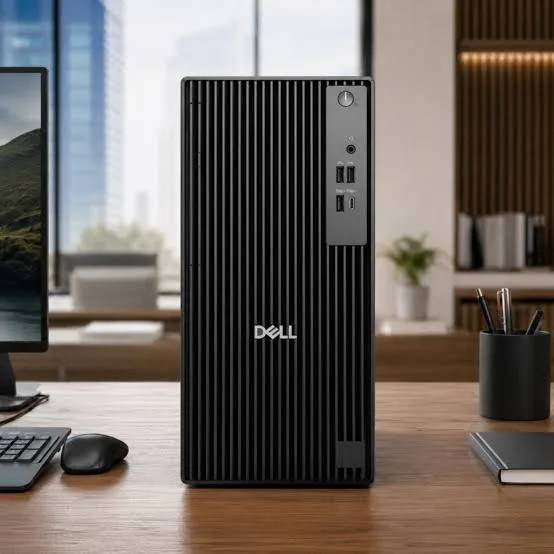
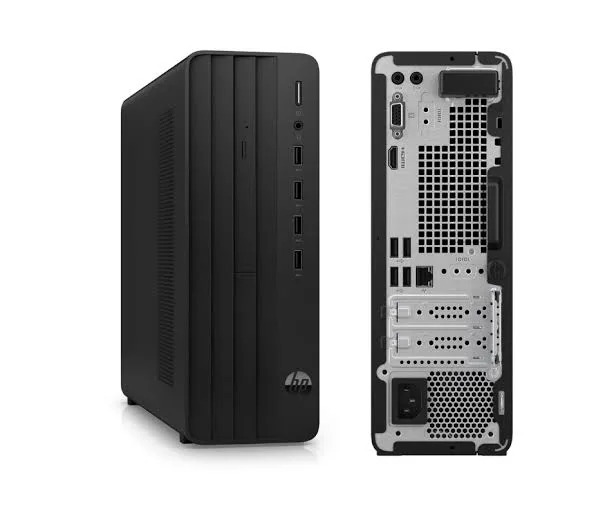
- Pair it with a "CPU only" desktop, such as the HP Pro 290 G9, Dell Pro Tower or Lenovo ThinkCentre in our range, using HDMI.
- Add VESA arms if you want height adjustment and desk space.
- Add surge protectors or a UPS for every desk.
- Buy HDMI cables in bulk, and label them.
- Keep one spare monitor for quick swaps.
- Record serial numbers and warranty dates.
Message us on WhatsApp if you're buying several, and we'll advise on quantities and delivery.
Mounting the monitor on a VESA arm
The SE2425HM supports a 100 by 100 mm VESA mount, which opens up useful options.
- A single arm lets you set the exact height, tilt and distance, and frees up desk space.
- A dual arm holds two monitors side by side.
- A wall mount suits a reception or a shop counter.
- Check the weight and size of the arm against the monitor.
- Remove the stand by following the instructions, and attach the arm's plate.
- Keep the stand if you may switch back.
An arm costs little and improves comfort more than most upgrades.
Common problems and simple fixes
No picture. Check the power, the cable and the input source. Use the monitor's menu to select HDMI or VGA, and try another cable or port.
The picture looks blurry. Check that the resolution is set to 1920 x 1080 and scaling is correct.
The refresh rate won't go to 100 Hz. Use HDMI, check the computer's graphics settings and driver, and try a better cable.
A laptop won't connect. Many laptops need a USB-C to HDMI cable or adapter. Tell us your model.
Flickering or lines. Try another cable and port, and check for loose connections.
Backlight bleed or dead pixels. Check the screen in a dark room on a black picture. If you find problems, tell us straight away, with a photo.
If a problem continues, message us on WhatsApp.
Questions to ask before you buy any budget monitor
- What size and resolution do I need?
- What panel type is it? Ask us to confirm for the unit.
- What refresh rate does it have, and over which port?
- Does the stand adjust for height? If not, plan an arm or riser.
- Which ports does my computer need?
- Does it include the right cable?
- What warranty is included, and who honours it? Get it in writing, and ask about dead pixels.
- Can I see it before I pay? A trustworthy seller says yes.
We're glad to answer all of these on WhatsApp or in the shop before you pay.
Looking after the monitor for years
- Clean the screen gently with a soft, dry microfibre cloth, and a little water if needed, never with harsh chemicals.
- Keep it out of direct sun and away from moisture.
- Use a surge protector.
- Lift it with two hands, and never press on the screen.
- Keep the box if you move or sell it.
- Update your graphics driver if you see odd behaviour.
Warranty and after-sales: what to ask
A monitor is a long-term purchase, so ask us what warranty covers the unit you order, how long it lasts and what it covers. Some retail listings show up to three years for the SE2425HM, and others show two, so Kenyan terms may differ. Check the policy on dead pixels, because brands differ. Keep your receipt, the serial number and the box. If a fault appears, message us on WhatsApp first, and we'll tell you the quickest way to get it sorted.
Choosing monitor size and resolution
Screen size and resolution work together, and a short guide helps.
- 24 inches at Full HD is the sweet spot for most desks. Text is sharp, and the screen fits a normal desk.
- 27 inches at Full HD is bigger, with slightly softer text, and suits people who sit further back.
- 27 inches at QHD gives sharper text and more space, at a higher price.
- Ultrawide monitors suit spreadsheets and multitasking.
- Your viewing distance matters. An arm's length away suits a 24-inch screen.
For most students and offices, a 24-inch Full HD monitor like the SE2425HM is the right balance of price, sharpness and desk space.
Getting the best picture from a budget monitor
A few settings improve any monitor.
- Set the resolution to 1920 x 1080, the native setting.
- Set the refresh rate to 100 Hz in Windows Display settings, over HDMI.
- Use a good HDMI cable.
- Adjust brightness to suit the room. A bright room needs a brighter screen.
- Use the monitor's preset modes for work, reading or movies, if you like them.
- Turn on Night Light in Windows for evening work.
- Keep the screen clean.
What a budget monitor can and can't do
It's worth being clear about the limits, so you buy with the right expectations.
- It's great for documents, spreadsheets, email, web, video calls, streaming and light photo viewing.
- It's fine for casual gaming, especially with 100 Hz.
- It's not ideal for professional colour work, where wide colour coverage and calibration matter.
- It's not ideal for serious competitive gaming, where 144 Hz and faster panels help.
- It's not a docking station. For USB hubs and one-cable laptop docking, see the Dell P2425H or a USB-C monitor.
A budget monitor that does what you need beats an expensive one with features you'll never use.
Connecting the SE2425HM to different devices
A monitor is useful beyond the computer, and a few connections are worth knowing.
- Laptops. HDMI for most, or a USB-C to HDMI cable for slim laptops.
- Desktops. HDMI directly from the graphics card or motherboard.
- Game consoles and streaming boxes. HDMI works with most, though the monitor has no speakers, so use headphones or an external speaker.
- Projectors and older computers. VGA is there for legacy equipment.
- CCTV recorders and set-top boxes. HDMI or VGA, depending on the device.
- Audio. There are no built-in speakers, so plan a headset or a speaker. We stock Soundcore, JBL and Sony options.
Why a Dell monitor?
Buyers often ask why they should choose Dell over cheaper unbranded monitors.
- Consistent quality control, with fewer dead pixels and uneven backlights.
- Real eye-comfort features, certified by an independent body.
- A known warranty, which we'll confirm for the unit.
- Spare parts and drivers available for years.
- Resale value. A Dell monitor is easier to sell later.
- A tidy design that suits any office.
A low-priced Dell often costs little more than an unknown brand, and it's the safer buy.
A short guide to dead pixels and backlight bleed
Every buyer should know what to check, so here is a simple test.
- Switch the monitor on and let it warm up for a few minutes.
- Show a solid white screen, and look for dark dots, which are dead pixels.
- Show a solid black screen in a dim room, and look for bright dots or glowing at the edges, which is backlight bleed.
- Show solid red, green and blue screens, and look for stuck pixels.
- Move your head to check for uneven brightness.
- Check the stand and the buttons for stiffness or damage.
- Tell us straight away if you find a problem, with a photo, and we'll sort it with you.
Small amounts of edge glow are normal on many monitors, and a few dead pixels may fall within the maker's policy. We'll explain what applies to the unit you order.
Using a monitor in Kenya
Power protection. Monitors can be damaged by surges. Use a surge protector, and connect the monitor to the same UPS as your computer.
Dust and heat. Keep vents clear, and wipe the screen gently with a soft, dry microfibre cloth.
Placement. Keep the monitor away from direct sunlight, which causes glare and heats the panel.
Transport. Keep the original box if you may move the monitor, and carry it with two hands.
Warranty. Ask us for the warranty that applies to the unit you order, and keep the receipt and box.
How it compares with other options in our range
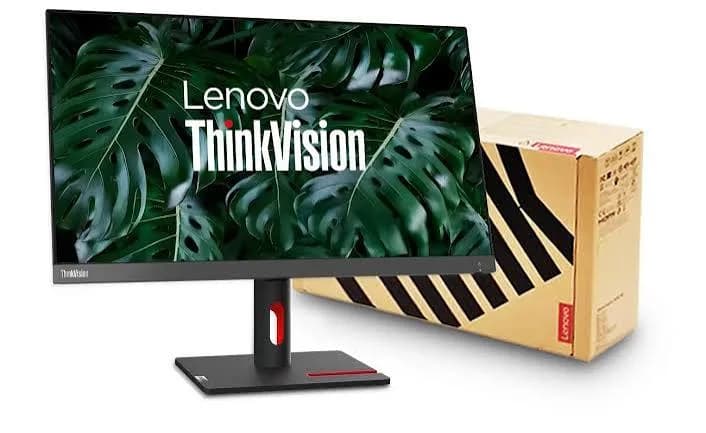
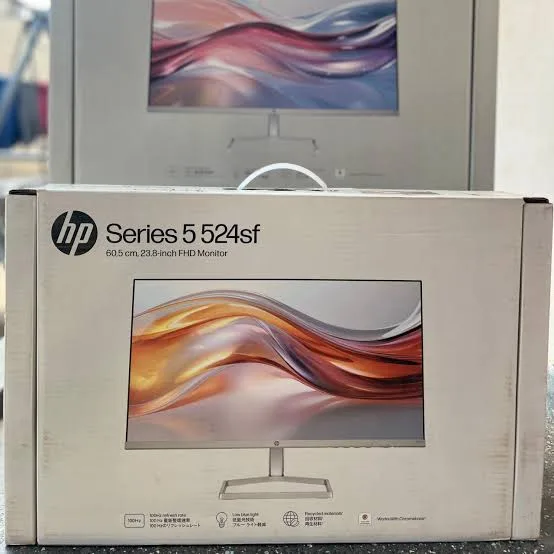
| Dell SE2425HM | Dell P2425H | HP Series 5 524sf | Lenovo ThinkVision E24-40 | |
|---|---|---|---|---|
| Size | 23.8-inch | 23.8-inch | 23.8-inch | 23.8-inch |
| Resolution | Full HD | Full HD | Full HD | Full HD |
| Refresh rate | 100 Hz | 100 Hz | Up to 100 Hz | 60 Hz class |
| Panel | IPS per most listings | IPS | IPS | IPS |
| Stand | Tilt only | Height, tilt, swivel, pivot | Tilt only | Confirm |
| Ports | HDMI, VGA | DisplayPort, HDMI, VGA, USB hub | HDMI, VGA or DisplayPort (confirm) | Confirm |
| Best for | Budget study and home use | All-day office use | Budget office use | Value business use |
Against the Dell P2425H: the P2425H adds an adjustable stand, DisplayPort and a USB hub, at a higher price. The SE2425HM is the budget pick.
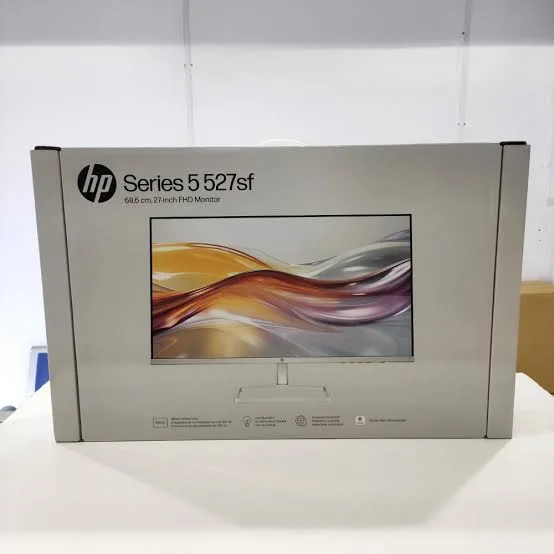
Against the HP Series 5 524sf and the Lenovo ThinkVision E24-40: close rivals. We stock all three, and we'll help you choose by price, stand and ports.
Honest pros and cons
Pros
- A 23.8-inch Full HD screen at a low price.
- 100 Hz for smoother motion.
- ComfortView Plus hardware eye comfort.
- Slim three-sided bezels.
- HDMI and VGA inputs.
- A VESA 100 x 100 mount.
- A trusted brand.
Cons
- Tilt-only stand, with no height or pivot adjustment.
- No DisplayPort, USB hub or speakers.
- Seller listings differ on the panel type and response time.
- Not made for colour-critical work or serious gaming.
What to check when it arrives
- The box model matches Dell SE2425HM.
- The monitor, stand, power cord and cable are in the box. Ask us whether an HDMI cable is included.
- The screen has no dead pixels, scratches or backlight bleed.
- HDMI works, and the refresh rate can be set to 100 Hz.
- You get a receipt with the serial number and warranty details in writing.
Frequently asked questions
What is the Dell SE2425HM price in Kenya? We confirm the current price when you message us on WhatsApp, because supplier prices change. We tell you the price and what's in the box before you pay.
Where can I buy the Dell SE2425HM in Nairobi? At City Gadgets Kenya, New Alnoor Exhibition, Second Floor, Shop C7, Accra Road, Nairobi CBD, or by delivery.
Is it IPS or VA? Most listings say IPS, and one says VA. We confirm the unit we supply.
Does it have DisplayPort? No. It has HDMI and VGA.
Is it height adjustable? No, it tilts only. You can use a VESA arm or a riser.
Does it have speakers or a USB hub? No. See the Dell P2425H for a USB hub.
Does it support 100 Hz? Yes, over HDMI, per listings.
What warranty does it have? Ask us for the warranty that applies to the unit you order.
Can you deliver it? Yes, same day in Nairobi and next day outside Nairobi.
Can I pay via M-Pesa? Yes.
Why buy from City Gadgets Kenya
Genuine, brand-new Dell monitor. We're at New Alnoor Exhibition, Second Floor, Shop C7, Accra Road, Nairobi CBD, and you're welcome to see the monitor before you buy. Message us on WhatsApp with what you'll use it for, and we'll tell you honestly whether the SE2425HM is right or a different monitor would suit you better. We confirm what's in the box before you pay.
Order your Dell SE2425HM today
Available now at City Gadgets Kenya. Message us on WhatsApp.
Specifications
- Brand
- DELL
- Condition
- New
Frequently Asked Questions
How much does the Dell SE2425HM 24-Inch Full HD 100Hz Monitor with HDMI and VGA in Kenya | City Gadgets Kenya cost in Kenya?
The Dell SE2425HM 24-Inch Full HD 100Hz Monitor with HDMI and VGA in Kenya | City Gadgets Kenya is priced at Ksh 24,000 at City Gadgets. You can pay via M-Pesa, card or cash on delivery.
Is the Dell SE2425HM 24-Inch Full HD 100Hz Monitor with HDMI and VGA in Kenya | City Gadgets Kenya available in Kenya?
Yes — the Dell SE2425HM 24-Inch Full HD 100Hz Monitor with HDMI and VGA in Kenya | City Gadgets Kenya is in stock at City Gadgets, ready for same-day delivery in Nairobi and countrywide shipping across Kenya.
Is the Dell SE2425HM 24-Inch Full HD 100Hz Monitor with HDMI and VGA in Kenya | City Gadgets Kenya genuine and does it have a warranty?
Every Dell SE2425HM 24-Inch Full HD 100Hz Monitor with HDMI and VGA in Kenya | City Gadgets Kenya we sell is 100% genuine brand-new stock and comes with a 12-month official brand warranty.
Do you deliver the Dell SE2425HM 24-Inch Full HD 100Hz Monitor with HDMI and VGA in Kenya | City Gadgets Kenya in Nairobi?
Yes. We offer fast same-day delivery within Nairobi and fast, affordable delivery to the rest of Kenya — order online or on WhatsApp.
Customer Reviews
No reviews yet
Be the first to review this product.
Rate us on Google
Your review helps other shoppers find us
Reviews from verified buyers will appear here.
Buying guides
Straight advice for shoppers picking between the models above.

Best Laptops for Programmers and Developers in Kenya 2026 (Complete Guide) | City Gadgets Kenya
Best Laptops for Programmers and Developers in Kenya 2026: A Complete Guide
Read the guide
Best Lightweight and Ultraportable Laptops in Kenya 2026 (Complete Guide) | City Gadgets Kenya
Best Lightweight and Ultraportable Laptops in Kenya 2026: A Complete Guide
Read the guide
Best Laptops for University Freshers in Kenya 2026 (KUCCPS Season Guide) | City Gadgets Kenya
Best Laptops for University Freshers in Kenya 2026: The Complete KUCCPS Season Guide
Read the guide