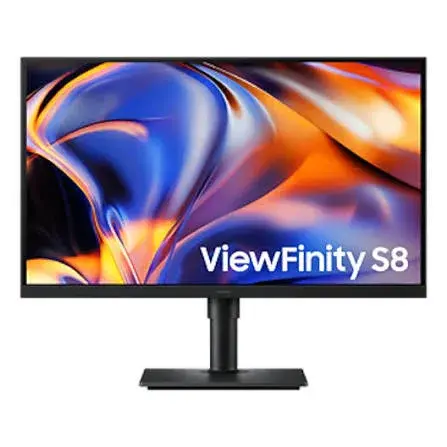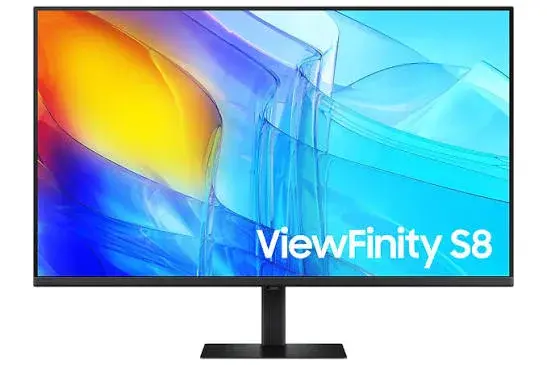
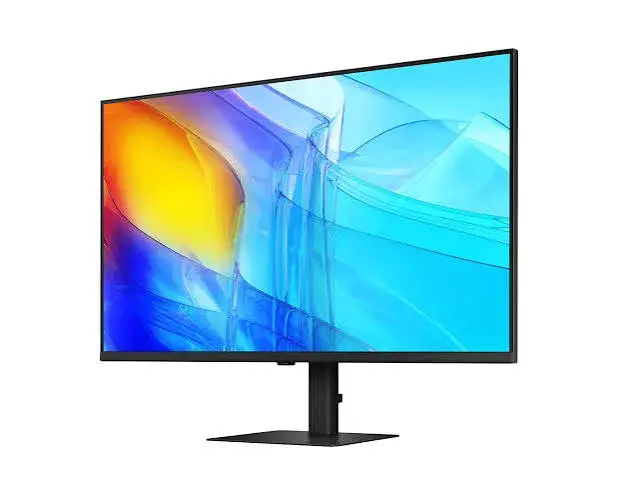
Samsung ViewFinity S8 S80D 37-inch 4K UHD Monitor HRMLS37D802EAEXXS | Buy in Kenya | City Gadgets Kenya
Same-day delivery in Nairobi by 22 Nov – 23 Nov
Comes with
Description
Buy the Samsung ViewFinity S8 37-inch 4K UHD monitor HRMLS37D802EAEXXSUHD in Nairobi. VA panel, 3840 x 2160, 60Hz. Pay by M-Pesa. Call City Gadgets Kenya on 0745 575 931.
Samsung ViewFinity S8 S80D 37-inch 4K UHD Monitor HRMLS37D802EAEXXS
37-inch 4K UHD (3840 x 2160) | VA panel | 60Hz | 5ms | Height-adjustable stand | VESA 100 x 100 | In stock at City Gadgets Kenya, Nairobi CBD
Looking for the Samsung ViewFinity HRMLS37D802EAEXXSUHD in Kenya? City Gadgets Kenya, in Nairobi CBD, supplies this Samsung ViewFinity S8 37-inch 4K UHD monitor for homes, offices, studios and trading desks. It is a 37-inch 4K UHD monitor for people who want a generous workspace and an easy-setup stand, and it suits the desk where a large screen, wide viewing angles and a tool-free stand matter. You can order online, pay by M-Pesa, and collect from our shop in Nairobi CBD for free, or ask about same-day delivery in Nairobi (orders before 3pm) and courier delivery in 1 to 3 business days elsewhere in Kenya.
We supply this listing as the 37-inch 4K UHD ViewFinity S8 S80D. The specifications below follow the published specification for the S80D 37-inch code LS37D802EAEXXS, and we confirm the exact variant, port layout and box contents on the unit when you order.
This page gives you the full published specification of the Samsung 37-inch ViewFinity S8, what each specification means in daily use, how to connect it, how to set it up, who it suits and what to check before you buy. Where a detail is not listed in the specification we read, we say so, and we confirm it on the unit. We never guess a specification. To ask about this model, call 0745 575 931 or email sales@citygadgetskenya.co.ke.
Samsung ViewFinity HRMLS37D802EAEXXSUHD specifications
| Feature | Detail |
|---|---|
| Brand and series | Samsung ViewFinity S8 (S80D) |
| Model code | HRMLS37D802EAEXXSUHD |
| Screen size | 37-inch class (93.9 cm) |
| Panel type | VA |
| Shape | Flat |
| Resolution | 4K UHD, 3,840 x 2,160 |
| Aspect ratio | 16:9 |
| Refresh rate | Up to 60Hz |
| Response time | 5ms |
| Brightness | 350 cd/m2 typical (280 cd/m2 minimum) |
| Contrast | 3000:1 static (typical) |
| Colour | 100% sRGB (typical); up to 1.07 billion colours |
| HDR | HDR10 |
| Viewing angle | 178 degrees horizontal and vertical |
| USB-C | not listed as present in the specification we read for the LS37D802EAEXXS code |
| HDMI | 1 x HDMI 2.0 |
| DisplayPort | 1 x DisplayPort 1.2 |
| USB hub | 3 x USB 3.0 downstream ports plus 1 x USB-B upstream |
| Network | not listed in the specification we read |
| Headphone output | Yes |
| Speakers | None built in |
| Stand adjustments | Height 120 mm, tilt -5 to 20 degrees, swivel -30 to 30 degrees, pivot not listed |
| Wall mount | VESA 100 x 100 mm |
| Dimensions | 823.8 x 648.0 x 250 mm with stand |
| Weight | 8.8 kg with stand (5.8 kg without) |
| Power | AC 100 to 240V, internal power supply, 140 W maximum consumption |
| In the box | power cable (1.5 m), HDMI cable, DisplayPort cable and USB 3.0 cable |
| Eye care | Eye Saver Mode, flicker-free |
| Multitasking | Picture-in-Picture and Picture-by-Picture |
These details follow the published specification for the 37-inch ViewFinity S8 class. Regional variants can differ in small details such as cables in the box, so we confirm the unit's details when you order. Where an item reads "not listed", it was not in the specification we read, and we do not claim it.
What you get with the Samsung ViewFinity HRMLS37D802EAEXXSUHD
The Samsung ViewFinity S8 37-inch monitor is built for work. It is a flat, matte-style business display with a 4K UHD resolution, a height-adjustable stand and eye-care features, not a gaming display with a high refresh rate. It runs at up to 60Hz, which is the normal rate for office work, browsing, documents, video and design. It has a 5ms response time, a 178-degree viewing angle and up to 1.07 billion colours. It has no built-in speakers, so plan on a headset, a soundbar or speakers on the desk.
VA panels are known for strong contrast, and this model lists 3000:1 typical static contrast, which gives deeper blacks than a typical office monitor. It also lists 100% sRGB, so ordinary web, office and video content shows its standard colours correctly.
Why 4K UHD matters on a 37-inch screen
4K UHD means 3,840 pixels across and 2,160 pixels high, four times the pixels of a Full HD screen. More pixels means sharper text, smoother curves in fonts, finer detail in photos and more room for your work. On the Samsung 37-inch 4K UHD monitor you can read small text comfortably, zoom out of a spreadsheet and still read the numbers, and edit images without losing the detail.
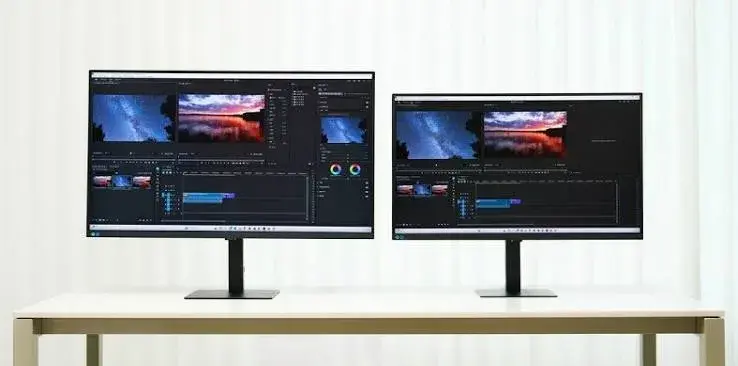
A 37-inch 4K screen is large. At 3840 x 2160 you have the same sharpness as a smaller 4K monitor but a much bigger canvas, so you can place two or even three windows side by side without squeezing them. It can replace a two-monitor setup with one screen and no bezel gap in the middle. Because it is big, sit a comfortable distance away, and make sure your desk is deep enough.
Connectivity: how to connect the Samsung ViewFinity HRMLS37D802EAEXXSUHD
This monitor offers HDMI 2.0 and DisplayPort 1.2 for the picture, three USB 3.0 downstream ports and one USB-B upstream port for the hub. The specification we read for the LS37D802EAEXXS code does not list a USB-C port, so plan to connect your computer with HDMI or DisplayPort. If you need a single-cable USB-C laptop connection, ask us before you order, and we confirm the port layout on the unit.
- HDMI: 1 x HDMI 2.0.
- DisplayPort: 1 x DisplayPort 1.2.
- USB-C: not listed as present in the specification we read for the LS37D802EAEXXS code.
- USB hub: 3 x USB 3.0 downstream ports plus 1 x USB-B upstream.
- Network: not listed in the specification we read.
- Headphones: a headphone output is provided.
For a desktop PC with a modern graphics card, use DisplayPort or HDMI. For a laptop, use USB-C if your laptop and this unit support it, otherwise use HDMI. If you are not sure which cable you need, bring your laptop or tell us its model, and we advise you. For cables, see our guide to the best HDMI and USB-C cables.
Who should buy the Samsung ViewFinity HRMLS37D802EAEXXSUHD
This monitor is for people who spend long hours at a screen and want clarity and comfort.
- Office and remote workers who want a big, sharp screen for documents, email and video calls.
- Accountants and finance staff who live in spreadsheets. 4K gives you more rows and columns on screen.
- Software developers who want to see code, a terminal and documentation together.
- Designers and photo editors who need detail. Check the colour range in the specification table above for your work.
- Video editors who want a large timeline and a sharp preview.
- Traders and analysts who watch many charts at once.
- Students and researchers who read, write and refer to many sources together.
- Anyone upgrading from an old Full HD monitor who wants a clear step up.
Who should look at something else
A high refresh rate matters for fast competitive gaming, and this monitor runs at up to 60Hz and does not list FreeSync or G-Sync. If your main use is fast gaming, choose a gaming monitor instead, and ask us for options. If you need built-in speakers, plan for external ones, because this monitor has none. If you need a curved screen, this one is flat.
Everyday use: what each specification means for you
Resolution (3840 x 2160). Sharper text and more workspace.
Refresh rate (up to 60Hz). Smooth for work and video. Not a high-speed gaming rate.
Response time (5ms). Fast enough for everyday work and video without visible smearing for most people.
Brightness (350 cd/m2 typical (280 cd/m2 minimum)). Good for a normal office or home room. In a very bright room, use blinds or reposition the desk.
Contrast (3000:1 static (typical)). How deep blacks appear against whites. Higher contrast gives more depth.
Colour (100% sRGB (typical)). How many colours the screen can show. Useful when colour accuracy matters.
HDR (HDR10). Support for high dynamic range content. Do not expect TV-level HDR from an office monitor.
Viewing angle (178 degrees). Colour and brightness stay steady when you look from the side.
Flicker-free and Eye Saver Mode. Features meant to reduce eye strain over long hours.
Ergonomics: the stand and mounting
The stand adjusts for height (120 mm), tilt (-5 to 20 degrees) and swivel (-30 to 30 degrees), and the pivot range is not listed. Setting the screen height so the top edge sits at or just below eye level helps your neck. Tilt the screen slightly back, and keep your arms comfortable on the desk. If you prefer a monitor arm, the VESA 100 x 100 mm pattern supports wall and arm mounts. Check the weight limit of any arm against the monitor's weight of 8.8 kg with stand (5.8 kg without).
Eye comfort: how to use a large 4K monitor for long hours
- Keep the screen about an arm's length or more from your eyes. For a larger screen, sit further back.
- Match the screen brightness to your room, not brighter.
- Turn on Eye Saver Mode in the evening.
- Take a short break every hour, and look at something far away.
- Blink often, and keep the room lit.
- Avoid placing the screen directly in front of a window.
Software and settings: get the best from your new monitor
- Connect with the cable you chose, and set the monitor as the main display.
- In your computer's display settings, choose 3840 x 2160 and 60Hz.
- Set scaling so text is comfortable, often 125% to 150% on a 4K screen.
- Choose a colour mode that suits you, for example sRGB for web and office work.
- If your computer has a graphics driver app, update the driver.
- Use Picture-in-Picture or Picture-by-Picture if you work with two computers.
- Set Off Timer Plus if you want the screen to turn itself off.
Mac, Windows and laptops
The monitor works with Windows laptops and desktops, and with Apple Mac computers that output 4K over HDMI, DisplayPort or USB-C. Many people connect a laptop and keep the lid closed. Check that your computer can output 3840 x 2160 at 60Hz, since an older port can limit the refresh rate. If you want a hub-style connection, ask us about the right adapter or cable for your model.
Compare the Samsung ViewFinity S8 models we supply
| Model | Size | Panel | Contrast | Colour | USB-C |
|---|---|---|---|---|---|
| LS27B800PXMXUE | 27-inch | IPS | 1000:1 | 98% DCI-P3 (custom mode) | Yes, 90W |
| LS37B800XMXUE | 37-inch | VA | 3000:1 | 100% sRGB (typical) | We confirm per unit |
| LS37D802EAEXXS | 37-inch | VA | 3000:1 | 100% sRGB (typical) | Not listed |
| HRMLS37D802EAEXXS (4K UHD S80D) | 37-inch | VA | 3000:1 | 100% sRGB (typical) | We confirm per unit |
All four are 4K UHD, 3840 x 2160, 60Hz displays with a height-adjustable stand and VESA 100 x 100 mounting. Choose the 27-inch IPS if you want a compact screen, wide colour range and a single USB-C connection. Choose a 37-inch VA model if you want the biggest canvas and deep contrast. Ask us about each model's availability, since stock changes.
Samsung ViewFinity HRMLS37D802EAEXXSUHD vs a standard Full HD office monitor
A Full HD office monitor shows 1,920 x 1,080 pixels. The ViewFinity shows four times as many. That means sharper text, more room and finer detail. It also has a height-adjustable stand, USB hub ports and eye-care features that many basic monitors lack. If you spend hours in front of a screen, you notice the difference in comfort and clarity. If you only need a screen for occasional use, a simpler monitor may be enough.
One monitor or two?
Many people use two monitors for extra space. A single large 4K screen can do the job with less cable clutter and no gap between screens. It also gives one consistent colour and brightness. On the other hand, two screens let you dedicate one entirely to a video call or a reference. If you have the desk space, ask us about options, and we help you decide.
Choose a desk and chair for a 37-inch monitor
A 37-inch monitor weighs 8.8 kg with stand (5.8 kg without), and with its stand it measures 823.8 x 648.0 x 250 mm with stand. Make sure your desk is deep enough that you can sit back from the screen, and strong enough to hold the weight. A good chair and a desk at the right height matter as much as the monitor. See our guides to the best office chairs and UPS units for home offices.
Protect your monitor and your work
- Use a surge-protected extension, or a UPS if power cuts are common.
- Clean the screen with a soft, slightly damp microfibre cloth, with the monitor switched off.
- Do not press on the panel.
- Do not spray liquid directly on the screen.
- Keep vents clear.
- Move the monitor with two people if it is large, and keep the original box.
Warranty and after-sales support
We confirm the warranty terms on your unit when you order, and we give you the details in writing. We do not guess warranty periods. Keep your receipt and the box. If you have a problem, call Customer Relations on 0794 488 806 or Sales on 0745 575 931, or email sales@citygadgetskenya.co.ke.
Buying checklist
- Confirm that your computer has a port that matches (HDMI, DisplayPort or USB-C).
- Confirm that your computer can output 4K at 60Hz.
- Measure your desk depth and width.
- Decide on a stand or an arm.
- Check the cables in the box.
- Ask us to confirm the variant and ports on your unit.
- Pay by M-Pesa using the details we give you.
How to buy the Samsung ViewFinity HRMLS37D802EAEXXSUHD from City Gadgets Kenya
- Call 0745 575 931 or email sales@citygadgetskenya.co.ke.
- Tell us the model code, HRMLS37D802EAEXXSUHD.
- We confirm the stock and the variant.
- Pay by M-Pesa.
- Collect from the shop for free, or ask for delivery: same day in Nairobi for orders before 3pm, and by courier in 1 to 3 business days elsewhere.
Shop: New Alnoor Exhibition, Shop 7, Second Floor, Taveta Road (Taveta/Accra Road junction), Nairobi CBD. Hours: Monday to Friday 9am to 7pm, Sunday 11am to 4pm, closed Saturday.
Samsung ViewFinity HRMLS37D802EAEXXSUHD in Kenya: quick answers by keyword
- Samsung ViewFinity HRMLS37D802EAEXXSUHD: a 37-inch 4K UHD VA business monitor.
- Samsung ViewFinity S8 37 inch Kenya: available from City Gadgets Kenya in Nairobi CBD.
- Samsung 37 inch 4K monitor Kenya: 3840 x 2160, up to 60Hz, 5ms.
- Buy Samsung ViewFinity monitor Nairobi: call 0745 575 931 and pay by M-Pesa.
- Samsung 4K monitor for work Kenya: height-adjustable stand, eye-care features and a USB hub.
- ViewFinity S80D monitor Kenya: part of Samsung's ViewFinity S8 high-resolution range.
The Samsung ViewFinity 37-inch 4K UHD S80D with the Easy Setup Stand
This listing is the 37-inch 4K UHD ViewFinity S8 S80D. One of its practical strengths is the height-adjustable stand, described as a tool-free Easy Setup Stand, which makes assembly quick. For an office fitting out several desks, quick assembly saves time, and the 120 mm height adjustment lets each person set the screen to their own eye level. The large 37-inch panel also lets two people look at the same screen during a review or a presentation, thanks to the 178-degree viewing angle.
Rolling out several monitors
- Decide on the model for each desk and confirm the ports on each computer.
- Order the same model for every desk so cables and settings match.
- Ask us to confirm the variant and the box contents on every unit.
- Assemble the stand, set the height, connect the cables and set the resolution to 3840 x 2160 at 60Hz.
- Keep a spare HDMI or DisplayPort cable.
- Keep the receipts and boxes together.
We supply this listing as the S80D 37-inch class, and we confirm the exact variant, ports and box contents on the unit when you order. For several units, call 0745 575 931 and ask about stock and delivery.
Troubleshooting your Samsung ViewFinity HRMLS37D802EAEXXSUHD
"No signal" on the screen
Check that the cable is firmly seated at both ends, and select the right input in the monitor's menu. Try another port on the computer, or another cable. If you use a laptop, make sure it is set to extend or duplicate the display.
The picture is not sharp
Open your computer's display settings and make sure the resolution is 3840 x 2160. Then adjust the scaling so text is a comfortable size. A wrong resolution makes text look soft.
The refresh rate is stuck at 30Hz
An older HDMI cable or port can limit 4K to 30Hz. Use a good HDMI 2.0 cable or a DisplayPort cable, and confirm 60Hz in the display settings.
Colours look washed out or too bright
Choose a standard colour mode such as sRGB, reduce brightness for your room, and check that HDR is switched off in Windows unless you are watching HDR content.
Text looks too small
Raise the scaling in the display settings, often to 125% or 150% on a 4K screen. Do not lower the resolution, since that softens the picture.
The screen does not wake from sleep
Update the graphics driver, try a different cable and check the monitor's Off Timer Plus and Auto Source Switch+ settings.
If none of these solve the problem, call us on 0745 575 931 and we help you step by step.
Frequently asked questions: Samsung ViewFinity HRMLS37D802EAEXXSUHD
Is the Samsung ViewFinity HRMLS37D802EAEXXSUHD a 4K monitor?
Yes. It is a 37-inch 4K UHD monitor with a resolution of 3,840 x 2,160.
What is the refresh rate?
Up to 60Hz.
Does it have speakers?
No. Use a headset, speakers or a soundbar.
Is it a curved monitor?
No. It is flat.
Which panel type does it use?
VA.
Does it support HDR?
HDR10.
Can it be wall-mounted?
Yes, with a VESA 100 x 100 mm mount.
Can it rotate to portrait?
Pivot range: not listed.
Does it have USB ports?
Yes: 3 x USB 3.0 downstream ports plus 1 x USB-B upstream.
Does it have USB-C?
Not listed as present in the specification we read for the ls37d802eaexxs code.
Does it have FreeSync or G-Sync?
Neither is listed. It is a business monitor, not a gaming monitor.
Can I use it with a Mac?
Yes, if your Mac outputs 4K over HDMI, DisplayPort or USB-C.
What comes in the box?
Power cable (1.5 m), hdmi cable, displayport cable and usb 3.0 cable, per the published specification. We confirm on the unit.
Can I collect it from the shop?
Yes, collection is free at Shop 7, Second Floor, New Alnoor Exhibition, Taveta Road, Nairobi CBD.
Do you deliver?
Yes. Same day in Nairobi for orders before 3pm, and by courier in 1 to 3 business days elsewhere.
Can I pay by M-Pesa?
Yes.
How do I order it?
Call 0745 575 931 or email sales@citygadgetskenya.co.ke with the model code HRMLS37D802EAEXXSUHD.
More reading
- How to choose a 4K monitor in Kenya
- Best monitors for office work in Kenya
- HDMI 2.1 explained
- Best UPS for a home office in Kenya
Why buy from City Gadgets Kenya
- A real Nairobi CBD shop with phone numbers you can call.
- Honest specifications, with unknowns confirmed on the unit.
- M-Pesa payment.
- Free shop collection and fast delivery options.
- Advice on cables, stands and the rest of your setup.
Order the Samsung ViewFinity HRMLS37D802EAEXXSUHD now
Call 0745 575 931, email sales@citygadgetskenya.co.ke or visit Shop 7, Second Floor, New Alnoor Exhibition, Taveta Road, Nairobi CBD. Tell us you want the Samsung ViewFinity HRMLS37D802EAEXXSUHD.
Specifications
- Brand
- SAMSUNG
- Condition
- New
Frequently Asked Questions
How much does the Samsung ViewFinity S8 S80D 37-inch 4K UHD Monitor HRMLS37D802EAEXXS | Buy in Kenya | City Gadgets Kenya cost in Kenya?
The Samsung ViewFinity S8 S80D 37-inch 4K UHD Monitor HRMLS37D802EAEXXS | Buy in Kenya | City Gadgets Kenya is priced at Ksh 80,000 at City Gadgets. You can pay via M-Pesa, card or cash on delivery.
Is the Samsung ViewFinity S8 S80D 37-inch 4K UHD Monitor HRMLS37D802EAEXXS | Buy in Kenya | City Gadgets Kenya available in Kenya?
Yes — the Samsung ViewFinity S8 S80D 37-inch 4K UHD Monitor HRMLS37D802EAEXXS | Buy in Kenya | City Gadgets Kenya is in stock at City Gadgets, ready for same-day delivery in Nairobi and countrywide shipping across Kenya.
Is the Samsung ViewFinity S8 S80D 37-inch 4K UHD Monitor HRMLS37D802EAEXXS | Buy in Kenya | City Gadgets Kenya genuine and does it have a warranty?
Every Samsung ViewFinity S8 S80D 37-inch 4K UHD Monitor HRMLS37D802EAEXXS | Buy in Kenya | City Gadgets Kenya we sell is 100% genuine brand-new stock and comes with a 12-month official brand warranty.
Do you deliver the Samsung ViewFinity S8 S80D 37-inch 4K UHD Monitor HRMLS37D802EAEXXS | Buy in Kenya | City Gadgets Kenya in Nairobi?
Yes. We offer fast same-day delivery within Nairobi and fast, affordable delivery to the rest of Kenya — order online or on WhatsApp.
Customer Reviews
No reviews yet
Be the first to review this product.
Rate us on Google
Your review helps other shoppers find us
Reviews from verified buyers will appear here.
Buying guides
Straight advice for shoppers picking between the models above.
Samsung ViewFinity S8 Monitors in Kenya: 27-inch vs 37-inch 4K Compared (LS27B800PXMXUE, LS37B800XMXUE, LS37D802EAEXXS, S80D 4K UHD)
Samsung ViewFinity S8 Monitors in Kenya: 27-inch vs 37-inch 4K Compared
Read the guide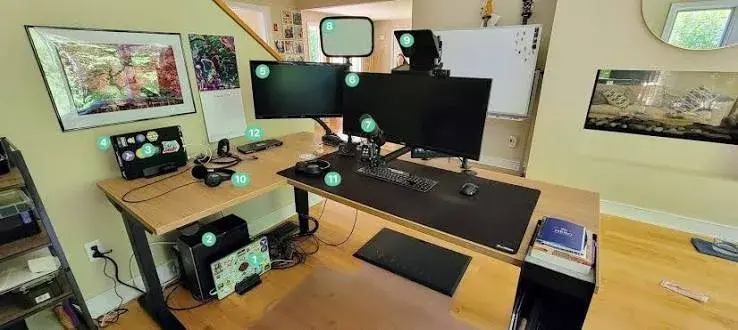
Home Office Setup Guide for Kenya: Laptop, Monitor, Keyboard, Webcam, Power Backup and Everything Else
Home Office Setup Guide for Kenya: Laptop, Monitor, Keyboard, Webcam, Power Backup and Everything Else
Read the guideBest Laptops for Online Business and Digital Marketing in Kenya 2026 | City Gadgets Kenya
Best Laptops for Online Business and Digital Marketing in Kenya 2026
Read the guide