Xiaomi Mi 360° Home Security Camera C300 2K in Kenya | Buy at City Gadgets Kenya, Nairobi
Same-day delivery in Nairobi by 20 Nov – 21 Nov
Comes with
Description
Buy the Xiaomi Mi 360° Home Security Camera C300 2K in Kenya from City Gadgets Kenya, Nairobi. 2K pan-tilt home security camera with night vision, human detection, two-way voice and the Xiaomi Home app. M-Pesa accepted. Call 0745 575 931.
Xiaomi Mi 360° Home Security Camera C300 2K in Kenya
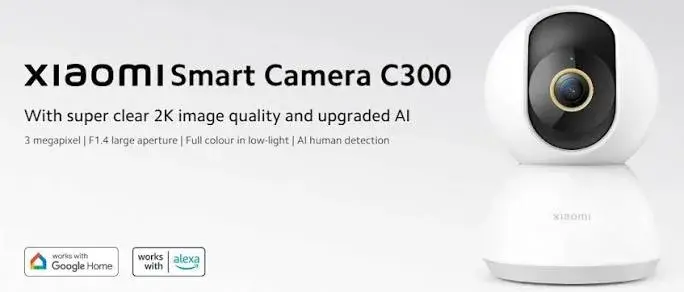
A 2K pan-tilt home security camera with a wide F1.4 aperture, 360° horizontal and 108° vertical view, colour night vision, human detection and two-way voice.
The Xiaomi C300 is a small indoor pan-tilt security camera that watches a room, follows movement, sends alerts to your phone, lets you talk through it and records to a memory card. Available in Kenya from City Gadgets Kenya, this page is for shoppers searching for "Xiaomi C300 Kenya", "Xiaomi security camera Kenya", "Mi 360 home camera Nairobi", "indoor CCTV camera Kenya", "baby monitor camera Kenya", "pet camera Kenya", "WiFi camera for home Kenya" or "buy Xiaomi C300 in Kenya".
Below you will find what the camera does and does not do, how its picture, night vision, rotation, audio and storage work, what internet and power it needs in a Kenyan home, how to set it up, where to place it, how to keep it secure, how it compares with the other Xiaomi cameras we stock, and what to check before you pay. We write only what the published specifications support, and where something must be confirmed for the exact unit in front of you, we say so.
Key specs at a glance
| Feature | Detail |
|---|---|
| Model | Xiaomi Mi 360° Home Security Camera C300 2K |
| Picture | 2K (2304 x 1296, about 3 MP) |
| Rotation and view | 360° horizontal and 108° vertical |
| Lens | F1.4 aperture, 6P lens |
| Night vision | Infrared night vision (range not stated), with a high-sensitivity sensor that keeps colour images in low light for longer |
| Wi-Fi | Wi-Fi (frequency bands not stated in the specification we read) |
| Storage | microSD up to 256 GB (U1/Class 10 or faster recommended; card not included), network-attached storage backups, and cloud storage |
| Audio | Real-time two-way voice calls (speaker and microphone details are not listed) |
| Smart detection | Human detection that filters out false alarms |
| Privacy | Standard privacy features through the app (a physical lens shutter is not listed in the specification we read) |
| Security and extras | Xiaomi Security Chip; encrypted data transmission; AES-128 encryption for cloud storage; BSI Kitemark certification; standard and inverted mounting with 180° image rotation; about 10-second motion clips; works with Google Assistant and Alexa devices; avoid humid environments |
| App | Xiaomi Home (Mi Home) |
| Mounting | Flat on a surface or inverted from a ceiling, with the image rotated in the app |
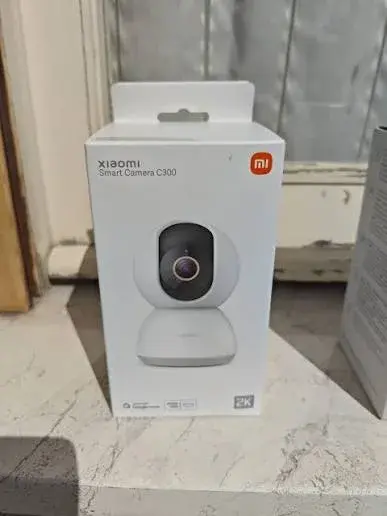
| In the box | The camera and a screw-in base. Adapter and microSD card are not listed as included; we confirm per unit |
| Size, weight, colour and power rating | Not listed in the specification we read. We confirm per unit |
| Condition | Brand new |
| Market version, plug and warranty | Confirmed per unit |
| Available from | City Gadgets Kenya, Nairobi CBD |
The specifications on this page come from manufacturer product pages, and a few details are not listed there, which we have said rather than guess. Please ask our team to confirm the exact version, the power adapter and plug, what is in the box and the warranty for the unit you want.
What's in the box
The published box information for this model is: The camera and a screw-in base. Adapter and microSD card are not listed as included; we confirm per unit. The exact contents depend on the market version, so we confirm what is in the box you are buying, and we never describe anything as included unless we have seen it. Cameras like this need a USB-style power supply, and the plug on any adapter depends on the market the unit was made for. Kenyan sockets use the British three-pin style, so we check the plug with you before you pay and can supply a suitable adapter. A microSD card is normally bought separately, and we can supply one that suits the camera.
What the Xiaomi C300 is
A pan-tilt home camera sits on a shelf or a ceiling mount and turns its lens to look around a room. You watch the live picture on your phone, from anywhere with internet. If it senses a person or movement, it can send you an alert and record a clip. You can speak to people in the room through the camera's speaker, and hear them through its microphone.
People searching for "Xiaomi C300 Kenya" are usually one of five types. Some want to keep an eye on children, a domestic worker or an elderly relative while they are at work. Some want to check on pets. Some want to watch a shop, a salon or an office after hours. Some want to monitor a front door or a living room while travelling. And some simply want a low-effort way to feel safer at home. The Xiaomi C300 serves all of them, within the limits we explain below. It is an indoor camera and is not a weatherproof outdoor camera.
Picture quality
The Xiaomi C300 records at 2K (2304 x 1296, about 3 MP). In everyday terms, resolution decides how much detail you can see when you zoom in on a face, a number plate on a toy car or a label on a bottle. A higher number gives you a sharper picture, and also creates bigger video files, which fill a memory card faster and need a stronger connection to stream smoothly.
What resolution means for you
| Resolution | What it suits |
|---|---|
| 1080p | Watching a room or doorway, good for general monitoring |
| 2K | A clearer picture for recognising faces and details in a room |
| 2.5K | Sharper still, for larger rooms and when you zoom in |
| 3K | The most detail in this group, for larger spaces and close inspection |
A sharper camera helps only if your internet connection can carry the picture. On a slow or busy connection, the app may reduce the picture quality to keep the video flowing. We cover connection needs below.
Lens
Lens details for this model: f1.4 aperture, 6p lens. A wide aperture lets in more light, which helps in dim rooms. We do not quote figures that the manufacturer does not publish.
360° rotation and viewing angle
The camera has a motor that turns the lens left and right (pan) and up and down (tilt). Published view for this model: 360° horizontal and 108° vertical. In practice, a single camera placed well can cover most of a room, because you can turn it to look at the door, the sofa, the cot or the pet bed as needed. Compared with a fixed camera, which sees only one angle, a pan-tilt camera is more flexible and can often replace two or three fixed cameras in a small space.
Using the rotation well
- Set preferred positions by turning the camera to the places you check most, such as the door and the child's play area.
- Turn the camera to face the wall when you are home and want privacy, if the app allows.
- Do not rely on rotation to catch fast events. The camera takes a moment to turn, so an event outside the current view may be missed.
- Check the rotation now and then. The motor can drift slightly over time, and the app has a calibration option on some models.
Night vision
Night vision: Infrared night vision (range not stated), with a high-sensitivity sensor that keeps colour images in low light for longer. Infrared illuminators light the room with light that human eyes cannot see, and the camera uses it to record in the dark, usually in black and white. Some models also offer a low-light colour mode, which keeps colour in dim rooms for longer using a sensitive sensor.
Practical notes
- Do not place the camera behind glass. Infrared light bounces off windows and creates glare, which hides the picture.
- Avoid pointing it at a shiny wall or mirror, which reflects infrared light.
- Keep the lens clean. Dust and fingerprints blur night pictures.
- Expect black and white in the dark, and treat colour night vision as a bonus in dim rooms.
- Night range is not published, so we do not quote metres. For a normal room, expect it to cover the space well. We can show you a demonstration in the shop.
Smart detection
Detection: Human detection that filters out false alarms. Smart detection is the difference between a camera that records everything and a camera that tells you when something matters. Local processing on the camera means the analysis happens on the device, which keeps some of the work off the cloud.
What detection is good for
- Fewer false alarms, because the camera looks for people instead of reacting to every shadow, curtain or pet.
- Faster alerts to your phone when someone enters the room.
- Shorter, more useful recordings, so that you do not scroll through hours of an empty room.
Its limits
- Detection is not perfect. It may miss a person in poor light or at an odd angle, and it may mistake an object for a person.
- Some detections may be off until you turn them on in the app.
- Alerts depend on your phone's notification settings and your internet.
Two-way audio
Audio: Real-time two-way voice calls (speaker and microphone details are not listed). Two-way audio lets you speak to a child, greet a visitor, calm a pet or warn an intruder through the camera. The microphone lets you hear what is happening. Voice calls are started from the app on your phone. Quality depends on the room, the distance and your internet.
Privacy features
Privacy: Standard privacy features through the app (a physical lens shutter is not listed in the specification we read). A camera inside your home deserves care. When you are in the room and do not want to be watched, you want to be sure the camera is not looking. A physical lens shield gives you visible proof, and an app-based privacy mode gives you control from your phone. Where a model has no physical shutter, turn the camera to face the wall or switch off its power when you want certainty.
Storage: memory card, network storage and cloud
Storage for this model: microSD up to 256 GB (U1/Class 10 or faster recommended; card not included), network-attached storage backups, and cloud storage.
microSD card
A microSD card in the camera records locally. Loop recording overwrites the oldest video when the card is full, so you always have the most recent footage. Use a good-quality card marked for video, in a size within the published range. Some cards need formatting in the camera or the app first. An unbranded, poor-quality card is a common cause of recording failures, so buy from a trusted source.
Cloud storage
Cloud storage keeps clips on a remote server, so you can still see them if someone steals the camera. Cloud offers, including free trial periods and paid plans, depend on the region and change over time, so we confirm the current terms. Cloud data is encrypted in transit and at rest according to the manufacturer.
Network storage
Where the model supports it, you can back up to a network-attached storage device on your home network. This is for people who already have one.
How much storage do you need?
That depends on the resolution, how often the camera records and how long you want to keep footage. As a rough guide, a higher resolution fills a card faster. Choose a larger card if you want days of footage, and a smaller one if you only check recent events. We can advise on the right size.
Internet and Wi-Fi in Kenya
The camera connects to your home router by Wi-Fi: wi-fi (frequency bands not stated in the specification we read). Several points matter in Kenya.
- Router placement. Put the camera where your Wi-Fi signal is strong. A weak signal gives choppy video and missed alerts.
- 2.4 GHz and 5 GHz. The 2.4 GHz band reaches further through walls, and the 5 GHz band is faster over shorter distances. Many cameras connect only to 2.4 GHz, so check your router when you set up.
- Upload speed. Watching your camera from outside your home depends on your home connection's upload speed. A weak upload gives poor remote video.
- Data use. Remote viewing and cloud storage use data. If your home internet is capped, watch your allowance.
- Power cuts. The camera has no battery, so a power cut switches it off, along with your router unless you have a backup. A small UPS for the camera and the router keeps the system running through short outages, and is worth it if security matters to you.
- Surges. Use a surge-protected extension.
- Mobile router users. Cameras work on a 4G or 5G home router, but watch your data and expect more variation.
Setting up your Xiaomi C300
- Plug in the power supply and wait for the voice prompt or indicator.
- Install the Xiaomi Home app on your phone and sign in to your account.
- Add the camera by following the app's prompts, scanning the code on the camera if asked.
- Connect the camera to your Wi-Fi network.
- Insert a microSD card before you power on, or follow the app's instruction.
- Name the camera by its room, and set the time zone.
- Turn on detection and alerts that you want.
- Set a strong account password, and turn on any available extra security.
- Test the picture, rotation, night mode and audio.
- Mount the camera in its final position and check the view.
If you buy from us, we can help you set up at the shop, or by phone and video if you order for delivery.
Where to put the camera
| Place | Why | Care |
|---|---|---|
| Living room shelf | Wide view of the main space | Avoid direct window glare |
| Corner of a room, high up | Widest coverage, harder to tamper with | Check Wi-Fi strength |
| Near the front door | See who enters | Do not point at a glass door at night |
| Child's room | Check on sleeping children | Keep the cable out of reach |
| Shop or salon | After-hours monitoring | Respect customers' and staff privacy |
| Pet area | Check on pets | Keep the camera out of reach of pets |
Mounting
The camera can sit on a flat surface or be mounted upside down from a ceiling, with the image rotated in the app. A ceiling mount keeps it out of reach. Keep the cable tidy and away from children and pets.
Using the Xiaomi C300 in Kenya
- Children and nannies. Check on children while you are at work. Tell your household staff openly that a camera is in use.
- Elderly relatives. Check in and talk to them through the camera.
- Pets. See what your pets are up to during the day.
- Shops, salons and small offices. Watch the premises after hours. Place cameras where they protect your property, not where they invade privacy.
- Travel. Check your living room while you are away.
- Deliveries. See who arrives at the door.
- Power and internet. Plan for outages with a small UPS.
Privacy, respect and responsibility
A camera records people. Use it responsibly.
- Tell people. If you employ a house worker, tell them about cameras in shared areas.
- Avoid private spaces. Do not place cameras in bedrooms of others, bathrooms or changing areas.
- Respect guests. Let visitors know cameras are in use.
- Protect your footage. Do not share recordings of other people online.
- Follow the law. Rules about recording people vary, so check what applies to your situation, particularly for businesses.
- Be careful with audio. Recording conversations can raise additional concerns.
Keeping your camera secure
Cameras are a target for hackers when they are poorly protected.
- Use a strong, unique password for your Xiaomi account and your Wi-Fi.
- Turn on two-step verification for your account where it is available.
- Keep the camera's software up to date.
- Do not share your account with people you do not trust.
- Change your Wi-Fi password if you think it has been shared widely.
- Buy from a trusted seller, so that the camera has not been tampered with.
- Review who has access to the camera in the app.
The manufacturer states that the camera uses encrypted transmission and a security chip, which helps, but good habits matter more.
Common problems and simple fixes
The camera will not connect. Check that your phone is on the same Wi-Fi band during setup, that the Wi-Fi password is right and that the signal is strong.
The picture is choppy. Move the camera closer to the router, reduce the picture quality in the app, or pause other heavy uses of your internet.
No alerts. Check the app's notification permissions on your phone and the camera's detection settings.
Night picture is washed out. Move the camera away from windows and shiny surfaces, and clean the lens.
The memory card is not recognised. Format it in the camera or app, and try a good-quality card.
The camera drifts or points the wrong way. Use the calibration or reset option in the app.
The camera goes offline after a power cut. Restore power to the router first, then the camera, and check that the camera reconnects.
How the Xiaomi cameras we stock compare
| Model | Picture | View | Wi-Fi | Notable points |
|---|---|---|---|---|
| Xiaomi C201 | 1080p | Lens moves in four directions | Wi-Fi 6 listed | Lens hides in the body, human detection |
| Xiaomi C300 | 2K (2304 x 1296) | 360° x 108° | Not stated | F1.4 aperture, 6P lens, NAS backup |
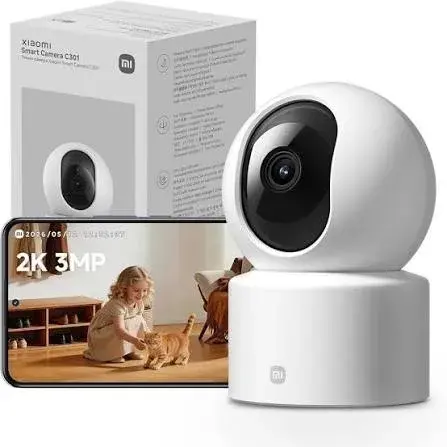
| Xiaomi C301 | 2K (2304 x 1296) | 360° x 107° | Not stated | Lens shield, 5 m sound pickup |
| Xiaomi C400 | 2.5K (2560 x 1440) | 360° x 106° | Dual-band | 940 nm infrared, no red glow |
| Xiaomi C500 Pro | 3K (5 MP) | 360° x 114° | Dual-band | HDR, pet, noise and baby-cry detection, lens shield |
Ask our team to show you the cameras side by side, so that you can judge the picture and the app for yourself.
About the C300 in particular
The C300 steps up to a 2K picture, 2304 x 1296, with an F1.4 aperture and a 6P lens. Its wide aperture and high-sensitivity sensor are designed to keep colour in low light for longer. It has a 360° horizontal and 108° vertical view, supports standard and inverted mounting with 180° image rotation, and includes a screw-in base.
It stores to a microSD card up to 256 GB, supports network-attached storage backups, and offers cloud storage. It records short motion clips of about 10 seconds, with human detection to filter false alarms. It holds a BSI Kitemark certification, and the manufacturer advises avoiding humid environments, so keep it out of bathrooms and kitchens with a lot of steam.
Choose the C300 if you want a sharper picture and good low-light performance for a living room or shop.
Who should buy the Xiaomi C300
- Parents who want to check on children.
- Families with elderly relatives who want to check in.
- Pet owners who want to see what their pets do all day.
- Small business owners who want a simple indoor camera.
- Frequent travellers who want to look in on their home.
- First-time smart camera buyers who want an easy app.
Who should look elsewhere
- People who need an outdoor, weatherproof camera. This is an indoor camera.
- People who need battery power. This camera needs mains power.
- People who need professional, multi-camera recording with a dedicated recorder.
- People without reliable home internet, since remote viewing depends on it.
- People who want facial recognition of named individuals.
Accessories worth buying
- A quality microSD card in a size that suits your needs.
- A plug adapter or USB power supply, if you need one for your sockets.
- A surge-protected extension or a small UPS.
- A ceiling or wall mount, if you want it out of reach.
- A longer power cable, if the socket is far from the camera's position.
- A Wi-Fi extender or mesh system, if your signal is weak.
Ask our team for options that fit this model.
Buying a security camera safely in Kenya
Cameras are copied, and some are sold with tampered settings. Before you pay, we recommend the following checks, which we do with you at the counter, or on video for delivery.
- Check the box and seals. A new unit should arrive in clean, original packaging.
- Check the model name on the box and on the camera.
- Check that the camera has not been set up under another person's account.
- Check the contents against the published list.
- Power it on and confirm that it starts and rotates.
- Pair it with the app and check the picture, night mode and audio.
- Check the plug and the power supply.
- Get a receipt and a written warranty. Warranty terms depend on the market version, so we confirm them in writing.
Be careful with offers that look too good to be true, with sellers who will not let you test the camera, and with used units sold as new. If a seller will not let you check, walk away.
Warranty and stock
Warranty terms depend on the market version and on who stocks the unit, so we confirm the exact terms in writing for the specific camera before you pay. A warranty covers manufacturing faults. Damage from drops, liquids, humidity, power surges and misuse is generally not covered. Customer Relations on 0794 488 806 helps with warranty questions after purchase, so keep your receipt and the box. Call Sales on 0745 575 931 to confirm availability before you visit.
Strengths and limits
What we like:
- A pan-tilt design that covers a room with one camera.
- 2K picture with infrared night vision.
- Human detection and phone alerts.
- Two-way voice.
- Local storage on a microSD card.
- A security chip and encrypted transmission, according to the manufacturer.
What to keep in mind:
- It is an indoor camera and needs mains power.
- It needs a stable Wi-Fi connection and a good upload speed for remote viewing.
- It switches off in a power cut unless you have a backup.
- Detection is helpful but not perfect.
- A microSD card, and sometimes the power adapter, are bought separately.
- Cloud storage offers depend on the region and change.
Frequently asked questions
What is the Xiaomi C300? An indoor pan-tilt home security camera with a 2K picture, night vision, detection and two-way voice.
Can I watch it from my phone when I am away? Yes, through the Xiaomi Home app, if the camera and your phone both have internet.
Does it work outdoors? No. It is an indoor camera.
Does it need a memory card? It works without one for live viewing, but you need a microSD card for local recording.
What size memory card does it support? Cards from 8 GB up to 256 GB are published, depending on the model.
Does it work in the dark? Yes, with infrared night vision.
Can I talk through it? Yes, two-way voice calls are started from the app.
Does it work during a power cut? No. It has no battery, so use a small UPS if you need it to keep running.
Can it connect to 5 GHz Wi-Fi? Wi-Fi (frequency bands not stated in the specification we read).
Does it work with Alexa or Google Assistant? The manufacturer lists compatibility with compatible devices, and we confirm for your setup.
Can I pay by M-Pesa? Yes. We accept M-Pesa, and shop collection is free.
Do you deliver outside Nairobi? Yes, by courier within one to three business days. In Nairobi, orders placed before 3pm are delivered the same day.
Can I see it working before I buy? Yes. Visit our shop on Taveta Road, and we will show you.
How to order
Call Sales on 0745 575 931 or write to sales@citygadgetskenya.co.ke to confirm availability, the market version, the power supply and the warranty for the exact unit. Visit us at New Alnoor Exhibition, Shop 7, Second Floor, Taveta Road (at the Taveta and Accra Road junction), Nairobi CBD, open Monday to Friday 9am to 7pm and Sunday 11am to 4pm, closed Saturday. We accept M-Pesa. Shop collection is free, delivery in Nairobi is same day for orders placed before 3pm, and courier delivery elsewhere in Kenya takes one to three business days. For help after purchase, Customer Relations is on 0794 488 806.
Related pages
- Sony headphones at City Gadgets Kenya: https://www.citygadgetskenya.co.ke
- Huawei smart bands: https://www.citygadgetskenya.co.ke
- Shop home security and smart home devices at City Gadgets Kenya: https://www.citygadgetskenya.co.ke
Final word
The Xiaomi C300 is a practical way to keep an eye on the people, pets and places you care about, without building a full CCTV system. It has clear strengths and honest limits, and we have written both down. Plan for your Wi-Fi and your power cuts, respect the privacy of the people around you, and keep your account secure. Call us on 0745 575 931 or visit the shop on Taveta Road, and we will set it up with you before you leave.
Specifications
- Brand
- XIAOMI
- Condition
- New
Frequently Asked Questions
How much does the Xiaomi Mi 360° Home Security Camera C300 2K in Kenya | Buy at City Gadgets Kenya, Nairobi cost in Kenya?
The Xiaomi Mi 360° Home Security Camera C300 2K in Kenya | Buy at City Gadgets Kenya, Nairobi is priced at Ksh 7,000 at City Gadgets. You can pay via M-Pesa, card or cash on delivery.
Is the Xiaomi Mi 360° Home Security Camera C300 2K in Kenya | Buy at City Gadgets Kenya, Nairobi available in Kenya?
Yes — the Xiaomi Mi 360° Home Security Camera C300 2K in Kenya | Buy at City Gadgets Kenya, Nairobi is in stock at City Gadgets, ready for same-day delivery in Nairobi and countrywide shipping across Kenya.
Is the Xiaomi Mi 360° Home Security Camera C300 2K in Kenya | Buy at City Gadgets Kenya, Nairobi genuine and does it have a warranty?
Every Xiaomi Mi 360° Home Security Camera C300 2K in Kenya | Buy at City Gadgets Kenya, Nairobi we sell is 100% genuine brand-new stock and comes with a 12-month official brand warranty.
Do you deliver the Xiaomi Mi 360° Home Security Camera C300 2K in Kenya | Buy at City Gadgets Kenya, Nairobi in Nairobi?
Yes. We offer fast same-day delivery within Nairobi and fast, affordable delivery to the rest of Kenya — order online or on WhatsApp.
Customer Reviews
No reviews yet
Be the first to review this product.
Rate us on Google
Your review helps other shoppers find us
Reviews from verified buyers will appear here.
Buying guides
Straight advice for shoppers picking between the models above.
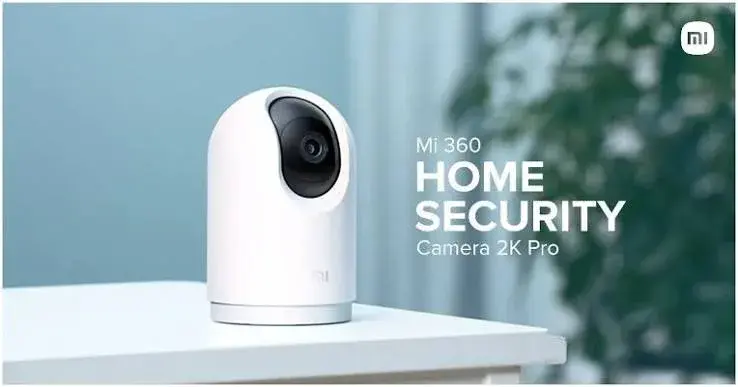
Mi 360° Home Security Camera Buying Guide for Kenya: C201, C300, C301, C400 and C500 Pro Compared
Mi 360° Home Security Camera Buying Guide for Kenya: C201, C300, C301, C400 and C500 Pro Compared
Read the guide
How to Set Up a Mi 360° Home Security Camera in Kenya: Wi-Fi, App, Placement and Power Cuts
How to Set Up a Mi 360° Home Security Camera in Kenya: Wi-Fi, App, Placement and Power Cuts
Read the guide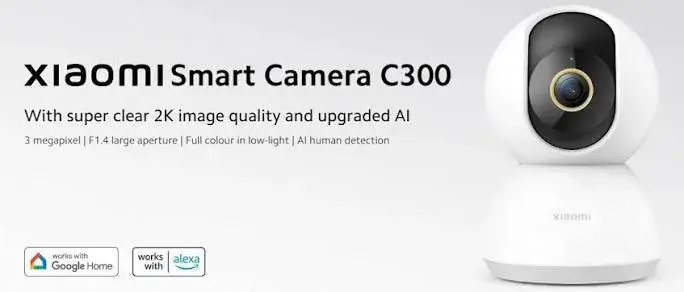
Mi Security Camera Storage Guide for Kenya: microSD Cards, Cloud and NAS Explained
Mi Security Camera Storage Guide for Kenya: microSD Cards, Cloud and NAS Explained
Read the guide