Mi 360° Home Security Camera Buying Guide for Kenya: C201, C300, C301, C400 and C500 Pro Compared
Buying a home security camera sounds simple until you stand in front of five models that all look alike. They all sit on a shelf, they all turn to look around the room, they all send alerts to your phone, and they all use the same app. Yet they differ in ways that matter: how sharp the picture is, whether the lens can hide for privacy, which Wi-Fi bands they use, what AI detections they offer and how they store video. Pick the wrong one and you either overpay for features you will never use, or you end up with a camera that cannot do the one thing you bought it for.
This guide, from the team at City Gadgets Kenya in Nairobi, compares the five Mi 360° home security cameras we stock: the Xiaomi C201 (1080p), C300 (2K), C301 (2K), C400 (2.5K) and C500 Pro (3K). We explain each feature in plain words, show how the models differ, match them to real Kenyan situations, and give a simple method for choosing. We deliberately leave figures out of this guide, because what you pay depends on stock and the day you ask. Call Sales on 0745 575 931 for current availability.
We write only what the published specifications support. Where a detail is not published, we say "not stated" rather than guess, and we confirm it on the unit you buy. These are indoor cameras. They are not weatherproof outdoor cameras and they need mains power.
Start with the question, not the model
The best camera is the one that solves your actual problem. Before you read the comparison, answer four questions.
- What do I want to watch? A baby's room, a living room, a shop counter, a pet, a front door, an elderly relative?
- How big is the space? A small bedroom, a large open-plan lounge, a shop floor?
- What will my Wi-Fi support? Is the signal strong where the camera will sit? Do I have a 5 GHz network?
- Who else lives or works in the space? Do I need a physical privacy shutter so people can see the camera is not watching?
Keep your answers in mind, and we will come back to them in the decision section.
The five cameras at a glance
| Feature | C201 | C300 | C301 | C400 | C500 Pro |
|---|---|---|---|---|---|
| Picture | 1080p (2 MP) | 2K, 2304 x 1296 (about 3 MP) | 2K, 2304 x 1296 (3 MP) | 2.5K, 2560 x 1440 (4 MP) | 3K (5 MP), lens up to 2960 x 1666 |
| Rotation | Moves up, down, left and right | 360° horizontal, 108° vertical | 360° horizontal, 107° vertical | 360° horizontal, 106° vertical | 360° horizontal, 114° vertical |
| Lens | Not stated | F1.4, 6P | 4P, large aperture | 6P, large aperture | Not stated |
| Night vision | Six infrared illuminators | Infrared, colour in low light | Six infrared illuminators | 940 nm infrared, no red glow | Infrared, HDR, ultra-low light colour |
| Wi-Fi | Wi-Fi 6 listed, bands not stated | Not stated | Not stated | Dual-band 2.4 and 5 GHz | Dual-band 2.4 and 5 GHz |
| Storage | microSD 8 to 256 GB, cloud | microSD to 256 GB, NAS, cloud | microSD 8 to 256 GB, cloud | microSD to 256 GB, cloud | microSD 8 to 256 GB, NAS, cloud |
| Physical lens shield | Yes | Not listed | Yes | Not listed | Yes |
| AI detection | Human detection and tracking, cats and dogs | Human detection | Human detection | Human detection and tracking | Human, pet, area, loud noise, baby cry |
| Two-way voice | Yes, from the phone | Yes | Yes, 5 m pickup | Yes, 5 m pickup | Yes, high-power speaker |
All five use the Xiaomi Home (Mi Home) app, support microSD recording, and use encrypted transmission and a Xiaomi security chip, according to the manufacturer. All are indoor cameras that need mains power, and none has a battery.
What each feature means, in plain words
Resolution: 1080p, 2K, 2.5K and 3K
Resolution is the number of pixels in the picture. More pixels mean more detail when you zoom in on a face, a label or a bag on a shelf.
| Label | Pixels | What it gives you |
|---|---|---|
| 1080p | 1920 x 1080 | Good for watching a room or doorway |
| 2K | 2304 x 1296 | A clearer picture for faces and details in a room |
| 2.5K | 2560 x 1440 | Sharper again, better for larger rooms and zooming |
| 3K | 5 MP, lens up to 2960 x 1666 | The most detail in this group |
Higher resolution has trade-offs. The video files are bigger, so a memory card fills faster. The stream needs more of your internet connection, so on a weak connection the app may reduce quality anyway. And a sharper picture helps only if the room is lit well enough to use it. For a small bedroom or a nursery, 1080p or 2K is plenty. For a large lounge or a shop, the extra detail of 2.5K or 3K is more useful.
Rotation and field of view
All five can turn their lens, controlled from your phone. The 2K, 2.5K and 3K models publish a 360° horizontal range with a vertical range between 106° and 114°. The C201 page we read describes the lens moving up, down, left and right without stating the angles, so we do not quote any.
A pan-tilt camera replaces two or three fixed cameras in a small space, because you can turn it to look at the door, then the sofa, then the cot. The limit is that it can look in only one direction at a time, so an event outside its current view may be missed unless it is set to track movement.
Night vision
Night vision uses infrared light that your eyes cannot see. The camera records in black and white in the dark. Differences between models:
- C201 and C301: six built-in infrared illuminators, with full-colour vision for longer in low light.
- C300: infrared night vision and a high-sensitivity sensor with a bright F1.4 lens, designed to keep colour in dim rooms.
- C400: 940 nm infrared with no visible red glow. This matters if you do not want a glowing dot in a child's room or a bedroom.
- C500 Pro: an infrared illuminator, HDR mode and an ultra-low light colour mode.
Night range is not published for any of them, so we do not quote metres. For a normal room, expect each to cover the space. We can demonstrate in the shop.
Wi-Fi: why bands matter
Your camera connects to your router by Wi-Fi. Two bands exist. The 2.4 GHz band reaches further and passes through walls better. The 5 GHz band is faster but has a shorter range. The C400 and C500 Pro publish dual-band support. The C201 lists Wi-Fi 6 and Bluetooth pairing but does not state its bands, and the C300 and C301 pages we read do not list the bands either. If your router is dual-band, the dual-band models give you a choice. If your signal is weak where the camera will sit, a stronger signal matters more than any camera feature, and you may need an extender or a better router.
Storage
All five record to a microSD card, from 8 GB up to 256 GB, as published. The C300 and C500 Pro also support network-attached storage backups, and all five offer cloud storage under conditions that vary by region and over time. Our storage guide explains how to choose a card and when cloud makes sense.
The physical lens shield
The C201, C301 and C500 Pro have a physical lens shield. The lens retracts or hides, so when you are at home and want privacy, you can see that the camera cannot see you. For bedrooms, nurseries and shared spaces, that visible proof is reassuring, especially for guests and household staff. Models without a physical shutter rely on app privacy controls, or on you turning the lens to face the wall or switching off the power.
AI detection
Detection decides when the camera tells you something has happened.
- Human detection filters out false alarms from shadows, curtains and pets, and sends an alert when a person is seen.
- Tracking lets the camera follow a moving person by turning.
- Pet detection (C201 for cats and dogs, C500 Pro) lets you know when your pet is active.
- Area detection, loud noise and baby cry detection (C500 Pro) add more triggers.
On the C400, human detection and tracking is off by default and you switch it on in the app. In all cases, detection is helpful but not perfect.
Two-way voice
You can speak through the camera and hear the room, with calls started from the app. The C301 and C400 publish a 5 m sound pickup range as a test figure. The C500 Pro lists a high-power speaker. The C201 lists a large speaker chamber and a noise-cancelling microphone.
Model by model
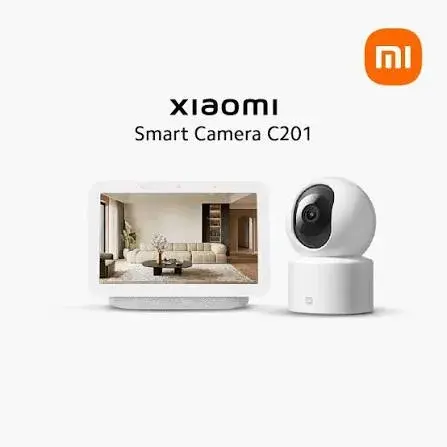
Xiaomi C201: the private, simple choice
The C201 is the entry model, with a 1080p picture. Its signature is the physical lens shielding: the lens can be hidden up into the body. It has a dual-axis pan-tilt motor, six infrared illuminators, local human detection with motion tracking and pet tracking for cats and dogs. The page we read lists Wi-Fi 6 and Bluetooth pairing, microSD storage from 8 to 256 GB, and compatibility with Alexa and Google Assistant through compatible devices. The adapter and memory card are not listed as included.
Choose it for: a bedroom, nursery or living room where privacy and simplicity matter more than detail.
Think twice if: you need to read small details, cover a large room, or want a dual-band connection that is confirmed on paper.
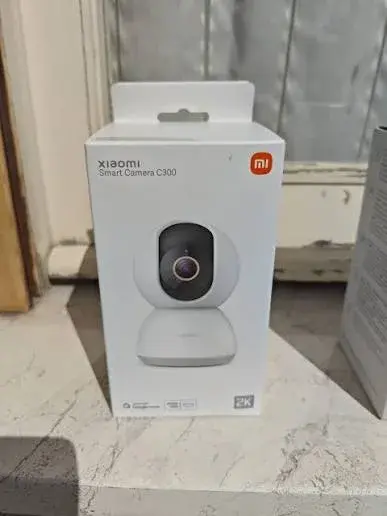
Xiaomi C300: the bright-lens 2K
The C300 gives a 2K picture with an F1.4 aperture and a 6P lens, a high-sensitivity sensor for colour in low light, and a 360° by 108° view. It supports standard and inverted mounting with 180° rotation, a screw-in base, microSD up to 256 GB, NAS backups and cloud storage. It records about 10-second motion clips and has human detection. The manufacturer advises avoiding humid places and notes a BSI Kitemark certification.
Choose it for: a living room, hallway or small shop where good low-light performance and a sharp picture matter.
Think twice if: you want a physical privacy shield (not listed) or confirmed dual-band Wi-Fi (bands not stated).
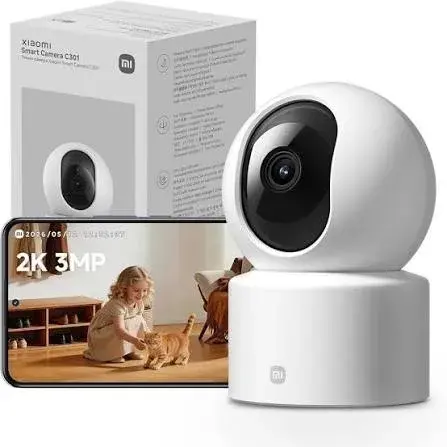
Xiaomi C301: 2K with a lens shield
The C301 is a 2K camera with a 4P large-aperture lens, a 360° by 107° view, a physical lens shield, six infrared illuminators and full-colour night vision for longer in low light. It has a microphone with intelligent noise cancellation, a 5 m sound pickup range as a lab figure, and local human detection. The gimbal may drift over time, and you can recalibrate it in the app. The card and adapter are sold separately.
Choose it for: a family home where you want a sharper 2K picture and the reassurance of a lens shield.
Think twice if: your Wi-Fi is weak and you want to use 5 GHz, since the bands are not stated.
Xiaomi C400: 2.5K with discreet night vision
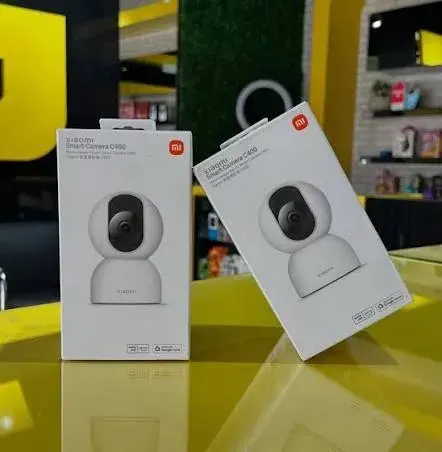
The C400 offers 2.5K at 2560 x 1440, a 6P lens, 360° by 106° rotation, dual-band Wi-Fi, 940 nm infrared with no visible red glow, local microSD loop recording and cloud storage. Human detection and tracking are off by default. It works with Google Home and Alexa (a separate voice device is required) and with the Mi Smart Clock, sold separately.
Choose it for: a baby's room or bedroom where you do not want a glowing infrared light, or a larger room where the sharper picture helps.
Think twice if: you need a physical lens shutter, which is not listed, or the widest range of detections.
Xiaomi C500 Pro: the full-featured 3K
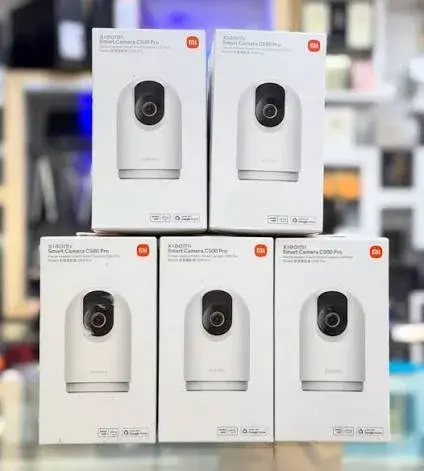
The C500 Pro is the top model, with a 5 MP, 3K picture, HDR, an ultra-low light colour mode, a 360° by 114° view, dual-band Wi-Fi, a physical lens shield and H.265 and H.264 encoding. It offers the widest detections: human, pet, primary area, loud noise and crying baby. It supports microSD, NAS and cloud storage and has a high-power speaker.
Choose it for: a large living area, a family home with a baby and pets, or a small business that wants the most detail and the most detection options.
Think twice if: your space is small and your needs are simple, in which case a simpler model does the job.
Choosing by situation
| Your situation | Good fit | Why |
|---|---|---|
| Nursery or baby's room | C400 or C500 Pro | Discreet night vision on the C400, baby cry detection on the C500 Pro |
| Bedroom or privacy-sensitive room | C201, C301 or C500 Pro | Physical lens shield |
| Small living room | C201 or C300 | Enough picture, simple |
| Large living area | C400 or C500 Pro | Sharper picture and wider detail |
| Pets | C201 or C500 Pro | Pet tracking and detection |
| Shop or small office after hours | C300, C400 or C500 Pro | Sharper picture, better low light |
| Elderly relative | C301 or C500 Pro | Clear two-way voice and detection |
| Weak Wi-Fi at the camera spot | Any, after improving the signal | Signal matters more than the model |
| Dual-band router and 5 GHz wanted | C400 or C500 Pro | Dual-band published |
Wi-Fi and power: the two things that decide success
Wi-Fi
More camera problems come from weak Wi-Fi than from the camera. Before you buy, stand where you plan to put it and check the signal on your phone. If it is weak, fix that first with a router move, an extender or a mesh system. Our team can help.
Power cuts
These cameras have no battery. When the power goes, the camera and usually your router go off too, and you are blind until power returns. A small UPS for the camera and the router keeps both running through short outages, and is worth considering if security matters to you.
Surges
Plug the camera into a surge-protected extension. Power returning after an outage can damage electronics.
Memory cards
A camera without a memory card can show you a live picture but cannot keep local recordings. Buy a good-quality card marked for video, in a size within the published 8 to 256 GB range. Cards of 64 GB and above may need formatting in the camera first. Unbranded cards are a common cause of recording failures, so buy from a trusted seller, such as us.
Privacy and responsibility
A camera records people. Tell household staff and family about cameras in shared areas, keep cameras out of private spaces such as bathrooms and the bedrooms of others, and protect your account with a strong password. Businesses should be especially careful with recording customers and staff. Our privacy and security guide goes into detail.
Setting up after you buy
Setup takes about ten minutes. Plug in the camera, install the Xiaomi Home app, add the camera, connect it to Wi-Fi, insert a card, name the camera and turn on detection. Our setup guide walks through placement, the app and common problems.
What to check before you pay
- The box is sealed and clean, and the model name matches.
- The contents match the published list. We confirm contents per unit.
- The plug suits your sockets, or you have an adapter.
- The camera powers on, rotates and shows a picture in the shop.
- The camera has not been set up under another person's account.
- You have a receipt and a written warranty.
Be careful with offers that look too good to be true, and with sellers who will not let you test the camera.
Common mistakes
- Buying on resolution alone. A 3K camera in a room with weak Wi-Fi performs worse than a 1080p camera in a room with strong Wi-Fi.
- Ignoring the physical shield when privacy matters.
- Placing the camera behind glass, which ruins night vision.
- Forgetting the memory card.
- Skipping the surge protector and UPS.
- Using a weak password on the camera account.
- Not telling household staff about cameras.
- Expecting an indoor camera to work outdoors.
Six worked scenarios
Real decisions are easier to see through real situations. These are composite examples, not real customers.
Scenario 1: A young family in a Nairobi flat
A couple with a toddler live in a two-bedroom flat. They want to check on the child's room, and glance at the living room from work. Wi-Fi is decent, the router is in the living room, and the nursery is down a corridor. They care about privacy because a relative stays with them sometimes. Good fit: a C400 for the nursery, because its infrared has no visible red glow, and a C201 or C301 in the living room, because the lens shield gives visible privacy. They should check the Wi-Fi signal in the nursery first and add an extender if it is weak.
Scenario 2: A shop owner on a busy street
A shop owner wants to see the counter and the stock shelves after hours, and to check on staff in the afternoons. The shop has good fibre and a router at the back. Good fit: a C400 or C500 Pro near the entrance, high up, covering the counter and the door. The sharper picture helps identify people and items. A small UPS keeps the router and camera running through short outages, and a notice at the entrance tells customers that cameras are in use.
Scenario 3: An elderly parent living alone in the countryside
A family wants to check on their mother, who lives alone, and to talk to her through the camera. Her home internet is a 4G router with variable signal. Good fit: a C301 or C500 Pro for clear two-way voice, with a memory card for local recording. The family should test the signal and the data use, set the picture quality lower for remote viewing and agree openly with their mother where the camera goes.
Scenario 4: A pet owner who travels often
Someone who travels for work wants to check on two cats and a dog. They want pet alerts. Good fit: a C201 for its cat and dog tracking, or a C500 Pro for the pet detection and other alerts. They should put the camera high, out of reach, and keep cables hidden.
Scenario 5: A landlord covering a shared entrance
A landlord wants a camera in the shared entrance hall of a small block. Careful: this involves recording tenants and visitors. A camera in a shared hallway can be reasonable, but the landlord should tell tenants, avoid pointing into private doors, and take advice about duties that apply. An indoor camera is suitable only if the entrance is covered and dry. For anything exposed to weather, ask us about outdoor models.
Scenario 6: A student in a rented room
A student wants to keep an eye on a laptop and a few belongings while at class. The room is small and the Wi-Fi is shared. Good fit: a C201 is enough, since it is simple and has the lens shield. They should check the building's rules and the landlord's permission, and use a strong password because the Wi-Fi is shared.
How to read a specification sheet critically
Camera boxes and listings use big numbers. Read them with care.
- "2K", "2.5K", "3K" are labels, and the real pixel counts matter. In this group, 2K is 2304 x 1296, 2.5K is 2560 x 1440 and 3K is a 5 MP camera with a lens up to 2960 x 1666.
- "360°" usually means the horizontal pan range, and the vertical range is much smaller, 106° to 114° here. The camera cannot look in every direction at once.
- Night vision range in metres is often missing. Do not assume it.
- Wi-Fi 6 does not tell you which bands the camera supports. Check for 2.4 GHz and 5 GHz.
- Sound pickup distances such as 5 m are test figures. Real rooms are noisier.
- "Free cloud" offers can expire, and terms vary by region.
- AI features are not all the same. A "human detection" feature on one model may be more limited than another's.
- Missing information is information. If the specification does not list something, such as a physical shutter, assume the camera does not have it until the seller confirms.
Questions to ask any seller before you pay
- Is the unit brand new and sealed?
- Which market version is it, and what is the warranty?
- What is in the box? Which plug does the adapter have?
- Has it been set up under another account?
- Can I see it power on and rotate before I pay?
- Which memory card sizes do you recommend?
- Can you help me set it up?
- What happens if it fails in the first few weeks?
- Can I have a receipt?
A good seller answers all of these without fuss.
Planning more than one camera
Many homes eventually add a second or third camera. Plan ahead.
- Mix models sensibly. A sharper model where detail matters, and a simpler model where it does not.
- Check your Wi-Fi capacity. Each camera uses bandwidth, particularly your upload speed. Several high-resolution cameras can overload a weak connection.
- Name each camera clearly in the app.
- Plan power. Each camera needs a socket, and a UPS needs to carry them all.
- Share access carefully.
- Avoid overlapping views of private spaces.
Upgrading later
If you start with a simpler model and later want more, you can add a more capable camera for the room that needs it, and keep the first one elsewhere. Because all five use the same app, you can manage them together.
A short glossary
AI detection: features that recognise people, pets or sounds, so the camera alerts you to what matters.
Dual-band: supports both the 2.4 GHz and 5 GHz Wi-Fi bands.
HDR: a mode that balances bright and dark parts of the picture.
Infrared (IR): invisible light that lets the camera see in the dark.
Loop recording: overwriting the oldest footage when the card is full.
microSD: the small memory card used for local recording.
NAS: network-attached storage, a device on your home network that stores files.
Pan-tilt: the motor that turns the camera left, right, up and down.
UPS: a battery backup that keeps equipment running during a power cut.
Matching the camera to your Wi-Fi
The most overlooked part of choosing a camera is your own network. Use this short guide.
| Your Wi-Fi situation | What to do |
|---|---|
| Strong signal where the camera will sit, dual-band router | Any model works. The C400 and C500 Pro publish dual-band support |
| Strong 2.4 GHz signal only | Choose a model you have confirmed supports 2.4 GHz, and ask us to confirm |
| Weak signal at the camera spot | Fix the signal first with an extender, mesh system or a router move |
| Shared building Wi-Fi with many neighbours | Prefer a confirmed dual-band model, and try 5 GHz at short range |
| Mobile router or 4G home internet | Lower the picture quality, and watch your data |
A camera that cannot hold a stable connection is worse than no camera, because it gives you false comfort. If you are unsure, bring a description of your home, and we will tell you honestly what to expect.
Looking after the camera after you buy
- Dust the lens gently with a soft, dry cloth every few weeks.
- Keep it ventilated, and do not cover it with cloth or paper.
- Check for software updates each month.
- Check the memory card each month by playing back a recent clip.
- Keep the box and receipt, which you will need for warranty.
- Reset the camera before selling it or giving it away.
Frequently asked questions
Which is the best Mi 360° camera?
There is no single best. The C500 Pro has the most features. The C201 and C301 give a physical lens shield. The C400 has discreet night vision and dual-band Wi-Fi. The right one depends on your room, your Wi-Fi and your privacy needs.
Is 2K enough for a home?
For most homes, yes. 2K is clear enough to recognise people in a normal room. Choose 2.5K or 3K for larger spaces or if you want to zoom in.
Do these cameras work without internet?
They need your home Wi-Fi to connect to the app and send alerts. Local recording to a memory card can continue while the camera is powered, depending on the model and settings, but remote viewing needs internet.
Can I use them outdoors?
No. They are indoor cameras. For outdoor use, ask us about weatherproof models.
Do they work during a power cut?
No. They have no battery.
Can I use more than one camera on one account?
Yes, the app lets you add several cameras. Each needs its own power and Wi-Fi signal.
Do I need cloud storage?
No. A memory card works without it. Cloud adds off-site copies in case the camera is stolen. See our storage guide.
Can I pay by M-Pesa?
Yes. We accept M-Pesa, and shop collection is free.
How to buy
Call Sales on 0745 575 931 or write to sales@citygadgetskenya.co.ke to confirm availability, the market version and the warranty. Visit us at New Alnoor Exhibition, Shop 7, Second Floor, Taveta Road (at the Taveta and Accra Road junction), Nairobi CBD, open Monday to Friday 9am to 7pm and Sunday 11am to 4pm, closed Saturday. In Nairobi, orders placed before 3pm are delivered the same day, and courier delivery elsewhere in Kenya takes one to three business days. Customer Relations is on 0794 488 806.