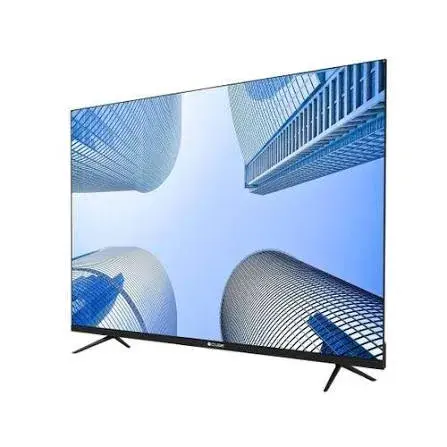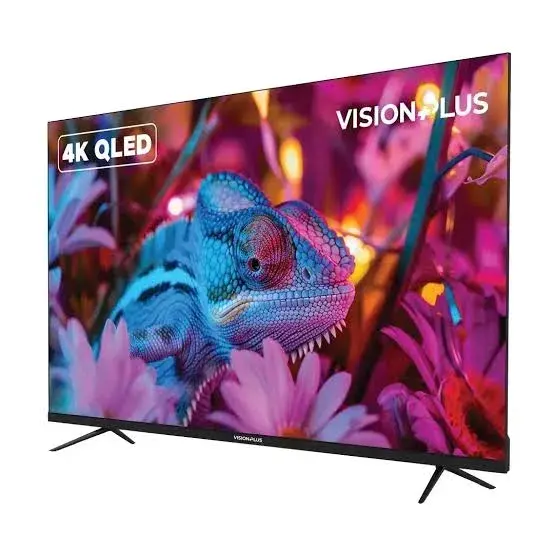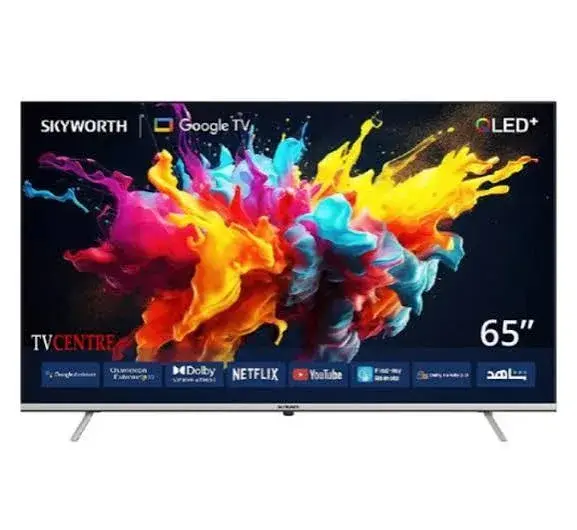
Skyworth 50Q6500H 50-Inch 4K QLED Google TV in Kenya | City Gadgets Kenya
Same-day delivery in Nairobi by 29 Oct – 30 Oct
Description
Buy the genuine Skyworth 50Q6500H 50-inch 4K QLED Google TV in Kenya from City Gadgets Kenya. 4K QLED, Google TV, HDR10+, 3 HDMI. Same-day Nairobi delivery, M-Pesa accepted. Call 0745 575 931.
Skyworth 50Q6500H 50-Inch 4K QLED Google TV in Kenya
Genuine Skyworth | 50-Inch | 4K QLED Smart TV | Google TV | HDR10+
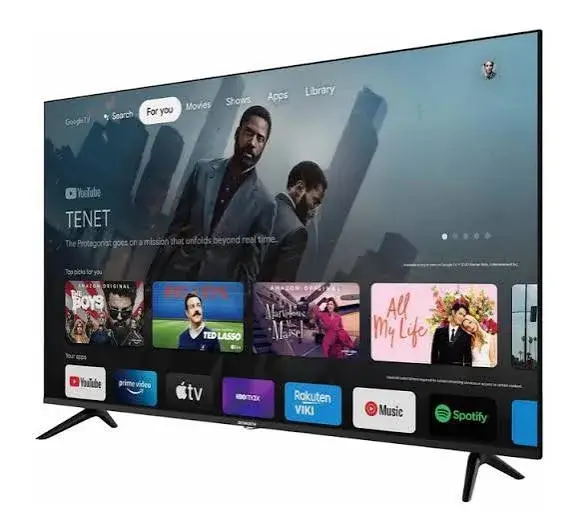
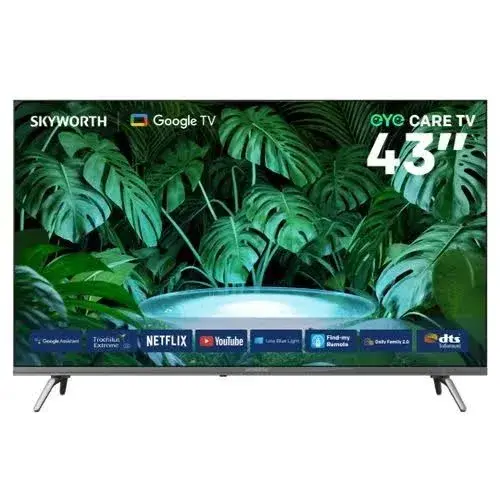
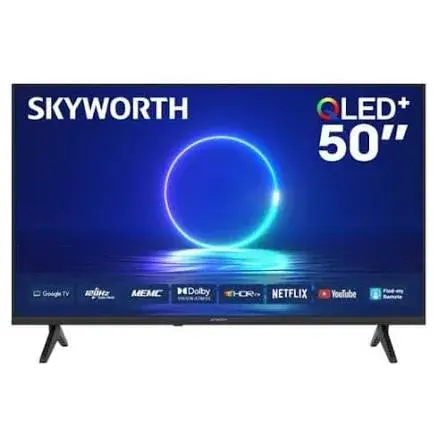
The Skyworth 50Q6500H is a 50-inch 4K QLED smart TV on Google TV, with HDR10+, three HDMI ports, Bluetooth and VESA mounting, per a UAE retailer listing of the 50Q6500G. It is a colourful, well-connected 50-inch for a medium living room. Available in Kenya from City Gadgets Kenya as a genuine, brand-new product, this page is for shoppers searching "Skyworth 50Q6500H Kenya," "Skyworth 50 inch TV Nairobi," "Skyworth 50" 50 inch 4K QLED TV price Kenya," "Skyworth 50 inch QLED Google TV," or "Skyworth Google TV Kenya."
Quantum Dot colour and Google TV in a 50-inch 4K TV is a strong mix for the money. This page explains what the Skyworth 50Q6500H offers, how it compares with the TCL 50T6D and Hisense 50Q6Qken, how far to sit, and how to check your unit on delivery.
Key specs at a glance
| Feature | Detail |
|---|---|
| Model | 50Q6500H |
| Size | 50-inch, with a screen about 111 cm wide and 62 cm high |
| Resolution | 4K Ultra HD (3,840 x 2,160) |
| Panel | 50-inch QLED (Quantum Dot) panel with 4K (3,840 x 2,160) resolution, 60 Hz, per a UAE retailer listing of the 50Q6500G. Your unit is the 50Q6500H, and we confirm any differences before you pay |
| Refresh rate | 60 Hz, per a UAE retailer listing of the 50Q6500G |
| HDR | HDR10+, per a UAE retailer listing of the 50Q6500G. We confirm the formats on your unit |
| Smart platform | Google TV, per retailer listings; we confirm the version |
| Audio | Two built-in speakers, 10 W RMS in total, per a UAE retailer listing of the 50Q6500G. We confirm the speaker specification of your unit |
| Connections | Three HDMI ports and two USB 2.0 ports, plus Ethernet, per a UAE retailer listing of the 50Q6500G. We confirm the port layout per unit |
| Wireless | Wi-Fi and Bluetooth, per a UAE retailer listing of the 50Q6500G |
| Memory | Not published in the listing we found; we confirm it per unit |
| Condition | Brand new, genuine Skyworth |
| Available from | City Gadgets Kenya, Nairobi CBD |
Figures come from Skyworth and retailer listings of the series. Skyworth sells the same model code in several regional versions, so please ask our team to confirm the exact version, ports, tuner and warranty of the unit you order before you pay.
What's in the box
A Skyworth 50-inch TV normally ships with the TV, the voice remote, batteries for the remote, the stand feet and screws, a quick start guide and the power cable. Wall brackets are usually sold separately. We confirm exactly what is in the box for your unit when you order, and we check it with you at delivery.
Why the Skyworth 50Q6500H is worth a look
A 50-inch TV is about 111 cm wide and 62 cm high, from our calculation. The 50Q6500H adds Quantum Dot colour to a 4K panel, and a UAE listing of the closely related 50Q6500G shows Google TV, HDR10+, three HDMI ports, two USB ports, Wi-Fi, Bluetooth and Ethernet.
The listing did not give brightness, memory or a warranty, and the model code differs by one letter from the unit we sell, so we confirm those details with you before you pay. For a family living room, it is a rich, simple 4K TV that uses the apps you already know.
Key features explained
Google TV: apps, search and a simple home screen
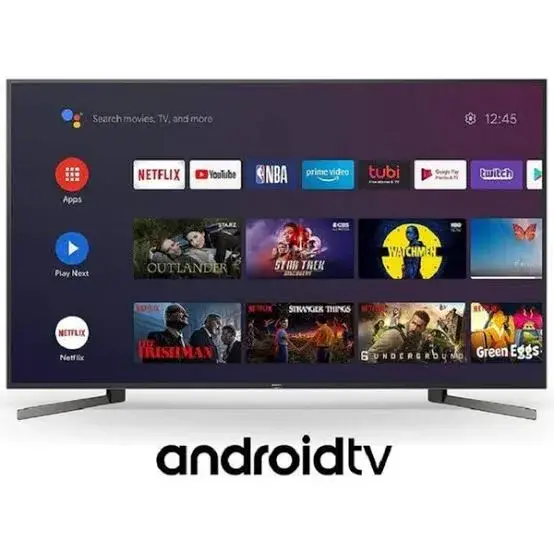
This Skyworth runs Google TV, which gathers films and series from your apps into one home screen and lets you search by voice. You can install apps such as Netflix, YouTube and Prime Video from the Google Play Store, subject to regional availability. Sign in with a Google account once, and your apps and recommendations follow you. If you have an Android phone, casting from the phone to the TV is built in through Chromecast on supported models. If you use an iPhone, YouTube and Netflix still cast easily, and many apps have their own TV versions. Our Google TV, Tizen and webOS smart TV platforms article explains how the main platforms differ.
Voice control on the remote
Press the microphone button on the remote, if your unit has one, and speak: ask for a show, a YouTube video, the weather or to open an app. It is a small feature that saves you from typing with a remote, and it is especially welcome in a family where children or grandparents struggle with on-screen keyboards. We confirm what the remote of your unit offers.
Sound and the built-in speakers
A UAE retailer listing of the 50Q6500G shows two built-in speakers rated at 10 W RMS. That is modest for a 50-inch TV, which suits news, series and football in a normal room and is thin for films and music. A soundbar connected to the HDMI ARC port, if your unit has one, is the best upgrade. We confirm the speaker specification of your unit.
QLED picture quality
QLED adds a layer of tiny quantum dots to an LED-backlit LCD. The dots convert the backlight into purer red and green light, which widens the range of colours the TV can show. Next to a standard LED TV, the difference shows in saturated colours: grass, flags, kitchen scenes and cartoons look richer. At 50 inches a 4K panel has about 88 pixels per inch, from our calculation, so text and fine detail look crisp. A QLED is still an LCD, so black levels are not like OLED's, and a Mini LED has far better contrast. For a normal lit room, the picture is colourful and clean.
HDR: what it means on this TV
A UAE retailer listing of the 50Q6500G shows HDR10+. Quantum dots help HDR content look more colourful, though brightness figures are not given in the listing we found, so we do not promise how much highlights will glow. We confirm the formats on your unit. Our HDR, HDR10 and Dolby Vision explained article explains the formats.
Connectivity: HDMI, USB, Ethernet and Bluetooth
The TV's connections are listed as follows: Three HDMI ports and two USB 2.0 ports, plus Ethernet, per a UAE retailer listing of the 50Q6500G. We confirm the port layout per unit. Use one HDMI port for your decoder or streaming stick, another for a console or laptop, and the port marked ARC for a soundbar. USB ports play photos, music and videos from a flash drive. Wi-Fi handles streaming, and the Ethernet port gives a more stable link if your router is nearby. Bluetooth lets you pair wireless headphones or a speaker. Ask us to confirm the exact port layout on the unit you order.
Is 50 inches the right size?
From our calculation, a 50-inch 16:9 screen is about 111 cm wide and 62 cm high. A common guide is to sit 1.5 to 2.5 times the screen diagonal away, which for 50 inches is roughly 1.9 to 3.2 metres. By field of view, a screen that fills about 30 degrees of your vision is comfortable from around 2.1 metres, and one that fills 40 degrees, more immersive, from around 1.5 metres.
At 50 inches the TV suits a sofa about 1.9 to 3.2 metres away, which fits a medium living room. By field of view, a screen that fills 30 degrees of your vision is comfortable from about 2.1 metres, and one that fills 40 degrees from about 1.5 metres. If your sofa is more than about 3.5 metres away, look at 55 or 65 inches. Our which TV size for your room guide helps with the maths.
At 50 inches, a 4K panel has about 88 pixels per inch, from our calculation, so individual pixels blend together from about 0.99 metres. With a 4K panel, pixels blend from about 1 metre at 50 inches, so you can sit fairly close without seeing a pixel grid. Our 4K upscaling explained article explains how TVs scale lower-resolution content.
Measure your wall and TV unit before you order, check the width of the stand feet against your cabinet, and make sure the box fits through your door. Our which TV size for your room guide helps with the maths.
Design and build
The listing we found does not give the dimensions or weight of the 50Q6500H, so we confirm them for your unit. A 50-inch TV is about 111 cm wide, so check your TV unit and the width of the stand feet before you order. The listing says the TV supports VESA mounting; we confirm the pattern for your unit. Two people should unbox and place it.
Setting it up, step by step
- Unbox with two people and keep the TV upright, never flat on its screen.
- Attach the stand feet, or the wall bracket, before connecting cables.
- Connect your decoder, console or soundbar to the HDMI ports.
- Switch on, choose your language and region, and connect to Wi-Fi.
- Sign in with your Google account to unlock the Play Store and recommendations.
- Run a channel scan if you use the built-in tuner or an antenna.
- Update the software, then choose a picture mode that suits the room.
Picture settings for a better picture
New TVs ship in a bright "Standard" or "Vivid" mode that suits shop lights. At home, switch to a Movie or Cinema style for films, turn down aggressive motion smoothing for films, set the backlight to suit your room, keep sharpness low to avoid halos and use Game Mode only when you play games. If the picture looks too dark, check the energy-saving setting. Small changes make an inexpensive TV look much better.
Using the Skyworth 50Q6500H for streaming and Kenyan TV
For Netflix, YouTube and Prime Video, a stable connection matters more than the TV. Streaming 4K needs far more data than HD, so check your plan. Our streaming resolution and data use in Kenya article gives per-hour figures. For free-to-air channels, tuners differ by regional version. Kenya's digital channels use the DVB-T2 standard, and imported models with a different tuner cannot receive them without a decoder. Ask us to confirm that your unit has a DVB-T2 tuner, or plan to use a decoder or streaming.
Gaming on the Skyworth 50Q6500H
This is a family TV rather than a gaming TV. The listing shows a 60 Hz panel and does not state a low-latency mode or a variable refresh rate, so we do not promise either. A console will work well for casual play, and you can turn off picture processing to reduce lag. For 4K at 120 frames per second, look at a TCL P8L. Our HDMI 2.1 explained and refresh rate explained articles explain what to check.
Sound upgrades: add a soundbar
Slim TVs have little room for speakers, so dialogue and bass are thin. A soundbar is the best upgrade for any TV. Our range includes Hisense and Sony soundbars, and our best soundbar in Kenya guide explains the options. Connect the soundbar to the HDMI port marked ARC, and read our HDMI ARC and eARC explained article if you want to understand the connection.
Power, surges and backup in Kenya
Kenya uses 240 V and the Type G plug. Power surges can damage a TV's power board, so use a surge protector or voltage regulator. Our power surges and AVR in Kenya article explains the options. If you plan to run the TV from a UPS or inverter, check the load first, and read our backup power for home in Kenya guide.
Wall mounting or stand
You can place the Skyworth 50Q6500H on its stand feet or mount it on the wall. For a wall mount, use a VESA-compatible bracket rated above the TV's weight, a solid wall and a professional installer for brick or drywall. Mount with the middle of the screen near eye level when seated, and leave gaps for airflow. If you use the stand, make sure your TV unit is wide and stable enough, especially if you have children or pets.
Caring for your TV
Switch off at the wall in storms, wipe the screen with a dry microfibre cloth (no sprays), keep liquids away and never press on the panel. Keep vents clear, and do not stack hot devices underneath without airflow. Keep the original box if you can, since it protects the TV if you move house.
Troubleshooting
- No picture from HDMI: try another HDMI port and cable, and check the source.
- Apps are slow: restart the TV, clear the app cache and remove apps you do not use.
- Wi-Fi drops: move the router closer or use Ethernet.
- No channels: check the antenna and re-scan, and confirm the tuner type.
- Soundbar out of sync: adjust the audio delay in the sound settings.
- Colours look off: reset the picture mode and turn off energy-saving dimming.
How the Skyworth 50Q6500H compares
Skyworth 50Q6500H vs TCL 50T6D. Both are 4K QLEDs on Google TV at 50 inches. The TCL lists Dolby Vision, HDMI 2.1 with eARC and a 120 Hz Game Accelerator per retailer listings. Compare ports, sound and warranty.
Skyworth 50Q6500H vs Hisense 50Q6Qken. The Hisense runs VIDAA and lists a full HDR set and a 36-month warranty on the South African unit.
Skyworth 50Q6500H vs a standard 4K LED. A QLED has richer colour than a standard 4K LED, such as the Hisense 50A6Qken.
Skyworth 50Q6500H vs a Mini LED. Mini LEDs are far brighter with better contrast, at a higher price.
Who the Skyworth 50Q6500H is right for
Buyers wanting colour and Google TV.
Living-room families.
Netflix and YouTube viewers who want 4K.
Anyone who wants Bluetooth for headphones.
Small businesses needing a vivid display.
Real-life examples
A living room in Kahawa. A 50-inch QLED at three metres, with football by day and Netflix at night.
A bedroom or study. A 4K screen big enough to share, with a laptop or console connected by HDMI.
A small business. A vivid display for a shop or office, with a USB drive for media.
Accessories worth buying with the 50Q6500H
- A soundbar to fix thin built-in sound. See our best soundbar in Kenya guide.
- A certified HDMI cable for the console or soundbar, so you are not limited by a cheap cable.
- A wall bracket matched to the VESA pattern and weight, if you prefer to mount the TV.
- A surge protector or voltage regulator to protect the power board.
- A decoder or antenna if you rely on free-to-air channels and your unit's tuner is not suitable.
- A microfibre cloth for the screen.
Ask our sales team on 0745 575 931 and we will quote the accessories together with the TV. Browse our accessories category too.
Streaming data and running costs
Because the panel is 4K, ask yourself whether you actually stream or play in 4K. If you do, the data cost is real: Netflix's published guidance is roughly 7 GB per hour for 4K, against about 3 GB per hour for HD, so a 4K film of two hours can use around 14 GB, from our calculation. An HD stream looks fine on this TV and uses less data.
For running cost, here is an example, not Skyworth's rating: a TV drawing 80 W for five hours a day uses about 0.40 kWh a day, roughly 12 kWh a month, from our calculation. Multiply by your own tariff to estimate the cost. Lower backlight settings and switching off at the wall when you travel both reduce use. The maker's label gives the real rated figure, and we can confirm it for your unit.
Five questions to ask yourself before you buy a 50-inch TV
- Have I measured the wall, the TV unit and the doorway? A 50-inch TV is about 111 cm wide.
- How far will I sit? The comfortable range is roughly 1.9 to 3.2 metres, from our calculation.
- What will I watch? News, football and series suit any of the sizes. Fast sport and games benefit from a better panel.
- What do I need to plug in? Count your decoder, console, soundbar and streaming stick against the HDMI ports.
- Do I need a soundbar and a mount now or later? Budget for them together so the setup looks finished.
If you are unsure about any of these, send us a photo of the room on WhatsApp and we will advise.
Choosing the 50Q6500H with confidence
Specifications above come from the retailer listings named on this page, and Skyworth sells regional variants of the same model name with different ports, memory and tuners. Before you pay, ask us which Google TV version the unit has, whether it has a DVB-T2 tuner, how many HDMI and USB ports it has, how much memory it has and what warranty applies. We answer these before payment, so there are no surprises on delivery.
If you can, visit us at Taveta Road and see the TV switched on next to the alternatives, because a screen is a thing you judge with your eyes. Message us on WhatsApp with a photo of your room and we will suggest the right size. Place the TV so windows are to the side, not behind you or in front of the screen, and the picture will look its best. Whichever model you choose, we check it with you at delivery.## How to check the TV when it is delivered
- Inspect the box for damage before you sign, and open it with the delivery person present if you can.
- Check the model code on the back label and the box, and make sure the serial number matches your receipt. The shop notes that this serial number is what your warranty is registered against.
- Switch the TV on and look at a dark screen for dead pixels, bright spots or uneven lighting.
- Test every HDMI port, USB port, the Wi-Fi and the remote.
- Check that the remote, stand feet, screws and power cable are included.
- Contact our Customer Relations team on 0794 488 806 straight away if anything is wrong.
How to tell a genuine Skyworth from a copy
- Model code: the code on the back label should match the box and your receipt.
- Interface: the TV should boot into genuine Google TV with the Google Play Store, and the model code on the back label should match the box and your receipt.
- Packaging: sealed, with clean printing and consistent barcodes.
- Price: a price far below the market is a warning.
- Seller: buy from a seller who gives a receipt and explains the warranty.
Why buy from City Gadgets Kenya
Genuine, brand-new stock from a Nairobi shop you can visit. City Gadgets Kenya is at New Alnoor Exhibition, Shop 7, Second Floor, Taveta Road (at the Taveta Road and Accra Road junction), Nairobi CBD. We are open Monday to Friday 9:00am to 7:00pm, and Sunday 11:00am to 4:00pm (Saturday closed).
- Sales (pricing, stock and orders): call or WhatsApp 0745 575 931 on WhatsApp.
- Customer Relations (warranty, returns and support): call or WhatsApp 0794 488 806 on WhatsApp.
- Email: sales@citygadgetskenya.co.ke, handy for invoices, bulk orders and warranty paperwork.
- Delivery: same-day delivery in Nairobi for orders confirmed before 3:00pm on a working day. Outside Nairobi we deliver by courier to your nearest agent or your door, typically 1 to 3 business days after dispatch. The delivery charge depends on your location and the size of the item and is confirmed before you pay. Collection from the shop is free. Delivery times are estimates, not guarantees.
- Payment: M-Pesa accepted.
- Follow us: Instagram, TikTok and Facebook.
Frequently asked questions
Is the Skyworth 50Q6500H a real QLED? A UAE retailer listing of the 50Q6500G shows a QLED panel. We confirm the panel of your unit.
Is it 4K? Yes, 4K Ultra HD (3,840 x 2,160), per the listing we found.
Does it run Google TV? The listing shows Google TV. We confirm the version on your unit.
Can I pay via M-Pesa? Yes, M-Pesa is accepted.
Do you deliver outside Nairobi? Yes. Outside Nairobi we deliver by courier, typically 1 to 3 business days after dispatch. The delivery charge is confirmed before you pay.
What warranty does it have? Ask our Customer Relations team on 0794 488 806 for the warranty that applies to the unit you order.
Order your Skyworth 50Q6500H today
Available now at City Gadgets Kenya. Call or WhatsApp our sales team on 0745 575 931 (WhatsApp) to confirm stock, delivery and what is included, or email sales@citygadgetskenya.co.ke. Visit us at New Alnoor Exhibition, Shop 7, Second Floor, Taveta Road (at the Taveta Road and Accra Road junction), Nairobi CBD.
Specifications
- Brand
- SKYWORTH
- Condition
- New
Frequently Asked Questions
How much does the Skyworth 50Q6500H 50-Inch 4K QLED Google TV in Kenya | City Gadgets Kenya cost in Kenya?
The Skyworth 50Q6500H 50-Inch 4K QLED Google TV in Kenya | City Gadgets Kenya is priced at Ksh 49,000 at City Gadgets. You can pay via M-Pesa, card or cash on delivery.
Is the Skyworth 50Q6500H 50-Inch 4K QLED Google TV in Kenya | City Gadgets Kenya available in Kenya?
Yes — the Skyworth 50Q6500H 50-Inch 4K QLED Google TV in Kenya | City Gadgets Kenya is in stock at City Gadgets, ready for same-day delivery in Nairobi and countrywide shipping across Kenya.
Is the Skyworth 50Q6500H 50-Inch 4K QLED Google TV in Kenya | City Gadgets Kenya genuine and does it have a warranty?
Every Skyworth 50Q6500H 50-Inch 4K QLED Google TV in Kenya | City Gadgets Kenya we sell is 100% genuine brand-new stock and comes with a 12-month official brand warranty.
Do you deliver the Skyworth 50Q6500H 50-Inch 4K QLED Google TV in Kenya | City Gadgets Kenya in Nairobi?
Yes. We offer fast same-day delivery within Nairobi and fast, affordable delivery to the rest of Kenya — order online or on WhatsApp.
Customer Reviews
No reviews yet
Be the first to review this product.
Rate us on Google
Your review helps other shoppers find us
Reviews from verified buyers will appear here.
Buying guides
Straight advice for shoppers picking between the models above.
OLED Burn-In Myths: What Is Real, What Is Not, and How to Protect Your Phone, Watch or TV in Kenya
OLED Burn-In Myths: What Is Real, What Is Not, and How to Protect Your Phone, Watch or TV in Kenya
Read the guide
IPS vs VA vs OLED Explained: Which Screen Technology Is Right for Your Monitor or TV in Kenya?
IPS vs VA vs OLED Explained: Which Screen Technology Is Right for Your Monitor or TV in Kenya?
Read the guide
Refresh Rate Explained: 60Hz, 100Hz, 120Hz, 144Hz and 240Hz — What You Actually Need in Kenya
Refresh Rate Explained: 60Hz, 100Hz, 120Hz, 144Hz and 240Hz — What You Actually Need in Kenya
Read the guide