Few topics frighten buyers more than "burn-in". Tell a friend you are buying an OLED phone or TV and someone will say, "It will burn in within a year." Others say it never happens any more. Both statements are wrong. Burn-in is real, but it is rarer, slower and more avoidable than the rumour suggests, and it is often confused with a harmless, temporary effect called image retention.
This guide separates the OLED burn-in myths from the facts, explains why OLED and AMOLED screens age the way they do, and shows how to protect a phone, smartwatch or TV and how to check a used screen before you buy.
We are City Gadgets Kenya, at New Alnoor Exhibition, Second Floor, Shop C7, Accra Road, Nairobi CBD, with same-day delivery in Nairobi and next-day delivery outside Nairobi. Many of the phones and smartwatches we sell use OLED or AMOLED screens, and we confirm the screen type per model. Our product notes do not list TVs, so TV advice here is general. Calculations are our own, from stated assumptions.
The short version
- Burn-in is permanent uneven ageing of an OLED screen's pixels. Pixels that are used harder fade faster than their neighbours, and a ghost of the repeated image shows.
- Image retention is temporary. A faint trace of a recent image that disappears after a few minutes of normal use. It is not burn-in.
- Normal use rarely causes visible burn-in on modern phones, because content changes constantly. Risk rises with hours of the same bright static image, such as a news ticker or a game HUD.
- Modern screens include protection: pixel shifting, brightness limiting for static elements and automatic compensation cycles.
- Your habits matter more than rumours. Moderate brightness, dark mode, auto-brightness and a screen timeout all help.
- Check used screens. A burnt-in phone or watch is one of the main risks of buying second-hand.
| Claim | Verdict |
|---|---|
| "OLED always burns in within a year" | Myth. Normal use rarely does that |
| "Burn-in cannot happen on modern OLED" | Myth. It can with heavy, static, bright use |
| "A faint ghost image that fades is burn-in" | Usually image retention, which is temporary |
| "Dark mode prevents burn-in" | Helps wear by lowering average pixel use, but does not remove all risk |
| "Always-on display ruins the screen" | Designed with pixel shifting and low brightness. Risk is low |
| "A screen protector causes burn-in" | Myth |
What OLED and AMOLED actually are
OLED stands for organic light-emitting diode. Each pixel is made of organic material that glows when current passes through it. Unlike an LCD, there is no backlight. Each pixel makes its own light, and a pixel that is off is truly off, which gives deep blacks. AMOLED is a common phone and smartwatch variant: the "AM" stands for active matrix, meaning a thin-film transistor layer controls each pixel. In daily conversation, AMOLED and OLED mean nearly the same thing on a phone. We compare the technology with LCD for watches in our AMOLED vs LCD smartwatch screens article.
Because each pixel is a separate light source, each one also ages separately. That is where burn-in comes from.
What causes burn-in
The organic materials in an OLED pixel slowly lose efficiency as they are used. The more current a pixel carries and the longer it stays on, the faster it ages. If one part of the screen shows the same bright image for thousands of hours, those pixels fade faster than their neighbours. When the content changes, the uneven wear shows as a faint ghost of the old image. That is burn-in, and it is permanent.
Some points matter here:
- Different colours age at different rates. Blue sub-pixels have historically aged fastest, so burnt-in areas can look yellowish or colour-shifted.
- Brightness drives wear. High brightness means higher current and faster ageing.
- Static content is the trigger. Navigation bars, channel logos, tickers, game HUDs and persistent app interfaces stay in one place.
- It is cumulative. Burn-in does not usually appear after a day. It builds over hundreds or thousands of hours.
Image retention is not burn-in
Image retention, sometimes called a temporary ghost, is a short-term effect. After a bright static image has been on screen for a while, a faint trace may be visible when the picture changes. It fades after minutes or hours of normal content. Many people report "burn-in" and then watch it fade away, which tells you it was retention. A quick test:
- Show a plain grey or white full-screen image.
- Look for a faint outline of an old element.
- Leave the screen on a changing video for ten to fifteen minutes.
- Look again. If the trace has faded or gone, it was retention. If it persists, it may be burn-in.
Myth 1: "OLED screens burn in within a year"
For normal phone use, this is not what we expect. Phone screens show varied content: messages, web pages, photos, video. The same pixels are not bright and static for thousands of hours. Heavy users who keep a map or a game on screen for many hours a day at high brightness are at greater risk.
To put numbers on it, from our calculation: a navigation bar visible for 6 hours a day is about 2,190 hours a year. A navigation bar is typically small and dim compared with the content, and many phones now use gesture navigation or shift the bar slightly. The risk comes from the combination of high brightness, long hours and a fixed position, not from any single factor.
Myth 2: "Modern OLED cannot burn in"
Makers have worked hard on prevention, and screens last much longer than early OLEDs. But the physics has not been repealed. Independent long-term tests of OLED TVs have shown that extreme, deliberate static use, such as a news channel logo for thousands of hours at high brightness, can leave visible burn-in. We do not claim a figure for any specific model here. The accurate summary is: rare in normal use, possible in extreme use, and made less likely by modern protection.
Myth 3: "Dark mode fixes it"
Dark mode lowers the average brightness of pixels, which lowers wear, and it saves battery on OLED because black pixels are off. It is a helpful habit. But if a bright icon or a coloured toolbar stays in place, those pixels still age. Dark mode reduces risk; it does not abolish it.
Myth 4: "Always-on display burns the screen"
Always-on displays on phones and watches show a dim, simplified screen, usually with a small number of lit pixels, and many shift the image slightly over time. This design is meant to keep wear low. Brightness is limited, and the clock moves. If you use a custom always-on image that is bright and fixed, the risk is higher. Sticking to the default style, or a dim, minimal one, is sensible.
Myth 5: "A screen protector or case can cause burn-in"
A protector is a clear layer on top of the glass. It does not change how pixels age. A poor protector can cause other issues, such as rainbow patterns, bubbles or reduced fingerprint sensor performance, but not burn-in.
Myth 6: "Burn-in is covered by every warranty"
Do not assume so. Many makers treat burn-in as a result of use, and warranty terms vary by maker, product and region. Some TV makers offer specific burn-in coverage in some markets, and many phone warranties do not. Read the terms, and ask the seller what the warranty covers. We confirm warranty details per product.
How phones, watches and TVs protect against burn-in
Modern OLED devices use several methods together.
| Protection | What it does |
|---|---|
| Pixel shifting | Moves the image by a pixel or two so wear spreads across more pixels |
| Static element dimming | Reduces brightness of unchanging logos, bars or HUDs |
| Compensation cycles | Measures wear and adjusts brightness to even it out, often when the device is off or in standby |
| Screen savers and timeouts | Dim or change the picture after a period of inactivity |
| Brightness limiting | Caps the peak or average brightness to limit current |
| Auto-brightness | Lowers brightness in dim rooms, reducing wear |
On TVs, some compensation cycles run automatically after you switch off, which is why makers advise leaving the TV plugged in and in standby. On phones, many protections run quietly and do not need setting up.
Habits that protect your phone or watch
You do not need to change how you live to protect an OLED screen. A few settings go a long way.
- Keep auto-brightness on. The screen dims in dim rooms and brightens only when needed.
- Use a screen timeout of 30 seconds to a couple of minutes, so a static screen does not stay lit.
- Use dark mode if you like it. It lowers average pixel use and saves battery on OLED.
- Avoid maximum brightness for long periods, such as leaving a video or a map at full brightness for hours. Outdoors, use it when you need it and lower it when you do not.
- Use gesture navigation if your phone offers it, so there is no fixed navigation bar.
- Rotate wallpapers and widgets occasionally. A bright static widget in the same place for years is the sort of element that can leave a mark.
- Avoid parking a bright static app on screen for hours, such as a stopwatch or a game lobby.
- Use the default always-on style, or a dim minimal one.
- Keep the phone cool. Heat speeds up the ageing of most electronics, including OLED. Do not leave it on a car dashboard in the sun.
- Update the software. Updates sometimes improve screen management.
For batteries and charging habits, see our guides to power banks and fast chargers.
Smartwatches: a special case
Smartwatches with AMOLED screens tend to show the same watch face for long periods, especially with always-on display. Watch makers manage this with dim always-on faces, small lit areas and pixel shifting. For wear, the clock hands and the complication positions are the usual places for marks to appear. Tips:
- Choose a watch face that is mostly black with limited bright elements, if you use always-on.
- Switch faces occasionally, since a face with a large bright circle in the same place all day uses those pixels harder.
- Use auto-brightness or a sensible fixed brightness.
- Turn off always-on if you rarely look at the watch face. Battery life improves too.
Different watch models vary in always-on behaviour and in maximum brightness. We confirm the screen type and always-on options per model, and our smartwatch guides cover the details.
TVs: where burn-in worries are strongest
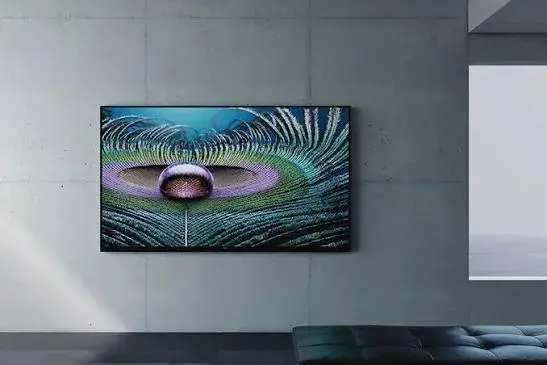
TVs are where burn-in matters most, because a TV can show the same channel logo or game HUD for hours on end, on a large panel, at high brightness. Our product notes do not list TVs, so this section is general advice rather than a recommendation of a model. If you consider an OLED TV, consider these points.
- Mixed viewing is fine. A TV used for films, series, sport and varied content spreads wear evenly.
- Risk is highest with fixed content: 24-hour news channels with permanent tickers, a TV used as a computer monitor with a static desktop, and long gaming sessions with a fixed HUD.
- Use the TV's protective features, leave it in standby so compensation can run, and keep brightness sensible.
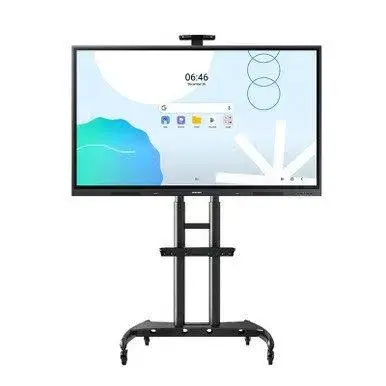
- Consider alternatives for static use. If the TV will mostly serve as a menu board, a shop display or a computer monitor, a bright LCD is usually a safer choice.
- Check the warranty on the panel.
For screen size and distance, see our TV and monitor sizes vs viewing distance article.
Different OLED types: WOLED, QD-OLED and others
TV OLED panels come in more than one design. In general terms, a white OLED (WOLED) panel makes white light and uses colour filters, while a QD-OLED uses blue emitters with quantum dots to produce red and green. Each design has its own balance of brightness, colour and ageing, and makers describe their own protection systems. We do not make claims about specific models here. The key point for a buyer is that "OLED" covers more than one construction, so ask which one a particular TV or monitor uses, and compare reviews and warranty terms.
OLED vs LCD: the ageing trade-off
| Feature | OLED | LCD with LED backlight |
|---|---|---|
| Black level | Perfect black, pixels off | Depends on backlight control |
| Burn-in risk | Possible with heavy static use | No permanent pixel burn-in in the same way |
| Peak brightness | Improving, but varies | Often higher on bright LCDs |
| Viewing angles | Excellent | Depends on panel type |
| Response time | Very fast | Slower on many panels |
| Thinness | Very thin | Thicker backlight layers |
| Best for | Films, dark rooms, premium phones | Bright rooms, static content, long daily hours |
LCDs can show temporary image persistence in some cases, and they have their own aging, such as backlight dimming over years. But they do not suffer OLED-style differential pixel wear. That is why LCD remains a sensible choice for signage and shops. Neither is "better"; they suit different uses. Our DLP vs LCD vs laser projectors article compares technologies in the projector world, and our e-ink technology explained article covers a third, reflective approach.
How to test a used OLED or AMOLED phone or watch for burn-in
This is the most useful part for second-hand buyers. Do these tests in the shop, with the screen at a moderate to high brightness and in a dim room.
- Full-screen grey. Open a plain grey image, ideally mid-grey. Burnt-in areas show as slightly darker or lighter shapes: navigation bars, keyboard outlines, status icons, clock digits.
- Full-screen white. Look for a yellowish tint or darker patches, particularly at the edges.
- Full-screen red, green and blue. Each colour can reveal ageing in that sub-pixel. A solid blue or green screen often shows a ghost most clearly.
- Full-screen black. Check for pixels that glow, bright dots or uneven black.
- Check the corners and edges for colour shifts, green or pink tints, and vertical or horizontal lines.
- Tilt the phone to see whether the tint changes with angle. Some tint at angles is normal on certain panels, but strong coloured shifts are not.
- Test the touch across the whole screen by drawing lines in a notes app.
- Check the brightness at low settings. Flicker, uneven low brightness or visible grain can be a sign of a worn or replaced panel.
- Check for a replaced screen. Aftermarket screens may have different colour, reduced brightness or a poorer fingerprint sensor. Ask the seller whether the screen is original.
- Compare against a known good unit of the same model when you can.
If you see a ghost image, ask for a different unit. Do not accept "it will fade". Retention fades. Burn-in does not.
Can burn-in be fixed?
Burn-in is wear in the organic material, so there is no software fix that returns the worn pixels to new. Some devices run compensation cycles that even out the wear by slightly lowering the brightness of the less-worn areas. These can make the ghost less visible but cannot reverse it. If a phone or watch screen has burn-in, the realistic fix is a screen replacement. Our team can advise through our repair service; the cost and options depend on the model, and we confirm them before any work. Be wary of "burn-in fixer" videos and apps. Some show colour patterns to exercise pixels. They may help reduce temporary retention, but they do not repair permanent wear, and running a very bright pattern for hours can add wear.
Heat, sun and brightness: conditions that matter in Kenya
Phones in Kenya spend much of their lives outdoors: on matatu seats by sunny windows, on boda boda mounts, on market stalls and in pockets in the midday heat. Three things combine:
- Sunlight makes you raise brightness. Auto-brightness will push an OLED to its peak in bright sun. That is fine for short periods, but all-day peak brightness means more current in the pixels.
- Heat ages electronics. A phone left on a dashboard or in direct sun can run very hot, and heat accelerates wear in many components including the battery. If your phone shows a temperature warning, move it to shade.
- Charging while using adds heat. Using a phone for navigation while fast charging in a hot vehicle is among the hardest conditions a phone faces. A cooler spot and a sensible charger help. Our guide to fast chargers explains how to choose one.
None of this means you should avoid using your phone outdoors. It means you should be aware that a screen at maximum brightness, in the heat, showing a fixed map for hours, is the toughest test. Ordinary use is much kinder.
Phone screens: size and brightness are not the same as durability
Reviews often highlight peak brightness numbers, such as the brightness in a small bright area for a few seconds. That is useful for sunlight readability, but it says little about how the panel ages. The things that matter for longevity are the average brightness you use, the content you show and how the maker manages the screen. If a seller tells you a screen "cannot burn in" because it is bright, treat the claim with caution.
Buying a refurbished or second-hand OLED device
Second-hand devices are common in Nairobi, and many are excellent value. The screen is the component most worth checking, because it is also among the most expensive parts to replace. A short checklist for a used device:
- Run the solid-colour test as described above.
- Ask whether the screen is original. Replaced screens vary in quality.
- Check the battery health in the settings, where the device shows it.
- Test the cameras, speakers, microphone and charging port.
- Check the IMEI and make sure the phone is not blocked or reported.
- Check for account locks, and make sure the previous owner's accounts are removed.
- Get a receipt and a warranty, even a short one.
If you are selling your own device, you can find out how to trade in on our sell page. A clean, unmarked screen helps your device keep its value.
Screen replacement: what to expect
If a screen is cracked or has burn-in, replacement is possible for many models. A few notes:
- Original, refurbished and aftermarket screens differ. Original or high-grade screens usually give better colour and brightness. Cheaper aftermarket screens may be dimmer, have a different tint or use a different technology.
- Some features depend on the screen, such as the in-display fingerprint sensor on certain models.
- Water resistance may be affected by a repair, since seals are disturbed.
- Ask what is being fitted and what warranty the repair has.
We can give an honest answer through our repair service, and we confirm the options before any work begins.
Reading burn-in stories online with a clear head
Forums and social media are full of burn-in photos. When you read them, ask a few questions. How many hours a day was the device used, and on what content? What brightness? How old is the device? Was the picture taken against a plain grey background, which exaggerates ghosts? Was it retention that faded later? Many dramatic photos come from extreme, deliberate tests, and many complaints turn out to be temporary retention. Equally, claims that "it can never happen" often come from sellers. The sensible position is in the middle: know the risk, build good habits, and test before you buy.
Common mistakes buyers make
- Avoiding OLED entirely out of fear. Normal use rarely causes problems.
- Ignoring habits. Maximum brightness all day shortens the screen's life.
- Not testing a used screen. One minute with solid colours reveals the problem.
- Believing "retention fades" excuses for real burn-in. If the ghost remains after a long period of normal use, it is burn-in.
- Buying an aftermarket screen unknowingly. Ask about the screen's origin.
- Assuming a warranty covers it. Check the terms.
- Using an OLED TV as a fixed-content monitor without considering the risk.
Example scenarios
A student who scrolls, messages and watches videos. Varied content means low risk. Auto-brightness and a screen timeout are enough.
A rider using a phone as a navigation device on a mount for 8 hours a day. From our calculation, that is about 2,920 hours a year of a static map at high brightness in sunlight. This is an extreme use. Consider a phone with a brighter screen, lower the brightness where you can, and use dark map themes. A dedicated navigation device with an LCD may be a safer choice.
A gamer playing the same game with a fixed HUD for 3 hours daily. From our calculation, about 1,095 hours a year. Some variety in games and moderate brightness reduce risk. Many modern phones adjust for this.
A buyer of a used flagship phone. Run the solid-colour test, ask whether the screen is original and ask for a receipt and warranty.
A shop owner who wants a screen for a menu board. A bright LCD is usually safer than OLED for fixed content.
Questions to ask any seller before you pay
- Is the screen OLED, AMOLED or LCD, and is that confirmed on the maker's sheet?
- Is the screen original, or has it been replaced?
- Can I run a solid grey, white, red, green and blue test before paying?
- Does the warranty cover burn-in or screen defects?
- What is the always-on display and brightness behaviour?
- How many hours has the device been used, if it is second-hand?
- Is the battery original, or has it been replaced?
- Does it come with a charger and cable, and a plug for Kenya's Type G socket?
- What is the return policy if I find a screen problem?
- Can I see a receipt and a shop address?
How to spot a misdescribed or fake OLED screen claim
Screen type is easy to misdescribe, especially on cheap imported phones and watches. Use these ten checks together.
- Verify the model number and serial. They should match on the box, the label and the settings menu, and be verifiable on the maker's website.
- Read the maker's specification sheet for the display type. Do not rely on the shop sticker.
- Do the black test. Show a full-screen black image in a dim room. A true OLED pixel is off, so the screen looks like a dark void. An LCD shows a grey glow, especially at the edges.
- Look at viewing angles. OLED stays consistent. LCD may lose contrast at angles.
- Check marketing names. Names like "AMOLED style", "Retina-like" or "OLED look" may describe an LCD. Ask for the panel type in writing.
- Check for a replaced screen. Look for uneven edges, a loose frame, mismatched colour and a poor fingerprint sensor.
- Test with solid colours for ghosts, tints and dead pixels.
- Check the settings for options only OLED has, such as always-on display on supported models, but remember that this alone is not proof.
- Check the box and unit for signs of reuse: scratches, re-taped boxes, a high battery cycle count.
- Check the price and warranty. A price far below normal for the claimed screen, or no clear warranty and no shop address, is a red flag.
If you are unsure, bring the device to New Alnoor Exhibition, Second Floor, Shop C7, Accra Road, and we will help you check it.
Why buy your phone or watch from City Gadgets Kenya
- Genuine phones and smartwatches, checked before they reach you.
- A real shop at New Alnoor Exhibition, Second Floor, Shop C7, Accra Road, Nairobi CBD, opening from 9:00 AM.
- Same-day delivery in Nairobi and next-day delivery outside Nairobi.
- M-Pesa payment and clear receipts.
- Lipa Mdogo Mdogo on iPhones.
- Honest advice, including telling you when an LCD device suits your use better.
- You can test the screen in the shop before you pay.
- Chargers, cables and accessories in our accessories category.
- Support and repairs through our repair service.
- Trade-ins through our sell page.
- WhatsApp help on +254745575931.
Your OLED care checklist
- I know the difference between burn-in and image retention.
- I keep auto-brightness on and use a screen timeout.
- I avoid long periods of a bright, static image.
- I tested any used screen with solid colours.
- I asked whether the screen is original.
- I checked the warranty terms.
- I checked the model and claims for signs of misdescription.
- I have a receipt and know the return terms.
Frequently asked questions
What is OLED burn-in? Permanent uneven ageing of pixels that leaves a ghost image.
What is image retention? A temporary faint trace that fades after normal use.
Do OLED phones burn in? Rarely in normal use, but heavy bright static use can cause it.
Does dark mode prevent burn-in? It reduces wear but does not remove the risk.
Does an always-on display cause burn-in? Designed with pixel shifting and low brightness to avoid it.
Can burn-in be repaired? The worn pixels cannot be restored. A screen replacement is the realistic fix.
How do I test for burn-in? Show solid grey, white, red, green and blue screens and look for ghosts.
Is AMOLED the same as OLED? On phones and watches, they are practically the same.
Is LCD safer than OLED against burn-in? LCD does not have OLED-style burn-in, but OLED has other strengths.
Does the warranty cover burn-in? It depends on the maker and the terms. Ask before you pay.
Can I pay by M-Pesa? Yes.
Where can I buy a phone or watch in Nairobi? At City Gadgets Kenya, Shop C7, Second Floor, New Alnoor Exhibition, Accra Road.
Need help choosing?
Message us on WhatsApp with the phone or watch you are considering and how you use your screen, and we will tell you what to look for.
Related reading: AMOLED vs LCD smartwatch screens · E-ink technology explained · TV and monitor sizes vs viewing distance · 4K upscaling explained