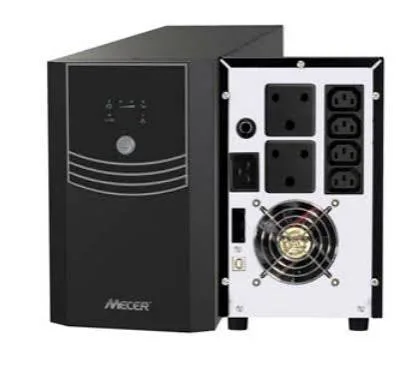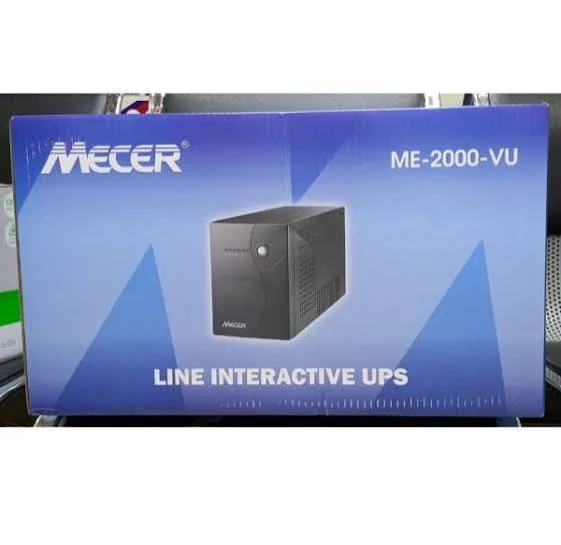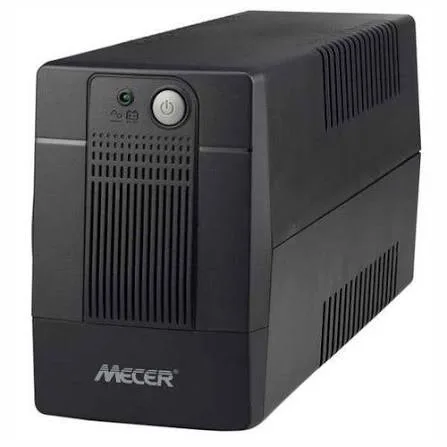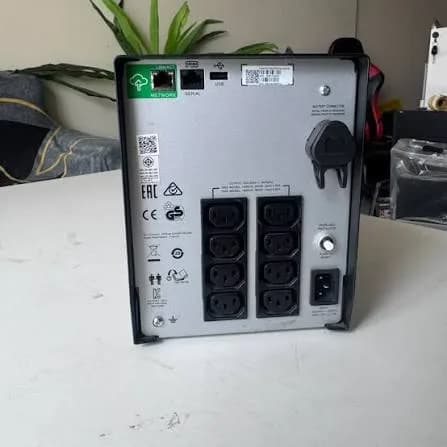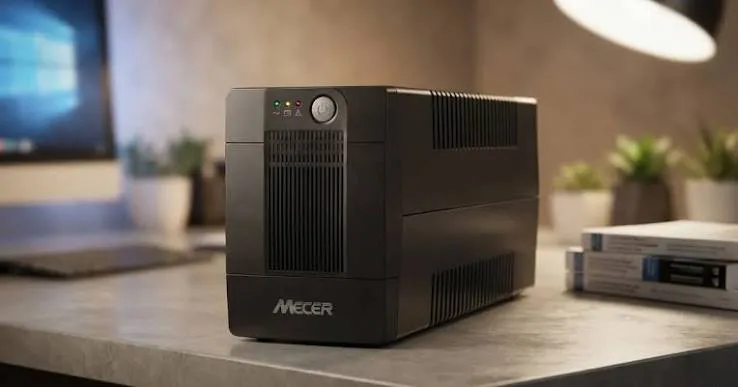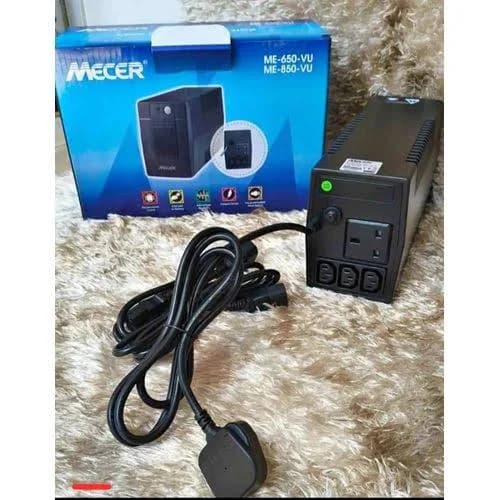
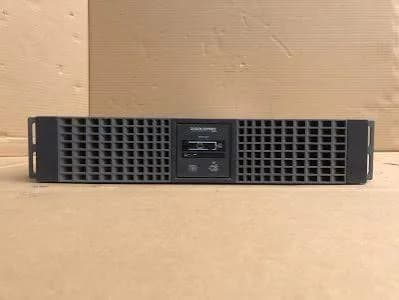
Mecer ME-3000-WPRU 3000VA 2700W Smart Online Rackmount UPS in Kenya | City Gadgets Kenya
Same-day delivery in Nairobi by 10 Oct – 11 Oct
Description
Buy the genuine Mecer ME-3000-WPRU 3000VA 2700W LCD smart online double-conversion rackmount UPS with zero transfer time and six 12V 9Ah batteries in Kenya from City Gadgets Kenya. Mecer 3KVA online rack UPS price in Kenya, UPS for servers and critical IT Nairobi.
Mecer ME-3000-WPRU 3000VA 2700W Smart Online Rackmount UPS in Kenya
Genuine Mecer | Brand New | 3000VA / 2700W True Online Double-Conversion UPS | Zero Transfer Time | LCD Display | Rackmount | Six 12V 9Ah Internal Batteries | Online, Battery, Bypass and ECO Modes
Searching for the Mecer 3KVA online rack UPS price in Kenya, a double-conversion UPS for your servers in Nairobi, or a rackmount UPS with zero transfer time for critical equipment? The Mecer ME-3000-WPRU is a brand-new, genuine 3000VA / 2700W smart online UPS in a rackmount case. Kenyan retailers describe it as a true double-conversion design with an LCD display, six internal 12V 9Ah sealed lead-acid batteries and four operating modes: online, battery, bypass and ECO. It's available from City Gadgets Kenya with delivery across Kenya. Buyers also search for it as a Mecer ME-3000-WPRU, a Mecer 3000VA online UPS, a Mecer 3KVA rackmount UPS, an online double-conversion UPS, a smart rackmount UPS, a UPS for servers and critical IT, a UPS with zero transfer time or a 2700W online UPS.
This guide is written to help you decide whether you need an online UPS. We explain how double conversion differs from the line interactive models in our range, what the modes mean, how long the six batteries will run your equipment, and how to plan a rack. If you'd like to talk it through, message us on WhatsApp.
The short verdict
The Mecer ME-3000-WPRU is a step up in protection from the line interactive 3KVA models. In an online double-conversion UPS, the incoming mains is converted to direct current, charges the batteries, and is converted back to clean alternating current for your equipment, all the time. That gives your equipment a regenerated, stable supply, and means that when the mains fails, the output doesn't switch at all: the transfer time is zero. Kenyan retailers list 3000VA and 2700 watts, six internal 12V 9Ah batteries, an LCD, a bypass mode that routes mains directly if the UPS faults, and an ECO mode for efficiency. It costs far more than a line interactive UPS, runs warmer, and has the same short-runtime limits of any UPS with internal batteries. For servers, network cores, medical and lab equipment and anything that must not blink, it's the right class of machine.
Who this UPS is for
It suits you if:
- You protect servers, storage and network core equipment in a rack.
- You run medical, lab or telecom equipment that can't tolerate any switching or noise.
- Your mains power is very dirty, with frequent swings, spikes and cuts.
- You need zero transfer time.
- You want a rackmount UPS with an LCD and bypass.
Look elsewhere if:
- You protect a few desktops. See the Mecer and Mercury line interactive models in our range.
- You want pure sine wave at a lower price for a small server. See the APC Smart-UPS C range.
- You need a tower. See the Mecer ME-3000-WPTU, if available.
- You need hours of backup. Ask us about external battery systems, generators and solar.
Online versus line interactive: what's the real difference?
This is the key decision, so a plain comparison helps.
Line interactive (most of our UPS range)
- Passes mains through, corrected by AVR, and switches to the battery on a cut, in a few milliseconds.
- Efficient, quiet and affordable.
- Output on battery is usually a simulated sine wave on budget models.
- Suits computers, routers and recorders.
Online double conversion (this UPS)
- Always runs the output from the inverter, fed by the rectifier and the batteries.
- Zero transfer time, because the inverter never stops.
- Output is a regenerated, stable sine wave, independent of mains swings, spikes and noise.
- Less efficient, warmer and noisier, and more expensive.
- Suits servers, medical, lab and telecom equipment.
If your equipment is sensitive, or your mains is very poor, online is worth the premium.
Specifications in plain English
| Feature | Detail | What it means for you |
|---|---|---|
| Model | Mecer ME-3000-WPRU | Mecer's 3000VA smart online rackmount UPS |
| Capacity | 3000VA / 2700 W | The most real power it can supply |
| Topology | True online double conversion | Regenerated power, with zero transfer time |
| Operating modes | Online, battery, bypass and ECO | Flexible operation |
| Batteries | 6 x 12V / 9Ah sealed lead-acid, internal | About 648 watt-hours at nominal ratings |
| Display | LCD | Live information |
| Form | Rackmount. One listing describes a 2U rack case | Mounts in a 19-inch rack |
| Transfer time | 0 ms | No switching when the mains fails |
| Output | Regenerated sine wave, typical of online UPS units. We confirm for your unit | Suitable for servers and sensitive equipment |
| Warranty | 12 months on many Mecer Kenyan listings | Ask us about the batteries |
These figures come from Kenyan retailer listings of the Mecer ME-3000-WPRU. Ask us to confirm the rack height, the weight, the outlet types and what's in the box for the unit you order.
The four operating modes
The ME-3000-WPRU's modes give it flexibility.
- Online mode. The normal mode, with double conversion running all the time, for the cleanest power.
- Battery mode. The UPS runs from its batteries when the mains fails. Because it's an online UPS, the switch to battery is seamless.
- Bypass mode. The UPS passes mains directly to the load, if the UPS overloads or faults, or for maintenance. It's a safety net, though in bypass, the load isn't protected from mains problems.
- ECO mode. The UPS passes mains through when it's clean and switches to double conversion if it isn't. It saves energy and heat, at the cost of a tiny switching time, so it's used when the mains is reasonably good and the load isn't extremely sensitive.
For critical equipment, run it in online mode. ECO mode suits less critical loads, to cut running costs.
How long will it run? A battery calculation
The battery is the key. Here is a simple way to estimate runtime.
- Work out the battery energy. Six 12V 9Ah batteries give 6 x 12 x 9 = 648 watt-hours at their nominal rating.
- Take off a margin. Batteries are never fully used, and the inverter loses energy. A fair usable figure is about 60 percent, which is about 390 watt-hours.
- Divide by your load. At 1,350 watts (half load), 390 watt-hours lasts about 17 minutes in theory. In practice, high currents reduce battery capacity, so expect roughly 7 to 12 minutes.
- At 500 watts, the same energy lasts about 47 minutes in theory, and roughly 25 to 40 minutes in practice.
- At full load (2,700 watts), expect only a few minutes.
These are estimates, not promises, and a pull-the-plug test with your real equipment gives the true figure. For hours of backup, an online UPS can use external battery packs on some models, and we'll tell you whether this one can.
Sizing: how to work out what you need
- List every device you'll connect.
- Find each device's power in watts, on its label or specifications. Use actual draw, not the power supply's maximum.
- Add the watts together.
- Keep the total below about 70 percent of 2700 watts, which is about 1,890 watts. Online UPS units like to run with some headroom.
- Remember that VA is not watts. This UPS supplies 2700 watts, a ratio of 0.9.
- Add a margin for growth.
- Check outlet types and counts, and whether the UPS has a terminal block or C13 and C19 outlets.
As a guide, a small server draws 150 to 300 watts, a switch 20 to 80 watts, a firewall 20 to 40 watts and a NAS 30 to 80 watts. A rack with three servers, a NAS, a switch and a firewall might draw 800 to 1,200 watts.
Planning your rack
A well-planned rack is easier to run and safer.
- Count rack units. List your servers, switches and storage, and add the UPS's height.
- Put the UPS at the bottom, because it's heavy, with six batteries inside.
- Use proper rails or a shelf. Don't rely on the front ears alone.
- Plan the power chain. UPS outlets go to servers and switches, perhaps through a rack PDU.
- Leave airflow gaps. An online UPS runs warm, and hot air must leave the rack.
- Label cables at both ends.
- Check the depth. Rack UPS units are deep.
- Ask us for racks, PDUs, cables and rails.
Heat, noise and efficiency
Online UPS units pay for their clean power in heat and noise.
- Double conversion wastes some energy as heat, typically a few percent of the load, plus fan power.
- Fans run all the time, so expect a steady hum.
- Keep the room cool, because heat shortens battery life and stresses the UPS.
- Leave space around the UPS and don't block vents.
- ECO mode cuts the heat and noise, when the mains is clean.
- Don't put the UPS beside a quiet desk. A server room or a cabinet is better.
A worked example: a server rack for a school, clinic or small bank
A concrete example helps you plan.
- List the equipment: two servers (about 250 watts each, or 500 watts), a NAS (60 watts), a managed switch (50 watts), a firewall (30 watts) and a Wi-Fi controller (20 watts). The total is about 660 watts.
- Check the rating. 660 watts is about 24 percent of 2700 watts, so the UPS is very comfortable and runs efficiently.
- Estimate the runtime. At about a quarter load, expect roughly 20 to 30 minutes on a new battery set. That gives you time for an orderly shutdown, and it suits a generator start-up.
- Plan the shutdown order. Applications first, then file servers, then the NAS, with network equipment staying up the longest.
- Set the monitoring software to start shutdown after 10 minutes on battery.
- Add a PDU if you need more outlets.
- Test the sequence during a quiet period.
- Plan the battery replacement in three to four years.
Using an online UPS with a generator
Many sites in Kenya pair a UPS with a generator, and an online UPS suits it well.
- The UPS bridges the gap between a cut and the generator reaching speed, so equipment never notices.
- Online UPS units tolerate poor generator power, such as voltage and frequency swings, because they regenerate the output.
- Size the generator generously. The UPS's rectifier and battery charger draw extra current, so a generator should be about 1.5 to 2 times the UPS's rating.
- Let the generator stabilise before the UPS accepts its power. Many online UPS units have a delay setting for this.
- Ask us about matching a generator, since some small generators make power that upsets any UPS.
Bypass mode: when and why
Bypass is a safety feature, and it's worth understanding.
- Automatic bypass routes mains to your equipment if the UPS overloads or faults, so your servers don't go off because the UPS did.
- Manual (maintenance) bypass lets you service or replace the UPS while equipment stays on mains power. Check whether the unit offers it.
- In bypass, the load isn't protected from mains problems.
- Don't run in bypass for long.
- If the UPS goes to bypass, check the load and the LCD, and ask us.
ECO mode: saving energy
ECO mode is useful, and it has a trade-off.
- How it works: the UPS sends mains directly to the load when it's clean, and switches to double conversion when it isn't.
- Benefits: higher efficiency, less heat, less fan noise and a lower electricity bill.
- Trade-off: a tiny switching time when the mains fails, so it isn't the right choice for the most sensitive equipment.
- When to use it: offices and less critical loads, where the mains is reasonably good.
- When not to: servers with sensitive power supplies, medical and lab equipment, or very dirty mains.
Run critical loads in online mode. We'll help you decide.
Replacing the six batteries
The batteries are the main running cost, so plan for them.
- A set lasts about 3 to 4 years, depending on heat and use.
- Replace all six together, as a matched set.
- Use batteries of the same type and size (12V 9Ah).
- Switch off and unplug the UPS, and follow the manual.
- Handle with care. The batteries are heavy, and the UPS stays live inside until it's isolated.
- Ask us about replacement sets and fitting.
- Recycle old batteries responsibly.
- Keep a record of the install date.
Monitoring and automatic shutdown
A rack UPS should shut your servers down cleanly, even when nobody's around.
- Connect the monitoring port to a management server.
- Install the UPS software, and set the shutdown delay.
- Use a network management card, if your model supports one, so several servers can listen to one UPS. Ask us what's compatible.
- Set email alerts.
- Test the shutdown sequence on a quiet day.
- Keep the software updated.
Common problems and simple fixes
The UPS beeps constantly on mains power. Check the load on the LCD. It may be overloaded, or the batteries need replacing.
It runs in battery mode often. Mains voltage may be outside the input range, or the generator is unstable. Check the LCD.
It goes to bypass. The load may be too high, or the UPS has a fault. Reduce the load, and ask us.
It doesn't power on. Check the wall socket, the cord, the breaker and the batteries.
Runtime is shorter than expected. The batteries have aged, or the load is higher than you think.
The fans are loud. Check the load, the room temperature and the vents.
The server doesn't shut down automatically. Install the software, and check the cable.
If a problem continues, message us on WhatsApp.
Questions to ask before you buy an online UPS
- Do I really need online, or will line interactive do?
- What equipment will it protect, and how many watts does it draw?
- How long do I need it to run?
- Is my power circuit suitable? Ask an electrician.
- How many outlets and of what type do I need?
- Does it offer maintenance bypass?
- What batteries does it use, and how much do replacements cost?
- What warranty is included, on the UPS and the batteries? Get it in writing.
- Can I see it before I pay?
We're glad to answer all of these on WhatsApp or in the shop before you pay.
Looking after the UPS for years
- Keep the rack cool, dry and ventilated.
- Test the UPS every few months.
- Don't overload it.
- Replace the batteries as a matched set.
- Use a proper circuit and earth.
- Keep the manual, box and receipt.
- Keep the software updated.
- Keep a log of tests and replacements.
Warranty and after-sales: what to ask
A UPS has two parts that matter: the unit and the batteries. Ask us what warranty covers the unit you order, how long it lasts, and whether the batteries have a separate, shorter warranty. Many Mecer Kenyan listings show 12 months, and terms may differ. Keep your receipt, the serial number and the box. If a fault appears, message us on WhatsApp first, and we'll tell you the quickest way to get it sorted.
Is online worth the extra cost? A plain-language test
It's a fair question, since an online UPS costs several times a line interactive model. A short test helps.
It's worth it if you answer yes to any of these:
- Would any break in power, even a few milliseconds, harm your equipment or data?
- Is your mains very poor, with frequent swings, spikes and cuts?
- Do you run medical, lab or telecom equipment?
- Do you pair the UPS with a generator whose output isn't stable?
- Would an hour of downtime cost you more than the price difference?
A line interactive UPS is enough if:
- You protect desktops, a few servers or network gear that tolerate a few milliseconds.
- Your mains is reasonable.
- You mainly need minutes to shut down safely.
We'll tell you honestly which side you're on.
Moving and installing a heavy rack UPS safely
A rack UPS with six batteries is heavy, and a few precautions help.
- Check the weight in the manual, and lift with at least two or three people.
- Mount the UPS at the bottom of the rack, to keep it stable.
- Use rails or a shelf rated for the weight.
- Don't connect the batteries or power until the unit is secure.
- Have a qualified electrician check the circuit and earth.
- Keep the rack bolted or weighted if it's tall.
- Keep children and pets away.
Using a UPS in Kenya
Power quality. Voltage swings are common, and an online UPS shields your equipment completely.
Heat. Server rooms get hot. Keep the rack cool and ventilated.
Earthing and circuits. Use a proper earth and a suitable circuit. A 3KVA UPS draws real current, and an electrician should check the supply.
Dust. Keep the room clean.
Weight. A rack UPS with six batteries is very heavy. Lift it with several people.
Security. Lock the cabinet and the room.
Warranty. Ask us for the warranty that applies to the unit you order, including the batteries. Keep the receipt and box.
How it compares with other options in our range
| Mecer ME-3000-WPRU | Mecer ME-3000-VU | APC SMC3000I | APC SMC2000I-2U | |
|---|---|---|---|---|
| Capacity | 3000VA / 2700 W | 3000VA / 1800 W | 3000VA / 2100 W | 2000VA / 1300 W |
| Type | Online double conversion | Line interactive | Line interactive | Line interactive |
| Transfer time | 0 ms | A few ms | A few ms | A few ms |
| Output | Regenerated sine wave | Simulated sine wave | Pure sine wave | Pure sine wave |
| Form | Rackmount | Tower | Tower | 2U rack |
| Best for | Servers and critical IT | Many workstations, low price | Server rooms | Small server racks |
Against the line interactive models: the online UPS costs far more, with cleaner power and zero switching.
Against the APC models: the APC are pure sine wave line interactive units with hot-swap batteries and strong spares support. The Mecer online gives true double conversion at a lower price than APC's online range.
Honest pros and cons
Pros
- True online double conversion, with zero transfer time.
- 2700 watts of real power.
- Four modes: online, battery, bypass and ECO.
- An LCD display.
- Six internal 9Ah batteries.
- A rackmount case.
Cons
- A high price.
- Internal batteries limit runtime.
- Heat and fan noise.
- Heavy, and needs a rack and a proper circuit.
- Spares and support are less widespread than APC's.
What to check when it arrives
- The box model matches Mecer ME-3000-WPRU.
- The UPS, rack brackets, cords, cables and paperwork are in the box.
- The UPS powers on, and the batteries charge.
- The LCD works, and shows voltage and load.
- A pull-the-plug test works, with no break in output.
- You get a receipt with the serial number and warranty details in writing.
Frequently asked questions
What is the Mecer ME-3000-WPRU price in Kenya? We confirm the current price when you message us on WhatsApp, because supplier prices change. We tell you the price and what's in the box before you pay.
Where can I buy the Mecer 3KVA online rack UPS in Nairobi? At City Gadgets Kenya, New Alnoor Exhibition, Second Floor, Shop C7, Accra Road, Nairobi CBD, or by delivery.
Is it a true online UPS? Yes, double conversion, with zero transfer time.
How many watts can it supply? 2700 watts.
How many batteries does it have? Six internal 12V 9Ah sealed lead-acid batteries.
Is it a rack or a tower? This model is a rackmount. A tower version has a different code.
What warranty does it have? Ask us for the warranty that applies to the unit you order.
Can you deliver it? Yes, same day in Nairobi and next day outside Nairobi.
Can I pay via M-Pesa? Yes.
Why buy from City Gadgets Kenya
Genuine, brand-new Mecer UPS. We're at New Alnoor Exhibition, Second Floor, Shop C7, Accra Road, Nairobi CBD, and you're welcome to talk to us about your rack before you buy. Message us on WhatsApp with your equipment list, and we'll tell you honestly whether an online UPS is worth it or a line interactive model will do. We confirm what's in the box before you pay.
Order your Mecer ME-3000-WPRU today
Available now at City Gadgets Kenya. Message us on WhatsApp.
Specifications
- Brand
- Mecer
- Condition
- New
Frequently Asked Questions
How much does the Mecer ME-3000-WPRU 3000VA 2700W Smart Online Rackmount UPS in Kenya | City Gadgets Kenya cost in Kenya?
The Mecer ME-3000-WPRU 3000VA 2700W Smart Online Rackmount UPS in Kenya | City Gadgets Kenya is priced at Ksh 135,000 at City Gadgets. You can pay via M-Pesa, card or cash on delivery.
Is the Mecer ME-3000-WPRU 3000VA 2700W Smart Online Rackmount UPS in Kenya | City Gadgets Kenya available in Kenya?
Yes — the Mecer ME-3000-WPRU 3000VA 2700W Smart Online Rackmount UPS in Kenya | City Gadgets Kenya is in stock at City Gadgets, ready for same-day delivery in Nairobi and countrywide shipping across Kenya.
Is the Mecer ME-3000-WPRU 3000VA 2700W Smart Online Rackmount UPS in Kenya | City Gadgets Kenya genuine and does it have a warranty?
Every Mecer ME-3000-WPRU 3000VA 2700W Smart Online Rackmount UPS in Kenya | City Gadgets Kenya we sell is 100% genuine brand-new stock and comes with a 12-month official brand warranty.
Do you deliver the Mecer ME-3000-WPRU 3000VA 2700W Smart Online Rackmount UPS in Kenya | City Gadgets Kenya in Nairobi?
Yes. We offer fast same-day delivery within Nairobi and fast, affordable delivery to the rest of Kenya — order online or on WhatsApp.
Customer Reviews
No reviews yet
Be the first to review this product.
Rate us on Google
Your review helps other shoppers find us
Reviews from verified buyers will appear here.