Dobe Stereo Gaming Headset in Kenya | City Gadgets Kenya
Same-day delivery in Nairobi by 29 Oct – 30 Oct
Comes with
Description
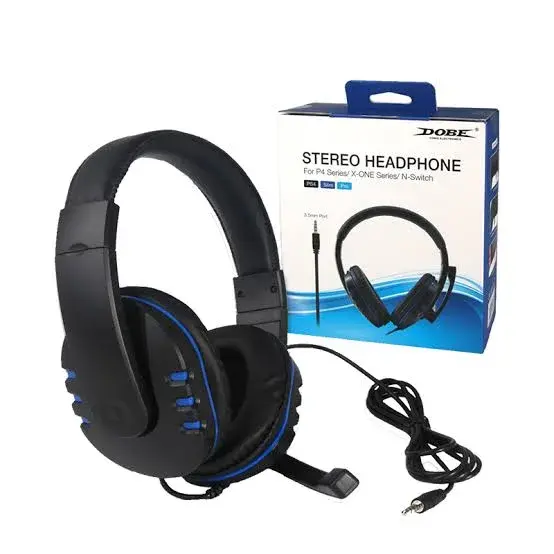
Buy the Dobe Stereo Gaming Headset in Kenya from City Gadgets Kenya. Dobe wired stereo gaming headset with 3.5mm connection, boom microphone, adjustable headband and soft ear cushions for console, PC and mobile. Same-day Nairobi delivery, M-Pesa accepted. Call 0745 575 931.
Dobe Stereo Gaming Headset in Kenya
Genuine Dobe | Wired 3.5mm | Stereo Sound | Boom Microphone | Adjustable Headband | PlayStation, Xbox, Switch, PC And Mobile | Exact Model Confirmed Per Unit
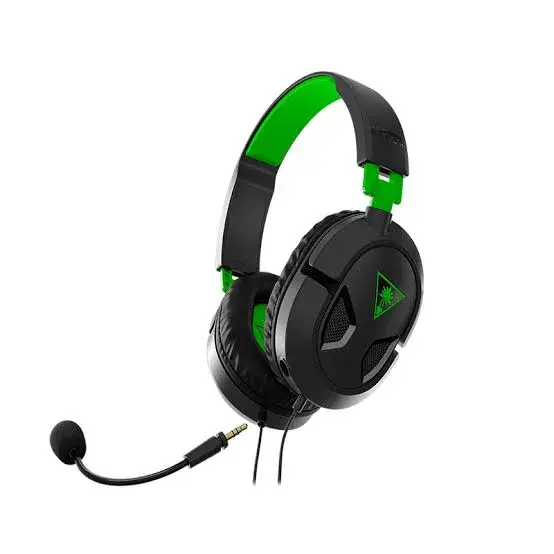
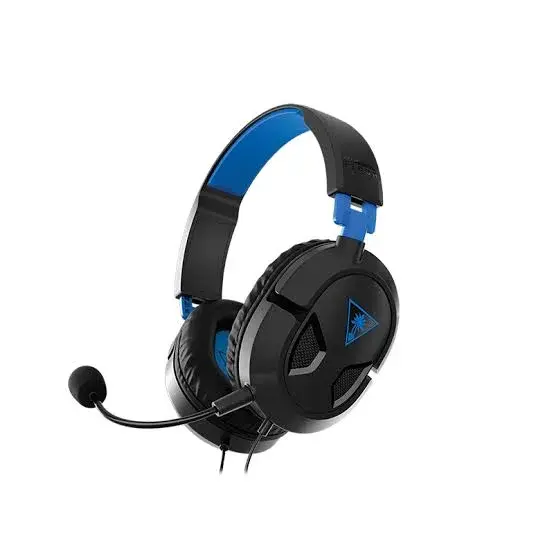
The Dobe Stereo Gaming Headset is a low-priced wired gaming headset with stereo speakers, a boom microphone, an adjustable headband and soft ear cushions, connecting by a 3.5mm plug. Dobe sells several headset models. Our supplier's list gives only "Dobe Stereo headset", so we do not know the exact model number, and the details on this page come from the related Dobe stereo headset listings we found. We confirm the model and every detail on the headset before you pay. Available in Kenya from City Gadgets Kenya, this page is for shoppers searching "Dobe stereo headset Kenya", "Dobe gaming headset price Kenya", "buy Dobe headset Nairobi", "cheap gaming headset Kenya", "PS5 headset Kenya", "Dobe headset PS4" or "budget gaming headset Nairobi".
Not every buyer needs a famous brand. If you want a low-priced headset for a PS4, a PS5, a Switch or a laptop, a Dobe stereo set can do the job. This page explains what the related Dobe listings say, what we do not know, how to connect the headset, and how to check it when it is delivered.
Key specs at a glance
| Feature | Detail |
|---|---|
| Type | Wired over-ear stereo gaming headset |
| Model | Dobe stereo headset; exact model number confirmed on your unit |
| Connector | 3.5mm |
| Microphone | Boom microphone, described as noise-reducing and high-sensitivity |
| Headband and cushions | Adjustable headband and soft ear cushions in the related listings |
| Compatibility | The related listings give PC, PlayStation 4 and 5, Xbox One, Nintendo Switch and phones via 3.5mm; we confirm for your device |
| Speaker drivers | Not listed; we confirm on your unit |
| Frequency response and impedance | Not listed; we confirm on your unit |
| Cable length | Not listed; we confirm on your unit |
| Lighting | Not listed; we confirm on your unit |
| Colours | White and black in the related listings; we confirm the colour in stock |
| Condition | Brand new |
| Available from | City Gadgets Kenya, Nairobi CBD |
Specifications come from published manufacturer and retail specification sheets. Gaming accessories are sold in several versions with different colours, model codes and platform labels, so please ask our team to confirm the exact model, colour and version in stock before you pay.
What's in the box
The box contents are not listed in the related listings we read. We confirm exactly what is in the box for your unit, including any adapter, before you pay.
Overview: who the Dobe stereo headset is for
The Dobe stereo headset is for buyers who want a working gaming headset at the lowest sensible price. It is a good fit for a child's first headset, a spare set for a gaming lounge, a simple headset for online classes, or a backup when your main headset breaks.
Dobe is a gaming accessories brand that makes controllers, charging stands and headsets for consoles. Its headset models differ in styling, lighting and cable length, which is why our supplier's short name is not enough for us to give an exact specification. We would rather say we do not know than guess.
If you are choosing between a budget headset and a branded one, the main differences are usually the documented specifications, the build quality and the microphone. A budget headset can be perfectly fine for casual play. If you play competitive games every day for hours, a branded set with a detailed specification sheet is easier to rely on.
What the related listings say
The related Dobe listings describe a wired stereo headset with a 3.5mm plug, a boom microphone, an adjustable headband, soft ear cushions and an over-ear form. They list compatibility with PC, PlayStation 4 and 5, and say it also works with Xbox One, the Nintendo Switch and phones through a 3.5mm connection.
The listings do not give the driver size, the frequency response, the impedance or the cable length. We do not quote these figures because we would be guessing. When the headset arrives in the shop, we can check the model number printed on the box and give you the details for that model.
The listings also mention stereo surround. Stereo surround on a wired set with a 3.5mm plug is a sound tuning, not a true multi-speaker surround system. Do not expect it to place sounds behind you the way a home cinema does.
The microphone and the controls
The microphone is described as a boom microphone with noise reduction. A noise-reducing microphone tries to cut background noise such as fans and traffic, and how well it works varies between models. Test it before you commit: record a voice note in a quiet room, then in a noisy one.
Some Dobe models have an in-line control with volume and mute, and some do not. We cannot confirm which type you will receive until we see the unit, so we check it with you.
If your game chat is important, tell us which game and which console, and we will help you test the microphone on the spot.
Comfort and build
A headset is only good if you can wear it comfortably. The related listings mention soft ear cushions and an adjustable headband. Adjust the headband so that the cups sit centred over your ears and the top of the band does not press on your head. If the clamp feels tight, rest the headset on a stack of books for a day to loosen it slightly, or ask us to try another unit.
Budget headsets often use lighter plastic and thinner cables than branded ones. Handle the headset gently, avoid pulling it by the cable and keep it away from heat and sun.
If you have a large head or wear glasses, try the headset on in the shop. Fit varies between models, and a headset that is comfortable for ten minutes may not be comfortable for two hours.
Connecting the Dobe headset
On a PlayStation controller, plug into the 3.5mm socket at the bottom. On an Xbox controller with a 3.5mm socket, plug in directly; older controllers may need an adapter. On a Nintendo Switch, plug into the console. On a laptop, use the combined headset socket, or a splitter on a desktop. On a phone, use a 3.5mm socket or a good USB-C adapter.
If the headset has a two-plug design with separate sound and microphone plugs, use the right sockets on a desktop PC, and use an adapter for a single-socket device. We confirm the plug type when the unit arrives.
If it does not work, push the plug fully in and test on a second device. Tell us if a fault remains, and we will advise.
How to choose a wired gaming headset
A headset is the one piece of gaming kit you wear for hours, so comfort and clarity matter more than a long feature list. Start with the connection. A wired headset with a 3.5mm plug has no battery to charge, no pairing to fail and no audio delay, which is why many competitive players still prefer it. The trade-off is the cable, which limits how far you can move from the controller or the desk.
Next, look at the speaker drivers. The driver is the small speaker inside each ear cup, and a larger driver can usually move more air, which helps bass and fullness. Driver size alone does not decide the sound, because the tuning and the cup design matter too, but 40mm drivers are a common size for gaming headsets in this price class and give a solid, game-friendly sound for footsteps, gunshots, engines and music.
Then check the ear cups. Closed ear cups that sit around the ear, called over-ear or circumaural, block some outside noise and keep your game sound from leaking into the room. Soft padding matters on long sessions, so squeeze the cushions and check that the headband does not press on the top of your head. Finally, look at the microphone. A boom microphone sits close to your mouth and picks up your voice more clearly than the tiny microphone on a phone earphone. A mute switch or a flip-to-mute arm saves you from sharing the noise of your household with your team.
Connecting the headset to your device
Most wired gaming headsets use a single 3.5mm plug that carries both the sound and the microphone. This kind of plug has four contacts and is called TRRS. Many controllers and phones have a matching socket, so the headset plugs straight in. A plug of this kind is what lets one headset work across several devices, but it also explains why the same headset can behave differently on each one.
- PlayStation 4 and PlayStation 5. Plug the headset into the 3.5mm socket at the bottom of the controller. Then open the sound settings on the console and check that the headset is the chosen output and that the microphone level is not muted.
- Xbox One and Xbox Series X and S. Newer Xbox controllers have a 3.5mm socket. Older controllers may need an adapter, and we confirm this before you buy if you tell us which controller you use.
- Nintendo Switch. The Switch has a 3.5mm socket on the console itself. The headset works in handheld mode and in docked mode through the console, and the in-game chat usually runs through a phone app, not through the headset plug.
- PC and laptop. A laptop with a single combined socket accepts the headset directly. A desktop with separate headphone and microphone sockets needs a Y-splitter adapter that separates the sound and the microphone. If a PC shows no microphone, a splitter is the first thing to try.
- Phones and tablets. Many phones no longer have a 3.5mm socket. If yours has only USB-C, you will need a USB-C to 3.5mm adapter, and some cheap adapters do not carry the microphone, so choose a good one.
If the headset does not seem to work, push the plug firmly all the way in, because a plug that is not fully seated is the most common cause of missing sound or a missing microphone. Test the headset on a second device before you decide it is faulty.
Getting good sound
You do not need to change much to get the most from a headset like this. Set the game's sound mode to headphones or headset if it has the option. Turn off any extra virtual surround in the console or PC settings first, then add it back only if you like the result, because stacking several effects can make voices sound thin. Lower the chat volume a little if teammates drown out the game.
For competitive games, listen for footsteps and distant gunfire in a quiet room and adjust the volume so that quiet sounds are clear but loud sounds are not painful. Loud sound for hours can damage hearing, so keep the volume below the point where you have to shout over it. Take a short break every hour, which also helps your ears and your neck.
Gaming in a Kenyan home
Many Kenyan gamers play in shared homes, hostels or flats where noise is a problem in both directions. A closed over-ear headset keeps the sound of explosions away from sleeping family members and keeps the noise of the matatu or the neighbourhood out of your game. A good microphone with a mute function means you can step away to answer the door without your whole lobby listening.
Power cuts are a fact of life, and a wired headset has an advantage here: it has no battery of its own, so it works for as long as your console or phone does. Plug your console into a surge-protected extension, because voltage spikes when power returns can damage consoles and controllers, and a headset plugged into a controller during a spike can be affected as well. Keep the cable out of the walkway, because a pulled cable can drag a controller off a table.
If you play in a gaming lounge or a school hostel, a personal headset is also more hygienic than a shared one and works with the lounge's consoles as long as the controllers have a 3.5mm socket.
Wired or wireless: which is right for you
Wireless headsets are attractive because they remove the cable, but they bring costs of their own. They need charging, so a flat battery can end a match. They can be affected by interference or a weak connection. They also cost more for the same sound quality, because part of the price goes on the battery and the radio. A wired headset costs less for the sound you get, has no delay between the screen and your ears, and keeps working as long as your device has power.
If you mostly play in one place, such as a sitting room or a bedroom, a wired set is hard to beat on value. If you move around the house while playing, or you sit far from the console, a wireless set may suit you better. Many gamers keep a wired headset as a dependable backup even when they own a wireless one, which is a good use for a low-priced model.
Sharing a headset and keeping it clean
If a headset is shared between brothers and sisters or between players in a gaming lounge, hygiene matters. Wipe the cushions and the headband after use with a slightly damp cloth, and let them dry. Do not use alcohol on faux leather, because it can crack the surface. Replacement ear cushions are sold for some models, and we can advise on this if you want to keep a headset for years.
Looking after your headset
Wipe the ear cushions with a slightly damp cloth now and then and let them dry before use. Sweat and body oils break down faux leather over time, so do not leave the headset in a hot car or in direct sun. Do not yank the plug out by the cable, and do not wrap the cable tightly around the headband, since the cable usually fails at the plug or the in-line control. When you pack the headset, fold it gently and keep it in a bag where nothing heavy can crush the ear cups.
If the sound crackles in one ear, test the headset on another device first. If the fault follows the headset, contact us before you try to repair it yourself, because opening it can end any warranty.
How to check your headset when it is delivered
- Inspect the box for damage before you sign, and check that the box is sealed.
- Open it and check that the contents match what we confirmed with you.
- Check the build: the headband should flex without creaking, the ear cups should swivel smoothly and the cable should be free of kinks.
- Plug it into a phone, a controller or a laptop and play a music track. Check that both sides play, that the sound is clean at medium volume, and that the left and right channels are not swapped.
- Test the microphone by recording a short voice note or joining a party chat, and check the mute switch.
- Contact our Customer Relations team on 0794 488 806 straight away if anything is wrong.
How to avoid a fake or counterfeit headset
Popular headset brands are copied, and a fake can look very similar in the box. The copy often has thinner plastic, a weaker cable and poor sound.
- Check the printing and the logo. Blurry text, spelling mistakes, a wrong logo or a missing model code are warnings.
- Check the box and the quick-start guide. A genuine box has sharp printing and a model code that matches the headset.
- Compare the build. Rough moulding seams, a squeaky headband or an uneven cable are warnings.
- Watch the price. A price far below the market is a reason to ask why.
- Buy from a seller with an address. Choose a seller who gives a receipt and explains the warranty, and avoid paying a stranger before you have seen the product.
Warranty and stock
Warranty depends on the market version of the product and on who stocks it. We confirm the model, the version and the exact warranty terms in writing for the specific unit before you pay, and Customer Relations on 0794 488 806 handles warranty questions after purchase. Keep your receipt and the box.
Strengths and limits
What we like:
- A very low entry price.
- A wired 3.5mm connection that works with several devices.
- A boom microphone, described as noise-reducing.
- An adjustable headband and soft ear cushions.
- No battery to charge.
- We confirm the exact model and details in the shop.
What to keep in mind:
- The exact model is not known from our supplier's list.
- Driver size, impedance and cable length are not published in the listings we found.
- Build and microphone quality vary between models.
- Stereo surround is a tuning, not true surround.
- Less brand support than a major gaming brand.
Who should buy the Stereo Gaming Headset
- Parents buying a first gaming headset.
- Budget-conscious console and PC players.
- Buyers who want a spare or backup headset.
- Students joining online classes.
- Buyers happy to have us check each feature in the shop.
Who should look elsewhere
- Buyers who need exact, fully documented specifications.
- Competitive players who want a branded microphone.
- People who want a wireless headset.
- Buyers who want lighting or software control.
Compare before you buy
Dobe stereo headset against the Turtle Beach Recon 50. The Recon 50 has a documented specification sheet, a detachable microphone and a known brand. It costs more.
Dobe stereo headset against the Turtle Beach Recon 70. The Recon 70 has a flip-to-mute microphone and an ear-cup volume wheel, with a known brand. It costs more.
Dobe stereo headset against earbuds. Earbuds are small and portable, but a headset has a boom microphone and a more comfortable fit for long sessions.
Why buy from City Gadgets Kenya
Genuine, brand-new stock from a Nairobi shop you can visit. City Gadgets Kenya is at New Alnoor Exhibition, Shop 7, Second Floor, Taveta Road (at the Taveta Road and Accra Road junction), Nairobi CBD. We are open Monday to Friday 9:00am to 7:00pm, and Sunday 11:00am to 4:00pm (Saturday closed).
- Sales (pricing, stock and orders): call or WhatsApp 0745 575 931 on WhatsApp.
- Customer Relations (warranty, returns and support): call or WhatsApp 0794 488 806 on WhatsApp.
- Email: sales@citygadgetskenya.co.ke, handy for invoices, bulk orders and warranty paperwork.
- Delivery: same-day delivery in Nairobi for orders confirmed before 3:00pm on a working day. Outside Nairobi we deliver by courier to your nearest agent or your door, typically 1 to 3 business days after dispatch. The delivery charge depends on your location and the size of the item and is confirmed before you pay. Collection from the shop is free. Delivery times are estimates, not guarantees.
- Payment: M-Pesa accepted.
- Follow us: Instagram, TikTok and Facebook.
Frequently asked questions
Does it work with my PS5, Xbox or Switch? It connects by a 3.5mm plug, so it works with any controller or device that has a 3.5mm socket. Tell us your device and we will confirm.
Is it wireless? No. It is a wired headset, so there is no battery to charge.
Which Dobe model is it? Our supplier lists it only as a Dobe stereo headset. We confirm the model on the box before you pay.
Is the microphone removable? We confirm on your unit.
How long is the cable? Not listed. We confirm on your unit.
Can I pay via M-Pesa? Yes, M-Pesa is accepted.
Do you deliver outside Nairobi? Yes. Outside Nairobi we deliver by courier, typically 1 to 3 business days after dispatch. The delivery charge depends on your location and the size of the item and is confirmed before you pay.
What if it is faulty on delivery? Contact Customer Relations on 0794 488 806 straight away, and we will advise on the next steps.
Order the Dobe Stereo Gaming Headset today
Available now at City Gadgets Kenya. Call or WhatsApp our sales team on 0745 575 931 (WhatsApp) to confirm stock, the version, delivery and what is included, or email sales@citygadgetskenya.co.ke. Visit us at New Alnoor Exhibition, Shop 7, Second Floor, Taveta Road (at the Taveta Road and Accra Road junction), Nairobi CBD.
Specifications
- Brand
- DOBE
- Condition
- New
Frequently Asked Questions
How much does the Dobe Stereo Gaming Headset in Kenya | City Gadgets Kenya cost in Kenya?
The Dobe Stereo Gaming Headset in Kenya | City Gadgets Kenya is priced at Ksh 4,500 at City Gadgets. You can pay via M-Pesa, card or cash on delivery.
Is the Dobe Stereo Gaming Headset in Kenya | City Gadgets Kenya available in Kenya?
Yes — the Dobe Stereo Gaming Headset in Kenya | City Gadgets Kenya is in stock at City Gadgets, ready for same-day delivery in Nairobi and countrywide shipping across Kenya.
Is the Dobe Stereo Gaming Headset in Kenya | City Gadgets Kenya genuine and does it have a warranty?
Every Dobe Stereo Gaming Headset in Kenya | City Gadgets Kenya we sell is 100% genuine brand-new stock and comes with a 12-month official brand warranty.
Do you deliver the Dobe Stereo Gaming Headset in Kenya | City Gadgets Kenya in Nairobi?
Yes. We offer fast same-day delivery within Nairobi and fast, affordable delivery to the rest of Kenya — order online or on WhatsApp.
Customer Reviews
No reviews yet
Be the first to review this product.
Rate us on Google
Your review helps other shoppers find us
Reviews from verified buyers will appear here.
Buying guides
Straight advice for shoppers picking between the models above.
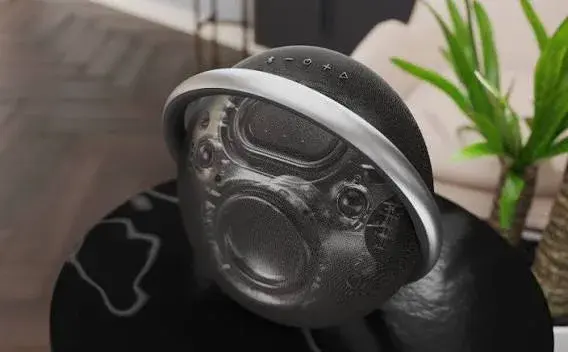
Refurbished Harman Kardon Onyx Studio 7 Buying Guide in Kenya: Sound, Battery, Waterproofing, What to Check and How to Spot a Fake
Refurbished Harman Kardon Onyx Studio 7 Buying Guide in Kenya: Sound, Battery, Waterproofing, What to Check and How to Spot a Fake
Read the guide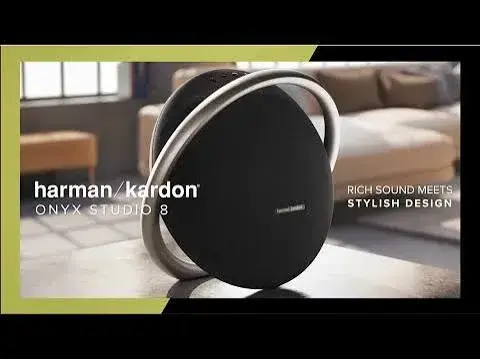
Refurbished Harman Kardon Onyx Studio 8 Buying Guide in Kenya: 50W Sound, Bluetooth 5.2, Stereo Pairing, What to Check and How to Spot a Fake
Refurbished Harman Kardon Onyx Studio 8 Buying Guide in Kenya: 50W Sound, Bluetooth 5.2, Stereo Pairing, What to Check and How to Spot a Fake
Read the guide
Home Theatre Systems in Kenya: The Complete Buying and Setup Guide
Home Theatre Systems in Kenya: The Complete Buying and Setup Guide
Read the guide