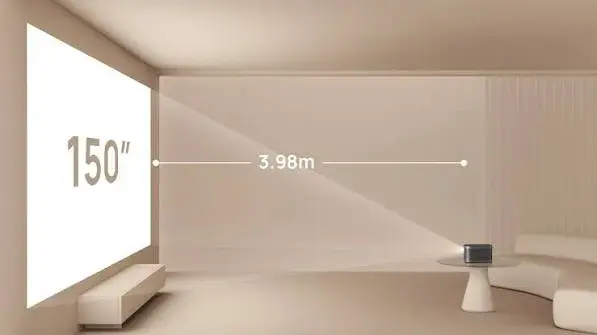
You have chosen the room, the screen and the brightness. Then comes the question that trips up many installations: where does the projector actually go? Put it too close and the picture is too small. Put it too far and it spills off the wall. Mount it on the ceiling and find it needs to be 6 metres from the screen in a room that is only 4 metres long. The number that answers all of this is the throw ratio, and it is printed on every projector specification sheet, yet few buyers know how to use it.
This guide gives projector throw ratio explained in plain language, with worked examples for common screen sizes, so you can plan placement before you buy, understand zoom, lens shift and keystone, and avoid expensive mistakes.
We are City Gadgets Kenya, at New Alnoor Exhibition, Second Floor, Shop C7, Accra Road, Nairobi CBD, with same-day delivery in Nairobi and next-day delivery outside Nairobi. We stock the LG ProBeam 4K laser projector and Epson projectors for classrooms, offices and presentations. Figures for our projectors come from our product notes and retailer listings, and we confirm them per unit. The worked examples are our own calculations.
The short version
- Throw ratio = projection distance ÷ image width. A throw ratio of 1.5 means the projector sits 1.5 metres away for every 1 metre of image width.
- A lower number means a shorter throw: a bigger image from a shorter distance. Higher means a longer distance.
- Zoom lenses give a range of throw ratios, so you can adjust image size without moving the projector.
- Lens shift moves the image up, down or sideways without tilting the projector, keeping the picture square.
- Short-throw and ultra-short-throw projectors sit very close to the screen and suit small rooms or classrooms where people walk in front of the beam.
- Always check the throw range against your room before you buy or install.
| Projector in our range | Throw detail (per our notes) |
|---|---|
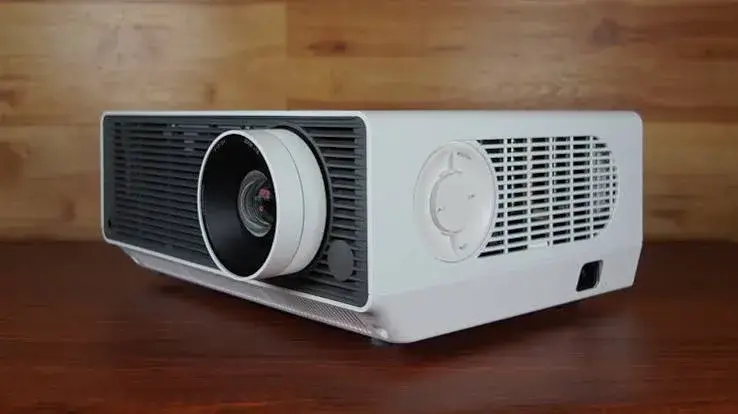
| LG ProBeam BU60RG | 1.30 to 2.08:1, 1.6x zoom, lens shift horizontal ±20%, vertical ±50% |
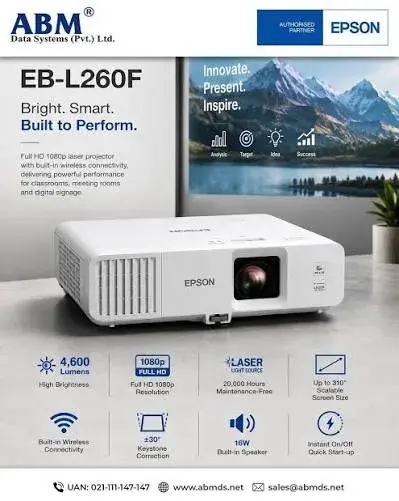
| Epson EB-L260F | Image size about 31 to 310 inches with zoom lens; we confirm the throw ratio per unit |
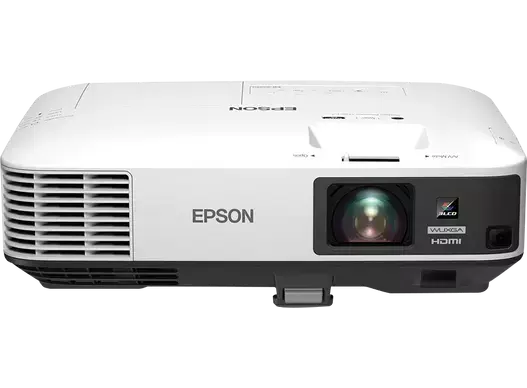
| Epson EB-2250U | Image size about 50 to 300 inches; we confirm the throw ratio per unit |
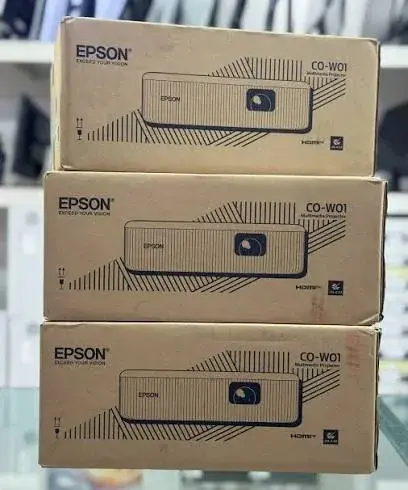
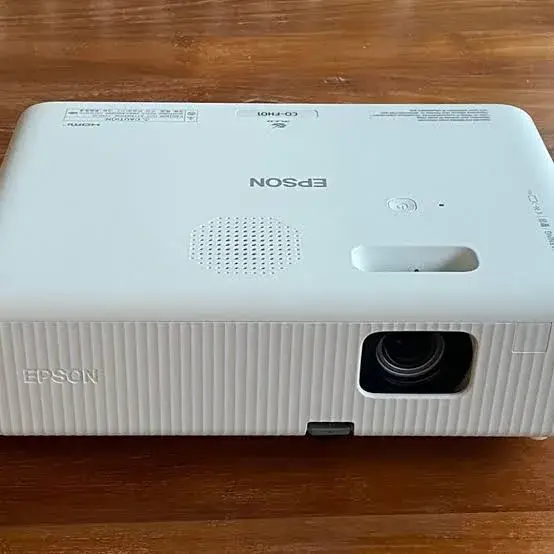
| Epson CO-W01 | Image size about 25 to 378 inches, projection distance about 0.9 to 10.4 m, with zoom |
| Epson CO-FH01 | We confirm the throw ratio and image-size range per unit |
What throw ratio means
Throw distance is how far the projector's lens is from the screen. Image width is the width of the picture on the screen. The throw ratio is the first divided by the second:
throw ratio = distance ÷ image width
So distance = throw ratio × image width.
For example, a projector with a throw ratio of 1.5 casting an image 2 metres wide must be 3 metres from the screen (1.5 × 2). To make the image 3 metres wide, it must move to 4.5 metres.
Fixed lens versus zoom lens
Some projectors have a single throw ratio, such as 1.5:1. Most business and home projectors have a zoom lens, which gives a range, such as 1.30 to 2.08:1 for the LG ProBeam BU60RG per our notes. The low end (1.30) is the wide setting, giving the biggest image for a given distance. The high end (2.08) is the telephoto setting, giving the smallest image from that distance. The zoom ratio of a lens, such as 1.6x for the LG, is the ratio of the high to the low throw ratio: 2.08 ÷ 1.30 = 1.6.
Image width, diagonal and aspect ratio
Screens are sold by diagonal size, but throw ratio uses width. For a 16:9 screen, width is about 0.87 times the diagonal. Projectors with a 16:10 image, such as the WUXGA Epson EB-2250U and the WXGA Epson CO-W01 per our notes, produce a slightly taller picture, so check which aspect ratio the quoted image sizes refer to.
| 16:9 screen diagonal | Width | Height |
|---|---|---|
| 80 inch | 1.77 m | 1.00 m |
| 100 inch | 2.21 m | 1.25 m |
| 120 inch | 2.66 m | 1.49 m |
| 150 inch | 3.32 m | 1.87 m |
| 200 inch | 4.43 m | 2.49 m |
| 300 inch | 6.64 m | 3.74 m |
These are our calculations.
Throw distance: worked examples
Multiply the throw ratio by the image width to find the distance. The table shows the distance in metres for common throw ratios and 16:9 screens, from our calculations.
| Throw ratio | 80 inch | 100 inch | 120 inch | 150 inch |
|---|---|---|---|---|
| 0.25 (ultra-short throw) | 0.44 m | 0.55 m | 0.66 m | 0.83 m |
| 0.5 (short throw) | 0.89 m | 1.11 m | 1.33 m | 1.66 m |
| 1.0 | 1.77 m | 2.21 m | 2.66 m | 3.32 m |
| 1.3 | 2.30 m | 2.88 m | 3.45 m | 4.32 m |
| 1.5 | 2.66 m | 3.32 m | 3.98 m | 4.98 m |
| 2.0 | 3.54 m | 4.43 m | 5.31 m | 6.64 m |
| 2.5 | 4.43 m | 5.53 m | 6.64 m | 8.30 m |
The LG ProBeam example
With a throw ratio of 1.30 to 2.08:1, per our notes, the LG ProBeam BU60RG can fill these screens from these distances (our calculation):
| Screen (16:9) | Closest distance (1.30) | Furthest distance (2.08) |
|---|---|---|
| 80 inch | 2.3 m | 3.7 m |
| 100 inch | 2.9 m | 4.6 m |
| 120 inch | 3.5 m | 5.5 m |
| 150 inch | 4.3 m | 6.9 m |
| 200 inch | 5.8 m | 9.2 m |
| 300 inch | 8.6 m | 13.8 m |
So for a 150 inch screen the projector must be placed between 4.3 and 6.9 metres from the screen. In a hall where the ceiling mount is 6 metres from the screen, a 150 inch picture is comfortably possible, and a 200 inch picture would need at least 5.8 metres, so it also fits. If the room is only 3 metres deep, the largest picture that fits is around 80 to 100 inches, and a short-throw projector would be a better choice.
Working backwards: the screen size from the distance
If you know the distance, divide by the throw ratio to get the image width. For example, a projector at 4 metres with a throw ratio range of 1.30 to 2.08 gives widths from 4 ÷ 2.08 ≈ 1.92 m to 4 ÷ 1.30 ≈ 3.08 m. Those correspond to roughly 87 to 139 inches diagonally on a 16:9 screen, by our calculation. So you can make a picture of anything between those sizes from that spot.
Choosing screen size for the room
A common rule of thumb is that the screen height should be about one-sixth of the distance from the screen to the furthest viewer. From our calculation for 16:9 screens:
| Distance to furthest viewer | Screen height | Approximate diagonal |
|---|---|---|
| 4 m | 0.67 m | 54 inch |
| 6 m | 1.00 m | 80 inch |
| 8 m | 1.33 m | 107 inch |
| 10 m | 1.67 m | 134 inch |
| 15 m | 2.50 m | 201 inch |
Rules of thumb vary, and content matters. Text-heavy slides need larger screens for the back row than films do. Bigger is not always better, because as shown in our projector lumens explained article, a larger screen is dimmer for the same lumens.
Lens shift: moving the image without moving the projector
Throw ratio decides how far back the projector sits. Lens shift decides where the picture lands once it is there. A projector with lens shift has a lens that can be moved physically, by a dial or motor, so the image slides up, down or sideways while staying rectangular and sharp. It is the cleanest way to line an image up with a screen, because nothing is being digitally stretched.
The LG ProBeam BU60RG lists lens shift of ±20% horizontally and ±50% vertically, per the maker. Those percentages are fractions of the image size. From our calculation, a 100 inch 16:9 image is about 221 cm wide and 124 cm high, so:
- Vertical shift of ±50% moves the image up or down by roughly 62 cm.
- Horizontal shift of ±20% moves it left or right by roughly 44 cm.
That is a lot of freedom. A ceiling-mounted projector can sit above the picture without tilting, and a table-mounted one can sit off to one side, without tilting the projector and distorting the picture. Many smaller, cheaper projectors have no mechanical lens shift at all. Always ask whether a given model has it, and how far it goes, because it can decide whether the projector fits the room.
Why lens shift beats tilting the projector
If you tilt a projector up to hit a high screen, the top of the image is further from the lens than the bottom, so the picture becomes a trapezoid wider at the top. This is the keystone effect. You can fix it by tilting the projector level again and using lens shift, or by digital correction, which has costs.
Keystone correction: useful, but not free
Most projectors, including budget office models, offer keystone correction, which digitally reshapes the picture to look rectangular. It is handy in an emergency, such as a borrowed projector in a church hall with no ceiling mount. But there are trade-offs, and any seller who says it is "as good as lens shift" is overselling.
- Resolution loss. The projector squeezes part of its pixels to build the corrected shape, so the picture is processed and slightly softer, and fine text can show stepped edges.
- Brightness uneven. The side closer to the lens is brighter than the far side.
- Focus. The near and far edges are at different distances, so the whole image cannot be perfectly sharp at once.
- Limited range. Most projectors can correct only a modest angle. Beyond that the picture is clearly compromised.
The practical advice is to place the projector as square to the screen as the room allows, use lens shift or the projector's built-in offset first, and keep keystone for small adjustments. If you do need heavy correction every day, a different mounting position or a projector with better shift will serve you better.
Vertical offset: the hidden spec on cheaper projectors
Many projectors without lens shift still have a fixed vertical offset, meaning the image is projected upward or downward relative to the lens centre by a set amount. A typical ceiling-friendly projector throws the image below the lens, so when it is mounted on the ceiling the picture sits conveniently on the wall below. A table projector may throw the image above the lens.
Offset is often written as a percentage, for example "offset 100 to 110%". It means the bottom of the image sits at a height above the lens centre equal to that fraction of the image height. This matters when you measure for the mount:
- Work out the image height from the screen size.
- Apply the offset to find how high above or below the lens the picture will sit.
- Mount the projector so the picture lands on the screen, not on the ceiling or the floor.
Check the offset on the maker's specification sheet for the exact model, and confirm with us if you are unsure. We can read it with you on WhatsApp.
Short throw and ultra short throw
Projectors are often grouped by throw ratio. The ranges below are general industry conventions, and exact boundaries vary slightly between makers.
| Type | Typical throw ratio | Where it suits |
|---|---|---|
| Long throw | Above about 2.0 | Large halls, cinemas, far-back mounting |
| Standard throw | About 1.4 to 2.0 | Most classrooms, meeting rooms and home cinemas |
| Short throw | About 0.4 to 1.0 | Small rooms, close to the screen |
| Ultra short throw | Below about 0.4 | Sitting right below the wall or screen, avoiding shadows |
From our calculation, a 100 inch 16:9 picture is about 2.21 m wide. At a throw ratio of 0.25, an ultra short throw projector sits about 0.55 m from the screen. At 1.0 it sits about 2.2 m away, and at 2.0 about 4.4 m.
Why choose short throw?
- Fewer shadows. When you present, you stand in front of the screen and your body blocks the beam if the projector is behind the audience. A short throw projector sits close to the screen, so the beam hits the wall at a steep angle and you are less likely to cast a shadow.
- Small rooms. A 100 inch picture from a long throw projector needs several metres. A short throw projector fits in a small meeting room.
- No cable runs across the room. The projector and the source can both sit near the screen.
- Less glare in the presenter's eyes.
Trade-offs
- Placement is strict. A short throw lens is very sensitive to distance and wall flatness. A slightly uneven wall can bend the picture.
- Special screens. Ultra short throw projectors usually work best with screens designed for the steep angle.
- Price. They are normally priced above standard throw models of similar brightness.
We do not stock a dedicated ultra short throw projector at the moment. If you need one, message us on WhatsApp and we will tell you honestly what we can source.
Ceiling mount or table: choosing the position
For a fixed room, a ceiling mount is usually the tidiest option. It keeps the projector out of the way, keeps the lens at a consistent distance, and keeps cables hidden. A table or trolley suits portable setups, such as a church that sets up in a school hall each Sunday.
| Factor | Ceiling mount | Table or trolley |
|---|---|---|
| Alignment | Set once, stays aligned | Must be realigned each time |
| Security | Harder to knock or steal | Easy to bump or move |
| Cables | Hidden in conduit | Visible, trip risk |
| Heat and dust | Warm air collects near the ceiling | Dust from the floor |
| Servicing | Needs a ladder | Easy to reach |
| Flexibility | Fixed | Can move to another room |
In either case, leave room around the vents. Projectors need airflow, and blocking the vents shortens light source life.
Worked example: a meeting room with a ceiling mount
Suppose a meeting room is 6 m long, and the screen is mounted on the front wall. We want a 120 inch 16:9 picture, and the projector will be ceiling mounted about 4 m from the screen.
- Image width. From our calculation, 120 inch is about 2.66 m wide and 1.49 m high.
- Throw ratio needed. 4 m ÷ 2.66 m is about 1.5. That sits inside the LG ProBeam's 1.30 to 2.08 range, so a zoom setting around the middle of the lens works.
- Height. The projector's lens is 3.0 m from the floor. The screen's top edge is at 2.2 m and the bottom at 0.7 m, so the picture centre is at 1.45 m, and the lens is 1.55 m above it.
- Check the shift. Vertical shift of ±50% of a 1.49 m high picture is about ±0.75 m, measured from the centre of the picture. In plain terms, at full shift the lens can sit level with the top edge of the picture, here 2.2 m. A lens at 3.0 m is too high. We would lower the mount to about 2.2 m or below, or move the screen higher, rather than lean on keystone.
This is why we say measure first and confirm the model's lens shift range before buying a mount. A few centimetres decide whether the picture fits with no keystone.
How to measure your room before you buy
- Measure the distance from the planned projector position to the screen surface, in metres.
- Decide the screen width you want, or the diagonal and aspect ratio.
- Divide distance by width to get the throw ratio you need.
- Check the projector's throw range on the specification sheet, and check that your number sits comfortably inside it, not at the extreme end.
- Measure the height of the lens position above or below the picture, and compare it with the lens shift or offset.
- Check the mount can reach that position, and that cables can reach the source.
- Check the room light and refer to our projector lumens explained guide for brightness.
- Bring the measurements to City Gadgets Kenya or send them on WhatsApp, and we will check them against the projector.
A tape measure, a phone camera and a sketch with dimensions are all you need.
Cables, HDBaseT and distance
A projector placed several metres from the source needs a cable that can carry the signal. HDMI cables work well over short runs, but long, cheap HDMI cables can lose signal, causing flicker or no picture, especially with 4K. Solutions include:
- Higher quality, shorter cables where possible.
- Active HDMI cables or HDMI over network cable extenders for longer runs.
- HDBaseT, which carries video, audio and control over a single network-style cable over much longer distances than plain HDMI. The LG ProBeam BU60RG lists HDBaseT support, per the maker, which suits installations where the projector hangs far from the source.
- Wireless casting for presentations, with the caution that it adds delay and can drop when many devices share the Wi-Fi.
For short runs we stock HDMI and other cables in our accessories category. Tell us the distance and we will suggest the right type.
Power, surge protection and UPS
Kenya uses 240 V and the Type G plug. Power cuts and surges are a fact of life, and a projector that is switched off at the wall during a lamp cooldown can shorten the life of the light source. Let the fan finish running before cutting power. For fixed installations, a surge protector or a UPS gives better protection than a plain extension. We cover UPS choices in our related guides, and our team can advise on sizing.
Troubleshooting: when the picture does not fit
| Symptom | Likely cause | What to try |
|---|---|---|
| Picture too big for the screen | Too close, or zoom wide | Move back, or zoom in if the lens has zoom |
| Picture too small | Too far, or zoom tight | Move closer, or zoom out |
| Trapezoid picture | Projector not square to the screen | Square it up, use lens shift, use keystone sparingly |
| Top or bottom of the picture is blurred | Screen not parallel to the lens | Level the projector and check the screen |
| Picture sits too high or too low | Lens shift or offset | Adjust the lens shift or move the mount |
| Shadows from presenters | Projector behind the audience | Consider short throw |
| Edges are soft | Focus set for the centre | Refocus and check the lens for dust |
| Image does not reach the screen edges | Aspect ratio mismatch | Check 16:9 vs 16:10, and the projector's aspect ratio setting |
Aspect ratio: 16:9 or 16:10?
The Epson EB-2250U is a WUXGA projector with a 16:10 native image, which is common in offices because laptop screens are often 16:10. Many TVs, streaming devices and films are 16:9. A 16:10 projector shows 16:9 content with small bars at the sides, or letterboxed, depending on the settings. Throw ratio is defined against the image width, so throw distance tables like ours apply to the width. But a 16:10 picture is taller than a 16:9 picture of the same width, which affects the mount height and the screen choice. Always confirm the aspect ratio of both projector and screen.
Example scenarios
A small classroom, 5 m long, 90 inch screen. The width is about 1.99 m, so the throw ratio needed at 4.5 m is about 2.3. That is above the LG range, and many standard Epson projectors have a smaller range, so we would check the exact model's throw range, or move the projector closer to the screen.
A church hall, 12 m deep, 150 inch screen. Width is about 3.32 m. Projector 8 m from the screen needs a ratio of about 2.4, which suggests a longer-throw lens, or moving the projector closer. Brightness matters too, so see the lumens guide.
A boardroom, 4 m, 100 inch. Width is 2.21 m, so ratio is about 1.8 at 4 m. That sits comfortably inside the LG's range and many standard Epson ranges.
A small shop display, 2 m from the wall, 80 inch. Width is about 1.77 m, so the ratio is about 1.13. A short throw lens or a standard throw projector with a wide zoom is needed. A projector with a minimum throw of 1.5 would not fit.
Questions to ask any seller before you pay
- What is the throw ratio range, and is it for the full zoom?
- Does the projector have optical zoom, and how much?
- Does it have lens shift, and how many percent vertically and horizontally?
- What is the vertical offset if there is no lens shift?
- What is the native resolution and aspect ratio?
- What is the brightness in ANSI or ISO lumens, white and colour?
- What is the minimum and maximum image size?
- Does the box include a mount, cables, remote and power lead for Kenya's Type G socket?
- What is the warranty, and does it cover the light source?
- Can I see it working before I pay?
How to spot a misdescribed or fake projector throw or size claim
Throw and image size claims are easy to inflate, especially on cheap imported projectors. Use these ten checks.
- Verify the model number and serial. They should match on the box, the label and the on-screen menu.
- Read the maker's specification sheet for throw ratio, zoom and image size range. Do not rely on a sticker.
- Be wary of "up to 300 inch" claims. A projector can project a huge, dim, blurry image, but a sensible size depends on brightness and resolution.
- Check that the throw ratio is stated, not just "distance 1 to 5 m". A range without the ratio is incomplete.
- Check optical zoom versus digital zoom. Digital zoom shrinks the picture and wastes pixels. Optical zoom changes the lens.
- Check for real lens shift. A shop may label keystone as "shift". Ask for the mechanical dial or the motor.
- Check the native resolution. "Supports 4K" is not native 4K.
- Test it at your real distance, and see if the image fills your screen with the picture sharp edge to edge.
- Check the box and unit for signs of reuse: scratches, dust, a high lamp counter, re-taped boxes.
- Check the price and warranty. A price far below normal, or no clear warranty and no shop address, is a red flag.
If you are unsure, bring the projector to New Alnoor Exhibition, Second Floor, Shop C7, Accra Road, and we will help you check it.
Why buy your projector from City Gadgets Kenya
- Genuine LG and Epson projectors, checked before they reach you.
- A real shop at New Alnoor Exhibition, Second Floor, Shop C7, Accra Road, Nairobi CBD, opening from 9:00 AM.
- Same-day delivery in Nairobi and next-day delivery outside Nairobi.
- M-Pesa payment and clear receipts.
- Honest advice, including telling you when a cheaper projector will fit your room.
- Room measuring help. Send your dimensions and we will check them against the throw range.
- Cables, hubs and accessories in our accessories category.
- Support and repairs through our repair service.
- Trade-ins through our sell page.
- WhatsApp help on +254745575931.
Your throw ratio checklist
- I measured the distance from projector to screen.
- I chose the screen size and worked out the width.
- I calculated the throw ratio and checked it against the projector's range.
- I checked lens shift or vertical offset against the mount height.
- I checked the aspect ratio of the projector and the screen.
- I planned the cable route and the power.
- I checked the model and claims for signs of misdescription.
- I have a receipt and know the warranty terms.
Frequently asked questions
What is a throw ratio? The distance from the projector to the screen divided by the width of the picture.
What does a throw ratio of 1.5 mean? The projector must be 1.5 times the image width from the screen.
How far should a projector be for a 100 inch screen? About 2.2 m at a throw ratio of 1.0, and about 3.3 m at 1.5, from our calculation.
What is lens shift? A mechanical movement of the lens that shifts the picture without distorting it.
Is keystone correction bad? It is useful for small corrections, but it lowers sharpness and brightness evenness.
What is a short throw projector? One with a throw ratio below about 1.0.
What is an ultra short throw projector? One with a throw ratio below about 0.4 that sits right below the screen.
What is the throw ratio of the LG ProBeam BU60RG? 1.30 to 2.08:1 with a 1.6x zoom, per the maker.
Can I mount a projector on the ceiling? Yes, if the mount, cable route and lens shift allow, and many projectors have a ceiling mode in the menu.
Does throw ratio affect brightness? Not directly, but screen size does. See our lumens guide.
Can I pay by M-Pesa? Yes.
Where can I buy a projector in Nairobi? At City Gadgets Kenya, Shop C7, Second Floor, New Alnoor Exhibition, Accra Road.
Need help choosing?
Message us on WhatsApp with your room measurements, the screen size you want and the light in the room, and we will tell you which projector fits.
Related reading: Projector lumens explained · DLP vs LCD vs laser projectors · TV and monitor sizes vs viewing distance · 4K upscaling explained