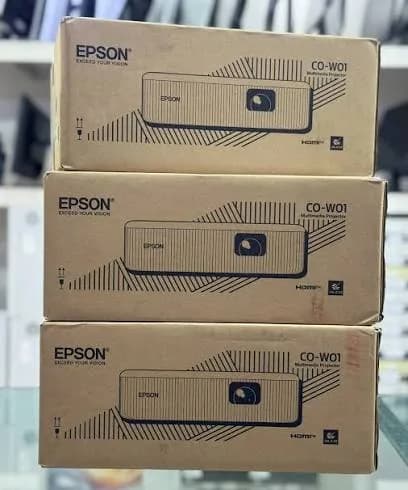
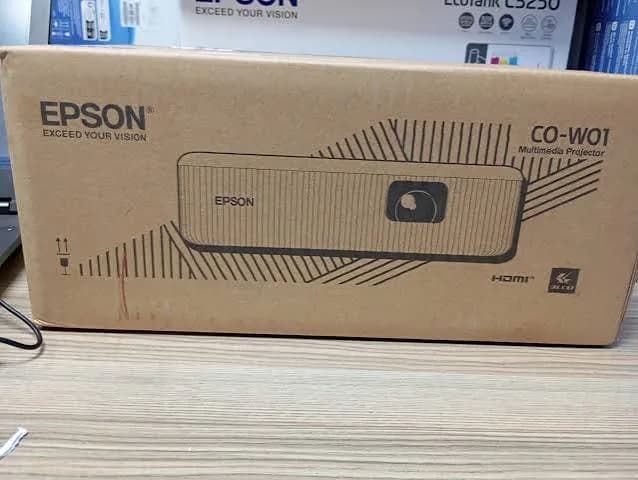
Epson CO-W01 3000-Lumen WXGA Home and Work Projector in Kenya | City Gadgets Kenya
Same-day delivery in Nairobi by 10 Oct – 11 Oct
Description
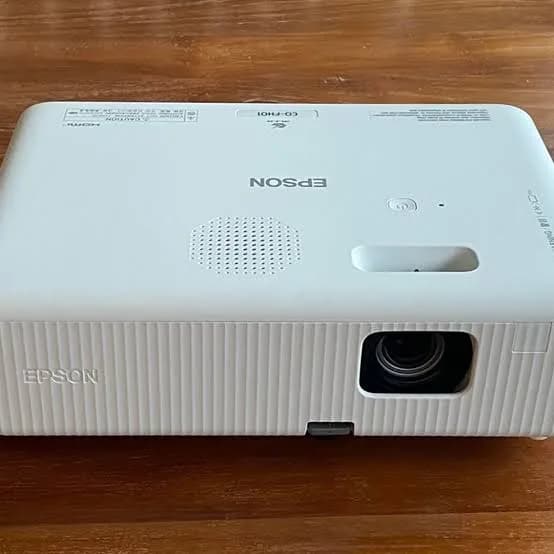
Buy the genuine Epson CO-W01 3000-lumen WXGA 3LCD projector with up to 12,000-hour lamp life, HDMI and built-in speaker in Kenya from City Gadgets Kenya. Epson CO-W01 price in Kenya, affordable projector Nairobi for classrooms, meetings and home.
Epson CO-W01 3000-Lumen WXGA Home and Work Projector in Kenya
Genuine Epson | Brand New | WXGA (1280 x 800) 3LCD | 3,000 Lumens White and Colour | Lamp Life up to 12,000 Hours (Eco Mode) | HDMI and USB | 5W Speaker | 2.4 kg
Searching for the Epson CO-W01 price in Kenya, an affordable projector in Nairobi, or a bright, easy-to-use projector for a classroom, small office or home? The Epson CO-W01 is a brand-new, genuine 3LCD projector built for both home and work. It gives you 3,000 lumens of white and colour brightness, WXGA resolution (1280 by 800), a long lamp life of up to 12,000 hours in eco mode, an HDMI input, USB ports and a built-in 5-watt speaker, in a light 2.4 kg body that moves easily from room to room. It's available from City Gadgets Kenya with delivery across Kenya. Buyers also search for it as an Epson CO-W01, an Epson 3000 lumen projector, a cheap Epson projector, a WXGA projector for classrooms, a projector for home and office, a lamp projector with long lamp life, or a budget projector for meetings and films.
This guide explains the projector in plain language: what its specifications mean, who it suits, how to set it up, how it compares with the Epson and LG projectors in our range, and where it's limited. If you'd like to talk it through, message us on WhatsApp.
The short verdict
The Epson CO-W01 is the friendly, affordable entry into projecting. It's bright enough at 3,000 lumens for a classroom or meeting room with the curtains drawn and the lights dimmed, and Epson's 3LCD technology makes colours as bright as whites, so charts and photos look lively. The lamp is rated for 6,000 hours, and up to 12,000 in eco mode, which is a very long life for a lamp projector and keeps running costs low. At 2.4 kg, it's easy to carry between rooms, and the built-in speaker means you can play a film or a presentation without extra equipment. The honest limits are modest: WXGA resolution is below Full HD, so fine text on a big screen looks softer, it has a single HDMI input, and 3,000 lumens won't cope with a very bright hall. If you want a simple, bright, long-lasting projector at a low price, it's a very good choice.
Who this projector is for
It suits you if:
- You teach in a classroom or run a training room, and can dim the light.
- You hold small meetings, and want an affordable projector rather than a big screen.
- You want to watch films and sport at home on a big screen.
- You want a projector you can move between rooms.
- You want a long lamp life and low running costs.
Look elsewhere if:
- You want Full HD for sharp text and film. See the Epson CO-FH01 in our range.
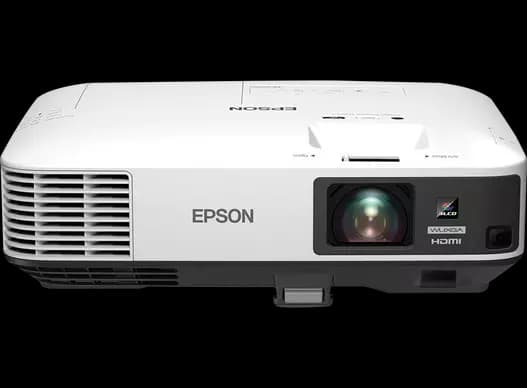
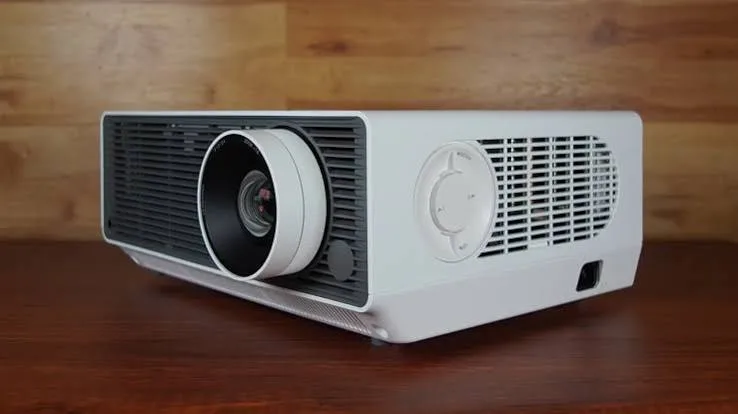
- You use a very bright room or a large hall. See the Epson EB-2250U, the EB-L260F or the LG ProBeam.
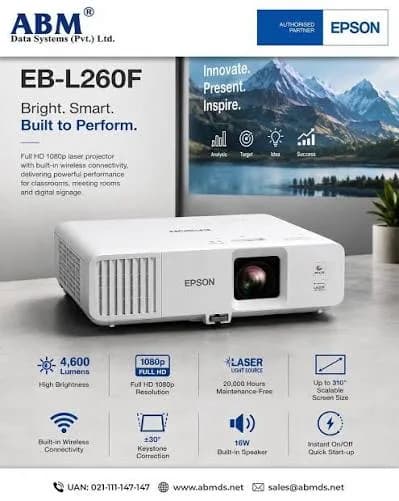
- You want a laser projector with no lamp. See the Epson EB-L260F.
- You need two HDMI inputs or built-in Wi-Fi. See the EB-2250U or EB-L260F.
Specifications in plain English
| Feature | Detail | What it means for you |
|---|---|---|
| Model | Epson CO-W01 | Epson's WXGA home and work projector |
| Technology | 3LCD | Colour brightness equal to white brightness |
| Light source | UHE lamp, 188 W | A lamp to replace after many hours |
| Resolution | WXGA (1280 x 800), 16:10 | Fits laptop screens, softer than Full HD |
| Brightness | 3,000 lumens white and colour. About 2,000 lumens in eco mode | Good for dimmed rooms |
| Lamp life | Up to 6,000 hours, or up to 12,000 hours in eco mode | A long life for a lamp projector |
| Image size | About 25 to 378 inches | From a small screen to a very big one |
| Projection distance | About 0.9 to 10.4 metres | Flexible placement |
| Zoom | Yes | Adjust size without moving the projector |
| Inputs | 1 x HDMI 1.4, USB Type-A and USB Type-B | The essentials |
| Wireless | Optional wireless module (ELPAP11) | Add Wi-Fi when you need it |
| Smart features | Optional Smart Media Player for streaming apps | Turn it into a smart projector |
| Audio | 5-watt built-in speaker | Sound for a small room |
| Weight | About 2.4 kg | Light and portable |
| Picture feature | Scene Adaptive Gamma | Adjusts contrast scene by scene |
| Lamp warranty (an EU retailer) | 12 months | Ask us what applies in Kenya |
These figures come from Epson and retailer listings of the CO-W01. Ask us to confirm what's in the box, whether the optional modules are included and the warranty for the unit you order.
What 3,000 lumens means in a real room
Brightness decides how much light you can have in the room.
- 3,000 lumens suits classrooms and small meeting rooms where you can dim the lights or close the curtains.
- Bigger screens need more light. On a 100-inch screen, 3,000 lumens is comfortable in a dim room, and less so in a bright one.
- Ambient light matters most. Windows and ceiling lights wash out any projector's picture.
- Eco mode drops the brightness to about 2,000 lumens, which suits dark rooms and film nights, and doubles the lamp life.
- A good screen helps more than extra lumens.
- 3LCD helps. Colour brightness matches white brightness, so slides look vivid, not washed out.
For a dim room, the CO-W01 is bright and punchy. For a hall with daylight, step up to a 4,600 or 5,000-lumen projector.
What WXGA means for your picture
WXGA is a modest resolution, and it helps to understand it.
- WXGA is 1280 by 800 pixels, in a 16:10 shape.
- That matches many laptop screens, so slides and documents fill the picture.
- It's below Full HD (1920 by 1080), so very small text and fine detail look softer on a large screen.
- For slides with large text and everyday video, it looks perfectly good.
- For spreadsheets with small cells or detailed drawings, Full HD is better. See the Epson CO-FH01.
- For films, WXGA is fine for casual viewing, though Full HD looks sharper.
If your content is mostly slides with readable text, WXGA saves you money and works well.
Long lamp life: what it means for costs
The CO-W01's lamp life is one of its best features.
- Up to 6,000 hours in normal mode and up to 12,000 hours in eco mode, per retailer listings.
- At 10 hours a week, 6,000 hours lasts over 11 years, and 12,000 hours over 23 years.
- At 6 hours a day in a school, 6,000 hours lasts about three years, and 12,000 hours about six.
- Lamp replacements cost less than the cost and downtime of a failed projector.
- Eco mode extends life and lowers fan noise, at the cost of brightness.
For occasional use, the lamp may outlast the projector. For daily classroom use, plan a replacement every few years.
Connections: wired and optional wireless
The CO-W01 focuses on the essentials.
- HDMI 1.4 connects laptops, media players, games consoles and many phones with an adapter.
- USB Type-A supports media from a flash drive, and powering a streaming stick.
- USB Type-B connects to a computer for display and service.
- Optional wireless module (ELPAP11). Adds wireless projection from laptops and phones.
- Optional Smart Media Player. Adds streaming apps, turning the projector into a smart one.
- A streaming stick or a laptop also work through HDMI, if you prefer.
If you need two HDMI inputs, or built-in Wi-Fi, see the EB-2250U or EB-L260F in our range.
Setting up the projector
- Choose the position. Place it on a stable table or mount it on the ceiling with a bracket.
- Choose the screen. A white wall works for a start, and a proper screen looks better.
- Connect power, then the HDMI cable to your laptop.
- Switch on, and let the projector warm up.
- Zoom and focus until the picture is sharp and fills the screen.
- Use keystone correction if the picture isn't square, sparingly, since it softens the image.
- Choose the picture mode for presentations, video or text.
- Choose eco mode in dark rooms, to extend lamp life.
- Let it cool down before unplugging.
Choosing a screen or a wall
A projector is only as good as what it projects on.
- A smooth, matte white wall works for a start, and is free.
- A proper screen gives a brighter, flatter, more even picture.
- Size. For a classroom, a 100-inch screen is common. A common rule is a screen height of about one-sixth of the distance to the furthest viewer.
- Aspect ratio. Choose 16:10 to match the projector's WXGA picture, or 16:9 if you show widescreen video.
- Pull-down screens suit classrooms, and tripod screens suit portable use.
- Ambient light rejecting screens help in bright rooms, at a higher price.
- Avoid textured or dark walls, which dull the picture.
We can recommend and supply a screen for your room.
A classroom and training-room guide
The CO-W01 is a good fit for teaching, and a few habits help.
- Place the projector at the back or on the ceiling, out of the way of students.
- Dim the lights and close the curtains at the front, near the screen.
- Use large fonts in your slides, at least 24 points, since WXGA is soft for small text.
- Use eco mode for dark rooms, to extend lamp life.
- Add a speaker if the room is bigger than a small classroom.
- Store the remote and cables in a locked cupboard.
- Train every teacher in a two-minute set-up routine.
- Switch it off properly, and let it cool before unplugging.
- Clean the filter each term.
Using the CO-W01 for films and sport at home
A projector turns a wall into a cinema, and a few tips improve the experience.
- Wait until it's dark. 3,000 lumens looks best in a dim room.
- Use eco mode for a calmer picture and a quieter fan.
- Connect a streaming stick or the optional Smart Media Player.
- Add a soundbar or speaker. The 5-watt speaker is fine for small rooms, but a Sony, JBL or Soundcore speaker makes films far better.
- Choose the right picture mode for cinema or sport.
- Place the screen at a comfortable height.
- Keep snacks and drinks away from the projector.
For a family or a group of friends, a CO-W01 and a screen can be a very affordable cinema.
A room-planning checklist
Before you buy any projector, check these points.
- Measure the room, including the distance from the screen to the furthest viewer.
- Decide the screen size.
- Find the mounting or table spot, and check it matches the projector's throw range of about 0.9 to 10.4 metres.
- Check the ambient light.
- Plan the cable route for power and video.
- Plan the audio.
- Check the power supply, and plan surge protection.
- Choose who operates it, and train them.
- Plan security against theft.
Tell us your measurements, and we'll check them against the projector's range.
Common problems and simple fixes
No picture. Check the cable, the input source and the power. Try another HDMI cable.
The picture is dim. Check eco mode, the ambient light and the screen. A dim picture can also mean the lamp is ageing.
The image isn't square. Move the projector, then use keystone, sparingly.
The projector shuts down or the lamp light flashes. Check the vents and filter for dust, and the room temperature. A flashing lamp light can mean the lamp needs replacing.
The picture flickers. Try another HDMI cable.
There's no sound. Check the volume and the audio source, and try external speakers.
If a problem continues, message us on WhatsApp.
Questions to ask before you buy any projector
- How big is the room, and how far is the furthest viewer?
- How bright is the room?
- What resolution does my content need?
- Do I want a lamp or a laser?
- How will I mount it, or where will it sit?
- What inputs do I need?
- What screen and sound do I need?
- What does a replacement lamp cost, and how long does it last?
- What warranty is included, and who honours it? Get it in writing.
- Can I see it before I pay? A trustworthy seller says yes.
We're glad to answer all of these on WhatsApp or in the shop before you pay.
Looking after the projector for years
- Keep the filter and vents clean, and the room dust-free.
- Don't block the vents.
- Use a surge protector.
- Let the projector cool before unplugging or moving it.
- Clean the lens gently with a lens cloth.
- Keep a spare lamp if you use it daily.
- Keep the remote, manual and box.
Warranty and after-sales: what to ask
A projector is a significant purchase, so ask us what warranty covers the unit you order, how long it lasts and what it covers, and whether the lamp has a separate warranty. An EU retailer lists a 12-month lamp warranty for this model, and Kenyan terms may differ. Keep your receipt, the serial number and the box. If a fault appears, message us on WhatsApp first, and we'll tell you the quickest way to get it sorted.
A short guide to cables and adapters
Cables are the most common cause of a bad projector picture.
- HDMI. Use a good-quality cable, as short as practical.
- Adapters. Many laptops need a USB-C to HDMI adapter, and phones need their own adapters.
- Long runs. Beyond about 10 metres, use an HDMI extender or a wireless connection.
- Power. Use a surge protector and a proper power cable.
- Labels and spares. Label each cable, and keep a spare HDMI cable in the room.
- Only one HDMI input. If you have several sources, use an HDMI switch box, which is cheap and easy.
Sound for a small-room projector
A 5-watt speaker is fine for a small room, and a few tips help.
- Place the projector near the audience, so the speaker is closer.
- Use external speakers for bigger rooms or music. A JBL, Sony or Soundcore Bluetooth speaker is easy to add.
- Connect by the audio output, or through the laptop.
- Test the volume before the lesson or film.
- For presentations with a microphone, use a small PA system.
Is the CO-W01 right for you? A quick self-test
Answer these questions honestly.
- Can you dim the room? If yes, 3,000 lumens is enough.
- Is your content mostly slides with large text and ordinary video? If yes, WXGA is fine.
- Is your budget tight? If yes, the CO-W01 gives a great value.
- Do you want to carry it around? If yes, 2.4 kg is easy.
- Do you need Full HD or 5,000 lumens? If yes, look at the CO-FH01 or the EB-2250U.
- Will you use it daily for many hours? If yes, consider the laser EB-L260F.
If you're unsure, message us with your room details, and we'll tell you.
A worked example: what a lamp projector costs to run
A simple calculation shows the running cost, using figures you can replace with real prices.
- Find the replacement lamp price for the CO-W01. Ask us for the current figure.
- Use the rated hours. About 6,000 in normal mode, or 12,000 in eco mode.
- Divide the lamp price by the hours to get the cost per hour of projection.
- Add electricity, which is small for a 188-watt lamp.
- Compare with a laser projector, which has no lamp cost but a higher purchase price.
- Multiply by your yearly hours to see the yearly running cost.
For occasional use, the CO-W01's running cost is very low. For heavy daily use, compare it with the laser EB-L260F.
Using a projector in Kenya
Power protection. Projectors can be damaged by surges. Use a surge protector, and a UPS if you can.
Dust. Dust is a projector's main enemy. Keep the filter clean and the room tidy, and don't block vents.
Heat. Make sure the projector has airflow, especially in a ceiling mount.
Portability. Because it weighs only 2.4 kg, carry it in a padded bag, and let it cool before packing it.
Security. Projectors are valuable. Consider a lock and a cable.
Sound. The 5-watt speaker suits small rooms. For larger rooms, add speakers. We stock JBL, Sony and Soundcore options.
Warranty. Ask us for the warranty that applies to the unit you order, including the lamp, and keep the receipt and box.
How it compares with other options in our range
| Epson CO-W01 | Epson CO-FH01 | Epson EB-2250U | Epson EB-L260F | |
|---|---|---|---|---|
| Resolution | WXGA | Full HD | WUXGA | Full HD |
| Brightness | 3,000 lumens | 3,000 lumens | 5,000 lumens | 4,600 lumens |
| Light source | Lamp | Confirm | Lamp | Laser |
| HDMI inputs | 1 | Confirm | 2 | Confirm |
| Wi-Fi | Optional module | Confirm | Optional module | Built in |
| Speaker | 5 W | Confirm | Yes | 16 W |
| Weight | 2.4 kg | Confirm | Confirm | 4.2 kg |
| Best for | Dim rooms, low price | Sharper picture, dim rooms | Lit rooms | Bright, low maintenance |
Against the Epson CO-FH01: the CO-FH01 adds Full HD resolution at a higher price. The CO-W01 is the budget choice.
Against the EB-2250U and EB-L260F: these are much brighter, and cost more.
Honest pros and cons
Pros
- A low price for a Epson 3LCD projector.
- 3,000 lumens of white and colour brightness.
- Lamp life of up to 6,000 hours, and 12,000 in eco mode.
- Light and portable at 2.4 kg.
- HDMI, USB and a built-in speaker.
- Optional wireless and smart media modules.
- A large image range of 25 to 378 inches.
Cons
- WXGA resolution, below Full HD.
- Only one HDMI input.
- Not bright enough for very bright rooms.
- Wi-Fi and smart features are optional extras.
- The speaker is modest.
- A lamp that needs replacing eventually.
What to check when it arrives
- The box model matches Epson CO-W01.
- The projector, power cord, remote and paperwork are in the box.
- The projector powers on, and the picture is sharp and bright.
- HDMI works, and the speaker plays.
- The lamp hours counter is near zero.
- You get a receipt with the serial number and warranty details in writing.
Frequently asked questions
What is the Epson CO-W01 price in Kenya? We confirm the current price when you message us on WhatsApp, because supplier prices change. We tell you the price and what's in the box before you pay.
Where can I buy the Epson CO-W01 in Nairobi? At City Gadgets Kenya, New Alnoor Exhibition, Second Floor, Shop C7, Accra Road, Nairobi CBD, or by delivery.
How bright is it? 3,000 lumens, and about 2,000 in eco mode.
What resolution is it? WXGA (1280 x 800).
How long does the lamp last? Up to 6,000 hours, and up to 12,000 hours in eco mode, per listings.
Does it have Wi-Fi? Not built in. An optional wireless module adds it.
How many HDMI inputs does it have? One.
Does it have a speaker? Yes, 5 watts.
What warranty does it have? Ask us for the warranty that applies to the unit you order, including the lamp.
Can you deliver it? Yes, same day in Nairobi and next day outside Nairobi.
Can I pay via M-Pesa? Yes.
Why buy from City Gadgets Kenya
Genuine, brand-new Epson projector. We're at New Alnoor Exhibition, Second Floor, Shop C7, Accra Road, Nairobi CBD, and you're welcome to talk to us about your room before you buy. Message us on WhatsApp with your room size and use, and we'll tell you honestly whether the CO-W01 is right or a sharper or brighter projector would suit you better. We confirm what's in the box before you pay.
Order your Epson CO-W01 today
Available now at City Gadgets Kenya. Message us on WhatsApp.
Specifications
- Brand
- Epson
- Condition
- New
Frequently Asked Questions
How much does the Epson CO-W01 3000-Lumen WXGA Home and Work Projector in Kenya | City Gadgets Kenya cost in Kenya?
The Epson CO-W01 3000-Lumen WXGA Home and Work Projector in Kenya | City Gadgets Kenya is priced at Ksh 52,000 at City Gadgets. You can pay via M-Pesa, card or cash on delivery.
Is the Epson CO-W01 3000-Lumen WXGA Home and Work Projector in Kenya | City Gadgets Kenya available in Kenya?
Yes — the Epson CO-W01 3000-Lumen WXGA Home and Work Projector in Kenya | City Gadgets Kenya is in stock at City Gadgets, ready for same-day delivery in Nairobi and countrywide shipping across Kenya.
Is the Epson CO-W01 3000-Lumen WXGA Home and Work Projector in Kenya | City Gadgets Kenya genuine and does it have a warranty?
Every Epson CO-W01 3000-Lumen WXGA Home and Work Projector in Kenya | City Gadgets Kenya we sell is 100% genuine brand-new stock and comes with a 12-month official brand warranty.
Do you deliver the Epson CO-W01 3000-Lumen WXGA Home and Work Projector in Kenya | City Gadgets Kenya in Nairobi?
Yes. We offer fast same-day delivery within Nairobi and fast, affordable delivery to the rest of Kenya — order online or on WhatsApp.
Customer Reviews
No reviews yet
Be the first to review this product.
Rate us on Google
Your review helps other shoppers find us
Reviews from verified buyers will appear here.