Ask ten people how to choose a projector and nine will say "get the brightest you can afford". It sounds sensible, but it is incomplete. Too little brightness gives a washed-out picture in a lit room. Too much, in a dark room, can be harsh and wasteful. And the number printed on the box, the lumens, is one of the most abused figures in electronics: the same projector can be sold as 3,000, 5,000 or even 10,000 lumens depending on who measured it and how.
This guide gives projector lumens explained in plain language, with the arithmetic that connects lumens, screen size and room light, so you can choose the right brightness for a classroom, church, meeting room or home cinema, and spot inflated claims.
We are City Gadgets Kenya, at New Alnoor Exhibition, Second Floor, Shop C7, Accra Road, Nairobi CBD, with same-day delivery in Nairobi and next-day delivery outside Nairobi. We stock the LG ProBeam 4K laser projector and Epson projectors for classrooms, offices and presentations. Figures for our projectors come from our product notes and retailer listings, and we confirm them per unit. The calculations are our own, from stated assumptions.
The short version
- Lumens measure the total light a projector puts out. More lumens means a brighter picture, if the screen size is the same.
- Look for ANSI lumens (a standard measurement), and for colour brightness as well as white brightness.
- Screen size matters as much as lumens. The same projector looks twice as bright on a screen with half the area.
- Ambient light is the enemy. A lit room needs far more lumens than a dark one.
- Eco mode lowers brightness to extend lamp or laser life.
- Match brightness to the room: about 2,000 to 3,000 lumens for dimmed rooms, 3,500 to 5,000 for lit meeting rooms and classrooms, 5,000 and above for large halls and bright spaces. These are rules of thumb.
| Projector in our range | Brightness (per our notes) | Typical venue |
|---|---|---|
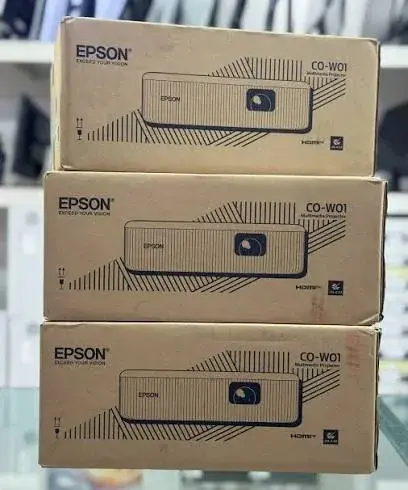
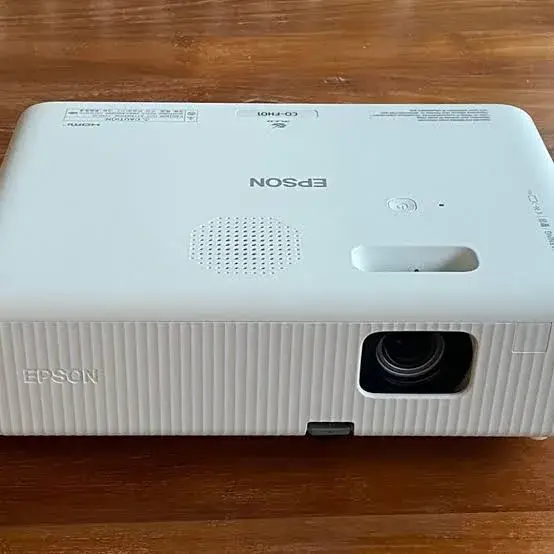
| Epson CO-W01 | 3,000 lumens white and colour (about 2,000 in eco mode) | Dimmed classroom, small office, home |
| Epson CO-FH01 | 3,000 lumens | Dimmed classroom, meeting room, home cinema |
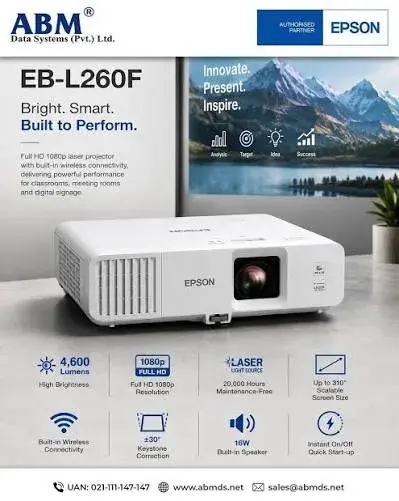
| Epson EB-L260F | 4,600 lumens white, about 3,200 colour, per retailer listings | Lit meeting rooms, classrooms, churches |
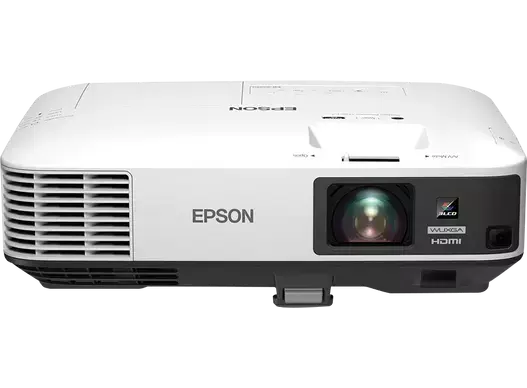
| Epson EB-2250U | 5,000 lumens | Lit rooms, halls |
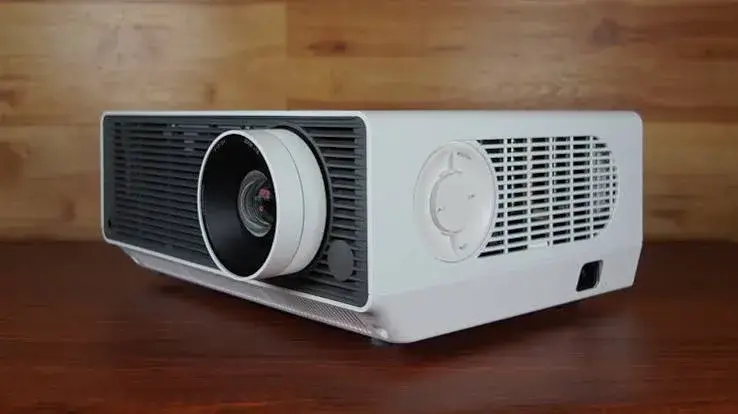
| LG ProBeam BU60RG | 6,000 ANSI lumens | Large, bright spaces, ballrooms, big halls |
We confirm brightness, lamp or laser details and the exact model per unit.
What is a lumen?
A lumen (lm) is a unit of luminous flux, the total amount of visible light emitted by a source per second, weighted for how sensitive the human eye is. A projector's lumen rating tells you how much light leaves the lens. It does not by itself tell you how bright the picture looks, because that depends on how big the picture is.
Lumens, lux and screen size
The brightness of the picture on the screen is measured in lux, which is lumens per square metre. For an idealised case with a perfectly even screen and no losses:
lux on the screen = lumens ÷ screen area in square metres
Screens differ in how they reflect light (gain), and real projectors lose some brightness, so treat this as an upper bound. The table shows our calculation for a 16:9 screen.
| Screen diagonal | Area | 3,000 lm | 4,600 lm | 5,000 lm | 6,000 lm |
|---|---|---|---|---|---|
| 80 inch (1.77 × 1.00 m) | 1.76 m² | 1,700 lux | 2,607 lux | 2,834 lux | 3,401 lux |
| 100 inch (2.21 × 1.25 m) | 2.76 m² | 1,088 lux | 1,669 lux | 1,814 lux | 2,176 lux |
| 120 inch (2.66 × 1.49 m) | 3.97 m² | 756 lux | 1,159 lux | 1,260 lux | 1,511 lux |
| 150 inch (3.32 × 1.87 m) | 6.20 m² | 484 lux | 742 lux | 806 lux | 967 lux |
| 200 inch (4.43 × 2.49 m) | 11.03 m² | 272 lux | 417 lux | 453 lux | 544 lux |
| 300 inch (6.64 × 3.74 m) | 24.81 m² | 121 lux | 185 lux | 202 lux | 242 lux |
Notice what happens: doubling the screen's width quadruples its area and cuts the brightness to a quarter. That is why a projector that looks dazzling on an 80 inch screen looks dim on a 200 inch one.
ANSI lumens, ISO lumens and marketing lumens
Not all lumens are measured the same way.
ANSI lumens come from a standard procedure that averages brightness measured at nine points on the screen. It is the most widely used measure in business projectors, and the LG ProBeam BU60RG is quoted at 6,000 ANSI lumens, per our notes. Epson quotes its projector brightness under a similar standard method, called ISO 21118 in many listings.
Marketing lumens are unstandardised. Some home and budget projectors advertise figures like "9,000 lumens" or "12,000 lumens" using different, looser measurements, sometimes measuring the light source rather than the light on the screen, or using a special mode. Those numbers can be several times higher than an ANSI measurement for the same projector. A cheap projector marked "10,000 lumens" often delivers less than a genuine 3,000 ANSI lumen business projector.
LED lumens refer to the light output of the LED source, and can be higher than ANSI figures, since losses in the optics reduce the light that reaches the screen.
What to do: ask for the ANSI or ISO figure, from the maker's specification sheet. If a listing says only "lumens" with no standard, treat the number sceptically.
White brightness versus colour brightness
A projector's white brightness is the light it puts out when displaying white. Colour brightness is the light it puts out for red, green and blue. In many projectors, especially single-chip DLP models that use a white segment on the colour wheel, the colour brightness is much lower than the white brightness, so coloured content looks darker than the headline number suggests.
Epson's 3LCD projectors use three separate panels for red, green and blue, so colour brightness equals white brightness in the CO-W01 and CO-FH01, per our notes. The EB-L260F is quoted at 4,600 lumens white and about 3,200 lumens colour, per retailer listings, which shows how the two figures can differ. If your content is colourful, such as charts, photos and video, ask for the colour brightness. See our DLP vs LCD vs laser projectors article for the technologies.
Eco mode and brightness over time
Many projectors have a normal mode and an eco mode. Eco mode lowers the light output to extend the life of the lamp or laser, to reduce fan noise and to save electricity. The Epson CO-W01 is rated at 3,000 lumens, with about 2,000 lumens in eco mode, and a lamp life of up to 6,000 hours or up to 12,000 hours in eco mode, per our notes. So if you plan to use eco mode, plan for the lower brightness, about two-thirds of the headline figure in that example.
Lamp projectors lose brightness as the lamp ages. After thousands of hours, the lamp can be noticeably dimmer than when new. Laser projectors hold their brightness longer, with ratings of many thousands of hours. The Epson EB-L260F and the LG ProBeam use laser light sources, per our notes, with the LG rated up to 20,000 hours. See our projectors category. Dust on the filter and lens also reduces brightness, so keep them clean.
Ambient light: why lit rooms need more lumens
When a room has light, that light also falls on the screen, and it adds to the screen's black level. The projector's light must overpower it. A simple way to think about it is a contrast ratio on the screen:
contrast on the screen ≈ (projector lux + ambient lux) ÷ ambient lux
Take a lit classroom where ambient light on the screen is, say, 150 lux (an illustrative assumption, because it varies enormously with curtains, windows and lamps). On a 100 inch screen:
- A 3,000 lumen projector gives about 1,088 lux, so the contrast is about (1,088 + 150) ÷ 150 ≈ 8 to 1.
- A 4,600 lumen projector gives about 1,669 lux, so about (1,669 + 150) ÷ 150 ≈ 12 to 1.
- A 6,000 lumen projector gives about 2,176 lux, so about (2,176 + 150) ÷ 150 ≈ 15.5 to 1.
These are our illustrative calculations, not measurements. The point is that in a lit room the on-screen contrast is limited by ambient light, far below the projector's spec-sheet contrast ratio. Higher lumens help, and darkening the room helps more. A contrast of around 10 to 1 or more is a workable picture for slides and text, and 100 to 1 or more suits video.
In a dark room, the same projectors have almost no ambient light to fight, so even a modest 2,000 to 3,000 lumen model produces an excellent picture on a screen of 100 to 120 inches. That is why home-cinema projectors can be much dimmer than business projectors.
How many lumens do you need? By venue
Use these as starting points. They are rules of thumb, and the right figure depends on the room, the screen and your content.
Home cinema in a dark room
About 1,500 to 3,000 lumens on a 100 to 120 inch screen is plenty. From the table, 3,000 lumens on a 120 inch screen gives roughly 756 lux of projected light, with essentially no ambient light to fight. The Epson CO-FH01 at 3,000 lumens, a Full HD model per our notes, suits this use when you can dim the room.
Dimmed classroom or small meeting room
About 2,500 to 3,500 lumens. With curtains drawn and lights dimmed, a 3,000 lumen projector gives a clear picture on a 80 to 100 inch screen. The Epson CO-W01 (WXGA) and CO-FH01 (Full HD) fit here, per our notes.
Lit meeting room, office or classroom with windows
About 4,000 to 5,000 lumens. The extra output helps against ceiling lights and daylight. The Epson EB-L260F (4,600 lumens) and EB-2250U (5,000 lumens) fit here, per our notes. For the Full HD detail and a laser light source, the EB-L260F. For the 16:10 WUXGA shape that fills laptop screens and two HDMI inputs, the EB-2250U.
Church, hall or training centre with a large screen
About 5,000 to 6,000 lumens or more, depending on screen size. At 150 inches, 5,000 lumens gives about 806 lux, and at 200 inches about 453 lux. For bigger halls, higher brightness or multiple projectors are needed.
Large, bright venues: conference rooms, ballrooms, hotels
6,000 lumens and above, with a 4K image for detailed content. The LG ProBeam BU60RG (6,000 ANSI lumens, 4K UHD via pixel shifting, laser), per our notes, is built for this.
Outdoor events
Daylight is far brighter than any room. Even a 6,000 lumen projector is overwhelmed in direct daylight. Outdoor projection is for evening and night, on a large screen with controlled light.
Screen choice affects brightness
The screen is half the projection system.
- Screen gain describes how much light a screen reflects towards the viewer compared with a reference white surface. A gain of 1.0 is standard. Higher-gain screens look brighter but narrow the viewing angle. Lower-gain, grey or ambient-light-rejecting screens improve contrast in lit rooms but need more lumens.
- A white wall works for casual use but is uneven and may be tinted. A proper screen improves uniformity and colour.
- Painted surfaces can be improved with screen paint, but results vary.
- Size. As the table shows, a smaller screen is much brighter for the same lumens. If your room is too bright, shrinking the picture is the cheapest way to improve it.
- Viewing angle. Seats far off to the side may see a dimmer picture on high-gain screens.
Throw distance, zoom and brightness
Moving the projector farther from the screen enlarges the picture, spreading the same light over a bigger area. Zoom lenses typically lose a little brightness at the longest zoom setting, because the lens passes less light, per typical optics. Throw ratio decides how far the projector must be for a given screen size. See our projector throw ratio explained article.
Resolution and brightness are different things
Resolution counts pixels. Lumens count light. A bright projector with low resolution is clear in a lit room but soft on detail. A sharp projector with low lumens is crisp in the dark but washed out in the light. Choose both for your use. The Epson CO-W01 is WXGA (1280 × 800), the CO-FH01 is Full HD (1920 × 1080), the EB-2250U is WUXGA (1920 × 1200) and the LG ProBeam is 4K UHD via pixel shifting, per our notes. For how resolution interacts with screens, read our 4K upscaling explained article.
Contrast ratio claims
Contrast ratio is the difference between the brightest white and the darkest black the projector can show. Claims like "3,000,000:1" are dynamic contrast ratios, measured with the light output adjusted by the projector's electronics, and are not a good indicator of picture quality in a lit room. The LG ProBeam is quoted at 3,000,000:1 dynamic contrast and the EB-L260F at 2,500,000:1, whereas the EB-2250U is quoted at 15,000:1, per our notes, a different method. As the on-screen calculation above shows, ambient light usually limits real contrast far below any of these. Do not compare projectors by contrast numbers unless the method is the same.
Lamp versus laser and the cost of brightness
Brightness has a running cost.
- Lamp projectors need new lamps every few thousand hours, and the lamp fades as it ages. The Epson CO-W01's lamp is rated up to 6,000 hours, or up to 12,000 hours in eco mode, per our notes. Lamps cost money and warm up and cool down.
- Laser projectors use a laser light source that lasts many thousands of hours with no lamp changes and holds its brightness longer. They usually cost more upfront. The LG ProBeam is rated up to 20,000 hours, per our notes.
- Electricity use rises with brightness.
- Fan noise can rise at high brightness.
If you use a projector daily, laser can pay back through avoided lamp changes. If you use it occasionally, a lamp model is more affordable. See our DLP vs LCD vs laser projectors article.
Setting up for the best brightness
- Choose the right screen size. Smaller means brighter.
- Control the light. Curtains, blinds and switching off lights near the screen help more than extra lumens.
- Aim the projector squarely. Heavy keystone correction can soften the picture and reduce brightness.
- Use a good screen or a clean, matt white wall.
- Keep the lens and filters clean.
- Pick the right picture mode. Bright or presentation modes give maximum lumens; cinema modes are dimmer but more accurate.
- Use normal power mode in lit rooms and eco mode in dark ones.
- Replace ageing lamps when the picture dims.
From lumens to nits: comparing a projector with a TV
TV and monitor brightness is quoted in nits (candelas per square metre), a measure of how bright the surface looks to your eye. You can estimate the brightness of a projected image in nits from lux. For an ideal, perfectly diffuse white screen with a gain of 1.0 and no other losses, the luminance in nits is roughly the illuminance in lux divided by pi (about 3.14). Using our earlier numbers:
- 3,000 lumens on a 100 inch screen is about 1,088 lux, or roughly 346 nits at best.
- 3,000 lumens on a 120 inch screen is about 756 lux, or roughly 241 nits at best.
- 4,600 lumens on a 100 inch screen is about 1,669 lux, or roughly 531 nits at best.
- 6,000 lumens on a 150 inch screen is about 967 lux, or roughly 308 nits at best.
These are idealised upper bounds from our calculations. Real screens, lenses, colour modes and eco settings reduce the figure, and a dark room needs far less. For comparison, traditional cinema practice targets a peak white of roughly 55 nits (about 16 foot-lamberts) in a dark auditorium, which explains why a modest projector looks superb in a dark room. A typical TV reaches several hundred nits or more, and it competes with room light better than a projector can. In a lit room, a projector's nits are compared with the light bouncing off the screen from the room, which is why room control matters so much.
For HDR content, projectors with modest brightness rely on tone mapping to adapt the picture. Read our HDR, HDR10 and Dolby Vision explained article.
Measuring brightness at home
You can check how a projector performs in your room without special equipment.
- Project a plain white image and a plain grey image at your normal screen size.
- Turn on the room lights you will normally use and look at the picture from your seats. Can you see the grey clearly? Can you read small text?
- Compare two modes, normal and eco.
- A lux meter or a phone app with a light sensor can estimate the light falling on the screen from the room. Phone sensors are rough, so treat readings as a guide.
- Ask us to demonstrate a projector in the shop in a lit area, and compare it with another model.
The aim is to judge whether the picture holds up in your real conditions, not in a showroom.
Care that keeps projectors bright
Projectors dim when they are dirty or neglected.
- Clean or replace air filters according to the manual. Clogged filters raise temperatures and shorten light source life.
- Wipe the lens gently with a proper lens cloth.
- Allow the projector to cool before unplugging it. Switch it off with the remote and wait for the fan to stop.
- Use it in a ventilated place, away from dust, smoke and chalk.
- Replace lamps on schedule for lamp models. A dim, old lamp is a false economy.
- Protect against power surges. Plug the projector into a surge-protected socket, or a UPS where power is unstable. See our power surges and AVR guide.
- Mount securely, and check the ceiling bracket now and then.
Multiple projectors, edge blending and very large screens
For venues beyond a single projector's reach, such as large halls, event spaces or wide stages, installers sometimes use several projectors side by side, blending the edges so the image looks continuous. Brightness adds up when images overlap, but the setup needs careful alignment, matching projectors and software, so it is a job for specialists. For most schools, churches and offices, one well-chosen projector and a properly sized screen is simpler, cheaper and easier to maintain. If you are planning a large installation, talk to us on WhatsApp about your room dimensions and ceiling height, and we will tell you honestly whether one projector will do.
Portable projectors and small LED projectors
Small portable projectors, often with built-in batteries and speakers, are popular for travel and casual use. Their brightness is usually far lower than the business projectors in this article, even when the box shows impressive numbers, and they work best in a dark room on a small screen. If you want a dependable picture for work, a business projector is a safer buy. If you want a casual movie night in a dark room, a small projector can be fun, but check the ANSI figure and the resolution, not the marketing lumens.
Budgeting for brightness: what to spend on
Brightness costs money, but it is not the only line in the budget. A balanced projector setup includes the projector, a screen or a prepared wall, a mount, cables, a surge-protected power source, and perhaps speakers. If your budget is tight, a modest-lumen projector in a darkened room with a good screen will beat a bright projector shining on a bumpy, tinted wall in a lit room. Spend on the room first: curtains or blinds, sensible lighting and a proper screen. Then choose the lumens for what is left. Ask us for a package that fits, and we will be honest about where extra spending helps and where it does not.
Common lumen myths
"More lumens always means a better picture." Only up to what your room needs. Too bright in a dark room can cause eye strain and washed-out blacks.
"Lumens are all the same." ANSI, ISO, LED and marketing lumens differ.
"A 10,000 lumen projector is brighter than a 5,000 lumen one." Not if the 10,000 is a marketing figure.
"Brightness is the only thing that matters in a lit room." Screen size, screen type and room control matter as much.
"Eco mode ruins the picture." It dims it, which is often fine in a dark room.
"Resolution compensates for low brightness." It does not.
"A projector is better than a TV." For very large pictures, yes. For bright rooms and small spaces, a TV can be better.
Example scenarios
These are illustrative scenarios, not customer records.
A school with a dim classroom. They show slides and videos on a 90 inch screen with curtains drawn. A 3,000 lumen projector is enough, and they save money.
A church with a 150 inch screen and light from windows. They need 5,000 lumens or more, and ideally laser for low maintenance. Sheers on the windows help.
An office meeting room. The room has bright lights and a window. A 4,600 to 5,000 lumen projector gives a legible picture for slides and spreadsheets.
A family with a spare room. They watch films at night. A 3,000 lumen Full HD projector on a 100 inch screen works well.
A hotel ballroom. Events need a large, bright, detailed picture. A 6,000 lumen 4K laser projector, mounted on the ceiling, fits.
Questions to ask any seller before you pay
- What is the brightness in ANSI or ISO lumens, white and colour?
- What is the brightness in eco mode?
- Is the figure from the maker's specification sheet?
- What is the lamp or laser life, and the replacement cost?
- What screen size and room light is it suited to?
- What is the native resolution?
- Can I see it in a similar room to mine?
- What warranty applies, including the lamp?
- Is the box sealed, and will I get a receipt?
How to spot a misdescribed or fake projector brightness claim
Brightness is one of the most inflated specifications in the projector market. Use these ten checks together.
- Verify the model number and serial. They should match on the box, the label and the on-screen menu, and be verifiable on the maker's website.
- Read the maker's specification sheet for ANSI or ISO lumens, white and colour. Do not rely on the shop sticker.
- Be wary of huge numbers on cheap projectors. A small, low-priced projector claiming 10,000 or more lumens is almost certainly quoting a non-standard figure.
- Check white versus colour brightness if the content is colourful.
- Check the resolution claim. "Supports 4K input" is not native 4K.
- Test in a similar room. Compare the projector side by side with a known one on the same screen.
- Check the lamp or laser hours, and in the menu look for the usage counter on a used unit.
- Check for signs of a used unit sold as new: a high lamp hour count, scratches, dust in the lens or re-taped boxes.
- Check the warranty and receipt. A genuine seller has a shop address and clear terms, including the lamp warranty.
- Check the price. A price far below normal for the claimed brightness is a red flag.
If you are unsure, bring the projector to New Alnoor Exhibition, Second Floor, Shop C7, Accra Road, and we will help you check it.
Why buy your projector from City Gadgets Kenya
- Genuine LG and Epson projectors, checked before they reach you.
- A real shop at New Alnoor Exhibition, Second Floor, Shop C7, Accra Road, Nairobi CBD, opening from 9:00 AM.
- Same-day delivery in Nairobi and next-day delivery outside Nairobi.
- M-Pesa payment and clear receipts.
- Honest advice, including telling you when a cheaper projector is enough.
- Room and screen sizing. Tell us your room and we will recommend the brightness.
- Cables, hubs and accessories in our accessories category.
- Support and repairs through our repair service.
- Trade-ins through our sell page.
- WhatsApp help on +254745575931.
Your projector brightness checklist
- I know my screen size and how bright the room is.
- I chose lumens to suit, not just the biggest number.
- I checked ANSI or ISO lumens, white and colour.
- I considered eco mode and lamp or laser life.
- I chose resolution to suit my content.
- I will control room light and use a good screen.
- I checked the model and claims for signs of misdescription.
- I have a receipt and know the warranty terms.
Frequently asked questions
What are projector lumens? The total light a projector outputs.
How many lumens do I need for a classroom? About 3,000 lumens if you can dim the room, and 4,000 to 5,000 if it stays lit.
What is the difference between ANSI lumens and normal lumens? ANSI is a standard measurement. Other figures may be inflated.
Does a bigger screen need more lumens? Yes. Doubling the width quarters the brightness.
What is colour brightness? The brightness of red, green and blue, which can be lower than white brightness.
Is 3,000 lumens enough for home? Yes, in a dim room.
Does eco mode matter? It reduces brightness and extends light source life.
Is laser brighter than lamp? Not necessarily, but laser holds its brightness longer.
Can I pay by M-Pesa? Yes.
How do I know it is genuine? Use the ten checks above.
Where can I buy a projector in Nairobi? At City Gadgets Kenya, Shop C7, Second Floor, New Alnoor Exhibition, Accra Road.
Need help choosing?
Message us on WhatsApp with your room size, the light in the room and how you will use the projector, and we will recommend the right brightness.
Related reading: Projector throw ratio explained · DLP vs LCD vs laser projectors · TV and monitor sizes vs viewing distance · 4K upscaling explained