Projector listings are full of three-letter words: DLP, LCD, LCoS, LED, laser. They sound like rival technologies, and shoppers often assume they have to pick one. In fact they describe two different things. DLP, LCD and LCoS describe how the projector makes the picture. Lamp, LED and laser describe the light source behind it. A projector is a combination of the two, such as "3LCD with a laser light source" or "DLP with a laser light source".
This guide covers DLP vs LCD vs laser projectors in plain language: how each part works, what you will notice in daily use, how long each lasts, what maintenance costs, and which combination suits a classroom, church, office or home cinema in Kenya. It also shows how to spot misdescribed technology claims.
We are City Gadgets Kenya, at New Alnoor Exhibition, Second Floor, Shop C7, Accra Road, Nairobi CBD, with same-day delivery in Nairobi and next-day delivery outside Nairobi. We stock the LG ProBeam 4K laser projector and Epson projectors for classrooms, offices and presentations. Specifications come from our product notes and retailer listings, are described "per the maker", and we confirm them per unit. Calculations are our own, from stated assumptions.
The short version
- Imaging technology and light source are separate choices. DLP and LCD are ways of forming the picture. Lamp, LED and laser are ways of lighting it.
- 3LCD projectors (Epson's technology) use three LCD panels, one each for red, green and blue, so colour and white brightness are normally close, and they do not show the "rainbow effect".
- DLP projectors use a chip of tiny mirrors, usually with a spinning colour wheel in single-chip designs. They offer sharp pictures and good contrast, but some people see the rainbow effect.
- Laser light sources last much longer than lamps and hold their brightness better, but cost more up front.
- Lamp projectors are cheaper to buy, but the lamp wears out and has to be replaced.
- For most Kenyan classrooms and offices, the question is less "DLP or LCD" and more "lamp or laser, and how bright".
| Projector in our range | Imaging and light (per our notes) | What it suggests |
|---|---|---|
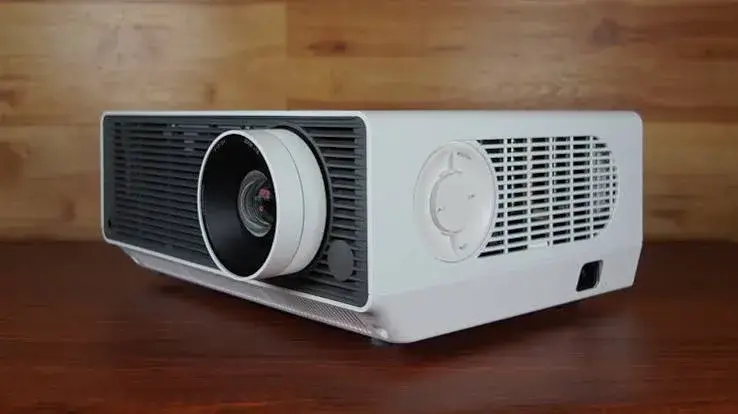
| LG ProBeam BU60RG | DLP-based, laser light, 4K through pixel shifting, up to 20,000 hours | Big halls, bright rooms, long service life |
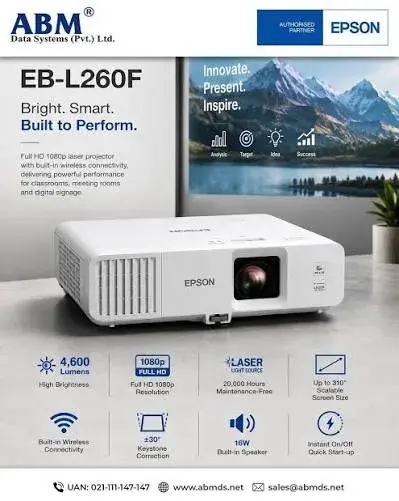
| Epson EB-L260F | 3LCD, laser, Full HD, 4,600 lumens white (about 3,200 colour) | Lit meeting rooms, classrooms, churches |
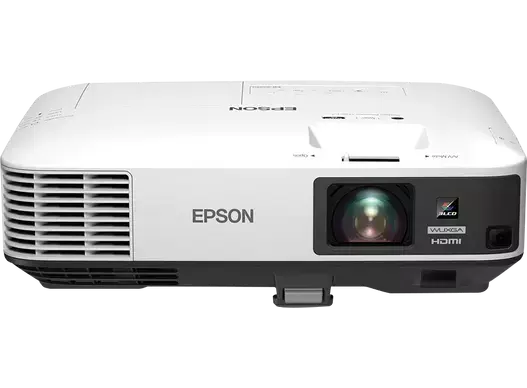
| Epson EB-2250U | 3LCD, lamp, WUXGA, 5,000 lumens | Lit rooms, halls, budget-conscious installs |
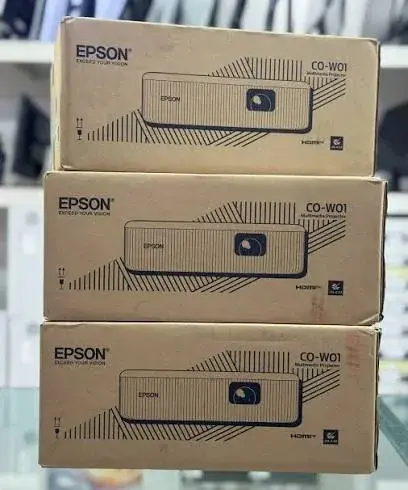
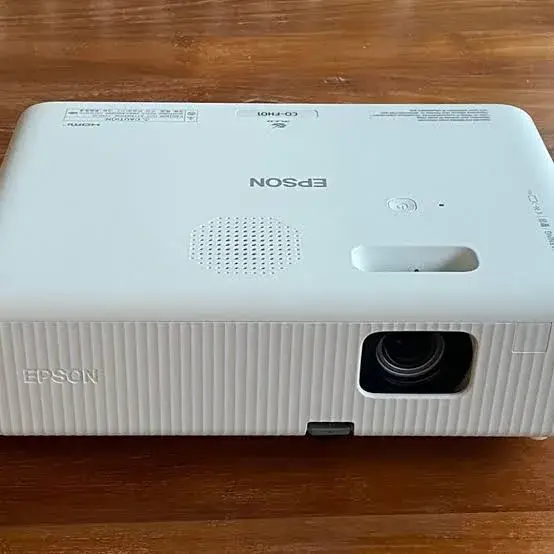
| Epson CO-W01 | 3LCD, lamp, WXGA, 3,000 lumens | Dimmed classroom, small office, home |
| Epson CO-FH01 | 3LCD, lamp, Full HD, 3,000 lumens | Dimmed classroom, meeting room, home cinema |
We list what we know per the maker and confirm each model before you pay. If a listing for a model you are considering says something different, ask us.
Two separate choices: how the picture is made and how it is lit
Think of a slide projector. There is a bulb at the back, a slide in the middle and a lens at the front. A modern projector is the same idea:
- A light source produces white or coloured light. It can be a lamp, LED or laser.
- An imaging device shapes that light into a picture, pixel by pixel. It can be DLP, LCD or LCoS.
- A lens focuses the picture onto the screen.
Because the choices are independent, you will meet "LCD lamp", "LCD laser", "DLP lamp", "DLP laser" and "DLP LED" projectors. When a seller says "laser projector", always ask: "laser light source with which imaging technology?" We cover the lens side in our projector throw ratio explained article.
How LCD and 3LCD projectors work
In a 3LCD projector, white light from the lamp or laser passes through mirrors that split it into red, green and blue. Each colour goes through its own small LCD panel, which lets through the right amount of light for each pixel. The three coloured pictures are combined by a prism and sent through the lens.
What you notice:
- Colour brightness matches white brightness more closely. Every colour is on screen all the time, so a bright and colourful image is easier to reach. Makers of 3LCD projectors publish colour brightness figures to show this. For the Epson EB-L260F, our notes show about 4,600 lumens white and about 3,200 colour, per retailer listings.
- No rainbow effect. There is no spinning colour wheel, so the flashes of red, green and blue some viewers see on DLP projectors do not occur.
- Good for lit rooms. Presentations, spreadsheets and slides stay colourful and readable.
- Contrast. LCD panels let a small amount of light through even when a pixel is "black", so dark scenes can look slightly grey compared with the best DLP models. Many modern LCD projectors reduce this with iris or dynamic contrast systems.
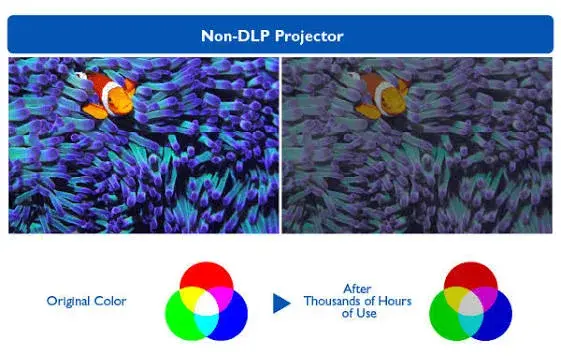
- Panel ageing. Over many years, LCD panels and polarisers can discolour, especially with heat and dust.
How DLP projectors work
DLP stands for Digital Light Processing, a technology developed by Texas Instruments. The imaging device is a DMD chip, a small chip covered in hundreds of thousands to millions of tiny mirrors, one per pixel. Each mirror tilts thousands of times per second, either towards the lens (pixel on) or away from it (pixel off). The proportion of time a mirror spends "on" sets the brightness of that pixel.
Most DLP projectors use a single chip and a colour wheel: a spinning disc with red, green and blue segments. The chip shows the red part of the picture while the red segment is in the light path, then green, then blue, so quickly that your brain blends them. Some premium designs use three chips, one per colour, which avoids the wheel, but they are expensive and usually found in cinemas.
What you notice:
- Sharp picture. The mirrors sit very close together, so DLP pictures look crisp with little visible pixel grid.
- Good contrast and fast response. Mirrors switch quickly, which suits fast motion and games.
- Sealed optics. Many DLP designs have a sealed light path, which makes them more resistant to dust.
- Rainbow effect. Some viewers see brief flashes of colour at the edge of bright objects when they move their eyes. It varies hugely between people. Many never notice it, and some find it distracting. Faster colour wheels and laser light sources reduce it.
- Colour brightness. A single-chip DLP projector can show white brighter than colours, depending on whether the colour wheel has a white segment. Always check the colour brightness figure if you will show colourful content.
How 4K works on a Full HD chip: pixel shifting
Some projectors, including the LG ProBeam BU60RG per the maker, reach 4K by pixel shifting, often marketed as XPR. The chip has fewer physical pixels than a 4K picture needs, and it moves, or an optical element shifts the picture by a fraction of a pixel, several times per frame. The sub-frames overlap and together they paint a 4K-sized picture.
From our calculation, 3,840 × 2,160 is 8,294,400 pixels, which is exactly four times the 2,073,600 pixels of a Full HD (1,920 × 1,080) picture. So a Full HD chip needs four shifted sub-images to paint a 4K frame.
Pixel-shifted 4K looks far sharper than Full HD, especially on text and fine detail. But it is not the same thing as a native 4K chip, which has all 8.3 million pixels physically present. Honest sellers say "4K through pixel shifting", and so should you when you compare. See our 4K upscaling explained article for the difference between native, shifted and upscaled resolution.
Light sources: lamp, LED and laser
Lamp projectors
Traditional projectors use a high-pressure lamp. Lamps are bright, mature and inexpensive. They have two weaknesses: brightness falls over time, and the lamp must be replaced. The Epson CO-W01 lists a lamp life of about 6,000 hours, and about 12,000 hours in eco mode, per our notes.
LED projectors
LED light sources last long and are used in small portable projectors, where they suit low brightness. They are rarely bright enough for a lit classroom.
Laser projectors
A laser projector uses laser diodes, sometimes with a phosphor wheel to produce the colours. The advantages are:
- Very long life. The LG ProBeam BU60RG lists a laser life of up to 20,000 hours, per the maker.
- Brightness holds longer. A lamp may lose much of its brightness before it fails. Laser brightness falls more slowly.
- Instant on and off. No long warm-up or cooldown.
- Consistent colour.
- Less maintenance. No lamp changes.
The cost is a higher purchase price. And "laser" does not by itself mean "4K" or "bright". The Epson EB-L260F is a Full HD laser projector, and a cheap "laser" model from a no-name brand can have poor optics.
Lamp life vs laser life in real use
Life ratings in hours sound abstract. From our calculations, assuming a projector used 8 hours a day, 5 days a week, which is 2,080 hours a year:
| Light source and rated life | Hours per year | Years of use at that rate |
|---|---|---|
| Lamp, 6,000 hours | 2,080 | about 2.9 years |
| Lamp in eco mode, 12,000 hours | 2,080 | about 5.8 years |
| Laser, 20,000 hours | 2,080 | about 9.6 years |
These are the maker's rated hours, which are not guarantees. Rated life for lamps normally means the point where brightness falls to a fraction of the original, or the lamp fails. Dust, heat and frequent power cuts can shorten both. For a church that uses a projector for 8 hours a week, a lamp may last well over a decade of calendar time. For a school or call centre that runs it all day, the laser pays for itself sooner.
Total cost of ownership: why the cheaper projector is not always cheaper
When you compare a lamp projector and a laser projector, count more than the sticker price. List:
- Purchase price.
- Replacement lamps over the years, including the cost of fitting.
- Downtime, if a lamp fails in the middle of a lesson, service or presentation.
- Filters and cleaning, where applicable.
- Power. Laser projectors can be more efficient at the same brightness, but check the figures.
A lamp projector can be the right choice for a home that uses it a few hours a week, or for a budget classroom. A laser projector can be the better choice where the projector runs daily and downtime is costly. Ask us for the current prices on WhatsApp so we can compare specific models for your use.
Rainbow effect, explained fairly
The rainbow effect is the most argued-about difference between DLP and 3LCD. It appears on single-chip DLP projectors with a colour wheel as brief flashes of red, green and blue at the edges of bright objects against dark backgrounds, usually when you move your eyes or look away from the centre of the picture. Some points that help you decide:
- It varies between people. Some see it constantly, some never.
- It depends on content. White text on a black background shows it more than a bright, evenly lit film scene.
- It depends on the projector. Faster colour wheels, more segments and laser light sources reduce it.
- 3LCD does not have it, because all three colours are shown at once.
If you or your congregation or students are sensitive, test the actual projector in a room with typical content before you buy. If you cannot see it, you probably will not notice it in daily use.
Colour brightness: the number sellers skip
A projector's white brightness comes from all colours shown together. Colour brightness is the brightness of the red, green and blue when shown separately. If the two figures differ greatly, colours look dull next to white even though the white figure sounds impressive. 3LCD makers publish both figures. We explain the idea in our projector lumens explained guide.
For text and slides, white brightness is the more relevant figure. For films, photos, maps and colourful teaching content, colour brightness matters more. Ask for both.
Contrast: native, dynamic and what to ignore
Contrast ratio compares the brightest white to the darkest black. Maker figures vary widely and are measured in different ways. The LG ProBeam BU60RG lists 3,000,000:1 dynamic contrast, and the Epson EB-L260F lists 2,500,000:1, per the makers. The Epson EB-2250U lists 15,000:1, per our notes. These numbers are not comparable across brands, because dynamic contrast uses the projector's iris or laser dimming to darken black scenes. In a lit room, ambient light dominates: from our calculation, on-screen contrast is about (projector lux + ambient lux) ÷ ambient lux, so a bright room reduces contrast to a few to one regardless of the printed figure. In a dark room, a high contrast ratio matters more.
Dust, heat and Nairobi conditions
Projectors in Kenya face dust, heat in iron-roofed halls, power surges and humidity. These affect the technologies differently:
- Dust. Dust on the lens or inside the optics shows as spots and lowers brightness. Sealed optical engines resist dust better. Whatever the technology, clean the filter, if there is one, on a schedule.
- Heat. A projector in a hot, closed room runs fans faster, which is noisier and shortens component life. Keep vents clear and avoid mounting directly under a hot iron roof without ventilation.
- Power. Surges and sudden cuts are hard on lamps and electronics. Let the fan finish before cutting power, and use a surge protector or UPS for fixed installations.
- Moving projectors. A church or school that carries the projector between venues should use a padded case. Lamps are more fragile when hot.
Noise and fan behaviour
Brighter projectors need more cooling, and cooling means fan noise. Laser projectors can run quieter in eco modes, while a lamp projector at full brightness may be audible in a silent room. If the projector will sit near the audience, such as in a small meeting room, ask for the noise rating in decibels, and check eco mode behaviour. We do not give a noise figure here because it varies by model and mode; we confirm it per unit.
Which technology suits which job?
| Use | What matters most | A sensible combination |
|---|---|---|
| Classroom, lights on | Colour brightness, low running cost, reliability | 3LCD, 3,500 to 5,000 lumens, lamp for tight budgets, laser if used all day |
| Church or hall | Brightness for large screens, long service life, easy servicing | Laser, 4,000 to 6,000 lumens, or a bright lamp model if used a few hours a week |
| Meeting room | Quiet, good with text and slides, easy connectivity | 3LCD, 3,000 to 5,000 lumens |
| Home cinema, dark room | Contrast, black level, resolution | DLP or 3LCD with good contrast, 4K if the content supports it |
| Large hall or ballroom | High brightness, long hours, lens flexibility | Laser at 6,000 lumens or above |
| Gaming | Low input lag, high refresh rate | DLP or 3LCD models with a game mode, test before you buy |
These are rules of thumb. The room and the screen decide the outcome, so see our projector lumens explained and projector throw ratio explained articles.
Comparing our range side by side
| Feature | LG ProBeam BU60RG | Epson EB-L260F | Epson EB-2250U | Epson CO-W01 | Epson CO-FH01 |
|---|---|---|---|---|---|
| Imaging | DLP-based, 4K through pixel shifting | 3LCD | 3LCD | 3LCD | 3LCD |
| Light source | Laser | Laser | Lamp | Lamp | Lamp |
| Resolution | 4K (shifted) | Full HD | WUXGA, 16:10 | WXGA | Full HD |
| Brightness | 6,000 ANSI lumens | 4,600 lm white, about 3,200 colour | 5,000 lm | 3,000 lm (about 2,000 eco) | 3,000 lm |
| Light source life | Up to 20,000 h | Laser, to confirm per unit | Lamp, to confirm per unit | About 6,000 h, 12,000 h eco | Lamp, to confirm per unit |
| Suits | Large, bright spaces | Lit meeting rooms, classrooms | Lit rooms, halls | Dimmed rooms, home | Dimmed rooms, home cinema |
Specifications are per the maker or retailer listings, and we confirm them per unit before you pay.
Lamp replacement: what to know
If you buy a lamp projector, you will eventually need a new lamp.
- Use the correct lamp part number. Wrong lamps can be unsafe or fit poorly. Ask us for the correct lamp for your exact model.
- Be wary of unbranded lamps. Some cheap replacement lamps have shorter lives and cast poor colour.
- Replace the lamp after it cools. Hot lamps can be dangerous.
- Reset the lamp counter in the menu after fitting, if your model has one.
- Clean the filter while you have the case open.
If you are unsure, bring the projector to our shop and our repair desk can help. See our repair service.
Warm-up, cooldown and the practical differences
A lamp projector takes a short time to warm up and needs to cool down before you cut power. Laser projectors start and stop faster. In a classroom or church where the projector is switched on and off several times a day, instant on helps. In a boardroom where it is switched on before a meeting, it matters less. Whichever you choose, let the fan finish its cooldown.
Connections you will actually use
Technology aside, check the ports. A projector with the right ports saves you from adapters. Look for HDMI inputs for laptops and streaming devices, a LAN port for network control, a USB port for presentation from a flash drive or for the service, and audio output. The Epson EB-2250U lists two HDMI inputs, and the LG ProBeam BU60RG lists HDBaseT support, per the makers. Many modern laptops have only USB-C, so you may need a hub. We stock hubs, HDMI adapters and cables in our accessories category.
Smart features: webOS and wireless
The LG ProBeam BU60RG lists webOS, which means apps and wireless features without a separate streaming device, per the maker. Some Epson models list Wi-Fi and Ethernet. Wireless presentation is convenient, but it adds delay and relies on the network. For lessons or sermons where the video must stay in sync with the audio, a cable is more reliable.
Testing a projector in the shop: what to look for
If you can see a projector running before you buy, a few minutes of testing tells you more than a spec sheet. Bring your own laptop or phone and a file you know well.
- Show a page of small black text on white. Look at the corners as well as the centre. Soft corners point to a weak lens or poor alignment.
- Show a dark film scene. Check whether black looks black or grey, and whether you can see detail in shadows.
- Show a colourful photo or map. Compare colours with your laptop screen, and ask for the colour brightness figure if they look dull.
- Show white text on a black background and move your eyes across the screen. If you see coloured flashes at the edges, you are sensitive to the rainbow effect.
- Run a moving scene, such as a sports clip, and look for smearing or judder.
- Listen for fan noise with the room quiet.
- Check the menu for the light source hour counter. A new projector should show very few hours.
- Try the lens shift and zoom to see how smooth and how far they go.
Do this in a room with similar light to the room where the projector will live. A projector that looks stunning in a dim shop can look washed out in a bright church hall.
Example scenarios
A primary school with one classroom projector used all day. Daily use of about 6 to 8 hours would run a lamp near its rated life in a couple of years, from our calculation. A laser model costs more but removes lamp changes. Choose by budget and how the school handles replacement.
A church that meets on Sundays and Wednesdays. Perhaps 10 to 12 hours a week. A bright lamp projector is likely to last for many years of calendar time. A laser model suits a church that wants zero lamp management, or one that streams its services and uses the projector for many hours.
A small company boardroom. A 3LCD projector at 3,500 to 5,000 lumens suits slides and spreadsheets in a lit room with strong colour, and has no rainbow effect.
A home cinema in a dark room. Contrast and black level matter more. A DLP or high-contrast 3LCD projector at 2,500 to 3,000 lumens is enough in a dark room, and resolution matters more than raw brightness.
A hotel ballroom with changing screen sizes. A bright laser projector with a wide zoom range and lens shift, such as the LG ProBeam BU60RG, is flexible, with HDBaseT for long cable runs, per the maker.
Common myths
"Laser projectors are always 4K." No. The Epson EB-L260F is Full HD with a laser light source.
"DLP is better than LCD" or the other way round. Both can be excellent. The right choice depends on the use, the brightness and the budget.
"LED projectors are as bright as laser." Typically no. LED projectors suit small, portable use.
"Laser lasts forever." It lasts a long time, but it is not infinite, and brightness still falls.
"More lumens means a better picture." Only when the room and screen need them. See the lumens guide.
"The rainbow effect is a defect." It is a feature of the design that some viewers notice and others do not.
Questions to ask any seller before you pay
- Is the imaging technology DLP, 3LCD or LCoS?
- Is the light source lamp, LED or laser?
- Is the 4K native, or pixel shifted?
- What are the white and colour brightness figures, in ANSI or ISO lumens?
- What is the rated light source life, and in which mode?
- What does a replacement lamp cost, and is it in stock in Nairobi?
- Does it have lens shift, and what is the throw ratio range?
- What are the warranty terms, and do they cover the lamp or laser?
- Does it include the power lead for Kenya's Type G socket, remote and cables?
- Can I see it working before I pay?
How to spot a misdescribed or fake projector technology claim
Projector technology is easy to misdescribe, and cheap imports often are. Use these ten checks together.
- Verify the model number and serial. They should match on the box, the label and the on-screen menu.
- Read the maker's specification sheet for imaging technology and light source. Do not rely on a sticker.
- Check "laser" claims. Some cheap projectors call an LED or lamp projector "laser" in the listing. The maker's sheet will say.
- Check native versus supported resolution. "Supports 4K" is not native 4K, and "4K" through pixel shifting is not native either.
- Check brightness figures. Be wary of very large lumen numbers on cheap projectors, and look for ANSI or ISO.
- Check colour brightness for colourful content.
- Check the lamp or laser hours in the menu on a used unit.
- Check for signs of a used unit sold as new: scratches, dust, a high hour counter, re-taped boxes.
- Check the warranty and receipt. A genuine seller has a shop address and clear terms.
- Check the price. A price far below normal for the claimed technology is a red flag.
If you are unsure, bring the projector to New Alnoor Exhibition, Second Floor, Shop C7, Accra Road, and we will help you check it.
Why buy your projector from City Gadgets Kenya
- Genuine LG and Epson projectors, checked before they reach you.
- A real shop at New Alnoor Exhibition, Second Floor, Shop C7, Accra Road, Nairobi CBD, opening from 9:00 AM.
- Same-day delivery in Nairobi and next-day delivery outside Nairobi.
- M-Pesa payment and clear receipts.
- Honest advice, including telling you when a lamp projector is enough.
- Help matching technology to the room. Tell us how you will use it.
- Cables, hubs and accessories in our accessories category.
- Support and repairs through our repair service.
- Trade-ins through our sell page.
- WhatsApp help on +254745575931.
Your projector technology checklist
- I know the difference between imaging technology and light source.
- I checked whether the 4K is native or pixel shifted.
- I checked white and colour brightness.
- I compared lamp and laser running costs for my hours of use.
- I checked for rainbow effect if I am sensitive to it.
- I checked the ports and the lens shift.
- I checked the model and claims for signs of misdescription.
- I have a receipt and know the warranty terms.
Frequently asked questions
What is the difference between DLP and LCD projectors? DLP uses a chip of tiny mirrors, and LCD uses panels that let light through. 3LCD uses three panels, one for each colour.
Is a laser projector better than a lamp projector? It lasts longer and holds brightness better, but costs more.
What is the rainbow effect? Brief colour flashes some people see on single-chip DLP projectors.
Do Epson projectors have a rainbow effect? Epson projectors use 3LCD, which does not have a colour wheel.
Is pixel-shifted 4K real 4K? It paints a 4K-sized picture from a smaller chip. It is sharper than Full HD, but not the same as a native 4K chip.
How long does a projector lamp last? The Epson CO-W01 lists about 6,000 hours, and about 12,000 hours in eco mode, per our notes.
How long does a laser light source last? The LG ProBeam BU60RG lists up to 20,000 hours, per the maker.
Which is better for a classroom? A 3LCD projector at 3,500 to 5,000 lumens is a sensible start.
Which is better for a dark home cinema? One with good contrast and resolution. See the lumens guide.
Can I pay by M-Pesa? Yes.
Where can I buy a projector in Nairobi? At City Gadgets Kenya, Shop C7, Second Floor, New Alnoor Exhibition, Accra Road.
Need help choosing?
Message us on WhatsApp with your room, your hours of use and the content you show, and we will recommend the right technology.
Related reading: Projector lumens explained · Projector throw ratio explained · TV and monitor sizes vs viewing distance · 4K upscaling explained