Tecno T455 in Kenya | City Gadgets Kenya
Same-day delivery in Nairobi by 4 Nov – 5 Nov
Comes with
Description
Buy the Tecno T455 in Kenya from City Gadgets Kenya. Tecno T455 keypad phone with a 3.0-inch screen, dual nano-SIM, 2,000 mAh battery, USB Type-C charging, Bluetooth and FM radio. Same-day Nairobi delivery, M-Pesa accepted. Call 0745 575 931.
Tecno T455 in Kenya
Genuine Tecno | Dual SIM Keypad Phone | 3.0-Inch Display | 2000 mAh Battery | USB-C | Bluetooth | FM Radio
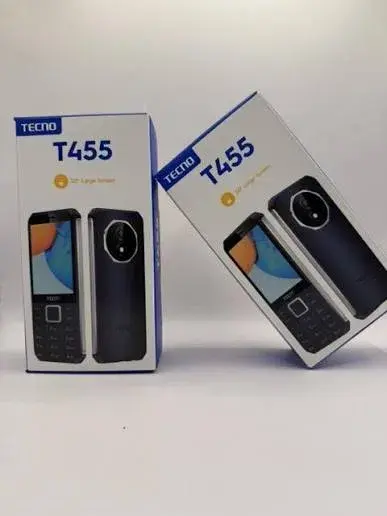
The Tecno T455 is a basic dual-SIM keypad phone with a 3.0-inch screen, a 2,000 mAh battery, USB Type-C charging, Bluetooth and an FM radio with an FM loudspeaker. It is a 2G phone made for calls, texts and long battery life, not for apps or mobile internet. The figures below come from a single retail listing, so we confirm the exact specifications on your unit before you pay. Available in Kenya from City Gadgets Kenya, this page is for shoppers searching "Tecno T455 Kenya", "Tecno T455 price Kenya", "buy Tecno T455 Nairobi", "Tecno keypad phone USB-C Kenya", "dual SIM basic phone Kenya", "Tecno T455 specs" or "cheap feature phone Kenya".
A basic phone is a simple promise: it makes calls, sends texts, lasts for days and survives the knocks of daily life. This page explains what the T455 does and does not do, how it works on Kenyan networks and with M-Pesa, who it suits, how to check it when it arrives and how to avoid fakes. We say plainly when a detail is not confirmed, and we confirm it with you before you pay.
Key specs at a glance
| Feature | Detail |
|---|---|
| Model | Tecno T455 |
| Display | 3.0-inch screen (type and resolution not listed) |
| Network | 2G |
| SIM | Dual nano-SIM |
| Battery | 2,000 mAh |
| Memory | 8 MB RAM and 8 MB ROM |
| Card slot | Not listed. We confirm on your unit |
| Camera | Listed without a resolution, so we confirm it on your unit |
| Audio | FM radio with an FM loudspeaker |
| Torch | Not listed. We confirm on your unit |
| Bluetooth | Yes |
| Charging | USB Type-C |
| Dimensions and weight | Not listed. We confirm in the shop |
| Colours | Not listed. We confirm the colour in stock |
| Box and charger | Not listed. We confirm before you pay |
| Condition | Brand new |
| Available from | City Gadgets Kenya, Nairobi CBD |
Specifications come from published manufacturer and retail specification sheets. Phones sold in different markets can differ in model number, network bands and colours, so please ask our team to confirm the exact model number, network bands and colour of the phone you order before you pay.
What's in the box
The listing we read does not say what is in the box, so we confirm whether a charger is included before you pay. The charging port is listed as USB Type-C.
Overview: who the T455 is for
The Tecno T455 is a simple keypad phone with a few modern touches: a 3.0-inch screen, USB Type-C charging, Bluetooth and two SIM slots. A Type-C port is a real advantage because it uses the same cable as most current smartphones, so one cable can serve both phones.
The listing gives a 2,000 mAh battery, which is a good size for a basic phone, although no standby or talk-time figure is listed, so we do not promise a number of days. There is an FM radio with a loudspeaker, so you can listen without earphones.
It runs on 2G, which is fine for calls and texts but offers no meaningful mobile internet. Because it is so basic, it suits second-phone roles: the phone for the shop, the farm, the car or the night guard, and the phone that keeps working through a long power cut.
Published specifications for this phone are limited, so items such as the camera, the card slot, the torch, the exact network bands and the dimensions are confirmed on the unit in the shop.
Display and keypad
The T455 has a 3.0-inch screen, which is larger than the 1.77-inch to 2.0-inch screens on many basic phones, so numbers and text are easier to read. The type and resolution are not listed, so we do not describe the picture quality. It is not meant for browsing or video. A torch is not listed, so we do not promise one.
A basic phone screen is not a touchscreen. You move through menus with the navigation keys and press the keypad to type. Texting is done the old way, by pressing number keys to cycle through letters, with predictive text on most models. If you have not used a keypad phone for a while, give yourself a few days to get used to it. The advantage is that the keys work with wet or gloved fingers and there is no glass screen to crack.
Calls, network and SIM
The T455 is a dual-SIM phone with two nano-SIM slots. The listing gives its network as 2G, which means calls and text messages only and no useful mobile internet. With two SIMs you can carry two lines, for example one for work and one for personal calls, or two networks to cover weak signal areas. The exact bands are not listed, so we confirm the phone works with the networks you use.
In Kenya, coverage and which network services are available depend on your area and your operator. Before you buy, ask your operator about 2G, 3G and 4G coverage where you live and work, because a phone can only use the network types it supports. We confirm the bands of your unit against the networks you use. Keep your SIM registered in your own name and keep your SIM card details safe, and note down your IMEI by dialling *#06#.
M-Pesa and Safaricom services on a basic phone
M-Pesa does not need a smartphone. On a basic phone, you use the SIM Toolkit menu on a Safaricom SIM, or the USSD menu, to send money, pay bills, buy airtime and check your balance. This is one of the main reasons many Kenyans keep a basic phone as a second phone or as the main phone for older relatives. M-Pesa on a basic phone works through your SIM's menu (the SIM Toolkit) or by USSD, and does not need an app. We recommend testing the M-Pesa menu with your own SIM in the shop, since menus differ by SIM and phone. Always check the M-Pesa message you receive after a transaction, and never share your PIN with anyone, including callers who claim to be from your operator.
Battery, charging and power cuts
The listing gives a 2,000 mAh battery and USB Type-C charging. No standby or talk-time figure is listed, so we do not promise a number of days. It is not stated whether the battery is removable, so we confirm that on your unit.
A phone that lasts several days on a charge is a real advantage when power cuts are common. To get the most out of the battery, lower the screen brightness, switch off the keypad light when you do not need it, and avoid leaving the phone in a hot place. If the battery is removable, keep a spare, charged battery in a drawer as a backup. Use the charger that came with the phone or one from a trusted brand, since cheap chargers can charge slowly or damage the battery. Remember that mains sockets in Kenya are Type G, so check the plug on any charger you buy.
Storage, music and extras
The phone has 8 MB of RAM and 8 MB of storage, which is enough for contacts, messages and a few ringtones. A card slot is not listed, so we confirm on your unit whether you can add music. Bluetooth is listed, which lets you share files and connect a headset, and we confirm the version. The FM radio has an FM loudspeaker, so a headset is not needed to listen. A camera is mentioned, but without a resolution, so we do not describe its quality.
Design, build and durability
The listing does not give dimensions, weight or colours, so we confirm those in the shop. No water or dust rating is listed, so keep it away from water and dust.
Basic phones are popular on construction sites, farms and in busy markets because they survive drops, dust and daily rough handling better than glass smartphones. Even so, keep the phone out of water and out of direct sun, and use a pouch or a case if you carry it with keys.
What a basic phone does not do
It is honest to say what you give up. The T455 has no 3G or 4G listed, no Wi-Fi listed, no touchscreen and no apps. It does not run WhatsApp and it cannot do mobile banking apps. Its camera, if present, is only for the simplest snaps. If you need WhatsApp, maps, mobile banking apps or social media every day, you will want a smartphone, and we are happy to show you our low-priced smartphone range. Many customers buy a basic phone as a second, battery-friendly phone for travel, power cuts, the office or a teenager, and keep a smartphone for everything else.
Strengths and limits
What we like:
- A 3.0-inch screen that is easy to read.
- USB Type-C charging.
- Dual nano-SIM.
- A 2,000 mAh battery.
- Bluetooth and an FM radio with a loudspeaker.
- A very low price.
What to keep in mind:
- 2G only, with no mobile internet.
- Specifications are limited.
- The camera quality is unknown.
- No card slot or torch listed.
- Battery removability is not listed.
Who should buy the T455
- People who want a basic phone with a larger screen.
- Older relatives who want a simple phone.
- Anyone who wants to share a USB-C cable with their smartphone.
- Workers who want two lines on a small budget.
- Parents buying a first phone for a child.
Who should look elsewhere
- Buyers who need WhatsApp or mobile internet.
- People who want a good camera.
- Buyers who need exact, fully documented specifications.
- Anyone who needs 4G.
Compare before you buy
Tecno T455 against the Tecno T528. The T528 lists a 2,500 mAh battery and a 2.8-inch or 3.0-inch screen with a torch. The T455 lists USB Type-C charging and an FM loudspeaker.
Tecno T455 against the Nokia 105. The Nokia 105 is a single-SIM phone with an IP52 rating and a removable battery. The T455 offers dual SIM, a bigger screen and USB Type-C.
Tecno T455 against a low-priced smartphone. A smartphone runs WhatsApp, maps and apps, but needs charging daily and costs more. The T455 is for calls, texts and battery life.
Basic phone or smartphone: how to decide
A good way to decide is to list what you do with a phone in a normal week. If most of it is calls, texts and M-Pesa, a basic phone covers it and saves money, and the battery will last longer. If you rely on WhatsApp groups, video calls, maps, online banking or social media, a smartphone will serve you better. If you are buying for an older relative, think about eyesight and hands: big keys, a loud speaker and a simple menu matter more than features. If you are buying for a child, a basic phone keeps them reachable without giving them the whole internet. If you are buying a spare, think about what happens when the smartphone dies in a power cut: a basic phone with a spare battery is a good safety net.
Another consideration is theft. In busy parts of Nairobi, phone snatching is a real risk, and a low-priced basic phone is less painful to lose than a smartphone full of banking and personal data. Many people carry a basic phone in town and leave the smartphone at home. If you do this, remember to move your SIM carefully and keep your contacts backed up, since a basic phone has little storage and may not sync contacts to the cloud.
Buying for an older relative or a first-time user
If the phone is for someone who has never owned a smartphone, set it up before you hand it over. Save the family numbers in the contacts, label them clearly with names, and put the most important ones at the top of the list. Check that the ringtone is loud enough to hear in a busy place and that the speaker volume is comfortable during a call. Teach the person to check the M-Pesa message after every transaction, to ignore calls that ask for a PIN or a "reversal", and to ring a trusted family member if anything feels wrong. A written card with the key steps, such as how to unlock the keypad, how to send money and how to call home, stored in the box helps a great deal. If the person has trouble with small keys, try the phone in the shop before you buy and check that the keys feel comfortable.
Texting and calling tips on a keypad phone
On a keypad phone, each number key carries several letters. Press a key once for the first letter, twice for the second and so on, or turn on predictive text if the phone offers it. Short messages are quicker than long ones, and many people save common phrases as templates. Keep the keypad locked when the phone is in your pocket, and unlock it with the key combination shown on the screen. If you use two SIMs, check which one is the default for calls and texts so that you do not run down the wrong bundle. Save important contacts to the phone memory rather than only to the SIM, and write down the numbers you cannot afford to lose, since a basic phone may not back up to the cloud.
Getting started: first-day tips
- Charge the battery fully before first use, and check the battery sits firmly in its slot where it is removable.
- Insert your SIM card (and a memory card if you want music) and switch the phone on.
- Set the date, time and language, and check calls and texts work.
- Save your key contacts and check how many numbers the phone can hold.
- Set a keypad lock so the phone does not dial itself in your pocket.
- Set the ringtone and volume to a level you can hear, and test the speaker.
- Check the M-Pesa menu works on your Safaricom SIM.
- Keep your box, receipt and IMEI number in a safe place.
Looking after your phone in Kenya
Dust, heat and rough handling are the usual enemies. Keep the phone out of direct sun on a dashboard, wipe the keypad with a slightly damp cloth, and keep the charging port free of dust. Avoid leaving the phone to charge overnight under a pillow. If the phone gets wet, switch it off, remove the battery where possible, dry it and do not use it until it is fully dry. In a crowded place such as a matatu stage or the CBD, keep the phone out of sight and out of reach of snatchers, and note down your IMEI so you can report a loss.
Accessories worth buying
- A spare battery where the battery is removable.
- A charger and cable from a trusted brand, if you want a second one.
- A pouch or case to protect the phone in a pocket or bag.
- Earphones that match the phone's headphone port.
- A memory card where there is a card slot, from a trusted brand.
Ask our sales team on 0745 575 931 and we will quote accessories together with the phone.
Warranty and stock
Warranty depends on the market version of the phone and on who stocks it. We confirm the market version, the model number and the exact warranty terms in writing for the specific unit before you pay, and Customer Relations on 0794 488 806 handles warranty questions after purchase. Keep your receipt and the box.
How to check your phone when it is delivered
- Inspect the box for damage before you sign, and check that the seal is intact.
- Check that the model number and IMEI on the box match the phone (dial *#06# for the IMEI) and note them on your receipt.
- Check the box contents against what we confirmed with you.
- Switch the phone on and test the keypad, screen, speaker, microphone, charging port, SIM slot and any memory-card slot.
- Make a test call and send a test text with your own SIM.
- Contact our Customer Relations team on 0794 488 806 straight away if anything is wrong.
How to avoid a fake or a misdescribed phone
Phone fraud takes several forms: clone phones that copy a famous design, used phones sold as new, and phones that are not the model that was advertised.
- Check the model on the phone itself. Look at the model number on the box, under the battery and in the phone's settings, and make sure they match.
- Check the IMEI. It should be the same on the box, under the battery cover and in the phone (dial *#06#). A missing or mismatched IMEI is a warning.
- Look at the packaging and the print. Reprinted boxes, loose seals, blurry logos and spelling mistakes are warning signs.
- Watch the price. A price far below the market is a reason to ask why.
- Buy from a seller with an address. Choose a seller who gives a receipt and explains the warranty, and avoid paying a stranger before you have seen the phone.
Why buy from City Gadgets Kenya
Genuine, brand-new stock from a Nairobi shop you can visit. City Gadgets Kenya is at New Alnoor Exhibition, Shop 7, Second Floor, Taveta Road (at the Taveta Road and Accra Road junction), Nairobi CBD. We are open Monday to Friday 9:00am to 7:00pm, and Sunday 11:00am to 4:00pm (Saturday closed).
- Sales (pricing, stock and orders): call or WhatsApp 0745 575 931 on WhatsApp.
- Customer Relations (warranty, returns and support): call or WhatsApp 0794 488 806 on WhatsApp.
- Email: sales@citygadgetskenya.co.ke, handy for invoices, bulk orders and warranty paperwork.
- Delivery: same-day delivery in Nairobi for orders confirmed before 3:00pm on a working day. Outside Nairobi we deliver by courier to your nearest agent or your door, typically 1 to 3 business days after dispatch. The delivery charge depends on your location and the size of the item and is confirmed before you pay. Collection from the shop is free. Delivery times are estimates, not guarantees.
- Payment: M-Pesa accepted.
- Follow us: Instagram, TikTok and Facebook.
Frequently asked questions
What does the Tecno T455 offer? It offers a 3.0-inch screen, dual nano-SIM, a 2,000 mAh battery, USB Type-C charging, Bluetooth and an FM radio, going by the retail listing we read.
Can I use M-Pesa on it? Yes. M-Pesa works through the SIM Toolkit or USSD menu on a Safaricom SIM, as long as your SIM supports it.
Does it run WhatsApp? No. It is a basic phone and does not run WhatsApp.
Is it a smartphone? No. It is a basic phone and does not run Android apps.
Does it have a camera? A camera is mentioned in the listing without a resolution, so we confirm it on your unit. Expect it to suit the simplest snaps only.
Does it have dual SIM? Yes, it is a dual nano-SIM phone.
Does it have a memory card slot? A card slot is not listed. We confirm it for your unit.
Is the battery removable? Not listed. We confirm whether the battery is removable on your unit.
Does it come with a charger? The listing gives USB Type-C charging but does not say what is in the box, so we confirm it for your unit before you pay.
What warranty does it have? We confirm the warranty terms in writing for the specific unit before you pay.
Can I pay via M-Pesa? Yes, M-Pesa is accepted.
Do you deliver outside Nairobi? Yes. Outside Nairobi we deliver by courier, typically 1 to 3 business days after dispatch. The delivery charge depends on your location and the size of the item and is confirmed before you pay.
What if the phone is faulty on delivery? Contact Customer Relations on 0794 488 806 straight away, and we will advise on the next steps.
Order the Tecno T455 today
Available now at City Gadgets Kenya. Call or WhatsApp our sales team on 0745 575 931 (WhatsApp) to confirm stock, the colour, delivery and what is included, or email sales@citygadgetskenya.co.ke. Visit us at New Alnoor Exhibition, Shop 7, Second Floor, Taveta Road (at the Taveta Road and Accra Road junction), Nairobi CBD.
Specifications
- Brand
- TECNO
- Condition
- New
Frequently Asked Questions
How much does the Tecno T455 in Kenya | City Gadgets Kenya cost in Kenya?
The Tecno T455 in Kenya | City Gadgets Kenya is priced at Ksh 3,000 at City Gadgets. You can pay via M-Pesa, card or cash on delivery.
Is the Tecno T455 in Kenya | City Gadgets Kenya available in Kenya?
Yes — the Tecno T455 in Kenya | City Gadgets Kenya is in stock at City Gadgets, ready for same-day delivery in Nairobi and countrywide shipping across Kenya.
Is the Tecno T455 in Kenya | City Gadgets Kenya genuine and does it have a warranty?
Every Tecno T455 in Kenya | City Gadgets Kenya we sell is 100% genuine brand-new stock and comes with a 12-month official brand warranty.
Do you deliver the Tecno T455 in Kenya | City Gadgets Kenya in Nairobi?
Yes. We offer fast same-day delivery within Nairobi and fast, affordable delivery to the rest of Kenya — order online or on WhatsApp.
Customer Reviews
No reviews yet
Be the first to review this product.
Rate us on Google
Your review helps other shoppers find us
Reviews from verified buyers will appear here.
Buying guides
Straight advice for shoppers picking between the models above.
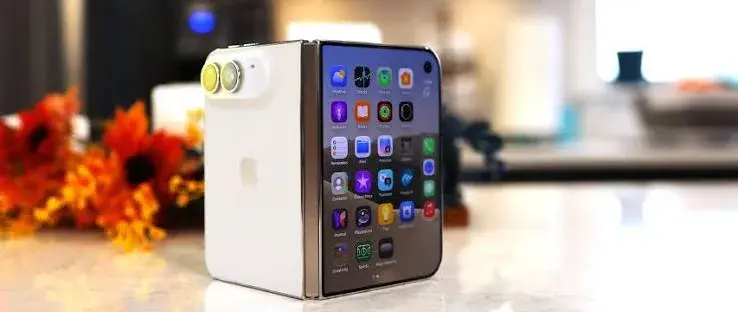
Apple iPhone Duo 256GB Tech Analysis, the First Foldable iPhone for Kenyan Buyers | City Gadgets Kenya
Apple iPhone Duo 256GB Tech Analysis: The First Foldable iPhone, Explained for Kenyan Buyers
Read the guide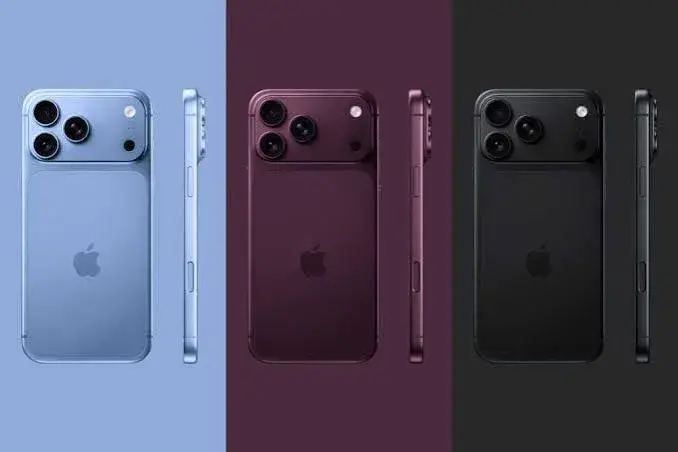
Fast Gadget Delivery in Nairobi and Across Kenya: How City Gadgets Kenya Gets Your Order to You
Fast Gadget Delivery in Nairobi and Across Kenya: How City Gadgets Kenya Gets Your Order to You
Read the guide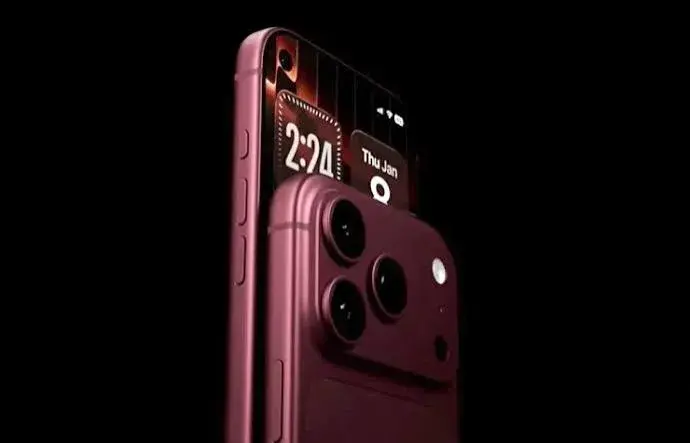
iPhone 18 Pro vs iPhone 18 Pro Max — The Complete Nairobi Buyer's Guide (2026)
iPhone 18 Pro vs iPhone 18 Pro Max: The Complete Nairobi Buyer's Guide
Read the guide