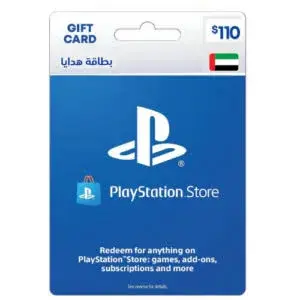
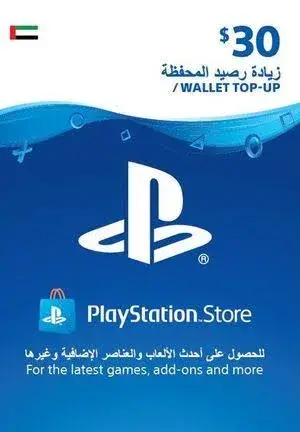
PlayStation Gift Card $30 UAE Region in Kenya | City Gadgets Kenya
Same-day delivery in Nairobi by 4 Nov – 5 Nov
Comes with
Description
Buy the PlayStation Gift Card $30 UAE Region in Kenya from City Gadgets Kenya. A $30 UAE region PlayStation wallet top-up code, delivered digitally to Kenyan buyers. Same-day Nairobi delivery, M-Pesa accepted. Call 0745 575 931.
PlayStation Gift Card $30 UAE Region in Kenya
A $30 PlayStation wallet top-up code for UAE region accounts.
The $30 UAE region PlayStation gift card is a digital wallet top-up code that adds $30 to a PlayStation Network account created for the UAE region. Available in Kenya from City Gadgets Kenya, this page is for shoppers searching "$30 PlayStation gift card UAE region", "PSN $30 UAE wallet top up", "$30 PSN card Kenya", "PlayStation Store $30 gift card Kenya", "UAE PSN account top up", "buy $30 PlayStation gift card Nairobi" or "PlayStation wallet top up Kenya".
This single card adds $30 to a UAE region PlayStation wallet. It works only on accounts of that region, so please read the region notes on this page before you order.
Key specs at a glance
| Feature | Detail |
|---|---|
| Product | PlayStation Store wallet top-up code (digital) |
| Card value | $30 |
| Region | UAE |
| Currency | US dollar value for the UAE store |
| Works on | PlayStation 5, PlayStation 4, PlayStation app and PlayStation Store website, for accounts of the same region |
| Delivery | Digital code, delivery method confirmed before you pay |
| Region lock | Redeems only on UAE region accounts |
| Card size | Small value within our UAE range |
| Condition | Brand new |
| Available from | City Gadgets Kenya, Nairobi CBD |
Stock changes, so please ask our team to confirm that this card value is available and to confirm the delivery method before you pay.
What's in the box
Nothing arrives in a box. You receive a digital code by the method we agree with you, and we confirm the region, the card value and the delivery method before you pay.
The $30 UAE region PlayStation gift card in Kenya
This page is about one product: a single $30 PlayStation wallet top-up for UAE region accounts. When the code is redeemed, $30 is added to the wallet of the PlayStation Network account that redeems it. People find this page by searching for "$30 PlayStation gift card UAE region", "$30 PSN card Kenya" or "buy $30 PlayStation gift card Nairobi", and the answer is straightforward: confirm your account region, tell us you want this value, pay, receive the code and redeem it.
We list every UAE region value as its own product, so that you can find the exact amount you need. If this value is not the right size, the nearest options are the next smaller card, $20 and the next larger card, $40. Our sales team can confirm which values are available today.
Is $30 the right amount for you?
Within our UAE range this is a small top-up. Small cards are the right size for a single add-on, a cosmetic pack, a small in-game currency purchase or a top-up that fills a gap in your wallet. They are also a sensible way to try the process for the first time, because a small amount is a small risk while you learn how redemption works. If you plan to buy a full game, check the cart total first, because a small card may not cover it on its own.
Because the amount is small, it is easy to spend it in one go, and easy to forget what it was for. A good habit is to decide on the purchase before you buy the code, and to redeem it straight away.
What the funds can buy
Wallet funds can be spent in the PlayStation Store on full games, add-ons and expansions, season passes, in-game currency, and subscriptions such as PlayStation Plus. Prices change from time to time and differ by region, so open the store on your console, add what you want to the cart and read the total before you decide that this value is enough.
Any part of the $30 that you do not spend stays in your wallet for your next purchase. The funds cannot be turned back into cash, cannot be moved to another account and cannot be used in another region's store.
Region reminder for UAE accounts
The UAE region has its own PlayStation store. The cards for this region are listed in dollar values, from small top-ups to large ones, and they work only on accounts created for the UAE region.
It is easy to confuse the UAE region with the USA region, because both are shown in dollars. They are different stores, and a code for one does not work on the other. Before you order, confirm that your account region is the UAE, and ask us to confirm the card label if you are unsure.
Questions we hear often about the $30 UAE card
Is it safe to buy PlayStation codes from a shop in town? It is safe if you buy from a seller who gives you a receipt, confirms the details before you pay and is reachable afterwards. Be wary of anonymous sellers and very low prices.
Do I need a bank card? No. The top-up replaces a bank card for purchases in the PlayStation Store.
How fast is delivery? We confirm the time for your order before you pay. Orders are processed during shop hours.
Can I top up a friend's account? Yes, if their account region matches the card, but you should only do this for people you trust.
What if I mistype the code? Check each character carefully and try again. If it still fails, send us a screenshot of the error message.
If your redemption does not work: a troubleshooting guide
Most failed redemptions have simple causes. First, check the region. A UAE code will be refused by an account of another region, and the error message may not say so clearly. Second, check how you typed the code. Zero and the letter O, one and the letter I, and similar pairs are easy to confuse. Third, check that you are signed in to the account you meant to top up. Fourth, check your internet connection, since the store needs a stable connection to confirm the code.
If the code still fails, take a screenshot of the error message and send it to Customer Relations on 0794 488 806 with your order details. Do not try the code many times in a row, because repeated failed attempts can lock the redemption feature for a while. Wait a little, check the details and try again.
Keeping your PlayStation account safe
Your wallet is only as safe as your account. Use a strong password that you do not use elsewhere, switch on two-step verification, and never share your sign-in details. Be careful with messages that claim to be from PlayStation and ask you to click a link and sign in, because many are fake. If you see an unfamiliar purchase, change your password at once and contact PlayStation support.
Keep your console in a safe place, and do not leave your account signed in on a console you do not own. If you sell or give away a console, sign out and reset it first.
Making a top-up last: a simple budget
It is easy to spend wallet funds without thinking. A simple approach is to decide in advance what you want to buy, and to top up for that purchase only. If you are a parent, give a child a fixed amount each month instead of a large card, and let them learn to choose. If you are a gamer, keep a short wish list of games and add-ons, and buy them in order of priority.
Remember that in-game purchases can add up. A small amount spent on extras every week can be more than the price of a game over a year.
Buying in Kenya: payment and delivery
We accept M-Pesa. We confirm the card value, the region and the delivery method before you pay, and we send the code the way we agreed. You can also visit the shop at New Alnoor Exhibition, Shop 7, Second Floor, Taveta Road, Nairobi CBD, if you would rather settle the details in person. Keep the message that contains your code and your M-Pesa confirmation until you have redeemed the code and checked your balance.
UAE accounts and how to check yours
Some Kenyan players hold a PlayStation account created for the UAE region. Because UAE codes are shown in dollar values, they are sometimes confused with US codes, and a mix-up means the code will not work. To check your region, open your account settings on the console or on the PlayStation website and look at the country or region shown. If it says UAE, this page is for you. If it says United States, you need the USA region page instead.
If you are about to create a new account and are choosing a region, think about which store you will use for years, because switching later means starting again with a new account and losing access to the old purchases on that account. Read the platform's terms and choose the region that is correct for you.
Gifting a top-up to someone else
A wallet top-up makes a simple gift for a gamer, a birthday or a reward, but only if the person's account matches the region. Before you buy for someone else, ask them which region their account uses and confirm that it is UAE. Send the code only to the person it is meant for, preferably in a private message, and tell them to redeem it soon. If the person is a child, redeem the code yourself on their account, and set a spending limit with family settings.
Redeeming your $30 code in five steps
- Sign in to the UAE region PlayStation account you want to top up. 2. Open the PlayStation Store and choose the option to redeem codes. 3. Type the code carefully, checking characters that look alike. 4. Confirm, and wait for the $30 to appear in your wallet. 5. Check your balance and take a screenshot. If any step fails, send us the error message on WhatsApp at 0794 488 806 and we will help.
Redeem the code soon after you receive it, and keep the message private until then. Anyone who has the code can spend the $30.
Planning what to buy with $30
Before you pay for the code, make a short list of what you want to buy and add it to your cart in the store. If the total is below $30, this card is enough, and the leftover stays in your wallet. If the total is above $30, choose a larger card instead of buying two small ones, because one redemption is simpler. If you are buying for a child, set a spending limit in family settings before you hand over the console.
Take a moment to think about whether the purchase is something you will still enjoy in a few weeks. Digital purchases are tied to your account and cannot be returned, so a short pause before you spend is worth it.
Final buying notes
Before you order, take a minute to confirm that your PlayStation account is set to the UAE region and that $30 is the amount you need. If you are unsure, call or WhatsApp our sales team on 0745 575 931 with the region of your account and what you plan to buy, and we will tell you honestly which card suits you.
We would rather lose a sale than sell you a card that will not work on your account. We confirm the region, the value and the delivery method before you pay.
How PlayStation wallet top-ups and gift cards work
A PlayStation wallet top-up, often called a gift card, is a digital code that adds money to the wallet of a PlayStation Network account. Once the money is in the wallet, you can spend it in the PlayStation Store on games, add-ons, subscriptions such as PlayStation Plus, and in-game purchases on your PlayStation 5 and PlayStation 4. You do not receive a disc or a parcel. You receive a code, and you redeem it yourself in the PlayStation Store or the PlayStation app.
The code is worth a fixed amount in a fixed currency. That currency is tied to a region, and this is the single most important thing to understand before you buy. A code made for one region adds funds only to an account that was created for that same region.
Region matters: read this before you buy
Every PlayStation Network account belongs to a region, chosen when the account is created. The region decides which PlayStation Store you see, which currency your wallet uses, which prices apply and which codes you can redeem. A top-up for one region will be rejected by an account of another region, and your wallet balance cannot be moved from one region to another.
Before you order, open your PlayStation account settings and check the country or region your account uses. If your account region is not the region of the card, the code will not work, and we cannot change that for you. If you want to use a different region's store, you would normally need an account created for that region, and you should check the PlayStation terms before doing so. We will not advise you to break the platform's rules.
Games you buy with wallet funds are tied to your account. You can play them on any console where you sign in, subject to the platform's normal rules, but the region of the account affects which version of a game you see, which languages are offered and whether certain titles are available.
How to redeem a code
- Sign in to the PlayStation Network account that you want to top up.
- On your console, open the PlayStation Store and choose the option to redeem codes. On a phone, you can use the PlayStation app, and on a browser, the PlayStation website.
- Type the code carefully. Letters and numbers can look alike, so check each character.
- Confirm. The amount is added to your wallet and appears in your balance.
- Spend it on the games or subscriptions you want.
Redeem the code soon after you receive it, and keep a screenshot of the redemption screen and your wallet balance. If something goes wrong, those details help us help you.
Before you pay: a short checklist
- Check your account region. It must match the card.
- Check the amount. Choose the face value that suits what you want to buy, including any taxes the store may add.
- Use the correct account. The funds go to the account you redeem into, and they cannot be moved afterwards.
- Do not share the code. Anyone who has the code can redeem it. Keep it private until you redeem it.
- Ask about delivery. We confirm how the code will be sent to you, and how quickly, before you pay.
Codes are digital and usually final
Because a code is digital, it can be used by anyone who has it. For that reason, a code that has been delivered or redeemed generally cannot be returned. If a code does not work, tell Customer Relations straight away on 0794 488 806, with a screenshot of the error message, and we will look into it. Many problems come from a region mismatch or a typing mistake, so check both before you contact us.
Staying safe when you buy gift cards
Gift cards are a favourite tool of scammers, and customers should be careful.
- Never buy a card because a stranger asked you to. If someone online, a caller or a message asks you to buy a gift card and send them the code, it is a scam.
- Buy from a seller you can find. A seller with a shop address, a phone number and a receipt is easier to hold to account than an anonymous account.
- Be careful with very cheap offers. A price far below the market is a reason to ask where the code comes from.
- Never share your account password. We do not need it to sell you a code, and nobody legitimate will ask for it.
- Protect your account. Switch on two-step verification on your PlayStation account so that a stolen password is not enough to take your wallet.
Children, spending and family settings
Wallet funds can be spent quickly, especially on in-game purchases. If a child uses your console, set up a child account with family settings, set a monthly spending limit and require a password or confirmation before purchases. Talk with your child about how in-game purchases work, and keep codes out of reach until you redeem them.
Delivery and payment
We send the code by the method we agree with you, usually a message, and we confirm the method before you pay. M-Pesa is accepted. You can also visit the shop at New Alnoor Exhibition, Shop 7, Second Floor, Taveta Road, Nairobi CBD. Orders are processed during shop hours, and we tell you how long a particular order will take.
Warranty and terms
Digital codes have no warranty in the way a physical item does. We confirm the region, the amount and the delivery method in writing for each order before you pay, and Customer Relations on 0794 488 806 handles any problem after purchase. Keep your receipt and the message that contains your code.
Strengths and limits
What we like:
- Adds $30 to a UAE region wallet
- Digital delivery with no waiting for a parcel
- Lets you buy digital games without a bank card
- Any unspent balance stays in your wallet
What to keep in mind:
- Works only on UAE region accounts
- Digital codes are generally final once delivered
- Funds cannot be moved to another account or region
Who should buy the PlayStation Gift Card $30 UAE Region
- Players who already have a PlayStation account created for the UAE region
- Gamers who want to buy games, add-ons or a PlayStation Plus subscription on the UAE store
- Parents who want to give a child a fixed amount to spend
- Anyone who wants to buy digital games without a bank card
Who should look elsewhere
- Anyone whose account is not set to the UAE region
- Buyers who want to use the funds on a different regional store, including the US store, because a UAE code does not work on a US account
- Anyone who wants a physical disc, because a code is digital only
Compare before you buy
Compared with a larger or smaller UAE card. A bigger card means fewer codes to redeem, and a smaller card limits what you can spend. Choose by your cart total. The nearest options to $30 are the next smaller card, $20 and the next larger card, $40.
Compared with a bank card on your account. A card on your account can charge you without a limit unless you set one. A top-up gives you a fixed amount to spend, which helps with budgeting and with children.
Why buy from City Gadgets Kenya
Genuine, brand-new stock from a Nairobi shop you can visit. City Gadgets Kenya is at New Alnoor Exhibition, Shop 7, Second Floor, Taveta Road (at the Taveta Road and Accra Road junction), Nairobi CBD. We are open Monday to Friday 9:00am to 7:00pm, and Sunday 11:00am to 4:00pm (Saturday closed).
- Sales (pricing, stock and orders): call or WhatsApp 0745 575 931 on WhatsApp.
- Customer Relations (warranty, returns and support): call or WhatsApp 0794 488 806 on WhatsApp.
- Email: sales@citygadgetskenya.co.ke, handy for invoices, bulk orders and warranty paperwork.
- Delivery: same-day delivery in Nairobi for orders confirmed before 3:00pm on a working day. Outside Nairobi we deliver by courier to your nearest agent or your door, typically 1 to 3 business days after dispatch. The delivery charge depends on your location and the size of the item and is confirmed before you pay. Collection from the shop is free. Delivery times are estimates, not guarantees.
- Payment: M-Pesa accepted.
- Follow us: Instagram, TikTok and Facebook.
Frequently asked questions
Will the $30 code work on my account? Only if your account region is UAE. Check your account settings before you order.
Can I use the $30 balance in another region's store? No. Wallet funds stay in the region where they were redeemed.
How do I receive the code? We confirm the method before you pay, usually by message.
Can I return a code? Digital codes are generally final once delivered. We explain the terms before you pay.
What if $30 is not enough for my purchase? Check your cart total first. You can buy a larger card, or ask us about the next smaller card, $20 and the next larger card, $40.
Can I pay via M-Pesa? Yes, M-Pesa is accepted.
Do you deliver outside Nairobi? Yes. Outside Nairobi we deliver by courier, typically 1 to 3 business days after dispatch. The delivery charge depends on your location and the size of the item and is confirmed before you pay.
What if it is faulty on delivery? Contact Customer Relations on 0794 488 806 straight away, and we will advise on the next steps.
Order the PlayStation Gift Card $30 UAE Region today
Available now at City Gadgets Kenya. Call or WhatsApp our sales team on 0745 575 931 (WhatsApp) to confirm stock, the version, delivery and what is included, or email sales@citygadgetskenya.co.ke. Visit us at New Alnoor Exhibition, Shop 7, Second Floor, Taveta Road (at the Taveta Road and Accra Road junction), Nairobi CBD.
Specifications
- Brand
- SONY
- Condition
- New
Frequently Asked Questions
How much does the PlayStation Gift Card $30 UAE Region in Kenya | City Gadgets Kenya cost in Kenya?
The PlayStation Gift Card $30 UAE Region in Kenya | City Gadgets Kenya is priced at Ksh 6,000 at City Gadgets. You can pay via M-Pesa, card or cash on delivery.
Is the PlayStation Gift Card $30 UAE Region in Kenya | City Gadgets Kenya available in Kenya?
Yes — the PlayStation Gift Card $30 UAE Region in Kenya | City Gadgets Kenya is in stock at City Gadgets, ready for same-day delivery in Nairobi and countrywide shipping across Kenya.
Is the PlayStation Gift Card $30 UAE Region in Kenya | City Gadgets Kenya genuine and does it have a warranty?
Every PlayStation Gift Card $30 UAE Region in Kenya | City Gadgets Kenya we sell is 100% genuine brand-new stock and comes with a 12-month official brand warranty.
Do you deliver the PlayStation Gift Card $30 UAE Region in Kenya | City Gadgets Kenya in Nairobi?
Yes. We offer fast same-day delivery within Nairobi and fast, affordable delivery to the rest of Kenya — order online or on WhatsApp.
Customer Reviews
No reviews yet
Be the first to review this product.
Rate us on Google
Your review helps other shoppers find us
Reviews from verified buyers will appear here.
Buying guides
Straight advice for shoppers picking between the models above.
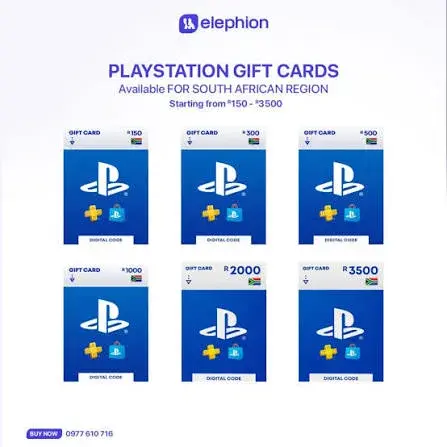
PlayStation Gift Card South Africa Region in Kenya: The Complete Buying and Redeeming Guide | City Gadgets Kenya
PlayStation Gift Card South Africa Region in Kenya: The Complete Buying and Redeeming Guide
Read the guide
PlayStation Gift Card USA Region in Kenya: The Complete Buying and Redeeming Guide | City Gadgets Kenya
PlayStation Gift Card USA Region in Kenya: The Complete Buying and Redeeming Guide
Read the guide
PlayStation Gift Card UK Region in Kenya: The Complete Buying and Redeeming Guide | City Gadgets Kenya
PlayStation Gift Card UK Region in Kenya: The Complete Buying and Redeeming Guide
Read the guide