If you are searching for a PlayStation gift card UK region, a PSN UK wallet top up or a PlayStation wallet top up in Kenya, this guide is for you. It explains in plain language what a United Kingdom region PlayStation wallet top-up is, how to check that your account can use it, how to choose the right amount, how to redeem the code and how to keep your money and your account safe. It was written for Kenyan gamers by the team at City Gadgets Kenya, a Nairobi shop that sells PlayStation accessories, games, phones and gadgets.
In this guide
- What a PlayStation wallet top-up is
- Why the region matters so much
- How to check your account region
- Why some Kenyan players use a UK account
- Thinking in pounds: how to size a UK top-up
- What you can buy with the funds
- How to redeem your code step by step
- If your code does not work
- How to avoid gift card scams
- How to spot an unsafe seller
- Comparing your options
- A guide for parents
- Questions people ask
- Why buy from City Gadgets Kenya
What a PlayStation wallet top-up is
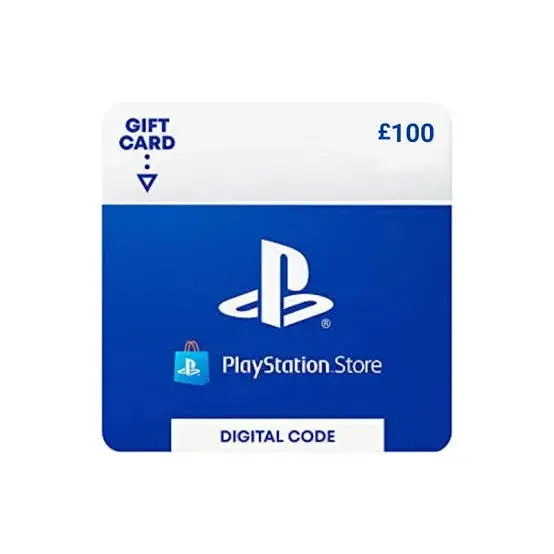
A PlayStation wallet top-up, also called a PlayStation gift card or PSN card, is a digital code that adds money to the wallet of a PlayStation Network account. Once the money is in your wallet, you can spend it in the PlayStation Store on full games, add-ons, expansions, season passes, in-game currency and subscriptions such as PlayStation Plus. You can use it on a PlayStation 5, a PlayStation 4, the PlayStation app on your phone and the PlayStation Store website.
Nothing is posted to you. You receive a code, which is a string of letters and numbers, and you type it into the store. The amount shown on the card is added to your wallet, and you spend it as you like. Many Kenyan gamers use top-ups because they do not have an international bank card, because they want to control how much they spend, or because they prefer to buy digital games without sharing card details online.
The United Kingdom region top-ups on our site come in 12 values: £10, £20, £30, £35, £40, £45, £50, £60, £70, £90, £100, £120. Stock changes, so please confirm the value you want with our sales team before you pay.
Why the region matters so much
Every PlayStation Network account belongs to a region, chosen when the account was created. The region decides which store you see, which currency your wallet uses, which prices apply and which codes you can redeem. A United Kingdom region code adds funds only to an account created for United Kingdom. If your account belongs to another region, the code will be refused, and we cannot change that for you.
This is not a small detail. It is the reason most failed redemptions happen. People assume that a card for one country will work on any account, and it does not. Wallet funds also cannot be moved between regions, so a mistake means money tied up in the wrong place. The best protection is to check your region before you order, and to tell the seller the region by name.
Region also affects the store you shop in. Some games, languages and age ratings differ between regions, and offers and prices are set by region. Your British store therefore shows its own selection. Games you buy are tied to your account and can be played on any console where you sign in, but the region of the account stays the same.
How to check your account region
You do not need special tools to find your region. Here is how to check.
- On your PlayStation 5, open Settings, then Users and Accounts, then Account, then Payment and Subscriptions, or the equivalent menu on your system version. The menus change from time to time, so look for your account and your country or region.
- On a browser, sign in to your PlayStation account on the official website and open your account settings. The country or region is shown in your profile and payment details.
- In the PlayStation app, open your profile and look at the settings for your account.
- If you still cannot find it, open the PlayStation Store on your console and look at the currency of the prices. A store in rand points to South Africa, pounds to the United Kingdom, and dollars to either the United States or the UAE, so for dollars you must check the country name, not only the currency.
Write down the region before you contact us. When you tell our sales team on 0745 575 931 that you need a United Kingdom region card, we can confirm the value and the delivery method, and you can pay with confidence.
Why some Kenyan players use a UK account
Kenya has long links with the United Kingdom through study, family and work, and some Kenyan players hold a UK PlayStation account because of those links. Others set up a UK account because a relative bought the console abroad. If you have a UK account, your wallet is in pounds, and it can only be topped up with United Kingdom region codes.
The UK store uses European age ratings and shows prices in pounds, usually including tax. Some games and offers differ from those in other regions. Before you add a large amount to a UK wallet, check that the items you want are available in your store.
Thinking in pounds: how to size a UK top-up
UK region cards come in fewer values than some other regions, so a little planning helps. A small card suits an add-on or a currency pack. A middle value suits a full-price game. A larger value suits a subscription or several games at once. Because there are fewer steps between values, you may find that a card is slightly more than you need, and the balance simply stays in your wallet.
To pick the right card, open the store, add what you want to your cart and read the total. Choose the card value just above that total. If you buy often, a larger card is more convenient, as you redeem one code instead of several.
Here is a simple way to think about it. A small top-up fits one add-on or a currency pack. A middle top-up fits one full game. A large top-up fits a subscription for a longer period, or several games. If you are not sure, tell us what you plan to buy, and our team will suggest the closest card from the 12 values we list for United Kingdom.
What you can buy with the funds
Your wallet funds can be spent on many things in the PlayStation Store. The main categories are:
- Full games. New releases and older titles, downloaded straight to your console.
- Add-ons and expansions. Extra levels, characters, cars, maps and story chapters for games you already own.
- Season passes and bundles. Packages that include several items at once.
- In-game currency. Coins and points used inside games. These purchases are final and can add up, so set limits.
- Subscriptions. Services such as PlayStation Plus, which offers online multiplayer and a library of games, depending on the tier. Check the current tiers and what each includes in your store before you subscribe.
- Digital films and other content. Where the store offers them.
The funds cannot be turned back into cash, cannot be moved to another account and cannot be used in another region's store. They also do not buy physical discs. If you want a disc, you buy it from a shop like ours, and a top-up is for digital purchases.
How to redeem your code step by step
- Sign in to the PlayStation account you want to top up. Make sure it is the account whose region matches the card.
- Open the PlayStation Store on your console. Scroll to find the option to redeem codes. On the app or website, look for the same option in the menu.
- Type your code. Take your time. Zero and the letter O, one and the letter I, and five and the letter S can look alike. Do not guess if a character is unclear. Ask us.
- Confirm. The funds appear in your wallet within moments if your internet connection is stable.
- Check your balance. Open your wallet or your account and confirm that the amount has been added.
- Take a screenshot of your balance, and keep the message that contained the code. If you ever need help, these help us find the problem quickly.
Redeem soon after you receive the code. Do not leave it for weeks, and do not share it with anyone before you redeem it. A code is like cash: whoever redeems it first gets the money.
If your code does not work
Most problems have simple causes, and most of them can be fixed.
- Wrong region. The most common cause. If your account is not a United Kingdom region account, the code will be refused. Check your region again.
- Typing mistake. Check each character, and compare similar-looking letters and numbers.
- Wrong account. Make sure you are signed in to the account you meant to top up.
- Connection problem. The store needs a stable internet connection. Try again on a better connection.
- Too many attempts. Repeated failed attempts can lock redemption for a while. Wait and try again carefully.
If the code still fails, take a screenshot of the error message and send it to Customer Relations on 0794 488 806, with your order details. We will look into it, and we will be honest about what we can and cannot fix. Remember that digital codes are generally final once delivered, which is why checking the region before you pay is so important.
How to avoid gift card scams
Gift cards are a favourite tool of scammers. The following rules protect you.
- Never buy a card because someone told you to. If a caller, a message or a person online asks you to buy a gift card and send them the code, it is a scam. No real company, bank or government office takes payment in PlayStation codes.
- Never share your codes before you redeem them. Someone who has the code can spend it.
- Never share your account password. A legitimate seller does not need it.
- Turn on two-step verification. It protects your wallet if your password is stolen.
- Be careful with links. Messages that claim to be from PlayStation and ask you to sign in through a link are often fake. Open the official site or app yourself.
- Be careful with very low prices. A price far below the market is a reason to ask where the code comes from.
How to spot an unsafe seller
Unlike a phone or a console, a digital code cannot be inspected in your hands, so the seller matters more. Here is how to judge one.
- A real address and phone number. A seller with a shop you can visit, a phone line that answers and an email address is easier to trust than a profile with no contact details.
- A clear explanation. A good seller tells you the region, the value, the delivery method and the terms before you pay, and answers questions patiently.
- A receipt. Ask for proof of payment and keep your messages.
- No pressure. A seller who rushes you, or says the price will vanish in minutes, is a warning sign.
- No requests for your password. Ever.
- Honest about limits. A good seller tells you that digital codes are generally final and that region mismatches cannot be fixed.
If a seller fails these tests, walk away. Saving a little money is not worth losing the whole amount.
Comparing your options
A wallet top-up is not the only way to buy digital games. It helps to compare.
Top-up compared with a bank card. A bank card linked to your account charges you automatically and can be used for large amounts, but it also exposes you to overspending and card fraud. A top-up gives you a fixed amount. This is useful for budgeting and for children. The disadvantage is that you must buy a new code when the balance runs out.
Top-up compared with a physical disc. A disc can be lent, resold or kept as a collectable, and it works without a long download in some cases. A digital game bought with wallet funds arrives instantly and cannot be lost or scratched, but it is tied to your account and cannot be resold. If you have a console without a disc drive, digital is your only option.
Top-up compared with a subscription code. Some sellers offer codes for a specific subscription. A wallet top-up is more flexible, since you can use the funds on a subscription or on games. A subscription code is useful if you only want that one service.
A United Kingdom card compared with cards from other regions. The right region is always the one that matches your account. You can read our guides for the other regions here:
- PlayStation Gift Card South Africa Region in Kenya: The Complete Buying and Redeeming Guide
- PlayStation Gift Card USA Region in Kenya: The Complete Buying and Redeeming Guide
- PlayStation Gift Card UAE Region in Kenya: The Complete Buying and Redeeming Guide
A guide for parents
Children love gaming, and in-game purchases can add up quickly. Parents who want to keep control can do three things. First, create a child account with family settings, so that you can set a monthly spending limit and require approval for purchases. Second, give your child a fixed amount through a top-up, instead of linking a bank card, so that spending stops when the balance runs out. Third, talk to your child about how in-game purchases work, and about why they should never share codes or passwords.
If you buy a top-up as a gift, redeem the code yourself on the child's account, and keep the original message. This stops the code being lost or shared, and it lets you see the balance at all times.
Worked examples: choosing a United Kingdom card value
Reading about card values is one thing. Choosing one is another. These examples use the real range we list for United Kingdom, from £10 at the small end to £120 at the large end. They show a way of thinking, not a rule, and you should always check the cart total in your own store.
Example 1: one add-on. Amara wants a single add-on for a game she already owns. She opens the store, adds it to her cart and reads the total. A small card, such as the £10 or £20 value, covers it. She redeems the code, buys the add-on and keeps the small balance for later. She does not buy a large card for a small purchase, because there is no reason to tie up more money than she needs.
Example 2: one new game. Brian wants a new game. He adds it to his cart and reads the total, including any tax. He chooses the card value just above the total. A middle value, such as £50, is often a good fit, but his total decides. If the total is very close to a card value, he goes one step up, in case the store adds a small amount at checkout.
Example 3: a subscription and a game. Wanjiru wants to renew a subscription and buy one game in the same week. She adds both to her cart, and the total is large. She chooses a higher value, such as £90, so that one code covers both purchases. One redemption is easier than several, and any balance stays in her wallet.
Example 4: a gift for a teenager. Kevin wants to give his teenage nephew a gift. He asks what the nephew wants, checks the account region, chooses a value that suits the budget and redeems the code on the nephew's account himself, with family settings and a spending limit switched on. The nephew gets his game, and the family keeps control.
Example 5: sharing between friends. Two friends in Nairobi each have a United Kingdom account. They decide to buy one large card and redeem it on one account, then take turns buying games and sharing them on the console where both sign in. They should read the platform's rules about sharing, and they should only share with people they trust, because an account holder is responsible for what happens on the account.
A first-timer's walkthrough: from account to first purchase
If you have never used a wallet top-up before, this walkthrough takes you from start to finish.
- Confirm your account region. Open your account settings and read the country or region. It must be United Kingdom.
- List what you want to buy. Open the store and add your items to the cart without paying. Read the total.
- Choose the card value. Pick the value just above the total. Ask our team if you are unsure.
- Contact City Gadgets Kenya. Call or WhatsApp 0745 575 931. Tell us the region, the value and how you want to receive the code. We confirm the details and the delivery method before you pay.
- Pay by M-Pesa. Keep your payment confirmation message.
- Receive the code. We send it the way we agreed. Keep the message private.
- Redeem the code. Sign in to the right account, open the store, choose redeem and type the code.
- Check your balance. Make sure the amount appears. Take a screenshot.
- Buy. Go to your cart, check out with your wallet balance and start the download.
- Keep your records. Save the message with your code, your M-Pesa confirmation and your screenshot until you are sure everything is in order.
Seven mistakes to avoid
- Buying for the wrong region. The most common mistake. Always check the account region first.
- Assuming dollars mean any dollar card. Several regions use dollar values. The region name matters, not the symbol.
- Typing the code from memory or guessing characters. Copy it carefully and check similar-looking characters.
- Sharing the code before redeeming it. Anyone with the code can spend it.
- Buying a much larger card than you need. Funds cannot be moved or cashed out. Buy what you need, plus a small margin.
- Ignoring spending limits for children. Set limits before you hand over a console.
- Trusting an offer that seems too good. A price far below the market usually has a reason.
Setting up two-step verification
Two-step verification adds a second check when you sign in, usually a code sent to your phone or generated in an app. It means that a thief who has your password still cannot sign in. To set it up, sign in to your account on the official website, open the security settings and follow the steps to turn on two-step verification. Keep the backup codes in a safe place, and do not share them. Because your wallet holds real money, this is one of the most useful things you can do for your account.
Saving data when you download games in Kenya
Modern games are large, often tens of gigabytes, and many need updates. In Kenya, where data costs matter, a little planning goes a long way.
- Use fixed internet where you can. A home fibre or router plan with a generous allowance is better than mobile data for large downloads.
- Download at quiet times. Many networks are faster late at night, and some plans offer cheaper night bundles. Check with your provider.
- Check the size before you buy. The store shows the download size on the game page. Make sure you have the space and the data.
- Schedule downloads. Your console can download in rest mode, so you can leave it on a surge-protected extension overnight.
- Delete what you no longer play. You can download a game again later, since it stays on your account.
Choosing what to spend on
With a wallet full of funds, it is tempting to buy the first thing you see. A better habit is to decide in advance. Read reviews from reliable sources, watch gameplay videos, check the age rating, and think about whether you will play the game for more than a few hours. For families, a shared game that everyone enjoys is better value than several games that only one person plays. For friends, a game that supports online play with the people you know is worth more than one that you play alone.
Subscriptions are worth considering if you play online often or enjoy a rotating library, but they are an ongoing cost, so choose the tier you will really use. Add-ons and in-game purchases should come last, after you have played enough to know that you enjoy the game.
A short glossary
- Wallet: the balance attached to your PlayStation account.
- Top-up or gift card: a digital code that adds funds to a wallet.
- Region: the country-based setting of your account that decides the store, the currency and the codes you can use.
- Redeem: to enter a code and add its value to your wallet.
- PSN: PlayStation Network, the online service behind accounts, the store and online play.
- Two-step verification: an extra check when you sign in.
- Family settings: parental controls that manage spending, play time and communication for child accounts.
Why this matters in Kenya
Many Kenyan gamers do not hold international bank cards, and some do not want to link a card to their console. Wallet top-ups solve both problems. They also suit households with several gamers, where each account can be topped up for a different amount. Pay by M-Pesa, receive your code, redeem it and play. For many players in Nairobi and beyond, this is the simplest way to buy digital games.
Power cuts and slow internet are part of life, and they affect digital purchases. Redeem your code when your connection is steady, download large games overnight if your internet is better then, and plug your console into a surge-protected extension so that a power cut does not interrupt a download or damage your console.
The four PlayStation regions we cover, side by side
Kenyan gamers use accounts from several regions, and the right card is always the one that matches your account. This table shows the regions we cover and how many card values we currently list for each. Use it to check that you are reading the right guide.
| Region | Currency | Card values we list | Read the guide |
|---|---|---|---|
| South Africa | South African rand | 20 | South Africa guide |
| USA | US dollar | 20 | USA guide |
| United Kingdom | British pound | 12 | United Kingdom guide |
| UAE | dollar values for the UAE store | 17 | UAE guide |
Notice that the United States and the UAE both use dollar values. That is why we keep asking you to name the region and not only the currency. If you are reading the United Kingdom guide, make sure your account says United Kingdom. If it says something else, follow the link to the guide for your region.
Another point worth remembering is that the number of values does not make one region better than another. It only means you have more or fewer steps to choose from when you size a top-up. The best region for you is the one your account already belongs to.
Questions people ask
Will a United Kingdom region code work on my account? Only if your account region is United Kingdom. Check your account settings before you order.
Can I use this code in another region's store? No. Codes work only on accounts of the same region, and wallet funds cannot be moved.
How will I receive the code? We confirm the delivery method before you pay, usually by message.
Can I return a code? Digital codes are generally final once delivered. We explain the terms before you pay.
Do you sell values that are not on the list? Ask our sales team. Stock changes, and we will tell you what is available.
Can I top up a friend's account? Yes, if their account region matches the card, but only do this for people you trust.
Is it safe to pay by M-Pesa? M-Pesa is accepted, and we confirm the details with you before you pay. Keep your confirmation message.
How long does delivery take? We confirm the time for your order before you pay. Orders are processed during shop hours.
Why buy from City Gadgets Kenya
Genuine, brand-new stock from a Nairobi shop you can visit. City Gadgets Kenya is at New Alnoor Exhibition, Shop 7, Second Floor, Taveta Road (at the Taveta Road and Accra Road junction), Nairobi CBD. We are open Monday to Friday 9:00am to 7:00pm, and Sunday 11:00am to 4:00pm (Saturday closed).
- Sales (pricing, stock and orders): call or WhatsApp 0745 575 931 on WhatsApp.
- Customer Relations (warranty, returns and support): call or WhatsApp 0794 488 806 on WhatsApp.
- Email: sales@citygadgetskenya.co.ke, handy for invoices, bulk orders and warranty paperwork.
- Delivery: same-day delivery in Nairobi for orders confirmed before 3:00pm on a working day. Outside Nairobi we deliver by courier to your nearest agent or your door, typically 1 to 3 business days after dispatch. The delivery charge depends on your location and the size of the item and is confirmed before you pay. Collection from the shop is free. Delivery times are estimates, not guarantees.
- Payment: M-Pesa accepted.
- Follow us: Instagram, TikTok and Facebook.
Order your United Kingdom region PlayStation top-up today
Check your account region, decide what you want to buy and tell us the card value you need. Call or WhatsApp our sales team on 0745 575 931 (WhatsApp), or visit us at New Alnoor Exhibition, Shop 7, Second Floor, Taveta Road, Nairobi CBD. We confirm the region, the value and the delivery method before you pay. Browse the rest of our range at City Gadgets Kenya.