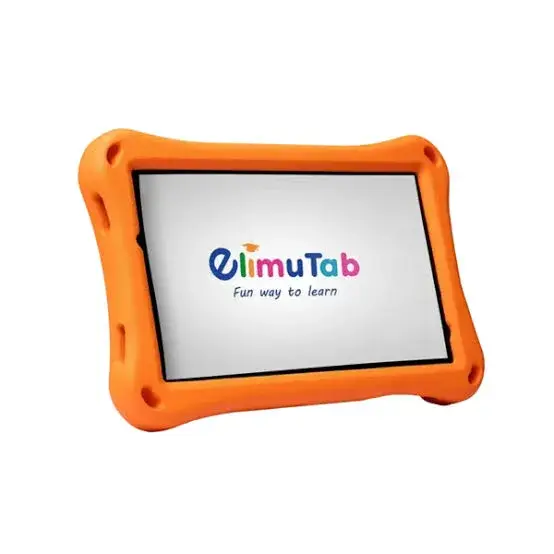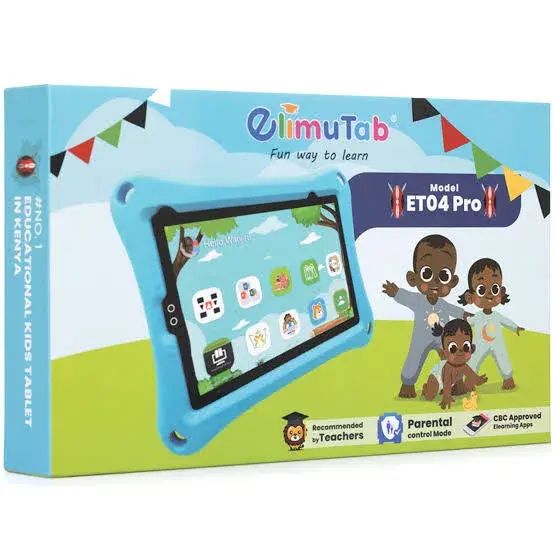
ElimuTab ET06 Pro 32GB in Kenya | City Gadgets Kenya
Same-day delivery in Nairobi by 29 Oct – 30 Oct
Comes with
Description
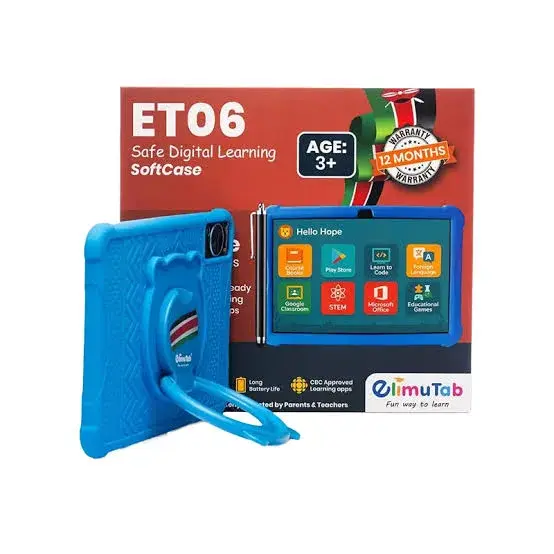
Buy the ElimuTab ET06 Pro 32GB in Kenya from City Gadgets Kenya. ElimuTab ET06 Pro 32GB kids tablet for learning and play. Listings differ, so we confirm the exact specifications per unit before you pay. Same-day Nairobi delivery, M-Pesa accepted. Call 0745 575 931.
ElimuTab ET06 Pro 32GB in Kenya
Genuine ElimuTab | 32GB | Kids Learning Tablet | Wi-Fi | Parental Controls | Specifications Confirmed Per Unit
The ElimuTab ET06 Pro is a low-priced kids tablet. Our supplier lists it as a 32GB "Elimu tab06 pro". We could not find a dependable published specification sheet for the ET06 Pro, so we do not state its screen, chip or battery. We confirm every detail on the tablet itself before you pay, and we show you the real RAM and storage in Settings > About tablet. Available in Kenya from City Gadgets Kenya, this page is for shoppers searching "ElimuTab ET06 Pro Kenya", "ElimuTab ET06 Pro price Kenya", "buy ElimuTab ET06 Pro Nairobi", "ElimuTab ET06 Pro 32GB", "kids tablet Kenya", "ElimuTab Kenya" or "CBC learning tablet Kenya".
A tablet is a shared, long-lived device, used for schoolwork, streaming, reading, video calls and keeping children busy on a trip, so it is worth choosing carefully. This page explains what the ET06 Pro offers, where it is limited, how its connectivity works in Kenya, what the 32GB configuration means, and how to check the tablet on delivery. We say plainly when a detail is not confirmed and we confirm it with you before you pay.
Key specs at a glance
| Feature | Detail |
|---|---|
| Model | ElimuTab ET06 Pro, 32GB |
| Model | ElimuTab ET06 Pro |
| RAM and storage | 32GB storage; RAM confirmed on your unit in Settings > About |
| Display | Not reliably listed. We confirm on your unit |
| Processor | Not reliably listed. We confirm on your unit |
| Battery | Not reliably listed. We confirm on your unit |
| Cameras | Not reliably listed. We confirm on your unit |
| Connectivity | Wi-Fi expected; SIM support confirmed on your unit |
| Software | Android; version to be confirmed |
| Dimensions and weight | Not listed. We confirm in the shop |
| Colours | We confirm the colour in stock |
| Condition | Brand new |
| Available from | City Gadgets Kenya, Nairobi CBD |
Specifications come from published manufacturer and retail specification sheets. Tablets are sold in several versions (Wi-Fi only, 4G or 5G with a SIM slot), and the model number, bands and warranty can differ by market, so please ask our team to confirm the exact version, model number, colour and warranty of the tablet you order before you pay.
What's in the box
The box contents are not listed in the sources we read. Tablets are usually sold with a USB cable and a charger, but practice varies, so we confirm exactly what is in the box for your unit before you pay.
Overview: who the ET06 Pro is for
The ElimuTab ET06 Pro is a very low-priced kids tablet for families who want a simple screen for lessons, videos and games.
Other models in the ElimuTab range are 7-inch kids tablets with learning apps and parental controls, and we confirm whether the ET06 Pro matches that description.
Why does this matter? Many buyers choose a tablet by the RAM and storage on the box. On very cheap tablets the listed figures are not always what Android reports, so we open Settings > About tablet with you, read the memory and storage the system shows, and only then take payment. If what we see does not match what is listed, we tell you before you pay, and you are free to choose a different tablet.
Kids tablets in Kenya are mostly used for CBC homework, YouTube Kids, reading apps and light games. A basic tablet can do these if it has enough real memory and a battery that lasts a few hours. If you plan to use it for online classes, ask us to run a short video call test on the unit in the shop.
We could not find a single dependable published specification sheet for this model, so this page is careful to say what we do not know. We confirm every detail on the tablet before you pay.
Display
The screen size and resolution of the ET06 Pro are not reliably listed, so we confirm them on your unit before you pay.
The screen size and resolution are not reliably listed, so we confirm them on your unit.
A tablet screen is large, so glare matters. Avoid placing it opposite a window, and use auto-brightness. A tempered-glass screen protector and a case with a stand protect the glass and make the tablet easier to use on a desk or in bed.
Performance
The ET06 Pro has a processor that is not reliably listed, and we confirm it on your unit. The processor is not reliably listed for this model, so we do not quote core counts or speeds. The graphics chip is not listed either. Kids tablets in this class suit videos, simple lessons, reading and light games. We do not have a dependable published chip for this model, so we do not rate its speed.
For everyday use, such as YouTube, Netflix, Google Classroom, Zoom, reading, browsing and light games, the ET06 Pro should be adequate. Where limits show up is in demanding 3D games, heavy multitasking and long editing sessions. We have not run benchmark tests on this tablet and we do not quote benchmark scores.
Memory and storage: what 32GB means
This version has a RAM size that we confirm on your unit (the listings we found give 2GB or 3GB) and 32GB of storage. RAM is the working memory, and the RAM on kids tablets in this class (2GB or 3GB) is entry-level RAM. It handles calls, WhatsApp, M-Pesa and light browsing, but apps will reload more often when you switch between them.
Storage is where apps, downloaded films, books and files live. Part of the 32GB is taken by the operating system and pre-installed apps, so the space you can actually use is less than the number on the box. On a tablet that children use to download games and videos, 32GB fills very quickly, so plan to use a card and to clear old downloads.
The tablet has a card slot (microSD card slot (size limit confirmed on your unit)), so you can add storage cheaply later. Buy a branded memory card from a seller you trust, because fake cards that show a false capacity are common.
Cameras
The listings we found give basic cameras, a small rear camera and a smaller front camera. These suit video calls and quick document scans, not good photos. We confirm the cameras on your unit.
Rear camera: a basic rear camera (details confirmed on your unit). Front camera: a basic front camera (details confirmed on your unit). Tablet cameras are meant for video calls, scanning documents and casual photos, and not for serious photography. For a video call, place the tablet at eye level against a plain background with the light in front of you.
Sound
The speakers and headphone jack are not reliably listed, so we confirm them on your unit.
Battery and charging
The battery size and charging speed of the ET06 Pro are not reliably listed, so we confirm both on your unit before you pay. The battery size and charging speed are not reliably listed, so we confirm both on your unit. Because they are not listed, we do not quote a battery life or a charging time. The charging speed and the box contents are not reliably listed, so we confirm both before you pay.
Kenya has power cuts, so a tablet that lasts a long session is valuable. To save battery: lower the brightness, close apps you are not using, download films over Wi-Fi in advance and switch off Bluetooth when it is not in use. Use a charger and cable from a trusted source, because cheap chargers can charge slowly or damage the battery over time. Mains sockets in Kenya are Type G, so check the plug on any charger you buy.
Software and updates
The Android version is listed differently by different sellers, so we confirm it on your unit. No update promise is published, so we do not state one.
Software support matters for security and for app compatibility. Check Settings > Software update after setup, and install updates over Wi-Fi.
Connectivity: Wi-Fi, SIM and sharing data
Some listings say the tablet takes a SIM card and others say Wi-Fi only, and the 4G claims differ. We confirm whether your unit has a SIM slot, and which networks it supports, before you pay.
Wi-Fi. Wi-Fi is supported. The Wi-Fi standard and Bluetooth version are not reliably listed, so we confirm them on your unit. At home, a tablet on Wi-Fi uses your fibre or router data, so it is a cheaper way to stream than mobile data.
SIM versions. Some versions of this tablet are Wi-Fi only and some take a SIM card. If you want the tablet to connect away from Wi-Fi, ask us to confirm the version has a SIM slot, and ask whether it can be used for calls or only for data. A Wi-Fi-only tablet can still go online by connecting to your phone's hotspot.
Hotspot tip. If you use your phone's hotspot, remember it drains the phone's battery and uses your data bundle, so watch your usage, especially when streaming video.
A 3.5mm headphone jack is present, so wired earphones plug straight in.
Design, build and durability
The dimensions, weight and build are not reliably listed. Kids tablets of this kind are often sold with a protective case, and we confirm what is in the box.
Tablets are dropped often, especially in homes with children, so a case with raised edges and a screen protector are worth buying on day one. Do not carry the tablet in a bag with keys or coins, and avoid sitting on it.
Streaming, reading and data use
A tablet is at its best on Wi-Fi at home. Streaming uses a lot of data: Netflix's published guidance is roughly 3 GB per hour for HD and about 7 GB per hour for 4K, so a two-hour film uses around 6 GB at HD, from our calculation. On a mobile data bundle that adds up quickly, so download films over Wi-Fi in advance, choose the HD or standard quality setting, and switch off auto-play. Many streaming apps let you download titles for offline viewing, which is ideal for long journeys and for places with unreliable coverage.
For reading, switch on the night or eye-comfort mode in the evening, and keep the brightness low in a dark room. Hold the tablet at a comfortable distance and take a break every half hour to rest your eyes, especially for children. A case with a stand keeps your hands free and your neck in a better position.
If more than one person uses the tablet, create separate user profiles where the software allows it, so that school files, games and personal accounts stay apart. Set a PIN or password so that only family members can unlock it.
Using the ET06 Pro for school and e-learning
Many Kenyan families buy a tablet for learning. With the right apps, a tablet can be used for reading digital textbooks, joining Google Classroom or Zoom lessons, watching educational videos, practising typing and taking notes. A few tips:
- Install only the apps the child needs, and set a screen-time schedule.
- Use a Google account for the child with parental controls switched on.
- Download videos and books over Wi-Fi so they can be used offline.
- Choose a case with a stand so the tablet sits at a comfortable angle.
- Teach children to charge the tablet away from beds and cloth, and to unplug it when full.
Strengths and limits
What we like:
- A very low entry price.
- Built for children, with parental controls in the listings we found.
- Learning content such as CBC apps mentioned in the listings.
- A card slot in the listings.
- We confirm every detail with you in the shop.
What to keep in mind:
- Specifications differ between listings.
- A low-resolution screen.
- A basic processor and small RAM.
- Camera quality is basic.
- Not suited to heavy games.
Who should buy the ET06 Pro 32GB
- Parents buying a first tablet for a child.
- Families who want a tablet with learning apps and screen-time controls.
- Buyers who want a cheap tablet for videos and lessons.
- Students on a tight budget.
- Buyers happy to have us check each feature in the shop.
Who should look elsewhere
- Buyers who need a fast tablet.
- Anyone who wants a sharp, bright screen.
- People who need a guaranteed 4G tablet.
- Buyers who need exact, fully documented specifications.
Compare before you buy
ElimuTab against the Villaon Tab. Both are very low-priced tablets with limited published specifications. Compare the screen, the real RAM and the battery on the units.
ElimuTab against the Samsung Galaxy Tab A11+. The Tab A11+ has a documented 11-inch 90 Hz screen, a faster chip and a card slot. It costs far more.
ElimuTab against a low-priced smartphone. A smartphone makes calls and fits a pocket. The tablet has a bigger screen for videos and lessons.
We list each memory size as its own page, so check that you are looking at the 32GB version. If you are unsure which size to choose, tell us what the tablet will be used for and we will advise.
Getting started: first-day tips
- Charge the tablet fully and update the software over Wi-Fi.
- Sign in to a Google account and restore any backup.
- Set a screen lock, and create a separate profile or account for children where possible.
- Install the apps you need: YouTube, Netflix or Showmax, Google Classroom, Zoom and your reading app.
- Download films, books and lessons for offline use.
- Fit a screen protector and a case with a stand.
- Keep your box, receipt and serial number in a safe place.
Looking after your tablet in Kenya
Dust, heat and drops are the usual enemies. Keep the tablet out of direct sun and out of hot cars, clean the screen with a soft dry or slightly damp microfibre cloth, and clean the charging port gently with a dry soft brush if dust builds up. Do not leave the tablet charging under a pillow. If it gets wet, switch it off, dry the outside and do not charge it until it has had time to dry. Back up files regularly.
Accessories worth buying with the ET06 Pro
- A tempered-glass screen protector and a case with a stand matched to the model.
- A fast charger and cable if none is in the box. Ask us which wattage suits this tablet.
- A keyboard or stylus, if you plan to type or take notes. Ask us what is compatible with this exact model.
- Earphones or a headset. This tablet has a headphone jack, so wired earphones work.
- A memory card (the tablet has a card slot), from a trusted brand.
- A surge protector for charging at home.
Ask our sales team on 0745 575 931 and we will quote accessories together with the tablet.
Warranty and stock
Warranty depends on the market version of the tablet and on who stocks it. We confirm the market version, the model number and the exact warranty terms in writing for the specific unit before you pay, and Customer Relations on 0794 488 806 handles warranty questions after purchase. Keep your receipt and the box.
How to check your tablet when it is delivered
- Inspect the box for damage before you sign, and check that the seal is intact.
- Check that the model number and serial number on the box match the tablet, and note them on your receipt.
- Check the box contents against what we confirmed with you.
- Switch the tablet on and test the screen, touch response across all corners, speakers, microphone, cameras, charging port, volume and power buttons, and Wi-Fi.
- If the version has a SIM slot, insert a SIM and test it.
- Check that the tablet is not locked to another account and that no previous owner has set it up.
- Contact our Customer Relations team on 0794 488 806 straight away if anything is wrong.
How to avoid a fake or a misdescribed tablet
- Check the specs on the tablet itself. In Settings > About tablet, check the model number, RAM and storage match this page.
- Check the serial number on the box and in the tablet. A missing or mismatched number is a warning.
- Look at the packaging and seal. Reprinted boxes, loose seals and missing labels are warning signs.
- Watch for the price. A price far below the market is a reason to ask why.
- Know the version. A Wi-Fi-only tablet sold as a SIM version is a common mix-up, so ask which version you are buying.
- Buy from a seller with an address. Choose a seller who gives a receipt and explains the warranty.
Why buy from City Gadgets Kenya
Genuine, brand-new stock from a Nairobi shop you can visit. City Gadgets Kenya is at New Alnoor Exhibition, Shop 7, Second Floor, Taveta Road (at the Taveta Road and Accra Road junction), Nairobi CBD. We are open Monday to Friday 9:00am to 7:00pm, and Sunday 11:00am to 4:00pm (Saturday closed).
- Sales (pricing, stock and orders): call or WhatsApp 0745 575 931 on WhatsApp.
- Customer Relations (warranty, returns and support): call or WhatsApp 0794 488 806 on WhatsApp.
- Email: sales@citygadgetskenya.co.ke, handy for invoices, bulk orders and warranty paperwork.
- Delivery: same-day delivery in Nairobi for orders confirmed before 3:00pm on a working day. Outside Nairobi we deliver by courier to your nearest agent or your door, typically 1 to 3 business days after dispatch. The delivery charge depends on your location and the size of the item and is confirmed before you pay. Collection from the shop is free. Delivery times are estimates, not guarantees.
- Payment: M-Pesa accepted.
- Follow us: Instagram, TikTok and Facebook.
Frequently asked questions
What does the ElimuTab ET06 Pro 32GB offer? It offers a RAM size that we confirm on your unit (the listings we found give 2GB or 3GB) and 32GB of storage as listed by our supplier. The screen, processor and battery are not reliably listed, so we confirm them on your unit.
Is this the 32GB version? Yes. This page is for the 32GB version. We list other memory sizes on their own pages.
Can I put a SIM card in it? Only on the versions that have a SIM slot. We confirm whether your unit is Wi-Fi only or has a SIM slot before you pay.
Does it have a memory card slot? Yes: microSD card slot (size limit confirmed on your unit).
Does it have a headphone jack? Yes, a 3.5mm jack.
Does it come with a charger? We confirm what is in the box for your unit before you pay.
Is it good for children? It can be, with a case, a screen protector, a child account and parental controls. Ask us for advice on setup.
What warranty does it have? We confirm the warranty terms in writing for the specific unit before you pay.
Can I pay via M-Pesa? Yes, M-Pesa is accepted.
Do you deliver outside Nairobi? Yes. Outside Nairobi we deliver by courier, typically 1 to 3 business days after dispatch. The delivery charge depends on your location and the size of the item and is confirmed before you pay.
What if the tablet is faulty on delivery? Contact Customer Relations on 0794 488 806 straight away, and we will advise on the next steps.
Does it take a SIM card? Listings differ. We confirm on your unit.
How much RAM does it have? Listings give 2GB or 3GB. We show you the real value in Settings > About tablet before you pay.
Does it have parental controls? The listings we found mention screen-time management and content filtering. We confirm what is installed on your unit.
Order the ElimuTab ET06 Pro 32GB today
Available now at City Gadgets Kenya. Call or WhatsApp our sales team on 0745 575 931 (WhatsApp) to confirm stock, the colour, delivery and what is included, or email sales@citygadgetskenya.co.ke. Visit us at New Alnoor Exhibition, Shop 7, Second Floor, Taveta Road (at the Taveta Road and Accra Road junction), Nairobi CBD.
Specifications
- Brand
- ELIMU TAB
- Condition
- New
Frequently Asked Questions
How much does the ElimuTab ET06 Pro 32GB in Kenya | City Gadgets Kenya cost in Kenya?
The ElimuTab ET06 Pro 32GB in Kenya | City Gadgets Kenya is priced at Ksh 13,200 at City Gadgets. You can pay via M-Pesa, card or cash on delivery.
Is the ElimuTab ET06 Pro 32GB in Kenya | City Gadgets Kenya available in Kenya?
Yes — the ElimuTab ET06 Pro 32GB in Kenya | City Gadgets Kenya is in stock at City Gadgets, ready for same-day delivery in Nairobi and countrywide shipping across Kenya.
Is the ElimuTab ET06 Pro 32GB in Kenya | City Gadgets Kenya genuine and does it have a warranty?
Every ElimuTab ET06 Pro 32GB in Kenya | City Gadgets Kenya we sell is 100% genuine brand-new stock and comes with a 12-month official brand warranty.
Do you deliver the ElimuTab ET06 Pro 32GB in Kenya | City Gadgets Kenya in Nairobi?
Yes. We offer fast same-day delivery within Nairobi and fast, affordable delivery to the rest of Kenya — order online or on WhatsApp.
Customer Reviews
No reviews yet
Be the first to review this product.
Rate us on Google
Your review helps other shoppers find us
Reviews from verified buyers will appear here.
Buying guides
Straight advice for shoppers picking between the models above.
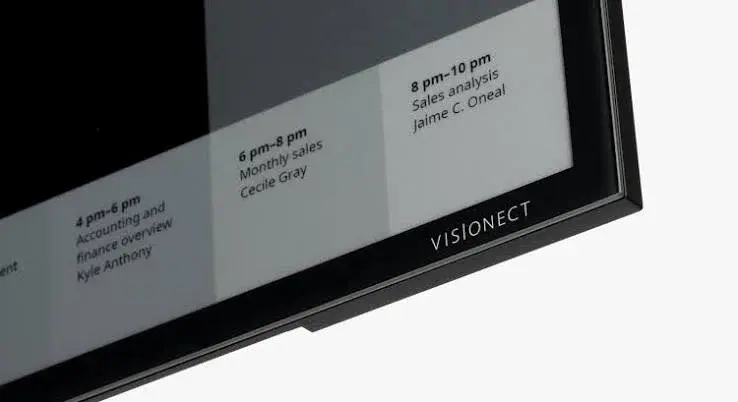
E-Ink Technology Explained: How E-Paper Screens Work, and Whether One Suits You in Kenya
E-Ink Technology Explained: How E-Paper Screens Work, and Whether One Suits You in Kenya
Read the guide
Why the Samsung Galaxy Tab S10 Is a Great Deal to Buy in Nairobi
Why the Samsung Galaxy Tab S10 Is a Great Deal to Buy in Nairobi
Read the guide
Where to Buy a Genuine Samsung Galaxy Tab S10 in Nairobi
Where to Buy a Genuine Samsung Galaxy Tab S10 in Nairobi
Read the guide