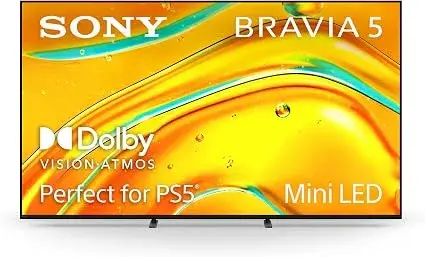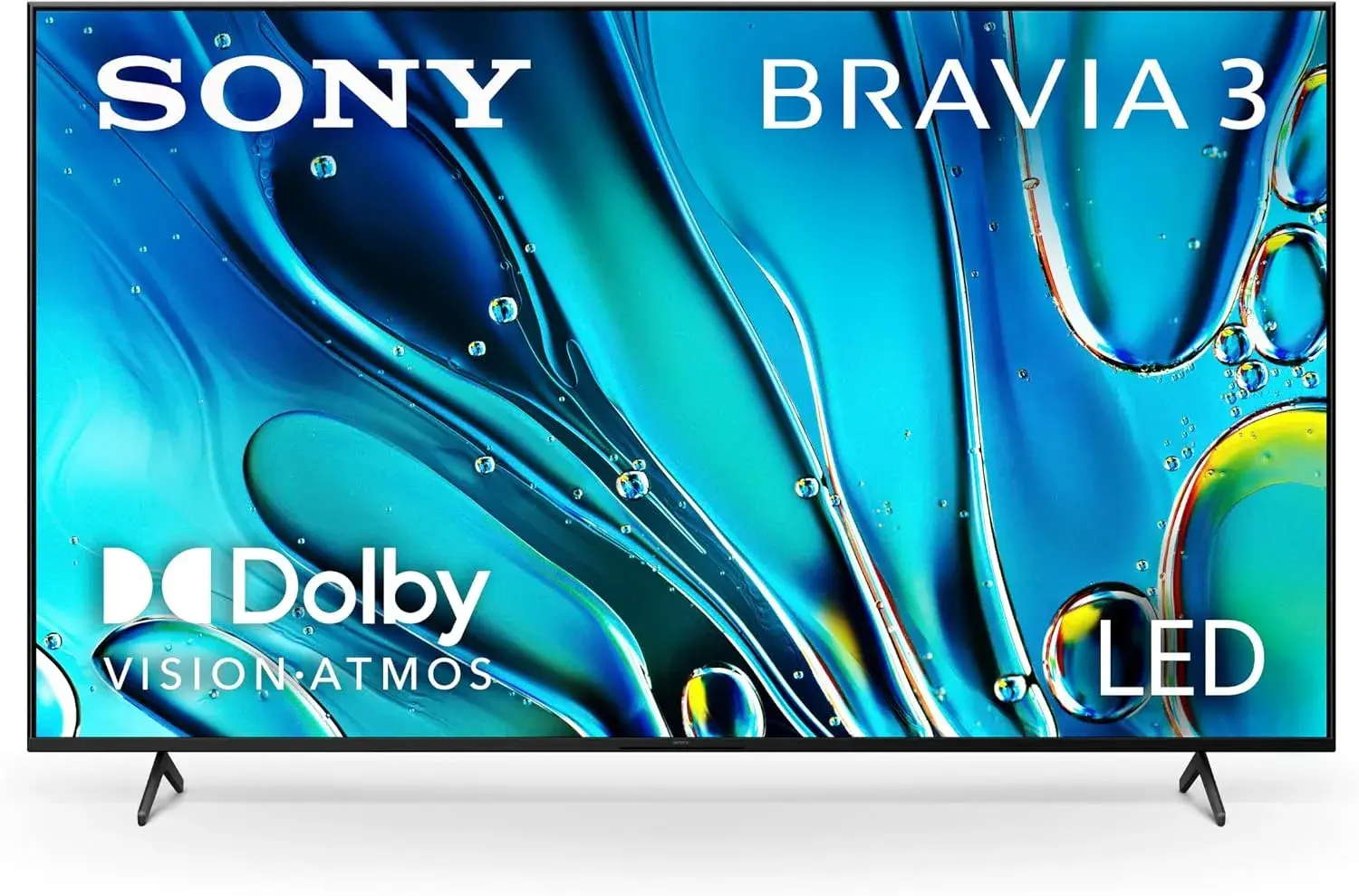
If you have walked through an electronics shop in Nairobi lately, you have met the alphabet soup: LED, QLED, OLED, mini-LED, Neo QLED, QD-OLED. Each sticker promises the best picture. This guide explains QLED vs OLED vs mini-LED in plain language, so you can tell what the technologies really are, where each is strong, and what to check before paying.
We are City Gadgets Kenya, at New Alnoor Exhibition, Second Floor, Shop C7, Accra Road, Nairobi CBD. We stock monitors, projectors, tablets and streaming devices, and we explain screens honestly, including when a cheaper technology is the right answer. Specifications below are described in general terms or "per the maker", and we confirm details per unit.
The short version
- OLED: each pixel makes its own light, so black pixels switch off. Superb contrast, deep blacks, wide viewing angles, fast response. Typically less bright overall than the best LCDs, and burn-in is a consideration for static content.
- QLED: a marketing name for an LCD screen with a quantum-dot layer, lit from behind by LEDs. Good colour and brightness. Contrast depends on the backlight and dimming.
- Mini-LED: an LCD screen with a backlight made of many very small LEDs, allowing many dimming zones. Higher brightness and better contrast than a plain LED backlight. Often combined with quantum dots.
- Standard LED/LCD: the baseline. Affordable and fine for most uses.
| Technology | Strength | Weakness | Suits |
|---|---|---|---|
| OLED | Perfect blacks, contrast, viewing angles | Lower peak brightness, burn-in care | Dark-room films, gaming, premium phones and tablets |
| QLED (quantum-dot LCD) | Bright, colourful | Black levels depend on backlight | Bright rooms, general TV |
| Mini-LED | Bright with strong contrast | Blooming around bright objects, cost | HDR, bright rooms, premium monitors |
| Standard LED/LCD | Value | Basic contrast | Offices, bedrooms, budget |
First, how an LCD screen works
To understand the three names, start with the technology they are all compared to: LCD. An LCD screen has a backlight at the back, a layer of liquid crystals that twist to let light through or block it, and colour filters that give red, green and blue sub-pixels. The liquid crystals do not make light; they only act as shutters.
Because the shutters never block light perfectly, an LCD in a dark room shows black as a dark grey. How dark depends on the panel type (see our IPS vs VA vs OLED explained article) and, crucially, on the backlight.
The backlight is where the differences begin. A cheap screen has LEDs along the edge, or a few behind the panel, lit together. A better screen can dim parts of the backlight where the picture is dark. This is local dimming, and the more zones the screen has, the more precisely it can brighten bright parts and darken dark parts.
What "LED" means on a TV or monitor
"LED TV" or "LED monitor" is a source of confusion. It is not a different kind of screen from LCD. It is an LCD screen lit by LEDs, as opposed to the older fluorescent tubes. Almost every LCD screen sold now is "LED". So an LED label tells you the backlight type, not a premium feature.
What QLED actually is
QLED stands for quantum-dot LED. Quantum dots are tiny particles that emit very pure coloured light when excited by a light source. In a QLED screen, a layer of quantum dots sits between the LED backlight and the liquid crystals, converting the backlight into purer red and green. The result is wider colour range and often higher brightness than a standard LCD.
Key points:
- QLED is still an LCD. It still uses a backlight and liquid crystals.
- The quantum-dot layer improves colour. It does not by itself improve black levels.
- Contrast and blooming depend on the backlight and dimming, not on the "Q".
- The name is used as a brand by some makers, and different makers use quantum dots in different ways, so the label alone does not guarantee quality. We confirm per unit.
Do not confuse QLED with OLED. They sound alike, but they are different technologies: one is a quantum-dot enhanced LCD, the other makes its own light at each pixel.
What OLED actually is
OLED stands for organic light-emitting diode. Each pixel is its own light source. When a pixel is told to be black, it switches off completely, so black is truly black, and the contrast between a bright pixel and its black neighbour is as large as can be.
What OLED does well:
- Perfect black and excellent contrast. In a dark room, a space scene looks like space.
- Wide viewing angles. The picture holds up when you sit off to the side.
- Fast pixel response. Motion is clean, which gamers and sports fans appreciate.
- Thin and light panels. This is why OLED is common on premium phones and tablets.
What to know about OLED:
- Peak brightness. OLED screens can be bright on small highlights but often do not sustain the full-screen brightness that the best LCDs reach. In a very bright room, a bright LCD can look punchier.
- Burn-in. Static content shown for very long periods, such as a news ticker or a logo, can in the long run leave a faint ghost. Makers include protections such as pixel shifting and refresh routines, and for varied use it is rarely a concern. For a screen that shows the same static layout for many hours every day, it is a consideration.
- Cost. Premium OLED screens usually cost more than comparable LCDs.
There are variations such as QD-OLED, which combines quantum dots with OLED to improve colour. As with all labels, check the maker's explanation.
What mini-LED actually is
Mini-LED is a backlight technology for LCD screens. Instead of a few dozen LEDs, the backlight uses thousands of very small LEDs, grouped in many dimming zones. More zones means the screen can switch off the light behind dark areas and boost it behind bright areas with finer control.
What mini-LED does well:
- High brightness. It suits HDR highlights and bright rooms.
- Better contrast than a plain LED backlight, because dark zones can be dimmed.
- No burn-in concern of the organic type.
What to know:
- Blooming. Because a zone is larger than a pixel, a bright object on a dark background may show a halo around it. More zones reduce this, but it does not disappear entirely.
- Not as perfect as OLED in black. Mini-LED comes close in many scenes but cannot switch off individual pixels.
- Cost. Good mini-LED screens are usually priced above standard LED screens.
Mini-LED is a backlight, so a mini-LED screen can also have a quantum-dot layer. A screen might be called mini-LED QLED in marketing. The two names are not rivals; one describes the backlight and the other describes the colour layer.
OLED vs QLED vs mini-LED: head to head
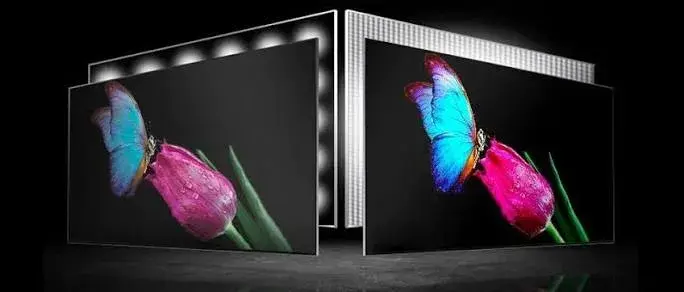
Black levels and contrast. OLED wins, because pixels switch off. Mini-LED follows, with many dimming zones. QLED with a basic backlight is behind, and standard LED is behind that.
Peak brightness. Mini-LED and high-end QLED screens generally lead. OLED is lower on large bright areas, though strong on small highlights.
Colour. Quantum-dot screens are strong, and modern OLED screens are strong as well. Both can look excellent. Colour accuracy depends on calibration and the specific model.
Viewing angles. OLED is best. LCDs depend on the panel type: IPS is good, VA is weaker.
Motion. OLED has very fast pixel response. LCDs have improved but vary.
Burn-in. Relevant for OLED with static content. Not a concern for LCD in the same way.
Bright rooms. Mini-LED and bright QLED perform well. OLED can still look good, but reflections and lower sustained brightness matter more.
Dark rooms. OLED shines.
Price. Standard LED is cheapest, then QLED and mini-LED depending on the model, with premium OLED often at the top. These relationships shift over time and by model.
Which should you choose?
The right answer depends on where and how you use the screen.
A bright living room with lots of daytime viewing. A bright QLED or mini-LED screen is a sensible choice.
A dark room for films and series. OLED is hard to beat for contrast.
Gaming. OLED's fast response and contrast are appealing. Mini-LED gaming monitors offer brightness and HDR. Refresh rate also matters, so read our refresh rate explained article.
An office or classroom. Standard LED/IPS monitors are the practical choice. OLED and mini-LED are rarely worth the premium for spreadsheets and email.
Mixed use with a limited budget. A good IPS or VA LED screen with decent brightness gives the best value.
A phone or tablet. Many premium models use OLED. Check the specifications per model.
HDR and these technologies
HDR benefits from brightness and contrast, which is where these technologies differ most. OLED gives superb contrast but lower peak brightness. Mini-LED gives high brightness with good contrast. A basic LED screen with an HDR badge may do very little. Read our HDR, HDR10 and Dolby Vision explained article for the details.
Screen technology in our range
We stock a range of display products, and we confirm the exact technology per unit.
- Office monitors. Models such as the Dell P2425H, Dell SE2425HM, the HP Series 5 monitors and the Lenovo ThinkVision E24-40 are LCD monitors designed for everyday office use. Several use IPS panels, per their makers.
- Projectors. Our projectors, such as the LG ProBeam 4K laser model and Epson models, use projection technology instead of these panel types. See our projector category for what is available.
- Tablets. Tablet screen types vary by model. Ask us for the display type of the one you are considering.
- Streaming devices. Devices like the Apple TV 4K or the Amazon Fire TV Stick 4K models send a picture to your screen, and the screen decides what it looks like.
Browse our monitors or message us on WhatsApp with your use and budget.
Local dimming in more detail
Local dimming is the feature that most separates a mediocre LCD from a good one, so it deserves its own explanation.
Edge-lit dimming. LEDs sit along the edges and light the panel through a diffuser. Some screens can dim sections of the edge, but the control is coarse: dimming often works in vertical or horizontal bands, which can leave bright objects with a smear of light.
Direct-lit without zones. LEDs sit behind the panel but all work together. Good uniformity, but no real contrast boost.
Full-array local dimming (FALD). LEDs sit behind the panel, grouped in zones that dim independently. More zones gives finer control.
Mini-LED full-array. The same idea with far more and far smaller LEDs, so the zones are much smaller. This is where mini-LED earns its advantage.
Even with many zones, the screen has to guess what each zone should do, and it can get it wrong. A bright subtitle on a black background may show a faint glow around the letters, because the zone behind it is lit. Some people notice this a lot, others never do. If you are sensitive to it, see the screen with real content before buying. This is something no specification sheet can fully tell you.
Blooming, black crush and other terms worth knowing
Blooming (halo). Light leaking around bright objects on dark backgrounds on a dimmed-zone LCD.
Black crush. Dark detail disappearing into pure black, which can happen if a screen's processing is aggressive.
Banding. Visible steps in a smooth gradient such as a sky, caused by limited colour processing or compressed video.
Uniformity. How evenly the screen lights across its surface. Poor uniformity shows as brighter or darker patches, especially in dark scenes.
Colour gamut. The range of colours a screen can show. Wider gamut screens can show more saturated colour.
Nits. The unit of brightness. We explain it in our HDR article.
Pixel response time. How quickly a pixel changes colour. Affects motion clarity.
Burn-in and image retention. Burn-in is permanent ghosting of a static image. Image retention is temporary and fades. They are different, and image retention is common to some degree on several technologies.
Burn-in: how worried should you be?
Burn-in is the first thing many people ask about OLED, so let us be balanced.
Organic pixels age with use. Pixels that show a bright static image for a long time can age faster than their neighbours, which can leave a faint ghost. Makers build in countermeasures: pixel shifting (moving the image by tiny amounts), logo dimming, and compensation routines that run when the screen is off.
In normal mixed use, such as films, series, games and browsing, many owners never notice any issue. The risk rises with unusual use: a screen showing the same news channel logo and ticker for many hours every day, or a monitor with a fixed taskbar and the same windows up all day.
Practical steps if you buy OLED:
- Use a dark theme and hide the taskbar if the screen is a computer monitor.
- Let the screen run its automatic maintenance routines.
- Do not leave a static image displayed for hours at maximum brightness.
- Check the warranty terms on burn-in with the seller, because coverage varies.
If your use is a shop display or a reception screen showing the same layout all day, an LCD (QLED or mini-LED) is a safer fit.
Lifespan and reliability
All screen technologies age. LED backlights dim slowly over very long periods. OLED pixels age with use, as described. For typical home use, modern screens of any type last many years. We would not choose a technology on lifespan alone, but we would choose it based on how you use it. We confirm warranty terms per unit, and a genuine seller will state them clearly.
Power use
OLED screens use power in proportion to picture brightness: a dark picture uses little, and a bright white picture uses more. LCD backlights use steadier power, depending on brightness setting and dimming. On phones and tablets, dark themes help OLED battery life. For a TV or monitor, the difference rarely matters compared with picking sensible brightness settings.
Eye comfort
Neither technology is automatically safer or worse for the eyes. What matters more is brightness set to suit the room, avoiding glare, taking breaks and using the screen at a sensible distance. Some LCD screens flicker at low brightness; some OLED screens use a form of dimming that some people are sensitive to. If you are sensitive, test the screen first. Our office monitors, such as the Dell P2425H with its ComfortView Plus feature, are designed with eye comfort in mind, per the maker, and we confirm per unit.
Screen size and viewing distance
A bigger screen shows off the differences in these technologies more, and a bigger screen also exposes weaknesses such as uniformity problems. Sit far enough away that you see a picture, not pixels. For a monitor on a desk, a 24 to 27 inch size suits most people, and larger screens are common for creative and gaming use. For a TV, think about the room and the sitting distance. We can talk you through it in the shop.
Resolution and the technology are separate decisions
OLED, QLED and mini-LED describe how the picture is lit and coloured, not how many pixels it has. A screen can be 1080p or 4K in any of them. When comparing prices, compare like with like: the same size, resolution and refresh rate. Read our 4K upscaling explained article for how resolution and content interact.
Matching the technology to the content
Films and series in the dark. OLED's contrast stands out.
Sports in a bright room. Bright QLED or mini-LED handles daylight well, and motion handling matters.
News and static channels all day. LCD technologies avoid burn-in concerns.
Games. Depends on style: dark atmospheric games shine on OLED; bright, colourful games look great on QLED and mini-LED; competitive players care most about refresh rate and response time.
Photo and video editing. Colour accuracy and calibration matter more than the technology label. Look for a screen with good colour coverage and the ability to calibrate, and see our guidance on IPS panels.
Office work. An IPS LED monitor is the practical, efficient choice.
Five scenarios
These are illustrative scenarios, not customer records.
1. The family living room. A family watches TV in a room with big windows. A bright QLED or mini-LED screen with decent anti-reflection will look better than an OLED in the middle of the day. Evening films still look good.
2. The home-cinema enthusiast. A viewer with a dim room and a streaming box wants the best contrast. OLED, combined with a source that supports HDR, suits this.
3. The small business with a menu board. A restaurant shows the same menu all day. An LCD is the safer choice because of static content.
4. The office. A company equips ten desks. A reliable IPS monitor with a good stand and ports serves best. OLED or mini-LED would be an unnecessary premium.
5. The student. A student wants a screen for study, series and a bit of gaming. A mid-range IPS or VA LED screen with a good refresh rate balances cost and use.
Reading a showroom demonstration fairly
Showroom screens are set to the brightest, most saturated mode to catch the eye. That mode flatters every technology and can mislead you. When you compare screens, use these habits.
- Switch to a natural mode. Choose the cinema, movie or standard picture mode on every screen you compare, so each one is judged on the same footing.
- Use the same content. Play the same clip on each. Pick one with dark scenes, bright highlights, skin tones and some text.
- Look at dark scenes first. This is where OLED and well-dimmed mini-LED separate from the rest. Watch for grey blacks, halos and uneven patches.
- Look at bright scenes next. Notice whether highlights keep detail or turn flat white.
- View from where you will sit. Stand or sit at your real viewing angle and distance, not only straight on.
- Mind the lighting. A bright shop floor hides OLED strengths and flatters bright LCDs. Ask for a dimmer spot where possible, and remember your living room is not a showroom.
- Compare motion. Play sport or a fast game clip and watch for blur and judder.
A salesperson who encourages these comparisons is confident in the product. One who steers you away from them deserves questions.
Phones, tablets and laptops
Screen technology is not only a TV and monitor topic. Many premium phones and tablets use OLED, which suits their thin bodies and dark-theme battery savings. Some tablets and laptops use mini-LED to reach high brightness for HDR. Budget devices usually use LCD, often IPS, which is perfectly good for everyday use.
On a phone or tablet, outdoor brightness, battery life, touch response and software often matter more than the panel label. A well-tuned LCD can be a better daily screen than a poorly tuned OLED. Always judge the device as a whole, and ask us about the specific model, since we confirm details per unit.
Common myths
"OLED is always the best choice." It is superb in dark rooms, but not always the best for bright rooms or static content.
"QLED means quantum-dot OLED." No. QLED is a quantum-dot LCD in the usual use of the term.
"More dimming zones always means a better picture." More zones help, but the quality of the processing matters too.
"Mini-LED has no blooming." It has less than a basic backlight, but it is not zero.
"A higher price guarantees a better screen." Not always. Compare real specifications and see the screen working.
Calibration and getting the best from whichever you choose
Whichever technology you buy, a few minutes of setup improves the picture more than most people expect.
- Pick the right picture mode. Cinema, movie or standard modes are usually closer to accurate than vivid or dynamic modes.
- Set brightness for the room. A screen that is too bright in a dim room causes eye strain and raises black levels on LCDs. One that is too dim in a bright room looks washed out.
- Tame the extras. Motion smoothing, noise reduction and dynamic contrast can look impressive in a shop and artificial at home. Try them off and decide.
- Check the colour temperature. Warm or standard settings usually look more natural than cool ones.
- Use the right input settings. Make sure HDR and full-range options are on for the port in use.
- Consider professional calibration for photo and video work, or use a colour-calibration tool if your work depends on colour accuracy.
- Keep it clean and cool. Dust and heat shorten the life of any electronics, and screens should be cleaned with a soft microfibre cloth rather than harsh chemicals.
On OLED, also enable the maker's protective features and avoid leaving static images at maximum brightness. On mini-LED, look for a local-dimming setting and try the levels, since a lower setting can reduce visible halos at the cost of some contrast.
Where each technology is heading
Makers keep improving all three. OLED variants aim for higher brightness and better colour. Mini-LED backlights keep adding zones and shrinking LEDs, narrowing the gap to OLED in contrast. Quantum-dot layers keep spreading across price tiers. As prices change, the best-value choice changes too, so treat this guide as a way of thinking about screens rather than a permanent ranking. If you are unsure, ask us on WhatsApp and we will tell you what is genuinely worth paying for today.
Questions to ask any seller before you pay
- Which technology exactly is this: LED, QLED, mini-LED, OLED, or a variant?
- If it says mini-LED, how many dimming zones does it have, per the maker?
- If it says QLED, is it a quantum-dot LCD, and what backlight does it have?
- If it is OLED, what burn-in protection and warranty terms apply?
- What is the peak brightness, per the maker's specification?
- What is the native resolution and refresh rate?
- Which HDR formats does it support?
- Can I see it showing dark and bright content side by side with another model?
- Is the box sealed, and does the serial number match?
- What does the warranty cover and who services it?
How to spot a fake or misdescribed display
Screen technology names are among the most misused labels in electronics. A standard LED screen may be sold as "QLED," a screen with a handful of dimming zones as "mini-LED," or an LCD as "OLED." Use these ten checks together.
- Verify the model number and serial. They should match on the box, the back label and the on-screen menu, and be verifiable on the maker's website.
- Read the maker's specification sheet for the exact panel and backlight technology. Do not rely on the shop sticker alone.
- Test in a dark room. A true OLED shows black pixels as completely off. A screen whose black looks grey with a glow is an LCD. Ask to dim the lights or use a dark test video.
- Check for dimming-zone behaviour. On a dark scene with a small bright object, see how the screen reacts. Halos around the object suggest a dimmed-zone LCD.
- Check the viewing angle. Move to the side. OLED and IPS hold colour, while some VA and cheaper panels shift.
- Check brightness claims. Be wary of enormous peak figures on a modest, low-priced screen.
- Look for dead pixels and uniformity problems with solid-colour test screens.
- Check the ports, cables and settings to confirm the advertised resolution and refresh rate are achievable.
- Check the packaging and seals. Re-taped or damaged boxes can mean a used unit sold as new.
- Check the warranty, receipt and seller. A genuine seller gives clear terms, a shop address and a receipt. A price far below normal is a red flag.
If you are unsure, bring the screen to New Alnoor Exhibition, Second Floor, Shop C7, Accra Road, and we will help you check it.
Why buy your screen from City Gadgets Kenya
- Genuine products, checked before they reach you.
- A real shop at New Alnoor Exhibition, Second Floor, Shop C7, Accra Road, Nairobi CBD, opening from 9:00 AM.
- Same-day delivery in Nairobi and next-day delivery outside Nairobi.
- M-Pesa payment and clear receipts.
- Honest advice, including telling you when a standard IPS monitor is all you need.
- Cables, hubs and accessories in our accessories category.
- Support and repairs through our repair service.
- Trade-ins through our sell page.
- WhatsApp help on +254745575931.
Your screen-technology checklist
- I know the main room and lighting I will use the screen in.
- I know whether my content is mostly dark films, bright TV, games or office work.
- I checked the exact technology and not only the marketing name.
- I considered burn-in if I choose OLED and show static content.
- I compared the screen with another model in the same lighting.
- I checked the resolution, refresh rate and HDR support.
- I have a receipt and know the warranty terms.
Frequently asked questions
Is QLED the same as OLED? No. QLED is an LCD with a quantum-dot layer. OLED is a self-lit pixel technology.
Is mini-LED better than OLED? Mini-LED is brighter and avoids burn-in concerns. OLED has better black levels and viewing angles. Which is better depends on your room and content.
Is QLED better than LED? QLED generally offers better colour and often brightness than a standard LED screen, but the label alone does not guarantee quality.
Does OLED burn in? It can with long static content. Normal mixed use rarely causes problems, and makers include protections.
Which is best for gaming? OLED offers fast response and contrast. Mini-LED offers brightness. Refresh rate and response time matter too.
Which is best for a bright room? Bright QLED and mini-LED screens.
Which is best for a dark room? OLED.
Are they worth the extra cost for an office? Usually not. A good IPS LED monitor serves office work well.
Is mini-LED the same as micro-LED? No. Micro-LED is a different, self-lit technology with very small LEDs as pixels, and it is not common in everyday products.
How do I know it is genuine? Use the ten checks above.
Where can I buy a monitor in Nairobi? At City Gadgets Kenya, Shop C7, Second Floor, New Alnoor Exhibition, Accra Road.
Need help choosing?
Message us on WhatsApp with the room, your content and your budget, and we will recommend the right screen.
Related reading: IPS vs VA vs OLED explained · HDR, HDR10 and Dolby Vision explained · Refresh rate explained · 4K upscaling explained