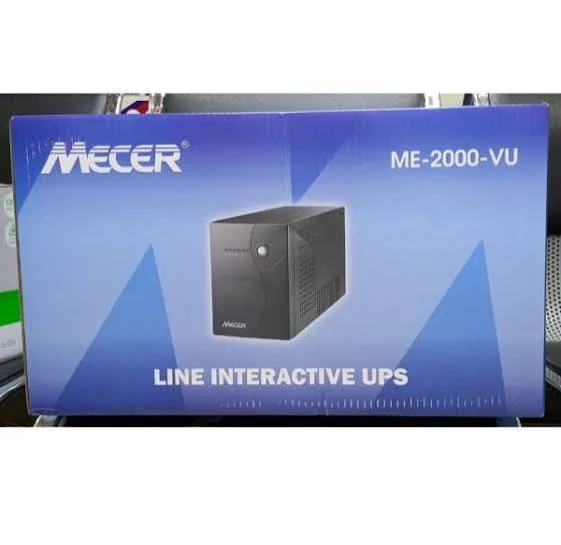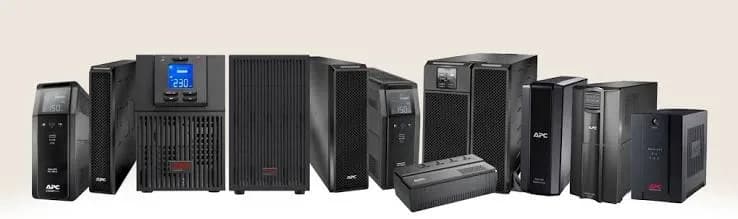
You are comparing two UPS units. One says "pure sine wave" and costs noticeably more. The other says "simulated sine wave" or "stepped approximated sine wave" and is cheaper. Both keep your computer alive during a blackout. So what is the difference, and is it worth paying for? This article explains pure sine wave vs simulated sine wave in plain language, shows which equipment cares, which does not, and helps you decide for your computer, router, CCTV recorder, audio gear, fridge or workshop tools.
We are City Gadgets Kenya, at New Alnoor Exhibition, Second Floor, Shop C7, Accra Road, Nairobi CBD. We help customers choose power protection for homes, shops and offices. Waveform type varies by UPS model, so we confirm the exact output type per unit before you buy.
The short version
- Mains power is a smooth sine wave. A UPS running on battery has to create AC from DC, and it can do that smoothly (pure sine) or roughly (simulated or stepped).
- Pure sine wave closely matches mains. It is the safest choice for sensitive electronics, power supplies with active power factor correction, audio gear, medical devices and motors.
- Simulated sine wave is cheaper and works for many simple loads, but some devices buzz, run hot, shut down or behave oddly.
- Online UPS units output pure sine wave. Many line-interactive units do not; ask.
- When in doubt, choose pure sine wave, especially for gaming PCs, workstations, servers and anything with a modern power supply.
- Sizing still matters. See UPS VA vs watts explained.
| Feature | Pure sine wave | Simulated sine wave |
|---|---|---|
| Shape | Smooth curve | Stepped or blocky approximation |
| Compatibility | Almost everything | Many simple loads; some devices have problems |
| Heat and noise in loads | Normal | May cause buzzing or extra heat in some devices |
| Typical use | Online UPS, quality line-interactive, inverters | Budget offline and line-interactive UPS |
| Cost | Higher | Lower |
| Best for | PCs with PFC supplies, servers, audio, medical, motors | Basic PCs, routers, simple electronics |
What is a sine wave?
Alternating current (AC) changes direction many times a second. In Kenya, mains is nominally 240 volts at 50 hertz, which means the voltage swings up, down through zero, to the opposite polarity and back, fifty times every second. If you plotted voltage against time, you would see a smooth, rounded wave called a sine wave.
Most electrical equipment is designed with that smooth shape in mind. Transformers, motors, power supplies and filters all behave best when fed a clean sine wave.
What is a UPS output waveform?
When mains is fine, a UPS passes it through. When mains fails, the UPS draws on its battery, which stores direct current (DC). To power AC equipment, the UPS needs an inverter to turn DC into AC. The quality of that conversion determines the output waveform.
Pure sine wave inverter
A pure sine wave inverter uses faster switching and filtering to create a smooth output that closely follows a true sine curve. It requires more sophisticated and more expensive electronics. Online UPS units and many higher-quality line-interactive units use pure sine wave.
Simulated (stepped) sine wave inverter
A simulated sine wave inverter creates a rough approximation, usually a series of steps or a modified square wave that has a similar average effect. It is simpler and cheaper to build. The voltage jumps abruptly instead of flowing smoothly. Many budget UPS units use this on battery.
Some people call it "modified sine wave", but the term "simulated" or "stepped approximation" is common on UPS datasheets. The important thing is that the output is not truly smooth.
Why does the shape matter?
Electronics contain parts that react to the details of the waveform.
Power supplies. Modern computers use switching power supplies. Older ones tolerate stepped waves well. Newer ones, particularly those with active power factor correction (active PFC), may not. When fed a stepped wave, some active-PFC power supplies can buzz, run hotter, shut down or refuse to start on battery.
Motors and compressors. Fans, pumps, fridges and tools can run less efficiently on stepped waves. They may hum, run hot or wear faster.
Transformers and audio gear. Amplifiers and audio equipment can pick up buzz and noise from stepped waves.
Medical and precision equipment. Many require clean power for accurate operation and safety.
Timers, clocks and some chargers. May behave strangely on rough waves.
For many simple devices, such as routers, modems, small chargers, LED lamps and basic electronics, a simulated wave works fine. The risk is in the exceptions, which is why compatibility matters.
Active PFC power supplies: the main reason people switch
Power factor correction (PFC) makes a power supply draw current more smoothly from the mains, improving efficiency. Active PFC is common in modern PC power supplies, particularly mid-range and high-end units. Some active-PFC supplies do not like stepped waves from a UPS. The PC may reboot when the UPS switches to battery, or the power supply may fail to run, even though the UPS appears to work.
Not all active-PFC supplies have problems, and some UPS makers design their stepped waves to be compatible. But this is a known issue, and it is why many gamers and professionals insist on pure sine wave.
If your PC has a modern, high-efficiency power supply, especially an 80 Plus rated unit, check its specification and ask us about UPS compatibility. We confirm per unit.
Which devices are fine on simulated sine wave?
Typically fine, but test to be sure:
- Routers, modems and ONTs
- Basic desktop PCs with older power supplies
- Monitors and LED screens
- Laptop chargers
- Phone chargers
- CCTV recorders and cameras (check the power adapter)
- POS terminals and receipt printers
- LED lamps
Which devices need pure sine wave or prefer it?
- PCs with active-PFC power supplies, gaming PCs and workstations
- Servers and network cores
- Audio systems, amplifiers and mixers
- Medical, laboratory and precision instruments
- Equipment with induction motors, such as some fridges, pumps and compressors
- Variable speed tools and some air conditioner controllers
- Laser printers (not suitable for small UPS in any case)
- Equipment that states "pure sine wave required" in its manual
When a device's manual says it needs pure sine wave, believe it.
How to find out what your UPS outputs
- Read the datasheet or box. Look for "pure sine wave", "sine wave output", "simulated sine wave", "stepped approximated sine wave" or "modified sine wave".
- Check the type. Online UPS units are pure sine wave. Offline and many line-interactive units are not, unless stated.
- Ask the seller. If they cannot answer, be careful.
- Test on battery. Run your equipment on battery for a while and watch for buzzing, heat or shutdowns.
- Contact us. Tell us the model and we will confirm what we can per unit.
Note that waveform applies on battery. While mains is present, the UPS passes through mains (with AVR if line-interactive), so the load sees mains shape.
Does simulated sine wave damage equipment?
For most modern equipment, a short run on a simulated wave during an outage is not damaging. The risk is shutdowns, noise and heat rather than instant harm. Long runs with motor loads or sensitive equipment on a simulated wave can cause extra heating and wear.
So the question is not "will it destroy my PC tomorrow?" but "will my equipment run reliably on battery, as intended?" If a UPS is meant to save your work during a blackout, a PC that shuts off because it dislikes the waveform defeats the purpose.
Pure sine wave vs simulated: a detailed comparison
Compatibility
Pure sine wave works with nearly everything. Simulated works with many things. The difference shows up with specific loads, particularly active-PFC supplies and motors. If you do not know what you are plugging in, pure sine wave removes the guesswork.
Efficiency and heat in your equipment
Equipment running on a pure sine wave tends to run cooler and quieter. On a stepped wave, power supplies and motors may run warmer because they receive harmonic content they were not designed for. Over many hours, extra heat shortens life.
Noise
Some equipment hums or buzzes on a simulated wave. Audio equipment, fans, transformers and fluorescent lighting are common culprits.
Reliability of switchover
Pure sine wave UPS units are usually of better build quality overall, though this depends on the model. A higher-quality inverter also tends to handle load surges better.
Cost
Pure sine wave inverters cost more to build. That is the main reason cheaper UPS units use simulated waves. For a simple router backup, the saving is sensible. For a workstation, it may be a false economy.
Battery runtime
Pure sine wave inverters can be slightly less or more efficient depending on design. Efficiency differences are small compared with the effect of battery size and load.
Waveforms in inverters, solar systems and generators
The same concept applies beyond UPS units.
Inverters for home backup. Many budget home inverters output a modified or simulated sine wave. They are fine for lights and fans of the right type, but they can buzz or heat motors such as those in fridges and pumps. If you plan to run a fridge, TV and computers from an inverter, a pure sine wave inverter is the better choice.
Solar hybrid inverters. Quality solar inverters usually provide pure sine wave output, because they are expected to power a whole range of household loads.
Generators. Conventional generators produce a sine wave of varying quality. Cheap generators may have distorted waveforms and unstable voltage. Inverter generators generally produce cleaner power.
If you are mixing a UPS with a generator or inverter, tell us your setup. See our line-interactive vs online UPS article for generator compatibility notes.
Choosing a UPS by waveform: a practical approach
- List your equipment. Computers, network gear, printers, audio, motors.
- Check power supplies. Look for "active PFC" or high-efficiency ratings on PC power supplies.
- Read manuals. Some devices state a waveform requirement.
- Decide the consequence of failure. Data loss or equipment damage justifies pure sine wave.
- Compare cost differences honestly. Sometimes the price gap is modest compared with the risk.
- Ask for the datasheet. Look for the output waveform on battery.
- Test. After installing, simulate an outage by unplugging the UPS from the wall with a light load, and check that equipment runs without buzzing or shutting down.
If you want to avoid thinking about it, buy pure sine wave.
Waveform and the types of UPS
| UPS type | Typical battery waveform |
|---|---|
| Offline (standby) | Often simulated; some pure sine models exist |
| Line-interactive | Varies: many simulated, some pure sine |
| Online (double-conversion) | Pure sine wave |
Do not assume. A product may be described only as "line-interactive" with no waveform noted. Ask.
Example scenarios
A student with a basic desktop and router
A cheap simulated-wave UPS is usually fine. The PC may be older, loads are small, and the aim is to save work. Test on battery to be sure.
A gamer with a high-end PC
A modern PC with a high-efficiency active-PFC power supply and a powerful graphics card is a demanding load. Choose a pure sine wave UPS sized for peak watts with headroom. Do not ignore the graphics card's power spikes.
A small shop with POS and CCTV
The POS terminal, receipt printer, router and recorder are modest loads. Many simulated-wave UPS units work, but check the recorder's adapter. If any device misbehaves, move to pure sine wave.
A recording studio or church sound desk
Audio equipment hums on simulated waves. Choose pure sine wave and keep audio and power cabling tidy.
A clinic with a small server and computers
Computers and the server benefit from pure sine wave. Sensitive medical devices may require it. Follow the equipment manufacturer's instructions.
A home with an inverter system
If your inverter is simulated or modified sine, motors in fridges and pumps may run hot. Consider a pure sine inverter for such loads, and a small pure sine UPS for computers.
Myths about sine waves
"All UPS units output the same power." Not on battery. The waveform differs.
"Simulated sine wave will fry my PC." Usually not immediately, but it may cause shutdowns, buzzing or extra heat in some power supplies.
"Pure sine wave is only for experts." It is simply a cleaner output that avoids compatibility problems.
"Pure sine wave makes the battery last longer." Battery runtime depends on battery capacity and load, not the waveform label.
"If it says line-interactive it must be pure sine." No. Check the datasheet.
"A bigger VA means pure sine." No relation.
"I can test with a multimeter." A basic multimeter may give misleading readings on a stepped wave. An oscilloscope shows the true shape; a simple test is how your equipment behaves.
Troubleshooting waveform problems
PC reboots when mains fails. The power supply may dislike the stepped wave. Try a pure sine wave UPS, or check the power supply's specification.
Device buzzes on battery. Common with stepped waves. Move the device to mains, or use a pure sine wave source.
Equipment runs hot on battery. Shorten battery runs, or use a pure sine wave source.
UPS overloads when a device starts. Check inrush current and the UPS watt rating.
UPS clicks often. It may be switching AVR taps or battery because of unstable mains. See power surges and AVR in Kenya.
UPS alarms with no power failure. Check input voltage, wiring and earthing; see earthing and wiring for UPS in Kenya.
How the stepped wave is made, and why it can upset equipment
To understand the problem, imagine a smooth hill versus a staircase. A pure sine wave glides up and down. A simulated wave climbs in steps, holds for a moment, then drops. The average effect on a simple heater or bulb is similar, because they respond to the average power. But electronic circuits and magnetic parts respond to the sharp edges of the steps.
Those sharp edges contain high-frequency components called harmonics. Harmonics make transformers hum, make capacitors work harder, and cause motors to waste energy as heat. Power supplies with large capacitors and active PFC circuits are particularly sensitive because they try to follow the shape of the incoming voltage. When the shape is rough, their control circuits can become confused and trip protection.
Some manufacturers design "simulated" waves with more steps and smarter timing to reduce harmonic content. These are better than crude square waves, but they are still not the same as a pure sine. That is why quality varies between simulated-wave UPS units, and why we confirm compatibility per unit.
Total harmonic distortion in plain words
Datasheets sometimes list total harmonic distortion (THD) for the output. THD describes how far the waveform is from a perfect sine wave. A lower percentage is closer to pure. Pure sine wave UPS units usually list low THD figures on battery. A simulated wave has a much higher figure, and often the datasheet does not list it at all.
You do not need to memorise numbers. The practical question is whether your equipment runs comfortably on battery. If a seller can show THD or a waveform measurement, that is a good sign. If they cannot even say whether the output is pure or simulated, be careful.
Testing a UPS with your equipment at home
You can run a simple, safe test before relying on a UPS.
- Plug the UPS into the wall and let it charge fully.
- Connect your equipment to the battery-backed sockets.
- Work normally, so the equipment is under a typical load.
- Unplug the UPS from the wall socket to simulate an outage. Keep a hand on the plug so you can restore power quickly.
- Watch and listen. Does the PC keep running? Does anything buzz, flicker or restart?
- Check the UPS display for load and estimated runtime.
- Plug the UPS back into the wall after a minute or two and confirm it switches back smoothly.
- If anything misbehaved, note which device, and ask us for advice.
Do this when you are not in the middle of important work, and save your files first. Do not test with equipment that must not be interrupted.
Waveform and common office equipment
| Equipment | Simulated sine wave | Pure sine wave | Note |
|---|---|---|---|
| Wi-Fi router | Usually fine | Fine | Check the adapter |
| Desktop PC, older supply | Usually fine | Fine | Test |
| Desktop PC, active PFC supply | May fail or buzz | Preferred | Check supply specification |
| Laptop | Usually fine | Fine | Laptop chargers are generally tolerant |
| Monitor | Usually fine | Fine | |
| CCTV recorder | Usually fine | Fine | Check the adapter |
| Switch or PoE switch | Often fine | Preferred | Sensitive networks prefer pure |
| Inkjet printer | Usually fine | Fine | |
| Laser printer | Not on small UPS | Not on small UPS | Surge current |
| Audio amplifier | May hum | Preferred | |
| Fridge or freezer | Not on small UPS | Not on small UPS | Motor load |
| Medical device | Follow the manual | Often required |
This table is a general guide only. We confirm per unit.
Waveform when buying an inverter instead of a UPS
If you are choosing an inverter for home backup, the same logic applies, and the stakes are higher because inverters often power motors. Pure sine wave inverters cost more but run fridges, pumps and fans more smoothly. A budget modified sine wave inverter may be fine for lights and phone chargers but can make a fridge compressor hum and run hot. If your inverter powers a fridge or freezer, a pure sine wave model is the safer choice.
Tell us what you want to run, and we will help you decide whether a UPS, an inverter or both suits you.
Does the waveform affect battery runtime?
People sometimes assume that pure sine wave means longer or shorter runtime. The truth is that the inverter's efficiency matters a little, but the dominant factors are the battery capacity and the load. A UPS with larger batteries and a lighter load runs longer, whatever the waveform. However, running a sensitive device on a poorly matched waveform can raise its power draw through extra heat and inefficiency, which can slightly shorten runtime. The effect is usually small, but it is another reason to match the waveform to the load.
To understand runtime properly, read how long will a UPS run and UPS VA vs watts explained.
Safety, standards and good practice
Electrical equipment should be installed and used safely.
- Use equipment from reputable makers that follows recognised standards.
- Do not open a UPS. It contains dangerous voltages even when unplugged, because the battery and capacitors store energy.
- Do not plug a UPS into another UPS or into an extension that daisy-chains through other devices.
- Keep the UPS ventilated and away from water.
- Use a qualified electrician for wiring, earthing and any fixed installation.
- Replace damaged cables and sockets.
- Keep a record of the purchase and warranty.
A UPS does not fix a poor electrical installation, but a good installation lets a UPS do its job. Read earthing and wiring for UPS in Kenya.
When simulated sine wave is the sensible choice
It would be dishonest to say everyone needs pure sine wave. A simulated-wave UPS is often the right choice when:
- You are protecting a router, modem and small network gear with a small budget.
- You are protecting a basic desktop whose power supply is known to be tolerant.
- You mainly need a few minutes to save work and shut down.
- You have tested the equipment on battery and everything behaves.
- The cost saving can be used for a larger battery or a second UPS.
In these cases, a good simulated-wave UPS from a trusted seller does the job. Spend your money where it matters.
When pure sine wave is worth every shilling
Choose pure sine wave when:
- You run a modern PC with an active-PFC power supply, especially a gaming PC or workstation.
- You run a server, NAS or sensitive network equipment.
- You run audio or video production gear.
- You run medical or laboratory equipment.
- You run any motor-driven device on the UPS or inverter, if allowed.
- You cannot afford shutdowns or odd behaviour in an outage.
- You do not want to test and troubleshoot.
Message us with your setup and we will tell you straight which category you fall into.
A short glossary
AC (alternating current). Electricity that reverses direction many times a second, as supplied by the mains.
DC (direct current). Electricity that flows one way, as stored in batteries.
Inverter. A circuit that converts DC into AC.
Hertz (Hz). Cycles per second. Kenya's mains is nominally 50 Hz.
Harmonics. Unwanted higher-frequency components in a waveform that make it less smooth.
PFC (power factor correction). A circuit in a power supply that makes it draw current more efficiently.
AVR. Automatic voltage regulation, which corrects voltage swings.
Transfer time. How long a UPS takes to switch to battery.
THD. Total harmonic distortion, a measure of how far a waveform is from a perfect sine wave.
Inrush current. The surge of current when a device switches on.
Knowing these terms helps you read datasheets and ask sellers sharper questions. If a term on a box is unclear, ask us and we will explain it in plain words.
One last rule of thumb
If you are unsure and the equipment matters, pick pure sine wave and size the UPS with headroom. If you are protecting a router and a basic PC on a tight budget, a simulated-wave unit from a trusted seller, tested on battery, is a sensible, honest choice.
How to spot a fake or misrepresented pure sine wave UPS
The words "pure sine wave" are popular in listings, and some sellers use them loosely. A unit sold as pure sine wave may output a simulated wave. Use these ten checks.
- Look for the datasheet. A genuine pure sine wave UPS states it in the specification, not only in a sales line.
- Check the model number. The model on the box, unit and manual should match.
- Ask for proof. A reputable seller can show the output waveform on battery or the manufacturer's specification.
- Check weight. Pure sine wave units generally contain a more substantial inverter and battery. A very light unit with big claims is suspicious.
- Watch loads. Run a sensitive device on battery. Buzzing or heat suggest the waveform is not pure.
- Examine labels. Input and output ratings should be clear and consistent.
- Read the manual. Proper manuals specify waveform and limits. Missing manuals are a warning.
- Check VA and watts. Inflated VA with tiny watt ratings suggest a poor product.
- Price. Pure sine wave at a very low price needs explanation.
- Seller and warranty. A seller without a shop, receipt or warranty is a risk.
When you buy from City Gadgets Kenya, you buy from a real shop at New Alnoor Exhibition, Second Floor, Shop C7, Accra Road, Nairobi CBD. We confirm the output type per unit.
Why buy your UPS and power products from City Gadgets Kenya
- Straight answers on waveform. We tell you whether a unit is pure sine or simulated, and we say "we confirm per unit" when we need to check.
- Honest advice. If simulated sine is enough for your router and basic PC, we say so.
- Sizing help. We help with watts, headroom and runtime.
- A shop to visit. Accra Road, Nairobi CBD.
- Delivery. Same-day within Nairobi and next-day outside Nairobi.
- Payment. M-Pesa accepted.
- Support. WhatsApp us for help.
Browse accessories and laptops. Message us for today's price.
Waveform checklist
- I know what equipment I will connect.
- I have checked power supplies for active PFC.
- I have read device manuals for waveform requirements.
- I know whether my UPS outputs pure sine wave on battery.
- I have tested equipment on battery.
- I have excluded motors and laser printers from small UPS units.
- I have a plan for battery replacement.
- I am buying from a seller with a warranty.
Frequently asked questions
What is the difference between pure sine wave and simulated sine wave? Pure sine wave is smooth like mains. Simulated sine wave is a stepped approximation. The difference matters on battery.
Do I need pure sine wave for my computer? Modern PCs with active-PFC power supplies often work best on pure sine wave. Many older or simpler supplies work on simulated.
Is simulated sine wave bad? Not always. It is fine for many simple loads. It can cause buzzing, heat or shutdowns in sensitive ones.
Do online UPS units output pure sine wave? Yes.
Does waveform matter when mains is present? No. The UPS passes mains through. Waveform matters on battery.
Can I run a fridge on a UPS? Not on a normal small UPS.
How can I tell what my UPS outputs? Read the datasheet, ask the seller, and test on battery.
How do I spot a fake pure sine wave UPS? Check the datasheet, model, weight, labels, manual and warranty, and test sensitive loads.
Ready to choose?
Tell us what you want to protect and we will tell you whether pure sine wave matters for it, and confirm the specifications. WhatsApp us: https://wa.me/254745575931. Or visit New Alnoor Exhibition, Second Floor, Shop C7, Accra Road, Nairobi CBD. Message us for today's price. Same-day Nairobi delivery, next-day outside Nairobi, M-Pesa accepted.
Related reading: Line-interactive vs online UPS, UPS VA vs watts explained, how long will a UPS run, power surges and AVR.