The lights flicker, the fridge clicks, the TV screen goes dark for a second, and the power returns with a bang. The next morning something does not work: a router that will not boot, a TV with no picture, a charger that smells burnt. Anyone who has lived in Kenya knows the story. Power quality problems are a normal part of life, and they destroy more electronics than lightning. This guide to power surges and AVR in Kenya explains what actually goes wrong in the supply, what AVRs, surge protectors and UPS units each do, how to choose, how to set up protection properly and how to avoid the fake protectors that give false confidence.
We are City Gadgets Kenya, at New Alnoor Exhibition, Second Floor, Shop C7, Accra Road, Nairobi CBD. We help customers protect TVs, computers, routers, CCTV and appliances. Protection devices vary widely, so we confirm the exact type, rating and warranty per unit before you buy.
The short version
- Surges and spikes are short bursts of high voltage that can damage electronics in a split second.
- Sags and brownouts are periods of low voltage that stress motors, power supplies and compressors.
- Outages switch everything off, and the return of power often brings a surge.
- A surge protector absorbs spikes but does not correct sustained high or low voltage and gives no backup.
- An AVR (automatic voltage regulator) corrects sustained over- and under-voltage, but gives no battery backup.
- A UPS gives battery backup and, in many models, surge protection and AVR.
- Fridges and freezers need protection with a time delay, because restarting a compressor too quickly can damage it.
- Good earthing is essential. Protection devices work through the earth. See earthing and wiring for UPS in Kenya.
| Problem | What it is | Best protection |
|---|---|---|
| Spike or surge | Very short, very high voltage | Surge protector, UPS with surge protection |
| Swell or over-voltage | Voltage high for seconds, minutes or hours | AVR, line-interactive UPS |
| Sag or brownout | Voltage low for a period | AVR, line-interactive UPS |
| Outage | No power | UPS, inverter, generator |
| Noise | Electrical interference | Online UPS or filtered protection |
| Lightning | Extreme transient | Whole-house protection plus unplugging; no device is guaranteed |
What goes wrong with mains power
Surges and spikes
A spike is a very brief jump in voltage, often lasting microseconds to milliseconds. A surge lasts longer, up to a few seconds. Causes include:
- Power returning after an outage, with loads switching on together.
- Switching on the grid by the utility.
- Large motors or heavy loads cycling nearby.
- Faulty transformers or loose neutral connections.
- Lightning striking lines, poles or the ground nearby.
Electronics have components rated for a certain voltage. A spike beyond that can punch through insulation in power supplies, chargers and circuit boards. Damage may be immediate or may weaken parts so that they fail weeks later.
Swells and over-voltage
Voltage stays high for a period. Equipment runs hot, bulbs burn out early, power supplies and motors are overstressed. It may happen when the load on a local transformer is light, or when there is a neutral fault.
Sags and brownouts
Voltage stays low. Motors and compressors draw more current to compensate and overheat. Computers may restart. Lights dim. Brownouts are common where many people share a stretched supply, especially at peak hours.
Outages
Power fails completely. The harm is data loss, interrupted work and sudden shutdown stress. The restoration moment is risky because voltage may overshoot.
Electrical noise and harmonics
Interference from other equipment, such as welding, heavy motors and badly designed power supplies, can disturb sensitive electronics, causing glitches and heating.
Wiring faults
Sometimes the problem is inside your building: a loose neutral, overloaded circuits, poor earthing or old wiring. A protector cannot compensate for a faulty installation. Have a qualified electrician check your wiring.
Why Kenyan homes and offices are exposed
We do not blame any single cause, but a mix of factors makes power quality variable: long distribution lines, shared transformers, load growth, storms, vandalism and ageing infrastructure in some areas, plus wiring quality that differs between buildings. Many customers report that the worst moments are when power returns after an outage and when heavy appliances start in the neighbourhood. Whatever the cause, protecting your equipment is cheaper than replacing it.
Surge protector, AVR and UPS: what each one does
Surge protector (surge arrester, protected extension)
A surge protector contains components, usually metal oxide varistors (MOVs), that clamp voltage spikes by diverting excess energy to earth. It protects against short spikes. It does not correct sustained high or low voltage and gives no backup power.
Key points:
- It depends on earthing. Without a good earth, a surge protector does little.
- MOVs wear out. Each large spike degrades them. A protector may look fine but have no protection left. Many have an indicator light for this; some do not.
- Joule rating indicates how much energy it can absorb. Higher is better, though the rating alone does not guarantee quality.
- Clamping voltage indicates how high a spike it lets through. Lower is better.
- A power strip with a switch and fuse but no protection components is not a surge protector, even if it looks like one.
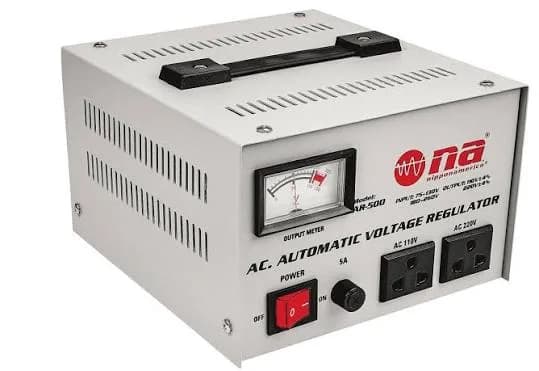
AVR (automatic voltage regulator, stabiliser)
An AVR monitors mains voltage and corrects it to a steadier output. Common types:
- Relay-type: uses a transformer with taps and relays that click as they switch. Affordable, common in homes, with step changes in output.
- Servo-motor type: uses a motor to move a contact smoothly along a transformer. Very accurate and suited to larger loads, but slower and with moving parts.
- Static (electronic) type: uses electronic switches such as triacs. Fast response, no moving parts, often used for sensitive equipment.
AVR corrects sustained over- and under-voltage, protecting motors, power supplies and appliances. Many AVRs also include basic surge protection, but you should check. An AVR provides no battery backup.
A good AVR for appliances like fridges and freezers has a time delay on restart, so the compressor does not restart immediately after a power cut or voltage dip. This delay protects the compressor from damage.
UPS
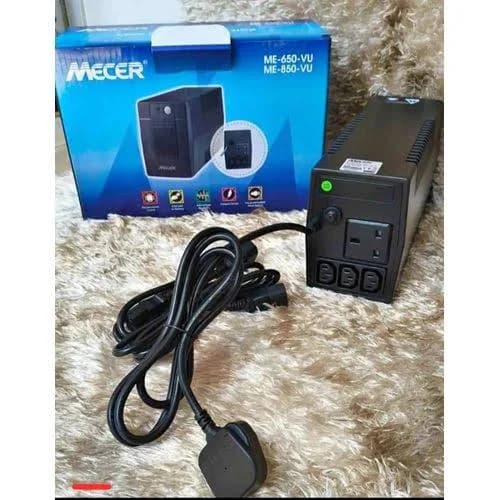
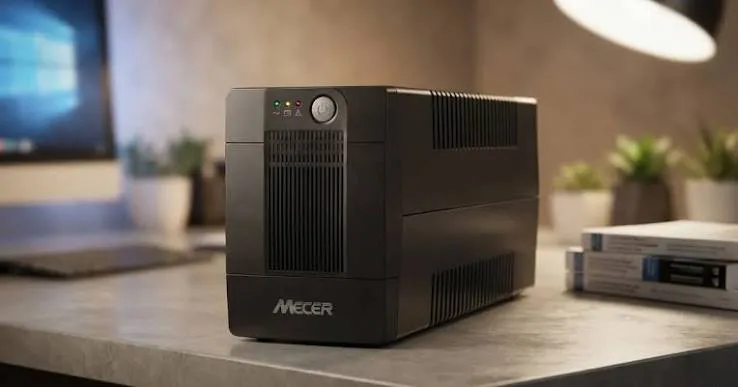
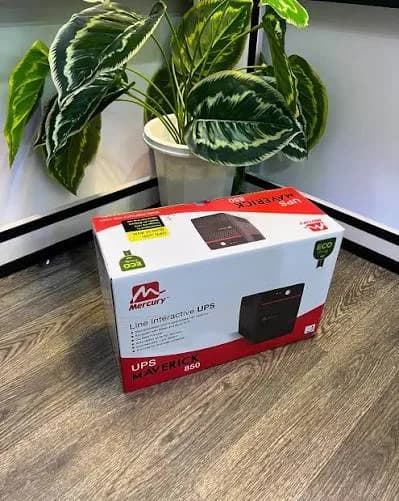
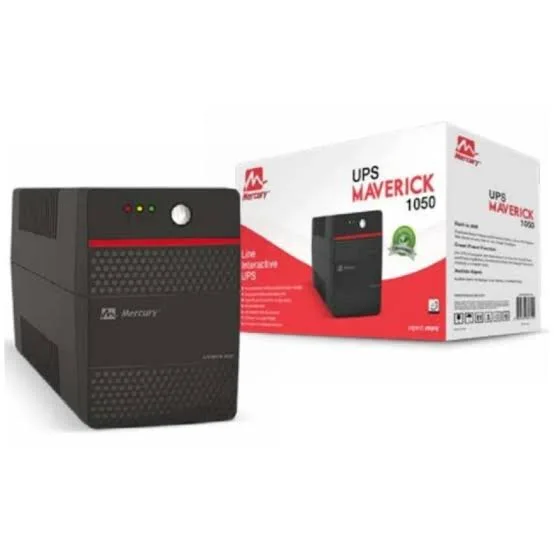
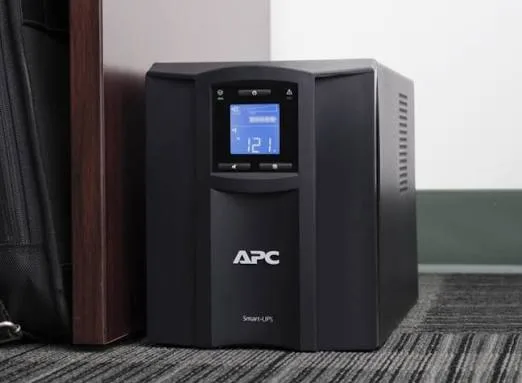
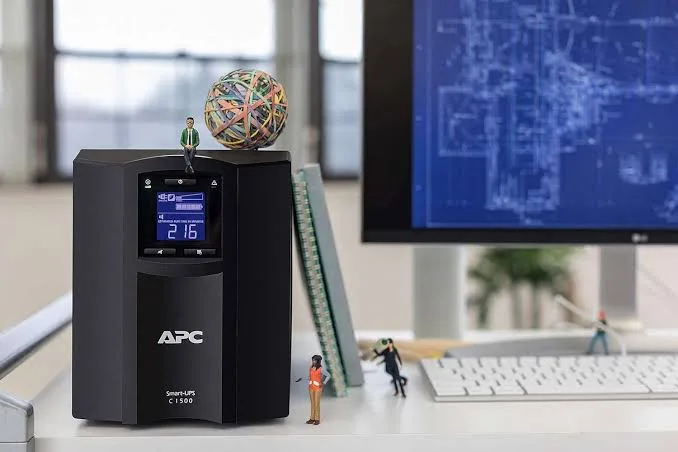
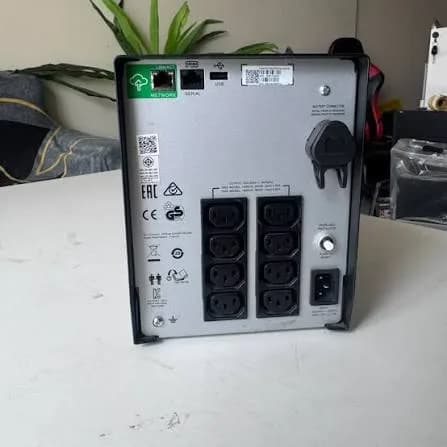
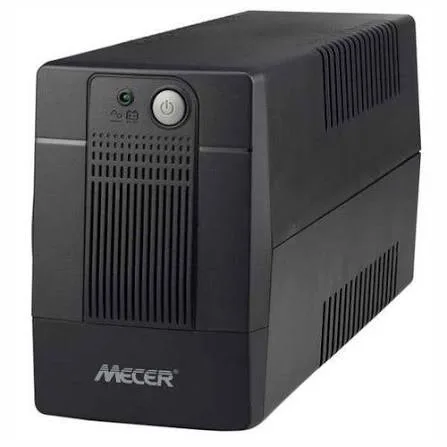
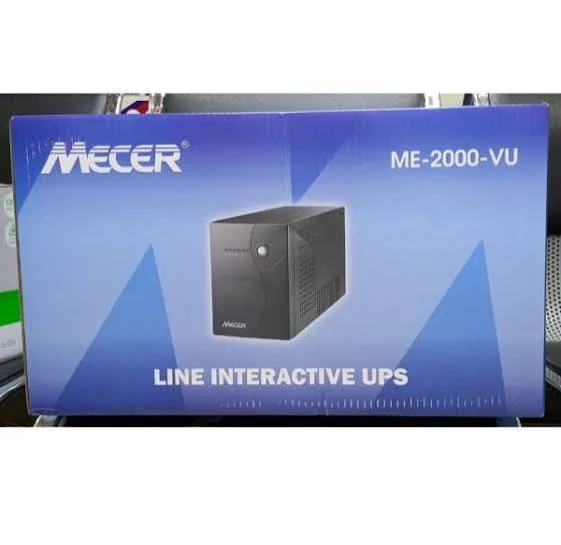
A UPS provides battery backup. Many line-interactive models include AVR and surge protection. Online models provide full isolation. A UPS is the right choice for computers, routers, CCTV and POS where you want ride-through and safe shutdown.
Read line-interactive vs online UPS for more.
How they compare
| Feature | Surge protector | AVR | UPS (line-interactive) | UPS (online) |
|---|---|---|---|---|
| Absorbs spikes | Yes | Often basic | Yes, to a degree | Isolated |
| Corrects sustained over- and under-voltage | No | Yes | Yes, within range | Yes, fully |
| Battery backup | No | No | Yes | Yes |
| Best for | TVs, chargers, general electronics | Fridges, TVs, appliances, offices | Computers, routers, POS, CCTV | Servers, critical gear |
| Cost level | Low | Low to medium | Medium | Higher |
Which protection for which appliance?
TV, decoder and soundbar
Televisions and decoders have sensitive power supplies. A surge-protected extension, or an AVR with surge protection, is a sensible minimum. For homes with serious voltage swings, an AVR is worth it. A UPS is not usually necessary for entertainment, unless you want ride-through for a decoder. Read the best soundbar guide for the audio side.
Fridge and freezer
Compressors dislike low voltage, high voltage and rapid restarts. Use an AVR designed for fridges with a restart delay, or a built-in protection if your fridge has it. Don't plug a fridge into a small computer UPS. Don't chain a fridge on a cheap extension.
Computers, laptops and routers
A line-interactive UPS with AVR and surge protection is ideal. It protects against spikes and sags, and gives time to save work. For laptops, a surge protector may be enough, because the laptop has its own battery, but the router and modem still benefit from UPS protection.
CCTV and POS
A UPS keeps recording and sales going during outages and protects against surges. Size by watts. See UPS VA vs watts explained.
Air conditioners, pumps and workshop motors
These need dedicated protection suited to motors, such as an appropriately rated AVR or voltage protector with delay, installed by a qualified electrician. Do not use small plug-in devices.
Phones, chargers and power banks
Quality chargers include some protection, but cheap chargers do not. Use certified chargers from trusted brands. See fast charging and battery health myths.
Gaming consoles and PCs
PCs benefit from UPS with pure sine wave and AVR. Consoles benefit from a surge-protected extension at minimum. A power failure in the middle of a save can corrupt data.
Layers of protection: the best approach
No single device handles everything. A layered approach is more effective.
- Whole-building protection. A surge protective device at the distribution board, installed by an electrician, reduces the energy of large surges entering the building. It is especially valuable in lightning-prone areas.
- Good wiring and earthing. The foundation. Protection devices rely on a solid earth.
- AVR for appliances that suffer from sustained voltage problems, such as fridges and TVs.
- Point-of-use protection. Surge-protected extensions or UPS units for sensitive electronics.
- Habits. Unplug sensitive equipment during storms, avoid overloading sockets, and switch off before restoring power if you are away.
Think of it as defence in depth. Each layer reduces what reaches the next.
How to choose an AVR
- Choose the right rating. An AVR is rated in VA or watts. Add up the loads you plan to connect and choose a rating with headroom. Motors need extra headroom for starting current.
- Check the input range. The wider the input voltage range it can correct, the more useful it is in bad supply conditions.
- Check the output accuracy. Typical accuracy is stated as a percentage. Smaller is better.
- Check the response time. Static types respond faster.
- Look for a time delay. Essential for fridges and freezers.
- Look for protection features. Over-voltage cut-off, under-voltage cut-off, overload protection and surge protection.
- Check the build. Heavy transformers, quality sockets and a proper fuse or breaker.
- Check ventilation and noise. Relay types click; servo types hum.
- Check the warranty. Reputable makers back their products.
- Check where it will sit. AVRs need airflow and a dry spot.
We confirm per unit; tell us the appliances and we will suggest a rating.
How to choose a surge protector
- Make sure it truly has surge protection components. Look for MOVs, a stated joule rating and clamping voltage.
- Check the joule rating. Higher generally means more energy absorbed.
- Check the number and type of sockets for your plugs.
- Check for an earth connection and a protection indicator.
- Check the fuse or breaker.
- Check the cable thickness. Thin cable overheats under load.
- Check ratings for the load. The total load must be within the strip's current rating.
- Check for certification marks and a trustworthy brand.
- Replace after major events. After a big spike or storm, the protection may be spent.
- Do not daisy-chain surge strips.
Setting up protection properly
Step 1: check the wiring
Ask a qualified electrician to inspect sockets, the distribution board and the earth. Loose neutral connections cause voltage swings that look like utility problems. Earthing must be effective. Read earthing and wiring for UPS in Kenya.
Step 2: map what needs what
List appliances and group them: motors (fridge, freezer, pumps), entertainment (TV, decoder, soundbar), IT (computers, routers, CCTV), chargers.
Step 3: choose devices
Motors get AVR with delay; entertainment gets surge protection or AVR; IT gets UPS with AVR and surge protection; chargers get quality units and a protected strip.
Step 4: install neatly
Place devices where they get airflow, keep cables tidy and avoid overloaded sockets.
Step 5: test and maintain
Check indicators, replace worn units, and review your setup every year.
Protecting during storms and when you travel
- Unplug sensitive electronics during thunderstorms if safe to do so.
- Do not rely on a surge protector to survive a direct lightning strike.
- Switch off the main breaker when you leave for a long trip, except for items that must stay on, such as a fridge with protection or a security system.
- When power returns after a long outage, wait a minute or two before switching on heavy appliances.
- Keep a power bank and phone chargers available.
Signs that your supply or protection is failing
- Lights flicker or dim regularly.
- Bulbs burn out unusually fast.
- Appliances reset or reboot at random.
- Equipment feels unusually hot.
- A burning smell near sockets or plugs.
- Buzzing from sockets or the distribution board.
- A surge protector's indicator is off or flashing.
- An AVR clicks frequently or trips often.
- Electronics fail soon after outages.
If you notice burning smells, hot sockets or sparks, switch off at the board and call a qualified electrician.
Myths about surges and AVR
"A power strip is a surge protector." Not unless it has protection components and says so.
"An AVR gives backup power." No, it corrects voltage but has no battery.
"A UPS replaces an AVR." A line-interactive UPS includes AVR, but not all UPS units do. Check.
"Surge protectors last forever." They wear out after absorbing spikes.
"Lightning protection is guaranteed." Nothing is guaranteed against a direct strike.
"Bigger is always better." Match the rating to the load.
"Unplugging is paranoid." During storms, it is a cheap and effective precaution.
Understanding the ratings on protection devices
Joules
A joule rating shows how much surge energy a protector can absorb before its protection components fail. Higher numbers mean longer life under repeated spikes. Be wary of devices that give no joule figure at all, or that give a number with no explanation. A large joule rating on a poorly built strip with thin wiring is still a poor strip.
Clamping voltage
This is the voltage at which the protector starts diverting a surge. A lower clamping voltage lets less of the spike reach your equipment. Datasheets for quality products state it.
Response time
How quickly the protector reacts. Protection components act in nanoseconds, so response time is rarely the problem. Energy handling and earthing are.
Current rating
Extensions and AVRs have a maximum current or power rating. Add up the connected loads and stay below it. Overloading a strip or AVR is a common cause of heat and fires.
Input and output voltage range
For AVRs, the input range shows how far the supply can drift before the AVR cannot correct it. The output range shows how close to nominal it holds the voltage. Wider input and tighter output are better. Beyond the range, many AVRs cut off to protect the load, which is normal and useful.
Efficiency and no-load consumption
AVRs use a little power themselves. Quality units are efficient. Cheap, poorly built units may waste more energy and run warm.
Protection features
Look for over-voltage cut-off, under-voltage cut-off, overload protection, short-circuit protection, time delay and thermal protection. A cut-off is better than letting dangerous voltage through.
What happens when power returns after an outage?
The moment power returns is one of the riskiest. Voltage can overshoot, every appliance tries to start at once, and neighbours' loads add to the strain. Good habits:
- Keep sensitive equipment unplugged or switched off during long outages if you are away.
- When power returns, wait a minute or two before switching on heavy appliances.
- Switch appliances on one at a time rather than all together.
- Let the fridge's protection delay do its job, or use a fridge-rated AVR.
- Use a UPS or AVR on computers and routers so the return does not hit them directly.
Many "mysterious" failures happen at this moment. A few simple habits and the right protection avoid most of them.
Protecting appliances in rental homes and shared buildings
Tenants often cannot change wiring, but there is a lot you can do.
- Use plug-in protection (surge-protected extensions, AVR, UPS) for your own equipment.
- Report wiring problems, such as sparking sockets, to your landlord or caretaker.
- Ask whether the building has proper earthing. If a socket tester shows no earth, mention it to the landlord.
- Avoid overloading sockets and extension chains.
- Move sensitive equipment away from sockets that flicker or feel warm.
- Keep documents for warranties in case of damage claims.
If you manage a building, regular inspections by a qualified electrician protect residents and equipment.
Protecting small businesses
Small businesses face costly interruptions. A shop with POS, CCTV, a fridge and lights has different needs, and mixing them on one circuit can cause trouble.
- Separate sensitive IT equipment from motors where possible.
- Use a UPS for POS, router and CCTV recorder.
- Use an AVR with delay for fridges and freezers.
- Consider whole-building surge protection at the board.
- Keep a spare surge-protected extension and a spare cable.
- Write down who to call for electrical faults.
- Back up business data to a place that does not depend on the shop's power; see our best storage for students guide for storage ideas that apply to small offices too.
When to call a qualified electrician
Call an electrician, not a seller, when:
- Sockets spark, smell burnt or feel hot.
- The breaker trips repeatedly.
- Lights flicker across the whole building.
- You suspect a loose neutral or earthing fault.
- You want whole-building surge protection installed.
- You are adding circuits, motors or large loads.
- You are unsure about the safety of your wiring.
Electrical work can be dangerous. Use qualified, licensed professionals for fixed wiring and distribution board work.
Example scenarios from everyday Kenyan situations
The fridge that stopped cooling
A household noticed their fridge stopped cooling after a few power cuts. The compressor was restarting immediately each time power returned, often at low voltage, and eventually failed. A fridge-rated AVR with a restart delay protects against exactly this. The lesson: fridges need a delay and voltage correction, not just a cheap extension.
The TV that died overnight
A TV would not switch on after a storm. The power supply board had failed after a surge. The household used an unprotected extension. A surge-protected extension, or an AVR with surge protection, is cheap compared with a TV repair. Unplugging during storms adds another layer.
The router that kept rebooting
An office had a router that rebooted several times a day. The cause was repeated brief voltage dips. A line-interactive UPS with AVR stabilised the supply, and the reboots stopped.
The computer lab with random failures
Imagine a school computer lab that suffered monitor and power supply failures. The wiring lacked proper earthing, and surge protectors were ineffective. After an electrician corrected the earthing and the school installed proper protection at the board and UPS units for key equipment, failures dropped. The lesson: earthing is the foundation.
The shop that lost its CCTV footage
Picture a shop that discovered its recorder had stopped during a power cut, so the night's footage was missing. A UPS sized for the recorder and switch would have kept it running. Remember that a power cut is exactly when security cameras matter.
These are illustrative scenarios, not records of specific customers. They illustrate why layered protection and correct sizing matter.
Frequently overlooked items to protect
- Decoders and set-top boxes. Often fail after surges.
- Wi-Fi routers and access points. Cheap to replace but critical.
- Phone and laptop chargers. Quality chargers help; cheap ones are fuel for fires.
- Microwaves and electronics with control boards. Susceptible to spikes.
- Printers. Inkjets suffer from surges; laser printers need appropriate protection.
- Water pumps and heaters. Motors and heating elements need rated protectors.
- Gaming consoles. Save corruption and hardware damage.
- Power banks and rechargeable gadgets. Charging during unstable power stresses them. See lithium-ion battery care guide.
Quick buying guide by situation
| Situation | Suggested protection |
|---|---|
| Single TV and decoder | Quality surge-protected extension, or small AVR |
| Fridge or freezer | Fridge-rated AVR with restart delay |
| Home office desktop and router | Line-interactive UPS with AVR |
| Laptop and router | Surge protector plus small UPS for router |
| Small shop POS and CCTV | UPS sized for watts, plus AVR for fridge |
| Entire home in lightning area | Whole-building surge protection, good earthing, plus point-of-use protection |
| Server or critical IT | Online UPS with proper wiring |
Message us with your situation and we will confirm the right devices and ratings.
A final word
Protection is cheap compared with replacement. A few well-chosen devices, good wiring and sensible habits will save you money, data and stress the next time the lights flicker.
How to spot a fake surge protector or AVR
Protection devices are among the most commonly faked products, because the customer cannot see inside and the failure only appears during the event the device was bought for. A fake extension that looks like a surge protector can be worse than none, because you trust it. Use these ten checks.
- Does it state surge protection specifications? A genuine surge protector lists a joule rating, clamping voltage or protection level. A strip with only "surge protected" printed on it and no numbers is suspect.
- Weight. Real protection components, thick wiring and a proper fuse or breaker add weight. A very light strip often contains nothing but sockets.
- Cable thickness. Thin cable overheats under load. Check the cable gauge and the stated current rating.
- Sockets and build. Sockets should grip plugs firmly. Loose, wobbly, flimsy sockets are warning signs.
- Earth connection. The plug should have a proper earth pin, and the internal wiring should connect it. Missing or dummy earth pins are dangerous.
- Indicator lights. Genuine units have a protection status indicator that is tied to the circuit. A decorative light that just glows on power tells you nothing. Ask the seller what the light means.
- Markings and certification. Model, input and output ratings, and approval marks should be clear and consistent. Blurry or missing labels are a warning.
- Packaging and manual. Poor print, wrong spelling and missing instructions suggest a copy.
- Price. A branded protector far below the normal market price needs an explanation.
- Seller and warranty. A seller without a shop, receipt or warranty is a risk. Some makers offer connected-equipment warranties; ask what the warranty covers.
For AVRs, add these checks: weigh the unit (a real transformer is heavy), check the stated input and output ranges, look for a restart delay for fridges, and listen for the relay clicks when voltage changes. If a seller claims a tiny, light AVR can handle a fridge or large load, be suspicious.
When you buy from City Gadgets Kenya, you buy from a real shop at New Alnoor Exhibition, Second Floor, Shop C7, Accra Road, Nairobi CBD. We confirm the type, ratings and warranty per unit, and we tell you plainly what a device does and does not protect against.
Why buy your protection devices from City Gadgets Kenya
- Straight answers. We tell you whether you need a surge protector, an AVR or a UPS, and we do not oversell.
- Right sizing. Tell us your appliances and we will help you choose a rating with headroom.
- Genuine products and warranty. We confirm per unit.
- A shop to visit. Accra Road, Nairobi CBD.
- Delivery. Same-day within Nairobi and next-day outside Nairobi.
- Payment. M-Pesa accepted.
- Support. WhatsApp us for help after purchase.
Browse accessories and laptops. Message us for today's price.
Power protection checklist
- My wiring and earthing have been checked by a qualified electrician.
- I have listed appliances and grouped them by type.
- My fridge and freezer have AVR protection with a restart delay.
- My TV and entertainment gear has surge or AVR protection.
- My computers, router and CCTV have a UPS.
- I have excluded laser printers and motors from small UPS units.
- I unplug sensitive devices during storms.
- I check indicator lights and replace worn protectors.
- I am buying from a seller with a warranty.
Frequently asked questions
What causes power surges in Kenya? Power returning after outages, grid switching, large loads, faulty equipment and lightning, among others.
What is the difference between a surge protector and an AVR? A surge protector absorbs short spikes. An AVR corrects sustained high or low voltage. Neither gives battery backup.
Do I need an AVR for my fridge? Often yes, ideally one with a restart delay. Ask us for your fridge.
Do I need an AVR if I have a UPS? A line-interactive UPS usually includes AVR. Check the specifications.
Can a surge protector stop lightning damage? Not reliably against a direct strike. Whole-building protection, good earthing and unplugging during storms help.
How often should I replace a surge protector? Replace it if the indicator shows protection is gone, after a major surge or after several years. We confirm per unit.
Is a power strip a surge protector? Not unless it has protection components and states ratings.
How do I spot a fake surge protector? Check specifications, weight, cable, sockets, earth, indicators, labels and warranty.
Ready to choose?
Tell us what you want to protect and what your power is like, and we will recommend the right mix of surge protection, AVR and UPS and confirm the specifications. WhatsApp us: https://wa.me/254745575931. Or visit New Alnoor Exhibition, Second Floor, Shop C7, Accra Road, Nairobi CBD. Message us for today's price. Same-day Nairobi delivery, next-day outside Nairobi, M-Pesa accepted.
Related reading: Earthing and wiring for UPS in Kenya, line-interactive vs online UPS, UPS VA vs watts explained, how long will a UPS run.