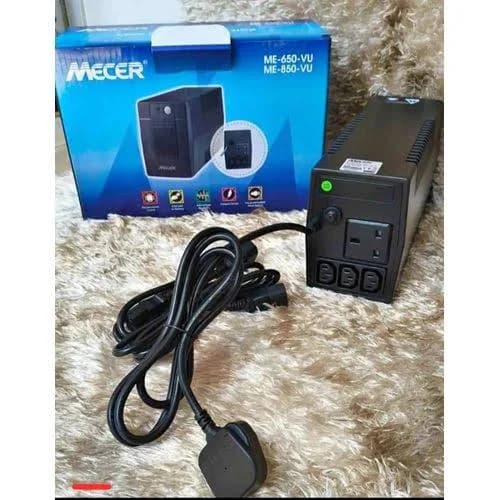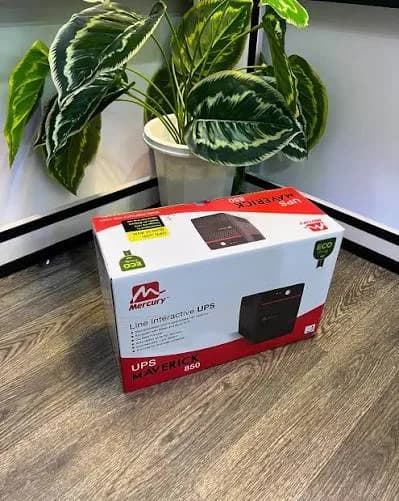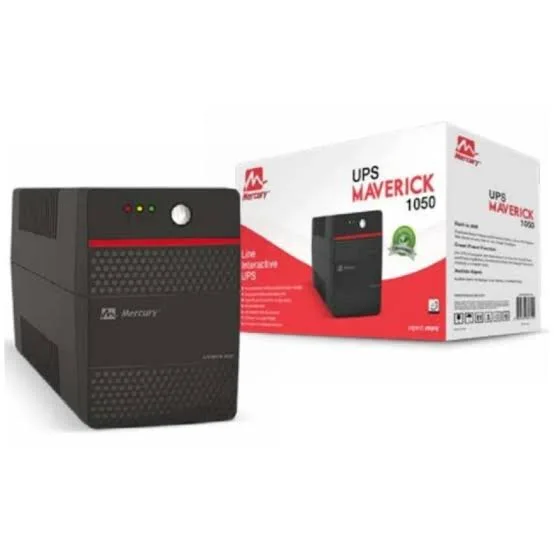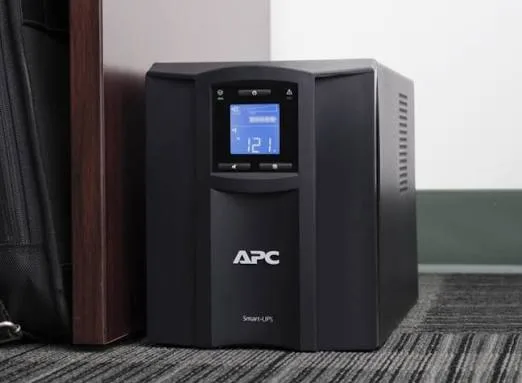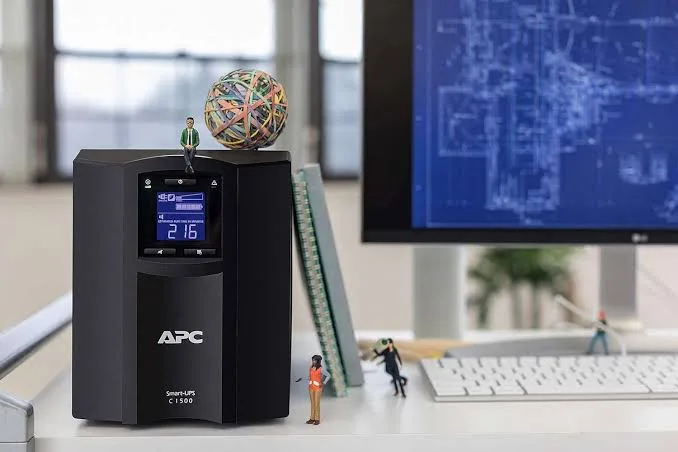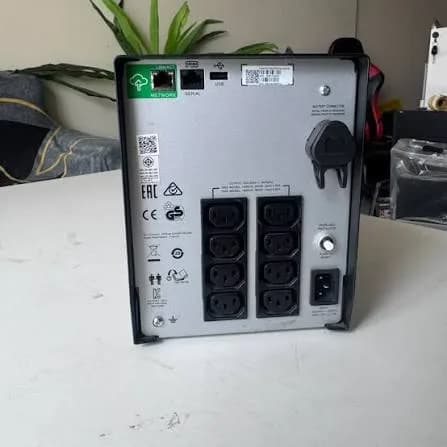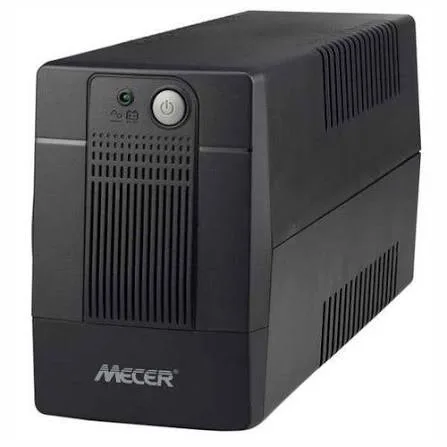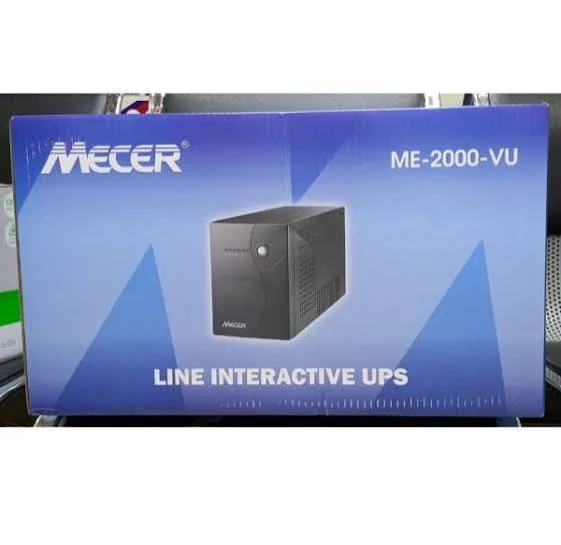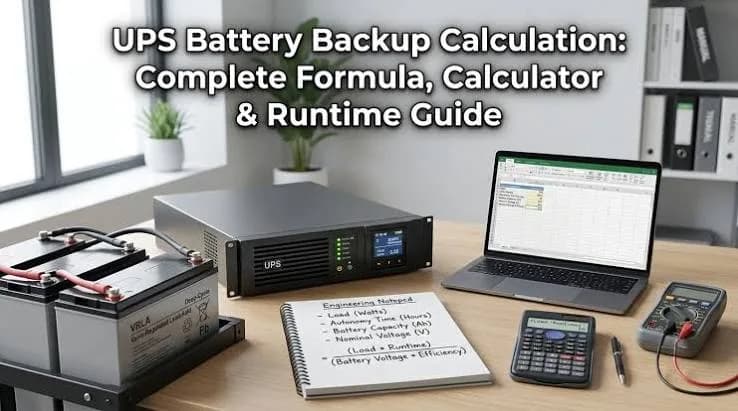
"How long will it last when KPLC goes?" is the first question every UPS customer asks, and the honest answer is "it depends." A UPS that runs a router for five hours may run a desktop PC for ten minutes. A new battery gives far more minutes than an old one. A UPS at half load lasts far longer than the same unit at full load. This guide explains how long a UPS will run, gives you the formula to estimate it yourself, works through realistic examples, and shows how to extend runtime when ten minutes is not enough.
We are City Gadgets Kenya, at New Alnoor Exhibition, Second Floor, Shop C7, Accra Road, Nairobi CBD. We help customers size UPS units for homes, shops and offices. Runtime depends on the exact battery, the load and the age of the unit, so we confirm figures per unit and never promise a runtime we cannot support.
The short version
- Runtime depends on three things: battery energy (watt-hours), your load (watts) and efficiency losses.
- Basic formula: runtime in hours ≈ (battery watt-hours × efficiency) ÷ load watts.
- Battery watt-hours = volts × amp-hours. Two 12 V, 7 Ah batteries in series give about 168 Wh nominal.
- Real runtime is shorter than the formula because batteries deliver less at high loads, age with time, and the UPS wastes some energy.
- Standard UPS units are built for minutes, not hours, when running PCs. For hours of backup, you need larger or external batteries, or a different system.
- Always size by watts, not VA. See UPS VA vs watts explained.
| Load example | Typical runtime on a small UPS | Note |
|---|---|---|
| Router and ONT only | Hours | Very small load |
| Router, ONT and a CCTV recorder | Tens of minutes to hours | Depends on cameras |
| Desktop PC and monitor | Minutes to tens of minutes | Depends on battery and PC power |
| Several PCs | Minutes | Needs bigger UPS or external batteries |
| Heavy load near rated watts | A few minutes | Designed for safe shutdown |
These are indicative only. We confirm per unit.
Step 1: understand what you are measuring
A UPS stores energy in a battery. Runtime is simply how long that energy lasts while powering your equipment.
Energy is measured in watt-hours (Wh). It is the amount of work the battery can do.
Power is measured in watts (W). It is how fast your equipment consumes energy.
Runtime is energy divided by power: hours = Wh ÷ W.
For example, 100 Wh of usable energy running a 50 W load gives two hours. The same energy running a 200 W load gives half an hour.
Step 2: find the battery energy
UPS batteries are usually labelled with voltage (V) and capacity in amp-hours (Ah). Multiply them to get watt-hours.
Energy (Wh) = battery voltage (V) × capacity (Ah)
Examples:
- One 12 V, 7 Ah battery: 12 × 7 = 84 Wh
- Two 12 V, 7 Ah batteries: 168 Wh in total (whether wired in series or parallel, the total energy doubles)
- One 12 V, 9 Ah battery: 108 Wh
- A 12 V, 100 Ah deep-cycle battery: 1,200 Wh
Most small UPS units have one to three 12 V batteries of 5 to 9 Ah. Larger UPS units use more or bigger batteries. The data is on the battery label, or in the datasheet. We confirm per unit.
For a deeper look at mAh vs Wh, read our power bank mAh vs Wh explained. The same principle applies.
Step 3: apply the real-world losses
You cannot use all 168 Wh. Three factors reduce it.
Inverter efficiency
The UPS must turn DC from the battery into AC. This conversion is not perfect. Typical inverter efficiency is around 80 to 90 percent, and it is lower at very light loads and at heavy loads. Using 85 percent as an estimate is reasonable.
Usable depth of discharge
UPS batteries are not designed to be drained to zero. The UPS shuts off at a low-voltage cut-off to protect the battery, leaving some energy unused. For lead-acid batteries, usable capacity is often around 50 to 80 percent of nominal, depending on discharge rate and design.
Discharge rate (the Peukert effect)
Lead-acid batteries give less total energy when discharged quickly. A battery that delivers 7 Ah over 20 hours might deliver only 4 or 5 Ah if drained in under an hour. This is why runtime falls faster than the simple formula predicts as load increases. Manufacturers publish discharge tables; we rely on those where available.
Battery age and temperature
A battery that is a few years old holds less. Heat accelerates ageing. Cold reduces available capacity temporarily. A UPS that gave 20 minutes when new may give 8 when the battery is tired.
Step 4: the runtime formula
Putting it together, a rough estimate is:
Runtime (hours) ≈ battery Wh × inverter efficiency × usable fraction ÷ load watts
Use conservative numbers: efficiency of about 0.85 and usable fraction of about 0.5 to 0.7 for small UPS units under moderate loads. For heavy loads, use a lower usable fraction because of the discharge-rate effect.
Worked examples
Example 1: router and ONT on a small UPS
Load: router 10 W plus ONT 8 W = 18 W. Battery: one 12 V, 7 Ah = 84 Wh. Usable energy: 84 × 0.85 × 0.7 ≈ 50 Wh. Runtime ≈ 50 ÷ 18 ≈ 2.8 hours.
A small UPS can keep your internet up for a few hours, which is why people protect routers first. Real life varies with battery age and the actual load.
Example 2: desktop PC and monitor
Load: PC 150 W plus monitor 30 W = 180 W. Battery: two 12 V, 7 Ah in a typical UPS = 168 Wh. At this heavy discharge, assume usable fraction about 0.5. Usable energy: 168 × 0.85 × 0.5 ≈ 71 Wh. Runtime ≈ 71 ÷ 180 ≈ 0.4 hours, about 24 minutes.
In practice, many small UPS units of this class deliver less than this at 180 W, perhaps 10 to 20 minutes. This is why the manufacturer's runtime chart matters more than the formula for heavy loads. It is enough to save work and shut down.
Example 3: shop with POS, printer, router and recorder
Load: POS PC 60 W, receipt printer average 20 W, router 15 W, CCTV recorder 25 W = 120 W. Battery: 168 Wh nominal. Usable energy: 168 × 0.85 × 0.55 ≈ 79 Wh. Runtime ≈ 79 ÷ 120 ≈ 0.65 hours, about 40 minutes.
That is enough to ride through short outages and complete a sale.
Example 4: CCTV system with several cameras
Load: recorder 30 W, PoE switch with cameras totalling 60 W = 90 W. Battery: a larger UPS with 12 V, 9 Ah batteries for about 324 Wh in total. Usable energy: 324 × 0.85 × 0.6 ≈ 165 Wh. Runtime ≈ 165 ÷ 90 ≈ 1.8 hours.
For longer protection, external batteries can extend this.
These examples are estimates to teach the method. Ask us for the actual runtime for a given unit and load.
How to measure your real load
The biggest error in runtime estimates is the load. People guess from the power adapter label, which shows the maximum, not what the device really uses. Better ways:
- Use a plug-in power meter. Plug the meter into the wall, plug the equipment into the meter and read watts. Do this while the device does typical work.
- Read the UPS display. Many UPS units show load as a percentage or in watts. Compare with the unit's rating.
- Check the manual for typical power. Many devices list typical use as well as maximum.
- Add the loads. Sum all devices on the UPS.
- Allow for peaks. Gaming PCs and printers spike above average.
Typical ranges, which vary widely: routers and ONTs use a few watts to 20 W, laptops 30 to 90 W under load, monitors 20 to 50 W, desktop PCs 80 to 400 W depending on parts and workload, CCTV recorders 20 to 50 W, small network switches 10 to 30 W. We confirm per device when you tell us the models.
Load percentage and runtime
Runtime is very sensitive to load percentage. A UPS at 25 percent load may run several times longer than at 100 percent, and not just proportionally. Manufacturers publish runtime charts showing minutes at 25, 50, 75 and 100 percent load. If the chart is available, use it.
A useful rule: if you halve the load, runtime more than doubles, because battery efficiency improves at lower discharge rates. If you double the load, runtime more than halves.
That is why moving a monitor or printer off the UPS can add significant minutes.
Why runtime falls over time
Batteries age. Typical sealed lead-acid UPS batteries give good performance for around two to four years depending on temperature and use, then fade. Signs:
- Runtime drops sharply compared with when new.
- The UPS reports "replace battery" or sounds an alarm.
- The UPS fails a self-test.
- The battery case swells or leaks.
A hot room shortens battery life. Frequent deep discharges do too. If your UPS is in a hot cupboard, expect to replace the battery sooner. Read our lithium-ion battery care guide for general battery habits, noting that lead-acid has its own rules.
How to extend UPS runtime
Reduce the load
- Put only critical equipment on the UPS.
- Use a laptop instead of a desktop; laptops have their own battery and use less power.
- Turn monitors down or off during outages.
- Unplug chargers and non-essential devices.
- Switch to power-saving modes.
Add battery capacity
- Choose a UPS with a larger battery.
- Choose a model that supports external battery packs.
- Make sure external batteries are the right voltage, type and connection, and installed by someone competent.
Use a different tool for long backup
- A small inverter with a deep-cycle battery can run lights, a router and chargers for hours.
- A power bank with DC output can run a router for hours if compatible; ask us before connecting anything.
- Solar systems and larger inverters serve whole-home needs.
Maintain the battery
- Keep the UPS cool and ventilated.
- Replace batteries on schedule.
- Don't run at full load constantly.
- Test the UPS occasionally.
Improve power quality
If your UPS keeps switching to battery for brief dips, an AVR or line-interactive design saves battery cycles. See line-interactive vs online UPS and power surges and AVR in Kenya.
VA, watts and runtime: avoiding the classic mistake
Many people buy a UPS by VA and assume a bigger VA means longer runtime. It does not. VA tells you the maximum load the UPS can handle, not how long it can handle it. Two units with identical VA can have very different batteries and runtimes. A higher-rated UPS with a tiny battery may handle a bigger load but only for a minute.
So when comparing:
- Check the watt rating for capacity.
- Check battery voltage and Ah for energy.
- Check the runtime chart if provided.
- Check whether external batteries are supported.
Runtime at different loads: a model table
The following table shows how runtime might behave for a hypothetical UPS with about 168 Wh of nominal battery energy. It is illustrative, not a promise.
| Load | Approximate runtime idea |
|---|---|
| 20 W (router, ONT) | Several hours |
| 50 W (router, recorder, small switch) | About an hour or more |
| 100 W (small POS setup) | Tens of minutes up to about an hour |
| 200 W (desktop PC and monitor) | Roughly 10 to 25 minutes |
| 300 W (heavier PC) | A few minutes to about ten |
| Near rated watts | A few minutes |
Real figures depend on the unit, battery age and temperature. We confirm per unit.
When a UPS is the wrong tool
A standard UPS is not a long-duration power source. If you need hours of backup for computers, servers, CCTV with many cameras, or more, consider:
- An online UPS with extended battery packs sized for the load
- A small inverter and deep-cycle battery system installed by a professional
- A solar plus battery system
- A generator with automatic or manual changeover, sized correctly
Often the best design combines a small UPS for clean ride-through and safe shutdown, and a longer-term source for extended outages. Tell us your needs and we will recommend something honest, even if it is not a UPS.
A runtime planning checklist
- List every device that must stay on.
- Measure or estimate the real watts of each.
- Add them up and add 20 to 30 percent headroom for the UPS rating.
- Decide the required runtime in minutes or hours.
- Calculate the needed battery energy: watts × hours ÷ (efficiency × usable fraction).
- Check that the UPS supports that battery energy or external batteries.
- Check that the UPS's watt rating covers the load.
- Plan battery replacement dates.
- Test the UPS before you need it.
Calculating required battery energy: an example
Suppose you need a 120 W shop load to run for one hour. Required usable energy = 120 W × 1 h = 120 Wh. Divide by efficiency (0.85) and usable fraction (0.55): 120 ÷ (0.85 × 0.55) ≈ 257 Wh nominal. So you need roughly 257 Wh of battery, for example about three 12 V, 7 Ah batteries (252 Wh), or a unit with larger batteries. Add a margin for ageing, so aim higher, and check what the UPS supports.
Common mistakes
- Using VA as if it were watts.
- Guessing the load from adapter labels.
- Expecting a small UPS to run a PC for hours.
- Ignoring battery age.
- Plugging in a laser printer or heater.
- Running the UPS in a hot cupboard.
- Never testing the UPS.
- Chaining batteries without expertise. Wrong wiring is dangerous.
- Buying a fake or inflated-spec unit.
Battery types inside UPS units
Sealed lead-acid (VRLA/AGM)
The most common type in small and mid-sized UPS units. Reliable, affordable and well understood. Weaknesses are weight, a limited life of a few years, sensitivity to heat and the discharge-rate effect. Typical sizes are 12 V with capacities from 5 to 9 Ah in small UPS units.
Lithium-based batteries
Some newer UPS units and power stations use lithium iron phosphate (LiFePO4) or other lithium chemistry. They are lighter, can handle deeper discharge, last more cycles and often hold up better at high loads. They cost more upfront. If a UPS uses lithium, the same runtime principles apply, but the usable fraction is usually higher.
Deep-cycle batteries with inverters
Home inverter systems often use deep-cycle lead-acid or lithium batteries, designed for repeated deep discharge. They are different from the sealed batteries in a small UPS and are sized for hours, not minutes. If you plan to use an external battery with a UPS, use only what the manufacturer specifies.
Series and parallel: what the wiring does
When a UPS has more than one battery, they are connected in one of two ways.
Series connection adds voltages. Two 12 V batteries in series give 24 V, with the same Ah. Many UPS units use 24 V or 36 V internal systems.
Parallel connection adds capacity. Two 12 V, 7 Ah batteries in parallel give 12 V and 14 Ah.
In both cases, total energy in watt-hours is the sum of each battery's energy. What changes is the voltage the inverter works from. You cannot change the wiring yourself: the UPS expects a specific voltage. Mixing old and new batteries or different sizes in one bank shortens life, because the weakest battery limits the rest. Replace batteries as a set.
Temperature and runtime
Batteries behave differently across temperatures. At around 25 degrees Celsius they perform near their rating. Colder temperatures reduce available capacity temporarily. Higher temperatures increase capacity slightly in the short term but shorten life significantly. A UPS in a hot, closed cupboard will lose battery life much faster than one in a cool, ventilated place.
A common rule of thumb for lead-acid batteries is that each sustained rise of about 8 to 10 degrees above 25 degrees Celsius can roughly halve battery life. Even if the exact figure varies, the message is clear: keep UPS units cool.
Runtime for common Kenyan setups
Work-from-home laptop setup
A laptop has its own battery, so the UPS is mainly for the router, ONT and maybe a monitor. With a total load of 30 to 50 W, a small UPS can run for a couple of hours. If your laptop is plugged in, it will keep charging through the outage.
Desktop PC and monitor
Typically 150 to 300 W. A small UPS gives minutes, enough to save and shut down. If you want 30 to 60 minutes, you need a larger battery or an extended-runtime unit.
POS terminal, receipt printer and router
Often 80 to 150 W. A mid-sized UPS can give about half an hour or more. Receipt printers spike when printing, so size with headroom.
CCTV with several cameras
Cameras may be powered by PoE from a switch or by individual adapters. Add up all adapters and the recorder. A system with 4 to 8 cameras can draw 60 to 150 W. If recording during outages matters, consider an extended-runtime UPS.
Small server and network switch
Servers draw more than you expect. Check real watts. For servers, runtime is for safe shutdown, and UPS software helps.
Home entertainment
TV, decoder and sound system might draw 100 to 300 W. A small UPS is not meant for entertainment during long outages, though it can protect against dips. For long outages, an inverter is the right tool.
Runtime and recharge time
After an outage, the UPS needs time to recharge its battery. Recharge may take several hours to reach full capacity. If you have back-to-back outages, the battery may not recover between them, and the second outage will be shorter. In places with frequent short outages, a larger UPS with a bigger battery reserve is more practical. Let the UPS fully recharge before relying on it.
Runtime planning for outages of different lengths
| Typical outage length | What to plan for |
|---|---|
| A few seconds to a minute (switching glitches) | Any UPS handles this |
| A few minutes | A small UPS protects a PC and router |
| Up to an hour | A mid-size UPS for light loads, or extended battery |
| Several hours | Inverter, solar-battery system or generator for main loads; small UPS for sensitive equipment |
| A day or more | Generator or comprehensive solar plus battery |
Think of your own experience. How long are the outages where you live? How often? What do you need to keep running? Let those answers set the solution.
Testing your UPS runtime safely
The best runtime figure is the one you measure on your own equipment. A simple controlled test tells you what to expect.
- Save your work and back up important files. Treat the test as if the UPS might fail.
- Charge the UPS fully. Leave it plugged in for several hours first.
- Connect your usual load to the battery-backed sockets.
- Note the time and the load shown on the UPS display, if it has one.
- Unplug the UPS from the wall. Keep the plug in reach.
- Work normally, or leave the equipment idle, and watch the UPS.
- Stop the test before the battery is empty. Plug back in when you reach a comfortable margin, for example when the display shows low battery or after your minimum target time.
- Record the result. Write down date, load and minutes achieved.
- Repeat each few months. A falling result tells you the battery is ageing.
Never run this test with equipment that must not be interrupted, and don't drain the battery completely, because deep discharge shortens its life. If the UPS cuts out far sooner than expected, the battery may need replacement, and we can advise.
Frequently misunderstood runtime claims
"Up to 3 hours." This is usually measured at a tiny load, such as a few watts. At your real load, the number may be minutes.
"Backup time 30 minutes." Ask at what load. If the load is half the rated watts, your runtime at a higher load will be shorter.
"Supports 1000VA." That is capacity, not time.
"Long-life battery." Life in years is not the same as runtime in minutes.
"Extended runtime." Sometimes means a model that supports external batteries; sometimes just a bigger internal battery. Check what is included.
"Pure sine wave means longer backup." No, the waveform does not set runtime.
Always ask: at what load, with what battery, at what temperature, when new?
What a good runtime conversation sounds like
When you talk to a seller, here is the sort of exchange you should expect.
You: "I want to run a desktop PC, a monitor and a router during outages. How long will it last?"
Seller: "What are the PC and monitor models, or the watts? Let's measure or estimate. At around 200 W, this model with its internal batteries gives roughly ten to twenty minutes when new, enough to save and shut down. If you want thirty minutes or more, we should look at a model with a bigger battery or external batteries. I will confirm the exact runtime chart for the model."
A good seller asks about load, gives a range, explains the limits and says "we confirm per unit." A bad seller says "two hours, no problem" without asking anything.
How to spot a fake or misrepresented UPS (runtime edition)
Runtime claims are one of the easiest things to fake, because the customer cannot see the battery. A box may promise "up to 2 hours" with a tiny battery, using a tiny load in the test. Use these ten checks.
- Ask for battery details. Voltage, amp-hour rating and number of batteries should be clear. If the seller cannot say, be careful.
- Look at weight. Batteries are heavy. A feather-light UPS cannot have much battery. Compare with similar units.
- Read the runtime chart. Genuine datasheets list runtime at specific loads. A single "up to" figure with no conditions is marketing.
- Check VA and watts. Inflated VA with a small watt rating signals a weak unit.
- Open the battery compartment (if accessible and safe) or ask the seller to show the battery label. Don't open the unit itself.
- Check labels. Model, serial number, input and output ratings should be clear.
- Packaging and manual. Poor print and missing manual are warning signs.
- Test it. Connect a known load and unplug from the wall. Time the runtime and compare with the claim. A unit that dies in seconds has a weak or fake battery.
- Price. A great runtime promise at a very low price needs an explanation.
- Seller and warranty. A seller without a shop, receipt or warranty is a risk. Ask what the warranty says about the battery.
When you buy from City Gadgets Kenya, you buy from a real shop at New Alnoor Exhibition, Second Floor, Shop C7, Accra Road, Nairobi CBD. We confirm battery and runtime details per unit and we say plainly when we do not know.
Why buy your UPS from City Gadgets Kenya
- Honest runtime answers. We calculate with you, tell you the limits and recommend external batteries or other solutions when a UPS is not enough.
- Sizing help. Tell us your equipment and desired runtime and we will help.
- Genuine products and warranty. We confirm per unit.
- A shop to visit. Accra Road, Nairobi CBD.
- Delivery. Same-day within Nairobi and next-day outside Nairobi.
- Payment. M-Pesa accepted.
- Support. WhatsApp us when your UPS beeps, sags or needs a new battery.
Browse accessories and laptops. Message us for today's price.
UPS runtime checklist
- I know the real watts of each device.
- I know the UPS's watt rating, battery voltage and Ah.
- I have calculated an estimate using efficiency and usable fraction.
- I have checked the manufacturer's runtime chart.
- I have removed non-essential devices from the UPS.
- I know how long I need to run.
- I have a plan for battery replacement.
- I have tested the UPS under load.
- I am buying from a seller with a warranty.
Frequently asked questions
How long will a UPS run? It depends on battery energy, load and age. Small UPS units run routers for hours and desktop PCs for minutes. We confirm per unit.
How do I calculate UPS runtime? Runtime in hours ≈ battery Wh × efficiency × usable fraction ÷ load watts. Use the manufacturer's chart where available.
How many minutes does a 650VA UPS give? It depends on the battery and the load. VA alone does not tell you runtime.
Can I add batteries to my UPS? Only if the model supports external batteries, and the right type and wiring must be used. Ask us.
Why does my UPS run for less time than before? The battery has aged, the load is higher, or the room is hot.
How often should I replace a UPS battery? Often every few years, sooner in heat.
Will a UPS run my fridge or TV for hours? Not a standard UPS. A fridge is a motor load, and a TV and decoder are better served by an inverter system.
How do I spot a fake UPS? Check battery details, weight, runtime chart, labels, packaging and warranty, and test it.
Ready to choose?
Tell us your equipment and how long you need it to run, and we will calculate a sensible setup and confirm the specifications. WhatsApp us: https://wa.me/254745575931. Or visit New Alnoor Exhibition, Second Floor, Shop C7, Accra Road, Nairobi CBD. Message us for today's price. Same-day Nairobi delivery, next-day outside Nairobi, M-Pesa accepted.
Related reading: UPS VA vs watts explained, line-interactive vs online UPS, pure sine wave vs simulated, power bank mAh vs Wh.