Home Security Camera Privacy and Account Security Guide for Kenya
A home security camera protects what you care about, and it also records the people you care about. It sees your children, your relatives, your house help, your guests and you. If it is used carelessly, it can harm the very people it is meant to protect: by exposing footage, by being hacked or by being placed where it should not be.
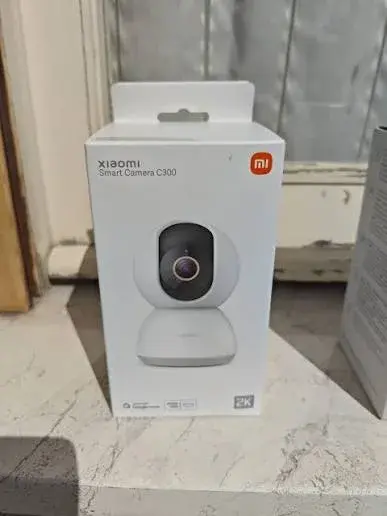
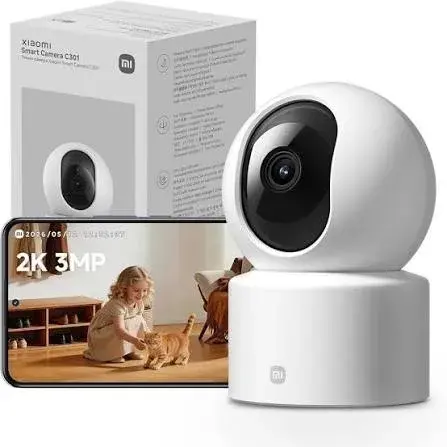
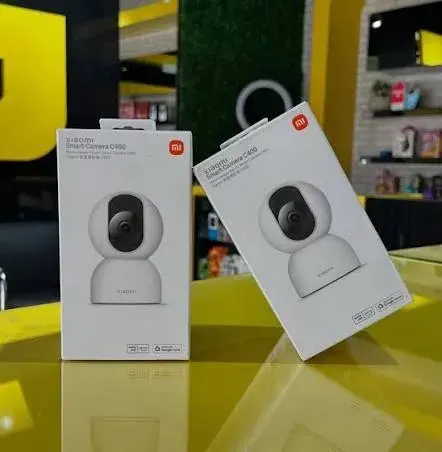
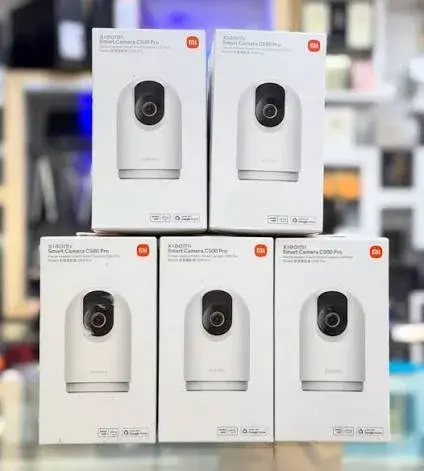
This guide, from the team at City Gadgets Kenya in Nairobi, covers two connected topics: security (keeping strangers out of your camera, your account and your footage) and privacy (using the camera in a way that respects the people it sees). We write it for owners of the Xiaomi Mi 360° home security cameras (C201, C300, C301, C400 and C500 Pro), although most of the advice applies to any home camera.
We are a shop, not a law firm. Where we mention the law, we do so in general terms, and you should seek proper legal advice for your own situation, especially if you run a business.
Part 1: Why camera security matters
A camera connected to the internet is a doorway into your home. If someone gets into your account, they may watch your live picture, hear your audio and see your footage. This is not a rare, exotic risk. It usually happens in ordinary ways: a reused password, a shared login, a phishing message or an unsecured Wi-Fi network.
The manufacturer publishes several security features for these cameras, including encrypted data transmission, AES-128 encryption for cloud data and a Xiaomi security chip with a unique key per chip on several models. These are real protections. But no camera can protect an account whose password is "12345678". Good habits do more than any feature.
Part 2: Securing your account
Use a strong, unique password
A strong password is long, not guessable and used nowhere else. A passphrase of several unrelated words, with a number or two, is easier to remember than random symbols and just as strong. Do not use names, birthdays, phone numbers or "password". Do not reuse the password from your email, your bank or your social media.
Use an email address you control
Your Xiaomi account is tied to an email address or phone number, and recovery goes through it. Use an address that only you can read, with its own strong password and extra security.
Turn on extra security
Where the app or your account offers two-step verification or other extra security, turn it on. It means that someone who steals your password still cannot get in without the second step.
Watch for phishing
Scammers send messages that pretend to be from Xiaomi or from a "camera company", asking you to click a link and sign in. Do not click links in unexpected messages. Open the app or the official website yourself. The company will not ask for your password by message.
Review who has access
If you share your camera with family members, check the list of people with access every few months, and remove anyone who no longer needs it. Use separate accounts for each person, instead of sharing one login.
Sign out on borrowed devices
If you check your camera on someone else's phone or a shared computer, sign out afterwards.
Part 3: Securing your Wi-Fi and the camera itself
Secure your Wi-Fi
Your camera connects through your home Wi-Fi. If someone can get onto your Wi-Fi, they can try to reach your devices.
- Use WPA2 or WPA3 security on your router, not an open network.
- Change the default router password and the default Wi-Fi password.
- Use a strong Wi-Fi password that you do not share widely.
- Change the Wi-Fi password if you suspect it has leaked, for example if a former tenant or worker still has it.
- Keep your router's software up to date.
- Consider a guest network for visitors, which keeps them off your main network.
Keep the camera's software up to date
Updates fix security problems. Check for updates in the app and install them.
Be careful with remote access features
Only turn on features you use. Features that expose the camera to the internet, or that share it widely, increase risk.
Buy from a trusted seller
A camera that has been opened, used or tampered with before it reaches you could be set up under someone else's account. Buy new, from a seller you can reach. At City Gadgets Kenya, we check that the camera has not been set up under another account before you pay.
Reset before you sell or give away
If you sell or give away a camera, remove it from your account and reset it to factory settings. Remove or destroy the memory card, because it holds recordings.
Part 4: Where not to put cameras
Some places are private, and a camera there is an intrusion, however good your intentions.
- Bathrooms and toilets. Never.
- Changing areas. Never.
- Bedrooms of other adults, including guests, tenants and house help, without their clear knowledge and agreement.
- Areas where people expect privacy, such as a worker's own room.
- Pointing at neighbours' windows or private areas.
If a camera can see into a space where a reasonable person expects privacy, move it.
Cameras in a child's room
Many parents place a camera in a baby's room, which is a common and understandable use. Keep the cable out of reach, secure the camera, secure your account tightly, and think about the privacy of the child as they grow. A physical lens shield, such as on the C201, C301 and C500 Pro, or a discreet night mode, such as the C400's infrared with no visible red glow, can be helpful, and you can turn the camera off when it is not needed.
Part 5: Cameras, household staff and visitors
Many Kenyan households employ house help, nannies, gardeners or security staff. A camera in a shared area can reassure everyone, but it works best when it is used openly and fairly.
Be open
- Tell your staff that cameras are installed, and where.
- Explain why: safety, security of property, care for children.
- Put them in shared areas, such as the living room, the kitchen or the entrance.
- Do not hide cameras. Hidden cameras damage trust, and may cause legal trouble.
Be fair
- Do not use footage to humiliate or threaten anyone.
- Do not share footage of staff, visitors or neighbours on social media or in group chats.
- Handle concerns calmly. If footage shows a problem, speak to the person first.
- Respect their private spaces, such as their room and their breaks.
Visitors and guests
Let guests know that cameras are in use. A small sign at the entrance is a courteous and common practice. If someone asks you to switch off a camera or cover the lens, consider doing so, particularly in a bedroom. A camera with a physical lens shield makes this easy.
Part 6: Audio
Many home cameras record sound as well as video. Recording conversations can raise more serious concerns than recording pictures. Consider these points.
- Turn audio off where it is not needed.
- Tell people if audio is recorded.
- Avoid recording private conversations that are not your business.
- Use two-way voice to speak through the camera with care, since a voice from nowhere can frighten children and pets.
Part 7: Recording people and the law
We cannot give legal advice, but a few general points are worth knowing.
- Kenya has a data protection law, the Data Protection Act of 2019. Recording identifiable people can involve personal data. How the law applies to a private household camera and to a business camera can differ, and it is more likely to matter for businesses, landlords and employers.
- Businesses should take care. If you run a shop, salon or office, you are recording customers and staff. Consider notices, how long you keep footage, who can view it and how it is protected. Take proper advice on your obligations.
- Do not use cameras to spy. Using a camera to watch people in private places, or to monitor people unlawfully, can be an offence and can lead to civil claims.
- Footage can be evidence, but how you collected and kept it can matter.
- Rules may change. Check current rules, or ask a lawyer.
If you are unsure, ask a lawyer before installing cameras in a workplace, a rental property or a shared building.
Part 8: Protecting your footage
Footage is sensitive. Treat it that way.
- Keep your memory card safe. Anyone who can take the card can watch the footage.
- Use a good password on the app.
- Do not leave your phone unlocked with the camera app open.
- Share clips only when needed, and only with the people who need them, such as the police or an insurer.
- Do not post clips of other people online, even if they are doing something wrong. Report it through the proper channels instead.
- Delete footage you no longer need.
- Be careful with cloud storage. Know what is stored, where and for how long. Our storage guide explains the options.
Part 9: Using the camera's privacy features
Different models offer different privacy tools.
| Feature | What it does | Models with it listed |
|---|---|---|
| Physical lens shield | The lens hides inside the body, so you can see the camera cannot see | C201, C301, C500 Pro |
| App privacy controls | Lets you pause recording or viewing from the app | Varies by model |
| Detection schedule | Turns detection on or off at chosen times | Varies by model |
| Infrared with no visible glow | Discreet night vision, no red light | C400 (940 nm) |
| Encrypted transmission and security chip | Protects data in transit and the camera's identity | Published for several models |
For the camera's privacy features, check what your unit offers, and set a schedule so the camera is not watching when you are at home. Our buying guide compares the models.
Part 10: What to do if something goes wrong
You think someone is watching your camera
- Change your Xiaomi account password immediately, from a trusted device.
- Turn on extra security if it was off.
- Check who has access to the camera and remove anyone unfamiliar.
- Change your Wi-Fi password.
- Update the camera and the router.
- Reset the camera and set it up again if the problem continues.
- Change the password on your email, in case it was the weak point.
- Contact us, or the manufacturer's support, for help.
Someone has posted footage of you or your family
Take screenshots as evidence, report the post to the platform, and consider reporting to the police. Seek legal advice if the matter is serious.
A staff member objects to a camera
Listen, explain and, if the camera covers a private space, move it. A respectful conversation is usually better than a dispute.
The camera was stolen
Change your account password and remove the camera from your account. If the memory card was inside, treat the footage as compromised, and report the theft to the police, with the camera's details from your receipt.
A privacy and security checklist
- My account password is strong and unique.
- Extra security is turned on.
- My Wi-Fi is secured and its password is private.
- My camera and router software are up to date.
- Cameras are in shared areas only, never in bathrooms or changing areas.
- Household staff and visitors know about cameras.
- Audio is off where it is not needed.
- I review who has access to the camera every few months.
- I do not share footage of other people online.
- I know what to do if the camera is hacked or stolen.
- If I run a business, I have taken advice on my duties.
Six privacy scenarios
These are composite examples, not real cases. They show how the principles work in practice.
Scenario 1: The nanny and the living room camera
A family wants a camera in the living room, where the nanny spends most of the day with the children. A fair approach: tell the nanny before installing, explain that the camera is for the children's safety and the home's security, point it at the shared space, and keep it out of her room and break areas. Review footage only for a reason, and do not share it.
Scenario 2: The camera in the guest room
A host wants to use a camera in the room where guests sleep. Do not. Guests expect privacy in a bedroom. If the camera must remain in the room, remove it when guests stay, or cover or switch it off. A model with a physical lens shield makes it clear that it is not recording.
Scenario 3: The shop with staff and customers
A shop owner installs a camera over the counter. A fair approach: put up a notice, point the camera at the counter and the stock, keep it away from staff changing areas, restrict who can view the footage, and keep it only as long as needed. Seek advice on the legal duties that apply to a business.
Scenario 4: The landlord and the shared passage
A landlord installs a camera in a shared passage in a rented block. A fair approach: tell the tenants, avoid pointing it at doors that show the inside of homes, and keep the footage secure. Ask a lawyer about the obligations that apply.
Scenario 5: The neighbour's complaint
A neighbour says the camera is pointing at their window. A fair approach: check the view, and if it shows their private space, move the camera or mask the area. Talk to them kindly, and show them what the camera sees.
Scenario 6: The posted clip
Someone posts a clip from their camera of a person they believe stole a parcel. A better approach: keep the original, give it to the police, and avoid posting. Naming someone online can lead to harm and legal problems if you are wrong.
What to tell your household staff
A short, open conversation prevents misunderstandings. You might say:
- That cameras are installed in the shared areas, and where.
- Why: to protect the children and the property, for everyone's benefit.
- That the cameras are not in private spaces, such as their room, and are not used to watch their breaks.
- Who can view the footage, and that it is not shared.
- That you will speak to them first if you have a concern.
Put it in writing if you can, in a simple note that both sides keep. Openness builds trust, and trust is the best security.
Wording for a notice
A small, clear notice at an entrance is a courtesy, and in business premises it is often expected. Keep it simple, for example: "Cameras are in use in this area for the safety of people and property." For a business, you may also need to say who to contact. Ask for advice on what is appropriate for your premises.
Hardening your router: a short list
Your router is the front door to your home network. A few steps make a big difference.
- Change the default admin password on the router.
- Use WPA2 or WPA3 for Wi-Fi security.
- Set a strong, unique Wi-Fi password.
- Turn off features you do not use, such as remote administration, unless you need it.
- Update the router's software.
- Use a guest network for visitors.
- Check the list of connected devices now and then, and remove devices you do not recognise.
- Change the password if a former tenant, worker or friend knew it.
- Write down the router's reset instructions, in case you need to start again.
If you are not sure how to do these, ask us, or your internet provider.
Phishing patterns to recognise
We will not quote real messages, but the patterns repeat.
- Urgency: "Your camera account will be closed in one hour."
- Fear: "Your camera has been hacked. Click here."
- Rewards: "Claim a free cloud plan."
- Fake support: A message asking you to confirm your password or send a code.
- Look-alike links: Web addresses that look close to the real one but are not.
When you see these, do not click. Open the app or the official website yourself, and check your account from there.
Cameras and children
Children are growing people with rights to privacy.
- A baby monitor is a common, sensible use. As the child grows, think about when the camera is still needed.
- Secure the account tightly, because footage of children is especially sensitive.
- Do not post clips of children online without thinking carefully about their future.
- Teach older children about cameras, so they understand what is recorded and why.
- Keep cables out of reach.
Business notes
If you use cameras in a business, you carry more responsibility.
- Decide the purpose, such as security of stock and staff safety, and keep to it.
- Tell staff and customers, with notices and clear communication.
- Limit who can view footage, and protect access with strong passwords.
- Decide how long to keep footage, and delete it afterwards.
- Keep a record of who accessed footage and why, if you can.
- Do not record where people expect privacy, such as toilets and changing areas.
- Be careful with audio.
- Take legal advice, because duties under data protection and employment rules can apply.
A short glossary
Encryption: scrambling data so that only the right person can read it.
Phishing: a fake message that tries to trick you into revealing your details.
Two-step verification: a second check, after your password, when you sign in.
WPA2 and WPA3: security standards for Wi-Fi networks.
A simple household camera policy
A short written policy avoids arguments. You can adapt this to your home. It is a template, not legal advice.
- Where cameras are: list the rooms.
- Where cameras are not: bathrooms, bedrooms of other adults and staff rooms.
- Why we use them: safety of the children, security of the home.
- Who can view footage: named family members only.
- How long we keep footage: for example, a few days, unless an incident needs it.
- What we do with it: we do not post it online or share it, except with the police if needed.
- How we raise concerns: by talking first.
- When cameras are off: for example, when the family is at home and wants privacy.
Share the policy with everyone who lives or works in the home, and keep a copy.
Access management, step by step
Review access every three months.
- Open the app and look at the list of people with access to each camera.
- Remove anyone who no longer needs it.
- Check that each person has their own account, and no one is sharing a login.
- Change your password if someone who knew it has left your household.
- Check the list of devices signed in to your account, and sign out any you do not recognise.
- Review what each person can do: view only, or change settings.
An incident response plan
Prepare before something goes wrong. Write down the steps.
- Change your Xiaomi account password from a device you trust.
- Turn on extra security.
- Check who has access and remove strangers.
- Change your Wi-Fi password.
- Update the camera and the router.
- Reset the camera if the problem continues.
- Report it to the manufacturer's support, and to the police if a crime has occurred.
- Tell your household.
- Keep records: screenshots, dates and times.
Preparing for account recovery
If you lose access to your account, recovery depends on the details you saved.
- Keep your recovery email and phone number up to date.
- Keep your receipt, with the camera's model and serial number.
- Write down the email address you used to create the account.
- Store passwords safely, in a password manager or a locked place.
- Tell a trusted family member how to reach support in an emergency.
Cameras in shared buildings
If you live in a block of flats, or share a compound, cameras raise questions for neighbours.
- Point cameras at your own space, not at shared corridors, neighbours' doors or windows.
- Talk to neighbours if a camera might see their space.
- Check the building's rules, and the landlord's rules, before installing.
- Mask areas that you do not need to record, if the app allows it.
- Be ready to adjust if someone raises a reasonable concern.
Teaching the family
A camera works best when everyone understands it.
- Explain what it records and what it does not.
- Explain the rules, such as no posting of clips.
- Teach everyone to use strong passwords, and not to share them.
- Teach children that cameras exist and why.
- Show everyone how to switch the camera off, or close the lens shield where available.
A quarterly privacy and security review
Every three months, spend ten minutes on the following.
- Change or check your password.
- Review who has access.
- Check that the camera and router software are up to date.
- Look at where each camera points, and whether it still makes sense.
- Delete footage you do not need.
- Check your Wi-Fi password and who knows it.
- Update your household policy if anything has changed.
Talking to your neighbours about cameras
Neighbours often worry about cameras, and a little courtesy goes a long way. If you install a camera that faces a shared area, tell the people who live there before they notice it. Offer to show them what the camera sees on your phone, and explain what you record and why. If a neighbour is concerned that the camera sees into their window or yard, adjust the angle, or use the app's masking tools if your model has them. Most disputes about cameras are really disputes about trust, and an open conversation solves them faster than any rule.
What to do when you sell or hand over your home
If you sell a house, move out of a rented flat or hand a business to someone else, deal with the cameras carefully. Remove each camera from your account, reset it to factory settings and take out the memory card. If you leave a camera for the new owner, tell them, and make sure that your account no longer has access. Delete footage that includes you and your family. Handing over a camera that is still linked to your account can expose your family's private footage long after you have gone.
Teaching yourself to say no
Finally, a camera is a tool, and you are allowed to decide where it does not belong. If a relative asks you to put a camera where it would invade someone's privacy, or an employer or landlord asks you to record in a way that feels wrong, you can say no, and ask for advice. Good security respects people, and the most secure homes are the ones where everyone feels safe, including the people who are being watched over.
Keeping perspective
A camera is one layer of security, and not the most important one. Good locks, sensible habits, friendly neighbours and a household that trusts each other do more for safety than any device. Use the camera to support those things, and not to replace them. If a camera starts to make people in your home feel watched, uneasy or distrusted, that is a sign to talk, adjust and, if needed, switch it off.
Frequently asked questions
Can hackers get into a home camera?
Any internet-connected device can be targeted. Strong passwords, extra security, a secured Wi-Fi network and up-to-date software greatly reduce the risk.
Is it legal to put a camera in my own home?
Generally, people use cameras in their own homes for security. How you use it matters: do not record in private spaces, tell people who live and work there, and take advice if the camera is in a workplace or a rental property.
Can I put a camera in my house help's room?
No. A worker's own room is a private space. Keep cameras in shared areas and tell staff openly.
Should I tell my nanny about the camera?
Yes. Openness builds trust and avoids legal and personal problems.
Does the physical lens shield really help?
It gives visible proof that the camera cannot see, which is reassuring for you and for others in the room. It is available on the C201, C301 and C500 Pro.
Is my footage encrypted?
The manufacturer states encrypted transmission, AES-128 encryption for cloud data and a security chip on several models. Encryption helps, but good passwords matter more.
What should I do before selling my camera?
Remove it from your account, reset it to factory settings and take out the memory card.
Can I share footage with the police?
Yes, if it is relevant. Save the original clip, note the date and time, and do not edit it.
Can I pay by M-Pesa?
Yes. We accept M-Pesa, and shop collection is free.
Talk to us
If you would like help choosing and securing a camera, call Sales on 0745 575 931 or write to sales@citygadgetskenya.co.ke. Visit us at New Alnoor Exhibition, Shop 7, Second Floor, Taveta Road (at the Taveta and Accra Road junction), Nairobi CBD, open Monday to Friday 9am to 7pm and Sunday 11am to 4pm, closed Saturday. In Nairobi, orders placed before 3pm are delivered the same day, and courier delivery elsewhere in Kenya takes one to three business days. Customer Relations is on 0794 488 806.