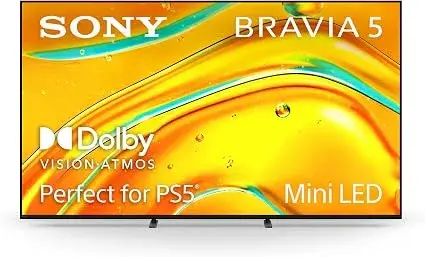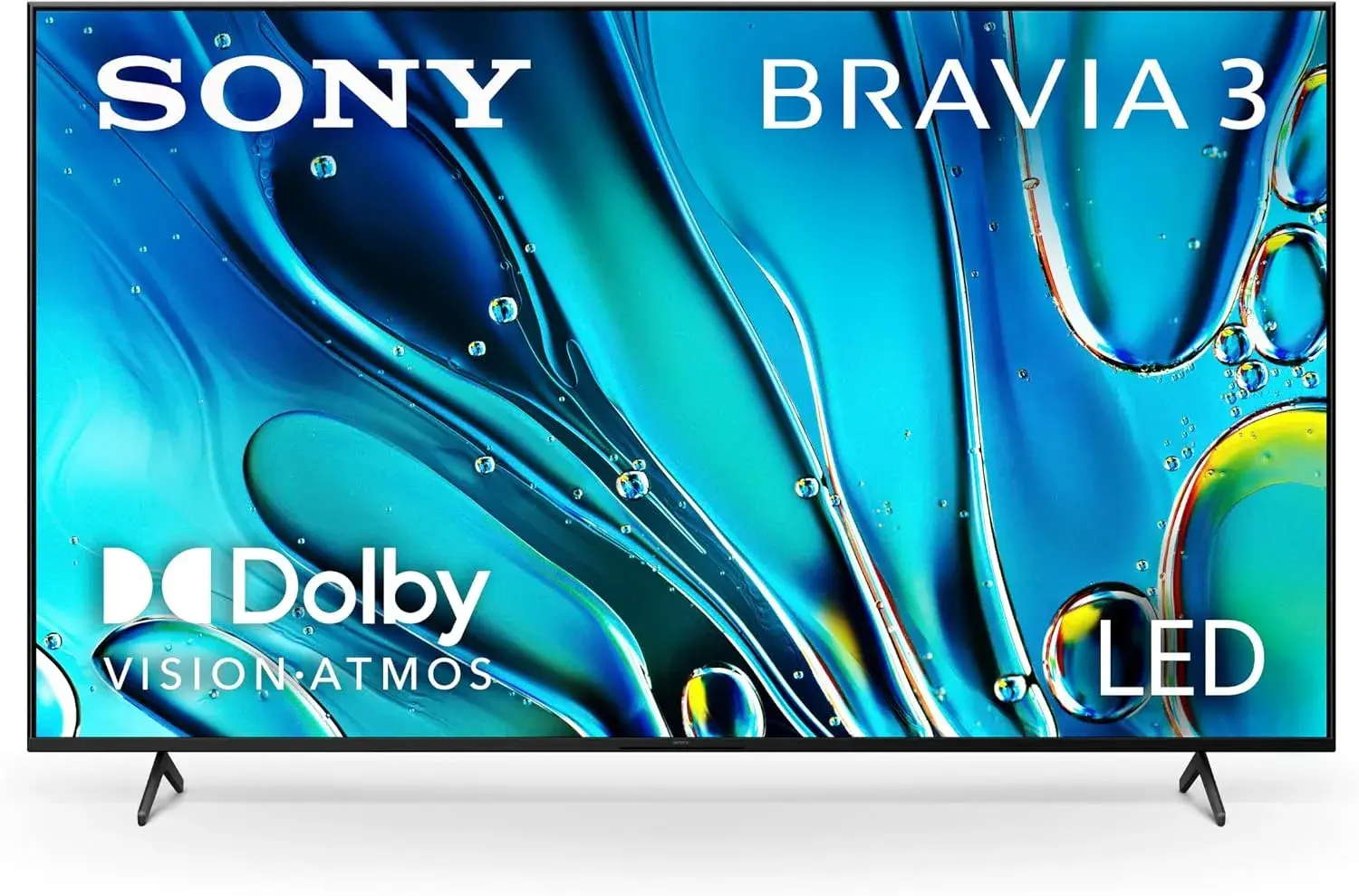
Open the box of almost any modern TV, monitor or streaming device and you will find a string of HDR labels: HDR, HDR10, HDR10+, Dolby Vision, HLG, "HDR Ready", "HDR Compatible", "DisplayHDR 400". Some of them describe real improvements that make highlights glow and shadows hold detail. Others are little more than a sticker on a screen that cannot deliver anything special. This guide to HDR10 vs Dolby Vision, and to HDR in general, explains what HDR actually is, what the different formats mean, what a screen needs in order to show it properly, how to tell real HDR from label HDR, and what you need in the rest of your setup. It is written for ordinary buyers in Kenya who want a better picture without being fooled by jargon.
We hedge where specifications vary and say "we confirm per unit" for details that should be checked on the actual item. We are City Gadgets Kenya, at New Alnoor Exhibition, Second Floor, Shop C7, Accra Road, Nairobi CBD, with same-day Nairobi delivery and next-day delivery outside Nairobi. Message us on WhatsApp for advice or today's price.
The short version
- HDR (high dynamic range) lets a screen show a wider range from dark to bright, and more colours, than standard dynamic range (SDR). Done well, highlights look brilliant and shadows keep detail.
- HDR10 is the common, open baseline format supported almost everywhere.
- HDR10+ and Dolby Vision add dynamic metadata that adjusts the picture scene by scene. Dolby Vision is widely supported by streaming services and premium TVs. HDR10+ is backed by a different group of brands.
- HLG is a broadcast-friendly format.
- The label is not the experience. A screen needs real brightness, good contrast, wide colour and ideally local dimming to benefit. Many budget screens accept HDR signals without making them look better.
- You need HDR content, a capable player and the right cable and settings, not just the screen.
- Check the specification, not only the sticker. Ask about peak brightness, local dimming and colour coverage.
| Format | Metadata | Who supports it | Notes |
|---|---|---|---|
| HDR10 | Static, one set for the whole film | Nearly all HDR TVs, monitors and players | The baseline |
| HDR10+ | Dynamic, scene by scene | Some brands, a subset of content | Open, royalty-free approach |
| Dolby Vision | Dynamic, scene by scene | Many premium TVs and streaming services | Proprietary, often highest quality |
| HLG | Built for broadcast | Many TVs, some broadcasts | Works with SDR and HDR displays |
What is dynamic range?
Dynamic range is the span between the darkest and brightest parts of a picture that a screen can show at the same time. Real life has a huge range: a sunlit window and a shaded room, headlights at night, a candle flame. Traditional (standard) video, SDR, was designed around the limits of old screens and compresses all that into a narrow range, clipping highlights and crushing shadows.
HDR widens the range. Highlights such as sun glints, flames and neon can be much brighter without blowing out, and dark areas keep detail without turning to mud. It also usually brings a wider colour gamut, meaning more saturated, more varied colours, and higher bit depth, meaning smoother gradations without banding.
Nits: measuring brightness
Brightness is measured in nits (candelas per square metre). A typical SDR screen peaks at a few hundred nits. HDR content is mastered with highlights that may reach thousands. Screens differ widely in how bright they can go.
- Low peak brightness (around 300 to 400 nits). HDR signals are accepted but highlights barely stand out.
- Mid-range (around 600 nits). Noticeable improvement in good conditions.
- High (1,000 nits and above). Strong highlights that justify the HDR label.
Figures vary by model and by how much of the screen is bright. A screen may reach a high peak only on a small patch, and be much dimmer when large areas are bright. We confirm per unit.
What a screen needs for real HDR
Several features work together. A screen with only one of them gives modest results.
1. High peak brightness. To make highlights sparkle, a screen must be able to go bright, especially in a bright Kenyan living room.
2. Strong contrast and black levels. HDR is about the relationship between bright and dark. An LCD with poor blacks will look washed out. OLED has perfect blacks. LCDs with local dimming, particularly mini-LED backlights with many zones, achieve much better contrast. See our post on QLED vs OLED vs mini-LED and our explainer on IPS vs VA vs OLED.
3. Wide colour gamut. Coverage of wide colour spaces, such as DCI-P3, makes colours richer. Check the coverage specification.
4. 10-bit processing. Smoother gradients with less banding. Many screens use 8-bit panels with processing tricks, and we confirm per unit.
5. Good tone mapping. Because most screens cannot reproduce the full range of HDR content, the screen must intelligently compress it. The quality of this processing separates good HDR from bad.
6. The right inputs. The HDMI or DisplayPort inputs must support HDR signals, and cables must be capable.
HDR10: the baseline
HDR10 is the open, widely supported standard. It uses 10-bit colour and static metadata, a single set of brightness information that applies to the whole film or programme. The TV uses it to decide how to map the picture. It works well, but because the metadata is fixed, a film with both very dark and very bright scenes is a compromise.
Nearly every HDR TV, monitor, player and streaming service supports HDR10, so it is the safe baseline. If a device says only "HDR", it usually means HDR10.
HDR10+: dynamic metadata, open approach
HDR10+ adds dynamic metadata, so the brightness information can change scene by scene or even frame by frame. A dark cave scene and a bright desert scene can each be tuned. It is supported by some TV brands and some streaming services and discs, and it is a different camp from Dolby Vision. A TV that supports HDR10+ can show HDR10+ content with the dynamic benefits, and falls back to HDR10 otherwise. We confirm per unit what a given TV supports.
Dolby Vision: the premium dynamic format
Dolby Vision also uses dynamic metadata and is a proprietary format, so manufacturers license it. It is supported by many premium TVs and by major streaming services and discs. Per Dolby, it can carry more bit depth than HDR10 and more detailed per-scene mapping, though the real-world benefit depends on the TV and on how the content was mastered. On a capable TV, Dolby Vision often looks excellent. On a weak TV, any HDR format looks limited.
A TV that supports Dolby Vision typically also supports HDR10, and some support HDR10+ and Dolby Vision both, while others support only one dynamic format. If you care, check the specification.
HLG: broadcast and flexibility
HLG (hybrid log-gamma) was designed for broadcasts. It combines SDR and HDR in one signal that works on both kinds of screens. You may meet it in some broadcasts and on some cameras. Most home viewers will not need to think about it beyond making sure their TV supports it.
HDR10 vs Dolby Vision: which is better?
| HDR10 | Dolby Vision | |
|---|---|---|
| Metadata | Static | Dynamic |
| Availability | Almost universal | Many premium TVs and services |
| Cost | Open | Licensed |
| Picture benefit | Good baseline | Often better scene-by-scene tuning |
| Compatibility | Everything HDR | Needs a Dolby Vision TV and source |
| Fall-back | N/A | Usually falls back to HDR10 |
Honest summary. On a high-quality TV, Dolby Vision (and HDR10+) can look better than HDR10 because the picture adapts to each scene. On a budget TV with low brightness, the difference is small, and the quality of the panel matters more than the format name. Do not pay a large premium for Dolby Vision on a screen that cannot go bright.
DisplayHDR tiers on monitors
For computer monitors, the VESA DisplayHDR certification (DisplayHDR 400, 600, 1000 and higher, plus true-black tiers for OLED) provides a test-based guide. Entry-level tiers represent modest brightness and often limited local dimming, giving only a small improvement over SDR, while higher tiers require stronger brightness, local dimming and colour coverage, and give a more convincing HDR effect. A monitor simply labelled "HDR Ready" or "HDR Compatible" without certification may accept an HDR signal and do little with it. If HDR matters, look for a certified tier and check reviews, and we confirm per unit.
HDR on TVs, monitors, phones and projectors
TVs. The most common place to experience HDR. Premium OLED and mini-LED TVs deliver the strongest effect.
Monitors. HDR on monitors varies widely. Many office monitors support an HDR signal but cannot show it well. Office monitors in our range, such as the Dell P2425H and HP Series 5 models, are designed for office work and general use rather than HDR viewing, and we confirm per unit.
Phones and tablets. Many modern phones and tablets support HDR video from streaming apps and their own cameras, and OLED screens suit it.
Projectors. Projectors face a particular challenge, because they cannot get as bright as a TV in a lit room. Many accept HDR and use tone mapping to adapt. Our range includes projectors such as the LG ProBeam 4K laser model, and we confirm per unit their HDR support.
Laptops. Some laptops have HDR-capable displays, others do not.
What you need beyond the screen
HDR is a chain, and every link must support it.
- HDR content. Streaming services, discs and some games offer HDR. Standard TV broadcasts and ordinary videos are SDR.
- Subscription tier. Some streaming services reserve HDR for particular plans. Check yours.
- A capable player. A smart TV app, a streaming device, a console or a Blu-ray player must support the HDR format. Streaming devices we stock, such as the Apple TV 4K and the Amazon Fire TV Stick 4K models and Xiaomi TV Stick 4K, advertise HDR support in various formats per their makers, and we confirm per unit which formats each supports.
- The right HDMI port and cable. Not every HDMI port on a TV supports full HDR 4K. Use the port marked for it and a certified high-speed cable.
- The right settings. HDR may need to be switched on in the TV's input settings and in the source device.
- Enough bandwidth. Streaming 4K HDR needs a stable internet connection.
Real HDR versus "HDR-ish": how to tell the difference
The biggest disappointment in HDR is buying a screen that accepts the signal but cannot show it. The marketing label is the same; the experience is not. Here is how the two cases differ in practice.
Real HDR gives you highlights that glow and shadows that keep detail. A sunset has a bright sun that looks luminous while the clouds around it keep their colour. A night street scene has bright lamps and still-visible dark corners. Neon signs look like light sources rather than coloured shapes.
HDR-ish gives you a dimmer, flatter picture. When a screen lacks the peak brightness or the local dimming to follow the HDR signal, it must squash the range. The result can look washed out, or darker than the standard picture, or have clipped bright areas where detail disappears. Some people turn HDR off on such screens and prefer the standard picture. That is a sensible response, not a fault in you.
A simple test: play the same HDR video with HDR switched on and off in a dark room. If the HDR version is clearly more dramatic in highlights without crushing the shadows, the screen is doing its job. If it just looks grey, the screen is not suited to HDR, whatever the box said.
Another useful habit is to look at the screen in the environment you will use it. HDR looks best in dim rooms, because bright ambient light washes out the shadow detail. A bright shop floor is not a fair test, so ask to see a demonstration in a dim corner or compare side by side with a known good screen.
HDR content and streaming: what to expect
HDR content comes from several places, and each has its own conditions.
Streaming services. Major services offer HDR titles, often in HDR10, and some in Dolby Vision or HDR10+. The service usually flags HDR titles with a badge. Whether you get HDR depends on your plan, your device, your app and your connection, so check each link in the chain.
4K Blu-ray discs. Physical discs carry the highest quality HDR because they are not squeezed by streaming bitrates. You need a compatible player.
Games. Modern consoles and PCs can output HDR games. The game usually has its own brightness calibration screen, and it is worth setting it properly.
Phone videos. Many recent phones record HDR video. Viewing it on the phone's own screen is usually the best way, and sharing it can convert it to standard range depending on the app.
Broadcast TV. Most ordinary channels remain SDR. HLG is used for some broadcast HDR where it is available.
If you mostly watch broadcast TV and YouTube clips at standard quality, an HDR premium may bring you little. If you watch streamed films and series in a dim room, it can be among the most visible upgrades a screen offers.
Settings that make or break HDR
Most "my HDR looks bad" complaints are settings problems, not hardware faults. Work through this list.
- Enable HDR on the input. Many TVs have an option such as "enhanced HDMI" or "HDR input" that must be switched on for the port you use. The name varies by maker.
- Enable HDR on the source. On a Windows computer, HDR is switched on in the display settings, and the screen then shows HDR content correctly. A streaming box or console has its own HDR setting too.
- Choose the right picture mode. TVs often have an HDR-specific picture mode. Use the one labelled cinema, movie or filmmaker rather than a vivid shop mode.
- Calibrate brightness. Games and consoles offer calibration screens. Follow them.
- Turn off aggressive "extras." Motion smoothing, dynamic contrast and similar processing can fight the HDR signal.
- Check the cable. A cable that cannot carry the bandwidth may force a lower resolution or no HDR.
- Update firmware and apps. Streaming apps and TVs get updates that fix HDR bugs.
On Windows, HDR can make the desktop look washed out when switched on for a screen that is not good at it. If your monitor is an everyday office model, you may do best to leave HDR off for work and only switch it on if you play HDR video or games on a capable screen.
HDR troubleshooting
The picture looks washed out. The screen may lack real HDR capability, the source may be sending HDR to a screen set to SDR, or the Windows SDR brightness may be set badly. Test with HDR off and compare.
The picture is too dark. This is typical of a screen without the brightness for HDR. Try a dim room, check the picture mode, and review the brightness settings.
No HDR badge appears. Check the content, the app, the plan, the port and the cable.
Colours look odd or flicker. A cable fault, a bandwidth problem or a firmware bug could be the cause. Try another cable and update firmware.
HDR works on one app but not another. Some apps do not support all formats on every device. Check the app's help pages.
The screen goes black briefly when switching. This is common when a device switches between SDR and HDR modes and is not usually a fault.
If none of this helps, bring the screen and the device to us at New Alnoor Exhibition, Second Floor, Shop C7, Accra Road, and we will test the chain with you.
HDR and gaming
Gaming adds its own wrinkles. Consoles and PCs can output HDR, and game developers often tune their games for it. But the quality of the experience depends on the screen. A fast, bright gaming screen with local dimming can make HDR games spectacular. An entry-level gaming screen with an HDR badge may look worse with HDR on.
Be aware too that high refresh rates and HDR place demands on the cable and port, especially at 4K. A screen may support 4K at a high refresh rate, or HDR, but the combination may need the right port. Check the specifications. For more on this side, read our refresh rate explained article.
For competitive play, many players prefer a fast, clear standard picture to HDR. It is a matter of taste.
HDR on the devices we stock
We stock a range of products that touch HDR at different points in the chain. As ever, we confirm per unit which formats each supports.
- Streaming devices. The Apple TV 4K, the Amazon Fire TV Stick 4K models and the Xiaomi TV Stick 4K are 4K streaming devices. Per their makers, they support HDR in various formats. Match the device to your TV's supported formats.
- Monitors. Our Dell and HP office monitors are aimed at everyday work. If HDR is your priority, tell us and we will check what is available.
- Projectors. Models such as the LG ProBeam 4K laser projector and Epson models are aimed at presentations, classrooms and home cinema. HDR handling on projectors varies, so ask us for details.
- Tablets and phones. Many support HDR video playback. Check per model.
Browse the full range in our accessories category or message us on WhatsApp.
Tone mapping: how a screen copes with content it cannot fully show
HDR content is often mastered for screens far brighter than the one in your home. When a title contains highlights brighter than your screen can produce, the screen must decide what to do with them. This process is called tone mapping.
A good tone-mapping system compresses the brightest part of the picture gently, so the sun in a scene is still the brightest thing on screen and still shows detail, even though it cannot reach the brightness the film-makers saw in the studio. A poor one simply clips: everything above the screen's limit turns into a flat white patch, and clouds or reflections lose their texture.
Dynamic formats such as Dolby Vision and HDR10+ help here, because the scene-by-scene information tells the screen how bright each moment is, so it can map more precisely. With plain HDR10, the screen relies on its own processing and the title's fixed metadata. This is one reason two screens with the same HDR10 badge can look quite different.
Projectors depend on tone mapping heavily, because they are usually dimmer than TVs, and a lit room makes that worse. If you plan to watch HDR on a projector, a dim room and the projector's HDR or tone-mapping options matter as much as the format.
What this means for you: do not choose on the badge alone. Look at the screen with real content. Notice whether bright areas keep detail, whether dark areas stay visible, and whether the picture looks natural. That judgment is worth more than a list of supported formats.
Common HDR myths
"HDR means brighter, always." Not exactly. HDR means a wider range. Bright highlights are part of it, but a good HDR picture keeps the overall scene natural.
"Any TV with an HDR logo has great HDR." No. The logo tells you which signals the TV accepts, not how well it displays them.
"Dolby Vision always beats HDR10." On a screen that can use it well, it may offer an edge. On a basic screen, the difference may be small.
"HDR is only for 4K." HDR is a separate feature from resolution. In practice most HDR content is 4K.
"You need to buy a new cable for HDR." Sometimes yes, if your old cable cannot carry the bandwidth. Often a certified high-speed cable is enough.
"HDR is a gimmick." On a capable screen with good content, it is one of the most noticeable picture improvements. On an incapable screen, it can be pointless.
Example scenarios
These are illustrative scenarios, not customer records.
The film lover with a dim living room. A viewer who watches streamed films in the evening gains most from a screen with real HDR capability, good black levels and a streaming device that supports the formats. We would suggest looking at higher-end panels and checking the chain.
The office manager. Someone buying monitors for a team that works in spreadsheets and email does not need HDR. A reliable office model with a good stand and ports is a better use of budget.
The student with a tablet. A student who watches lectures and series on a tablet will find HDR on an OLED or bright LCD tablet pleasant, but not essential. Battery life and software matter more.
The church or school with a projector. HDR is rarely the priority. Brightness in lumens, resolution and reliability matter more in a lit room.
Questions to ask any seller before you pay
- Which HDR formats does this exact model support: HDR10, HDR10+, Dolby Vision, HLG?
- Is the HDR certified, for example with a DisplayHDR tier on a monitor?
- Does the model have local dimming, and of what kind?
- What is the peak brightness, per the maker's specification?
- Which HDMI ports support the full feature set?
- Can I see a side-by-side demonstration in HDR on and off?
- What does the warranty cover and who services it?
- Is the box sealed and the serial number consistent?
How to spot a fake or misdescribed HDR display
HDR is easy to oversell. A label may say "HDR" on a screen that merely accepts the signal, or claim a format the model does not support. Use these ten checks together.
- Verify the model number and serial. They should match on the box, the back label and the on-screen menu, and be verifiable on the maker's website.
- Read the maker's specification sheet for the exact HDR formats, not the shop sticker.
- Look for certification. On monitors, a DisplayHDR tier should be verifiable. A vague "HDR Ready" is not a certification.
- Check which formats appear in the settings. The screen's information menu often shows when an HDR signal is received and in what format.
- Test with known HDR content. Play an HDR title and compare with HDR off.
- Check peak brightness claims against the maker's page, and be wary of numbers that look too high for the class of screen.
- Check the panel type against the claim. A screen sold as OLED or mini-LED should behave like one in a dark room.
- Check ports and cables. Make sure the port you will use supports the full feature set.
- Check the packaging and seals. Re-taped or damaged boxes can mean a used unit sold as new.
- Check the warranty, receipt and seller. A genuine seller gives clear terms, a shop address and a receipt. A price far below normal is a red flag.
If you are unsure, bring the screen to New Alnoor Exhibition, Second Floor, Shop C7, Accra Road, and we will help you check it.
Why buy your display and streaming gear from City Gadgets Kenya
- Genuine products, checked before they reach you.
- A real shop at New Alnoor Exhibition, Second Floor, Shop C7, Accra Road, Nairobi CBD, opening from 9:00 AM.
- Same-day delivery in Nairobi and next-day delivery outside Nairobi.
- M-Pesa payment and clear receipts.
- Honest advice, including telling you when HDR is not worth paying for.
- Cables and streaming devices in our accessories category.
- Support and repairs through our repair service.
- Trade-ins through our sell page.
- WhatsApp help on +254745575931.
Your HDR checklist
- I know whether I watch enough HDR content to justify paying for it.
- I checked the exact HDR formats the screen and my player support.
- I looked for certification or real specifications, not just a logo.
- I will use the right HDMI port and a certified cable.
- I will enable HDR on both the screen input and the source.
- I compared HDR on and off in a dim room.
- I have a receipt and know the warranty terms.
Frequently asked questions
What is HDR? High dynamic range: a wider span between dark and bright, with richer colour.
What is the difference between HDR10 and Dolby Vision? HDR10 uses fixed metadata for the whole title. Dolby Vision uses dynamic metadata scene by scene and can offer finer results on capable screens.
Is HDR10+ the same as Dolby Vision? No. Both use dynamic metadata, but they are different formats from different backers.
Do I need a 4K screen for HDR? HDR and 4K are separate, but most HDR content is 4K.
Is HDR worth it on a monitor? Only on a monitor with the brightness and dimming to support it. Entry-level HDR labels offer little.
Why does HDR look dark on my screen? Often the screen lacks peak brightness, or settings are wrong. Check the picture mode and brightness.
Does my streaming stick support Dolby Vision? It depends on the model. Check the maker's specification or ask us.
What is HLG? A broadcast-friendly HDR format.
Do I need a special HDMI cable? Often a certified high-speed cable is enough, but check your port.
How do I know it is genuine? Use the ten checks above.
Where can I buy a display or streaming stick in Nairobi? At City Gadgets Kenya, Shop C7, Second Floor, New Alnoor Exhibition, Accra Road.
Need help choosing?
Message us on WhatsApp with your screen, your streaming device and how you watch, and we will help you work out whether HDR is worth it for you.
Related reading: IPS vs VA vs OLED explained · QLED vs OLED vs mini-LED explained · Refresh rate explained · 4K upscaling explained