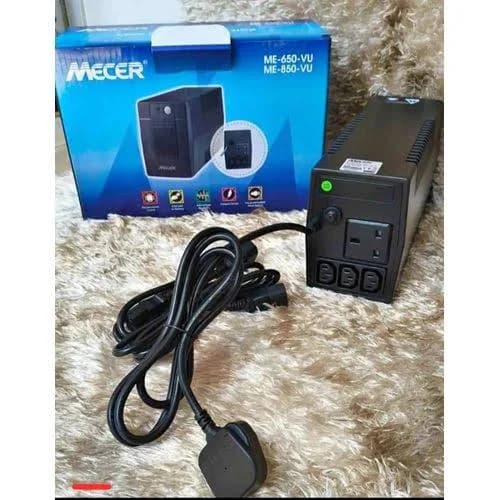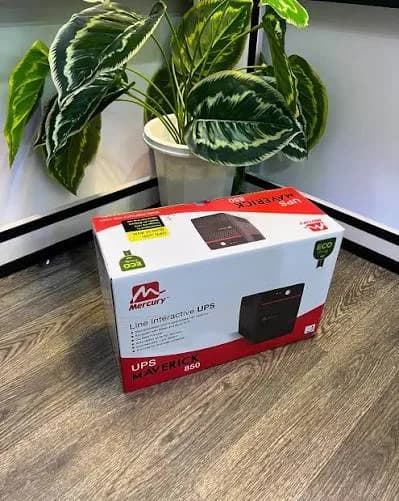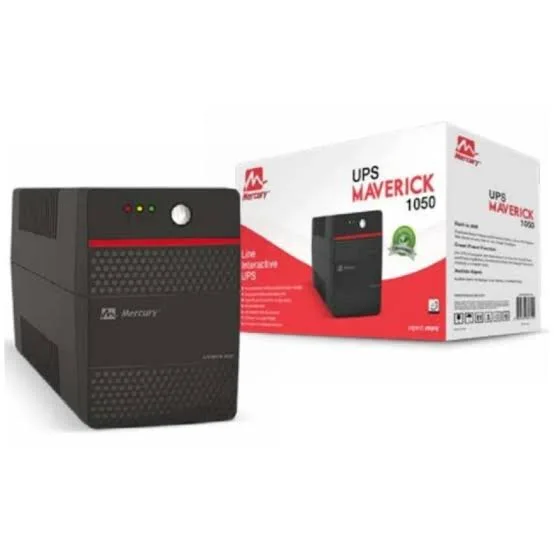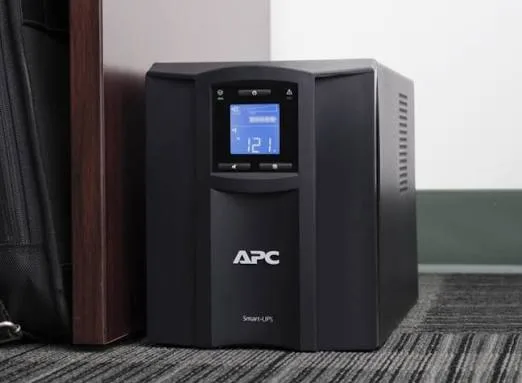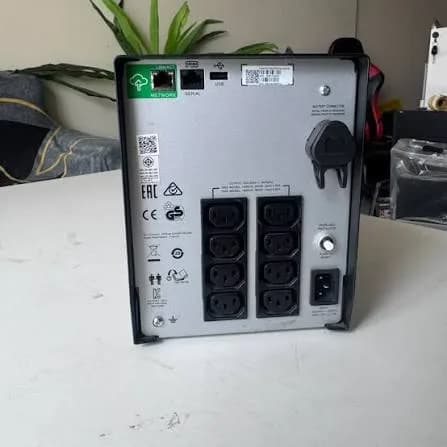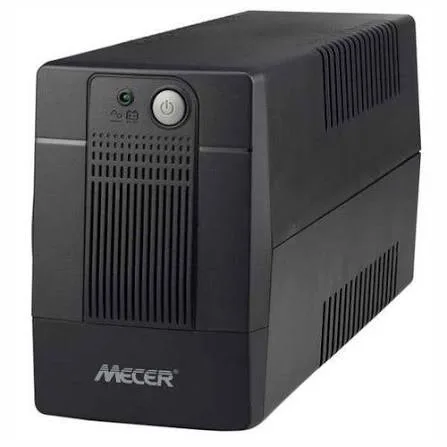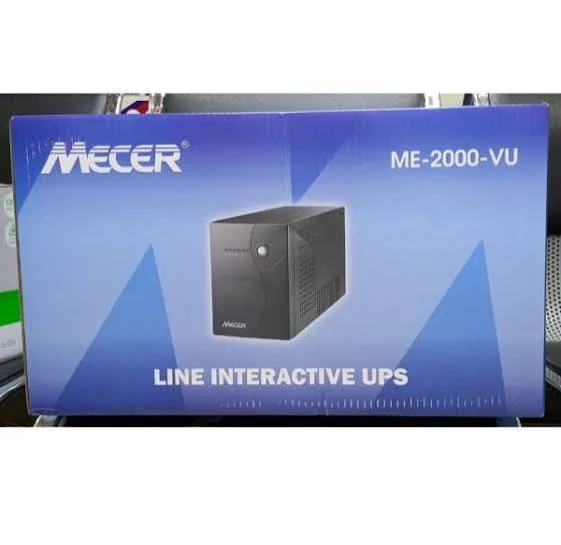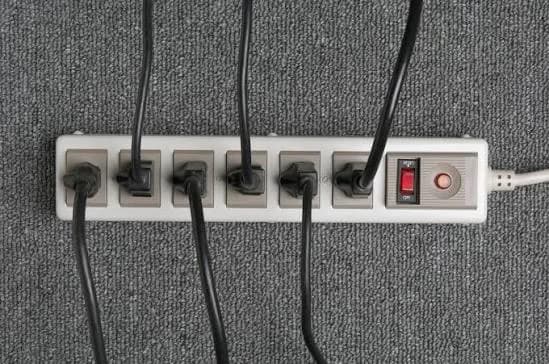
You buy a good UPS, size it correctly, plug it in, and it beeps. It says "wiring fault", "site wiring error" or "check ground". Or it never complains, but your computers still reboot, your router still fails and your surge protector never seems to catch anything. In both cases the real problem may not be the equipment. It may be the building's earthing and wiring. This guide to earthing and wiring for UPS in Kenya explains what earth is, why UPS units, AVRs and surge protectors depend on it, how to spot problems, and what to ask a qualified electrician to check.
We are City Gadgets Kenya, at New Alnoor Exhibition, Second Floor, Shop C7, Accra Road, Nairobi CBD. We sell UPS units, accessories, computers and audio, and we regularly meet customers whose real problem is wiring. We are not electrical contractors. This article is general education to help you ask the right questions. Fixed wiring, distribution boards and earth electrodes must be inspected and modified only by a qualified, licensed electrician. Please do not attempt to repair building wiring yourself.
The short version
- Earth is a safety path. It gives dangerous current a low-resistance route to the ground so breakers trip and people are protected.
- Surge protectors and UPS units depend on a good earth. Without it, they cannot divert surges, and they may not work properly.
- A UPS cannot repair bad wiring. If the neutral is loose, the earth is missing or the polarity is reversed, equipment suffers.
- Common problems: no earth, poor earth, reversed live and neutral, loose neutral, overloaded circuits, long extension chains and mixed heavy loads.
- Have a qualified electrician inspect sockets, the distribution board, the earth electrode and the earth resistance.
- Use a socket tester as a quick screen, but it is not a substitute for a full inspection.
- Never defeat the earth pin. Do not use adapters that cut off earth connections to make a plug fit.
| Symptom | Possible wiring cause | What to do |
|---|---|---|
| UPS shows wiring or ground fault | No earth, reversed polarity, bad neutral | Call an electrician |
| Mild tingle from metal casings | Missing or poor earth | Stop using; call an electrician |
| Computers reboot or freeze randomly | Voltage drops, loose neutral | Electrician inspection |
| Surge protector indicator off or unlit | No earth or failed protection | Check earth and replace unit |
| Lights dim when large appliances start | Overloaded or undersized circuit | Electrician review |
| Hot sockets or plugs | Loose connection or overload | Switch off, call an electrician |
| Static shocks, humming equipment | Poor earth, ground loops | Electrician inspection |
What is earthing?
In an electrical installation, the live conductor carries current to the load and the neutral returns it. The earth conductor (sometimes called ground or protective earth) is a third wire that normally carries no current. It connects the metal casings of appliances and the building's earth electrode, a rod or plate buried in the ground.
If a fault happens, such as a live wire touching a metal casing, the earth conductor provides a low-resistance route for the fault current to flow. That large current trips the circuit breaker or fuse quickly, removing power before someone is hurt. Without an earth, the casing can stay live and dangerous until someone touches it.
Earth also gives surge protectors, filters and the UPS a reference point and a place to send unwanted energy. Spikes are diverted to earth rather than passing into your equipment.
Plugs and sockets in Kenya
Kenya uses the three-pin flat British-style plug, commonly called Type G, at a nominal 240 volts and 50 hertz. The top pin is the earth pin. A properly wired socket connects that earth pin to the building's earth. Many UPS units, AVRs and extensions use this plug.
Common issues:
- Sockets installed without an earth connection, with the earth terminal left empty.
- Loose terminals behind the socket that overheat.
- Cheap sockets with weak contacts that grip poorly.
- Plug adapters or "cheaters" that remove or bypass the earth connection.
- Multi-way extensions with thin cable plugged into one another.
Replace damaged sockets through an electrician, and avoid bypassing safety features.
Why a UPS needs good earthing
A UPS has an input and an output. It filters noise, diverts surges and, in many models, uses the earth as a reference to detect wiring faults. If the earth is missing or poor:
- The UPS may show a wiring fault or refuse to start.
- Surge protection inside the UPS cannot divert spikes effectively.
- Noise filters cannot do their job, so equipment may glitch.
- There is a shock risk if a fault occurs inside equipment.
- Communication cables (network, USB) can carry stray voltages between devices with different earth potentials, damaging ports.
An online UPS depends on earth for safety and for its filters, as well. Read line-interactive vs online UPS for the types.
Signs your earthing or wiring may be poor
- A UPS or AVR indicates wiring or ground faults.
- You feel a tingle when you touch computer cases, fridge doors or metal taps.
- Equipment resets or freezes when large appliances start.
- Lights flicker or dim often.
- Surge protector lights are off or flashing.
- Network ports, USB ports or Wi-Fi equipment fail often.
- Equipment emits static shocks when touched.
- Sockets or plugs feel hot.
- Breakers trip frequently.
- A neon tester or socket tester shows faults.
- A building has no visible earth electrode, or you do not know where it is.
If any of these apply, arrange a professional inspection. If you feel shocks or smell burning, stop using the circuit and switch off at the board.
What a qualified electrician should check
The earth electrode and earth resistance
An earth electrode is usually a copper rod or plate buried in soil. Its resistance to earth depends on soil moisture and type. Dry, rocky or sandy ground gives higher resistance. An electrician measures earth resistance with a dedicated earth tester. Acceptable values depend on the installation and applicable standards; sensitive IT installations often aim for lower values than general domestic installations. Your electrician can advise what applies in your case.
Earth resistance changes with the seasons. A reading in the rainy season may be better than in a dry spell. Electrodes may corrode or be disturbed by building work, so periodic testing is wise.
The main earth connection and bonding
The earth conductor should connect firmly from the electrode to the distribution board earth bar, and from there to every socket circuit. Metal pipes, water systems and structural metal may need bonding as the standards require. Poor joints cause high resistance and unreliable protection.
Socket polarity and continuity
Each socket should have live, neutral and earth in the correct positions, with continuous earth back to the board. Reversed live and neutral, an open earth or loose conductors must be corrected.
Neutral integrity
A loose or broken neutral can cause voltages to swing, with some outlets seeing too high a voltage and others too low. This can destroy equipment. It is one of the more dangerous faults. If lights get brighter on one circuit and dimmer on another when loads change, call an electrician immediately.
Circuit protection and RCDs
Distribution boards should have appropriate circuit breakers sized to the cable and load. Residual current devices (RCDs) detect leakage to earth and trip quickly, protecting people. Ask your electrician whether your installation has RCD protection and whether it works. RCDs can be tested with their test button regularly, as the manufacturer advises.
Note that RCDs and UPS units can interact. UPS units and other equipment have small leakage currents to earth, and too many on one RCD can cause nuisance trips. An electrician can advise on circuit planning.
Cable sizes and circuit loading
Undersized cables overheat and drop voltage. A computer room with many devices should have circuits suitable for the load, not a single overloaded ring or radial with extension chains. Your electrician can assess whether additional circuits are needed.
Condition of sockets, plugs and joints
Heat damage, discolouration and loose terminals at sockets or the board need attention.
Quick checks you can do safely
You can do a few non-invasive checks yourself, with the caveat that they are screening tools, not a safety certificate.
- Use a plug-in socket tester. These inexpensive testers show indicator patterns for correct wiring, open earth, reversed polarity and other faults. If lights show a fault, stop and call an electrician. A "correct" reading does not prove the earth is low resistance.
- Read your UPS indicators. Many UPS units have a wiring fault or ground fault light.
- Look for visible damage. Cracked sockets, burn marks, melted plugs or discoloured wall plates.
- Feel for heat. Plugs and sockets should not be hot to the touch after normal use. Warm is a warning, hot is a stop-now sign.
- Check for loose sockets. A socket that wobbles in the wall or a plug that falls out needs attention.
- Notice patterns. Which circuits dim lights? Which sockets trip? Write it down for the electrician.
- Do not open sockets or boards unless you are qualified.
If the socket tester shows no earth, do not defeat the plug's earth pin. Stop using the circuit for sensitive equipment and call an electrician.
Setting up a clean circuit for computers and a UPS
Where possible, a computer area, CCTV recorder or small server room benefits from a dedicated circuit. Your electrician can advise on these points:
- A dedicated circuit from the distribution board for IT equipment, separate from motors, kettles, heaters and other noisy loads.
- Proper breaker and cable size for the expected load plus headroom.
- Good quality sockets in the right number, rather than long extension chains.
- An effective earth with tested resistance.
- Surge protection at the board to reduce incoming spikes, as advised by your electrician. See power surges and AVR in Kenya.
- Labelling of the circuit so people know not to plug heaters in.
- Clear space and ventilation around the UPS and equipment.
Do not plug heavy loads such as kettles, irons, heaters or laser printers into the UPS or into the same strip. A UPS is for IT and low-power electronics only. See UPS VA vs watts explained.
Extensions, multi-plugs and daisy-chains
Extension leads are convenient and a leading cause of overheating. Follow these rules:
- Use extension leads rated for the load, with adequately thick cable.
- Fully unroll cable reels before using them for heavy loads.
- Do not plug one extension into another.
- Do not plug a UPS into a surge strip, and do not plug a surge strip into a UPS unless the manual allows it. Chaining protection devices can cause problems and void warranties.
- Plug a UPS directly into a wall socket.
- Replace damaged extensions immediately.
- Do not run cables under rugs or through doors where they can be damaged.
- Keep liquids away.
If you find yourself needing many extensions, you probably need more sockets or another circuit.
Generators, changeover and earthing
Generators add complexity.
- Changeover switch. A generator must connect to a building through a proper changeover switch installed by an electrician, which isolates the building from the utility grid. Never back-feed power into sockets using a plug, which is dangerous for utility workers and for you.
- Neutral and earth arrangement. How the generator's neutral and earth are connected affects safety and RCD behaviour. This must be designed correctly for the system.
- Voltage and frequency stability. Cheap generators may give unstable output that upsets UPS units. Some UPS units have a generator mode. Online UPS units cope better.
- Sizing. The generator must handle the UPS input power, including battery charging, plus other loads.
- Earth. A generator needs a proper earth connection or bonding as the installation requires.
Always use a qualified electrician for generator installation.
Lightning, storms and protection
No device can guarantee protection against a direct lightning strike, but good practice reduces risk.
- Good earthing gives lightning energy a safe path.
- Whole-building surge protection at the board reduces the energy that enters the building.
- Point-of-use protection (surge protectors, UPS) catches what remains.
- Unplug sensitive equipment during storms when it is safe to do so, including network and antenna cables where applicable.
- Lightning protection systems for buildings are specialised designs installed by qualified contractors.
If your building is in a lightning-prone area, ask an electrician about a lightning protection assessment.
Ground loops, hum and noise
Sometimes equipment connected to different sockets or circuits has slightly different earth potentials, which causes small currents through cables between devices. This is a ground loop. Symptoms include audio hum, video bars, flickering monitors and network errors. Fixes include plugging related equipment into the same circuit or strip, using balanced connections, or isolating signals. Persistent ground loops often point to earthing problems that an electrician should investigate.
For audio systems, read best PC speakers in Kenya and our best soundbar guide for setup tips, and remember that persistent hum is often a power or earth issue, not a faulty speaker.
Wiring for CCTV, networks and POS
CCTV recorders, PoE switches, routers and POS terminals are sensitive to power quality.
- Power them from a dedicated, well-earthed circuit if possible.
- Use a UPS with enough watts. See how long will a UPS run.
- Keep power and data cables tidy and separate where possible.
- Protect outdoor cameras and cabling against lightning with surge protection suited to the cable type, installed by a qualified technician.
- Label circuits and keep a diagram for maintenance.
Planning wiring in a new build or renovation
If you are building or renovating, plan early.
- Tell your electrician which rooms will have IT, CCTV, TV and audio equipment.
- Ask for enough socket outlets, placed where you need them, to avoid extension chains.
- Ask for dedicated circuits for the office, kitchen appliances, geysers, pumps and air conditioners.
- Ask for proper earthing with test records.
- Ask for RCD protection and surge protection at the board.
- Ask for tidy, labelled distribution boards.
- Run conduits for future network and CCTV cabling.
- Keep copies of drawings and test certificates.
Good planning is much cheaper than fixing wiring after the walls are plastered.
Questions to ask your electrician
- What is the earth resistance of the installation, and how was it measured?
- Is every socket properly earthed, and is the polarity correct?
- Is the neutral secure at the board and at the sockets?
- Are the cable sizes and breakers appropriate for the loads?
- Is there RCD protection, and does it work?
- Should we add surge protection at the board?
- Do we need a dedicated circuit for computers or CCTV?
- Is the generator connection safe and correctly installed?
- Can you give us a written report or test certificate?
- When should we re-test?
A good electrician welcomes these questions.
Understanding the three conductors: live, neutral and earth
It helps to know what each conductor does, because UPS fault lights refer to them.
Live (also called line or phase). Carries the supply voltage, 240 volts relative to neutral in a single-phase Kenyan home. It is the dangerous one.
Neutral. Completes the circuit by carrying current back to the source. It is near earth potential at the source, but it can rise above earth when current flows or when it is faulty.
Earth. A protective conductor that normally carries no current. It exists to give fault current a safe path.
Common wiring faults:
- Open earth. The earth terminal is not connected. Everything seems to work, but protection is missing.
- Open neutral. The neutral is broken or loose. Equipment may not work at all, or may see wrong voltages.
- Reversed live and neutral. The wires are swapped at the socket. Many devices still work, but switches and fuses end up in the wrong conductor, which is unsafe.
- Live-earth reversal or other swaps. Dangerous and must be fixed immediately.
- High neutral-earth voltage. Indicates loading or neutral problems. Sensitive equipment suffers.
- Shared neutrals across circuits. Can cause overload and unexpected behaviour.
A basic socket tester detects some of these, but only a qualified electrician with proper instruments can diagnose and fix them safely.
How wiring faults damage equipment
Voltage swings. A loose neutral can leave your equipment on the wrong side of a voltage divider, giving too high or too low voltage. Power supplies and motors suffer.
No surge path. Without earth, surge energy has nowhere to go but through your equipment.
Heat. Loose connections create resistance, and resistance creates heat. Over time, sockets and plugs melt and can start fires.
Leakage currents. Faulty insulation lets current flow to casings. Without a good earth, the casing becomes dangerous.
Data errors. Ground potential differences between devices can disturb signals.
False alarms. UPS units that detect a wiring problem may refuse to switch to battery or may beep constantly.
Treat wiring problems as safety issues, not nuisances.
UPS installation steps (with the electrician's help)
- Inspect the socket and circuit. An electrician confirms earth, polarity and capacity.
- Choose the right UPS for the load. See UPS VA vs watts explained.
- Place the UPS in a cool, ventilated, dry area.
- Plug it directly into the wall socket.
- Let it charge for several hours.
- Connect equipment to the battery-backed outlets, with heavy loads excluded.
- Check the indicators. No wiring fault light.
- Run a short test by unplugging from the wall with a light load.
- Log the date and set reminders for battery checks.
- Review wiring and protection once a year.
If at step 7 the UPS shows a wiring fault, stop and call the electrician.
Maintenance and periodic checks
Electrical installations age. A short annual routine helps.
- Visual check of sockets, plugs and cables for heat damage.
- Test RCDs using their test buttons as the maker advises.
- Retest earth resistance periodically, particularly after building work or severe weather.
- Tighten connections at the board during professional servicing.
- Review loads when you add equipment.
- Check UPS battery and indicators. See lithium-ion battery care guide for general battery habits and how long will a UPS run for runtime.
- Keep records of tests and repairs.
Special cases: homes, offices, schools and clinics
Apartments and rentals
Tenants often share a distribution board and an earth with other flats. You may not control the earth, but you can test your own sockets with a socket tester, report problems to the landlord, and protect your own equipment with a UPS and surge protection. If a socket shows a missing earth, ask for it to be fixed rather than defeating the plug.
Home offices
A home office often grows by accident: one socket, then an extension, then another extension. Plan for the equipment you really have. Ask an electrician for a dedicated circuit and sufficient sockets for the computer, monitor, router and charger. Add a line-interactive UPS and keep heaters and kettles on other circuits.
Small shops
Shops mix fridges, lights, POS, CCTV and sometimes heaters or water dispensers. Separate the sensitive equipment on its own circuit if you can. Use a UPS for POS and CCTV and an AVR with delay for the fridge. Label circuits clearly. Ask for inspection if staff report tingles or sparks.
Schools and training labs
Computer labs have many PCs, heavy usage and often a mix of old and new wiring. Poor earthing in a lab causes equipment failures and safety risks for children. Insist on professional inspection and testing, adequate circuits, proper RCD protection and a maintenance plan. Use UPS units sized to the lab's critical equipment, such as the server and network, rather than trying to back up every PC from one tiny unit.
Clinics and health facilities
Clinics rely on stable power for computers, monitors and diagnostic devices. Medical equipment has specific power and earthing requirements set by its makers and by regulations. Always follow the equipment manufacturer's instructions and involve qualified electricians and biomedical engineers.
Churches and halls with audio systems
Sound systems suffer from hum and buzz when earthing is poor. Use quality extensions, avoid long chains, power all audio equipment from the same well-earthed circuit, and have an electrician check the hall's installation. Read best Bluetooth party speaker in Kenya for portable sound options that run on batteries and avoid some of the wiring issues.
Workshops and studios
Motors, welders and compressors create electrical noise and voltage dips. Keep sensitive equipment on separate circuits, use online UPS or filtered supplies where needed, and ask an electrician about power quality.
Safety first
Electricity can kill. A few principles apply to everyone.
- Never touch bare wires or open live equipment.
- Never work on wiring with the power on.
- Never defeat safety features such as earth pins, breakers or RCDs.
- Never overload sockets or extensions.
- Never use damaged equipment.
- Never allow children to play with sockets or cables.
- Use qualified, licensed electricians for fixed wiring, boards and earthing. In Kenya, electrical contractors are licensed by the regulator, so ask to see a valid licence.
- If you suspect a fault, switch off at the board and call a professional.
- If someone gets a shock, switch off the power if it is safe to do so, and call for medical help.
- If there is a fire, use a suitable extinguisher or leave and call emergency services; do not use water on electrical fires.
Myths about earthing and wiring
"If the lights work, the wiring is fine." Lights work with no earth at all. Earth only matters when something goes wrong, which is exactly when you need it.
"A UPS makes my wiring safe." It does not. A UPS depends on good wiring.
"A nail in the ground is an earth." An earth electrode needs correct materials, length, depth and connection, and it must be tested.
"Cutting off the earth pin is fine if the plug does not fit." Never. It removes the safety path.
"Surge protectors work without earth." They largely do not. They divert energy to earth.
"Wet ground always gives a good earth." Moisture helps, but electrodes still need correct installation and testing, and readings vary by season.
"My neighbour's wiring is fine, so mine is too." Every building is different.
"Expensive equipment does not need an earth." The opposite is true.
Counterfeit or misleading protection products
Poor wiring is often paired with poor protection products. Extensions and strips sold as "surge protected" may only be plain sockets. Plug-in "earth adapters" may not provide a real earth at all. Cheap UPS units may claim features they lack. Be especially careful with any device that claims to create an earth by plugging into a socket; a real earth requires a connection to the ground through an electrode and proper wiring.
How to spot a fake or misleading UPS, surge protector or earth product
Use these ten checks.
- Claims that sound magical. "No earth needed", "creates its own ground" or "protects against lightning" with no specifications are warnings.
- Specifications. Genuine products state ratings, input and output ranges, joules or clamping voltages, and standards.
- Weight and build. Light, hollow-feeling units and thin cables suggest minimal components.
- Plug and pins. The earth pin should be present, solid and properly connected inside.
- Labels and markings. Model, rating and approval marks should be clear, consistent and well printed.
- Packaging and manual. Poor print, wrong spelling and missing manuals suggest a copy.
- Indicators. Ask what each light means. Decorative lights prove nothing.
- Demonstration. A reputable seller can show a socket tester reading, a UPS self-test or the unit's behaviour.
- Price. An amazing deal on branded protection is suspect.
- Seller and warranty. A seller without a shop, receipt or warranty is a risk.
When you buy from City Gadgets Kenya, you buy from a real shop at New Alnoor Exhibition, Second Floor, Shop C7, Accra Road, Nairobi CBD. We confirm the type, ratings and warranty per unit, and we tell you honestly when the answer is "get an electrician."
Why buy your UPS and power accessories from City Gadgets Kenya
- Honest advice. We tell you when your problem is wiring, not the equipment.
- Right sizing. Tell us your equipment and we will help with watts and runtime.
- Genuine products and warranty. We confirm per unit.
- A shop to visit. Accra Road, Nairobi CBD.
- Delivery. Same-day within Nairobi and next-day outside Nairobi.
- Payment. M-Pesa accepted.
- Support. WhatsApp us when your UPS shows a fault.
Browse accessories and laptops. Message us for today's price.
Earthing and wiring checklist
- A qualified electrician has inspected my wiring and earthing.
- Earth resistance has been measured and recorded.
- Every socket I use has a working earth and correct polarity.
- My distribution board has appropriate breakers and RCD protection.
- I have surge protection at the board or an electrician's advice about it.
- IT equipment is on a suitable circuit, not sharing with heaters and kettles.
- I do not use daisy-chained extensions for important equipment.
- My UPS is plugged directly into a wall socket and shows no fault lights.
- My generator is connected through a proper changeover.
- I will retest earthing periodically.
Frequently asked questions
Why does my UPS show a wiring fault? Common causes are a missing earth, reversed polarity or a neutral problem. Stop and call an electrician.
Can I use a UPS without an earth? It may power up, but safety and protection are compromised. Have your wiring fixed.
Do surge protectors need earth? Yes, they work by diverting energy to earth.
What is earth resistance? How easily current flows from the earth electrode into the ground. Lower is generally better, and an electrician measures it.
Can I use a plug adapter that removes the earth pin? No. It defeats a safety feature.
Do I need an RCD? RCDs improve safety by detecting leakage. Ask your electrician.
Can I connect a generator to my sockets directly? No. Use a proper changeover switch installed by a qualified electrician.
How often should earthing be tested? Periodically, and after building work, major storms or faults. Your electrician can advise.
How do I spot a fake surge protector or UPS? Check specifications, weight, plug, labels, indicators, demonstrations and warranty.
Ready to choose?
Tell us what you want to protect and describe any symptoms, and we will advise on the right equipment and tell you honestly if the first step is an electrician. WhatsApp us: https://wa.me/254745575931. Or visit New Alnoor Exhibition, Second Floor, Shop C7, Accra Road, Nairobi CBD. Message us for today's price. Same-day Nairobi delivery, next-day outside Nairobi, M-Pesa accepted.
Related reading: Power surges and AVR in Kenya, line-interactive vs online UPS, UPS VA vs watts explained, pure sine wave vs simulated.