Xiaomi Mi TV Stick HD vs Mi TV Stick 4K vs Mi TV Stick 4K 2nd Gen vs Mi Box S 3rd Gen: The Complete Kenya Comparison
Xiaomi currently sells four distinct genuine Google-approved streaming devices in the Kenyan market, and it's genuinely easy to end up confused between them — three sticks and one box, with overlapping names, similar-looking product photos, and prices that sit within a few thousand shillings of each other. If you've been going back and forth between the Xiaomi Mi TV Stick HD, the Xiaomi Mi TV Stick 4K (1st Gen), the Xiaomi Mi TV Stick 4K 2nd Gen, and the Xiaomi Mi Box S 3rd Gen, trying to work out which one is actually worth your money, this guide is built specifically to settle that question.
This is a long, deliberately thorough comparison, because these four devices genuinely aren't interchangeable — they sit at meaningfully different price points, run different generations of Google's software, and are built for different households and different televisions. Rather than a quick spec-sheet skim, this guide walks through what each device actually is, how they stack up head-to-head, and which one makes sense for your specific situation, so you can buy the right one the first time.
Why All Four of These Devices Are Worth Taking Seriously
Before comparing them against each other, it's worth being clear about why this entire family is a genuinely strong shortlist in the first place, rather than just another set of options in Kenya's crowded streaming device market. All four devices run officially licensed Google software — either Android TV with Chromecast built in, or the newer Google TV 14 platform — meaning every one of them ships with the genuine Google Play Store, proper Google certification, and ongoing software support from Xiaomi. That puts all four ahead of the large population of unbranded, uncertified "Android TV boxes" sold informally across Nairobi, which frequently run unlicensed software builds with patchy app support and no long-term update commitment.
In other words, the real decision here isn't "genuine Xiaomi device or risky generic box" — that part is already settled in Xiaomi's favour across the whole lineup. The real decision is which specific Xiaomi device matches your TV, your budget, and how much you actually use the interface day to day.
Quick Comparison: All Four Devices at a Glance
| Mi TV Stick HD | Mi TV Stick 4K (1st Gen) | Mi TV Stick 4K 2nd Gen | Mi Box S 3rd Gen | |
|---|---|---|---|---|
| Price in Kenya | Ksh 6,600 | Ksh 6,720 | Ksh 8,500 | Ksh 8,400 |
| Form Factor | Stick | Stick | Stick | Box |
| Resolution | Full HD (1080p) | 4K Ultra HD | 4K Ultra HD | 4K Ultra HD |
| HDR | Not specified | HDR10 | Dolby Vision, HDR10+ | Dolby Vision, HDR10+ |
| Operating System | Android TV, Chromecast built-in | Android TV, Chromecast built-in | Google TV 14 | Google TV 14 |
| Chip | Not specified (entry-level) | Not specified (entry-level) | Quad-core Cortex-A55, 2.5GHz + Mali-G310 V2 GPU | Quad-core Cortex-A55, 2.5GHz (6nm) |
| RAM / Storage | Not specified | Not specified | 2GB / 8GB | 2GB / 32GB |
| Audio | Standard | Dolby Audio | Dolby Atmos, DTS:X | Dolby Atmos, DTS:X |
| Wi-Fi | Wi-Fi (standard) | Dual-band Wi-Fi | Wi-Fi 6 | Wi-Fi 6 |
| Bluetooth | Bluetooth | Bluetooth | Bluetooth 5.2 | Bluetooth 5.2 |
| HDMI | Standard | Standard | Standard | HDMI 2.1a |
| Remote | Bluetooth voice remote, Google Assistant | Bluetooth voice remote, Google Assistant | Bluetooth voice remote, Google Assistant | Voice remote, Google Assistant |
| Warranty | 1 Year Official | 1 Year Official | 1 Year Official | 1 Year Official |
With the full picture laid out, let's go through each device individually, then work through the specific comparisons that actually matter for a Kenyan buyer.
Xiaomi Mi TV Stick HD: The Budget Entry Point
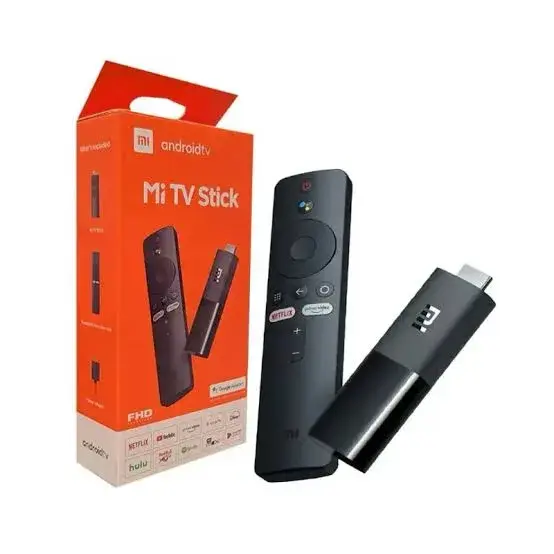
The Mi TV Stick HD, priced at Ksh 6,600, is the most affordable device in Xiaomi's Kenyan streaming lineup. It runs genuine Android TV with Chromecast built in, tops out at Full HD (1080p) resolution, and includes the same Bluetooth voice remote with Google Assistant found across the rest of the family. Xiaomi's own product description positions it plainly: full HD streaming for Netflix, YouTube, and live sports, at the lowest genuine price point in the range.
This device makes sense for exactly one clear scenario: your television is Full HD or HD-ready, not 4K. If that's the case, paying more for a 4K-capable stick buys you nothing extra, since your screen simply cannot display resolution beyond what it was built for. It's also a sensible pick for a secondary TV in a bedroom, guest room, or kitchen, where the absolute best picture quality matters less than simply having a reliable, genuine smart streaming experience at the lowest possible cost.
Xiaomi Mi TV Stick 4K (1st Gen): The Affordable 4K Upgrade
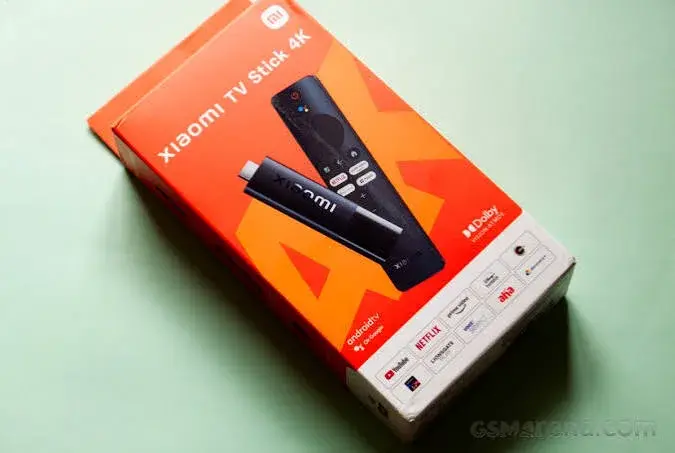
The Mi TV Stick 4K (1st Gen), priced at Ksh 6,720, sits just Ksh 120 above the HD model but represents a genuinely meaningful upgrade: 4K Ultra HD resolution with HDR10 support and Dolby Audio, running the same Android TV with Chromecast built in as the HD stick, on dual-band Wi-Fi rather than the HD stick's standard Wi-Fi.
For a Kenyan household with a genuine 4K television who wants the most affordable way into a proper 4K streaming experience with authentic Google software, this is very often the smartest entry point in the entire range. The jump from the HD stick to this one costs almost nothing extra, yet unlocks the resolution, HDR, and improved Wi-Fi that a 4K TV actually needs to look its best.
Xiaomi Mi TV Stick 4K 2nd Gen: The Meaningful Mid-Tier Leap
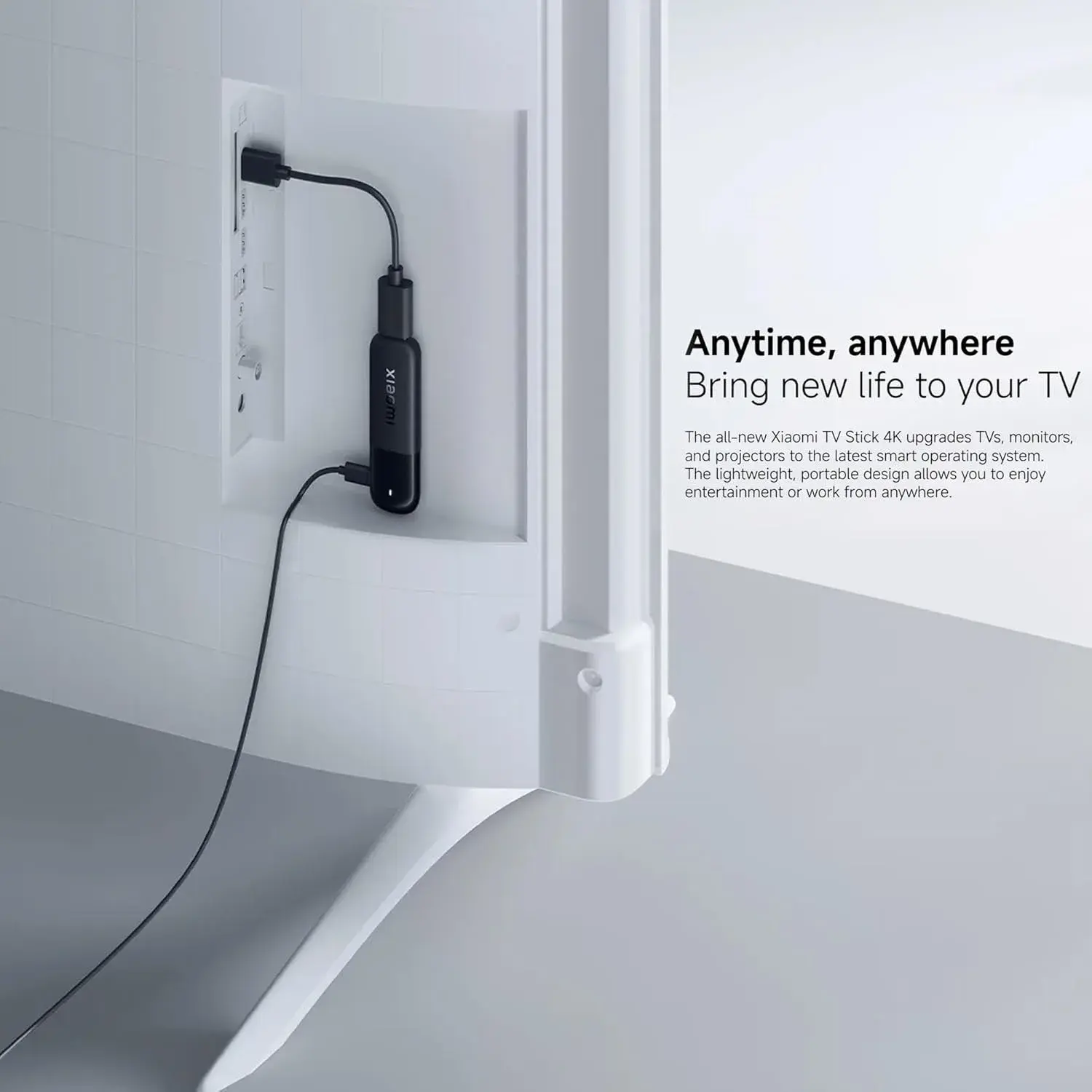
The Mi TV Stick 4K 2nd Gen, priced at Ksh 8,500, is a considerably bigger step up than its name might suggest. According to Xiaomi's own specifications, it delivers 80% faster CPU performance and 150% better graphics performance than the 1st Gen, thanks to its quad-core Cortex-A55 chip clocked at 2.5GHz paired with a dedicated Mali-G310 V2 GPU. It also moves to Google TV 14 — a genuinely different, more visually rich, content-first interface than the 1st Gen's plain Android TV — and upgrades connectivity to Wi-Fi 6 and Bluetooth 5.2. Audio steps up from Dolby Audio to Dolby Atmos and DTS:X, and HDR expands from HDR10 to Dolby Vision and HDR10+.
This is the device to choose if you want the best possible day-to-day experience in a stick form factor — snappier navigation, more stable streaming in a crowded Nairobi apartment building's Wi-Fi environment, and noticeably richer picture and sound quality on a capable television and sound system, all without stepping up to a bulkier set-top box.
Xiaomi Mi Box S 3rd Gen: The Most Capable Device in the Lineup
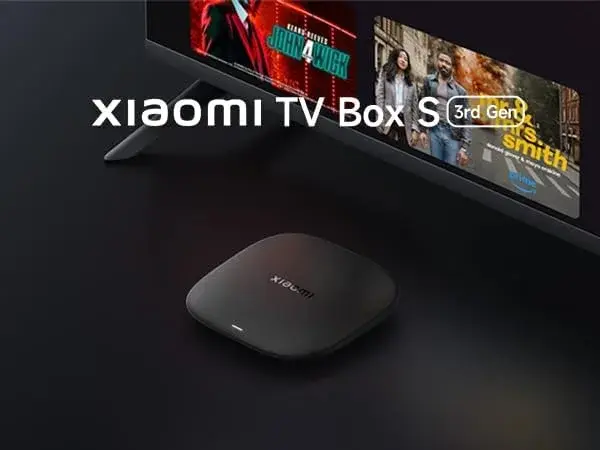
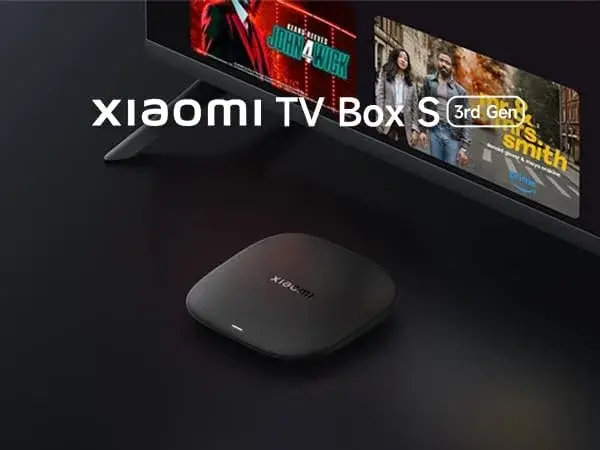
The Mi Box S 3rd Gen, priced at Ksh 8,400, sits almost exactly at the same price as the Mi TV Stick 4K 2nd Gen but takes a different form factor — a compact set-top box rather than a stick — and pushes storage considerably further: 32GB, against the 2nd Gen stick's 8GB. It shares the same Cortex-A55 chip at 2.5GHz, the same Google TV 14 software, the same Wi-Fi 6 and Bluetooth 5.2, and the same Dolby Atmos and DTS:X audio support as the 4K 2nd Gen stick, but adds a genuinely newer HDMI 2.1a port for better compatibility with the latest televisions and AV receivers.
This is the device for anyone who wants the most headroom for installing a large number of apps and games, prefers a box sitting on a shelf rather than a stick tucked behind the TV, or is pairing their streaming device with a newer, higher-end television setup where HDMI 2.1a's extra bandwidth and features genuinely matter.
Head-to-Head: Mi TV Stick HD vs. Mi TV Stick 4K (1st Gen)
This comparison comes down almost entirely to one question: does your TV support 4K? If yes, the 1st Gen 4K stick is the clear pick — it costs barely more than the HD stick, and delivers 4K Ultra HD resolution, HDR10, Dolby Audio, and faster dual-band Wi-Fi in exchange for that small price difference. If your television is Full HD, the extra resolution and HDR support on the 4K stick genuinely cannot display on your screen, making the cheaper HD stick the more sensible, equally capable choice for your specific setup. Buying the 4K stick for a Full HD TV isn't wrong, exactly — it just means paying slightly more for features your screen can't use.
Head-to-Head: Mi TV Stick 4K (1st Gen) vs. Mi TV Stick 4K 2nd Gen
This is one of the more consequential comparisons in the range, because the price gap (roughly Ksh 1,780) is more meaningful here than between the HD and 1st Gen 4K models, and the upgrade is genuinely substantial rather than cosmetic. The 2nd Gen's 80% faster CPU and 150% improved graphics performance translate directly into a noticeably snappier day-to-day experience — faster app launches, smoother scrolling through Google TV's richer, more animation-heavy interface, and less waiting around navigating menus. Its move to Wi-Fi 6 also means meaningfully more stable streaming in a busy Nairobi household or apartment block, compared to the 1st Gen's dual-band Wi-Fi.
If your budget comfortably stretches to the 2nd Gen, it's worth the extra cost for almost every kind of user — the improved responsiveness alone is noticeable within the first few minutes of use. The 1st Gen remains a perfectly reasonable choice specifically for buyers on a tighter budget who mainly want straightforward 4K streaming without needing the snappiest possible interface or the most robust Wi-Fi performance.
Head-to-Head: Mi TV Stick 4K 2nd Gen vs. Mi Box S 3rd Gen
Since these two devices are priced almost identically and share nearly the same core internals — the same chip family, the same Google TV 14 software, the same Wi-Fi 6 and Bluetooth 5.2, and the same Dolby Atmos and DTS:X audio support — this comparison comes down to three practical differences rather than raw performance.
Storage: The Mi Box S 3rd Gen's 32GB dwarfs the 2nd Gen stick's 8GB. If you plan to install a large number of apps, games, or media-heavy streaming services simultaneously, the Mi Box S 3rd Gen gives you considerably more room to do that without needing to manage storage actively.
HDMI standard: The Mi Box S 3rd Gen's HDMI 2.1a port is a genuinely newer standard than the port on the 2nd Gen stick, offering better compatibility and higher bandwidth for newer, higher-end televisions and AV receivers. For most typical Kenyan households and mid-range televisions, this difference won't be noticeable day to day, but it matters more the newer and more capable your TV and sound system are.
Form factor: The Mi Box S 3rd Gen sits as a small box beside or beneath your TV, connected by a short HDMI cable, while the 2nd Gen stick plugs directly into the HDMI port and disappears behind the television entirely. Some households prefer the box for easier cable management and marginally better heat dissipation during long sessions; others prefer the stick specifically because it's more compact, more portable, and leaves no visible clutter near the TV.
For most buyers weighing these two directly, the decision is genuinely about form factor and storage needs rather than one being objectively better — both deliver the same core Google TV 14 experience at essentially the same price.
Head-to-Head: Mi TV Stick HD vs. Mi Box S 3rd Gen
This is the widest gap in the entire lineup, spanning roughly Ksh 1,800 in price and a considerable difference in capability. The Mi TV Stick HD is built specifically for Full HD televisions and lighter, more casual streaming use, running the older Android TV platform on more modest, unspecified hardware. The Mi Box S 3rd Gen is Xiaomi's flagship Kenyan streaming device, built for genuine 4K televisions, heavier app and game usage, and households that want the newest Google TV 14 software with maximum storage headroom and the most current connectivity standards. These two devices are essentially built for opposite ends of the same product family — matching either one to the wrong television or usage pattern means either overpaying for capability you can't use, or under-buying for a setup that deserves more.
Which Xiaomi Streaming Device Should You Actually Buy? A Practical Decision Guide
Rather than treating this as a pure spec comparison, it's worth walking through the decision the way most Kenyan buyers actually need to make it.
If your TV is Full HD, not 4K: Buy the Mi TV Stick HD (Ksh 6,600). Nothing else in this lineup will improve your picture quality on that specific screen, and the extra money spent on a 4K-capable device would be wasted.
If your TV is 4K and you're on a tight budget: Buy the Mi TV Stick 4K (1st Gen) (Ksh 6,720). It's barely more expensive than the HD stick, and unlocks the resolution, HDR10, and improved Wi-Fi your 4K screen can actually use.
If your TV is 4K and you want the smoothest, most capable stick experience: Buy the Mi TV Stick 4K 2nd Gen (Ksh 8,500). The 80% faster CPU, 150% improved graphics, Wi-Fi 6, and Dolby Atmos with DTS:X audio genuinely change how the device feels in daily use, particularly if your household streams heavily or lives in a Wi-Fi-crowded apartment building.
If you want maximum storage, the newest HDMI standard, or simply prefer a box over a stick: Buy the Mi Box S 3rd Gen (Ksh 8,400). It delivers essentially the same core experience as the 4K 2nd Gen stick, with considerably more storage headroom and a more current HDMI port, in a set-top box form factor.
If you're setting up multiple TVs in the same household on a budget: Consider mixing tiers deliberately — the Mi TV Stick HD or 1st Gen 4K stick for a secondary bedroom or kitchen TV, and the 4K 2nd Gen stick or Mi Box S 3rd Gen for your main living room television, rather than buying the same device for every screen in the house regardless of what each TV actually needs.
Software Differences That Actually Matter: Android TV vs. Google TV 14
It's worth spending extra time on this, since it's the single biggest software difference across the range and isn't always obvious from a spec sheet alone. The Mi TV Stick HD and Mi TV Stick 4K (1st Gen) both run plain Android TV with Chromecast built in — a functional, genuine Google TV platform, but an older interface generation. The Mi TV Stick 4K 2nd Gen and Mi Box S 3rd Gen both run Google TV 14, Google's newer, more personalized, content-first platform, with a stronger emphasis on cross-app recommendations, a dedicated "For You" tab, and profile-based personalization for different household members.
Both software generations are genuine, officially licensed, and properly supported by Google and Xiaomi — this isn't a case of one being legitimate and the other not. But if the interface itself is something you'll interact with daily (browsing for something to watch, searching across apps, switching between profiles), the newer Google TV 14 experience on the two higher-tier devices is a genuinely nicer, more modern piece of software to use day to day than the older Android TV interface on the two entry-level sticks.
Price in Kenya: Full Range Summary
Here's the complete genuine pricing picture across Xiaomi's Kenyan streaming lineup as currently listed:
- Xiaomi Mi TV Stick HD: Ksh 6,600
- Xiaomi Mi TV Stick 4K (1st Gen): Ksh 6,720
- Xiaomi Mi TV Stick 4K 2nd Gen: Ksh 8,500
- Xiaomi Mi Box S 3rd Gen: Ksh 8,400
Notice how tightly bunched the entry pair and the flagship pair each are — barely Ksh 120 separates the HD stick from the 1st Gen 4K stick, and barely Ksh 100 separates the 4K 2nd Gen stick from the Mi Box S 3rd Gen. This is genuinely useful to know before you shop: within each pair, the more capable device is almost never meaningfully more expensive, so the decision comes down to your TV's resolution and your form-factor preference, rather than budget alone.
Buying Safely in Kenya: What to Confirm Before You Pay for Any of These
Because these four devices share overlapping names and sit close together in price, a handful of practical checks are worth doing regardless of which one you're buying:
- Confirm the exact model name and generation — "Mi TV Stick 4K" without specifying 1st Gen or 2nd Gen can refer to meaningfully different hardware and software.
- Confirm whether it runs Android TV or Google TV 14, since this is the clearest way to distinguish the entry-level sticks from the higher-tier devices if the generation itself is ambiguous in a listing.
- Check the RAM and storage figures explicitly for the 4K 2nd Gen and Mi Box S 3rd Gen, since the storage gap (8GB vs. 32GB) is one of the biggest practical differences between them.
- Ask about warranty terms explicitly, and get the specific duration confirmed in writing rather than assumed.
- Verify what's included in the box — the stick or box itself, the Bluetooth voice remote, HDMI extender (for stick models), and power adapter should all be present.
- Be cautious of prices dramatically below the ranges listed above, which can signal an undisclosed used unit, a mislabelled generation, or a grey-market device.
Why City Gadgets Kenya Is Worth Making Your Starting Point
Given how easily these four devices can be confused with each other, City Gadgets Kenya lists every Xiaomi streaming device with its exact generation, chip, RAM, storage, and software platform stated clearly upfront — no ambiguous "4K" listings that could mean any one of three different products. Every unit is genuine Xiaomi hardware, brand new and sealed, backed by a stated 12-month official brand warranty, with same-day delivery available within Nairobi and countrywide shipping across Kenya, and payment options including M-Pesa, card, or cash on delivery.
Browse the full Xiaomi streaming lineup, compare specs side by side, and reach out via WhatsApp to confirm current stock and pricing before you buy — or browse individual listings directly: the Mi TV Stick HD, the Mi TV Stick 4K (1st Gen), the Mi TV Stick 4K 2nd Gen, and the Mi Box S 3rd Gen.
What All Four Devices Share in Common
It's worth closing the individual comparisons by highlighting what doesn't change across the range, since these shared strengths are exactly why choosing "a Xiaomi streaming device" in the first place, regardless of which tier, is a genuinely sound decision for a Kenyan household.
Genuine Google-licensed software. Every device in this lineup runs authentic Android TV or Google TV software with the real Google Play Store — not a derivative platform, and not an uncertified generic build.
Bluetooth voice remote with Google Assistant. Every device includes a Bluetooth voice remote with Google Assistant built in, letting you search by voice, launch apps, and control compatible smart home devices without a separate speaker.
Chromecast or native casting support. Whether running Android TV or Google TV 14, every device supports casting content directly from a phone or laptop without a separate app.
A 12-month official warranty when bought genuinely. Every device, when sourced through an accountable retailer, comes with proper manufacturer-backed warranty coverage — a genuine advantage over unbranded alternatives.
The same simple setup process. Plug into HDMI, connect power, follow the on-screen prompts, sign in with a Google account, and start installing apps — typically under fifteen minutes from box to first stream, regardless of which tier you choose.
Comparing the Whole Range Against Buying a New Smart TV
It's worth stepping back and putting the entire lineup into financial perspective. Even the priciest device in this comparison, the Mi Box S 3rd Gen at Ksh 8,400, sits at a tiny fraction of the cost of a genuinely capable new smart TV. For any Kenyan household with a television whose picture is still good but whose smart features have become slow, outdated, or nonexistent, any one of these four Xiaomi devices — matched correctly to your TV's resolution and your household's actual usage habits — represents one of the most cost-effective home entertainment upgrades available in Kenya's market today, without the expense of a full television replacement.
Common Mistakes to Avoid When Choosing Between These Four Devices
A few recurring patterns are worth actively avoiding. Buying a 4K-capable device for a Full HD television wastes money on resolution and HDR support your screen can't display — always check your TV's actual maximum resolution first. Confusing the 1st Gen and 2nd Gen 4K sticks is an easy trap given the near-identical names, despite the 2nd Gen's substantially faster hardware and different software platform — always confirm the generation and operating system explicitly. Assuming the Mi Box S 3rd Gen is automatically "better" than the 4K 2nd Gen stick simply because it's a box overlooks that their core performance is nearly identical — the real differences are storage, HDMI standard, and form factor, not raw speed. And not comparing warranty terms across sellers before choosing where to buy can leave you without recourse if a unit develops a fault, regardless of which device you ultimately pick.
Frequently Asked Questions
What's the difference between the Xiaomi Mi TV Stick HD and Mi TV Stick 4K? The HD stick tops out at Full HD (1080p) resolution, while the 4K stick supports genuine 4K Ultra HD with HDR10 and Dolby Audio, plus faster dual-band Wi-Fi. Choose the 4K version only if your television actually supports 4K.
What's the difference between the Mi TV Stick 4K 1st Gen and 2nd Gen? According to Xiaomi's own specifications, the 2nd Gen delivers 80% faster CPU performance and 150% better graphics, runs the newer Google TV 14 software instead of Android TV, and upgrades to Wi-Fi 6, Bluetooth 5.2, Dolby Vision, HDR10+, and Dolby Atmos with DTS:X audio.
What's the difference between the Mi TV Stick 4K 2nd Gen and the Mi Box S 3rd Gen? Both share nearly identical core hardware, chip, and Google TV 14 software. The Mi Box S 3rd Gen offers considerably more storage (32GB vs. 8GB) and a newer HDMI 2.1a port, in a set-top box form factor rather than a stick.
Which Xiaomi streaming device is the best value in Kenya? For a genuine 4K television, the Mi TV Stick 4K 2nd Gen (Ksh 8,500) offers the strongest overall balance of speed, software, and connectivity for the price. For a Full HD television, the Mi TV Stick HD (Ksh 6,600) delivers everything that screen can display at the lowest cost.
Do all four devices support Chromecast? Yes — all four run either Android TV with Chromecast built in, or Google TV 14 with native casting support, so casting from a phone or laptop works on every device in the range.
Do I need a smart TV to use any of these devices? No — any of the four turns a TV with a free HDMI port, smart or not, into a fully capable streaming device.
Are all four devices genuine and covered by warranty in Kenya? When bought through an accountable retailer, yes — every device in this lineup should come with a 12-month official brand warranty and genuine Xiaomi hardware. Always confirm this explicitly with any seller before paying.
Where can I buy any of these Xiaomi streaming devices in Nairobi? City Gadgets Kenya stocks the full Xiaomi streaming lineup — Mi TV Stick HD, Mi TV Stick 4K (1st Gen), Mi TV Stick 4K 2nd Gen, and Mi Box S 3rd Gen — each clearly specified by generation, with honest warranty terms stated upfront. Reach out via WhatsApp to confirm current stock and pricing.
Final Verdict: Choosing the Right Device From the Whole Family
There's no single "best" device across this entire Xiaomi streaming lineup in Kenya — there's only the right device for your specific television and household. Match your TV's actual resolution first: Full HD gets the Mi TV Stick HD, genuine 4K gets one of the three 4K-capable options. From there, match your budget and preferences: the 1st Gen 4K stick for the most affordable genuine 4K entry point, the 2nd Gen stick for the smoothest, most modern stick experience, and the Mi Box S 3rd Gen for maximum storage, the newest HDMI standard, or a box rather than a stick. All four share the same genuine Google software backbone, the same reliable voice remote experience, and the same manufacturer accountability that sets Xiaomi apart from Kenya's flood of unbranded generic Android boxes — the only real decision left is which tier actually fits your TV and your household.
Browse the complete genuine Xiaomi streaming device range at City Gadgets Kenya, or reach out on WhatsApp to confirm current pricing and stock before you buy.