Where to Buy the Xiaomi Mi TV Stick 4K (1st Gen) in Nairobi: Full Guide and Honest Verdict
If you've been comparing streaming sticks in Nairobi's electronics shops or scrolling through online listings looking for a genuine Android TV box in stick form, you've probably run into the Xiaomi Mi TV Stick 4K. Unlike the Fire TV Stick lineup, which runs Amazon's own Fire OS built on top of Android, the Mi TV Stick 4K runs genuine Android TV with Chromecast built in — the real Google-approved software experience, in Xiaomi's compact, pocket-sized stick form factor rather than a full set-top box. For Kenyan households who want authentic Android TV specifically in a stick rather than a box, this is genuinely the device this guide exists to explain.
This is a long, deliberately thorough guide, because buying the wrong streaming device in Kenya's crowded electronics market is a genuinely common, avoidable mistake — one that usually ends with a drawer full of half-used gadgets and a TV that's still not quite doing what you wanted. Let's get into exactly what the Xiaomi Mi TV Stick 4K is, how it compares to Xiaomi's own Mi Box S and Amazon's Fire TV Stick lineup, and where to buy a genuine one in Nairobi.
First, an Honest Clarification: Is This Actually an "Android TV Box"?
It's worth being upfront and clear about this, since it's precisely where the Mi TV Stick 4K differs from most of the competing streaming sticks in this category. Yes — genuinely, unambiguously. The Mi TV Stick 4K runs Android TV with Chromecast built in, Google's own official smart TV platform, with the Google Play Store as the primary way to install apps and a Bluetooth voice remote with Google Assistant integrated directly. This isn't a fork, a derivative, or a rebranded alternative running underneath a different manufacturer's shell — it's the genuine, licensed Android TV experience, the same broad software family found on Google's own Chromecast with Google TV devices and a wide range of other officially licensed Android TV hardware worldwide.
This matters because Kenyan electronics retailers list a huge range of devices under "Android Box" or "Android TV Box" categories, and not all of them are equally genuine. Some, like Amazon's Fire TV Stick lineup, run a derivative operating system with a different app store. Others are unbranded devices of unclear software origin. The Xiaomi Mi TV Stick 4K sits at the authentic end of that spectrum — genuine, licensed Android TV software with Chromecast built in, backed by a major, accountable manufacturer, all in a compact stick you plug directly into your TV.
So if you searched specifically for a genuine Android TV stick rather than an Amazon alternative or an anonymous generic box, you're in exactly the right place.
Why This Specific Device, and Not a Generic Android Box?
Nairobi's electronics market is genuinely flooded with generic, often unbranded "Android TV boxes" and sticks — small devices promising 4K, dual-band Wi-Fi, and Android app support, frequently at tempting prices. It's worth understanding honestly why the Xiaomi Mi TV Stick 4K is the smarter buy over most of these alternatives, rather than just asserting it.
Genuine, accountable manufacturer backing. The Mi TV Stick 4K is built and supported by Xiaomi, a globally recognized electronics manufacturer with real accountability, ongoing software support, and a genuine support infrastructure. Countless generic Android sticks sold informally in Kenya come from unclear manufacturing origins, with no consistent firmware updates, no genuine security patching, and no accountable company standing behind the product if something goes wrong.
Genuine Google certification. Because the Mi TV Stick 4K ships with officially licensed Android TV software and Chromecast built in, it's been through Google's own certification process for security, app compatibility, and Play Store access. Generic Android sticks frequently run unlicensed or improperly certified Android builds, which can mean patchy app compatibility, missing Google services, or app store access that isn't the genuine Google Play Store at all.
Chromecast built in, genuinely useful day to day. Because Chromecast is a native part of the software rather than an add-on, casting video, photos, or a browser tab from a phone or laptop directly to the TV works the way Google designed it to, without needing a separate casting app or dongle. This is a small but genuinely convenient feature that a lot of generic Android sticks either lack entirely or implement poorly.
Regular software and security updates. Xiaomi continues supporting its Mi TV Stick lineup with Android TV updates, security patches, and feature additions well after launch. Many generic Android sticks receive an update or two after launch, if any, then are abandoned entirely — a genuine security and longevity risk for a device permanently connected to your home network.
A genuine, full-sized app ecosystem. Because the Mi TV Stick 4K runs the authentic Google Play Store, you get access to the full, enormous catalogue of Android TV apps available worldwide — not a curated subset from a single manufacturer's own storefront, and not the uncertain, sometimes unofficial app stores that ship on generic sticks.
None of this means every generic Android stick is unusable — but it does mean the Xiaomi Mi TV Stick 4K removes a whole category of risk and uncertainty that comes bundled with Nairobi's more anonymous streaming device market, while delivering the genuine Android TV software many buyers are specifically looking for, at a genuinely accessible price.
Full Specifications: What You're Actually Getting
- Operating System: Android TV, with Chromecast built in
- Maximum Resolution: 4K Ultra HD
- HDR Support: HDR10
- Audio: Dolby Audio support for richer, fuller sound on compatible systems
- Connectivity: Dual-band Wi-Fi, Bluetooth
- Remote: Bluetooth voice remote with Google Assistant built in
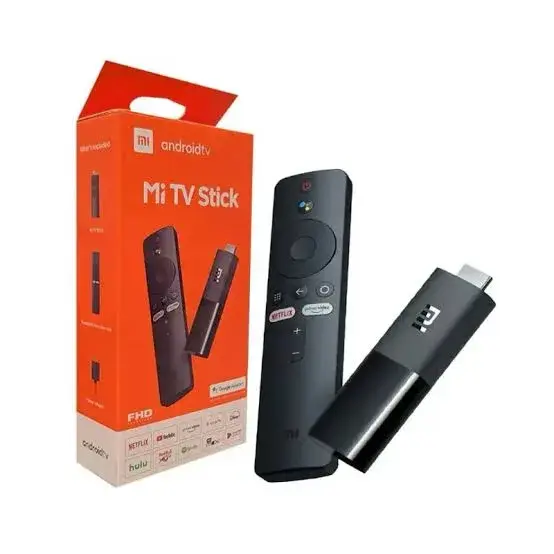
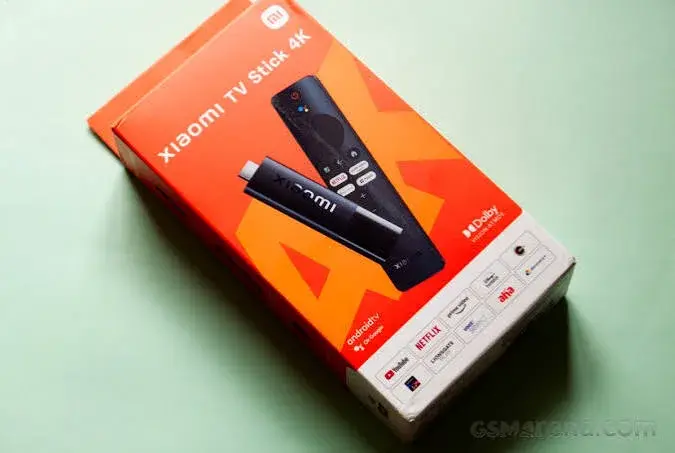
- In the Box: The stick itself, voice remote, HDMI extender, and power adapter
- Apps: Netflix, Prime Video, YouTube, Disney+, and the full range of apps available through the genuine Google Play Store
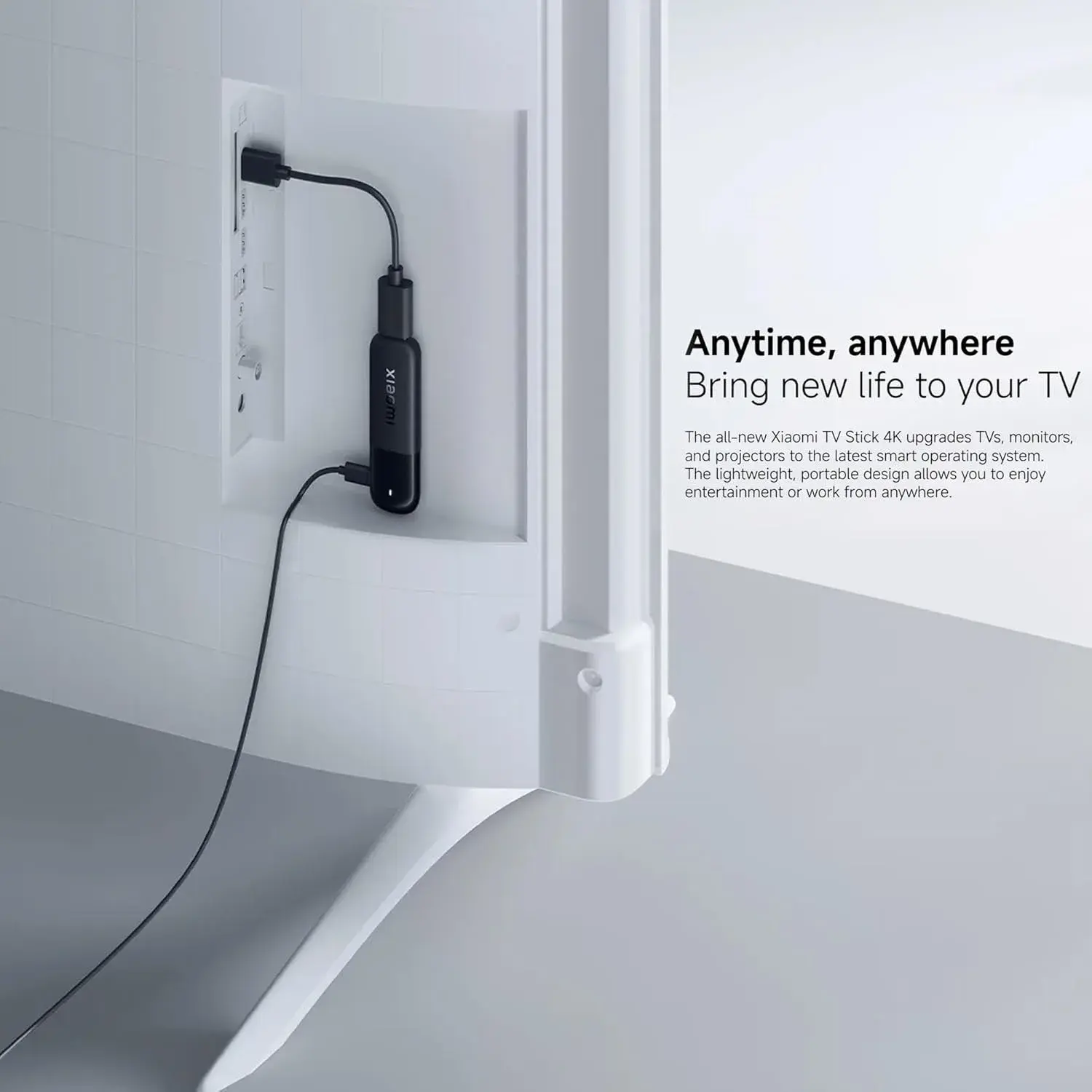
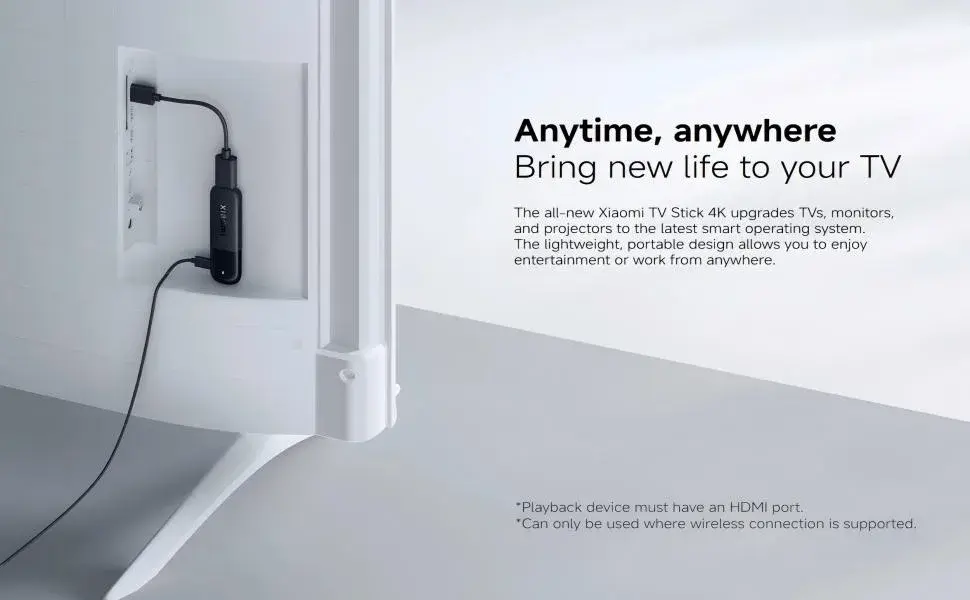
- Form Factor: A compact, pocket-sized stick that plugs directly into your TV's HDMI port — genuinely easy to pack for travel or move between rooms
Xiaomi Mi TV Stick 4K vs. the Xiaomi Mi Box S 3rd Gen: Stick or Box?
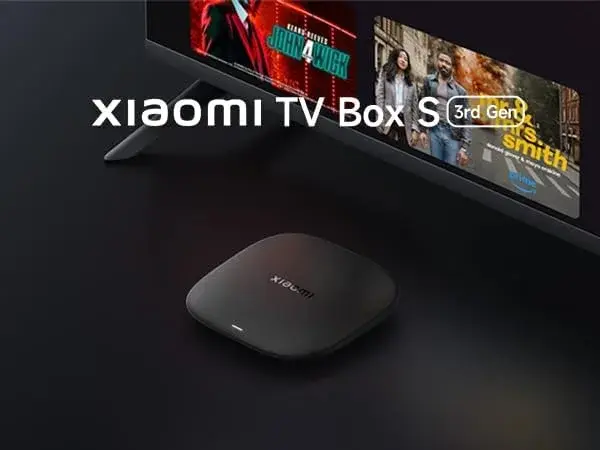
Since both devices come from Xiaomi and both run genuine Google-approved software, this is a natural comparison for anyone deciding between them. The Mi Box S 3rd Gen is a set-top box with a considerably more powerful processor, 32GB of storage against the Mi TV Stick 4K's more modest capacity, a newer HDMI 2.1a port, Wi-Fi 6, and Dolby Atmos with DTS:X audio — genuinely the more capable device on paper, and the better pick if you want the most headroom for installing many apps and games, or if you're pairing it with a newer, higher-end television and AV setup.
The Mi TV Stick 4K, meanwhile, is the more compact, more affordable, more portable option — a genuine Android TV experience in a form factor that tucks away behind the television entirely, or slips into a bag if you want to bring your streaming setup to a different house, a hotel room, or a rental property. For a straightforward, no-fuss genuine Android TV setup on a typical 4K television, without needing the Mi Box S 3rd Gen's extra processing headroom or storage, the Mi TV Stick 4K delivers the same core Google-approved software experience for meaningfully less money.
Xiaomi Mi TV Stick 4K vs. the Amazon Fire TV Stick Lineup: Which Ecosystem Do You Actually Want?
This is the comparison most Kenyan buyers weighing this device against the Fire TV Stick lineup are actually trying to work out, so it's worth answering directly and fairly. Amazon's Fire OS, running on the Fire TV Stick 4K, 4K 2nd Gen, and 4K Max, is built on top of Android but restyled entirely as Amazon's own experience, with Amazon's own app store as the primary installation route and Alexa as the built-in voice assistant. Android TV with Chromecast built in, running on the Mi TV Stick 4K, is Google's own official platform family, with the genuine Google Play Store and Google Assistant built in from the ground up, plus native Chromecast casting.
Neither is objectively "better" in every respect — they're different, equally legitimate approaches from two of the world's largest technology companies. If your household is already deep into the Google ecosystem — Android phones, Google Photos, Google Assistant-enabled smart home devices, a habit of casting content from a phone to the TV — the Mi TV Stick 4K's native Android TV and Chromecast integration will likely feel more immediately familiar and cohesive. If your household leans more toward Amazon's ecosystem, or you specifically want Alexa's voice assistant and smart home integration, the Fire TV Stick lineup is the more natural fit.
Price in Kenya: What to Actually Expect
Genuine Xiaomi Mi TV Stick 4K pricing across Kenyan retailers currently sits in a fairly tight band, generally landing somewhere around KES 6,500 to KES 7,500, depending on the retailer, included accessories, and stated warranty terms. A few things are worth understanding about this range before you buy:
Confirm you're being sold the 1st Gen specifically. Xiaomi also sells a 2nd Gen Mi TV Stick 4K with an upgraded Wi-Fi standard and genuine Google TV (rather than Android TV) software, typically at a somewhat higher price. Confirm which generation and which specific software platform you're being offered rather than assuming from the listing title alone, since the naming across these two generations is easy to conflate.
Warranty terms vary meaningfully between sellers. Some Kenyan retailers state a clear, specific warranty period upfront; others are noticeably vaguer about what happens if a unit develops a fault. This is worth confirming in writing before you commit, not after something goes wrong.
What's bundled can shift the price slightly. Genuine units typically include the Bluetooth voice remote, an HDMI extender cable, and a proper power adapter. A listing missing any of these at a similar price to a fully-bundled one isn't necessarily a better deal.
A price dramatically below this general range is worth treating with real caution — it's often a sign of a used or refurbished unit not disclosed as such, or in rarer cases a counterfeit or grey-market device without genuine Xiaomi backing behind it.
Setting Up Your Xiaomi Mi TV Stick 4K: What to Expect
Setup is refreshingly straightforward, and it's worth knowing exactly what to expect before you buy so there are no surprises once you get it home:
- Plug it into a free HDMI port on your television.
- Connect the included power adapter to a wall outlet — the Mi TV Stick 4K draws power from a proper adapter rather than relying on your TV's USB port, which genuinely matters for consistent 4K streaming performance.
- Switch your TV's input to the correct HDMI channel.
- Follow the on-screen setup process, connecting to your home Wi-Fi network and signing in with a Google account (free to create if you don't already have one).
- Install your streaming apps from the Google Play Store — Netflix, Prime Video, YouTube, Disney+, and most other major services are readily available.
The entire process typically takes under fifteen minutes from opening the box to your first show playing — genuinely one of the simplest streaming setups on the market, on par with any of the Fire TV Stick devices or the Mi Box S 3rd Gen.
What This Actually Replaces in Your Home
It's worth framing this practically: for a fraction of the cost of a genuinely "smart" TV, a Mi TV Stick 4K turns any existing television with an HDMI port — even an older, non-smart one — into a fully capable modern streaming hub running genuine Android TV software. If you've got a perfectly good TV that simply lacks smart features, or an older smart TV whose built-in apps have become slow and outdated, this is a genuinely cost-effective way to modernize your home entertainment setup without buying an entirely new television.
Comparing the Xiaomi Mi TV Stick 4K to Other "Android TV Box" Options in Kenya
It's worth being fair and specific about how this compares to the broader category of devices Kenyan buyers often lump together under "Android TV box."
Vs. unbranded generic Android sticks: As covered above, these vary enormously in quality, software support, licensing legitimacy, and safety. The Mi TV Stick 4K offers consistent, tested performance and genuine Google certification that generic alternatives frequently lack.
Vs. the Amazon Fire TV Stick lineup: As covered above, this comes down to ecosystem preference rather than one being objectively superior — genuine Android TV with the full Play Store and Chromecast built in, versus Amazon's own Fire OS experience with Alexa.
Vs. the Xiaomi Mi Box S 3rd Gen: As covered above, the Mi Box S 3rd Gen is the more powerful, more feature-rich box, while the Mi TV Stick 4K is the more compact, more affordable, more portable stick — both run genuine, Google-approved software.
Vs. built-in smart TV software: If your TV already has a genuinely capable, fast, up-to-date smart TV platform, a separate streaming stick may be less necessary. But for older smart TVs whose software has become slow and outdated over years of use, a Mi TV Stick 4K often delivers a meaningfully faster, more modern experience than the TV's own aging built-in software.
Buying Safely in Kenya
A few practical checks are worth doing before you commit to a purchase, given how much this category varies across sellers:
- Confirm the exact generation and operating system you're being sold — "Mi TV Stick 4K" without a generation specified can refer to the 1st Gen's Android TV software or the 2nd Gen's Google TV software, which aren't identical.
- Ask about warranty terms explicitly, and get them confirmed clearly rather than assuming coverage exists.
- Verify the device is genuine Xiaomi hardware, not a counterfeit or heavily discounted grey-market unit with unclear origins — a price dramatically below the going market rate is the clearest warning sign.
- Check what's included in the box — the device itself, the Bluetooth voice remote, HDMI extender (if applicable), and power adapter should all be present.
- Confirm delivery and support terms, particularly if ordering online rather than buying in person.
Why City Gadgets Kenya Is Worth Making Your Starting Point
Given everything covered in this guide — genuine hardware verification, honest generation and warranty clarity, and straightforward accountability if something goes wrong — City Gadgets Kenya is built to remove exactly the guesswork this category is otherwise full of. Every Xiaomi Mi TV Stick 4K we list is genuine Xiaomi hardware, clearly specified by generation, with honest warranty terms stated upfront rather than left ambiguous. You're not gambling on an unverified generic Android stick or an unclear grey-market unit — you're buying a properly sourced, accountable product from a business that's still here if you have questions after the sale.
Reach out via WhatsApp to confirm current stock and pricing, or browse the full listing directly at citygadgetskenya.co.ke.
Google Assistant and Chromecast: A Genuinely Different Smart Home Story
It's worth spending more time on the voice and casting experience itself, since it's a meaningfully different smart home story than Amazon's Alexa-based approach. The Mi TV Stick 4K's included Bluetooth voice remote integrates Google Assistant directly, letting you search for content, launch specific apps, and ask general questions by voice — checking the weather, setting a timer while cooking, or controlling compatible smart home devices — without needing a separate Google Nest speaker in the room.
Chromecast being built in natively adds a genuinely convenient second layer on top of that: anyone in the household with an Android phone, an iPhone, or a laptop running Chrome can cast video, photos, or a browser tab straight to the TV without opening a separate app or connecting an additional device, since the casting capability lives directly inside the stick's own software. For households already using Google Assistant-enabled smart home devices, the Mi TV Stick 4K becomes a genuine, natural extension of a smart home setup you likely already have some of the pieces for.
A Closer Look at the Android TV Interface Itself
Beyond the hardware, it's worth understanding what using the device day-to-day actually feels like, since interface quality is where a lot of budget streaming devices quietly disappoint buyers. Android TV's interface organizes content into clear, scrollable rows by app and category, with a dedicated search function that spans your installed apps simultaneously, surfacing results from Netflix, Prime Video, YouTube, and other services all at once for a given title. Because it's the genuine, licensed software rather than a derivative, app compatibility and updates arrive on the same schedule as other official Android TV devices, rather than depending on a single manufacturer's own update priorities.
This kind of software legitimacy is exactly the area where generic, unbranded Android sticks tend to fall short — often shipping with a bare-bones, unrefined launcher, patchy app compatibility, or a Play Store substitute of uncertain origin, undermining whatever hardware specs the stick might otherwise claim on paper.
Live TV and Free Content: What Kenyan Households Can Actually Access
A common question from first-time buyers is whether a Mi TV Stick 4K gives you access to live television or requires every single channel to be paid separately. The honest answer is a mix: the device supports a wide range of subscription streaming services relevant to Kenyan households — Netflix, Prime Video, YouTube, Disney+, and others, all available through the genuine Google Play Store — alongside a genuine selection of free, ad-supported content available through apps like YouTube and other free-tier streaming services. This won't fully replace a traditional satellite or cable subscription for every channel a Kenyan household might want, but it meaningfully expands what's available beyond many generic streaming sticks' out-of-the-box offering, and it gives you the flexibility to add or drop specific paid subscriptions as your household's viewing habits change.
Comparing the Total Cost Against a Smart TV Purchase
It's worth putting this device's value into a broader financial perspective for Kenyan households weighing their home entertainment options. A genuinely capable new smart TV typically represents a significant household purchase, often requiring saving up or financing across weeks or months. The Xiaomi Mi TV Stick 4K, by contrast, sits at a small fraction of that cost, and delivers a comparable — in some respects more capable, given Xiaomi's regular Android TV software updates — smart streaming experience on whatever television you already own. For households where the existing TV's picture quality is still genuinely good but the "smart" features have become slow, outdated, or nonexistent, this represents one of the most cost-effective home entertainment upgrades available in Kenya's market today, freeing up budget for other household priorities rather than a full TV replacement.
Common Mistakes Kenyan Buyers Make in This Category
A few recurring patterns are worth actively avoiding when shopping for a streaming stick in Nairobi specifically. Assuming all "4K Android TV sticks" are equivalent is a common and costly mistake — a device supporting 4K resolution says nothing about its software licensing legitimacy, update support, or interface quality, all of which vary enormously between a genuine Mi TV Stick 4K and a generic alternative advertising the same resolution support. Confusing the 1st Gen and 2nd Gen models is another easy trap, since both share very similar names but run different Google TV platforms and Wi-Fi standards — always confirm exactly which generation and operating system you're being sold. Not asking about warranty terms upfront leaves buyers with no recourse if a unit fails within weeks, a genuinely avoidable risk given how many Kenyan retailers do offer clear warranty terms if you simply ask. And assuming a generic Android stick's marketing claims match its actual real-world performance is a trap worth avoiding — specifications on a box or listing don't always reflect tested, real-world software optimization or genuine Google certification, which is precisely where an accountable, mainstream device like the Xiaomi Mi TV Stick 4K earns its higher trust relative to unverified alternatives.
Frequently Asked Questions
Is the Xiaomi Mi TV Stick 4K actually an Android TV box? Yes, genuinely and officially — it runs Android TV with Chromecast built in, Google's own licensed smart TV software, with the real Google Play Store and Google Assistant, unlike alternatives that run derivative or forked operating systems.
What's the difference between the Xiaomi Mi TV Stick 4K and the Amazon Fire TV Stick lineup? The Mi TV Stick 4K runs genuine Android TV with the full Google Play Store, Google Assistant, and native Chromecast casting, while Fire TV Sticks run Amazon's own Fire OS with Amazon's app store and Alexa. Neither is objectively better — it comes down to which ecosystem, Google's or Amazon's, your household already uses.
What's the difference between the Xiaomi Mi TV Stick 4K and the Xiaomi Mi Box S 3rd Gen? The Mi Box S 3rd Gen is a more powerful set-top box with more storage, a newer HDMI standard, Wi-Fi 6, and Dolby Atmos audio. The Mi TV Stick 4K is the more compact, more affordable, more portable stick form factor, running a similarly genuine Google-approved software experience.
Do I need a smart TV to use this device? No — that's precisely its purpose. Any TV with a free HDMI port, smart or not, becomes a fully capable streaming device once you plug in the Xiaomi Mi TV Stick 4K.
Does the Mi TV Stick 4K support Chromecast? Yes — Chromecast is built directly into the software, so casting video, photos, or a browser tab from a compatible phone or laptop works natively without a separate app.
How much does the Xiaomi Mi TV Stick 4K cost in Kenya? Genuine pricing across Kenyan retailers typically ranges from roughly KES 6,500 to KES 7,500, depending on generation, retailer, and included accessories or warranty terms. At City Gadgets Kenya it's priced at Ksh 6,720.
Is it safe to buy a Xiaomi Mi TV Stick 4K from an unfamiliar Nairobi seller? Verify the exact generation and operating system, confirm warranty terms explicitly, and be cautious of prices dramatically below the typical market range, which can signal an undisclosed used unit or a grey-market device.
Where can I buy a genuine Xiaomi Mi TV Stick 4K in Nairobi? City Gadgets Kenya stocks genuine Xiaomi Mi TV Stick 4K (1st Gen) units with clear generation specification and honest warranty terms stated upfront — reach out via WhatsApp to confirm current stock and pricing.
Final Word
If you searched for a genuine Android TV box in Nairobi and specifically wanted it in a compact, affordable stick rather than a bulkier set-top box or an Amazon alternative, the Xiaomi Mi TV Stick 4K is a genuinely well-earned answer, not just a convenient marketing category it happens to sit in on shop websites. Authentic, officially licensed Android TV software with Chromecast built in, a genuinely capable Google Assistant voice remote, Dolby Audio for richer sound, and the accountability of a globally recognized manufacturer all combine to make this one of the smartest, most genuine budget Android TV purchases available in Kenya's electronics market right now.
Browse genuine Xiaomi Mi TV Stick 4K stock and home entertainment accessories at City Gadgets Kenya, or reach out on WhatsApp to confirm current pricing and stock before you buy.