
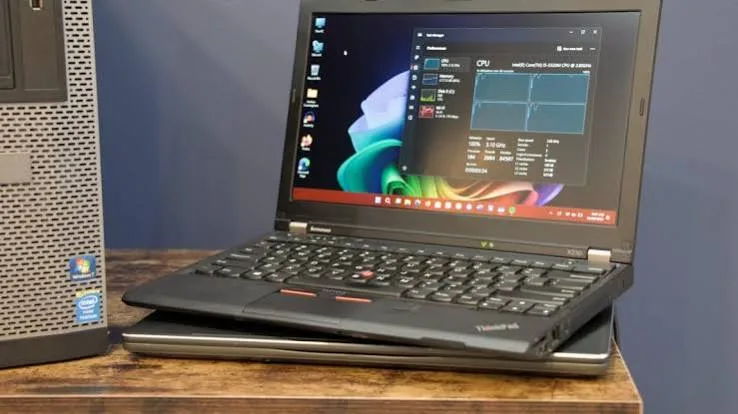
Windows 11's release brought a genuinely unusual complication for refurbished laptop buyers specifically: unlike most previous Windows upgrades, which ran on virtually any hardware capable of running the previous version, Windows 11 introduced hardware requirements that meaningfully exclude a considerable range of older, still-genuinely-capable laptops from official support. This piece explains exactly what these requirements are, why they exist, and what Kenyan buyers should genuinely know before assuming any refurbished laptop can simply upgrade to the latest Windows version, relevant across our entire catalog at City Gadgets Kenya.
The Core Requirement: TPM 2.0, Explained
The single most significant, and most commonly misunderstood, Windows 11 requirement is TPM (Trusted Platform Module) version 2.0 — a hardware security chip, briefly mentioned in our business-versus-consumer laptops piece, that provides hardware-based encryption and system integrity verification. Microsoft made TPM 2.0 a genuine, non-negotiable requirement for official Windows 11 support, a security-focused decision reflecting Microsoft's broader push toward hardware-backed security as standard, rather than an arbitrary way to force hardware obsolescence, as some initial public reaction assumed.
Why this specifically affects refurbished buyers: TPM 2.0 chips became standard across most business laptops from roughly 2016-2017 onward, meaning many otherwise perfectly capable refurbished laptops from before this period, common across the ex-UK refurbished supply chain discussed throughout our catalog, technically fall short of Windows 11's official requirements — not because the laptop is genuinely too weak to run Windows 11's actual software, but specifically because of this security chip requirement.
Other Windows 11 Requirements Worth Understanding
Beyond TPM 2.0, Windows 11 specifies a few additional requirements worth knowing, though they exclude fewer refurbished laptops in practice than the TPM requirement does.
A supported 8th generation or newer Intel processor (or equivalent AMD generation) is officially required, connecting directly to the generational guidance throughout our dedicated Intel Core generations piece — though it's worth noting some 7th generation processors have unofficially proven capable of running Windows 11 despite falling just outside Microsoft's official supported list.
UEFI firmware with Secure Boot capability, a more modern alternative to the older BIOS firmware standard, is required — most laptops from the TPM 2.0 era discussed above also include this capability, since the two requirements emerged around a broadly similar hardware generation.
4GB RAM minimum and 64GB storage minimum represent Windows 11's baseline requirements, though as emphasised throughout our dedicated 16GB RAM buying guide, these minimums are genuinely far below what's needed for comfortable actual use — meeting the bare minimum requirement doesn't mean a laptop will run Windows 11 comfortably in practice.
Can You Install Windows 11 on a Laptop That Doesn't Officially Meet These Requirements?
This is worth addressing directly, since it's a genuinely common question among Kenyan buyers considering older refurbished hardware. Microsoft does provide workaround methods allowing Windows 11 installation on hardware lacking official TPM 2.0 support, though this comes with genuine trade-offs worth understanding honestly before pursuing this path.
The genuine risks of unsupported installation: Microsoft has stated that devices running Windows 11 without meeting official requirements may not receive updates, including security updates, reliably — a genuine practical concern for long-term use, since security updates matter considerably for any laptop handling sensitive information, as discussed throughout our accountants and NGO field work buying guides. Additionally, unsupported installations carry some risk of stability issues that Microsoft hasn't specifically tested and validated against this hardware combination.
Is Windows 11 Genuinely Necessary, or Is Windows 10 Still a Reasonable Choice?
It's worth addressing this directly and honestly, since assuming "newest is always necessary" isn't the genuinely correct framing for every buyer.
Windows 10 remains genuinely functional and secure for laptops that don't meet Windows 11's requirements, with Microsoft providing extended support timelines for Windows 10 specifically to accommodate this transition period — meaning a refurbished laptop running Windows 10 isn't immediately insecure or non-functional simply because it can't upgrade to Windows 11.
The practical decision framework: if your priority is running current, actively-updated Windows with the newest features and longest forward-looking support timeline, prioritising a laptop meeting Windows 11's official requirements (generally 8th generation processors or newer, as discussed above) is the safer long-term choice. If your budget favours an older, more accessible unit and your software needs are genuinely light, Windows 10 on slightly older hardware remains a reasonable, functional choice for the remainder of its support window.
How to Check Windows 11 Compatibility Before Buying
Microsoft provides an official "PC Health Check" tool specifically for this purpose, which any buyer can run on a specific unit (or ask their seller to run) to receive a clear, direct compatibility confirmation rather than needing to manually verify each individual requirement discussed throughout this piece. This is genuinely the most straightforward, reliable verification method available, worth requesting from your seller as part of the specification confirmation process emphasised throughout our buying checklist guide.
What This Means Practically for Different Kenyan Buyer Profiles
Connecting this back to the profession-specific guidance throughout our catalog: buyers prioritising maximum long-term software support and security updates, particularly those handling sensitive data as discussed in our accountants and NGO field work buying guides, should genuinely prioritise Windows 11-compatible hardware (8th generation processors or newer with TPM 2.0). Buyers on the most accessible budget tiers, as discussed in our under-KES-25,000 buying guide, can reasonably accept Windows 10 on older, still-functional hardware, understanding the trade-offs discussed throughout this piece rather than assuming this represents an unacceptable compromise.
Practical Workaround Methods, and Their Genuine Limitations
For buyers who do want to attempt installing Windows 11 on hardware lacking official TPM 2.0 support, it's worth understanding the general approaches available, while maintaining honest awareness of their limitations. Microsoft provides registry modification methods allowing installation to proceed despite failing the standard hardware check, and various third-party tools have emerged specifically to automate this bypass process. Both approaches genuinely work in the sense that Windows 11 will install and generally run on the hardware afterward, but neither changes Microsoft's stated position that such installations may not receive guaranteed ongoing update support — meaning buyers pursuing this path should treat it as a functional but not fully supported configuration, worth reserving for less critical use cases rather than laptops handling the sensitive data discussed throughout our accountants and NGO field work buying guides, where guaranteed security update reliability matters more.
Why Microsoft Made This Genuinely Controversial Decision
It's worth understanding Microsoft's own stated reasoning, since this decision drew genuine, widespread criticism at launch precisely because it excluded so much otherwise-functional hardware. Microsoft's position centred on a broader industry shift toward treating hardware-backed security as a baseline expectation rather than an optional enhancement, citing rising ransomware and firmware-level attack sophistication as justification for requiring TPM 2.0 specifically. Critics, meanwhile, argued this decision prioritised a security posture improvement that most everyday users would never specifically benefit from over the practical, environmental, and cost concerns of excluding large amounts of genuinely capable existing hardware — a debate that remains genuinely unresolved in the sense that reasonable people continue disagreeing about whether this trade-off was correctly balanced, even as the requirement itself remains firmly in place.
Frequently Asked Questions
Will my refurbished laptop tell me directly whether it supports Windows 11 before I buy? Not automatically, but you or your seller can run Microsoft's official PC Health Check tool to get a clear, direct answer — worth requesting this confirmation before purchase if Windows 11 compatibility matters to you.
Is it dangerous to keep using Windows 10 if my laptop can't upgrade to Windows 11? Not immediately, given Microsoft's extended support timeline for Windows 10, though it's worth staying aware of official support end dates and planning accordingly for your laptop's longer-term software lifecycle.
Does TPM 2.0 absence mean my laptop's hardware is genuinely weak or outdated? Not necessarily in terms of raw processing capability — TPM 2.0 is specifically a security chip requirement, separate from general processing power, meaning a laptop can be genuinely capable for everyday tasks while still lacking this specific security hardware if it predates the era when TPM 2.0 became standard.
Can I add a TPM 2.0 chip to an older laptop that lacks one? Generally not practically for most laptops — TPM is typically integrated into the motherboard or processor design itself, not a separately upgradeable component the way RAM sometimes is, as discussed in our dedicated RAM upgrade piece.
Should I avoid buying a refurbished laptop that doesn't meet Windows 11's official requirements? Not necessarily — as discussed throughout this piece, Windows 10 remains a genuinely functional, secure choice for the remainder of its support window, making older hardware still a reasonable purchase for buyers with lighter needs or tighter budgets.
Does City Gadgets Kenya confirm Windows 11 compatibility for laptops in the catalog? Yes — we can confirm this specification alongside processor generation and other details when you're evaluating a specific unit, helping you make an informed decision based on your own priorities discussed throughout this piece.
Find Windows 11-Ready or Dependable Windows 10 Laptops at City Gadgets Kenya
Every laptop at City Gadgets Kenya has its exact specifications, including Windows compatibility, confirmed and clearly stated, backed by a genuine 6-month warranty. Browse our laptops category or message us on WhatsApp to confirm Windows 11 readiness for any specific unit.








