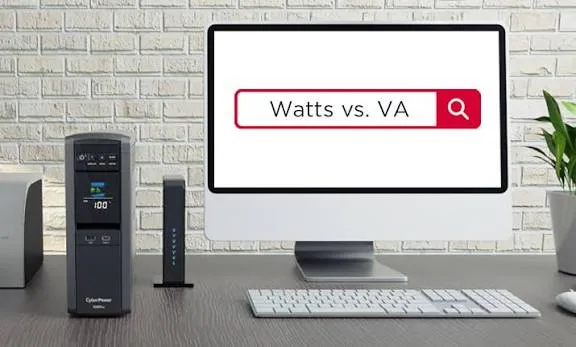
You walk into a shop to buy a UPS. The box says 1000VA. Another says 650VA. A third lists 360 watts. Which one will run your desktop computer, your router and your CCTV recorder through a blackout? The confusion between UPS VA vs watts is the single most common reason people buy the wrong UPS: either too small, so it overloads and beeps, or too large, so they overspend.
This article explains what VA and watts mean, why they are different, how power factor links them, and how to size a UPS for real equipment in Kenya. We are City Gadgets Kenya, at New Alnoor Exhibition, Second Floor, Shop C7, Accra Road, Nairobi CBD. We help customers choose power protection for homes, shops and offices. Because UPS specifications vary by model, we confirm the exact VA, watt rating and battery details per unit before you buy.
The short version
- VA (volt-amperes) is the apparent power a UPS can supply. Watts is the real power your equipment actually uses.
- Your equipment's load in watts must be below the UPS's watt rating, not just its VA rating.
- A UPS's watt rating is usually lower than its VA rating, because of power factor. A common ratio is about 0.6 for many small line-interactive UPS units, and 0.9 to 1.0 for many modern or online units, but we confirm per unit.
- Leave headroom. Plan to load a UPS to roughly 60 to 80 percent of its watt rating.
- Runtime depends on battery size and load. A bigger load means a shorter runtime.
- Do not plug laser printers, air conditioners or heaters into a small UPS.
| Term | Meaning | Think of it as |
|---|---|---|
| VA | Apparent power (volts times amps) | The size of the pipe |
| Watts | Real power used | The water actually flowing |
| Power factor | Watts divided by VA | How efficiently the pipe is used |
| Runtime | How long the battery lasts | The tank size divided by flow |
| Battery (Ah, V) | Stored energy | The tank |
What is a UPS?
A UPS, or uninterruptible power supply, is a device with a battery inside that keeps your equipment running when mains power fails, and often cleans up surges and voltage problems. When the power goes out, it switches to battery in a few milliseconds, so a desktop computer, router, CCTV recorder or point-of-sale machine keeps working instead of rebooting. That gives you time to save work and shut down properly, or to ride out a short outage.
In Kenya, where outages, brownouts and surges are common, a UPS protects data, hardware and productivity. For the main types, see our related article on line-interactive versus online UPS, and our guide to power surges and AVR.
What is VA?
VA stands for volt-amperes. It is the product of voltage (in volts) and current (in amps). On a UPS, VA describes the apparent power the unit can deliver. Imagine a pipe: the VA rating tells you the size of the pipe. It does not tell you how much water actually flows.
Apparent power matters because the UPS's internal parts, such as the inverter, transformer and wiring, must handle the full current, even the part that does no useful work. Manufacturers often quote the VA number on the box because it is larger and looks impressive.
What are watts?
Watts measure real power, the energy per second your equipment truly consumes and turns into work, heat or light. A desktop computer might draw around 100 to 300 watts depending on its parts and workload. A router draws only a few watts. A monitor might draw 20 to 40 watts. Your equipment labels or manuals usually show the watts, though some show amps, VA or only a maximum rating that is higher than real use.
Because real equipment uses real watts, the watt rating is the number that matters when you check whether a UPS can handle your load.
What is power factor, and why does it matter?
Power factor links VA and watts:
Watts = VA × power factor
If a UPS is 1000VA with a power factor of 0.6, its real power capacity is 600 watts. If a different UPS is 1000VA with a power factor of 0.9, its real capacity is 900 watts. Both say "1000VA" on the box, but the second can handle a much larger load.
Why do power factors differ? It depends on the design of the UPS and the type of equipment. Older or cheaper UPS designs often had lower power factors, around 0.6. Many modern and online designs reach 0.9 or even 1.0. Equipment itself also has a power factor, because computer power supplies are not perfectly efficient, but sizing is simplest when you work in watts and compare to the UPS's stated watt rating.
This is why the most important line on a UPS box or datasheet is the watt rating, not the VA. If a box lists only VA, ask for the watts. We confirm both per unit.
How to size a UPS: step by step
Follow these steps and you will choose a UPS that fits.
Step 1: List everything you want to protect
Write down each device that must stay on during an outage. For a home office, that might be a desktop computer, a monitor, a router and an ONT or modem. For a shop, it might be a POS computer, a receipt printer, a router and a CCTV recorder with cameras. For an office, it may be several computers, a switch and a server.
Do not plug in everything. A UPS is for critical equipment only. Leave out items that draw heavy power or do not need protection.
Step 2: Find each device's real watts
Check labels, manuals or power adapters. Where only amps and volts are listed, multiply them to get VA, and treat that as the maximum, not the typical use. Typical use is often lower. If you want accuracy, a plug-in power meter measures real watts. Ask us if you want help estimating.
Rough guides, which vary by model:
| Device | Typical real power |
|---|---|
| Router or modem | A few watts to about 15 watts |
| Network switch | Several watts to tens of watts |
| Monitor | Tens of watts |
| Laptop and charger | Tens of watts, higher under heavy load |
| Desktop computer | Roughly 100 to 300 watts depending on parts and load |
| CCTV recorder and cameras | Tens of watts to a hundred or more depending on count |
| Inkjet printer | Tens of watts when printing |
| Laser printer | Very high when warming up; usually not suitable for a small UPS |
We confirm per unit when you tell us your exact equipment.
Step 3: Add the watts
Add up all the devices. This is your load in watts.
Step 4: Add headroom
A UPS should not run at 100 percent of its rating. Add 20 to 40 percent headroom so it runs comfortably and has room for growth. As a rule of thumb, divide your total watts by 0.7 or 0.8 to find the minimum UPS watt rating you need.
Step 5: Check the UPS watt rating
Pick a UPS whose watt rating is above your adjusted load. If the box shows only VA, convert using power factor, or ask us for the watt rating.
Step 6: Check the runtime
Runtime is how long the UPS can run your equipment on battery. It depends on the battery capacity and the load. A UPS running a router might last hours, while the same UPS running a desktop and monitor might last only 10 to 20 minutes. If you need longer, choose a larger UPS or one that supports external batteries. We explain this in how long will a UPS run.
Step 7: Check outlets, type and features
Look at the number and type of outlets, surge protection, AVR (automatic voltage regulation), a USB or software connection, an LCD display, and whether the UPS is suitable for your equipment's waveform. See pure sine wave versus simulated sine wave.
A worked example
Suppose you have a desktop computer that uses about 150 watts, a monitor using about 30 watts, and a router using about 10 watts. The total is about 190 watts.
With 30 percent headroom, divide by 0.7: 190 ÷ 0.7 ≈ 270 watts. You need a UPS with a watt rating of at least about 270 watts.
If a UPS has a power factor of 0.6, you need VA ≥ 270 ÷ 0.6 = 450VA. A 650VA unit with a stated 360 watts would be a comfortable choice. If a UPS has a power factor of 0.9, a 450VA unit would give about 405 watts, though runtime may be short.
Now think about runtime. A small battery in a 650VA UPS may hold only a few minutes at 190 watts. If you want 30 minutes, you may need a bigger battery or a bigger UPS. That is why you must look at both rating and runtime. Please do not treat these numbers as final; the real watt rating and runtime depend on the model, and we confirm per unit.
VA, watts and runtime: what to expect
Runtime is not linked to VA alone. Two UPS units with the same VA can have very different batteries. In general:
- A larger battery gives a longer runtime.
- A smaller load gives a longer runtime.
- Runtime does not scale in a straight line, because batteries deliver less capacity at high loads.
- An old battery gives a shorter runtime.
- Extreme heat shortens battery life.
For small UPS units, runtime is meant for a safe shutdown or a short outage. If you need hours of backup, consider an inverter with a deep-cycle battery or a UPS with an external battery pack. We can advise.
Line-interactive versus online: how it affects sizing
Most small and home UPS units are line-interactive: they pass mains power through, with AVR correcting minor voltage swings, and switch to battery when needed. An online (double-conversion) UPS constantly converts power and provides cleaner output with no switching delay, but costs more and uses more energy. Online units often have higher power factors, so VA and watts are closer.
Both types need correct sizing. Read more in line-interactive versus online UPS explained.
Pure sine wave or simulated sine wave?
Some UPS units output a smooth sine wave like the mains. Others output a stepped or simulated sine wave. Most computers work fine with simulated sine wave, but some equipment, such as certain power supplies with active power factor correction, printers or sensitive devices, can beep, hum, run hot or shut down on a simulated wave. If in doubt, choose pure sine wave. See our pure sine wave versus simulated explainer.
What not to plug into a small UPS
- Laser printers. Their heating element draws a large surge.
- Air conditioners, fridges and freezers. Motors draw high starting current.
- Heaters, kettles, irons and microwaves.
- Large power tools.
- Anything above the UPS watt rating.
Plugging in these devices can overload the UPS, trip its protection or damage it. Use a UPS for IT and low-power electronics only.
UPS for specific needs in Kenya
Home office and remote work
A small UPS can keep your laptop or desktop, monitor and router alive through short outages, so video calls do not drop. Laptops have their own battery, so you may only need to protect the router and modem. A small UPS for networking gear can last hours.
Shops, POS and M-Pesa points
A POS computer and receipt printer need to stay on during sales. A UPS prevents lost transactions and corrupted data. Pick a UPS that handles the printer and think about a router and any card terminals.
CCTV systems
A CCTV recorder, cameras and switch must keep running so footage is not lost. Size by adding the recorder, cameras and any PoE switch. Many CCTV systems benefit from a UPS because a power cut is when you most need recording. See our best memory card for CCTV and dashcam guide and our storage advice.
Servers and small offices
Servers should be protected by a larger or online UPS with software that shuts the server down safely. Plan for growth and use headroom.
Gaming PCs and workstations
High-performance PCs can draw high watts under load, so check the real maximum and choose a UPS with a high watt rating. Pure sine wave is often advised.
Battery basics for UPS users
Most small UPS units use sealed lead-acid batteries. They are reliable, but they wear out. Expect to replace the battery after a few years, sooner in hot conditions. Signs of a tired battery include a runtime much shorter than when new, a UPS that beeps with a fault indicator, a swollen battery case, or a UPS that fails a self-test.
Tips to extend battery life:
- Keep the UPS in a cool, ventilated place, not in a closed cupboard.
- Do not block the vents.
- Do not overload it.
- Test it occasionally by unplugging it from the wall for a short time under a light load. Do this carefully.
- Replace the battery on time, with a proper one of the right type.
Battery sizes are measured in volt and amp-hour ratings. Energy in watt-hours is volts times amp-hours. A UPS with two 12V, 7Ah batteries has roughly 168 watt-hours in total, though usable energy is lower. At a load of about 200 watts, runtime would be well under an hour in theory and shorter in practice because of efficiency losses. This is why VA alone tells you almost nothing about runtime. For the maths, see how long will a UPS run.
Common mistakes when buying a UPS
- Choosing by VA alone. Always check watts.
- Ignoring headroom. A UPS at 100 percent load is fragile.
- Plugging a laser printer into it. A common cause of overload.
- Expecting hours of runtime from a small UPS. It is built for minutes.
- Buying the cheapest unit without checking the battery. The battery is the heart of the UPS.
- Skipping wiring and earthing. A UPS cannot fix poor earthing. See earthing and wiring for UPS in Kenya.
- Not replacing the battery. An old battery gives false comfort.
- Buying a fake or unbranded unit. More on that below.
UPS, AVR and surge protectors: what is the difference?
A surge protector absorbs voltage spikes but gives no backup. An AVR (automatic voltage regulator) corrects over-voltage and under-voltage but has no battery. A UPS provides battery backup and, in many models, includes both surge protection and AVR. If your main problem is unstable voltage, an AVR can help. If your main problem is power cuts, you need a UPS. If you have both, a UPS with AVR is a good choice. We cover this in power surges and AVR in Kenya.
Reading a UPS specification sheet
When you look at a UPS box or datasheet, find:
- Capacity in VA and watts. The watt figure is the one to compare to your load.
- Input voltage range. Kenya's mains is nominally 240V; a wider input range tolerates swings.
- Output voltage and waveform. Pure sine wave or simulated.
- Transfer time. How quickly the UPS switches to battery. Short is better.
- Battery type and quantity. Affects runtime and replacement.
- Outlets. The number and whether they are surge-only or battery-backed.
- Protection. Overload, short-circuit and overheat protection.
- Warranty. Length and what it covers, including the battery.
If any of these are missing or vague, ask the seller. We confirm specs per unit and can tell you what a given model covers.
Inrush current and why some devices need extra room
Some equipment draws far more power for a split second when it switches on than it does when running. This is called inrush or starting current. Motors, compressors, laser printer heaters and some power supplies are examples. A UPS must cope with that short spike as well as the steady load. If the spike exceeds the UPS's capability, the UPS may overload, beep, shut down or trip protection.
This is another reason to keep headroom. A computer and monitor have modest inrush and are well suited to a UPS. A laser printer or a fridge is not. If you are unsure whether a device will behave, ask us before plugging it in, and we will confirm.
Efficiency, heat and electricity use
A UPS is not free to run. It uses a little power to keep its battery topped up and to power its electronics, even when idle. Online units use more because they convert power constantly. This standing consumption is usually small for home units but adds up for large setups. Heat is a by-product, so give the UPS space to breathe. A UPS shoved in a tight cabinet runs hotter, wears the battery faster and may shut down early.
If your UPS has an eco or high-efficiency mode, it may pass mains straight through when power is good and switch to battery only when needed, saving a little energy. Sensitive loads may prefer normal mode. Ask us which suits your equipment.
Software, monitoring and safe shutdown
Many UPS units connect by USB or network and come with software that watches the battery and shuts the computer down safely before the battery runs out. This is valuable for servers, CCTV recorders and any machine where a hard shutdown could corrupt data. Set the software to trigger shutdown with a safe margin, for example when the battery has several minutes left, rather than at the last moment.
Even without software, you can train yourself to react to the beeps. When the UPS starts beeping on battery, save your work and shut down calmly. Do not wait for the last minute.
Extending runtime: your options
If the runtime of a standard UPS is too short, you have several options:
- Protect fewer devices. Move non-critical items off the UPS.
- Reduce load. Lower monitor brightness, close heavy programs, use a laptop rather than a desktop.
- Choose a UPS with a larger battery. More battery means more minutes.
- Use a UPS with external battery support. Add battery packs for hours of backup.
- Use an inverter and deep-cycle battery. Better for long backup and larger loads, though it is a different system with different cost and installation.
- Add alternative power for key devices. A power bank can keep a router alive for hours, and many routers accept a suitable DC supply. Ask us before connecting anything.
For small offices that cannot afford downtime, a combination of UPS for short outages and a generator or inverter system for long ones is common.
Installation and placement tips
- Place the UPS on a stable, hard surface in a cool area.
- Keep it away from water, direct sun and flammable materials.
- Plug the UPS directly into a wall socket, not into another extension or surge strip.
- Do not plug extension strips into the UPS outlets unless the manual allows it, and do not chain one UPS to another.
- Make sure your wiring and earthing are in good condition. A UPS can only protect as well as the building allows.
- Label which outlets are battery-backed and which are surge-only, so nobody plugs a printer into the wrong one.
- Check the display or indicator lights so you notice a fault early.
When a UPS is not the answer
A UPS protects against short outages and some voltage problems. It does not make a faulty building supply safe, and it does not replace a generator or solar system for long outages. If your power is frequently out for hours, or your voltage is wildly unstable, consider fixing the supply, adding an AVR, or investing in an inverter or solar solution with proper installation. A UPS is a first line of defence, not the only one. We will always tell you honestly if you need something other than a UPS.
Quick reference: matching UPS size to common setups
The table below is a starting point only. Real numbers depend on the exact equipment, so please share your setup and we will confirm.
| Setup | What to protect | Sizing note |
|---|---|---|
| Router and ONT only | Networking gear | Very small load; even a compact unit gives long runtime |
| Laptop worker | Router, monitor, laptop charger | Laptop has its own battery; focus on the router |
| Desktop worker | Desktop, monitor, router | Add real watts and headroom; runtime is minutes |
| Small shop POS | POS computer, printer, router | Check the printer type; avoid laser |
| CCTV system | Recorder, switch, cameras | Add all devices; runtime matters for recording through cuts |
| Small office | Several desktops, switch | Consider a larger or online unit |
| Server | Server, switch | Use software shutdown and an online or larger unit |
Think of the UPS as insurance. You choose how much cover you want by deciding how many minutes of runtime and how much load you need. Buying too small leaves you exposed, and buying too large wastes money, so a few minutes of sizing work is well worth it.
Remember the three numbers to ask any seller: the watt rating, the battery type and capacity, and the runtime at your load. If a seller can answer all three plainly, you are probably talking to someone who knows the product.
How to spot a fake or misrepresented UPS
UPS products are often misrepresented because the VA number sounds impressive and the inside is hidden. A fake or poorly made UPS may overheat, fail during a blackout, or damage your equipment. Check these ten points:
- Weight. A real UPS is heavy because of the battery and transformer. A UPS that feels very light for its stated size often has a tiny battery or none that works as claimed.
- VA claims versus watts. If a box shouts a big VA number but gives no watt rating, ask. A big VA with a tiny watt figure is misleading.
- Label and markings. Look for clear input and output ratings, serial number, model and compliance marks. Missing or blurred labels are a warning.
- Battery details. The battery type, voltage and capacity should be stated. If the seller cannot say, be careful.
- Packaging quality. Misspellings, poor print and loose seals suggest a copy.
- Manual and accessories. A real unit has a proper manual, cables and warranty card.
- Runtime test. A UPS that dies in seconds on a light load has a weak or fake battery.
- Heat and noise. Excessive heat, loud buzzing or fans that run constantly at light load point to poor build.
- Price. A well-known brand at a price far below the market suggests a copy or grey import.
- Seller and warranty. A seller without a shop, receipt or warranty is a risk. A UPS is a protection device; do not trust it to an anonymous seller.
When you buy from City Gadgets Kenya, you buy from a physical shop at New Alnoor Exhibition, and we confirm the model, watt rating and battery details per unit.
Why buy a UPS and power accessories from City Gadgets Kenya
- A shop you can visit. Second Floor, Shop C7, Accra Road, Nairobi CBD.
- Sizing help. Tell us what you plan to protect and we will confirm the watt rating you need.
- Honest advice. If a smaller UPS is enough, we will say so. We will also tell you if a UPS is not the right tool.
- Genuine products. We confirm specifications per unit.
- Delivery. Same-day within Nairobi and next-day outside Nairobi.
- Payment. M-Pesa accepted.
- After-sales help. WhatsApp us if your UPS beeps, will not hold charge or needs a battery.
Browse accessories or laptops, and message us for today's price.
UPS sizing checklist
- I have listed every device I want to protect.
- I know the real watts of each device, or I have asked for help.
- I have added about 30 percent headroom.
- I have checked the UPS watt rating, not only the VA.
- I know how many minutes of runtime I need.
- I have excluded laser printers, heaters and motors.
- I have checked outlets, waveform and warranty.
- I have a plan to replace the battery on time.
- I am buying from a seller who gives a warranty.
Frequently asked questions
What is the difference between VA and watts? VA is apparent power and watts is real power. Watts equal VA multiplied by power factor.
Which matters more for a UPS, VA or watts? Watts. Your load in watts must be below the UPS watt rating.
What size UPS do I need for a desktop computer? It depends on the computer's real power use and the monitor and router. Tell us your setup and we will confirm.
Can I plug a printer into my UPS? Inkjet printers may be fine. Laser printers usually are not suited to small UPS units.
How long will my UPS run? It depends on battery size and load. Small UPS units give minutes for a desktop and hours for a router.
Do I need pure sine wave? Not always, but sensitive equipment may prefer it.
How often should I replace the UPS battery? Often every few years, sooner in heat. Replace it when runtime drops.
Can a UPS run an air conditioner or fridge? No, not a normal small UPS. Motors need an inverter system designed for them.
Ready to choose?
Tell us what you want to protect, and we will help you work out the watts, the runtime you need and the right UPS. WhatsApp: https://wa.me/254745575931. Visit us at New Alnoor Exhibition, Second Floor, Shop C7, Accra Road, Nairobi CBD. Message us for today's price. Same-day Nairobi delivery, next-day outside Nairobi, M-Pesa accepted.
Related reading: Line-interactive vs online UPS, how long will a UPS run, power surges and AVR in Kenya, earthing and wiring for UPS.