
Scroll through any laptop listing in Kenya's refurbished market and you'll see phrases like "Core i5 8th Gen" or "Core i7 10th Gen" treated as if their meaning is self-evident. For many buyers, it genuinely isn't — the generation number gets glossed over as a minor technical detail, when in reality it's one of the most important specifications determining real-world performance, arguably more important than the Core i5/i7 label itself. This piece explains, clearly and honestly, what these generation numbers actually mean, why they matter more than most buyers realise, and how to use this knowledge when shopping through City Gadgets Kenya.
The Core Naming System, Explained From the Ground Up
Intel's "Core" processor family — Core i3, Core i5, Core i7, and Core i9 — represents a performance tier system, with i3 generally the most basic, i5 the mainstream mid-tier, i7 the performance tier, and i9 the highest-end tier available in laptops. This tier system alone, however, doesn't tell you which specific generation of chip you're getting — and this is precisely where the "generation" number becomes critical.
What "generation" actually refers to: Intel releases a new processor generation roughly annually (sometimes closer to every 18 months), each representing genuine architectural improvements — a smaller, more efficient manufacturing process, redesigned internal processor logic, improved integrated graphics, better power efficiency, and new instruction sets supporting newer software capabilities. A "Core i5" from 2015 and a "Core i5" from 2022 share the same performance tier label but represent genuinely different underlying technology separated by roughly seven years of engineering advancement — precisely why the generation number matters as much as, or arguably more than, the i3/i5/i7 tier label alone.
How to Actually Read Intel's Model Numbers
This is worth explaining precisely, since Intel's naming convention, while logical once understood, isn't immediately obvious to most buyers. A processor labelled "Intel Core i5-8250U" breaks down as follows: "Core i5" indicates the performance tier; the first digit after the hyphen ("8" in this example) indicates the generation — in this case, 8th generation; the remaining digits ("250") indicate the specific model within that generation, generally correlating with relative performance within the same tier and generation; and the letter suffix ("U" here) indicates the power/thermal category, with "U" denoting an ultra-low-power chip designed for thin, battery-efficient laptops, while "H" denotes a higher-performance chip designed for laptops prioritising power over battery life, common in gaming and workstation-class laptops covered in our video editing and MSI-focused content.
A Practical Generation-by-Generation Overview Relevant to Kenya's Refurbished Market
Since Kenya's refurbished market, sourced substantially through the ex-UK corporate refresh pipeline discussed in our dedicated piece on that topic, spans a genuinely wide range of processor generations, it's worth a practical, honest overview of what's typically available and what each generation genuinely offers.
5th-6th generation (Broadwell/Skylake, roughly 2015-2016): Genuinely older architecture, still functional for the lightest everyday tasks — browsing, document editing — but showing real strain against more demanding modern software. Common in the most accessible budget tier discussed throughout our under-KES-25,000 buying guide.
7th-8th generation (Kaby Lake/Coffee Lake, roughly 2017-2018): A genuinely significant step up, particularly 8th generation, which introduced meaningfully more processor cores at the same power tier than previous generations — a real architectural shift that's precisely why our buying guides frequently flag 8th generation as a practical "sweet spot" minimum for buyers wanting genuinely comfortable modern performance without premium pricing.
9th-10th generation (Coffee Lake Refresh/Comet Lake or Ice Lake, roughly 2019-2020): Continued refinement, with 10th generation specifically introducing improved integrated graphics and better power efficiency in many configurations, relevant to the remote work and content creation use cases discussed throughout our buying guides.
11th-12th generation (Tiger Lake/Alder Lake, roughly 2021-2022): 12th generation specifically introduced Intel's hybrid architecture — combining "performance cores" and "efficiency cores" within the same chip, a genuinely significant design shift borrowed conceptually from mobile phone processor design, improving both peak performance and battery efficiency simultaneously.
13th generation (Raptor Lake, roughly 2023): The newest generation appearing in our catalog's most premium configurations, such as certain Dell XPS 13 9320 configurations, offering further refinement of the hybrid core architecture introduced with 12th generation.
Why This Matters More Than Most Buyers Realise
It's worth being direct about the practical stakes here: two laptops both listed as "Core i5" can differ dramatically in real-world performance if one is 6th generation and the other is 12th generation — a gap that can matter more than the difference between a Core i5 and Core i7 of the same generation. This is precisely why every buying guide throughout our catalog consistently emphasises confirming exact generation, not just the Core i3/i5/i7 label, as detailed in our dedicated buying checklist guide.
Concretely, what improves across generations:
- Raw processing speed for the same task, reflecting architectural efficiency improvements independent of clock speed alone
- Integrated graphics capability, relevant to buyers without dedicated graphics cards doing light creative work, as discussed in our dedicated graphics and graphic design buying guides
- Power efficiency, translating into genuinely better battery life for equivalent workloads, relevant throughout our remote work buying guide
- Support for newer, faster RAM and storage standards, including the NVMe storage speeds discussed in our dedicated SSD comparison piece
- New instruction sets that some modern software, particularly video encoding and certain security features, can specifically take advantage of for improved performance
The Genuine "Sweet Spot" Question: Which Generation Should Kenyan Buyers Target?
Based on the patterns discussed throughout our various budget and use-case buying guides, it's worth offering a genuinely practical answer rather than simply saying "newer is always better," since budget constraints are real and older generations remain genuinely functional for many use cases.
For the lightest everyday use (browsing, basic documents, email), even 6th-7th generation processors remain functional, as detailed in our under-KES-25,000 budget guide, though buyers should set realistic expectations about occasional slowdown with more demanding modern websites and software.
For comfortable everyday business and student use, 8th generation represents a genuinely meaningful minimum target, offering the multi-core improvements discussed above at increasingly accessible refurbished prices.
For demanding professional work — development, design, video editing, as covered throughout our respective dedicated buying guides — targeting 10th generation or newer provides genuinely better headroom for modern software's growing demands.
For buyers wanting maximum longevity and the newest available architecture, 12th-13th generation configurations, found in our premium Dell XPS and select ThinkPad X1 Carbon configurations, offer the most current technology available in our catalog.
Quick Reference Table: Intel Generations in Kenya's Refurbished Market
| Generation | Codename | Approx. Release Years | Genuine Capability Level | Common in Our Catalog |
|---|---|---|---|---|
| 4th-5th Gen | Haswell/Broadwell | 2013-2015 | Basic, light tasks only | Budget ThinkPad X240/X250, older EliteBooks |
| 6th-7th Gen | Skylake/Kaby Lake | 2015-2017 | Functional everyday use | ThinkPad T460/T470, EliteBook 840 G3/G4 |
| 8th Gen | Coffee Lake | 2017-2018 | Genuine multi-core improvement, practical sweet spot | ThinkPad T480/X280, EliteBook 830/840 G5/G6 |
| 9th-10th Gen | Coffee Lake Refresh/Comet Lake/Ice Lake | 2019-2020 | Comfortable modern performance | ThinkPad T490/T590, Latitude 5310/7390 |
| 11th-12th Gen | Tiger Lake/Alder Lake | 2021-2022 | Hybrid architecture, strong efficiency | Latitude 7280 (newer refresh), XPS 13 9310/9320 |
| 13th Gen | Raptor Lake | 2023 | Newest available in our premium catalog | XPS 13 9320 (top configuration) |
Why Intel Changed Its Naming Approach Over Time
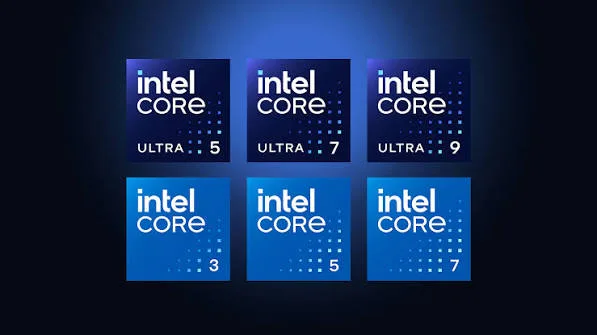
It's worth briefly noting that Intel's own naming conventions have evolved even within the "Core" family discussed throughout this piece, occasionally causing genuine confusion for buyers researching older listings or comparing across very different eras. Earlier Core generations used a straightforward four-digit numbering scheme; more recent generations (particularly from 10th generation onward) sometimes include additional letters or restructured numbering reflecting Intel's own internal shifts in how it segments its product lines, including the introduction of entirely new naming schemes for its most recent chips beyond what's commonly found in Kenya's refurbished market currently. For the practical purposes of buying a refurbished laptop today, the generation number immediately following "i5" or "i7" in the model name — as explained in the model-number breakdown above — remains the single most reliable, consistent detail to check regardless of which specific era of Intel's evolving naming approach a particular listing falls into.
How Software Demands Have Grown Alongside Processor Generations
It's worth connecting this generational discussion back to a genuinely important practical point: software itself has grown more demanding over roughly the same timeframe these processor generations span, meaning an older processor isn't simply "the same tasks, slightly slower" — it's often genuinely straining against software that has grown in complexity since that processor's original release. Web browsers, in particular, have become significantly heavier over the past decade as websites incorporate more complex scripts, media, and tracking technology, meaning a 6th generation processor handling web browsing today faces a genuinely more demanding task than the same processor faced when new. This dynamic — software growing more demanding over time, independent of any change to the hardware itself — is precisely why older processor generations can feel like they're "slowing down" even without any actual hardware degradation, and why our buying guides consistently recommend a generational minimum calibrated to genuinely current software demands rather than what sufficed when that hardware was originally released.
A Common Buyer Mistake: Confusing Generation With Raw Clock Speed
It's worth directly addressing a genuine point of confusion: a higher clock speed number (measured in GHz) doesn't automatically mean better performance if it belongs to an older generation, since architectural efficiency improvements across generations often mean a newer chip at a lower clock speed outperforms an older chip at a higher one — precisely why understanding generation matters more than fixating on clock speed alone when comparing processors across different release years, a genuinely common but avoidable mistake among buyers newer to hardware specification comparison.
How This Connects to AMD's Competing Timeline
As detailed in our dedicated piece on AMD Ryzen's rise in business laptops, AMD follows its own generational naming and release cycle, roughly parallel in timing to Intel's but using entirely different model numbers and architecture names (Zen, Zen 2, Zen 3, and so on). When comparing an Intel-generation laptop against an AMD Ryzen-powered alternative, as covered in that dedicated piece, comparing release timeframes (roughly which year each chip debuted) offers a more useful cross-brand comparison point than attempting to match Intel's specific generation numbers against AMD's separate naming convention.
Frequently Asked Questions
Is a newer generation Core i5 genuinely better than an older generation Core i7? Often yes, particularly across a gap of several generations — architectural improvements can outweigh the tier difference between i5 and i7, making generation confirmation genuinely important rather than relying on the tier label alone.
What's the minimum Intel generation I should look for in Kenya's refurbished market? For comfortable, modern everyday use, 8th generation represents a reasonable practical minimum, as detailed throughout this piece, though older generations remain functional for genuinely light use at more accessible prices.
Does the "U" or "H" suffix in a processor model number matter? Yes — "U" chips prioritise battery efficiency in thinner laptops, while "H" chips prioritise raw performance at the cost of battery life and typically appear in bulkier, gaming or workstation-class laptops, relevant to the trade-offs discussed in our lightweight laptop and gaming laptop buying guides.
How can I verify a laptop's exact processor generation before buying? Ask your seller for the exact processor model number (like "Core i5-8250U") rather than accepting "Core i5" alone — this can then be verified independently against Intel's own published specifications if you want additional confidence.
Is 12th generation's hybrid core architecture genuinely better, or just different? Genuinely better for most real-world use — the combination of performance and efficiency cores allows the chip to handle demanding tasks quickly while conserving power during lighter tasks, improving both peak performance and battery life simultaneously compared to earlier, more uniform core designs.
Should I pay significantly more for a newer generation if my needs are genuinely light? Not necessarily — as detailed throughout this piece and our budget-tier buying guides, matching generation to genuine need, rather than defaulting to the newest available regardless of cost, remains the more sensible approach for most buyers.
Why do some sellers only advertise "Core i5" without mentioning the generation at all? This is sometimes genuine oversight or lack of technical knowledge on the seller's part, and sometimes a way of making an older, less capable unit sound more impressive than its actual generation would suggest — always ask directly, as emphasised throughout our buying checklist guide.
Does a higher generation number always mean better battery life? Generally yes, as a broad pattern, since each generation typically brings genuine power efficiency improvements — though the specific "U" versus "H" suffix discussed above affects this more directly than generation number alone, since a high-performance "H" chip of a newer generation can still draw more power than an older, efficiency-focused "U" chip.
Is it worth learning to read full processor model numbers, or is this overkill for an average buyer? For a purchase as significant as a laptop, the few minutes it takes to understand the basic model number structure explained in this piece is genuinely worthwhile, helping you evaluate any listing confidently rather than relying entirely on a seller's characterisation.
Do all three major business laptop brands (HP, Lenovo, Dell) use the same Intel generations at the same time? Generally yes, since all three source processors from Intel's same generational release schedule — the genuine differences between brands lie in chassis design, keyboard feel, and construction quality, as detailed throughout our brand comparison guides, rather than which processor generations each brand has access to.
Shop Laptops With Confirmed Processor Generations at City Gadgets Kenya
Every laptop at City Gadgets Kenya has its exact processor model and generation confirmed and clearly stated, and is backed by a genuine 6-month warranty. Browse our laptops category or message us on WhatsApp to find the right generation for your genuine needs and budget.








