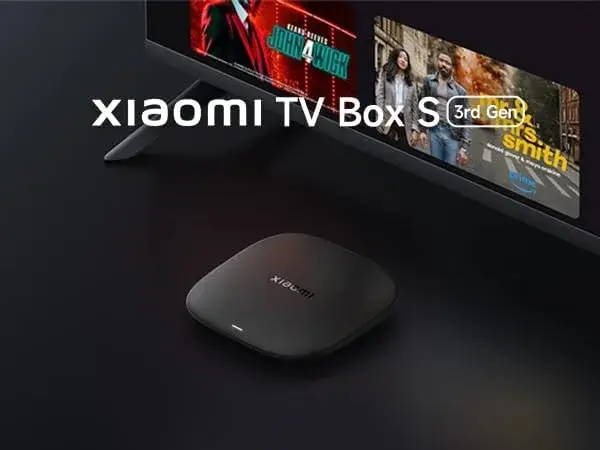
Should I Buy a Mi Box S If I Have a Smart TV? Yes — Here's Why It's Still Worth It
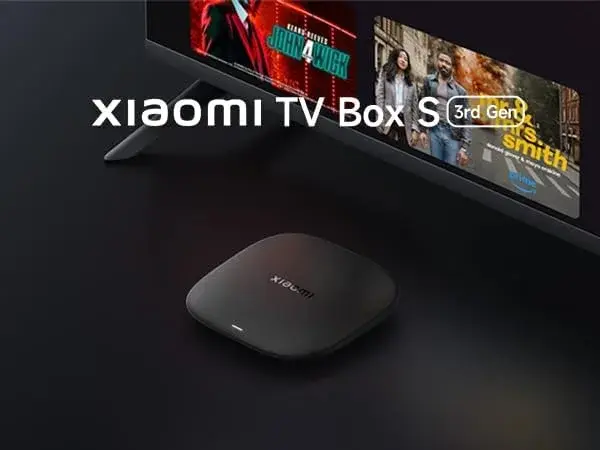
It's a genuinely fair question to ask before spending money — if your TV is already "smart," why add another smart device on top of it? But the honest answer, for a large number of Kenyan households, is yes, it's still worth it, and not because of clever upselling. A smart TV's built-in software and a dedicated device like the Xiaomi Mi Box S 3rd Gen solve different problems, age at different rates, and offer meaningfully different capabilities — even when they're both technically running some flavour of "smart" software. Here's the honest case for adding one anyway.
The Core Reason: Your TV's Picture Doesn't Age, But Its Software Does
This is the single most important thing to understand before deciding. A television manufacturer's primary product is the screen — the panel, the picture quality, the backlighting — and that doesn't degrade meaningfully over time. The smart software running on top of it is a secondary feature, and it's treated that way: most TV brands ship a handful of software updates in the first year or two after a model launches, then support quietly tapers off as the manufacturer's attention moves to newer models.
Xiaomi, by contrast, treats the Mi Box S as an ongoing product in its own right, continuing to ship Google TV updates, security patches, and feature improvements well after launch. The practical result, a few years down the line: your smart TV's built-in apps have very likely gotten slower and more dated, while a Mi Box S from the same era is still receiving genuine software support. Your screen stays good forever; your TV's built-in software doesn't — a Mi Box S fixes exactly the part that ages.
Reason 1: Genuine, Certified Google TV Software
This matters more than it might seem. The Mi Box S 3rd Gen runs Google TV 14, Google's own officially licensed smart TV platform, with the real Google Play Store and genuine Google certification. Many smart TVs, particularly budget and mid-range models common in Kenya, run manufacturer-specific software that isn't always genuine Android TV or Google TV — meaning you might be missing the real Play Store, proper app certification, or the full breadth of the Android TV app catalogue entirely, even if the TV's own interface looks broadly similar on the surface.
Adding a Mi Box S guarantees you're running the authentic, fully certified version of Google's smart TV software, regardless of what your specific TV brand's built-in platform actually is underneath its own branding.
Reason 2: A Faster, More Capable Processor Than Most TVs Include
Smart TVs are built around the television's core job — displaying a picture — with the smart software running on comparatively modest processing hardware bolted on as a secondary function. The Mi Box S 3rd Gen, by contrast, runs a dedicated Cortex-A55 chip at 2.5GHz, built on a modern 6nm process, with processing power entirely devoted to running the interface, launching apps, and handling Google TV's more visually rich, animation-heavy design. The difference in daily responsiveness — how quickly menus load, how smoothly you scroll, how fast an app opens — is often genuinely noticeable, even against a smart TV that felt perfectly fine when it was new.
Reason 3: 32GB of Storage for Apps and Games
Many smart TVs, especially older or budget models, ship with genuinely limited internal storage — sometimes just a few gigabytes shared between the operating system and any apps you install. The Mi Box S 3rd Gen's 32GB of storage gives you considerably more room to install a full lineup of streaming apps, games, and regional services without constantly juggling what to delete to make space for something new.
Reason 4: Wi-Fi 6 for More Stable Streaming
Older smart TVs frequently ship with older Wi-Fi hardware that hasn't aged well against Kenya's increasingly congested apartment-building wireless environments. The Mi Box S 3rd Gen's Wi-Fi 6 is built specifically to handle exactly that kind of crowded network — dozens of neighbouring routers, smartphones, and smart devices all competing for bandwidth at once — noticeably better than the Wi-Fi standard built into many existing smart TVs, particularly ones a few years old.
Reason 5: Dolby Vision, HDR10+, Dolby Atmos, and DTS:X — Even on TVs That Support Them Poorly
Here's a subtlety worth knowing: your TV's hardware panel might genuinely support Dolby Vision or a specific HDR format, but its built-in smart apps may not properly pass that format through, either due to outdated app versions or the manufacturer never fully implementing support in software. The Mi Box S 3rd Gen supports Dolby Vision, HDR10+, Dolby Atmos, and DTS:X directly and consistently across every app installed through it, meaning you're not depending on your TV brand's own app implementations to unlock capabilities your screen may already technically have.
Reason 6: HDMI 2.1a for Newer TV and AV Setups
If you've invested, or plan to invest, in a newer television or a modern AV receiver and soundbar system, the Mi Box S 3rd Gen's HDMI 2.1a port ensures your streaming source matches that newer hardware's actual capabilities, rather than being bottlenecked by an older HDMI implementation elsewhere in your setup.
Reason 7: One Consistent Interface Across Every TV in the House
If your household has more than one television, each one likely runs a different smart platform with a different menu layout, different remote, and different quirks. Adding a Mi Box S to each TV — or even just to your main one — gives you the exact same Google TV 14 interface, the same voice remote, and the same installed apps wherever you are in the house, rather than relearning a different system in every room.
Reason 8: Google Assistant and Chromecast Built In Natively
The Mi Box S 3rd Gen's voice remote brings genuine Google Assistant integration directly to your TV — search by voice, launch apps, control compatible smart home devices, all without a separate speaker in the room. Native Chromecast support also means anyone in the household with an Android phone, iPhone, or Chrome browser can cast content straight to the TV, a feature many smart TVs either lack entirely or implement in a more limited, less reliable way through their own proprietary casting systems.
When You Genuinely Might Not Need One
It's worth being fair rather than pushing this on everyone. If your smart TV is recent, from a manufacturer with a strong track record of software updates, and you're already happy with its speed, app selection, and casting capabilities, there's no urgent need to add a Mi Box S purely for the sake of it. The case above is strongest specifically where a TV's built-in software has started to show its age, where you're not certain your TV runs genuinely certified Android TV or Google TV software, or where your household's specific needs — multiple TVs, heavy Google ecosystem use, wanting guaranteed HDR and audio format support — make a dedicated device the clearly better fit.
A Simple Way to Decide
Ask yourself these questions about your current smart TV:
- Does the built-in app menu feel noticeably slower than when the TV was new? A strong sign the software has aged past its useful life, even if the picture is still great.
- Are you missing streaming apps, or running older versions of apps, compared to what's available elsewhere? That's a sign your TV's app store isn't being kept current.
- Do you know for certain your TV runs genuine, certified Android TV or Google TV software, or is it a manufacturer-specific platform? If you're not sure, a Mi Box S removes all doubt.
- Do you own more than one TV, or already use Google Assistant and Chromecast elsewhere in your home? A Mi Box S extends that same ecosystem consistently to your television.
If you answered yes to any of these, a Mi Box S 3rd Gen is very likely to genuinely improve your day-to-day experience — on the exact same screen you already own and like.
Why This Is a Smart Financial Decision, Not Just a Nice-to-Have
A genuinely capable new smart TV in Kenya represents a significant purchase, often requiring saving up or paying in instalments. The Mi Box S 3rd Gen, at Ksh 8,400, sits at a small fraction of that cost, and in every area above, it very often outperforms the smart software already built into a television that's a few years old — all while keeping the screen and picture quality you already like. For a large number of Kenyan households, this is genuinely one of the most cost-effective ways to modernize a home entertainment setup, since it fixes precisely the part of your TV that actually ages, without touching the part that doesn't.
Setting Up Your Mi Box S Alongside an Existing Smart TV
There's no conflict between the two — your TV's built-in smart features simply sit unused on a different input while the Mi Box S becomes your default. Connect the Mi Box S to a free HDMI port on your television, plug in the power adapter, switch your TV's input to the correct HDMI channel, and follow the on-screen setup to connect to Wi-Fi and sign in with a Google account. From there, install Netflix, Showmax, YouTube, Prime Video, and anything else your household watches, running genuinely current, properly certified software on the screen you already own — typically inside fifteen minutes.
Why Buy Your Mi Box S From City Gadgets Kenya
If you're adding one specifically to modernize an existing television, buying genuine, properly warrantied hardware matters just as much as the decision itself. City Gadgets Kenya stocks the Xiaomi Mi Box S 3rd Gen with its exact chip, RAM, storage, and Wi-Fi standard stated clearly upfront, backed by a 12-month official brand warranty, brand new and sealed, with same-day delivery within Nairobi and countrywide shipping across Kenya. Payment options include M-Pesa, card, or cash on delivery.
Reach out via WhatsApp to confirm current stock and pricing, or browse the Mi Box S 3rd Gen listing directly.
Frequently Asked Questions
Is it worth buying a Mi Box S if I already have a smart TV? Often, yes, particularly if your TV is more than a couple of years old or you're not certain it runs genuinely certified Android TV or Google TV software — a Mi Box S guarantees current, properly licensed software regardless of your TV's own built-in platform.
Will a Mi Box S conflict with my smart TV's built-in apps? No — it simply runs on a separate HDMI input, and you choose which one to use with your TV's remote. Your TV's built-in smart features remain available if you ever want them.
Does a Mi Box S improve picture and sound quality on my existing TV? It can — the Mi Box S 3rd Gen supports Dolby Vision, HDR10+, Dolby Atmos, and DTS:X consistently across every app, which some smart TVs' own built-in apps don't fully pass through even on TVs whose hardware technically supports these formats.
Is a Mi Box S worth it if my smart TV is brand new? Not urgently — a recent smart TV with a strong update track record may already deliver a smooth, current experience. The case is strongest once a TV's software starts to feel dated or its app store falls behind.
Where can I buy a genuine Mi Box S 3rd Gen in Nairobi? City Gadgets Kenya stocks it genuine, warrantied, with same-day Nairobi delivery. Reach out via WhatsApp to confirm stock and pricing.
Final Word
Owning a smart TV doesn't mean its software will stay smart forever — it's a secondary feature attached to a product manufacturers primarily sell on picture quality, and it ages accordingly, often faster than most buyers expect. A Xiaomi Mi Box S 3rd Gen fixes exactly the part that ages, at a fraction of the cost of replacing the whole television, while keeping the screen you already like. If your TV's menus feel slower than they used to, your app selection feels behind, or you simply want the guarantee of genuine, certified Google TV software, a Mi Box S is a genuinely smart addition rather than a redundant one.
Browse the Mi Box S 3rd Gen at City Gadgets Kenya, or reach out on WhatsApp to get set up.