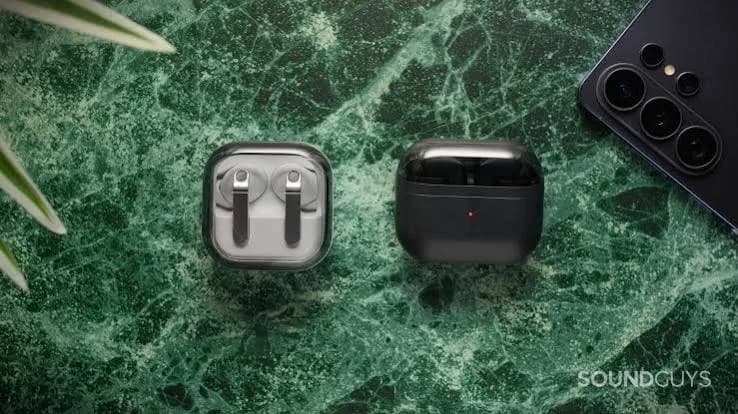
Samsung sells four earbuds we get asked about every week: the flagship Galaxy Buds3 Pro, the mid-priced Galaxy Buds3 FE, the entry-level Galaxy Buds Core and the newest Galaxy Buds4. They share a family look and similar apps, yet they sit at very different points in price and features. This guide puts Samsung Galaxy Buds compared side by side in plain language, so you can decide which pair deserves your money, which features matter on your phone, and how to avoid the fake Galaxy Buds that circulate in Nairobi.
One honest note before we start. Specifications such as exact battery hours, water resistance ratings and codec support vary between versions and change with firmware, and Buds4 is a newer product. Rather than quote numbers we cannot guarantee, we tell you what each tier is designed to do and confirm the exact figures for the unit in front of you. Message City Gadgets Kenya on WhatsApp with your phone model and we will confirm what works with it.
The short version
- Galaxy Buds3 Pro: the flagship. Choose it if you own a Galaxy phone and want Samsung's strongest noise cancelling, sound and features.
- Galaxy Buds3 FE: the balanced choice. Much of the flagship experience, including active noise cancelling and Galaxy integration, for less.
- Galaxy Buds Core: the budget pick. A genuine Samsung product with dependable wireless audio and fewer extras.
- Galaxy Buds4: the newest generation. Choose it if you want the latest, and we confirm the details for the unit in stock.
- All four work with any phone via Bluetooth, but the best features need a Galaxy phone and Samsung's Galaxy Wearable app.
- Fake Galaxy Buds exist. Check the packaging, app recognition and serial numbers.
| You are... | Best choice | Why |
|---|---|---|
| A Galaxy phone owner who wants the best | Buds3 Pro | Flagship noise cancelling, sound and integration |
| A Galaxy phone owner who wants value | Buds3 FE | Core experience at a friendlier level |
| On a tight budget | Buds Core | Cheapest genuine Samsung |
| Always buying the newest | Buds4 | Latest generation |
| An iPhone user | Consider AirPods 4 | Better integration; see wireless earbuds guide |
| A student or first-time buyer | Buds Core or Buds3 FE | Reliable, supported, sensibly priced |
How Samsung structures its earbuds range
Samsung runs its earbuds like its phones: a flagship at the top, a "Fan Edition" in the middle and an entry model below. Understanding the structure explains most differences.
Pro (Buds3 Pro). The model where Samsung puts its best hardware and features: the strongest noise cancelling, a more refined sound and the fullest set of Galaxy features. It carries the highest price.
FE (Buds3 FE). "FE" stands for Fan Edition. Samsung takes the design and core experience of the flagship and scales back a few premium extras to hit a lower price. You still get active noise cancelling and Galaxy integration.
Core (Buds Core). The entry point. You get dependable wireless audio from a trusted brand, but not the premium features of the models above.
Buds4. A newer generation. Newer generations from Samsung typically refine sound processing, noise cancelling, comfort and Galaxy integration over previous models. Because it is recent, we always confirm specifications for the exact unit.
What actually differs between them
Noise cancelling
Active noise cancelling (ANC) is the feature most buyers care about. On Samsung's range:
- Buds3 Pro have Samsung's strongest ANC and the most refined control over ambient and transparency modes.
- Buds3 FE include ANC that handles steady background noise such as matatu engines and office air conditioning, though earbuds cannot block sound as completely as large over-ear headphones.
- Buds Core are positioned as entry-level; confirm the feature set with us before buying if ANC is your priority.
- Buds4 continue the generation's ANC; we confirm the details per unit.
For the science behind it, read how active noise cancelling works. Remember that fit matters: an earbud that seals your ear canal blocks more noise passively before ANC even begins.
Sound quality
Higher-tier models generally have better drivers, tuning and codec support. Samsung's flagship earbuds work with Samsung's own high-quality codec on supported Galaxy phones; other phones fall back to SBC or AAC. For a clear picture of what codecs really change, see Bluetooth codecs explained.
In everyday use, the gap between a Pro and a FE is smaller than the price gap suggests. The gap between a FE and a Core is more noticeable in noise cancelling and refinement than in basic clarity.
Fit and design
The Pro and FE use a stem-style design with a more sculpted fit than the older bean-shaped Samsung earbuds, and ship with several tip sizes. The Core is a simpler design. Comfort is personal: try the different tip sizes, and visit our shop if you want to try before you buy.
Battery life
Samsung publishes battery figures for each model, with and without ANC. They differ by version, and manufacturers measure at moderate volume. As a practical rule, plan around the ANC-on number, and expect the case to provide several extra charges. See earbuds battery life explained for how to turn spec-sheet numbers into days of use.
Water and dust resistance
Higher tiers typically carry a better dust and water rating. Read IPX ratings explained, and ask us to confirm the rating of both the earbuds and the case for the model you choose; they are often different.
Calls
Call quality depends on microphones and processing. Samsung's higher models include more microphones and stronger noise suppression. All four are fine for everyday calls; for long, important meetings, a headset with a boom may serve you better. See headset microphone types explained.
Galaxy ecosystem features
On a Samsung Galaxy phone, the earbuds can switch automatically between Samsung devices, show pop-up pairing, use the Galaxy Wearable app for equaliser and gesture settings, and support Samsung's wider ecosystem features. Some premium features depend on both the phone model and its software version. If you own a non-Samsung Android phone or an iPhone, the earbuds work as standard Bluetooth earbuds, but you lose some of these extras.
Side-by-side comparison
| Feature | Buds3 Pro | Buds3 FE | Buds Core | Buds4 |
|---|---|---|---|---|
| Tier | Flagship | Mid-range ("Fan Edition") | Entry-level | Newest generation |
| Noise cancelling | Strongest in Samsung range | Active noise cancelling | Confirm per unit | Confirm per unit |
| Sound tuning | Most refined | Close to flagship feel | Everyday listening | Newest tuning |
| Galaxy features | Fullest set | Strong | Basic | Newest |
| Works with iPhone | Yes, as basic Bluetooth | Yes | Yes | Yes |
| Best for | Galaxy owners wanting the best | Balanced value | Budget | Latest-model buyers |
| Where we are cautious | Highest cost | Fewer premium extras | Fewer features | We confirm all specifications |
The "confirm per unit" cells are deliberate. We would rather check the exact box with you than print a battery figure that belongs to a different version.
Which one should you buy? A decision guide
Buy the Galaxy Buds3 Pro if: you own a recent Galaxy phone, you commute or travel daily, you value noise cancelling and sound quality and you will use the features that justify the premium. They are the best Samsung earbuds, and the tier to choose when you want to buy once and not think about upgrading.
Buy the Galaxy Buds3 FE if: you want strong everyday earbuds with noise cancelling and Galaxy integration at a more comfortable price. For most buyers, this is the sweet spot of the range.
Buy the Galaxy Buds Core if: you want a genuine Samsung product on a tight budget and you do not need premium features. They beat unbranded pairs for reliability and warranty, which matters more than a few extra features.
Buy the Galaxy Buds4 if: you want the newest generation and you are happy to pay for it. Message us first so we can confirm what it offers for your phone.
Skip Samsung earbuds if: you use an iPhone and care about seamless switching (AirPods will suit you better), or if you want the cheapest possible Android pair with the longest battery (Soundcore may suit you). We will tell you honestly in either case.
Samsung Galaxy Buds vs the competition
| Rival | Where it wins | Where Samsung wins |
|---|---|---|
| Apple AirPods 4 | Seamless with iPhone, open fit | Better with Galaxy phones, sealed fit with tips |
| Anker Soundcore Liberty 4 NC | Features per shilling, long case battery, LDAC | Galaxy integration, brand support |
| JBL Live Pro 2 / Live Buds 3 | Bass-forward sound, JBL app | Galaxy integration |
| CMF Buds 2 Plus / Pro 2 | Price | Brand maturity, ecosystem |
Our guide to the best wireless earbuds in Kenya covers all of these in more depth.
Setting up Galaxy Buds on a Galaxy phone
- Open the case near the phone. On supported Galaxy phones a pairing pop-up appears.
- Install or update Galaxy Wearable if prompted. This is the app for firmware, equaliser, ANC and touch controls.
- Pick your ear tips. Run the ear-tip fit test in the app if offered; a good seal improves both bass and ANC.
- Customise touch controls to match your habits: play and pause, skip, ANC toggle, voice assistant.
- Update firmware. Do this early, since updates often improve connection and ANC.
- Turn on automatic switching if you use multiple Samsung devices.
Using Galaxy Buds with an iPhone or other Android phones
Galaxy Buds are Bluetooth earbuds and pair with iPhones and other Android phones. In that case you can listen, take calls and use basic touch controls, but you will miss ecosystem features and some of the app's depth. Samsung's Wearable app is built mainly for Android; if you rely on app features for ANC modes and equaliser, check with us what is available on your phone before buying. For an iPhone, AirPods 4 usually give a smoother experience.
Common mistakes when buying Galaxy Buds
- Buying the Pro for features your phone cannot use. Check phone compatibility first.
- Assuming FE means poor quality. FE earbuds are solid; they simply drop a few extras.
- Ignoring ear-tip fit. A bad seal ruins bass and ANC. Try the other sizes.
- Paying for the newest model without checking what is new. For some buyers, a Buds3 FE is the better value.
- Buying from an anonymous seller. Fake Galaxy Buds are sold at tempting prices.
- Forgetting the case. The case carries most of the battery; check its charging and rating.
- Skipping firmware updates. Many early problems are fixed in updates.
- Buying second-hand without checking the serial number and battery health.
Caring for your Galaxy Buds
- Clean the mesh and tips with a soft dry brush or cloth. Do not push pins into the speaker grille.
- Wipe after workouts. Sweat corrodes contacts.
- Keep the case closed and dry.
- Replace ear tips every few months.
- Avoid heat, such as a hot car dashboard.
- Update the firmware.
- Use the app's "Find My Earbuds" function if you misplace one.
- Charge before the battery hits zero to preserve long-term health.
Troubleshooting
One earbud is silent. Return both to the case, close for 30 seconds, then reopen. If it persists, use the reset option in the Wearable app or the manual.
Buds will not connect to a new phone. Forget the earbuds on the old phone, then pair fresh. Keep the case open and near the phone.
Noise cancelling seems weak. Re-seat the earbuds, try a different tip size, run the fit test and update firmware.
Calls sound muffled. Clean the microphone ports and check that the phone is using the earbud microphone, not its own.
Charging case is not charging. Clean the contacts, try another cable and charger and see whether it responds.
Battery drains too quickly. Reduce ANC, lower the volume and update firmware. If the drain is dramatic on a new pair, it may be faulty or counterfeit.
If problems continue, bring the earbuds to us; our repair desk can advise.
Choosing by personality: four buyers, four answers
The commuter. Arnold takes two matatus each way and listens to podcasts and music. Engine rumble is his enemy. The Buds3 Pro or Buds3 FE give him ANC that takes the edge off the noise, so he listens at lower volume and arrives less tired. He keeps transparency mode for crossing roads. If his budget is tight, the FE saves money without losing the feature he cares about most.
The student. Naomi studies in a noisy hostel and wants something dependable that will not make her panic if she loses a bud. The Buds Core are a sensible genuine option: Samsung quality control, warranty support and none of the worry of an unbranded pair. If she can stretch the budget, the FE adds noise cancelling for library and hostel use.
The Samsung loyalist. Peter owns a Galaxy phone and a Galaxy watch and likes everything to work together. He wants the best Samsung offers, so he chooses the Buds3 Pro, or waits to see what the Buds4 bring. Because ecosystem features are part of what he is paying for, he asks us to confirm exactly which ones work with his phone model.
The mixed-device user. Esther has a work iPhone and a personal Android phone. Samsung earbuds work with both but give her the most on the Galaxy. She weighs them against AirPods 4 and Soundcore options and picks the pair that matches the phone she uses most. Mixed-device households are common, which is why we always ask which phone you carry before recommending anything.
Fitting your Galaxy Buds properly
A poor fit is the most common reason people think their earbuds sound weak or their ANC is "not working". A few minutes of fitting fixes most complaints.
- Start with the medium tip, then test the small and large. Your two ears may need different sizes.
- Insert gently and twist slightly so the nozzle points toward the ear canal. The body should rest comfortably in the outer ear.
- Run the app's fit test if available. It plays a tone and checks the seal.
- Listen for bass. Thin, tinny sound with no bass usually means a leaking seal.
- Shake your head. The buds should stay put without being forced in.
- Check after an hour. If your ears ache, try a smaller tip or give your ears a break.
Remember that ear shape, hair, glasses and earrings all affect fit. Come to the shop if you want to try the tips with us.
Hearing safety with earbuds
Earbuds sit close to the eardrum, so volume matters. A good rule is to keep the volume below about 60 percent of the maximum and take a break every hour. If you cannot hear someone speaking to you at arm's length, the volume is too high. ANC helps because you do not need to turn the volume up to beat background noise, but it is not a licence to listen loudly. Use the app's volume limit if it offers one, and read our guide on ANC, transparency and passive isolation for safe habits.
Charging and battery care
Galaxy Buds charge in their case by USB-C cable, and some cases support wireless charging; confirm this for your model. A few habits protect battery health: avoid leaving the case at zero charge for long periods, avoid charging in very hot places, and do not use damaged cables or unknown chargers. If you carry a power bank, a short USB-C cable keeps the case topped up on long days. For our guide to power and chargers, see our accessories category.
Buying second-hand or "open box": proceed with care
Second-hand Galaxy Buds are tempting because new flagships are expensive. The risks are real. Batteries in earbuds are tiny and degrade, so a used pair may last half as long as a new one. Many "used" pairs sold online are actually fakes. Serial numbers may be tied to another owner. If you consider second-hand, insist on seeing the pair paired and recognised in the Galaxy Wearable app, test both earbuds and the case, check the battery in use and get a receipt. For most buyers, a new Buds3 FE or Buds Core with a warranty is a safer choice than a used Pro.
Samsung earbuds and the rest of your Samsung kit
If you use other Samsung products, the earbuds fit into a wider system. Galaxy watches display earbuds status and can control playback; Galaxy phones switch audio between devices; Samsung's chargers and cables keep everything topped up. Browse our Samsung watches and chargers alongside the earbuds, and ask us for bundle suggestions.
A glossary of terms you will meet on Samsung listings
- ANC (Active Noise Cancelling): microphones and processing that reduce steady background sound.
- Ambient / transparency mode: lets outside sound in so you can hear traffic and announcements.
- Adaptive features: settings that adjust ANC or ambient levels automatically based on surroundings.
- Codec: the method used to send audio over Bluetooth. SBC and AAC are common; Samsung also uses its own on supported Galaxy phones.
- Multipoint: staying connected to two devices at once.
- Auto switch: moving audio between your own Samsung devices automatically.
- IP rating: dust and water protection, often different for the earbuds and the case.
- Firmware: the software inside the earbuds. Updates arrive through the app.
- Voice detect: lowers music and enables ambient sound when you speak.
- Case battery: the extra charges stored in the charging case.
- FE (Fan Edition): Samsung's label for a lower-priced version of a flagship.
If a listing uses a term you do not recognise, ask us. We would rather explain than let you pay for a feature that means nothing.
What happens when you buy from us
Here is how a typical purchase goes, so there are no surprises. You message us on WhatsApp with the model and your phone. We confirm stock, today's price and the specifications of the exact unit. You choose to collect from the shop at New Alnoor Exhibition or have it delivered, same day in Nairobi and next day elsewhere. On delivery or collection, you open the sealed box, check the serial numbers match, pair the earbuds with your phone and confirm the app recognises them. We give you a receipt with warranty details. If anything is wrong in the first days, message us and we sort it out. The process takes a few minutes and means you leave with a genuine product and the paperwork to prove it.
Upgrading from older Galaxy Buds
If you already own an older pair such as the Galaxy Buds2 or Buds Pro, the question is whether the upgrade is worth it. Ask yourself three things. Is the battery noticeably shorter than when you bought them? Do you want stronger noise cancelling or a more secure fit? Do you want newer ecosystem features? If the answer to all three is no, keep what you have. If the battery has faded or you want better ANC, the Buds3 FE is often the most cost-effective step up, and the Buds3 Pro or Buds4 make sense if you want the best. We are happy to tell you honestly when an upgrade is not worth the money, and to advise on whether your current pair has a repairable fault.
Samsung earbuds versus a pair of headphones
If your main reason for upgrading is noise on long journeys, remember that over-ear headphones usually cancel more than any earbud because the cups block sound physically. Our guide to the best noise-cancelling headphones in Kenya compares the Sony WH-1000XM6, JBL Live and Soundcore models. Many customers keep earbuds for the gym and the street and headphones for flights and the office.
What we will not tell you
To be transparent, here is what we avoid saying. We will not claim that the Buds Core match the Buds3 Pro for noise cancelling, because they do not. We will not tell you the Buds4 are essential if a Buds3 FE meets your needs. We will not quote battery hours we have not confirmed for the exact unit. And we will not recommend Samsung earbuds to an iPhone owner who would be happier with AirPods. Honest limits are part of why customers return.
How to spot fake Samsung Galaxy Buds
Samsung earbuds are widely copied, particularly the popular Pro models. Some fakes are crude; others are close. These checks help.
1. The price. If a Buds3 Pro is offered at a fraction of the normal price, it is not a Buds3 Pro. Genuine earbuds have a floor price.
2. The packaging. Genuine Samsung boxes have crisp printing, correct logos and fonts, consistent model names and a clean seal. Look for spelling mistakes, blurry text, missing regulatory information or boxes that do not match Samsung's own photos.
3. The serial number and model number. The serial numbers on the box, the case and the earbuds should agree and match the model. Mismatches or missing labels are warnings.
4. The pairing pop-up. On a Galaxy phone, a genuine pair brings up a pairing card with the correct name and graphic when you open the case nearby. A fake usually appears only in the Bluetooth list under a generic name.
5. The Galaxy Wearable app. Genuine Galaxy Buds are recognised by the app with the correct model name, firmware version and full options, including ANC controls and equaliser. A fake is usually not recognised or shows limited options.
6. Build quality. Look at the case hinge, the seams and the finish. Genuine cases close with a precise snap. Fakes feel light, creak, have rough edges or misaligned LEDs.
7. The tips and accessories. Genuine boxes include correctly sized tips and documentation. Missing or mismatched tips, or a generic cable, deserve suspicion.
8. Sound and ANC. Play familiar music. Fakes sound thin and muddy, and any "ANC" is typically a muffled mode with hiss. Compare against a genuine pair if you can.
9. Battery behaviour. Genuine earbuds hold to their stated performance within reason and report the correct battery level in the app. Fakes may show wrong levels or die early.
10. Seller and warranty. A genuine seller supplies a receipt and honours a warranty. If a seller will not, walk away.
If you want us to check a pair, send photos of the box, serial numbers and case on WhatsApp, or visit the shop.
Why buy Samsung Galaxy Buds from City Gadgets Kenya
- Authentic Samsung products with manufacturer warranty support, sealed and verified.
- Honest comparisons. If the Buds3 FE is all you need, or if AirPods or Soundcore suit you better, we say so.
- We confirm specifications per unit, especially on newer models such as the Buds4, instead of printing figures we cannot back.
- We check phone compatibility, so you know which features you will really get.
- A real shop in Nairobi CBD at New Alnoor Exhibition, Second Floor, Shop C7, Accra Road, where you can look at the packaging and fit before you pay.
- Same-day delivery in Nairobi and next-day outside Nairobi, with M-Pesa payment.
- Buying a Samsung phone too? Ask about our current phones in the phones category.
- After-sales support for setup and faults.
- Message us for today's price. Prices change, so we quote the current price on WhatsApp.
Explore our full accessories category for Samsung earbuds, watches and chargers.
Buying checklist
- Confirm your phone model. Galaxy phones get the most from Galaxy Buds.
- Decide on a tier: Pro, FE, Core or Buds4.
- Decide if ANC is essential.
- Try different ear tips.
- Ask us to confirm battery, rating and features for the unit.
- Check packaging, serial number and app recognition.
- Keep your receipt for warranty.
Frequently asked questions
Which Samsung earbuds are best? The Galaxy Buds3 Pro are Samsung's flagship. The Buds3 FE offer the best balance; the Buds Core are the budget pick; the Buds4 are the newest generation.
What is the difference between Buds3 Pro and Buds3 FE? The Pro has Samsung's strongest noise cancelling, most refined sound and fullest features. The FE keeps the core experience, including ANC, at a lower price with fewer premium extras.
Does Galaxy Buds Core have noise cancelling? Check with us for the exact version in stock; the Core is the entry-level model with the simplest feature set.
What is new in Galaxy Buds4? Buds4 belong to Samsung's newest generation. Because it is a recent product, we confirm the specifications and features for the unit before you order.
Do Galaxy Buds work with iPhone? Yes, as basic Bluetooth earbuds. Some features require a Galaxy phone.
Are Galaxy Buds better than AirPods? On a Galaxy phone, often yes for integration and features. On an iPhone, AirPods usually fit better.
How long does the battery last? It depends on the model and settings. Plan around the ANC-on figure and expect the case to provide additional charges. We confirm the figures per unit.
Can I use Galaxy Buds for the gym? Yes, within their water resistance rating. Wipe them after workouts. Ask us to confirm the rating for your model.
How do I know if my Galaxy Buds are fake? Check the price, packaging, serial numbers, pairing pop-up and the Galaxy Wearable app recognition. Buy from a trusted seller.
Do you sell genuine Samsung Galaxy Buds in Nairobi? Yes, authentic Samsung Galaxy Buds3 Pro, Buds3 FE, Buds Core and Buds4. Message us for today's price and availability.
Do you deliver? Same-day in Nairobi, next-day outside Nairobi, with M-Pesa payment.
Is there a warranty? Yes, with manufacturer warranty support. Ask for the terms on the specific model.
Ready to choose?
Tell us your phone, your budget and how you will use the earbuds. We will recommend the right tier, confirm the exact specifications of the unit in stock and deliver the same day in Nairobi.
WhatsApp: wa.me/254745575931 Visit: New Alnoor Exhibition, Second Floor, Shop C7, Accra Road, Nairobi CBD. Same-day delivery in Nairobi; next-day outside Nairobi.
Related reading: best wireless earbuds in Kenya, best noise-cancelling headphones, earbuds battery life explained.