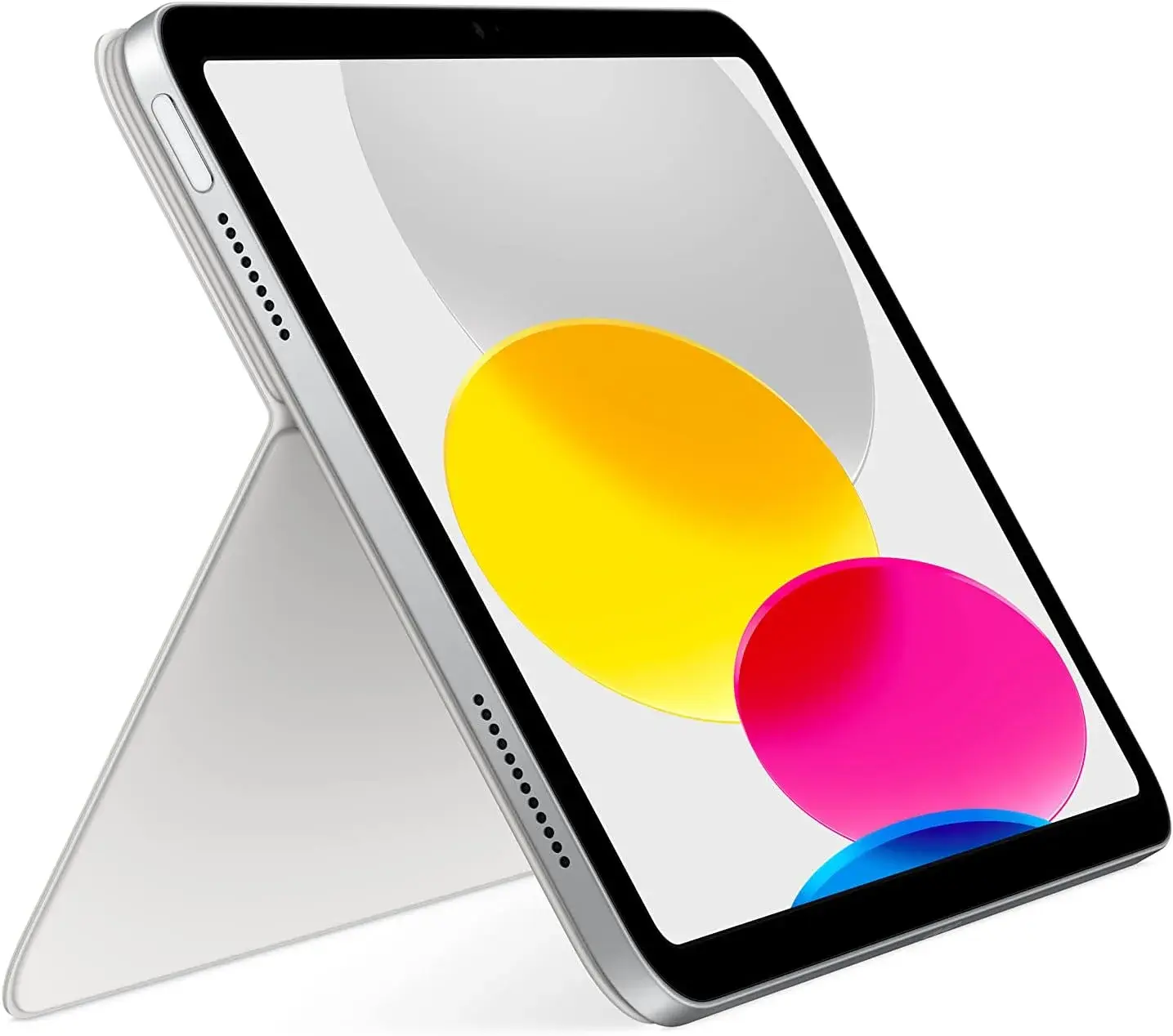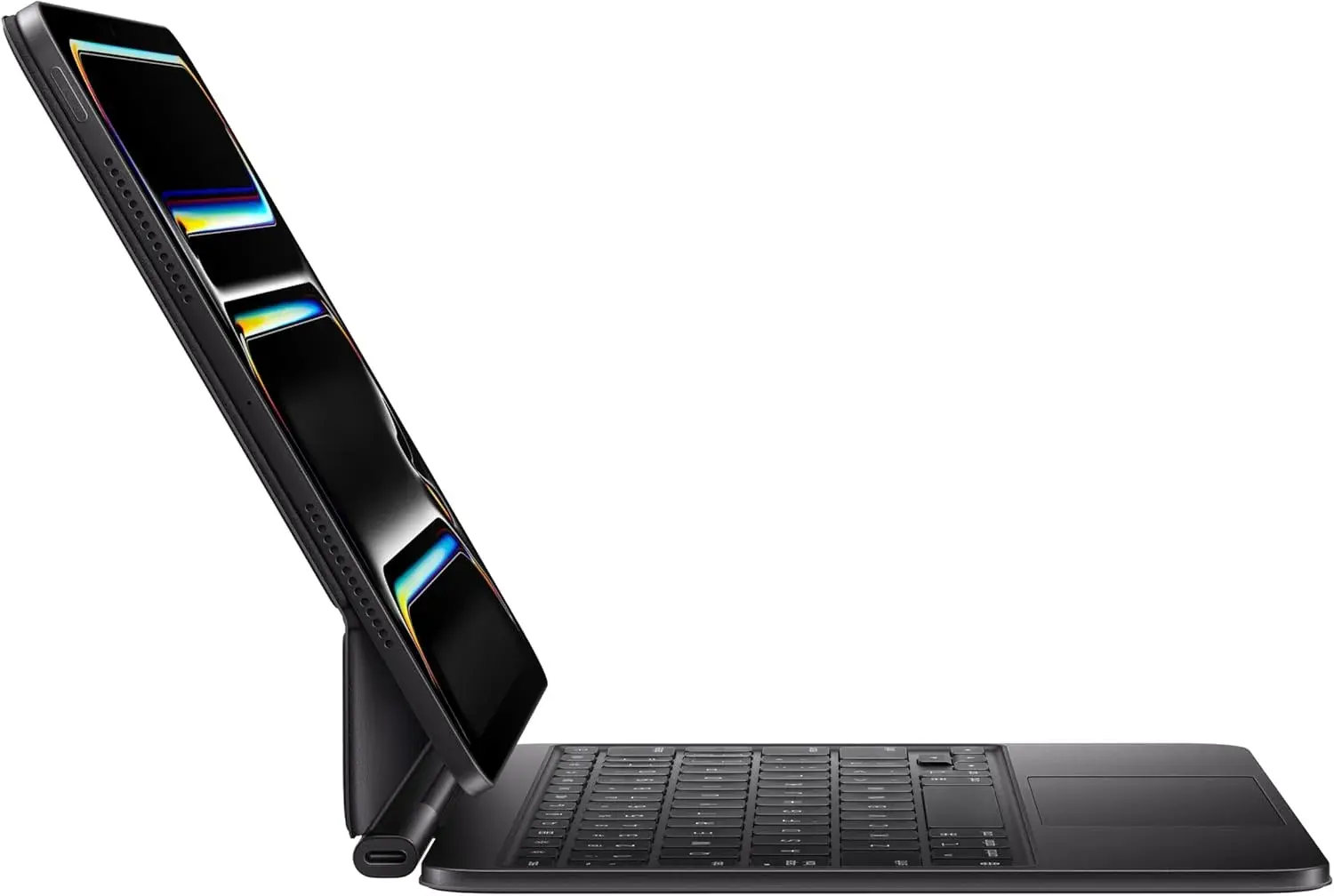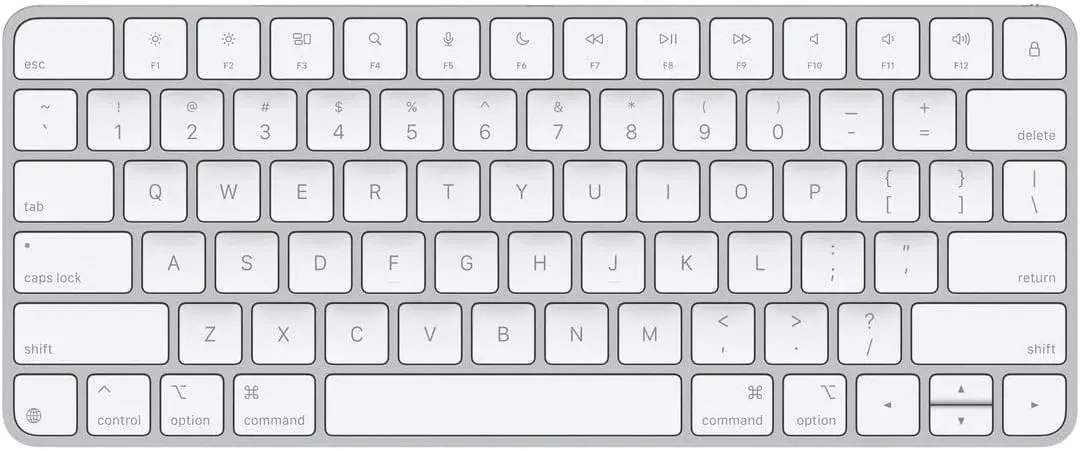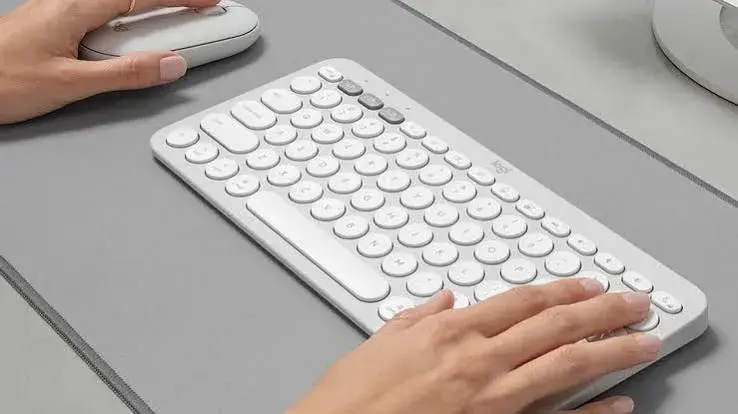
Logitech sells keyboards at every level, from a few-dollar wired board for a school lab to flagship gaming models. Two families sit in a different place from the rest: the MX line, built for people who type and work all day and want the best typing feel, build and multi-device convenience, and the Pebble line, built for people who want a slim, quiet, portable Bluetooth keyboard and mouse that go happily with a tablet or a thin laptop. If you are shopping for a keyboard that costs more than a basic office board, it is worth understanding what the extra money buys, and whether the premium MX Keys S, the slim Pebble Keys 2 K380s or the matching Pebble 2 Combo is the right fit for you. This guide to the Logitech MX Keys S Kenya buyers can order compares them honestly, explains who should and should not spend more, and shows you how to avoid fakes.
We hedge where specifications vary and say "we confirm per unit" for details that should be checked on the actual item. Prices change, so message us on WhatsApp for today's price.
City Gadgets Kenya is at New Alnoor Exhibition, Second Floor, Shop C7, Accra Road, Nairobi CBD, with same-day Nairobi delivery and next-day delivery outside Nairobi.
The short version
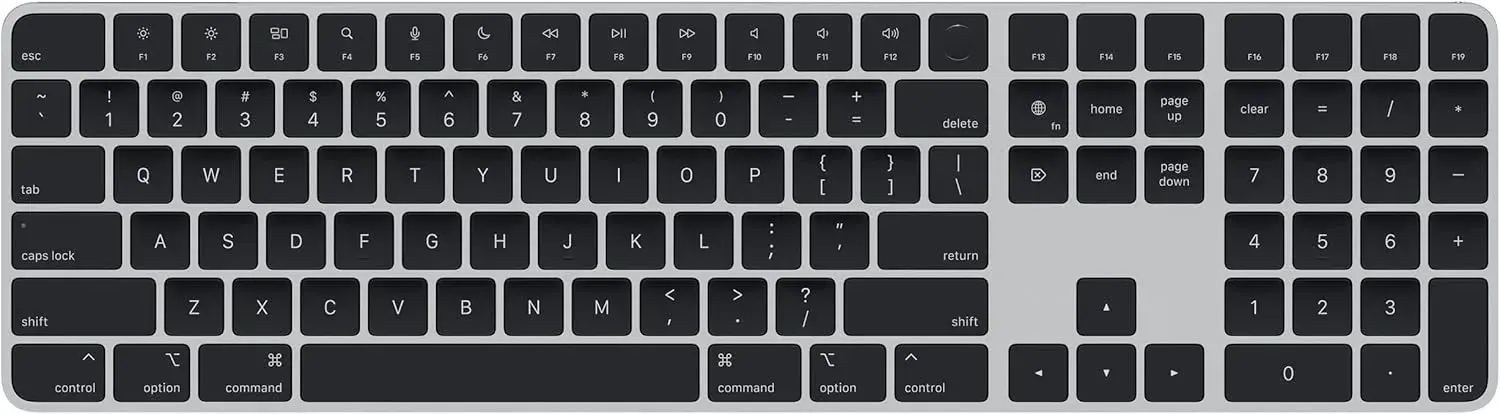
- Best premium typing keyboard: Logitech MX Keys S, with refined key feel, smart backlighting, multi-device switching, USB-C charging and a premium build.
- Best slim, quiet, portable keyboard: Logitech Pebble Keys 2 K380s, a Bluetooth keyboard that pairs with laptops, tablets and phones.
- Best matching slim set: Logitech Pebble 2 Combo, the Pebble keyboard with a matching Pebble mouse.
- If you want ergonomic comfort, look at the Wave Keys and Lift combo in our keyboard and mouse combo guide.
- If you want mechanical, see our mechanical keyboard guide.
- If you mainly use a tablet, see our tablet keyboard guide.
| MX Keys S | Pebble Keys 2 K380s | Pebble 2 Combo | |
|---|---|---|---|
| What it is | Premium full-size wireless keyboard | Slim, quiet Bluetooth keyboard | Slim keyboard plus matching mouse |
| Connection | Wireless, multi-device (we confirm per unit) | Bluetooth, multi-device | Bluetooth |
| Power | Rechargeable via USB-C | Long-life battery per the maker | We confirm per unit |
| Backlight | Smart adaptive backlight | We confirm per unit | We confirm per unit |
| Noise | Comfortable | Quiet by design | Quiet by design |
| Best for | Professionals who type for hours | Tablets, USB-C laptops, shared spaces | A matching portable set |
Ask us for today's price on any model.
Why these two families exist
Most keyboards are built to a price. The MX and Pebble lines are built to a purpose.
MX is Logitech's premium productivity range. It focuses on things that matter if you use a keyboard for hours a day: a refined key shape and spacing, solid materials, helpful features such as smart backlighting and the ability to pair with more than one computer, and rechargeable batteries so that you are not buying cells all the time.
Pebble is Logitech's slim, minimalist range. It focuses on being thin, light, quiet and Bluetooth-only, with a design that looks at home beside a tablet or a laptop in a café, on a train or in a shared office.
Understanding that difference helps you avoid paying for the wrong thing. A premium full-size keyboard is wasted if you carry it in a backpack every day. A slim travel keyboard is not ideal if you type novels at a desk all day.
Logitech MX Keys S in detail
The MX Keys S sits at the top of Logitech's everyday productivity keyboards. It is built for writers, developers, consultants, accountants and anyone whose daily output depends on comfortable, accurate typing.
Typing feel and key design
The MX Keys S has a key profile and spacing designed for typing comfort and accuracy over long sessions, rather than the more generic flat keys of entry-level keyboards. The keys have a gently shaped top that guides your fingertips. The feel is quiet and solid rather than mushy. If you type a great deal, this is the main reason to buy it.
Smart, adaptive backlighting
The keys are backlit and, per the maker, adjust automatically to ambient light and detect your hands approaching, lighting up as you reach for the keyboard and dimming when you step away. That both looks polished and saves battery. It is useful if you work in varied lighting, from a bright office to a dim evening desk.
Multi-device switching
The MX Keys S can pair with and switch between more than one device, so that you can type on a laptop, then switch to a desktop or tablet, without re-pairing each time. If you work across a personal laptop and a work computer, or a Mac and a Windows PC, this removes a daily irritation. We confirm per unit the number of devices and the connection types, including whether a receiver is included.
Build and materials
Logitech positions the MX Keys S with more refined materials and a more solid construction than its budget keyboards, intended to look and feel right on a professional desk. It is heavier than a travel keyboard, which helps it stay planted.
Battery and charging
It uses a rechargeable battery charged over USB-C, with a long life between charges under typical use per the maker, backlighting included. This is a reasonable trade-off: a little charging discipline in exchange for not buying disposable batteries.
Mac, Windows and multi-OS
The MX Keys S is designed to work across Windows and Mac, and Logitech's companion software, Logi Options+, lets you customise function keys and behaviour for each operating system. That helps if you switch platforms. Download the software only from Logitech's official site.
Who should buy the MX Keys S
- Professionals who type extensively.
- People who switch between several computers.
- Anyone who wants a quiet, premium full-size keyboard.
- Buyers who prefer rechargeable gear.
Who should not
- People who only type occasionally.
- Buyers on a tight budget, since a good combo does most of what they need.
- Those who want a travel keyboard, which the Pebble suits better.
- Gamers who want mechanical switches, who should look at the G413 or G915 X.
Pros: excellent typing feel, smart backlight, multi-device, USB-C charging, premium build. Cons: costs much more than basic keyboards, bulkier than slim keyboards, needs charging.
Logitech Pebble Keys 2 K380s in detail
The Pebble Keys 2 K380s is a slim, quiet Bluetooth keyboard designed to pair easily across laptops, tablets and phones. It is built for people who want a minimal, portable keyboard rather than a full desktop setup.
Bluetooth across multiple devices
It connects over Bluetooth rather than a USB receiver, so it works with laptops that have only USB-C ports as well as tablets and phones that support Bluetooth keyboards, with no adapter or dongle. It typically supports pairing with more than one device and switching between them, which suits typing on a tablet one moment and a laptop the next. We confirm per unit the number of devices.
Slim and portable
It is built to be thin and light, designed to slip into a bag alongside a tablet or laptop without adding much bulk, unlike a full-size desktop board.
Quiet keys
The Pebble Keys 2 is designed for quieter typing than a standard keyboard, which suits shared offices, libraries, video calls and anyone who does not want their typing to be the loudest thing in the room.
Battery
It runs on a battery designed for long life between changes per the maker, so you are not constantly managing power. We confirm per unit the battery type.
Who should buy it
- Tablet owners who want a real typing experience.
- Laptop users with only USB-C ports who want Bluetooth, not a receiver.
- Anyone working in shared, quiet spaces.
- Buyers wanting a slim, portable keyboard.
Who should not
- Heavy touch typists who want a full-size layout with a number pad.
- Gamers.
- Buyers who want a premium backlit board for a permanent desk.
Pros: slim, quiet, Bluetooth, portable, multi-device. Cons: compact layout, not for heavy numeric entry, basic compared with MX.
Logitech Pebble 2 Combo in detail
The Pebble 2 Combo pairs the slim Pebble Keys keyboard with a matching compact Pebble mouse, in the same minimal, quiet design.
Both Bluetooth. Both devices connect without a receiver, so they work with USB-C-only laptops, tablets and phones that support Bluetooth input devices.
Quiet by design. Both are built for quieter operation than standard devices, which suits shared offices, libraries and video calls.
Slim and portable. The set is thin and light, made for being carried in a bag.
A matching look. If you want both devices to match and arrive in one purchase, the combo is the simpler choice. If you only need the keyboard, the K380s alone is more affordable.
Pros: matching, quiet, Bluetooth, portable, one purchase. Cons: compact layout, small mouse that may not suit large hands, not for heavy desk work all day. See our wireless mouse guide for larger options.
MX Keys S vs Pebble Keys 2: which one?
| Question | MX Keys S | Pebble Keys 2 |
|---|---|---|
| I type for hours at one desk | Better | Fine but compact |
| I carry it every day | Heavy | Better |
| I use a tablet | Works | Better fit |
| I share a quiet space | Comfortable | Quieter by design |
| I want a number pad | Full-size layout (we confirm per unit) | No |
| I want backlighting | Smart backlight | We confirm per unit |
| I dislike charging | Needs charging | Long-life battery |
| I switch between computers | Multi-device | Multi-device |
If you are still not sure, choose by where the keyboard lives. If it lives on your desk, choose the MX Keys S. If it lives in your bag, choose the Pebble.
Is the MX Keys S worth the extra money?
This is the question most buyers actually have. Here is an honest way to decide.
Count your typing hours. If you type for more than a few hours a day, a keyboard that reduces fatigue and mistakes is worth real money. Spread over years of daily use, the extra cost per day is small.
Think about switching. If you use two or three computers, the time saved by not re-pairing and not swapping keyboards adds up.
Value the small things. Smart backlighting, USB-C charging and a solid build are details you notice daily, not just on day one.
Compare with a good combo. A set such as the MK270 or MK345 does a competent job for far less. If you type lightly, you will not notice enough difference to justify the premium.
Remember resale. Premium keyboards hold their value better than basic ones. You can trade yours in through our sell page when you upgrade.
A simple rule: if the keyboard is part of how you earn a living or complete your studies, buy the best you can reasonably afford. If it is an occasional tool, buy the combo.
MX Keys S vs a standard Logitech combo
| MX Keys S | MK270 or MK345 combo | |
|---|---|---|
| Typing feel | Refined, premium | Standard, comfortable |
| Includes a mouse | No, sold separately | Yes |
| Backlighting | Smart adaptive | No (we confirm per unit) |
| Power | Rechargeable USB-C | Replaceable batteries |
| Multi-device | Yes | One receiver, one computer |
| Number pad | Full-size layout (we confirm per unit) | Yes |
| Build | Premium | Practical |
| Best for | Professionals | Everyday users, offices |
If you want a mouse too, remember the MX Keys S is a keyboard only. Pair it with a mouse that suits you, such as one from our best wireless mouse guide, or the Lift vertical mouse from our ergonomic mouse guide.
Setting up the MX Keys S
- Charge it with a USB-C cable until it is ready. Use a reputable charger and cable.
- Switch it on and choose a device slot, normally with a numbered key.
- Pair it by opening your computer's Bluetooth settings and adding the keyboard, or by using a Logitech receiver if one is included. We confirm per unit what is in the box.
- Install Logi Options+ from Logitech's official website if you want to customise keys and backlighting.
- Pair a second or third device in the other slots and switch between them with the dedicated keys.
- Check your operating system mode so that the function keys behave as expected on Windows or Mac.
Setting up the Pebble Keys 2 and Pebble 2 Combo
- Insert the battery if needed, or remove the protective tab.
- Switch on the keyboard and mouse and enter pairing mode with the pairing key or button, usually a numbered key held down until a light blinks.
- Open Bluetooth settings on your computer, tablet or phone and add each device.
- Pair more devices in other slots and switch between them.
- Check the keyboard layout matches your device's operating system, since slim keyboards often have dual labels for Windows, Mac, iOS and Android.
Using them with a Mac, Windows PC, iPad or Android tablet
Windows. Works well. Some function keys act as media keys by default.
Mac. Works well. Modifier keys such as Command and Option may be labelled differently from Windows keys, and the software or system settings help you map them.
iPad and iPhone. Bluetooth keyboards generally work, with support for typing and many shortcuts. Behaviour depends on your device and software version, so we confirm per unit.
Android tablets and phones. Bluetooth keyboards generally work for typing, with some app-specific shortcuts.
Chromebook. Basic typing works.
USB-C laptops. Bluetooth avoids the need for a USB-A receiver.
Battery life and charging: what to expect
The MX Keys S charges over USB-C and, per the maker, lasts a long time between charges, with backlighting increasing consumption. Turn off backlighting or use the smart setting to extend life. The Pebble Keys 2 uses a battery designed for long life per the maker. Keep spares if it uses replaceable cells, and we confirm per unit. A few habits help:
- Switch off when you travel.
- Charge before long trips.
- Use a quality charger and cable.
- Do not leave a rechargeable keyboard at zero charge for months.
- Replace worn batteries promptly to avoid leaks.
Travel, commuting and working in cafés
For people who work on the move, the Pebble Keys 2 is the better bag companion. It is slim and quiet, and it pairs quickly with a tablet or laptop. The MX Keys S is better for a regular desk, whether in an office or at home. If you work in a coworking space, either can live there. Use a protective sleeve for the Pebble, and keep it away from liquids.
Working in a shared or open-plan office
Quiet typing matters in open-plan offices and shared homes. The Pebble range is built to be quiet. The MX Keys S has a comfortable, controlled sound that is less intrusive than a clicky mechanical keyboard. Neither will annoy colleagues as a loud mechanical board might. If you take many calls, a quiet keyboard avoids being picked up by your microphone. Combine it with a headset from our headset for Zoom calls guide.
Accessibility and comfort
Comfortable typing reduces strain. The MX Keys S shape and spacing support accurate typing, and adaptive backlighting helps in dim rooms. The Pebble range's low profile suits those who like shallow key travel. If you have wrist discomfort, consider an ergonomic set such as Wave Keys and Lift, and see a health professional for persistent pain. Keep your keyboard at elbow height, your wrists straight, and take regular breaks. Our home office setup guide has more.
Logitech software: Logi Options+
Logitech's companion software lets you customise function keys, backlighting and shortcuts and, on supported products, set different behaviour for different apps. It is optional, and the keyboards work without it. Always download it from Logitech's official website, not from random links, and be cautious with pirated or "cracked" versions. Features vary by model, and we confirm per unit.
Typing posture with a premium keyboard
A better keyboard does not replace good posture, but it makes good posture easier to keep. Place the keyboard directly in front of you, close enough that your upper arms hang relaxed and your elbows bend to about a right angle. Keep your wrists in a straight line with your forearms, neither bent up nor drooping down. If your wrists feel raised, a thin wrist rest used only during pauses can help. Avoid resting your palms on a hard desk edge while you type. If you notice tingling, numbness or lasting pain, stop and speak to a health professional. A shaped keyboard like the MX Keys S encourages accurate, relaxed typing, but your chair, desk height and screen position complete the picture.
Keyboard shortcuts that make any keyboard faster
Whatever keyboard you buy, a handful of shortcuts will speed up your work more than any hardware. Copy, paste and undo save countless mouse trips. Switching windows, locking your screen and taking screenshots are used constantly. Learn the shortcuts for your operating system and your most-used apps, such as your email, spreadsheet and browser. Programmable function keys on keyboards like the MX Keys S, through Logi Options+, can be set to open apps, mute your microphone or start a screenshot, which is handy on busy workdays. Start with five shortcuts and add more weekly.
Cleaning, spills and keeping a premium keyboard looking new
Premium keyboards show wear on the keys where fingers rest, and dust collects at the edges. Wipe the keyboard weekly with a barely damp microfibre cloth, then dry it. Use a soft brush for crumbs. Never spray liquid on a keyboard. If you spill a drink, switch it off, unplug any cable, turn it upside down and let it drain, and dry it fully before use. Bring it to us if keys remain sticky. A keyboard cover can protect the keys in dusty environments, though it changes the typing feel slightly.
Which mouse goes best with these keyboards?
The MX Keys S is a keyboard only, and the Pebble Keys 2 is too. For a Bluetooth mouse that suits a USB-C laptop, the Logitech M196 or the quiet M240 Silent match the Pebble's quiet character. For a desk with large hands, the M190 is comfortable. For ergonomic comfort, the Lift vertical mouse is our pick. If you buy the Pebble 2 Combo, the matching mouse is included. Our wireless mouse guide compares them all.
Frequently confused: Pebble Keys 2 K380s vs older K380 models
You may see older Logitech K380 keyboards on the market, and some sellers describe them loosely. The Pebble Keys 2 K380s is the current slim Bluetooth keyboard we stock. Check the exact model name on the box and keyboard, because older and newer models can differ in design, battery and features. If a seller cannot tell you the exact model, treat that as a warning. We confirm per unit what you are buying, and we will tell you plainly if a different version is in stock.
Reading a product listing carefully
Whether you buy from us or elsewhere, read the model name, the connection type and what is in the box. "Wireless" can mean Bluetooth or a receiver, and the two are not interchangeable. "Compatible with all devices" is a marketing phrase, not a promise. Look for the exact model, a clear photo of the real product and a seller with a real address. Be wary of listings with stock images only, vague descriptions or prices far below the market.
Long-term ownership
A premium keyboard should last for years. Rechargeable batteries do eventually wear, but a well-kept keyboard will usually run for a long time before capacity drops noticeably. Keep the firmware and software updated, store it clean and dry, and avoid leaving it in a hot car. When you upgrade, trade it in through our sell page, and keep the box and charging cable to help resale.
Common mistakes when buying
- Buying the MX Keys S for travel. It is a desk keyboard.
- Buying the Pebble for heavy numeric entry. It has a compact layout.
- Forgetting that the MX Keys S has no mouse.
- Not checking which devices you need to pair.
- Ignoring charging habits.
- Buying a fake. Premium Logitech models are widely copied.
- Downloading software from unofficial sites.
- Expecting a premium keyboard to fix posture. Desk height and wrist position still matter.
- Mixing up Bluetooth and receiver devices.
- Overpaying when a good combo would do.
Example scenarios
These are illustrative, not customer records.
Scenario 1: A consultant with two computers. She uses a work laptop and a personal desktop. The MX Keys S pairs with both, and she switches with a key press. Her typing is more comfortable, and her desk is tidier.
Scenario 2: A student with a tablet. He takes notes on a tablet in lectures and libraries. The Pebble Keys 2 pairs over Bluetooth, fits in his bag and does not disturb others.
Scenario 3: A remote worker with a USB-C laptop. She wants a clean desk setup with no receivers. The Pebble 2 Combo gives her a matching, quiet, Bluetooth set.
Scenario 4: A writer. He types for six hours a day and treats the MX Keys S as a tool of the trade. He adds a Lift mouse later for comfort.
Scenario 5: A manager choosing for a team. He compares the MK270 for most staff and the MX Keys S for heavy typists, and orders a small number of each for a trial.
Looking after your keyboard
Wipe the keys with a slightly damp, soft cloth, avoiding liquid between the keys. Use a soft brush or compressed air for crumbs. Keep drinks away. Charge with a quality cable. Store in a dry place. For slim keyboards, avoid pressing hard on the keys when packed in a bag. If a key stops working, bring it to us.
Warranty and after-sales support
Keep your receipt and box. If your keyboard stops pairing, loses keys or fails to charge, contact us first. A genuine product from a seller with a real address is easier to support. Warranty terms are confirmed per unit at purchase.
Questions to ask any seller before you pay
- Is the keyboard brand new and sealed?
- Which exact model is it?
- What is in the box, and is a receiver included?
- Does it work with my devices?
- What is the exchange policy?
- Will I get a receipt?
- Where is your shop if something goes wrong?
How to spot a fake Logitech MX or Pebble keyboard
Premium Logitech keyboards are copied because they sell at higher prices. A fake may feel cheap, miss keystrokes, lose connection or fail to hold a charge. Use these ten checks together.
- Check the model name and print. Genuine models show the correct name, such as MX Keys S or Pebble Keys 2, on the box and underside. Spelling errors and blurry printing are warning signs.
- Inspect the packaging. Genuine boxes are sturdy and sharp, with accurate details. Flimsy boxes are suspicious.
- Check the logo and finish. The Logitech logo should be crisp and even. Peeling or crooked logos suggest a fake.
- Inspect the keys. Genuine keys are evenly spaced with crisp legends. Wobbly keys and uneven printing are warning signs.
- Check the weight and build. The MX Keys S feels solid. A suspiciously light, creaky keyboard is a red flag.
- Test the pairing. A genuine keyboard pairs quickly over Bluetooth and holds its connection. A fake lags or drops.
- Test the multi-device keys. The device-switching keys should work reliably. A fake may not switch properly.
- Test the backlight and charging. The MX Keys S backlight should respond smoothly. Charging over USB-C should behave normally.
- Check the software. Install Logi Options+ from the official site. A genuine keyboard is recognised. A fake is not.
- Check the seller. An unrealistically low price, no shop address and no receipt are red flags.
If you are unsure, bring the keyboard to New Alnoor Exhibition, Second Floor, Shop C7, Accra Road, and we will help you check it.
Why buy your Logitech keyboard from City Gadgets Kenya
- Genuine products, checked before they reach you.
- A real shop at New Alnoor Exhibition, Second Floor, Shop C7, Accra Road, Nairobi CBD.
- Same-day delivery in Nairobi and next-day delivery outside Nairobi.
- M-Pesa payment and clear receipts.
- Honest advice, including telling you when a cheaper combo is enough.
- Mice, hubs and accessories in our accessories category.
- Support and repairs through our repair service.
- Trade-ins through our sell page.
- WhatsApp help on +254745575931.
Quick checklist
- I know whether the keyboard lives on a desk or in a bag.
- I chose MX Keys S for a desk or Pebble for portability.
- I checked how many devices I need to pair.
- I considered charging and battery needs.
- I have a mouse that suits me.
- I checked the model name, packaging and pairing.
- I have a receipt and know where to get support.
Frequently asked questions
What is the best premium keyboard in Kenya? The Logitech MX Keys S for people who type for hours and want a premium, multi-device keyboard.
What is the best slim keyboard for a tablet? The Logitech Pebble Keys 2 K380s, or the Pebble 2 Combo if you also want a mouse.
Does the MX Keys S work with Mac and Windows? It is designed to work across both.
Does the MX Keys S include a mouse? No, it is a keyboard only.
Is the Pebble keyboard quiet? It is designed for quieter typing.
Can the keyboards pair with more than one device? Yes, and we confirm per unit how many.
How do I charge the MX Keys S? Over USB-C.
Do I need software? Not to type. Logi Options+ is optional for customisation.
How do I know it is genuine? Use the ten checks above.
Where can I buy a Logitech keyboard in Nairobi? At City Gadgets Kenya, Shop C7, Second Floor, New Alnoor Exhibition, Accra Road.
Ready to choose?
Message us on WhatsApp with your devices, your typing hours and your budget, and we will recommend the right keyboard.
Related reading: Best keyboard and mouse combo · Best mechanical keyboard · Best keyboard for tablet and iPad · Best ergonomic mouse