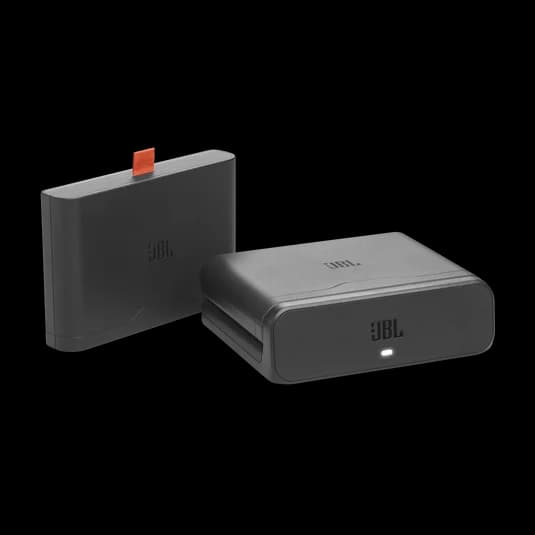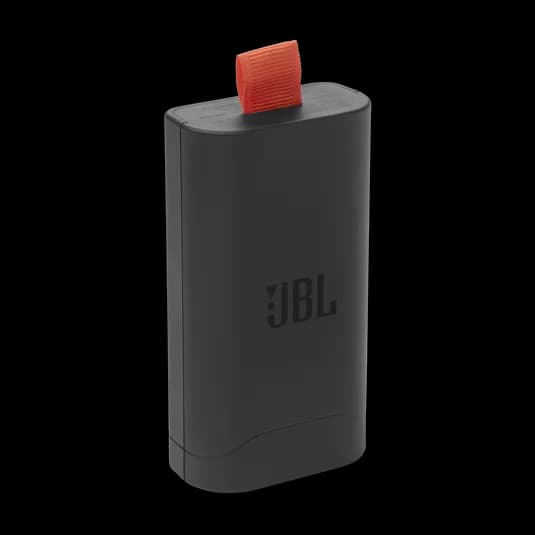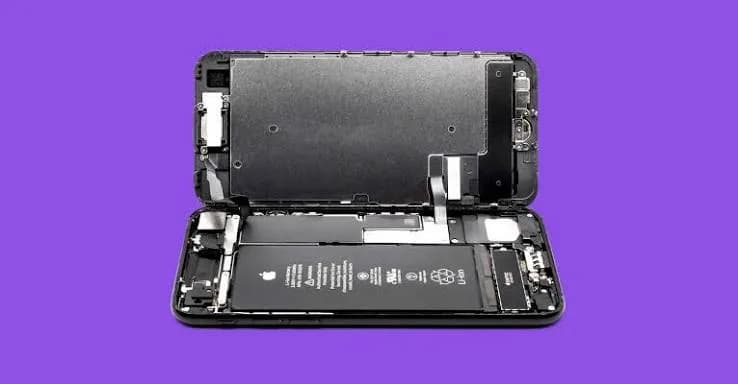
Your phone, laptop, earbuds, smartwatch, power bank, camera and even many torches run on the same kind of battery: lithium-ion. It is light, powerful and rechargeable, which is why it took over the world. It is also a battery that rewards good habits and punishes bad ones. This lithium-ion battery care guide explains how these batteries work, what shortens their life, how to store and charge them, how to spot a failing or dangerous battery, and how to avoid fake replacements.
We are City Gadgets Kenya, at New Alnoor Exhibition, Second Floor, Shop C7, Accra Road, Nairobi CBD. We sell phones, laptops, audio and accessories and handle repairs, so we see the results of good and bad battery care every day. The advice here is practical, honest and written for Kenyan conditions.
The short version
- Avoid heat. It is the number one battery killer.
- Do not drain to zero and do not worry about topping up.
- Use certified chargers and cables.
- Do not leave devices charging in hot or covered places.
- Store batteries at about half charge in a cool place if you will not use them for weeks.
- Replace swollen batteries immediately. Never puncture, bend or heat them.
- Buy replacement batteries and power banks from trusted sellers. Fakes are common.
| Device | Biggest battery risk | Best habit |
|---|---|---|
| Phone | Heat, fake chargers | Cool place, certified charger |
| Laptop | Always plugged in hot | Use battery care mode if available |
| Earbuds | Hot cars, full drain | Keep case cool, charge sensibly |
| Smartwatch | Always at 100 percent | Use manufacturer charger |
| Power bank | Cheap fakes, damage | Buy genuine, avoid drops |
| Camera, dashcam | Heat in cars | Use heat-rated batteries or supercapacitor models |
How a lithium-ion battery works
A lithium-ion battery has two electrodes, an anode and a cathode, separated by a thin barrier, with a liquid or gel electrolyte between them. When you charge, lithium ions move from the cathode to the anode and are stored. When you use the device, they move back and release energy that powers your gadget. A tiny circuit inside the battery pack, the battery management system, watches voltage, current and temperature, and cuts the power if something goes wrong.
Over time, small unwanted changes build up in the cell. A thin layer forms on the anode, some lithium becomes trapped, and the materials change slightly. The result is less usable capacity and higher internal resistance. Resistance produces heat, so an old battery tends to run warmer. That is why old phones can feel hot with simple tasks.
You will also hear "lithium-polymer". These are a variation in construction, common in phones and thin devices. For care purposes, they follow the same rules.
What actually ages a battery
Three factors matter most: temperature, charge level and usage pattern.
Temperature. Hot is bad, and very cold is also bad for performance and for charging. Between about 10 and 30 degrees Celsius is a comfortable range for most devices. A phone on a sunny dashboard or in a hot pocket can go well beyond this.
Charge level. Keeping a battery at 100 percent for long periods, especially when hot, stresses it. Keeping it at very low charge for long periods is also harmful. The middle range, roughly 20 to 80 percent, is the gentlest.
Usage pattern. Fast charging, heavy gaming and constant full cycles add wear. Light use, partial cycles and cool conditions add less.
This does not mean you must live in fear of every plug-in. Batteries are consumables, designed to be used. The aim is to avoid extremes.
For a myth-busting look at charging speed specifically, see fast charging and battery health myths.
Everyday charging habits
Charge when it suits you
You do not need to wait until the phone is nearly flat. Top up whenever it is convenient. Short charges are fine for lithium-ion.
Do not obsess about 100 percent
Charging to 100 percent is normal. If you want to be gentle, use an optimised charging or 80 percent limit option if your phone or laptop has one. Many modern devices include it.
Avoid heat while charging
Remove thick cases when charging fast, avoid direct sun, and do not charge under pillows or blankets. A cool hard surface is best.
Use a good charger and cable
Choose chargers from trusted brands that follow standards such as USB Power Delivery. See USB Power Delivery explained and USB-C cable types. Browse accessories at City Gadgets Kenya.
Unplug and let it cool if it is very hot
If a device is too hot to hold comfortably, unplug it and let it cool. Do not put it in a fridge or freezer, as condensation can cause damage.
Phone battery care
Phones are the devices people worry about most, and the advice is simple.
- Keep the phone out of the sun and out of parked cars.
- Use a certified charger. Many phones also include optimised charging.
- Do not game for hours while fast charging.
- Avoid leaving it at 0 percent for days.
- Update the software. Updates often improve battery management.
- Check battery health occasionally. Most phones show a battery health estimate in settings.
- Replace the battery when needed. A new battery can make an old phone feel new again.
Our phones category lists devices we stock, and our repair page covers battery replacement. Message us for today's price.
Laptop battery care
Laptops have larger batteries, but they are often kept plugged in for years. Constant 100 percent, plus the heat of a busy laptop on a bed or sofa, is a recipe for early wear. Tips:
- Use the manufacturer's battery care or conservation mode if available. It caps charge at a lower level.
- Do not block the vents. Use a hard surface or a stand.
- Unplug sometimes and run on battery for a normal work period.
- Avoid leaving a laptop in a hot car.
- Use the correct charger, or a certified USB-C PD charger if the laptop supports it.
- Clean the vents occasionally to reduce heat.
If your laptop shuts off at 30 percent or lasts under an hour, the battery is probably worn. Browse laptops at City Gadgets Kenya or ask us about a replacement.
Earbuds, headphones and smartwatch batteries
Small batteries age in the same way, and because they are tiny, they feel the effect sooner. Earbuds in particular have very small cells, so after a year or two of daily use you may notice shorter listening time.
Care tips for earbuds and headphones:
- Keep the case out of hot cars and direct sun.
- Do not leave earbuds in a pocket where they get warm and damp.
- Use the case so the earbuds are not left at full charge in heat.
- Do not run them completely flat repeatedly.
- Charge with the right cable; some earbuds have low charge limits.
- Clean the charging contacts gently so charging is reliable.
Stated battery life is measured in ideal conditions. For example, Soundcore's Liberty 4 NC is listed at up to 10 hours with noise cancelling off and 8 hours with it on, and the Soundcore Space Q45 headphones are listed at up to 65 hours with ANC off and 50 hours with ANC on, but real life varies with volume, codec and temperature. We explain this in earbuds battery life explained. For headphones you can see options in our best noise cancelling headphones guide.
Smartwatches should be charged with the maker's charger. Third-party chargers can work but are riskier for such small cells.
Power bank care
A power bank is a battery in a case. The same rules apply, plus a few extras.
- Buy a genuine one. Fake power banks often have much less capacity than claimed and weak protection. See our power bank mAh versus Wh guide.
- Do not drop or crush it. Impact can damage the cell inside.
- Do not leave it in a hot car or in direct sun.
- Do not charge it unattended under a pillow.
- Recharge it every few months if stored. Do not leave it empty for long.
- Check airline rules before flying. Capacity limits apply. See can a power bank fly.
- Retire it if it swells, smells or gets very hot.
Large power banks such as the Anker Prime 26K 300W (26,250 mAh, up to 300W total, with a stated airline-safe design) are powerful and need correct cables and care. Anker's 25K 165W model has built-in cables, which are convenient but mean a damaged cable matters more. Ask us which power bank suits your devices.
Camera, dashcam and CCTV batteries
Cameras and dashcams used in cars face the harshest conditions: heat, vibration and constant charging. A lithium-ion dashcam battery can swell in a hot car. Many dashcams use supercapacitors for this reason. If your dashcam uses a battery, avoid leaving it in a parked car in the sun. Memory cards also suffer in heat; see our best memory cards for CCTV and dashcams guide.
Storing batteries long term
If you will not use a device for weeks or months, such as a spare phone, a camera or a power bank:
- Charge it to roughly 40 to 60 percent.
- Power it off.
- Store it in a cool, dry place away from direct sun.
- Check and top up every three to six months.
- Do not store it fully charged or fully empty for long periods.
A battery stored fully empty can drop so low that it will not charge again. A battery stored fully charged in the heat ages faster.
Cold weather and high altitude
In cold conditions, a battery's output drops temporarily, so a phone may show 40 percent and shut off in the cold. Warm it up and it often recovers. Do not charge a very cold battery quickly; wait until it returns to a normal temperature. This matters for travellers to colder regions or high places.
Signs of a failing or dangerous battery
Some signs mean the battery is ageing; others mean stop using it.
Normal ageing signs:
- Shorter use between charges.
- Phone slows down on heavy tasks.
- Percentage drops quickly in the cold.
Danger signs:
- Swelling. The back cover lifts, the screen separates, or the device no longer sits flat.
- Strong chemical smell.
- Very high heat with light use.
- Leaking fluid.
- Hissing or popping sounds.
- Smoke.
If you see danger signs, unplug the device if safe, move it away from flammable items, stop using it, and get professional help. Never puncture, press or heat a swollen battery. We can inspect it at our shop; see our repair page.
Can you revive a dead battery?
Sometimes. If a device will not charge because the battery dropped very low, the protection circuit may have locked it. A proper technician can sometimes recover it safely. Do not try home tricks such as freezing the battery or jump-starting it with other power sources. These are unsafe and rarely work. If a battery is old and weak, replacement is the real fix.
When to replace the battery
Replace the battery when:
- The device no longer lasts your day.
- It shuts down unexpectedly at moderate charge levels.
- It is swollen.
- Battery health is very low and performance suffers.
Replacing a battery is often cheaper than replacing the device. For phones, it can extend life for years. Message us for today's price on battery replacement, and see our repair page. If you decide to upgrade instead, you can sell your old device to us.
Battery capacity: mAh, Wh and what they mean
Battery capacity is often given in milliamp-hours (mAh) or watt-hours (Wh). mAh depends on voltage, so it is not directly comparable between devices with different voltages. Wh is a better measure of total energy. For example, a power bank with 26,250 mAh at a typical cell voltage holds a certain number of watt-hours, which determines how many times it can charge a phone or a laptop. The full explanation is in our power bank mAh versus Wh guide.
Environmental and safe disposal
Old lithium-ion batteries should not go in ordinary rubbish. They can start fires in bins and garbage trucks, and they contain materials that should be recycled. Take old batteries to a proper collection point or bring them to a shop that handles them. Tape the terminals of loose cells and keep them away from heat while waiting to dispose of them.
Battery care for specific situations in Kenya
Matatus, boda bodas and commuting
Daily commuters often charge a phone from a power bank in a bag that sits against warm bodies and hot seats. Keep the power bank in a ventilated part of the bag and do not leave it on a seat in direct sun. If you ride a boda boda with a phone on a handlebar mount, shield it from direct sun and rain, and remember that vibration can damage the charging port over time. A short, good-quality cable that does not dangle is better than a long cable swinging around.
Power cuts and unstable supply
Power outages and surges are a fact of life in many areas. Surges can damage chargers and, indirectly, the batteries they feed. Plug chargers into surge-protected sockets where possible, and unplug laptops and phones during storms. A power bank gives you a clean, regulated backup during blackouts. For desktop equipment, a UPS gives protection and ride-through time; see our UPS VA versus watts explained article.
Students and shared chargers
Students who charge in libraries and hostels often share chargers and use unknown cables. Carry your own cable and a small certified charger, since a worn borrowed cable can cause slow charging and heat. A modest power bank helps during long lectures. Our best storage for students guide covers the rest of the student kit.
Small businesses and shops
Shops that use phones for M-Pesa, orders and WhatsApp need phones that last all day. A phone that dies at 3 pm costs sales. Keep a charger at the counter, use a good power bank for peak days, and replace worn batteries before they fail. For businesses with many staff phones, consider standardising on a few charger types so cables are interchangeable.
Content creators and remote workers
Creators who film and edit all day run phones and laptops hot. Use a stand to improve airflow, keep devices out of the sun during outdoor shoots, and carry a high-output power bank. Large power banks can charge laptops via USB-C PD if the cable and bank support it. Our USB Power Delivery explained article shows how to check.
Software settings that help your battery
Hardware care is half the story. Software settings can reduce battery use and heat:
- Adaptive or optimised charging. Learns your routine and holds at a lower level until needed.
- Battery saver or low power mode. Reduces background activity when the battery is low.
- Screen brightness and timeout. The screen is one of the biggest consumers. Lower brightness and a shorter timeout help.
- Dark mode on OLED screens. Saves power because dark pixels use less energy.
- Background app refresh. Limit it for apps you rarely use.
- Location services. Set apps to use location only while in use.
- Updates. Keep the system and apps updated, as updates often fix battery drain bugs.
- Poor signal. A weak network signal forces the phone to work harder. Switch to Wi-Fi when possible.
Remember that a battery is a consumable. The aim is comfortable daily use, not perfection.
Understanding battery health numbers
Phones often show a battery health figure, such as a percentage of original capacity. Treat it as a guide. A figure around 80 percent is often described as the point where noticeable decline begins, though phones differ. Below that, you may notice shorter life and possible performance limits. Many people replace the battery at that stage.
Do not chase a perfect number. A device with 85 percent health that lasts your day is better than one at 95 percent that you stress about.
Laptops show health through their power settings or through a diagnostic report. Power banks rarely show health, so you judge by how many charges you get compared with when it was new.
Charging cables, ports and connectors
A battery is only as good as the path that charges it. Dust and lint in a charging port can cause poor contact and heat. Clean the port gently with a soft, dry tool such as a wooden toothpick, never metal. Do not use liquids. Replace cables with bent connectors or exposed wire. A loose port that disconnects constantly is a repair job rather than something to fix by wiggling the cable.
Comparing charger types by use
| Use case | Suggested approach | Why |
|---|---|---|
| Overnight phone charging | Standard certified charger, optimised charging on | Gentle and safe |
| Fast top-up before leaving | PD or brand fast charger | Quick |
| Laptop on the go | USB-C PD power bank or compact PD charger | One charger for several devices |
| Travel with several devices | Multi-port GaN charger | Fewer chargers |
| Bedside table | Wireless stand or pad | Convenient |
| Emergency backup | Charged power bank | Works in power cuts |
For more on compact chargers, see what is GaN charging. For wireless, see Qi2 and MagSafe explained.
Battery safety at home and in the car
Lithium-ion batteries are safe in normal use, but a few precautions reduce risk further:
- Do not charge devices on beds, sofas or other soft surfaces.
- Do not leave devices charging while you are away for a long time.
- Do not use damaged cables or chargers.
- Keep chargers dry and away from water.
- Do not charge a visibly swollen or damaged device.
- Keep a power bank out of hot parked cars.
- Do not mix random chargers and cables of unknown quality.
- If a battery starts to smoke or burn, move away and call for help. Do not use water on an electrical fire unless trained; a suitable extinguisher is the safer choice.
In a car, avoid leaving phones, dashcams and power banks in sun-baked vehicles. For in-car charging, read our car charger safety explained article.
Repair or replace: a simple way to decide
Ask three questions. First, does the device still run smoothly and receive updates? If yes, a new battery is a sensible fix. Second, is the cost of repair a small portion of the cost of a replacement? If so, repair. Third, is the device old, slow, cracked and out of updates? Then an upgrade may make more sense. Our team can examine the device and give an honest recommendation, including telling you not to spend money when a repair is not worth it. Browse phones for upgrades or message us for today's price on repairs.
A month-by-month habit plan
Good battery care is easier when it becomes routine, so here is a plan you can follow without much effort.
Every day. Charge when convenient, in a cool place, with your certified charger. Do not cover the device. If your phone has optimised charging, leave it switched on. Avoid leaving devices in the sun while you are out.
Every week. Glance at your cables. Look for frayed ends, bent connectors and loose fits. Wipe the charging contacts on earbuds and cases with a dry cloth. Check that your power bank still holds a good charge and does not feel unusually warm.
Every month. Check your phone's battery health reading and note any change. Restart the device if it has been running for a long time, which can clear software glitches that drain power. Clear out apps you no longer use, as they may run in the background.
Every few months. Top up any stored devices, such as spare phones or power banks, to about half charge. Clean the charging port gently. Review whether your battery still lasts your day. If it does not, think about replacement before the battery becomes unreliable.
Every year. Take stock of your accessories. Replace worn cables and any charger that has become hot, noisy or unreliable. Decide whether it is time to refresh a phone, laptop or earbuds. If you plan to upgrade, our sell page lets you trade in your old device.
This plan is simple, and it avoids the two most common mistakes: ignoring battery health until a device fails, and worrying so much that you charge in awkward ways. A calm, regular routine beats extreme rules.
What the future holds
Battery technology is improving. Manufacturers are working on denser cells, better heat management and charging systems that adapt to usage. Software is also getting smarter. Phones and laptops now learn routines, limit charge levels and manage heat automatically. Still, the basic rules are unlikely to change: keep batteries cool, avoid extremes, and use quality charging equipment. Those habits will serve you with the next generation of devices just as well as with today's.
One last practical tip
If you only change one habit after reading this guide, make it heat. Keep your phone and power bank out of the sun, out of parked cars and out of tight covered spaces while charging. That single habit protects more battery life than any app, setting or gadget.
Myths people still believe about lithium-ion batteries
"You must fully discharge a new battery first." This applied to old nickel batteries. A new lithium-ion device can be used straight away.
"Overcharging will explode the battery." Modern devices stop charging at full. Danger comes from faulty or fake chargers and damaged batteries, not from normal overnight charging with good equipment.
"Airplane mode saves the battery for storage." Not needed. Power the device off for storage.
"A bigger mAh number always means a better battery." Not if the product is fake or poorly built. Capacity labels on cheap batteries are often exaggerated.
"Original means unbreakable." Even original batteries age. Care still matters.
"Fast charging is always harmful." Not by itself. See our fast charging myths article.
How to spot a fake battery, power bank or charger
Counterfeit batteries are a genuine safety issue. They can lack protection circuits and overheat. Here are ten ways to spot a fake:
- Weight. A battery or power bank that feels far lighter than the genuine item often has less capacity than claimed.
- Capacity claims that seem impossible. A tiny power bank claiming a huge mAh figure is a red flag.
- Labels and printing. Look for crisp text, correct spelling and clear certification marks. Blurry or missing information is suspect.
- Packaging. Poor box quality, odd fonts and missing seals suggest a copy.
- Serial or batch numbers. Genuine products carry them. Missing or repeated numbers are a warning.
- Price. A famous brand at a price far below the market is almost always fake or grey.
- Heat in use. Excess heat at modest loads is a bad sign.
- Performance. If a power bank only charges a phone once when it should charge several times, the capacity is overstated.
- Poor fit and finish. Rough edges, loose covers and bad ports reflect poor quality.
- Seller and warranty. Anonymous sellers who give no receipt or warranty are a risk.
For replacement phone batteries, ask the technician which parts are used, ask for a warranty, and avoid unbranded cells from street vendors. A bad replacement battery can be worse than a worn original.
When you buy batteries, power banks and chargers from City Gadgets Kenya, you buy from a physical shop. We confirm specifications per unit, and we stand behind what we sell.
Why buy power accessories and phones from City Gadgets Kenya
- A shop you can visit. New Alnoor Exhibition, Second Floor, Shop C7, Accra Road, Nairobi CBD.
- Genuine brands. We stock brands such as Anker and Soundcore.
- Honest advice. If a smaller power bank is enough, we say so.
- Compatibility help. Tell us your device and we will confirm the right charger and cable.
- Repairs. Battery checks and replacements; see the repair page.
- Trade-ins. Upgrade by using our sell page.
- Delivery. Same-day within Nairobi, next-day outside Nairobi.
- Payment. M-Pesa accepted, and Lipa Mdogo Mdogo on iPhones.
Browse phones, laptops and accessories. Message us for today's price.
Battery care checklist
- I keep my devices out of heat.
- I use certified chargers and cables.
- I do not routinely drain to 0 percent.
- I use battery care or optimised charging when available.
- I store spare devices at about half charge.
- I know the signs of a swollen battery.
- I buy power banks and batteries from a trusted seller.
- I dispose of old batteries properly.
Frequently asked questions
How long does a phone battery last? Often two to three years of good use before capacity drops noticeably. It varies with heat, habits and the phone.
Is it bad to leave my phone charging overnight? Not with a good charger and modern phone. Heat and covers are the risks.
Should I charge to 100 percent? You can. For best long-term health, avoid sitting at 100 percent in heat.
Why does my battery drain faster in the cold? Cold temporarily reduces output. It usually recovers when warmed.
Can I replace my phone battery? Usually yes. A new battery can restore all-day life. Ask us about your model.
Is a swollen battery dangerous? Yes. Stop using and charging the device and get it checked.
Are third-party chargers safe? Good ones from trusted brands are. Fakes are not.
How do I store a power bank? Half charged, cool and dry, with a top-up every few months.
Ready to choose?
Tell us your device and your problem, and we will confirm whether it needs a better charger, a new battery or a replacement. WhatsApp: https://wa.me/254745575931. Visit us at New Alnoor Exhibition, Second Floor, Shop C7, Accra Road, Nairobi CBD. Message us for today's price. Same-day Nairobi delivery, next-day outside Nairobi, M-Pesa accepted.
Related reading: Fast charging and battery health myths, power bank mAh vs Wh, USB Power Delivery explained, Qi2 and MagSafe explained.