
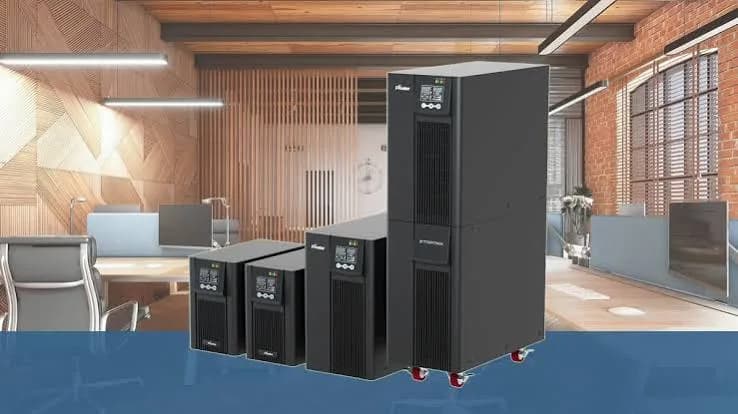
Shop for a UPS in Nairobi and you will meet three words on the box: offline, line-interactive and online. Sellers throw them around as if everyone knows the difference, and the price gap between them can be large. The difference is real, and picking the wrong type either leaves you under-protected or makes you pay for protection you do not need. This guide to line-interactive vs online UPS explains how each design works, where each shines, where each falls short and which one suits a home office, a shop till, a CCTV recorder or a small server room.
We are City Gadgets Kenya, at New Alnoor Exhibition, Second Floor, Shop C7, Accra Road, Nairobi CBD. We help customers choose power protection for homes, shops and offices. UPS specifications vary by model, so we confirm the exact type, watt rating, battery and warranty per unit before you buy.
The short version
- Offline (standby) UPS: the simplest and cheapest. Passes mains straight through and switches to battery when power fails. Minimal conditioning.
- Line-interactive UPS: the most common for homes and small offices. Adds automatic voltage regulation (AVR), which corrects moderate over-voltage and under-voltage without using the battery.
- Online (double-conversion) UPS: the most protective. Constantly converts incoming power to DC and back to clean AC, so there is no switching delay and the output is isolated from mains problems.
- Pick line-interactive for desktops, routers, POS and most small office use.
- Pick online for servers, medical or lab equipment, sensitive networks and anywhere downtime or bad power is costly.
- Size by watts, not VA. See UPS VA vs watts explained.
| Feature | Offline | Line-interactive | Online |
|---|---|---|---|
| Normal operation | Mains passes through | Mains passes through with AVR correction | Always converted through the inverter |
| Transfer time to battery | Several milliseconds | Several milliseconds | Zero |
| Voltage correction | Little | Moderate (AVR) | Full regulation |
| Output waveform | Often stepped | Stepped or pure sine, varies by model | Pure sine |
| Efficiency | High | High | Lower |
| Heat and fan noise | Low | Low to moderate | Higher |
| Cost | Lowest | Middle | Highest |
| Typical user | Basic PC at home | Home office, shop, small office | Servers, labs, critical systems |
Why Kenya needs a UPS in the first place
Power problems in Kenya are familiar: sudden outages, brownouts where voltage sags, surges when power returns, and sometimes voltage swings that damage electronics. A UPS provides short-term battery backup so equipment keeps running through a blip or shuts down properly, and many types help clean up voltage problems. The more severe or varied your supply issues, the more the UPS type matters.
Read about the problems in power surges and AVR in Kenya and about wiring in earthing and wiring for UPS in Kenya.
What each UPS type actually does
Offline or standby UPS
In normal conditions, an offline UPS passes mains power directly to your equipment while keeping its battery charged. When the voltage drops too low or fails, it switches to the battery and an inverter produces power. The switch takes a few milliseconds, which most computers tolerate. Offline units offer basic surge protection but little help with mild voltage swings.
Good for: a basic PC or router in a place with mostly clean power and occasional outages. Weak at: correcting repeated over- or under-voltage. It may switch to battery repeatedly, wearing the battery faster.
Line-interactive UPS
A line-interactive UPS adds an automatic voltage regulator, usually a transformer with taps that boost or trim the voltage. If mains voltage is a little low or high, AVR corrects it without touching the battery. If the problem is too large or the power fails, it switches to battery. This saves the battery from frequent cycling and gives your equipment steadier voltage.
Most home and small-office UPS units are line-interactive. They are efficient, quiet and affordable. Their output on battery may be a simulated (stepped) sine wave or a pure sine wave depending on the model; see pure sine wave vs simulated sine wave.
Good for: desktops, laptops with docking stations, routers, POS terminals, CCTV recorders and small offices. Weak at: extreme voltage problems, noisy power, or equipment that cannot tolerate even a short switch.
Online (double-conversion) UPS
An online UPS converts incoming AC to DC, feeds the battery and then converts the DC back to clean AC continuously. Your equipment always runs from the inverter, so there is no transfer time when power fails, and the output is isolated from surges, sags, noise and frequency variation. The price is higher cost, lower efficiency, more heat, usually louder fans and a more complex unit.
Good for: servers, network cores, medical and lab equipment, industrial controls, and anything that cannot tolerate a hiccup. Weak at: cost and running expense for small loads, plus the need for ventilation.
Transfer time: does it matter?
Transfer time is how long the UPS takes to switch from mains to battery. Offline and line-interactive units take several milliseconds. Online units take zero because the inverter is always supplying the load.
Most modern computer power supplies have hold-up time, a small energy reserve that bridges short interruptions, usually longer than the UPS's switching time. That is why a typical PC rides through a line-interactive switchover without noticing. Problems arise with unusual loads or very sensitive equipment, which is why servers and critical systems often use online units.
Voltage regulation: the hidden benefit of line-interactive
Many people think of a UPS only as battery backup, but regulation is just as important. If your supply regularly sags to low voltage or swells high, a line-interactive UPS with AVR corrects it silently, keeping equipment safe and saving battery cycles. An offline unit switches to battery more often in such conditions, and the battery wears sooner.
If your supply is very unstable, consider a separate AVR in front of the UPS or an online UPS. We explain AVR in our power surges and AVR guide.
Waveform: pure sine wave or simulated?
The shape of the output when running on battery matters for some equipment.
- Simulated or stepped sine wave: common on budget offline and line-interactive units. Works for most computers and routers but can cause buzzing, heating or shutdowns in some power supplies, motors and sensitive devices.
- Pure sine wave: smooth like mains. Better for active-PFC power supplies, audio gear, medical and sensitive devices.
Online UPS units produce pure sine wave. Some line-interactive units do too, so ask which you are buying. Read more in pure sine wave vs simulated sine wave explained.
Efficiency, heat and running costs
An online UPS passes all power through two conversions, so some energy is lost as heat. Modern designs are quite efficient, but they are still less efficient than line-interactive units, which pass mains straight through most of the time. Practical consequences:
- Electricity use. Online units consume more power for the same load, which matters if the UPS runs 24 hours a day.
- Heat. Online units need ventilation and sometimes cooling in small rooms. Heat shortens battery life.
- Noise. Fans in online units may be louder, which matters in a quiet office.
- Eco modes. Some online units offer an eco or high-efficiency mode that passes mains straight through when it is clean, trading some protection for efficiency. Sensitive loads may prefer normal mode.
For a small home setup, the extra running cost of an online UPS may not be justified. For a server room, it usually is.
Battery life and replacement
Both types commonly use sealed lead-acid batteries, which wear out in a few years and faster in heat. An online unit that runs warm may wear batteries sooner than a line-interactive in a cool room. Frequent battery switching in a line-interactive unit also wears batteries, which is why AVR helps.
Plan to replace batteries when runtime drops, and use the right type and size. Our how long will a UPS run article explains runtime and wear.
Cost: what you are paying for
We do not quote prices in articles because they change, but the pattern is clear. Offline units cost least, line-interactive sit in the middle, and online units cost most. For the same VA rating, an online unit is usually the most expensive because of its more complex electronics. Message us for today's price on any model.
A better way to think about cost is the cost of failure. If a short power glitch means a corrupted database, a lost day of work, a damaged server or a stopped production line, a higher-priced online UPS is cheap insurance. If a glitch means a PC reboots and you lose five minutes, a line-interactive unit is enough.
Which type for which equipment?
| Equipment | Suggested type | Reason |
|---|---|---|
| Router and ONT | Offline or line-interactive | Small load, long runtime needed |
| Home desktop | Line-interactive | Good balance of price and protection |
| Gaming PC or workstation | Line-interactive pure sine, or online | Higher loads and sensitive power supplies |
| POS terminal and receipt printer | Line-interactive | Protects sales and data |
| CCTV recorder and cameras | Line-interactive | Keeps recording through outages |
| Small office with several PCs | Line-interactive, larger rating | Cost-effective |
| Network switch and Wi-Fi | Line-interactive or online | Depends on criticality |
| Server | Online | Zero transfer time and clean output |
| Medical or lab equipment | Online | Sensitive, high consequence |
| Laser printer | Not on a small UPS | High surge |
For help sizing, see UPS VA vs watts explained.
A simple decision guide
- How costly is downtime or damage? If very costly, lean online.
- How bad is your power? If voltage swings widely, lean line-interactive with AVR or online.
- Is your equipment sensitive to waveform? If yes, choose pure sine wave or online.
- How big is the load? Small loads suit line-interactive; large critical loads suit online.
- Where will it sit? Poorly ventilated rooms are hard on online units.
- What is your budget? Be honest. A well-sized line-interactive beats an undersized online.
Common myths about UPS types
"Online is always better." It is more protective, but not always necessary. For a home desktop, it may be wasteful.
"A UPS makes bad wiring safe." It does not. A UPS depends on proper earthing; see earthing and wiring for UPS.
"Line-interactive units have no regulation." They do; AVR is the main difference from offline.
"A UPS lasts forever." The battery wears out and the unit ages.
"Bigger VA means longer runtime." Runtime depends on battery capacity and load.
"Any socket will do." Heavy loads and poor sockets cause heat and faults.
"I can plug a fridge or laser printer into a UPS." Not on a small UPS.
Example scenarios for Kenyan homes and businesses
Home office in Kilimani
A freelancer works from a desktop and a laptop on a stable-ish supply with occasional outages. A line-interactive UPS protects the PC and router, and lets her save work. She does not need online.
A small shop in Eastleigh
A POS terminal, receipt printer, router and CCTV recorder all need to survive power cuts. A line-interactive unit with a suitable watt rating keeps sales and recording going. Laser printers are left off.
A clinic in Nakuru
A small clinic has computers, a network and some sensitive equipment. A line-interactive UPS suits the computers, while a critical device might need an online unit as advised by its maker.
A software office with a small server in Westlands
A server hosting company data runs 24 hours a day. An online UPS gives clean power and zero transfer time, with software for safe shutdown.
A school computer lab
Many PCs, tight budget, unstable voltage. Several line-interactive units, or a larger unit with a good surge strategy, are practical. Wiring and earthing must be checked.
Inside a line-interactive UPS: how AVR works
AVR stands for automatic voltage regulation. In a line-interactive UPS, a transformer with several taps sits in the mains path. When the incoming voltage falls below a set threshold, the UPS switches to a tap that boosts the voltage. When the voltage rises above a threshold, it switches to a tap that trims, or bucks, the voltage. You may hear a soft click each time it changes tap, and some units display "boost" or "buck" on a screen or with a light.
This is useful because small voltage deviations are common and do not justify using the battery. The UPS corrects them within its range and keeps the battery full for real outages. Typical units correct a window of voltage above and below nominal; the exact window depends on the model, and we confirm it per unit. Outside that window, the unit switches to battery.
AVR does have limits. It reacts in steps rather than smoothly, it cannot fix severe distortions, and it does not isolate your equipment from noise the way a double-conversion design does. For most computers and networking gear, this is perfectly adequate. For very sensitive loads, online is the more complete solution.
Inside an online UPS: double conversion
An online UPS has a rectifier that converts incoming AC to DC, a battery connected to the DC bus, and an inverter that converts DC back into AC for the load. Because the inverter always feeds the load, mains problems never reach your equipment. When power fails, the battery simply continues to supply the DC bus, and the output does not change at all.
Most online UPS units also include a bypass path. If the unit overloads or has a fault, it can pass mains directly to the load so that equipment keeps running, though without protection. This is a safety feature, and it also lets technicians service the unit. Some online units offer an eco mode that uses the bypass path when mains is clean.
Because components work continuously, online units generate more heat. That is why room ventilation and battery temperature matter more with online UPS units.
Frequency and generator compatibility
Kenya's mains is nominally 240 volts at 50 hertz. Generators and inverters supplying a UPS may have unstable frequency or voltage, especially when loaded lightly or heavily. Some UPS units reject generator power or keep switching to battery because the generator output does not meet their input window. Online UPS units are generally better at tolerating poor generator power, because they re-create clean output regardless. Many line-interactive units have a "generator mode" that widens the input window.
If you plan to run a UPS from a generator, tell us the generator size and type, and we will advise. Generators should be sized well above the UPS's input power, because UPS charging, and the load, draw power together.
UPS with solar and inverter systems
Many Kenyan homes and businesses now have solar and inverter systems for backup. A UPS and an inverter solve similar problems in different ways. A UPS is designed for short, clean, automatic backup of sensitive electronics. An inverter with batteries is designed for longer backup of general household loads, often with a short switchover that sensitive computers may not like. Some people use both: the inverter provides hours of backup for lights and TV, and a small UPS protects the computer and router from the switchover.
If you already have an inverter system, ask us whether you need a UPS for your computers. The answer depends on the inverter's switchover time and output quality.
Rack-mount, tower and compact forms
UPS units come in different shapes.
- Tower units sit on the floor or desk and are the common choice for homes and small offices.
- Compact units with built-in sockets sit under a desk.
- Rack-mount units fit into server racks and are standard in server rooms. They are usually online.
- Wall-mounted or DIN-rail units suit specific installations.
Choose a form that fits your space, ventilation and cable runs. Do not stack heavy items on a UPS, and don't cover vents.
Software, monitoring and safe shutdown
Most mid-range and larger UPS units include a USB or network connection and software. This lets the computer see the battery state and shut itself down gracefully when the battery is low. For servers, CCTV recorders and any machine where a hard shutdown risks corrupted data, this feature is valuable. Network cards allow remote monitoring and alerts by email.
Set the shutdown trigger conservatively, so the computer shuts down while the battery still has several minutes left. Test the shutdown process during a calm period rather than discovering problems in a real outage.
Battery management and testing
Good battery habits extend UPS life.
- Keep the UPS cool. Heat is the main enemy of lead-acid batteries.
- Do not run the UPS at full load all the time.
- Run a self-test periodically if your UPS has one.
- Record the date of battery installation.
- Replace the battery when runtime drops sharply or the UPS reports a fault.
- Use the correct battery type and capacity.
- Dispose of old batteries properly.
A UPS with a dead battery gives false security. Many outages in small offices are not the grid's fault; they happen because a UPS battery quietly died years earlier.
Installation basics
A UPS is only as good as the supply it is connected to. Before installing:
- Plug it into a proper wall socket, not into a loose extension.
- Check the socket and wiring for heat damage, loose connections and correct earthing. See earthing and wiring for UPS in Kenya.
- Leave space around the unit for airflow.
- Label the battery-backed sockets.
- Keep the UPS dry and away from direct sun.
- Let the UPS charge fully before relying on it, usually several hours.
If wiring is poor, call a qualified electrician. A UPS cannot compensate for faulty earthing.
Maintenance checklist
- Dust the vents every few months.
- Check for battery bulging or leaks at least yearly.
- Test runtime occasionally with a safe, light load.
- Update firmware or software if provided.
- Keep manuals and warranty cards.
- Log faults and alarms, and act on them.
Warranty, service and what to ask before you buy
Ask these questions of any seller, including us.
- What type is this UPS: offline, line-interactive or online?
- What is the watt rating, not just VA?
- What is the input voltage window?
- Is the output pure sine wave or simulated?
- What battery does it use and what is the typical runtime at my load?
- What does the warranty cover, including the battery?
- Who services it locally?
- Does it include software and cables?
- Is it suitable for generator input?
- Can I see the datasheet?
If answers are vague, be careful. At City Gadgets Kenya we confirm per unit and answer plainly.
Comparing the three types in everyday language
If the technical detail feels heavy, here is a plain comparison.
Offline UPS: the spare tyre. It sits in the boot doing nothing until you have a puncture. It is cheap and simple, and when the mains fails it takes over. It does not do much to improve the ride before that.
Line-interactive UPS: the car with good suspension and a spare. It smooths bumps in the road (voltage swings) as you go and has a spare for when the road disappears (outages). This is why most homes and offices choose it.
Online UPS: the train on its own rails. It does not care about bumps on the road because it never drives on it. Everything you plug in runs from the UPS's own clean supply, and the grid just keeps the batteries topped up. It is costly and uses more energy, but nothing disturbs the journey.
Thinking this way helps you ask the right question: how bumpy is your road, and how bad is a stumble?
What happens during an outage with each type?
Offline
The unit senses mains failure, switches in the inverter and the load runs from battery. There is a brief switchover. An alarm beeps. When mains returns, it switches back.
Line-interactive
Same pattern, but it is more likely to have already corrected minor swings without touching the battery. The brief switchover is similar.
Online
The load never notices. The battery simply continues to supply the DC bus. The alarm beeps to let you know.
In all cases, the useful action is the same: use the battery time to save work and shut down, or to keep essential equipment running until power returns.
Brownouts, surges and spikes: what each type handles
| Problem | Offline | Line-interactive | Online |
|---|---|---|---|
| Complete outage | Battery takes over | Battery takes over | Battery takes over with no break |
| Brownout (low voltage) | Switches to battery | AVR boosts | Fully regulated |
| Over-voltage | Switches to battery or passes through | AVR trims | Fully regulated |
| Spikes | Basic surge protection | Basic to good surge protection | Isolated from the mains |
| Electrical noise | Little filtering | Some filtering | Strong filtering |
| Frequency variation | Passes through | Passes through | Corrected |
Surge protection in UPS units has limits. A direct lightning strike can overwhelm any protective device. For homes in lightning-prone areas, consider whole-house surge protection from a qualified electrician in addition to a UPS, and unplug sensitive equipment during storms.
Questions to ask yourself before choosing
- If power fails right now, what would I lose, and how much would it cost?
- Is my supply stable or does it often sag and swell?
- Does any equipment have a sensitive power supply?
- How long do I need to keep running?
- Is the room cool and ventilated?
- Is someone going to look after the battery?
- Have I checked wiring and earthing?
- What is my honest budget?
When you can answer these, the right UPS type usually becomes clear. If it does not, message us, describe your setup and we will suggest a sensible option.
A word on cheap, unbranded units
Some low-cost UPS units are sold with inflated claims. They may use weak batteries, poorly made transformers or no real protection circuits. A UPS has a special responsibility: when your power fails, you rely on it. A unit that fails at that moment is worse than none, because you believed you were protected. Spend on a unit from a seller who stands behind it, size it correctly, and maintain the battery.
How to spot a fake or misrepresented UPS
Because the inside is hidden, UPS units are often misrepresented. Typical tricks are labelling a basic offline unit as line-interactive, quoting inflated VA, and using tiny batteries. Use these ten checks.
- Type claim. Ask the seller whether it is offline, line-interactive or online and where the datasheet says so. A line-interactive unit should list AVR and a voltage range.
- VA and watt rating. If only a huge VA is shown and no watts, ask for watts.
- Weight. A real UPS is heavy because of the battery and transformer. A very light unit has a tiny battery or none.
- Labels and markings. Input and output ratings, model and serial number should be clear and consistent.
- Battery details. Voltage, amp-hour rating and type should be stated.
- Packaging and manual. Poor print, wrong spelling and a missing manual suggest a copy.
- Runtime test. Under a light load it should run for a sensible time. A UPS that dies in seconds has a weak battery.
- Noise and heat. Excess buzzing, hot casing or constant fan at light load is a warning.
- Features match the claim. If it claims AVR, you should hear a click as it adjusts when voltage changes, and the display should show it. Ask for a demonstration.
- Seller and warranty. A seller without a shop, receipt or warranty is a risk. A UPS protects expensive equipment.
When you buy from City Gadgets Kenya, you buy from a real shop at New Alnoor Exhibition, Second Floor, Shop C7, Accra Road, Nairobi CBD. We confirm type, watt rating and battery per unit.
Why buy your UPS and power accessories from City Gadgets Kenya
- Honest type advice. We tell you whether line-interactive or online suits you, and we will not upsell you.
- Sizing help. Tell us your equipment and we will help work out the watt rating.
- Genuine products and warranty. We confirm per unit.
- A shop to visit. Accra Road, Nairobi CBD.
- Delivery. Same-day within Nairobi and next-day outside Nairobi.
- Payment. M-Pesa accepted.
- Support. WhatsApp us for help.
Browse accessories and laptops. Message us for today's price.
UPS type checklist
- I have listed what I want to protect.
- I know the real watts of the load.
- I know how bad my power is.
- I have decided between line-interactive and online.
- I know whether my equipment needs pure sine wave.
- I have excluded laser printers and motors.
- I have a plan for battery replacement.
- My wiring and earthing are in good condition.
- I am buying from a seller with a warranty.
Frequently asked questions
What is the difference between line-interactive and online UPS? Line-interactive passes mains through with AVR correction and switches to battery in milliseconds. Online constantly converts power, giving zero transfer time and clean output.
Which UPS is best for a home computer? A line-interactive unit with enough watts is usually best.
Do I need an online UPS for CCTV? Usually line-interactive is enough. Critical systems may justify online.
Is online UPS noisier? Often yes, because of fans and heat.
Does a line-interactive UPS regulate voltage? Yes, it has AVR.
Can I use a UPS for a fridge? Not a normal small UPS.
How often should I replace the battery? Often every few years, sooner in heat.
How do I spot a fake UPS? Check type claims, watts, weight, labels, battery, runtime and warranty.
Ready to choose?
Tell us what you want to protect and how bad your power is, and we will recommend the right UPS type and confirm the specifications. WhatsApp us: https://wa.me/254745575931. Or visit New Alnoor Exhibition, Second Floor, Shop C7, Accra Road, Nairobi CBD. Message us for today's price. Same-day Nairobi delivery, next-day outside Nairobi, M-Pesa accepted.
Related reading: UPS VA vs watts explained, pure sine wave vs simulated sine wave, how long will a UPS run, power surges and AVR.