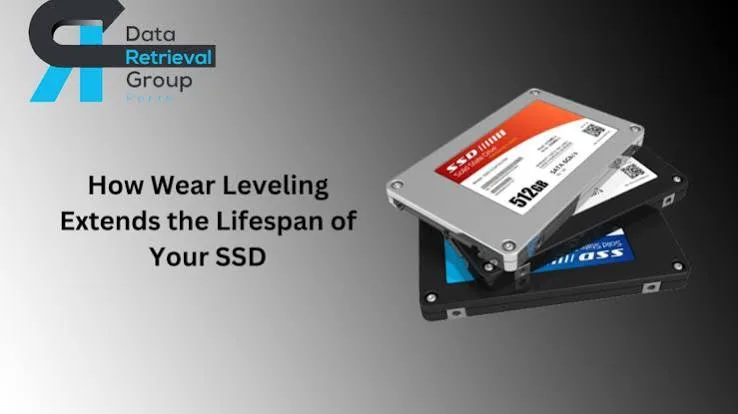
Flash memory has a surprising weakness. It does not wear out from being read, or from sitting on a shelf for a short time, but from being rewritten. Each small storage cell inside an SSD, USB flash drive or SD card can only be erased and rewritten a limited number of times before it becomes unreliable. If a drive wrote every new file to the same place, that spot would die quickly, and the whole drive would fail while most of its cells were still healthy. The clever trick that prevents this is called wear levelling. Understanding how wear levelling works explains why a good SSD can last for years, why a cheap flash drive can fail suddenly, why you should not fill a drive to the brim, why TRIM matters, and what the endurance numbers on the box really mean.
This post is written in plain language for anyone who owns or sells storage, from students with a flash drive to small business owners with a laptop SSD. If you want to understand the memory cell types themselves (SLC, MLC, TLC and QLC), read our companion post on TLC and QLC NAND explained. This post is about what the controller does to make those cells last.
We hedge where the answer depends on the exact product and say "we confirm per unit" rather than guess. We are City Gadgets Kenya, at New Alnoor Exhibition, Second Floor, Shop C7, Accra Road, Nairobi CBD, with same-day Nairobi delivery and next-day delivery outside Nairobi. Message us on WhatsApp for advice.
The short version
- Flash cells wear out with writes, not reads. Each cell survives a limited number of program-erase (P/E) cycles.
- Wear levelling spreads writes evenly across all the cells so none wears out far ahead of the rest.
- Dynamic wear levelling spreads new writes across free blocks. Static wear levelling also moves rarely changed data so those blocks share the load.
- The flash translation layer (FTL) is the controller's map between the addresses your computer uses and the physical cells.
- Over-provisioning, TRIM and garbage collection keep spare room so the controller can work efficiently.
- Write amplification is when the drive writes more internally than you asked it to. Lower is better.
- TBW (terabytes written) is the maker's estimate of total writes the drive should handle during its warranty.
- Cheap flash drives and fake cards often have weak or no wear levelling and spare capacity, and fail early.
- Keep some free space, avoid needless writes, back up and buy genuine drives.
| Term | Plain meaning |
|---|---|
| P/E cycle | One erase-and-rewrite of a cell |
| Wear levelling | Spreading writes so cells age evenly |
| FTL | The controller's map from logical addresses to physical blocks |
| TRIM | A command that tells the drive which blocks are no longer used |
| Garbage collection | Background tidying that frees blocks for new writes |
| Over-provisioning | Spare capacity hidden from the user to help the controller |
| Write amplification | Extra internal writing caused by housekeeping |
| TBW | Terabytes written, an endurance estimate |
Why flash wears out in the first place
Each flash memory cell stores data as an electrical charge trapped in a tiny insulated region. Writing and erasing forces charge in and out through that insulation. Every cycle causes a very small amount of damage. After many cycles, the insulation weakens, the cell leaks charge or becomes hard to read reliably, and eventually it must be retired.
The number of cycles a cell tolerates depends on the cell type. Single-level cells (SLC), which store one bit, are the most durable. Multi-level cell types such as MLC, TLC and QLC store more bits per cell, which gives more capacity for the money but smaller margins and fewer cycles. That trade-off is explained in our TLC and QLC post. We do not quote exact cycle counts here, because they vary by manufacturer, process and product. The principle is what matters: every cell has a finite life.
A thought experiment: the notebook
Imagine a notebook with 100 pages. Every time you want to jot a note, you must erase a page and write on it again. Pages tear a little each time you erase. If you always used page 1, it would tear through quickly and the notebook would be unusable even though 99 pages were fresh. A sensible person would rotate: use page 1, then page 2, then page 3, and so on, so that all pages wear at the same rate. That is wear levelling.
Now add a twist. Suppose 60 of the pages hold notes that never change, such as your address and phone numbers. If you only ever rotate among the 40 free pages, those 40 wear out while the 60 sit unused. A smarter system occasionally swaps the unchanging notes onto some of the heavily used pages and puts the busy pages where the fresh ones were. That is static wear levelling.
The flash translation layer: the invisible map
Your computer thinks it is writing to specific addresses on a disk. The controller inside the SSD, flash drive or card does not write there directly. Instead, it maintains a map called the flash translation layer (FTL) that links the logical address your computer asks for to a physical location in the flash chips. When you overwrite a file, the controller does not erase the old physical spot and reuse it immediately. It writes the new data to a fresh, free location, updates the map and marks the old location as stale. Later, in the background, it erases stale blocks to make them ready again.
This design is what makes wear levelling possible. Because the map is flexible, the controller can place data wherever wear is lowest, and the computer never knows the difference.
Pages, blocks and why erasing is awkward
Flash memory is organised into pages (the smallest unit that can be written) and blocks (groups of pages, the smallest unit that can be erased). A page can only be written when it is empty, and a block must be erased as a whole before its pages can be written again. This is why you cannot simply overwrite a small piece of data in place. The controller must:
- Write the new data to an empty page elsewhere.
- Mark the old page as invalid.
- Later, when a block has many invalid pages, copy the still-valid pages elsewhere and erase the whole block.
That tidying is called garbage collection, and it is one reason a drive can slow down when it is very full: there are fewer empty blocks to work with.
Dynamic wear levelling
Dynamic wear levelling spreads new writes among the blocks that are currently free. Each time data is written or updated, the controller chooses a free block, preferably one that has been erased fewer times. It does not touch data that is not being rewritten.
Strength: simple and effective for data that changes often.
Weakness: blocks holding data that rarely changes, such as an operating system, a photo library or a movie collection, never join the rotation. If most of your drive is such "cold" data, the small portion that is free takes all the wear and ages quickly.
Static wear levelling
Static wear levelling solves that weakness. The controller also tracks blocks containing cold data. Occasionally it moves that data into more worn blocks and frees up the fresher blocks for new writes. In the notebook analogy, it swaps the permanent notes onto torn pages so that fresh pages join the rotation.
Strength: keeps the whole drive ageing at a similar rate, extending its life.
Weakness: it requires extra internal writes (moving data), which adds a little write amplification and uses some controller resources.
Good SSDs use static wear levelling. Many cheap flash drives and memory cards use only basic dynamic levelling, or very little, which is one reason they can fail sooner under heavy use.
Bad block management and spare cells
Even with good levelling, individual blocks eventually fail, and some come from the factory already faulty. The controller keeps a list of bad blocks and avoids them. It also holds a pool of spare blocks to replace failed ones. When the spare pool runs low, the drive nears the end of its life. Some drives report this through SMART data, and some switch to read-only mode to protect your data when spares run out. Many cheap devices simply fail abruptly.
Over-provisioning: the hidden reserve
Over-provisioning (OP) means the drive contains more raw flash than it shows you. A drive sold as 500 GB may contain somewhat more than 500 GB of actual cells, and the extra is reserved for the controller. Some of this difference comes from the gap between decimal and binary units, and some is deliberate extra space. The controller uses it as working room for garbage collection, wear levelling and replacing bad blocks.
More over-provisioning generally means:
- Better sustained performance when the drive is busy or nearly full.
- Lower write amplification.
- Longer endurance.
Enterprise drives often have generous over-provisioning. Consumer drives have less. You can create your own extra reserve by leaving part of the drive unpartitioned or simply keeping it free, which helps the controller work comfortably.
TRIM: telling the drive what is no longer needed
When you delete a file, the operating system normally just marks the space as free in its own index. The drive's controller, which only sees writes and reads, does not know that those physical pages are now stale. Without that knowledge it treats the old data as valid and carries it along during garbage collection, wasting effort and wearing cells.
TRIM is a command, supported by modern operating systems and many drives, that tells the drive which logical blocks are no longer in use. The controller can then mark those pages invalid and skip copying them, which reduces write amplification and keeps performance steady. Windows, macOS and Linux support TRIM for SSDs, and Windows normally runs it automatically on internal SSDs. Support on external drives and flash drives varies, and we confirm per unit.
A side effect, relevant to data recovery: once TRIM and garbage collection erase deleted data, recovering it becomes difficult or impossible. See our post on data recovery in Kenya.
Write amplification: the hidden cost
Write amplification (WA) is the ratio between the amount of data the drive physically writes to flash and the amount your computer asked it to write. If you save 1 GB and the drive internally writes 3 GB because of garbage collection and data moving, the write amplification is 3.
Ideally it would be close to 1. In practice, it is higher, and it rises when:
- The drive is nearly full, leaving little room for the controller.
- Writes are small and random rather than large and sequential.
- There is little over-provisioning.
- TRIM is missing or disabled.
- The controller is basic.
Lower write amplification means fewer wasted cycles and longer life. That is why wear levelling, TRIM and over-provisioning are all part of the same story.
The SLC cache and why speeds drop
Many TLC and QLC drives set aside part of their flash to behave like fast SLC, storing one bit per cell, as a write cache. Small and moderate writes land there quickly. Later the controller folds the data into slower, denser TLC or QLC storage in the background. If you write more than the cache can hold in one go, such as copying a very large video collection, speed drops to the native speed of the flash. This explains why a drive's advertised speed may fall during a long copy. It is normal for the design, not a fault. A well-designed drive shows a sensible cache size and holds acceptable speeds afterwards. Cheap, unbranded drives may have tiny caches and slow flash, so copies feel painfully slow.
DRAM, DRAM-less drives and the host memory buffer
The map used by the flash translation layer is large. Many SSDs hold it in a small DRAM chip for quick access. DRAM-less SSDs skip that chip to save cost and keep only a portion of the map in the controller or borrow a little memory from your computer through the host memory buffer feature. DRAM-less designs can be good for light use but may slow under heavy random workloads. USB flash drives and memory cards usually have very simple controllers with little or no cache, which limits both their speed and the sophistication of their wear levelling.
Why cheap flash drives and cards fail earlier
A good SSD has a powerful controller, abundant over-provisioning, static wear levelling, TRIM, spare blocks and monitoring. A cheap flash drive or card often has:
- A very basic controller with limited or simple wear levelling.
- Little or no over-provisioning.
- Lower-grade flash chips.
- No TRIM.
- No health reporting.
- Poor quality control, and in the worst cases counterfeit chips.
They are meant for light, occasional use, such as moving a document between computers, not for running software, holding a photo library, or acting as a permanent backup. Using one as a daily work drive or constant video recorder can wear it out quickly. For heavier use, choose a proper SSD or a high-endurance card. See our guides to the best flash drive, best portable SSD and memory cards for CCTV and dashcams.
What happens when a drive wears out?
Different devices fail differently.
A well-designed SSD monitors its health. As spare blocks are used up, it may warn through SMART data, slow down, or go read-only so that you can copy your data off. Not all do this gracefully.
A basic flash drive or card may start returning errors, show a wrong capacity, become read-only or stop being detected altogether. Often there is little warning.
A fake drive may fail very early, because its real storage is small and its chips poor.
In every case, the lesson is the same: do not treat any flash device as a permanent home for data. Keep backups. See the 3-2-1 backup rule and how flash drives fail.
Endurance ratings: TBW, DWPD and warranty
Makers describe endurance in a few ways.
TBW (terabytes written). The total amount of data the maker expects the drive to take over its life or warranty. A drive rated at a certain TBW should handle at least that much writing under the maker's test conditions.
DWPD (drive writes per day). The number of times you could rewrite the entire drive each day for the warranty period. Common in enterprise specifications.
Warranty period. Often the endurance rating applies only within the warranty term.
How to interpret them:
- A higher TBW means more endurance, usually found on larger drives, since there are more cells to spread the load.
- Typical home users write far less than the TBW rating allows. A student or office worker might write a few tens of gigabytes a day at most, and a mainstream laptop SSD often outlasts the laptop.
- Heavy workloads such as constant video editing, databases, surveillance recording or servers need higher endurance.
- TBW is an estimate, not a cliff. Drives often continue to work beyond it, though the maker no longer guarantees them.
We confirm exact endurance ratings per unit, since they vary by model and capacity.
Reading SMART data
Many SSDs report health through SMART attributes. Free tools can display them. Look for:
- Percentage used or life remaining.
- Data units written (total writes so far).
- Available spare and spare threshold.
- Media and data integrity errors.
- Temperature.
- Power-on hours.
A drive that shows rapidly falling life, rising errors or low spare capacity deserves an immediate backup and replacement. External drives and flash drives may not pass SMART data through, depending on the enclosure and controller.
Read disturb, data retention and refresh
Wear is not the only ageing mechanism in flash. Two others are worth knowing.
Data retention. Charge slowly leaks from cells over time, faster in worn cells and at higher temperatures. A drive left unpowered for a very long period, especially a well-used one stored somewhere warm, can start to lose data. Good controllers use error-correcting codes to repair small amounts of leakage, and some refresh data in the background while powered. That is one more reason not to treat a flash drive in a drawer as an archive. If data matters, keep copies on more than one medium and power old drives up occasionally to check them.
Read disturb. Reading a cell very many times can slightly disturb its neighbours. Controllers track this and move data before errors build up. For ordinary users it is not a practical worry, but it explains why a controller sometimes writes data even when you only read.
Error-correcting codes (ECC). All flash relies on ECC, extra bits that let the controller detect and fix errors. As cells wear, errors increase, and stronger ECC is needed. Cheap controllers have weaker ECC, and so their drives show errors sooner.
Wear levelling and file systems
The file system and the controller work at different layers, and each can help or hinder the other. Journaling file systems write extra data to protect against crashes, which adds writes. Modern file systems and operating systems are tuned for flash, aligning writes and issuing TRIM. Using the right format matters on external drives: exFAT is common for portable flash drives because it is widely supported and handles large files, while NTFS is good for Windows-only use. Our post on exFAT, FAT32 and NTFS explained covers the choice. Whatever you choose, safe ejection protects the file system and the controller's map from corruption.
How much writing do you actually do?
Most people overestimate how much they write. Browsing, email, documents and streaming write very little. Installing large games, editing video, running virtual machines and downloading huge files write much more. A typical home user may write tens of gigabytes a day at most, and on a drive rated for hundreds of terabytes written, that is decades of headroom. Check your drive's total writes in its SMART data after a few months and divide by time. You will probably find that endurance is a non-issue on a quality SSD, and that quality and genuineness matter far more than the endurance number.
Practical tips to make flash last
- Keep free space. Leave a sizeable fraction of your SSD empty, such as 10 to 20 percent. It reduces write amplification and keeps speeds steady.
- Do not defragment an SSD. Defragmentation rewrites data and wears cells for no benefit. Modern Windows handles SSDs correctly, running TRIM instead.
- Leave TRIM enabled. On internal SSDs, it is normally on by default.
- Avoid pointless writes. Disable unneeded logging or constant downloads to the system drive.
- Do not run an operating system from a cheap flash drive, except for short emergency or installation use.
- Use high-endurance cards for dashcams and CCTV.
- Keep your drive cool. Heat shortens flash life and can cause errors.
- Use a stable power supply. Sudden power loss during writes can corrupt the map. A UPS helps desktops. See our blog on power surges and AVR.
- Eject properly. Pulling a flash drive mid-write risks corruption.
- Back up regularly. No amount of wear levelling replaces a backup.
- Replace ageing drives that show warnings.
- Buy genuine storage from a trusted seller.
Myths about wear levelling and SSD life
"SSDs die quickly if you write to them." Modern SSDs are rated for far more writing than most people do. Normal use will not wear one out within years.
"You should never fill an SSD." You do not need to leave it empty, but keeping some free space helps performance and endurance.
"Reads wear out flash." Reads cause very little wear. Extremely heavy reading can contribute to disturb effects handled by the controller, but this is not a normal concern.
"A flash drive is permanent storage." It is not, and unpowered flash can lose data over long periods, especially when worn or stored warm. Keep a backup.
"All flash drives have wear levelling." Quality varies enormously. Some are very basic.
"Formatting a drive resets its wear." It does not. Cell wear is physical and cannot be undone.
"Filling a drive with random data makes it last longer." The opposite. Extra writes cost cycles.
Wear levelling in other devices
Phones and tablets use eMMC or UFS flash with controllers that handle wear levelling. Heavy daily use is normal. If a phone slows dramatically after years, storage wear and a very full phone can contribute. Keep some storage free.
Memory cards in cameras are written and erased repeatedly. High-quality cards cope; cheap ones struggle. Format in the camera.
Game consoles with internal flash storage use similar controllers. External SSDs add storage for games.
Smart TVs and set-top boxes have small flash storage that wears if misused, especially with constant logging.
Raspberry Pi-type boards often boot from SD cards, which wear out under constant writing. Use high-endurance cards or an SSD for always-on projects.
Example scenarios
These are illustrative, not customer records.
Scenario 1: A student's flash drive that keeps failing. She edits her thesis directly on a cheap flash drive, saving every minute. The drive has a basic controller and little spare space. It fails during exams. She learns to work from the laptop's drive and keep the flash drive as one of several backups.
Scenario 2: A shop with a CCTV system. The owner uses a standard memory card in a recorder that writes continuously. It fails within months. A high-endurance card made for constant recording lasts far longer.
Scenario 3: A laptop SSD at 95 percent full. An accountant's SSD is almost full, and the laptop feels slow. Freeing space and keeping TRIM enabled restores speed and reduces wear.
Scenario 4: A fake 256 GB drive. A buyer gets a drive that claims 256 GB but has a tiny real chip. It overwrites old files as it fills and fails early. A genuine drive from a trusted seller avoids this.
Scenario 5: A video editor's external SSD. He edits large files and writes terabytes a month. He chooses a quality portable SSD with a higher endurance rating and checks its health data periodically.
Questions to ask any seller before you buy storage
- Is the drive brand new and sealed?
- What is the exact model and capacity?
- Does it have an endurance (TBW) rating or is it meant for light use?
- Is it suitable for my workload?
- What is the exchange policy?
- Will I get a receipt?
- Where is your shop if something goes wrong?
How to spot a fake drive or card
Counterfeit storage is relevant to wear levelling because fakes usually have a tiny amount of real, low-grade flash and a basic controller. They report a big capacity, then overwrite and corrupt. Use these ten checks together.
- Test the real capacity. Use a trusted tool that writes and verifies data across the full drive. A fake fails.
- Check the packaging. Genuine boxes are clean and accurate. Spelling mistakes and poor print are warning signs.
- Check the model and serial number. They should match on the box and device and be verifiable on the maker's site.
- Inspect the casing. Rough seams, misaligned logos and cheap plastic suggest a fake.
- Check the connector or pins. Dull, messy or loose contacts are warnings.
- Check the speed. A fake often copies slowly or in odd bursts.
- Check the maker's tools. Genuine branded drives are recognised by the maker's software.
- Check the price. If it looks too good to be true, it probably is.
- Check the seller. No shop address, no receipt and no return policy are warnings.
- Check behaviour over time. Files that go missing or become corrupt after the drive fills are a red flag.
If you are unsure, bring the drive to New Alnoor Exhibition, Second Floor, Shop C7, Accra Road, and we will help you check it.
Why buy your storage from City Gadgets Kenya
- Genuine products, checked before they reach you.
- A real shop at New Alnoor Exhibition, Second Floor, Shop C7, Accra Road, Nairobi CBD.
- Same-day delivery in Nairobi and next-day delivery outside Nairobi.
- M-Pesa payment and clear receipts.
- Honest advice, including telling you when a cheap flash drive is fine and when you need real endurance.
- SSDs, flash drives and memory cards in our accessories category.
- Support and repairs through our repair service.
- Trade-ins through our sell page.
- WhatsApp help on +254745575931.
Your storage-care checklist
- I keep a good amount of free space on my SSD.
- TRIM is enabled on my internal SSD.
- I do not defragment my SSD.
- I use high-endurance cards for constant recording.
- I do not rely on a cheap flash drive as my only copy.
- I keep backups following 3-2-1.
- I check SMART health on my SSD occasionally.
- I bought genuine storage.
Frequently asked questions
What is wear levelling? A technique used by flash storage controllers to spread writes evenly across all cells so that none wears out far ahead of the others.
What is the difference between dynamic and static wear levelling? Dynamic spreads new writes across free blocks. Static also moves rarely changed data to even out wear across the whole drive.
Do flash drives have wear levelling? Most have some, but many cheap ones have only basic levelling.
What is TRIM? A command that tells the drive which blocks are no longer in use, helping performance and endurance.
What is TBW? Terabytes written, the maker's endurance estimate.
Should I defragment my SSD? No.
Does a full SSD wear faster? A very full drive has higher write amplification, so yes, somewhat.
How long will my SSD last? For normal use, often many years. Heavy workloads shorten life. Check the endurance rating and keep backups.
How do I know my drive is genuine? Use the ten checks above.
Where can I buy an SSD in Nairobi? At City Gadgets Kenya, Shop C7, Second Floor, New Alnoor Exhibition, Accra Road.
Need help choosing storage?
Message us on WhatsApp with how you will use the drive, and we will recommend a genuine one with suitable endurance.
Related reading: TLC and QLC NAND explained · How flash drives fail · Portable SSD vs HDD reliability · The 3-2-1 backup rule