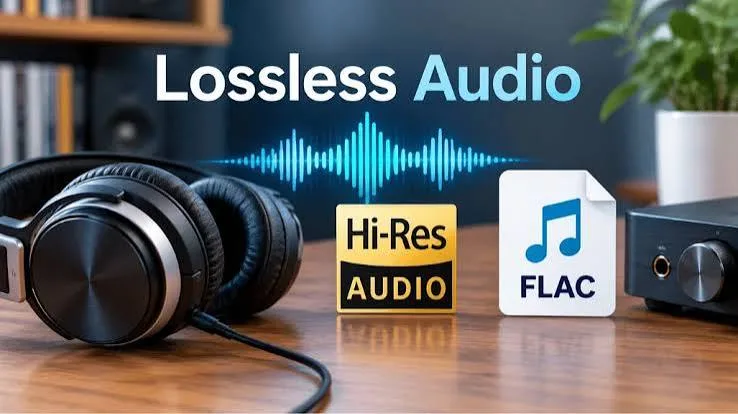
"Hi-Res Audio", "Lossless", "Studio Quality", "24-bit/192 kHz", "LDAC". Open any headphone box or streaming app and you will meet a wall of jargon promising better sound. Some of it is genuinely meaningful. Some of it is marketing. This guide gives you Hi-Res audio and lossless explained in plain language: what the numbers mean, what the formats do, how Bluetooth changes the story, what you need to hear any difference at all, and how to avoid paying extra for a badge that your ears and your phone cannot use.
If you would like help matching headphones, earbuds or a speaker to the way you listen, message City Gadgets Kenya on WhatsApp. We will tell you honestly when a cheaper product is all you need.
The short version
- Lossless means no audio information is thrown away when a song is compressed. FLAC, ALAC, WAV and AIFF are lossless. MP3, AAC and Ogg Vorbis are lossy.
- CD quality is 16-bit at 44.1 kHz. Hi-Res is generally 24-bit at 48 kHz or above, and most commonly 24-bit/96 kHz or 192 kHz.
- Lossless is not automatically Hi-Res, and Hi-Res is not automatically better. A well-encoded lossy file can sound very good; a badly mastered Hi-Res file can sound worse.
- Bluetooth is the bottleneck. Most Bluetooth connections compress audio, so true lossless over Bluetooth is rare. Codecs like LDAC get closer, but only on devices that support them.
- Your gear matters more than the file. Headphones, speakers, the room and your own ears set the ceiling.
- Most listeners cannot reliably hear a difference between high-bitrate lossy and lossless in everyday conditions, though some can in quiet rooms with good equipment and familiar music.
- Do not overpay for the label. Check that your phone, app, cable and headphones all support the format, or the badge does nothing.
| Term | What it means | Quality level |
|---|---|---|
| MP3 128 kbps | Lossy, small files | Fair; audible artefacts on good gear |
| MP3 320 kbps / AAC 256 kbps | Lossy, high bitrate | Very good for most listeners |
| CD quality (16-bit/44.1 kHz) | Lossless standard | Excellent; matches a CD |
| Hi-Res (24-bit/96 kHz and above) | Higher resolution lossless | Excellent; benefits are subtle |
| DSD | A different digital format, mainly niche | Specialist |
| LDAC / aptX HD over Bluetooth | High-bitrate compressed wireless | Better than SBC; below true lossless |
What "lossy" and "lossless" really mean
Digital audio is a list of numbers describing a sound wave many thousands of times per second. Storing all those numbers takes space. Compression reduces the size of the file in two different ways.
Lossless compression works like a zip file. It rearranges the data so it takes less space, and when you play it back the original numbers are restored exactly. FLAC, ALAC (Apple Lossless), WAV and AIFF are lossless. A FLAC file is typically about half the size of the uncompressed original.
Lossy compression throws some information away, based on a model of what human ears are least likely to notice. It removes very quiet sounds hidden behind louder ones and some extreme frequencies. MP3, AAC and Ogg Vorbis are lossy. The savings are large, which is why lossy formats made portable music and streaming possible. At low bitrates, you can hear the loss as swishy cymbals or a thin sound. At high bitrates the loss is very hard to hear.
The key point is that lossless guarantees a perfect copy of the source file, but it does not guarantee a great recording. A poor master stays poor in lossless.
Bit depth, sample rate and bitrate in plain language
Three numbers appear on almost every Hi-Res label.
Sample rate (kHz)
This is how many times per second the sound wave is measured. CDs use 44,100 samples per second (44.1 kHz). Hi-Res files use 48, 88.2, 96, 176.4 or 192 kHz. A basic rule from the Nyquist theorem says you need to sample at slightly more than twice the highest frequency you want to capture. Human hearing tops out around 20 kHz in young, healthy ears and lower for most adults, so 44.1 kHz already captures everything we can hear.
Bit depth (bits)
This is how finely each measurement is recorded. 16-bit gives 65,536 levels per sample and a theoretical dynamic range of about 96 decibels. 24-bit gives over 16 million levels and about 144 decibels in theory. In practice no real recording or playback system comes close to 144 dB, because electronic noise limits it. The extra bits do matter in the studio, where they give headroom during mixing, but at the listening end the difference is small.
Bitrate (kbps)
This is the amount of data per second. CD audio is about 1,411 kbps. A 24-bit/96 kHz stereo file is about 4,608 kbps uncompressed. A 320 kbps MP3 is roughly one fifth of CD quality. Lossless compression reduces these figures by roughly 40 to 60 percent.
A quick comparison of file sizes for a four-minute song:
| Format | Approximate size |
|---|---|
| MP3 128 kbps | about 4 MB |
| MP3 320 kbps | about 10 MB |
| AAC 256 kbps | about 8 MB |
| FLAC CD quality | about 20 to 30 MB |
| FLAC 24-bit/96 kHz | about 50 to 80 MB |
| FLAC 24-bit/192 kHz | about 100 to 150 MB |
| WAV 24-bit/192 kHz | about 180 MB |
This matters in Kenya because mobile data and phone storage are real constraints. A lossless library of 1,000 songs can take 25 GB or more; at Hi-Res it can pass 100 GB.
What does "Hi-Res Audio" actually certify?
"Hi-Res" is a loosely used marketing term, but there are real definitions behind it.
- The Japan Audio Society (JAS) defines Hi-Res Audio as anything beyond CD quality, with a Hi-Res logo for products that meet its criteria.
- The Consumer Technology Association (CTA) in the United States defines Hi-Res as playback of 24-bit/48 kHz or higher with analogue performance reaching 40 kHz.
- A Hi-Res Audio Wireless logo exists for devices that transmit using codecs capable of carrying higher-resolution audio over Bluetooth, such as LDAC.
For headphones the label usually refers to frequency response extending beyond 40 kHz. That says nothing about how the headphones actually sound in the range you can hear. A Hi-Res badge means a product ticked a technical box; it does not guarantee good tuning, comfort or build.
Can you hear the difference?
This is the question everyone wants answered, and the honest answer is: sometimes, but less often than marketing suggests.
Careful listening tests, in which people are asked to tell CD-quality from Hi-Res without knowing which is which, have mostly found that listeners cannot tell the difference reliably. A widely cited analysis of many studies found a small but statistically detectable ability under some conditions, usually with trained listeners, excellent equipment, quiet rooms and well-chosen music. Everyday listeners on buses, in offices or in noisy homes are not in those conditions.
Reasons the difference is hard to hear:
- Human hearing range. Most adults cannot hear above 16 to 18 kHz. Extra frequencies in Hi-Res files above 20 kHz are inaudible.
- Masking noise. Traffic, fans and crowds hide fine detail.
- Equipment limits. Many headphones and speakers cannot reproduce the subtle differences.
- Mastering. Differences between masters usually dwarf differences between formats. A remastered Hi-Res album can sound better because the engineer made different choices, not because of the bit depth.
- Volume matching. Louder often sounds better. In unmatched comparisons, the louder version wins regardless of format.
Where you may notice a benefit: quiet, well-recorded acoustic or classical music, on high-quality wired headphones, driven by a clean source, in a quiet room. If that does not describe how you listen, spend your money on better headphones or speakers first.
Lossless over Bluetooth: the catch
Most people in Kenya listen on wireless earbuds or headphones, which brings the biggest limitation in this whole discussion: Bluetooth is a narrow pipe. The audio must be compressed to fit.
The codec is the method used to compress it. Our guide to Bluetooth codecs explained goes into detail; here is the summary:
| Codec | Typical maximum bitrate | Notes |
|---|---|---|
| SBC | roughly 328 kbps | Universal baseline; acceptable but unremarkable |
| AAC | about 256 kbps | Good on iPhones; quality depends on the phone's encoder |
| aptX | about 352 kbps | Found on many Android phones and headphones |
| aptX HD | about 576 kbps | Higher quality; needs support at both ends |
| LDAC | 330, 660 or 990 kbps | Sony's codec; supported by many Android phones and some headphones |
| LC3 (LE Audio) | efficient at lower rates | Newer standard; see our Bluetooth 5.3, 6 and LE Audio guide |
LDAC at 990 kbps comes close to the information in CD-quality audio, but it is still compressed, and it only works when the phone, the app and the headphones all support it. In busy radio environments it drops to a lower bitrate automatically. So "Hi-Res Wireless" is a real step up from SBC, but it is not the same as playing a FLAC file through a cable.
Practical consequences:
- iPhone users get AAC over Bluetooth. Apple Music offers lossless and Hi-Res tracks, but over standard Bluetooth to most earbuds it is still delivered as AAC. True lossless generally needs a wired connection through a DAC.
- Android users can get LDAC, aptX or similar if both phone and headphones support it. Check settings under Developer options or Bluetooth audio codec.
- Streaming services may adapt quality to your connection, so a Hi-Res badge in the app does not mean Hi-Res reaches your ears.
If sound quality matters more to you than convenience, a wired connection to a good pair of headphones is the most reliable way to hear lossless audio.
Streaming services and Hi-Res in Kenya
Several services offer lossless or Hi-Res tiers, though availability, pricing and catalogue vary by region and change over time, so check the current offer in your app store before subscribing.
- Apple Music offers lossless and Hi-Res lossless at no extra charge to subscribers, with a maximum of 24-bit/192 kHz.
- Tidal has offered CD-quality and Hi-Res FLAC tiers.
- Qobuz is known for Hi-Res streaming and downloads.
- Amazon Music has offered HD and Ultra HD tiers.
- Spotify has historically streamed lossy audio and has announced lossless for Premium subscribers; check the current status in your app.
- YouTube Music is generally lossy.
Remember that streaming lossless uses far more data. A single hour of CD-quality lossless can use 400 to 600 MB. On limited mobile data bundles, it can eat through your allowance quickly. Download over Wi-Fi if you can, and set the app to use lossless only on Wi-Fi.
Run your own blind test: a fair way to decide
You do not have to take anyone's word, including ours. A simple blind test costs nothing and tells you whether Hi-Res matters to your ears.
- Pick two versions of the same track: the Hi-Res or lossless file and a 256 or 320 kbps version made from it. Use music you know well and a recording of good quality, such as acoustic guitar, piano or a well-recorded vocal.
- Match the volume. Even a small difference in loudness makes one version sound better. Use a player with volume normalisation off and set levels by ear or with a meter app.
- Use the same headphones and the same connection, ideally wired.
- Ask a friend to play the versions in random order without telling you which is which. Listen to short sections, repeat several times and note which you prefer.
- Count the results. If you get it right about half the time, you are guessing; if you consistently pick the same one, you may be hearing a real difference.
Many people discover they cannot tell the versions apart, and they save themselves money and storage. Some discover they can, and then they know where to invest. Either result is useful.
Playing your own FLAC files on a phone
If you collect music files, you can enjoy lossless audio without a streaming subscription. Copy your FLAC or ALAC files to the phone or to a microSD card (see our best microSD card guide), and play them with an app that supports the format. Many Android music players and VLC handle FLAC, and iPhones can play ALAC natively. For tagging, use consistent artist, album and track names so the library stays tidy. Keep a second copy of the collection on a portable SSD or hard drive, because a lost phone otherwise takes your whole library with it. A 1 TB drive holds tens of thousands of CD-quality tracks.
Hearing, age and what you can actually hear
Hearing varies widely. Children and young adults may hear up to about 20 kHz, but most adults lose the top end gradually, and many people over thirty hear little above 16 kHz. Exposure to loud sound, from clubs, concerts, matatu sound systems and headphones turned too high, accelerates the loss. That has two consequences for this topic. First, the ultrasonic content in a 96 or 192 kHz file is beyond almost everyone's hearing. Second, protecting the hearing you have is worth far more than chasing a format. Keep the volume moderate, take breaks and use noise-cancelling headphones so you do not need to turn music up to beat the street. Our guide on ANC, transparency and passive isolation explains how.
What you need to actually play Hi-Res audio
Hi-Res is a chain. Every link must support the format, or the chain falls back to the weakest one.
- The source file or stream. A genuine lossless or Hi-Res file, or a streaming tier that delivers it.
- The app. Many apps resample audio to a fixed rate. Check that your app can output the native sample rate, or at least a high one.
- The phone or computer. Operating systems often mix audio at a fixed rate unless you enable a bit-perfect mode or use a dedicated player.
- The DAC (digital-to-analogue converter). This turns the numbers into a sound wave. Every phone and laptop has one, and most are good enough. A separate USB-C DAC dongle can reduce noise and drive demanding headphones better.
- The amplifier. Low-impedance earphones need little power; high-impedance studio headphones may need a proper amp.
- The headphones or speakers. This is the single biggest factor. A modest step up in headphones usually beats a big step up in file format.
- The connection. Wired is simplest. Wireless needs a high-bitrate codec supported at both ends.
- The room and the listener. Noise, fit and hearing set the practical ceiling.
For a typical Kenyan listener on wireless earbuds, the chain breaks at step 7 long before the format matters. That is not a criticism; it is simply where the money is better spent, for example on a pair with good tuning, fit and noise cancelling. See our best wireless earbuds guide and noise-cancelling headphones guide.
DACs, dongles and phones without a headphone jack
Most modern phones have dropped the 3.5 mm headphone jack. If you want to use wired headphones, you have three choices:
- A USB-C to 3.5 mm adapter, which contains a small DAC. Quality ranges from adequate to excellent.
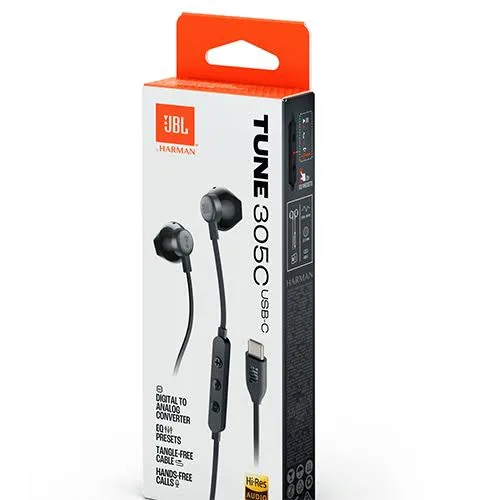
- USB-C headphones or earphones, which carry the digital signal and include their own DAC. These are convenient and increasingly common.
- A dedicated portable DAC/amp, a small device that sits between phone and headphones, useful if you use demanding headphones.
Choose a reputable brand; the cheapest unbranded adapters can be noisy, quiet or incompatible. The benefit of a good dongle is usually cleaner, louder and more consistent sound rather than a dramatic "Hi-Res" leap. For accessories like these, browse our accessories category or ask us on WhatsApp.
Fake Hi-Res: upsampled files and inflated labels
Two kinds of fakery exist in Hi-Res audio, and neither requires a counterfeit product.
Upsampled files. Some sellers convert a CD-quality or even an MP3 file into a "24-bit/96 kHz" file. The file size grows and the label says Hi-Res, but there is no extra information inside. A free spectrogram tool such as Spek shows the telltale sign: real Hi-Res recordings often have content above 20 kHz, while upsampled files show a sharp, empty cut-off at the original file's limit (for instance at 16 kHz for an old MP3). Be suspicious of bargain "Hi-Res" downloads from unknown sites.
Inflated hardware labels. A cheap pair of earphones may be printed "Hi-Res" with no certification and no codec support. A claim such as "frequency response 5 Hz to 40 kHz" is easy to print and impossible to verify without measurement. Real certification marks appear on products that have been submitted for testing, and the manufacturer's own website lists the supported codecs.
Another note: MQA, once pitched as a way to deliver Hi-Res in a smaller file, lost momentum after its parent company went into administration, and major services have moved away from it. If an older product mentions MQA, check what it actually supports today.
How to spot a fake Hi-Res product or counterfeit headphones
Hi-Res labels sell, so counterfeiters copy them. Here is how to protect yourself, whether you are buying an Anker Soundcore pair with LDAC, a Sony flagship, or any other branded audio product.
1. Check the claim against the manufacturer's official page. Look up the exact model on the brand's own website. Does it list LDAC, aptX HD or Hi-Res Wireless? If the box claims it and the brand does not, treat the product as suspicious. We use the manufacturer's data and confirm codec support per unit for products such as the Soundcore Liberty 4 NC, Space Q45 and Sony WH-1000XM6.
2. Look for official certification logos. The Hi-Res Audio and Hi-Res Audio Wireless logos are specific designs. Blurry, distorted or oddly placed logos on a box suggest a counterfeit.
3. Check the app. Branded headphones have a companion app (Soundcore, Sony Headphones Connect, JBL Headphones). A genuine product is recognised with the right model name, firmware version and codec options. A fake is typically not recognised or shows limited settings.
4. Check the phone's codec display. On Android, the Bluetooth settings or Developer options show which codec is active once headphones are connected. If a pair advertised as LDAC never offers it, the claim is false or your phone does not support it.
5. Be suspicious of price. Genuine Hi-Res wireless hardware costs money to engineer and certify. Very cheap products making premium claims are almost always marketing.
6. Examine packaging and build. Look for spelling errors, wrong fonts, missing regulatory marks and build quality that does not match the brand's standard.
7. Verify serial and model numbers against the box and the brand's registration tools where available.
8. Do a listening comparison. If you can, compare with a known genuine pair. Fakes often sound thin, boomy or hissy, whatever the label says.
9. Check the seller. Ask where the stock comes from, and insist on a receipt and warranty. A trustworthy shop welcomes questions.
10. Be careful with "lossless" downloads. Check file sizes and use a spectrogram to see whether a "Hi-Res" file is genuine.
If you are unsure, send us photos of the box and the product on WhatsApp, and we will help you check.
Does mastering matter more than format?
Yes, often. A recording's loudness, dynamic range and tonal balance are set by the mastering engineer. Over the past decades many pop and rock albums were mastered extremely loud, squashing the dynamic range so the quiet and loud parts are close in volume. A Hi-Res file of such a master will not sound better than a CD-quality one; it will sound identically squashed. Conversely, a well-mastered album at a high-bitrate lossy format can sound lovely.
When you find a version of an album that sounds better, it is often because it comes from a different master, not a different bit depth. That is why remastered editions can sound different, sometimes better and sometimes worse. If you care about quality, look for editions known for good mastering and dynamic range, and treat the format as secondary.
A sensible plan for different listeners
If you mostly use wireless earbuds on the move
Do not worry about Hi-Res. Choose earbuds for fit, noise cancelling, battery and calls. Stream at the highest quality your data plan allows. Use a high-bitrate codec if both your phone and earbuds support one, such as LDAC on the Soundcore Liberty 4 NC with a compatible Android phone, but do not expect miracles.
If you listen at home with headphones
Consider wired headphones and a good source. A decent over-ear pair on a wired connection, fed by a lossless stream or local FLAC files, gives you the best chance of hearing any difference. If you need noise cancelling at home, the Sony WH-1000XM6 and Soundcore Space Q45 both work wired as well as wireless, which we confirm per unit.
If you have a speaker or soundbar system
The room and speakers decide quality. A soundbar or Bluetooth speaker is limited by its drivers and enclosure more than by file format. See our guides to soundbar channels, HDMI ARC and eARC and speaker watts.
If you are a serious collector
Build a FLAC library with proper tagging, keep a backup on a portable drive, and use a player that supports bit-perfect output. Invest in your headphones before your files.
If you are on a tight data plan
Stream at normal quality on mobile data, download your favourites over Wi-Fi and enjoy music without worrying. Good music is good music.
Quick buying rules for Hi-Res claims
- If a product lists a codec (LDAC, aptX HD), check that your phone supports the same one.
- If a headphone lists "Hi-Res" only as a frequency range, treat it as a spec, not a promise of better sound.
- If a streaming tier needs extra data, make sure your bundle allows it.
- If you cannot hear a difference in a fair test, you have your answer.
Common myths about Hi-Res audio
"Higher numbers always sound better." Not past a point. Beyond CD quality, differences are subtle and often inaudible.
"Lossless means Hi-Res." No. CD-quality FLAC is lossless but not Hi-Res.
"Bluetooth can carry lossless audio." Rarely. Most Bluetooth connections compress the signal.
"MP3 always sounds bad." A 320 kbps MP3 is hard to distinguish from lossless for most listeners on most gear. Low bitrate files are the problem.
"I need a Hi-Res badge on my headphones." The badge states a technical capability; it does not guarantee good sound.
"Expensive cables improve digital audio." Not in any measurable, audible way for ordinary USB or HDMI cables. Spend on headphones or speakers instead.
"A DAC will transform my sound." A good DAC removes noise and may drive headphones better. It will not transform mediocre headphones.
Why buy your audio gear from City Gadgets Kenya
- Genuine Sony, JBL, Anker Soundcore, Samsung, Apple and CMF audio products, with codec and feature claims confirmed against the manufacturer's information.
- Honest advice about Hi-Res. We tell you when LDAC is useful for your phone and when it is wasted money.
- We check compatibility. Tell us your phone and we confirm which codecs and features you will really get.
- A real shop in Nairobi CBD at New Alnoor Exhibition, Second Floor, Shop C7, Accra Road, where you can listen before you pay.
- Same-day delivery in Nairobi and next-day outside Nairobi, with M-Pesa payment.
- After-sales support for pairing, firmware and faults.
- Message us for today's price. Prices change, so we quote the current price on WhatsApp.
Browse our accessories category for headphones, earbuds and speakers, or our phones category for a phone that supports the codecs you want.
Frequently asked questions
What is the difference between lossless and Hi-Res? Lossless means no information is lost in compression. Hi-Res means a resolution higher than CD quality. A file can be lossless and CD quality, or lossless and Hi-Res.
Is FLAC better than MP3? FLAC is lossless; MP3 is lossy. FLAC files are larger and are an exact copy of the source. At high bitrates the audible difference is small.
Can I hear Hi-Res audio on Bluetooth earbuds? Only partly. Bluetooth compresses audio. Codecs like LDAC get closer, but it is not the same as a wired lossless connection.
Do iPhones support Hi-Res? iPhones play lossless and Hi-Res files, but over standard Bluetooth the audio is sent as AAC. Wired connection with a DAC is needed for the full resolution.
What is LDAC? A Bluetooth codec developed by Sony that can transmit up to 990 kbps. Needs support in both phone and headphones.
Is Hi-Res audio worth paying for? If you listen on good wired headphones in a quiet room, maybe. For most everyday listening, no. Spend on better headphones first.
How much data does lossless streaming use? Roughly 400 to 600 MB per hour at CD quality, more at Hi-Res. Use Wi-Fi where possible.
What is bit depth? How finely each sample is measured. 16-bit is CD quality; 24-bit is used in Hi-Res.
What is sample rate? How many times per second the sound is measured. 44.1 kHz is CD quality; Hi-Res goes to 96 or 192 kHz.
Do I need a DAC? Not necessarily. Your phone has one. A separate DAC helps if your phone has no headphone jack or you use demanding headphones.
How do I know if a Hi-Res file is real? Check the spectrogram with a tool such as Spek. Fake upsampled files show an empty cut-off.
Which of your headphones support LDAC? Soundcore Liberty 4 NC and Space Q45 list LDAC, and we confirm codec support for the Sony WH-1000XM6 and other models per unit. Message us to check.
Ready to choose?
Tell us your phone, how you listen and your budget, and we will recommend products that deliver real improvements rather than badges.
WhatsApp: wa.me/254745575931 Visit: New Alnoor Exhibition, Second Floor, Shop C7, Accra Road, Nairobi CBD. Same-day delivery in Nairobi; next-day outside Nairobi.
Related reading: Bluetooth codecs explained, how active noise cancelling works, spatial audio and Dolby Atmos explained.