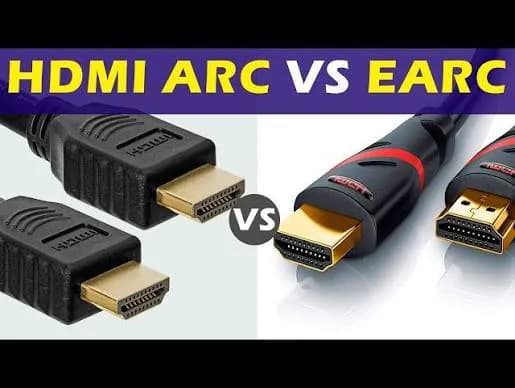
You bring home a new soundbar, plug it in with the cable in the box, and the sound is... fine. Not the cinema you were promised. Or there is no sound at all. Or the soundbar works but your TV remote does not control the volume. Or the sound lags behind the picture. Nine times out of ten the culprit is one small, confusing detail: which socket you used and how it is set up. This guide explains HDMI ARC vs eARC in plain English: what each is, how they differ from optical and ordinary HDMI inputs, what formats each can carry (including Dolby Atmos), which port on your TV to use, how CEC lets one remote control everything, how to fix the commonest problems (no sound, lip-sync, silent after switching inputs), and what to look for on a spec sheet, using real soundbars from our range as examples: the Sony HT-S400, HT-S20R, HT-S40R and HT-S60, and the Hisense HS1800, HS2100, HS3100, HS5100 and AX5100Q. We finish with how to spot fake soundbars and misleading spec claims.
The short version
- ARC (Audio Return Channel) lets your TV send its audio out to a soundbar over the same HDMI cable that carries video in, so one cable does both jobs.
- eARC (enhanced ARC) is a newer, faster version with much more bandwidth, able to carry lossless audio such as Dolby TrueHD with Atmos.
- Optical (TOSLINK) is an older audio-only connection that cannot carry Dolby Atmos or lossless formats.
- To use ARC or eARC you must plug into the HDMI port labelled ARC or eARC on the TV, and the soundbar's HDMI OUT (ARC) port, not a regular HDMI port.
- For streaming apps on a smart TV, ordinary ARC is enough for most soundbars. eARC matters mainly for lossless audio from Blu-ray players and some streaming boxes, and for bars that advertise eARC.
First, what problem does ARC solve?
In the old days, you plugged the soundbar into the TV's audio output. Then HDMI arrived, carrying picture and sound into the TV from a box such as a decoder, a console or a Blu-ray player. But a modern smart TV also makes its own audio: Netflix, YouTube and the TV tuner all produce sound inside the TV. That sound needs a way out to the soundbar.
Without ARC you would need a second cable (an optical cable or 3.5 mm lead). ARC lets the soundbar receive the TV's audio over the same HDMI cable that already connects the two, with the signal travelling "backwards" (from TV to bar). Hence "Audio Return Channel".
ARC and eARC: the differences that matter
| Feature | HDMI ARC | HDMI eARC |
|---|---|---|
| Introduced with | HDMI 1.4 | HDMI 2.1 (though available on some HDMI 2.0 TVs through updates) |
| Bandwidth | Low (enough for compressed audio) | Much higher |
| Stereo (2-channel) | Yes | Yes, including higher-quality PCM |
| Compressed surround (Dolby Digital, DTS) | Yes | Yes |
| Dolby Digital Plus (used for streaming Atmos) | Usually yes, if both devices support it | Yes |
| Lossless (Dolby TrueHD / Atmos, DTS-HD Master Audio, DTS:X) | No | Yes |
| Uncompressed multichannel PCM (up to 8 channels) | No | Yes |
| Cable | Any High Speed HDMI cable with the ARC port | Ideally a certified Ultra High Speed cable for reliability |
| Lip-sync correction | Limited | Improved |
| Setup reliability | Sometimes fiddly | Designed to be more reliable |
Two phrases need explaining.
Lossless audio means the original studio sound arrives untouched, with no compression. 4K Blu-ray discs often carry lossless Dolby TrueHD tracks (with Atmos). Compressed audio (Dolby Digital, Dolby Digital Plus, DTS) is a smaller, "lossy" version that is good but not identical. Streaming services use compressed formats. Dolby Atmos delivered by streaming is carried inside a compressed Dolby Digital Plus stream, which is why ordinary ARC can usually pass it.
PCM is plain, uncompressed digital audio. eARC can carry multichannel PCM; ARC is limited to stereo PCM.
Optical vs ARC vs eARC
| Connection | Carries | Atmos? | Lossless? | Remote/volume control? |
|---|---|---|---|---|
| Optical (TOSLINK) | Stereo PCM, compressed Dolby Digital/DTS 5.1 | No | No | Not automatically |
| HDMI ARC | Stereo PCM, compressed surround; DD+ Atmos on many devices | Often yes (streaming Atmos) | No | Yes, via CEC |
| HDMI eARC | Everything, including lossless | Yes, full | Yes | Yes, via CEC |
| 3.5 mm analogue | Stereo analogue | No | n/a | No |
| Bluetooth | Compressed stereo | No | No | Phone volume |
Optical's hidden disadvantage: it cannot do Dolby Atmos, and many TVs' optical output will downmix to stereo for some apps. If your soundbar offers HDMI ARC and you have a free ARC port, use it instead of optical. Optical is a sensible fallback only for older TVs without ARC.
Finding the right port
Not every HDMI port on your TV is ARC.
On the TV. Look for a port labelled ARC, HDMI (ARC) or eARC/ARC. On many TVs it is HDMI 2 or HDMI 3; on some models it is the only port with that label. Samsung, Sony, LG and Hisense all mark them, but names vary, and the label may be small and printed beside the socket. If you cannot see it, search your TV's model number plus "ARC port" or check the manual.
On the soundbar. Look for HDMI OUT (TV ARC) or HDMI OUT (eARC/ARC). Soundbars often have an HDMI IN too, which is for connecting devices such as a console and passing video through to the TV. Do not mix them up: the cable from the TV's ARC port goes to the soundbar's HDMI OUT (ARC).
Different soundbars, different ports. The Hisense HS1800 lists one HDMI ARC port, optical, AUX and USB. The HS3100 lists HDMI ARC, optical, AUX and Bluetooth 5.3. The Sony HT-S20R lists HDMI ARC, optical and analogue inputs and USB, with Bluetooth 5.0, and supports HDMI CEC control. The Sony HT-S60 lists HDMI eARC and Bluetooth, with Dolby Atmos, Dolby Digital Plus, Dolby TrueHD and DTS:X support. For other models, ask us to confirm the exact connections of the unit you order; listings vary.
Setting up ARC step by step
- Switch everything off.
- Connect the HDMI cable from the TV's ARC/eARC port to the soundbar's HDMI OUT (ARC/eARC).
- Power on both devices.
- On the TV, open Settings > Sound > Sound output (names vary) and choose HDMI ARC / eARC / Receiver, not "TV speaker".
- Enable HDMI-CEC on both devices (it has different brand names, such as Anynet+ on Samsung, Simplink on LG, Bravia Sync on Sony). This lets the TV remote control volume and power.
- Set the audio format. In the TV's digital audio settings, choose Auto, Bitstream or Pass-through where possible. Choose PCM only if you have trouble.
- Test with a streaming app. The soundbar's display or LED should show the format (Dolby Digital, PCM, Atmos).
- Adjust lip-sync if needed.
If you also have a console, streaming stick or decoder, connect it to the TV (or to the soundbar's HDMI IN, if the bar supports passthrough), and send the TV's audio out through ARC.
CEC: one remote for everything
HDMI-CEC (Consumer Electronics Control) lets devices control each other. With CEC working, the TV remote's volume buttons control the soundbar, and powering the TV on or off wakes or sleeps the bar. Brand names include Anynet+ (Samsung), Simplink (LG), Bravia Sync (Sony), VIERA Link (Panasonic) and others. CEC is usually the reason "my TV remote does not control the soundbar volume" appears, and the fix is typically to enable it in the TV settings and sometimes in the soundbar's app or menu.
Occasionally CEC causes odd behaviour (the soundbar turning on unexpectedly, or the TV switching inputs by itself). If so, turn off the specific CEC options you don't need. Most TVs let you control individual features.
What formats can your system actually play?
The chain has three links, as we explain in our blog on spatial audio and Dolby Atmos: the content, the playback device and the speakers. ARC and eARC are the link between the TV and the soundbar. Match the formats:
| Soundbar supports | Over ARC you will get | Over eARC you will get |
|---|---|---|
| Dolby Digital only | Dolby Digital 5.1 | Dolby Digital 5.1 |
| Dolby Digital Plus | Dolby Digital Plus (streaming surround) | Same |
| Dolby Atmos (via Dolby Digital Plus) | Streaming Atmos, if the TV passes it | Streaming Atmos |
| Dolby TrueHD / Atmos lossless, DTS:X | Not possible | Possible, if the source and bar support them |
Sony's HT-S60 lists Dolby Atmos, Dolby Digital Plus, Dolby TrueHD and DTS:X over HDMI eARC. Hisense's AX5100Q lists Dolby Atmos and DTS:X. The Hisense HS3100 lists Dolby Digital Plus and DTS Virtual:X over HDMI ARC. The Sony HT-S20R lists Dolby Digital. The HT-S40R lists Dolby Audio. Always check which formats the TV's own apps can output; some TV apps do not output Atmos over ARC even when the soundbar can play it.
Common problems and fixes
No sound from the soundbar
- Check that the TV's sound output is set to ARC/eARC/receiver, not the internal speakers.
- Check that the cable is in the ARC port on the TV and the HDMI OUT on the soundbar.
- Check that the soundbar is on the right input (HDMI ARC or TV).
- Turn CEC on, and restart both devices (unplug for a minute).
- Try a different HDMI cable or port.
- Set the TV's audio format to PCM temporarily to test.
Sound is stereo, not surround
The content may be stereo only. Check the source's audio settings, the TV's digital audio output setting (Auto/Bitstream) and the app's audio language/format choice.
Dolby Atmos not showing
See our Atmos blog. Briefly: use ARC/eARC, not optical; set the TV and source device to pass Atmos; and check the content actually has Atmos.
Sound drops out or crackles
Replace the cable, avoid long cheap cables, plug directly rather than through splitters, and update TV and soundbar firmware.
Lip-sync problems (sound arrives late or early)
Look for audio delay or lip-sync settings on the TV and the soundbar. Some soundbars offer automatic lip-sync correction through eARC. Set it manually in small steps until speech matches mouth movement.
TV remote does not control volume
Enable CEC. If it still doesn't work, teach the soundbar's IR codes to the TV remote (many TVs offer "external speaker" or IR learning) or use the soundbar's own remote.
Soundbar turns on and off by itself
CEC or auto-power settings. Disable the problem feature, or update firmware.
Dialogue is too quiet
Adjust the centre or voice level, and the TV's own audio settings. Make sure the TV is not set to "Dynamic range compression" that cuts volumes oddly.
The picture disappears when I connect the soundbar
You may have used the soundbar's HDMI IN for the TV signal, or a device in the chain is not HDMI-compatible. Use the TV's ARC for sound and keep the devices connected directly to the TV when in doubt.
A little under the hood: how ARC actually works
Understanding the mechanism helps when things go wrong. A standard HDMI cable contains several lines. Video and audio travel from a source (a box) to a display (the TV) on high-speed data lines. A separate pair of lines carries a utility channel and, in older versions, an Ethernet channel. ARC reuses an existing line in the cable to send audio in the reverse direction, from TV to soundbar. eARC uses a dedicated, higher-bandwidth differential pair, which is why it can carry far more data and why it is more tolerant of cable and device quirks.
When you switch on a TV and a soundbar, they perform a handshake: the TV announces it can send audio, the bar answers that it can receive, and they agree on a format. If the handshake fails, you get no sound. This is why switching things off, unplugging for a minute and restarting in the right order (TV first, then bar) often fixes mysterious problems. It is also why firmware updates matter: many handshake bugs are corrected in later versions.
CEC adds another layer, a small control language that devices use to tell each other to power on, change volume, switch input or show a menu. Because every brand implements CEC slightly differently, you sometimes get quirks, such as a soundbar that responds to some TV remote buttons but not others. Choosing a TV and soundbar from the same brand usually gives the smoothest behaviour, but it is not essential.
Names of the same feature on different TVs
The same functions go by different names depending on the brand. This table lists common ones; the exact wording changes by model and software version, so use it as a guide.
| Function | What you might see in the TV menu |
|---|---|
| Audio output to soundbar | Sound output, Speaker selection, Audio output, HDMI (ARC), Receiver |
| CEC | Anynet+ (Samsung), Simplink (LG), Bravia Sync (Sony), Control for HDMI, HDMI control |
| Digital audio format | Digital output audio format, Digital audio out, Auto, Bitstream, Pass-through, PCM |
| Lip-sync | Audio delay, A/V sync, Lip sync adjustment |
| Disable TV speaker | Speaker off, External speaker only |
| Use TV remote for soundbar | Sound Mirroring, Sound Output, IR learning |
If you cannot find a setting, search for your TV's exact model number and the word "ARC" on the maker's support site, or send us the model and we will point you to it.
A five-minute diagnosis when there is no sound
- Is the soundbar powered on and on the right input? Use its own remote to select HDMI ARC or TV.
- Is the TV set to output sound to ARC? Look in the sound settings.
- Is the cable in the ARC port, and is it fully seated at both ends?
- Is the volume up on both the TV and the soundbar, and is neither muted?
- Is CEC enabled on both?
- Does another input work? Try Bluetooth or optical to confirm the soundbar itself is working.
- Does a different HDMI cable help?
- Have you restarted both devices, with the power unplugged for a minute?
- Are TV and soundbar firmware up to date?
- Does it work if you set the TV's digital output to PCM? If so, the issue is format-related.
If you get through all ten steps and the problem remains, message us the TV and soundbar models and what you see on their displays.
Cables: what to buy and what to ignore
For ARC, any decent High Speed HDMI cable works. For eARC, a certified Ultra High Speed cable is the safest choice, especially for long runs. Skip gold-plated "premium" cables at absurd prices; certification matters more than marketing. Keep the cable short, avoid sharp bends and do not run it alongside power cables. If you see random dropouts, replace the cable first, since cable faults are the commonest cause. In our shop we can advise on the cable your setup needs.
Real Kenyan setups, step by step
Setup 1: Smart TV with streaming apps only
You watch YouTube, Netflix or Showmax through the TV's own apps. Connect the soundbar to the TV's ARC port, enable CEC, set the output to ARC/receiver. That is all. No other cable is needed. Ordinary ARC handles stereo and compressed surround from the apps.
Setup 2: TV plus a pay-TV decoder (DStv, Zuku, StarTimes)
Connect the decoder to a normal HDMI input on the TV. The decoder's picture and sound go into the TV, and the TV sends the sound out to the soundbar via ARC. Make sure the decoder's audio output is set to Dolby Digital or Auto where the option exists, if you want surround from compatible channels; many channels only carry stereo, in which case the soundbar's upmixing modes are the only way to get a surround feel. Use a surge-protected socket for the whole stack. See our blog on power surges and AVR.
Setup 3: TV plus a games console
Connect the console to an HDMI input on the TV (or the soundbar's HDMI IN if it passes video through, taking care that the soundbar supports the resolution and refresh rate your console outputs). Send the sound out of the TV by ARC/eARC. Choose the console's audio output format (Bitstream Dolby, PCM) according to what your soundbar supports. Turn on the soundbar's game mode if it has one, to reduce processing delay. If you use a console at 4K and 120 Hz, check that the soundbar's HDMI passthrough supports it, or keep the console connected to the TV directly.
Setup 4: TV plus a streaming box (Apple TV 4K, Fire TV Stick, Xiaomi TV Stick)
Connect the streaming device to the TV. Atmos from the Apple TV 4K or similar boxes passes through the TV's ARC/eARC to the bar if both support it. Set the streaming box's audio output to Dolby Atmos or Auto, and ensure the TV passes the signal without converting. See our guides to streaming devices and the Apple TV 4K.
Setup 5: 4K Blu-ray player and a high-end soundbar
This is where eARC earns its keep. Connect the player to the TV and the TV's eARC port to the soundbar's eARC port. Set the player to bitstream output so the lossless track reaches the bar. Alternatively, connect the player directly to the soundbar's HDMI IN, and the soundbar's HDMI OUT to the TV; the bar decodes the sound and passes the picture through. Both work; the direct route avoids the TV's audio handling.
Setup 6: An older TV without ARC
Use an optical cable from the TV's optical output to the soundbar's optical input. You lose Atmos and lossless audio, you may lose remote volume control, and you need to set the TV's digital output to Dolby Digital or PCM. For basic TV sound it is perfectly adequate and a big improvement on the TV's speakers.
HDMI versions and soundbars
HDMI numbers are confusing, partly because manufacturers advertise by version rather than feature. What matters for a soundbar is:
| Feature | What to check |
|---|---|
| ARC or eARC port | On TV and soundbar |
| HDMI passthrough in the soundbar | Whether it passes 4K, HDR and Dolby Vision from a device |
| 4K at 60 Hz or 120 Hz | If you game or use a 4K box through the bar |
| HDR formats | Some older soundbars strip HDR from the video signal |
| CEC support | For one-remote control |
| Version of HDMI on the bar | Matters only for passthrough |
If you connect all your devices to the TV and use only ARC for audio, the soundbar's HDMI version matters far less. This is the simplest, most reliable approach, and it is what we recommend to most customers.
Soundbar connections at a glance
Based on manufacturer and retailer listings. Specifications vary by version, so ask us to confirm the details of the unit you order.
| Soundbar | Channels | Power | Connections (per listings) | Main sound formats |
|---|---|---|---|---|
| Hisense HS1800 | 2.1 | 140 W | HDMI ARC, optical, AUX, USB, Bluetooth 5.3 | Stereo and virtual surround |
| Hisense HS2100 | 2.1 | 240 W (some listings 120 W) | Bluetooth; confirm HDMI ARC and optical | Dolby Digital, DTS Virtual:X |
| Hisense HS3100 | 3.1 | 480 W | HDMI ARC, optical, AUX, Bluetooth 5.3 | Dolby Digital Plus, DTS Virtual:X |
| Hisense HS5100 | 5.1 | 540 W | Confirm HDMI connection; rear speakers may be wired or wireless | Dolby Digital, Dolby Digital Plus, DTS Virtual:X |
| Hisense AX5100Q | 5.1 | 580 W | Confirm eARC/ARC | Dolby Atmos, DTS:X |
| Sony HT-S400 | 2.1 | 330 W | Confirm HDMI ARC and Bluetooth | Stereo/virtual surround |
| Sony HT-S20R | 5.1 | 400 W | HDMI ARC, optical, analogue, USB, Bluetooth 5.0 | Dolby Digital |
| Sony HT-S40R | 5.1 | 600 W | HDMI, optical, USB, Bluetooth | Dolby Audio |
| Sony HT-S60 | 5.1 | 1,000 W | HDMI eARC, Bluetooth | Dolby Atmos, Dolby Digital Plus, Dolby TrueHD, DTS:X |
Our soundbar guides compare the range in depth: best soundbars in Kenya and Sony vs Hisense soundbars.
Does a more expensive HDMI cable help?
No, beyond a basic standard. HDMI is digital: it either works or it does not, and a cable that passes the signal delivers the same sound as a costly one. What matters is that the cable meets the specification your devices need and is well made. Buy a certified cable from a reliable seller, use the shortest length that reaches, and keep it away from sharp bends. Avoid unbranded cables with no certification, which fail more often in long runs or at higher resolutions.
Wireless alternatives and their limits
Some people want to avoid cables altogether.
Bluetooth works with most soundbars and TVs, but adds delay, lowers quality and prevents Atmos. It is fine for music from a phone, not ideal for TV. Use it for music, not as the main connection.
Wi-Fi and wireless TV transmitters exist on some premium systems and are brand-specific.
Wireless subwoofers and rear speakers, as on the Sony HT-S40R and HT-S60, remove cable runs across the room but still need power sockets.
A good wired HDMI connection remains the most reliable and highest-quality option.
Buying checklist: connections to look for
- HDMI ARC or eARC on the soundbar, and an ARC port on your TV.
- Optical input as a fallback.
- Bluetooth for streaming music.
- HDMI IN (passthrough) if you want to connect devices to the bar.
- USB or AUX if you want to play music from a drive or older device.
- CEC support for single-remote control.
- The formats you need, such as Dolby Digital Plus for streaming, Atmos for premium content.
- A supplied HDMI cable, or plan to buy a good one.
- Wall-mount option and the position of the ports relative to your TV's.
- Power requirements for wireless rears and subwoofers.
Mistakes people make
Plugging into the wrong HDMI port. Using a normal HDMI port on the TV gives picture but no audio return.
Using the soundbar's HDMI IN instead of OUT (ARC). No audio return.
Leaving the TV's internal speakers on. You hear both, or the wrong one.
Setting the TV's digital output to PCM when you want surround. You get stereo.
Expecting Atmos over optical. Impossible.
Buying a soundbar with no ARC for a new TV. You will be stuck with optical.
Ignoring firmware updates. Many ARC and CEC bugs are fixed by updates.
Blaming the soundbar for the TV's limits. Some TVs do not pass certain formats on ARC.
Using a damaged or very cheap cable. The commonest cause of dropouts.
How to spot fake soundbars and misleading specs
Soundbar marketing is full of impressive numbers, and the market contains both outright fakes and honest products with misleading claims.
- Check the power rating claim. "1,000 W" or "5,000 W PMPO" on a small, light bar is nonsense. Peak or PMPO ratings are inflated. Compare with the manufacturer's stated total output, and see our blog on watts, RMS and peak power.
- Check the connections. A bar that claims Dolby Atmos but has no HDMI port, only optical and Bluetooth, cannot deliver Atmos.
- Check the model on the manufacturer's website. Sony and Hisense list their models and specifications. A model number that does not exist is a fake.
- Check the weight. A genuine 5.1 system with a subwoofer has real weight. Light, hollow units are suspect.
- Check the display and app. Genuine bars show the active format, and brand apps (Sony BRAVIA Connect, Hisense apps) recognise them.
- Check the box and manual. Serial numbers, regulatory markings, accurate printing.
- Check the price and seller. A premium Atmos system at a bargain price is the usual trap.
- Listen. Fakes often distort at moderate volume and have thin bass.
- Check the warranty and keep your receipt.
- Buy where you can hear it.
Why buy your soundbar from City Gadgets Kenya
- Genuine Sony and Hisense soundbars, with connections, formats and power ratings confirmed for the exact unit.
- Compatibility checks before you buy. Send us your TV model and we will tell you which port to use and what formats it will pass, so you buy a soundbar that works with your TV.
- A real shop in Nairobi CBD: New Alnoor Exhibition, Second Floor, Shop C7, Accra Road, where you can see, hear and compare soundbars.
- Same-day delivery in Nairobi and next-day outside Nairobi, with M-Pesa payment.
- After-sales help with setup, ARC/CEC settings and troubleshooting.
- TVs too. We stock Sony, Samsung and Vitron TVs; see our guides to the best TVs in Kenya.
Browse our accessories category.
Frequently asked questions
What is HDMI ARC? A feature that lets the TV send its audio to a soundbar over the HDMI cable that already connects them.
What is the difference between ARC and eARC? eARC has much more bandwidth and can carry lossless formats like Dolby TrueHD with Atmos; ARC carries compressed audio.
Can I use any HDMI port? No. Use the port labelled ARC or eARC on the TV and the HDMI OUT (ARC) on the soundbar.
Is optical good enough? For stereo and basic Dolby Digital, yes. It cannot carry Atmos or lossless audio.
Why do I get no sound over ARC? Check the TV sound output setting, the port, CEC and the cable.
Do I need eARC? Only for lossless audio and some premium sources. Most streaming use works with ARC.
Do I need a special HDMI cable? A High Speed cable suffices for ARC; an Ultra High Speed cable is the safest for eARC.
Why does the TV remote not change the soundbar volume? CEC is probably off, or the TV needs to learn the bar's remote codes.
Can I connect my console to the soundbar? Yes, if the soundbar has HDMI IN and supports your console's video format; otherwise connect it to the TV.
Can you check my TV and soundbar for compatibility? Yes. Send us both model numbers.
Ready to choose?
Send us your TV model, room size and what you watch, and we will recommend the soundbar and connection that fit.
WhatsApp: wa.me/254745575931 Visit: New Alnoor Exhibition, Second Floor, Shop C7, Accra Road, Nairobi CBD. Same-day delivery in Nairobi; next-day outside Nairobi.
Related reading: spatial audio and Dolby Atmos explained, what 5.1 and 2.1 mean, best soundbars in Kenya.